

Using Date and Time Functions in MYSQL
Mrs.G.Chandraprabha,M.Sc.,M.Phil.,
Assistant Professor,
Department of IT,
V.V.V college for Women,
Virudhunagar
Working With Days
DAYOFWEEK() function:
 MYSQL DAYOFWEEK() returns the week day number (1 for
Sunday,2 for Monday …… 7 for Saturday ) for a date specified as
argument.
mysql> SELECT DAYOFWEEK('2008-05-15');
+-------------------------+
| DAYOFWEEK('2008-05-15') |
+-------------------------+
| 5 |
+-------------------------+
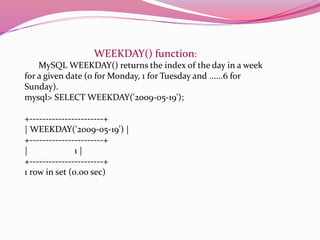
WEEKDAY() function:
MySQL WEEKDAY() returns the index of the day in a week
for a given date (0 for Monday, 1 for Tuesday and ......6 for
Sunday).
mysql> SELECT WEEKDAY('2009-05-19');
+-----------------------+
| WEEKDAY('2009-05-19') |
+-----------------------+
| 1 |
+-----------------------+
1 row in set (0.00 sec)
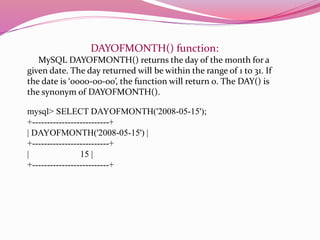
DAYOFMONTH() function:
MySQL DAYOFMONTH() returns the day of the month for a
given date. The day returned will be within the range of 1 to 31. If
the date is ‘0000-00-00’, the function will return 0. The DAY() is
the synonym of DAYOFMONTH().
mysql> SELECT DAYOFMONTH('2008-05-15');
+--------------------------+
| DAYOFMONTH('2008-05-15') |
+--------------------------+
| 15 |
+--------------------------+
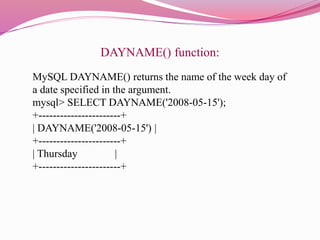
DAYNAME() function:
MySQL DAYNAME() returns the name of the week day of
a date specified in the argument.
mysql> SELECT DAYNAME('2008-05-15');
+-----------------------+
| DAYNAME('2008-05-15') |
+-----------------------+
| Thursday |
+-----------------------+
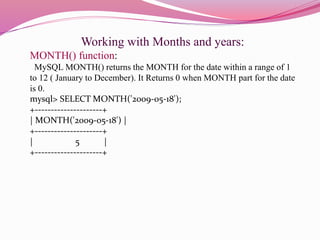
Working with Months and years:
MONTH() function:
MySQL MONTH() returns the MONTH for the date within a range of 1
to 12 ( January to December). It Returns 0 when MONTH part for the date
is 0.
mysql> SELECT MONTH('2009-05-18');
+---------------------+
| MONTH('2009-05-18') |
+---------------------+
| 5 |
+---------------------+
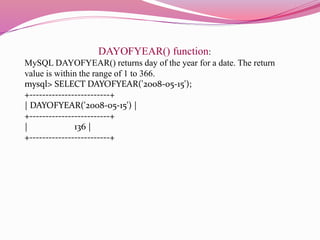
DAYOFYEAR() function:
MySQL DAYOFYEAR() returns day of the year for a date. The return
value is within the range of 1 to 366.
mysql> SELECT DAYOFYEAR('2008-05-15');
+-------------------------+
| DAYOFYEAR('2008-05-15') |
+-------------------------+
| 136 |
+-------------------------+
Working with weeks:
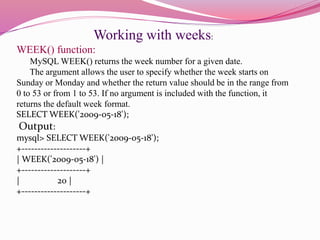
WEEK() function:
MySQL WEEK() returns the week number for a given date.
The argument allows the user to specify whether the week starts on
Sunday or Monday and whether the return value should be in the range from
0 to 53 or from 1 to 53. If no argument is included with the function, it
returns the default week format.
SELECT WEEK('2009-05-18');
Output:
mysql> SELECT WEEK('2009-05-18');
+--------------------+
| WEEK('2009-05-18') |
+--------------------+
| 20 |
+--------------------+
Working with hours, minutes and seconds
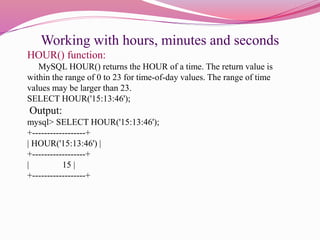
HOUR() function:
MySQL HOUR() returns the HOUR of a time. The return value is
within the range of 0 to 23 for time-of-day values. The range of time
values may be larger than 23.
SELECT HOUR('15:13:46');
Output:
mysql> SELECT HOUR('15:13:46');
+------------------+
| HOUR('15:13:46') |
+------------------+
| 15 |
+------------------+
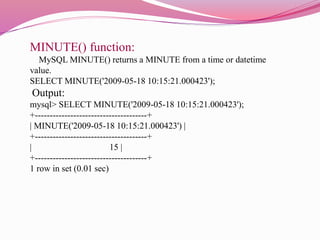
MINUTE() function:
MySQL MINUTE() returns a MINUTE from a time or datetime
value.
SELECT MINUTE('2009-05-18 10:15:21.000423');
Output:
mysql> SELECT MINUTE('2009-05-18 10:15:21.000423');
+--------------------------------------+
| MINUTE('2009-05-18 10:15:21.000423') |
+--------------------------------------+
| 15 |
+--------------------------------------+
1 row in set (0.01 sec)
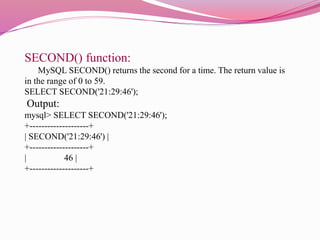
SECOND() function:
MySQL SECOND() returns the second for a time. The return value is
in the range of 0 to 59.
SELECT SECOND('21:29:46');
Output:
mysql> SELECT SECOND('21:29:46');
+--------------------+
| SECOND('21:29:46') |
+--------------------+
| 46 |
+--------------------+
Formatting Dates and Times with Mysql:
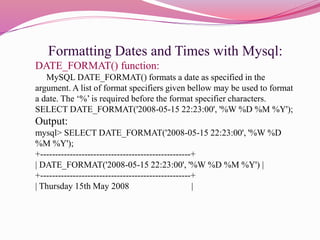
DATE_FORMAT() function:
MySQL DATE_FORMAT() formats a date as specified in the
argument. A list of format specifiers given bellow may be used to format
a date. The ‘%’ is required before the format specifier characters.
SELECT DATE_FORMAT('2008-05-15 22:23:00', '%W %D %M %Y');
Output:
mysql> SELECT DATE_FORMAT('2008-05-15 22:23:00', '%W %D
%M %Y');
+---------------------------------------------------+
| DATE_FORMAT('2008-05-15 22:23:00', '%W %D %M %Y') |
+---------------------------------------------------+
| Thursday 15th May 2008 |
Performing Date Arithmetic with Mysql:
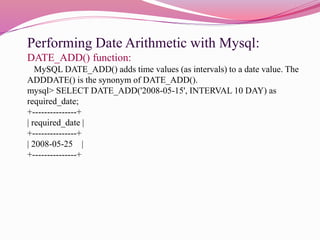
DATE_ADD() function:
MySQL DATE_ADD() adds time values (as intervals) to a date value. The
ADDDATE() is the synonym of DATE_ADD().
mysql> SELECT DATE_ADD('2008-05-15', INTERVAL 10 DAY) as
required_date;
+---------------+
| required_date |
+---------------+
| 2008-05-25 |
+---------------+
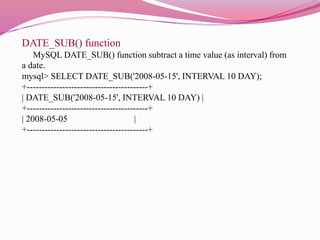
DATE_SUB() function
MySQL DATE_SUB() function subtract a time value (as interval) from
a date.
mysql> SELECT DATE_SUB('2008-05-15', INTERVAL 10 DAY);
+-----------------------------------------+
| DATE_SUB('2008-05-15', INTERVAL 10 DAY) |
+-----------------------------------------+
| 2008-05-05 |
+-----------------------------------------+
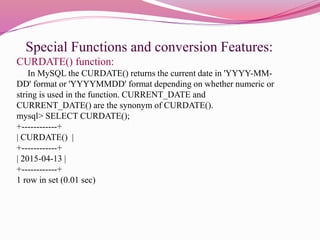
Special Functions and conversion Features:
CURDATE() function:
In MySQL the CURDATE() returns the current date in 'YYYY-MM-
DD' format or 'YYYYMMDD' format depending on whether numeric or
string is used in the function. CURRENT_DATE and
CURRENT_DATE() are the synonym of CURDATE().
mysql> SELECT CURDATE();
+------------+
| CURDATE() |
+------------+
| 2015-04-13 |
+------------+
1 row in set (0.01 sec)
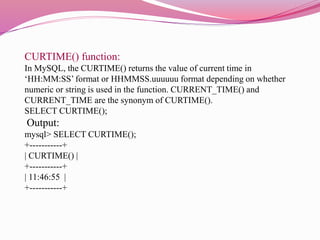
CURTIME() function:
In MySQL, the CURTIME() returns the value of current time in
‘HH:MM:SS’ format or HHMMSS.uuuuuu format depending on whether
numeric or string is used in the function. CURRENT_TIME() and
CURRENT_TIME are the synonym of CURTIME().
SELECT CURTIME();
Output:
mysql> SELECT CURTIME();
+-----------+
| CURTIME() |
+-----------+
| 11:46:55 |
+-----------+
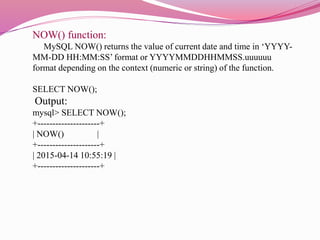
NOW() function:
MySQL NOW() returns the value of current date and time in ‘YYYY-
MM-DD HH:MM:SS’ format or YYYYMMDDHHMMSS.uuuuuu
format depending on the context (numeric or string) of the function.
SELECT NOW();
Output:
mysql> SELECT NOW();
+---------------------+
| NOW() |
+---------------------+
| 2015-04-14 10:55:19 |
+---------------------+
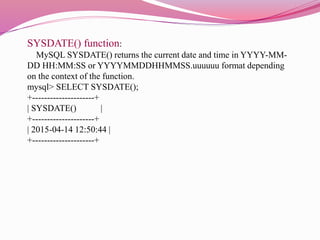
SYSDATE() function:
MySQL SYSDATE() returns the current date and time in YYYY-MM-
DD HH:MM:SS or YYYYMMDDHHMMSS.uuuuuu format depending
on the context of the function.
mysql> SELECT SYSDATE();
+---------------------+
| SYSDATE() |
+---------------------+
| 2015-04-14 12:50:44 |
+---------------------+
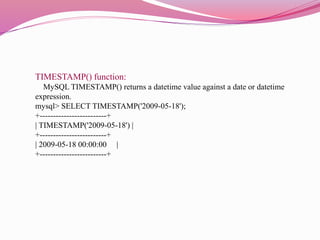
TIMESTAMP() function:
MySQL TIMESTAMP() returns a datetime value against a date or datetime
expression.
mysql> SELECT TIMESTAMP('2009-05-18');
+-------------------------+
| TIMESTAMP('2009-05-18') |
+-------------------------+
| 2009-05-18 00:00:00 |
+-------------------------+
Thank You

Date and time functions in mysql

  • 1.
    Using Date andTime Functions in MYSQL Mrs.G.Chandraprabha,M.Sc.,M.Phil., Assistant Professor, Department of IT, V.V.V college for Women, Virudhunagar
  • 2.
    Working With Days DAYOFWEEK()function:  MYSQL DAYOFWEEK() returns the week day number (1 for Sunday,2 for Monday …… 7 for Saturday ) for a date specified as argument. mysql> SELECT DAYOFWEEK('2008-05-15'); +-------------------------+ | DAYOFWEEK('2008-05-15') | +-------------------------+ | 5 | +-------------------------+
  • 3.
    WEEKDAY() function: MySQL WEEKDAY()returns the index of the day in a week for a given date (0 for Monday, 1 for Tuesday and ......6 for Sunday). mysql> SELECT WEEKDAY('2009-05-19'); +-----------------------+ | WEEKDAY('2009-05-19') | +-----------------------+ | 1 | +-----------------------+ 1 row in set (0.00 sec)
  • 4.
    DAYOFMONTH() function: MySQL DAYOFMONTH()returns the day of the month for a given date. The day returned will be within the range of 1 to 31. If the date is ‘0000-00-00’, the function will return 0. The DAY() is the synonym of DAYOFMONTH(). mysql> SELECT DAYOFMONTH('2008-05-15'); +--------------------------+ | DAYOFMONTH('2008-05-15') | +--------------------------+ | 15 | +--------------------------+
  • 5.
    DAYNAME() function: MySQL DAYNAME()returns the name of the week day of a date specified in the argument. mysql> SELECT DAYNAME('2008-05-15'); +-----------------------+ | DAYNAME('2008-05-15') | +-----------------------+ | Thursday | +-----------------------+
  • 6.
    Working with Monthsand years: MONTH() function: MySQL MONTH() returns the MONTH for the date within a range of 1 to 12 ( January to December). It Returns 0 when MONTH part for the date is 0. mysql> SELECT MONTH('2009-05-18'); +---------------------+ | MONTH('2009-05-18') | +---------------------+ | 5 | +---------------------+
  • 7.
    DAYOFYEAR() function: MySQL DAYOFYEAR()returns day of the year for a date. The return value is within the range of 1 to 366. mysql> SELECT DAYOFYEAR('2008-05-15'); +-------------------------+ | DAYOFYEAR('2008-05-15') | +-------------------------+ | 136 | +-------------------------+
  • 8.
    Working with weeks: WEEK()function: MySQL WEEK() returns the week number for a given date. The argument allows the user to specify whether the week starts on Sunday or Monday and whether the return value should be in the range from 0 to 53 or from 1 to 53. If no argument is included with the function, it returns the default week format. SELECT WEEK('2009-05-18'); Output: mysql> SELECT WEEK('2009-05-18'); +--------------------+ | WEEK('2009-05-18') | +--------------------+ | 20 | +--------------------+
  • 9.
    Working with hours,minutes and seconds HOUR() function: MySQL HOUR() returns the HOUR of a time. The return value is within the range of 0 to 23 for time-of-day values. The range of time values may be larger than 23. SELECT HOUR('15:13:46'); Output: mysql> SELECT HOUR('15:13:46'); +------------------+ | HOUR('15:13:46') | +------------------+ | 15 | +------------------+
  • 10.
    MINUTE() function: MySQL MINUTE()returns a MINUTE from a time or datetime value. SELECT MINUTE('2009-05-18 10:15:21.000423'); Output: mysql> SELECT MINUTE('2009-05-18 10:15:21.000423'); +--------------------------------------+ | MINUTE('2009-05-18 10:15:21.000423') | +--------------------------------------+ | 15 | +--------------------------------------+ 1 row in set (0.01 sec)
  • 11.
    SECOND() function: MySQL SECOND()returns the second for a time. The return value is in the range of 0 to 59. SELECT SECOND('21:29:46'); Output: mysql> SELECT SECOND('21:29:46'); +--------------------+ | SECOND('21:29:46') | +--------------------+ | 46 | +--------------------+
  • 12.
    Formatting Dates andTimes with Mysql: DATE_FORMAT() function: MySQL DATE_FORMAT() formats a date as specified in the argument. A list of format specifiers given bellow may be used to format a date. The ‘%’ is required before the format specifier characters. SELECT DATE_FORMAT('2008-05-15 22:23:00', '%W %D %M %Y'); Output: mysql> SELECT DATE_FORMAT('2008-05-15 22:23:00', '%W %D %M %Y'); +---------------------------------------------------+ | DATE_FORMAT('2008-05-15 22:23:00', '%W %D %M %Y') | +---------------------------------------------------+ | Thursday 15th May 2008 |
  • 13.
    Performing Date Arithmeticwith Mysql: DATE_ADD() function: MySQL DATE_ADD() adds time values (as intervals) to a date value. The ADDDATE() is the synonym of DATE_ADD(). mysql> SELECT DATE_ADD('2008-05-15', INTERVAL 10 DAY) as required_date; +---------------+ | required_date | +---------------+ | 2008-05-25 | +---------------+
  • 14.
    DATE_SUB() function MySQL DATE_SUB()function subtract a time value (as interval) from a date. mysql> SELECT DATE_SUB('2008-05-15', INTERVAL 10 DAY); +-----------------------------------------+ | DATE_SUB('2008-05-15', INTERVAL 10 DAY) | +-----------------------------------------+ | 2008-05-05 | +-----------------------------------------+
  • 15.
    Special Functions andconversion Features: CURDATE() function: In MySQL the CURDATE() returns the current date in 'YYYY-MM- DD' format or 'YYYYMMDD' format depending on whether numeric or string is used in the function. CURRENT_DATE and CURRENT_DATE() are the synonym of CURDATE(). mysql> SELECT CURDATE(); +------------+ | CURDATE() | +------------+ | 2015-04-13 | +------------+ 1 row in set (0.01 sec)
  • 16.
    CURTIME() function: In MySQL,the CURTIME() returns the value of current time in ‘HH:MM:SS’ format or HHMMSS.uuuuuu format depending on whether numeric or string is used in the function. CURRENT_TIME() and CURRENT_TIME are the synonym of CURTIME(). SELECT CURTIME(); Output: mysql> SELECT CURTIME(); +-----------+ | CURTIME() | +-----------+ | 11:46:55 | +-----------+
  • 17.
    NOW() function: MySQL NOW()returns the value of current date and time in ‘YYYY- MM-DD HH:MM:SS’ format or YYYYMMDDHHMMSS.uuuuuu format depending on the context (numeric or string) of the function. SELECT NOW(); Output: mysql> SELECT NOW(); +---------------------+ | NOW() | +---------------------+ | 2015-04-14 10:55:19 | +---------------------+
  • 18.
    SYSDATE() function: MySQL SYSDATE()returns the current date and time in YYYY-MM- DD HH:MM:SS or YYYYMMDDHHMMSS.uuuuuu format depending on the context of the function. mysql> SELECT SYSDATE(); +---------------------+ | SYSDATE() | +---------------------+ | 2015-04-14 12:50:44 | +---------------------+
  • 19.
    TIMESTAMP() function: MySQL TIMESTAMP()returns a datetime value against a date or datetime expression. mysql> SELECT TIMESTAMP('2009-05-18'); +-------------------------+ | TIMESTAMP('2009-05-18') | +-------------------------+ | 2009-05-18 00:00:00 | +-------------------------+
  • 20.