UNIT 3
Data definition language (DDL), Data Manipulation Language (DML), Basic structure of SQL
Queries, Set operations, Null Values, Nested subqueries, views, modification of database,
transaction, Joins
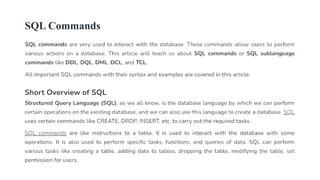
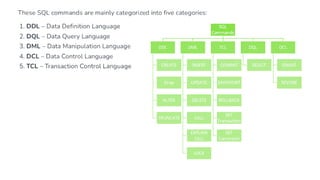
SQL Commands
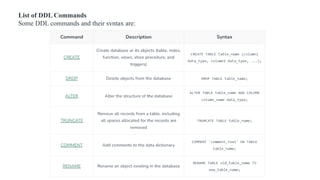
List of DDL Commands
Some DDL commands and their syntax are:
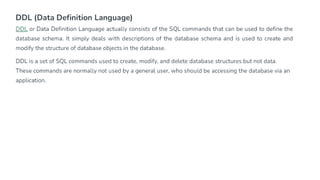
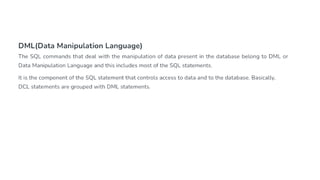
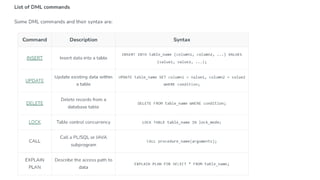
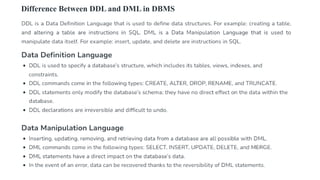
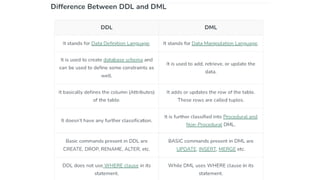
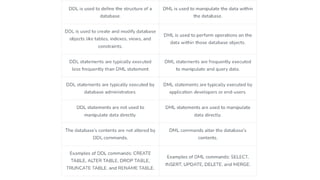
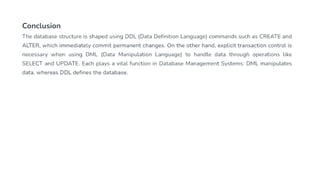
Difference Between DDL and DML in DBMS
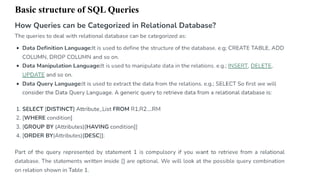
Basic structure of SQL Queries
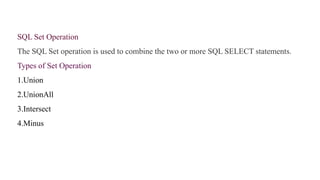
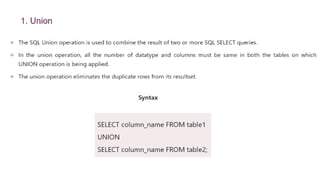
SQL Set Operation
The SQL Set operation is used to combine the two or more SQL SELECT statements.
Types of Set Operation
1.Union
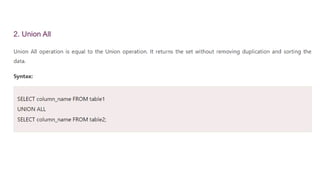
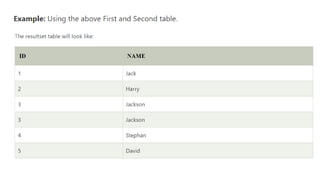
2.UnionAll
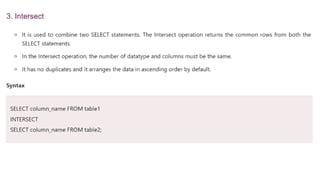
3.Intersect
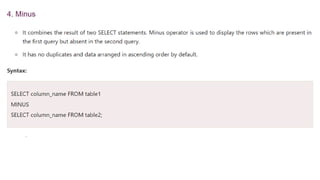
4.Minus
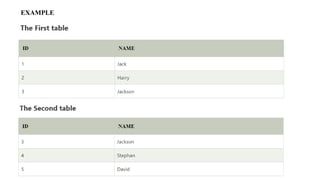
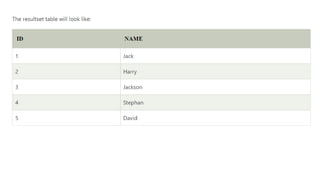
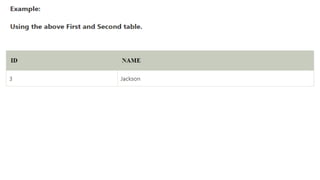
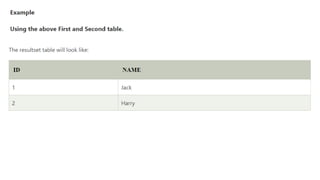
EXAMPLE
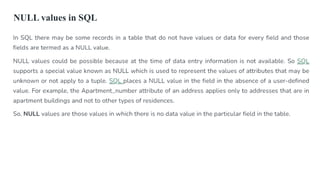
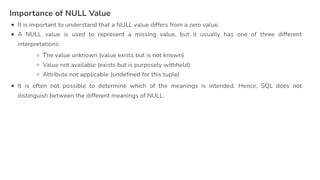
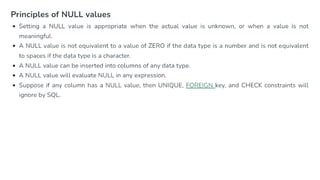
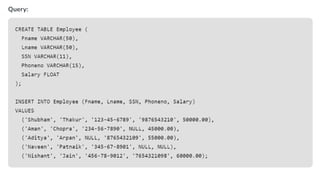
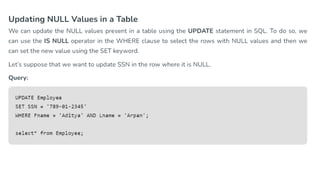
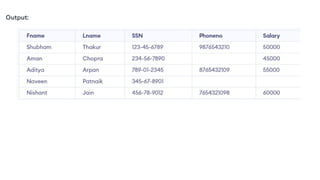
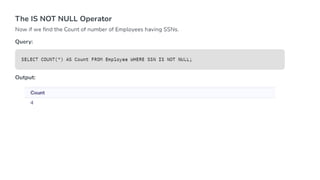
NULL values in SQL
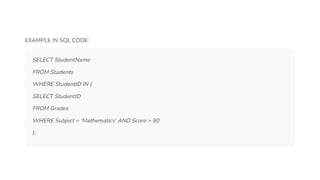
Nested Queries in SQL
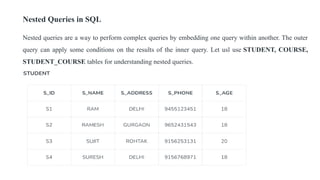
Nested queries are a way to perform complex queries by embedding one query within another. The outer
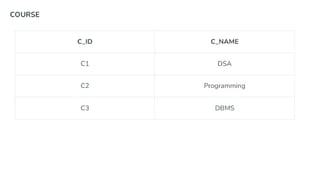
query can apply some conditions on the results of the inner query. Let usl use STUDENT, COURSE,
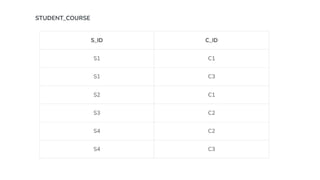
STUDENT_COURSE tables for understanding nested queries.
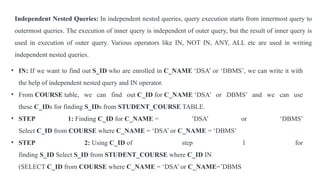
Independent Nested Queries: In independent nested queries, query execution starts from innermost query to
outermost queries. The execution of inner query is independent of outer query, but the result of inner query is
used in execution of outer query. Various operators like IN, NOT IN, ANY, ALL etc are used in writing
independent nested queries.
• IN: If we want to find out S_ID who are enrolled in C_NAME ‘DSA’ or ‘DBMS’, we can write it with
the help of independent nested query and IN operator.
• From COURSE table, we can find out C_ID for C_NAME ‘DSA’ or DBMS’ and we can use
these C_IDs for finding S_IDs from STUDENT_COURSE TABLE.
• STEP 1: Finding C_ID for C_NAME = ’DSA’ or ‘DBMS’
Select C_ID from COURSE where C_NAME = ‘DSA’ or C_NAME = ‘DBMS’
• STEP 2: Using C_ID of step 1 for
finding S_ID Select S_ID from STUDENT_COURSE where C_ID IN
(SELECT C_ID from COURSE where C_NAME = ‘DSA’ or C_NAME=’DBMS
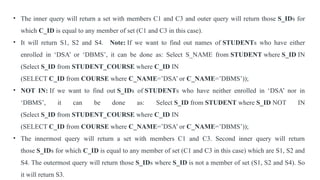
• The inner query will return a set with members C1 and C3 and outer query will return those S_IDs for
which C_ID is equal to any member of set (C1 and C3 in this case).
• It will return S1, S2 and S4. Note: If we want to find out names of STUDENTs who have either
enrolled in ‘DSA’ or ‘DBMS’, it can be done as: Select S_NAME from STUDENT where S_ID IN
(Select S_ID from STUDENT_COURSE where C_ID IN
(SELECT C_ID from COURSE where C_NAME=’DSA’ or C_NAME=’DBMS’));
• NOT IN: If we want to find out S_IDs of STUDENTs who have neither enrolled in ‘DSA’ nor in
‘DBMS’, it can be done as: Select S_ID from STUDENT where S_ID NOT IN
(Select S_ID from STUDENT_COURSE where C_ID IN
(SELECT C_ID from COURSE where C_NAME=’DSA’ or C_NAME=’DBMS’));
• The innermost query will return a set with members C1 and C3. Second inner query will return
those S_IDs for which C_ID is equal to any member of set (C1 and C3 in this case) which are S1, S2 and
S4. The outermost query will return those S_IDs where S_ID is not a member of set (S1, S2 and S4). So
it will return S3.
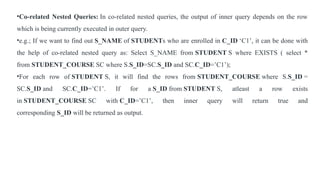
•Co-related Nested Queries: In co-related nested queries, the output of inner query depends on the row
which is being currently executed in outer query.
•e.g.; If we want to find out S_NAME of STUDENTs who are enrolled in C_ID ‘C1’, it can be done with
the help of co-related nested query as: Select S_NAME from STUDENT S where EXISTS ( select *
from STUDENT_COURSE SC where S.S_ID=SC.S_ID and SC.C_ID=’C1’);
•For each row of STUDENT S, it will find the rows from STUDENT_COURSE where S.S_ID =
SC.S_ID and SC.C_ID=’C1’. If for a S_ID from STUDENT S, atleast a row exists
in STUDENT_COURSE SC with C_ID=’C1’, then inner query will return true and
corresponding S_ID will be returned as output.
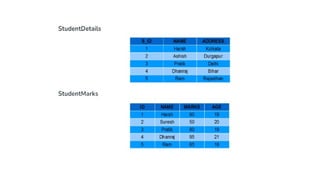
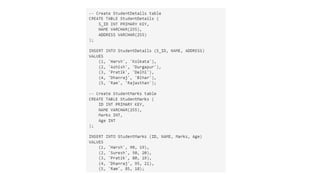
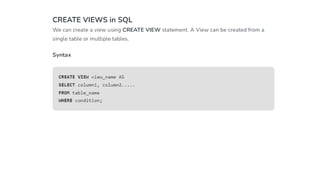
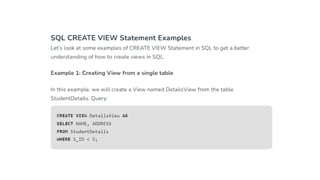
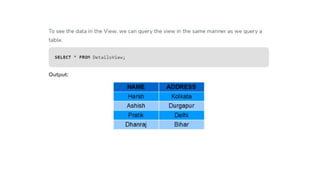
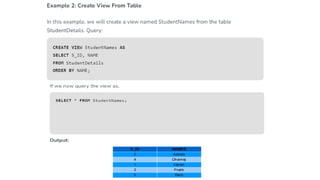
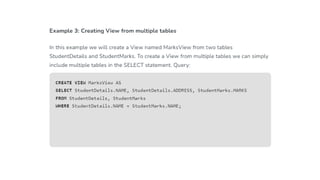
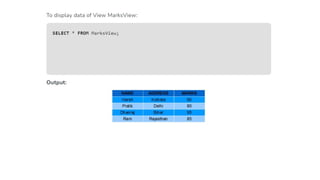
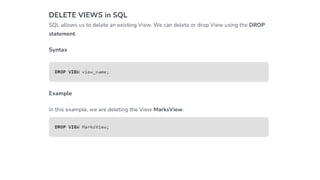
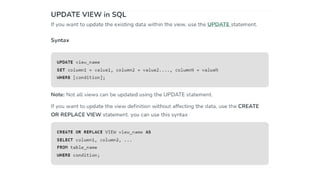
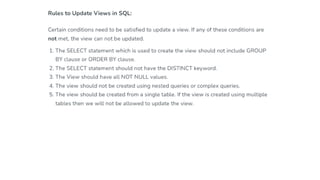
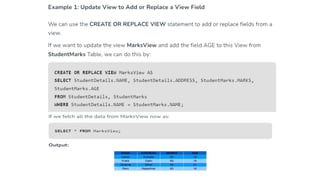
SQL Views
Views in SQL are a kind of virtual table. A view also has rows and
columns like tables, but a view doesn’t store data on the disk like a table.
View defines a customized query that retrieves data from one or more
tables, and represents the data as if it was coming from a single source.
We can create a view by selecting fields from one or more tables present in
the database. A View can either have all the rows of a table or specific rows
based on certain conditions.
Data definition language (DDL), Data Manipulation Language (DML), Basic structure of SQL Queries, Set operations, Null Values, Nested subqueries, views, modification of database, transaction, Joins.pptx

Data definition language (DDL), Data Manipulation Language (DML), Basic structure of SQL Queries, Set operations, Null Values, Nested subqueries, views, modification of database, transaction, Joins.pptx

  • 1.
    UNIT 3 Data definitionlanguage (DDL), Data Manipulation Language (DML), Basic structure of SQL Queries, Set operations, Null Values, Nested subqueries, views, modification of database, transaction, Joins
  • 2.
  • 5.
    List of DDLCommands Some DDL commands and their syntax are:
  • 8.
    Difference Between DDLand DML in DBMS
  • 12.
    Basic structure ofSQL Queries
  • 22.
    SQL Set Operation TheSQL Set operation is used to combine the two or more SQL SELECT statements. Types of Set Operation 1.Union 2.UnionAll 3.Intersect 4.Minus
  • 24.
  • 32.
  • 41.
    Nested Queries inSQL Nested queries are a way to perform complex queries by embedding one query within another. The outer query can apply some conditions on the results of the inner query. Let usl use STUDENT, COURSE, STUDENT_COURSE tables for understanding nested queries.
  • 44.
    Independent Nested Queries:In independent nested queries, query execution starts from innermost query to outermost queries. The execution of inner query is independent of outer query, but the result of inner query is used in execution of outer query. Various operators like IN, NOT IN, ANY, ALL etc are used in writing independent nested queries. • IN: If we want to find out S_ID who are enrolled in C_NAME ‘DSA’ or ‘DBMS’, we can write it with the help of independent nested query and IN operator. • From COURSE table, we can find out C_ID for C_NAME ‘DSA’ or DBMS’ and we can use these C_IDs for finding S_IDs from STUDENT_COURSE TABLE. • STEP 1: Finding C_ID for C_NAME = ’DSA’ or ‘DBMS’ Select C_ID from COURSE where C_NAME = ‘DSA’ or C_NAME = ‘DBMS’ • STEP 2: Using C_ID of step 1 for finding S_ID Select S_ID from STUDENT_COURSE where C_ID IN (SELECT C_ID from COURSE where C_NAME = ‘DSA’ or C_NAME=’DBMS
  • 45.
    • The innerquery will return a set with members C1 and C3 and outer query will return those S_IDs for which C_ID is equal to any member of set (C1 and C3 in this case). • It will return S1, S2 and S4. Note: If we want to find out names of STUDENTs who have either enrolled in ‘DSA’ or ‘DBMS’, it can be done as: Select S_NAME from STUDENT where S_ID IN (Select S_ID from STUDENT_COURSE where C_ID IN (SELECT C_ID from COURSE where C_NAME=’DSA’ or C_NAME=’DBMS’)); • NOT IN: If we want to find out S_IDs of STUDENTs who have neither enrolled in ‘DSA’ nor in ‘DBMS’, it can be done as: Select S_ID from STUDENT where S_ID NOT IN (Select S_ID from STUDENT_COURSE where C_ID IN (SELECT C_ID from COURSE where C_NAME=’DSA’ or C_NAME=’DBMS’)); • The innermost query will return a set with members C1 and C3. Second inner query will return those S_IDs for which C_ID is equal to any member of set (C1 and C3 in this case) which are S1, S2 and S4. The outermost query will return those S_IDs where S_ID is not a member of set (S1, S2 and S4). So it will return S3.
  • 46.
    •Co-related Nested Queries:In co-related nested queries, the output of inner query depends on the row which is being currently executed in outer query. •e.g.; If we want to find out S_NAME of STUDENTs who are enrolled in C_ID ‘C1’, it can be done with the help of co-related nested query as: Select S_NAME from STUDENT S where EXISTS ( select * from STUDENT_COURSE SC where S.S_ID=SC.S_ID and SC.C_ID=’C1’); •For each row of STUDENT S, it will find the rows from STUDENT_COURSE where S.S_ID = SC.S_ID and SC.C_ID=’C1’. If for a S_ID from STUDENT S, atleast a row exists in STUDENT_COURSE SC with C_ID=’C1’, then inner query will return true and corresponding S_ID will be returned as output.
  • 48.
    SQL Views Views inSQL are a kind of virtual table. A view also has rows and columns like tables, but a view doesn’t store data on the disk like a table. View defines a customized query that retrieves data from one or more tables, and represents the data as if it was coming from a single source. We can create a view by selecting fields from one or more tables present in the database. A View can either have all the rows of a table or specific rows based on certain conditions.