Similar to Java Database Connectivity (JDBC) with Spring Framework is a powerful combination that simplifies database interactions in Java applications.
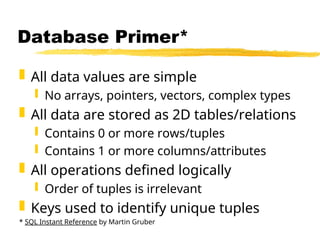
Database Primer*
Alldata values are simple
No arrays, pointers, vectors, complex types
All data are stored as 2D tables/relations
Contains 0 or more rows/tuples
Contains 1 or more columns/attributes
All operations defined logically
Order of tuples is irrelevant
Keys used to identify unique tuples
* SQL Instant Reference by Martin Gruber
3.
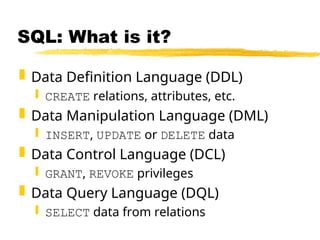
SQL: What isit?
Data Definition Language (DDL)
CREATE relations, attributes, etc.
Data Manipulation Language (DML)
INSERT, UPDATE or DELETE data
Data Control Language (DCL)
GRANT, REVOKE privileges
Data Query Language (DQL)
SELECT data from relations
4.
CREATE-ing Relations
CREATE TABLE{name}
( {col1} {type1} [{cons1}],
{col2} {type2} [{cons2}],
...
);
col? = A name for the column
type? = The column’s data-type
cons? = An optional constraint on the column
5.
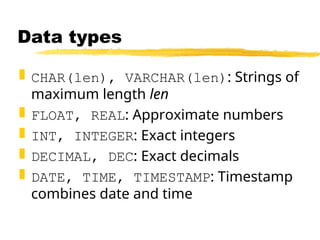
Data types
CHAR(len),VARCHAR(len): Strings of
maximum length len
FLOAT, REAL: Approximate numbers
INT, INTEGER: Exact integers
DECIMAL, DEC: Exact decimals
DATE, TIME, TIMESTAMP: Timestamp
combines date and time
6.
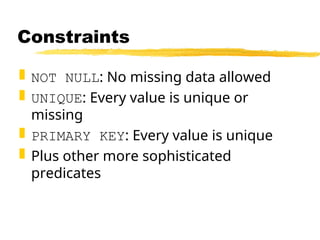
Constraints
NOT NULL:No missing data allowed
UNIQUE: Every value is unique or
missing
PRIMARY KEY: Every value is unique
Plus other more sophisticated
predicates
INSERT-ing New Values
INSERTINTO {table}
[ ( {col-a}, {col-b}, … ) ]
VALUES ( {val-a}, {val-b}, … );
col-x = Optional column names
val-x = A value for that column
If no column names are given, the order
in the CREATE statement is used.
9.
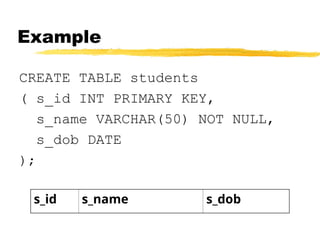
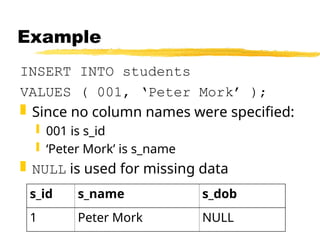
Example
INSERT INTO students
VALUES( 001, ‘Peter Mork’ );
Since no column names were specified:
001 is s_id
‘Peter Mork’ is s_name
NULL is used for missing data
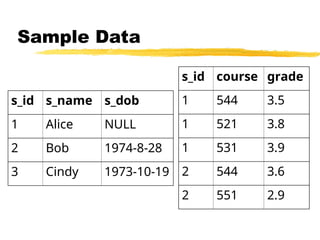
s_id s_name s_dob
1 Peter Mork NULL
10.
DELETE-ing Values
DELETE FROM{table}
[ WHERE {predicate} ];
Deletes all tuples from {table} that
match {predicate}
Use a primary key to isolate one tuple
Example:
DELETE FROM students
WHERE s_id = 1;
11.
SELECT-ing Results
SELECT {attr-list}
FROM{table-list}
[ WHERE {pred-list} ];
Logically:
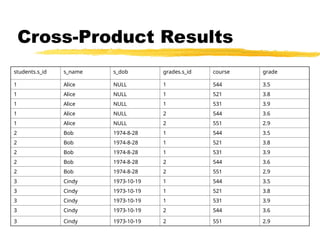
Computes cross-product of all tables
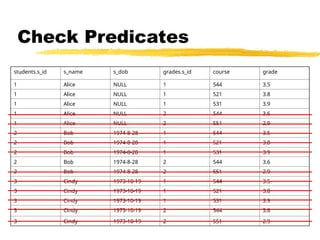
Discards results that don’t match predicates
Returns listed attributes
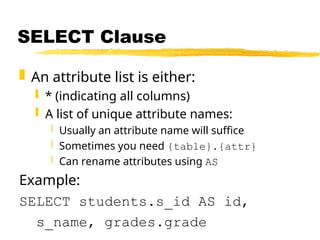
SELECT Clause
Anattribute list is either:
* (indicating all columns)
A list of unique attribute names:
Usually an attribute name will suffice
Sometimes you need {table}.{attr}
Can rename attributes using AS
Example:
SELECT students.s_id AS id,
s_name, grades.grade
14.
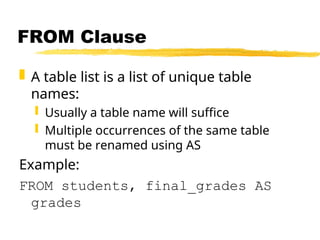
FROM Clause
Atable list is a list of unique table
names:
Usually a table name will suffice
Multiple occurrences of the same table
must be renamed using AS
Example:
FROM students, final_grades AS
grades
15.
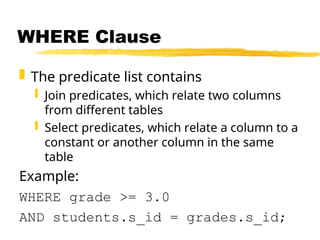
WHERE Clause
Thepredicate list contains
Join predicates, which relate two columns
from different tables
Select predicates, which relate a column to a
constant or another column in the same
table
Example:
WHERE grade >= 3.0
AND students.s_id = grades.s_id;
16.
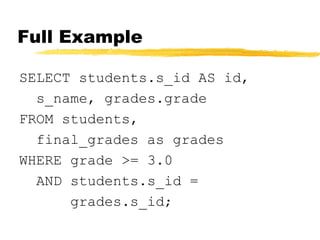
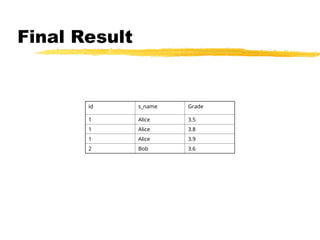
Full Example
SELECT students.s_idAS id,
s_name, grades.grade
FROM students,
final_grades as grades
WHERE grade >= 3.0
AND students.s_id =
grades.s_id;
Note
This is thelogical order of operations. The
database system will not choose such a
brain-damaged approach.
Application developers/users do not need
to know how to execute the query
efficiently; access plans are chosen
automatically by the database system.
22.
Other capabilities
Groupingand aggregation
Uses GROUP BY keyword
Aggregation functions include:
COUNT
SUM
AVG
More sophisticated predicates
Nested queries
23.
JDBC: What isit?
API for database programs
Collection of interfaces, and a few key
classes
Relies on vendor-supplied drivers (i.e.,
implementations of the interfaces)
24.
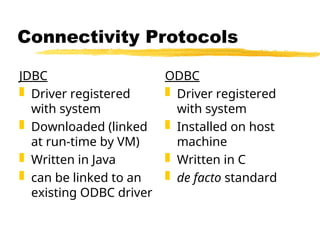
Connectivity Protocols
JDBC
Driverregistered
with system
Downloaded (linked
at run-time by VM)
Written in Java
can be linked to an
existing ODBC driver
ODBC
Driver registered
with system
Installed on host
machine
Written in C
de facto standard
25.
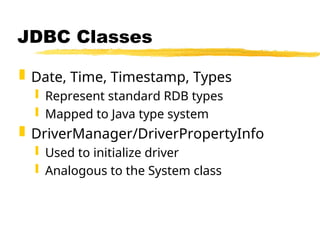
JDBC Classes
Date,Time, Timestamp, Types
Represent standard RDB types
Mapped to Java type system
DriverManager/DriverPropertyInfo
Used to initialize driver
Analogous to the System class
26.
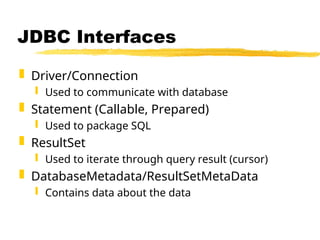
JDBC Interfaces
Driver/Connection
Used to communicate with database
Statement (Callable, Prepared)
Used to package SQL
ResultSet
Used to iterate through query result (cursor)
DatabaseMetadata/ResultSetMetaData
Contains data about the data
27.
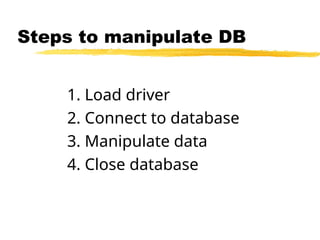
Steps to manipulateDB
1. Load driver
2. Connect to database
3. Manipulate data
4. Close database
28.
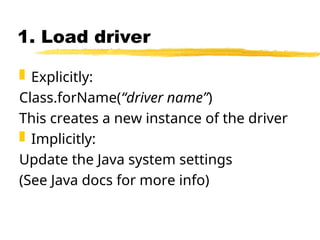
1. Load driver
Explicitly:
Class.forName(“driver name”)
This creates a new instance of the driver
Implicitly:
Update the Java system settings
(See Java docs for more info)
29.
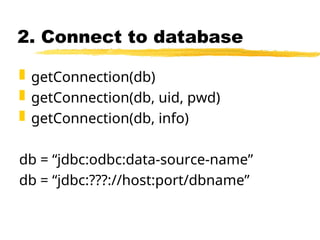
2. Connect todatabase
getConnection(db)
getConnection(db, uid, pwd)
getConnection(db, info)
db = “jdbc:odbc:data-source-name”
db = “jdbc:???://host:port/dbname”
30.
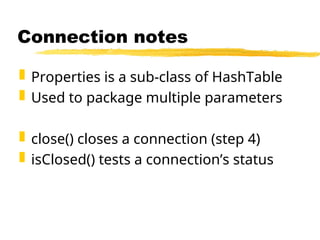
Connection notes
Propertiesis a sub-class of HashTable
Used to package multiple parameters
close() closes a connection (step 4)
isClosed() tests a connection’s status
31.
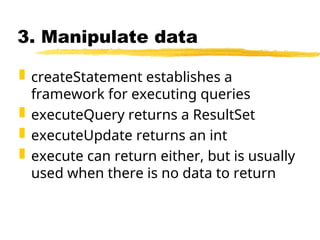
3. Manipulate data
createStatement establishes a
framework for executing queries
executeQuery returns a ResultSet
executeUpdate returns an int
execute can return either, but is usually
used when there is no data to return
32.
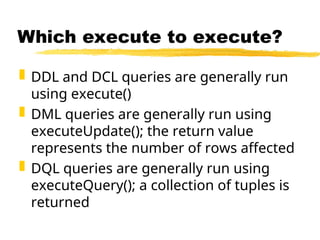
Which execute toexecute?
DDL and DCL queries are generally run
using execute()
DML queries are generally run using
executeUpdate(); the return value
represents the number of rows affected
DQL queries are generally run using
executeQuery(); a collection of tuples is
returned
33.
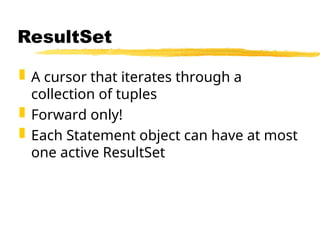
ResultSet
A cursorthat iterates through a
collection of tuples
Forward only!
Each Statement object can have at most
one active ResultSet
34.
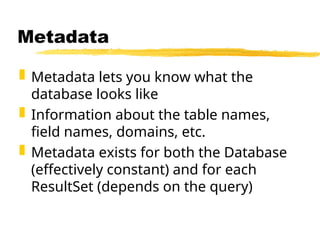
Metadata
Metadata letsyou know what the
database looks like
Information about the table names,
field names, domains, etc.
Metadata exists for both the Database
(effectively constant) and for each
ResultSet (depends on the query)
35.
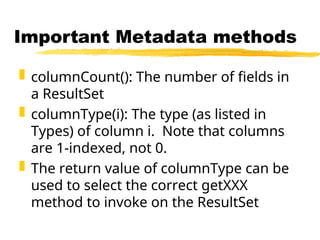
Important Metadata methods
columnCount(): The number of fields in
a ResultSet
columnType(i): The type (as listed in
Types) of column i. Note that columns
are 1-indexed, not 0.
The return value of columnType can be
used to select the correct getXXX
method to invoke on the ResultSet
36.
Possible Uses ofJDBC
Leverage Java’s GUI tools to allow users
to visualize the contents of a database
Use Java to publish information stored
in a database on the web
Create tools to aid the database
programmer in designing queries
37.
Observations
Java’s inherentspeed problems can be
offset by the power of an efficient
database
Many databases have awkward user
interfaces
Database queries are disk/network
requests -- think multi-threading
![CREATE-ing Relations
CREATE TABLE {name}
( {col1} {type1} [{cons1}],
{col2} {type2} [{cons2}],
...
);
col? = A name for the column
type? = The column’s data-type
cons? = An optional constraint on the column](https://image.slidesharecdn.com/javajdbcwithspring-250313105015-e3f6255b/85/Java-Database-Connectivity-JDBC-with-Spring-Framework-is-a-powerful-combination-that-simplifies-database-interactions-in-Java-applications-4-320.jpg)
![INSERT-ing New Values
INSERT INTO {table}
[ ( {col-a}, {col-b}, … ) ]
VALUES ( {val-a}, {val-b}, … );
col-x = Optional column names
val-x = A value for that column
If no column names are given, the order
in the CREATE statement is used.](https://image.slidesharecdn.com/javajdbcwithspring-250313105015-e3f6255b/85/Java-Database-Connectivity-JDBC-with-Spring-Framework-is-a-powerful-combination-that-simplifies-database-interactions-in-Java-applications-8-320.jpg)
![DELETE-ing Values
DELETE FROM {table}
[ WHERE {predicate} ];
Deletes all tuples from {table} that
match {predicate}
Use a primary key to isolate one tuple
Example:
DELETE FROM students
WHERE s_id = 1;](https://image.slidesharecdn.com/javajdbcwithspring-250313105015-e3f6255b/85/Java-Database-Connectivity-JDBC-with-Spring-Framework-is-a-powerful-combination-that-simplifies-database-interactions-in-Java-applications-10-320.jpg)
![SELECT-ing Results
SELECT {attr-list}
FROM {table-list}
[ WHERE {pred-list} ];
Logically:
Computes cross-product of all tables
Discards results that don’t match predicates
Returns listed attributes](https://image.slidesharecdn.com/javajdbcwithspring-250313105015-e3f6255b/85/Java-Database-Connectivity-JDBC-with-Spring-Framework-is-a-powerful-combination-that-simplifies-database-interactions-in-Java-applications-11-320.jpg)