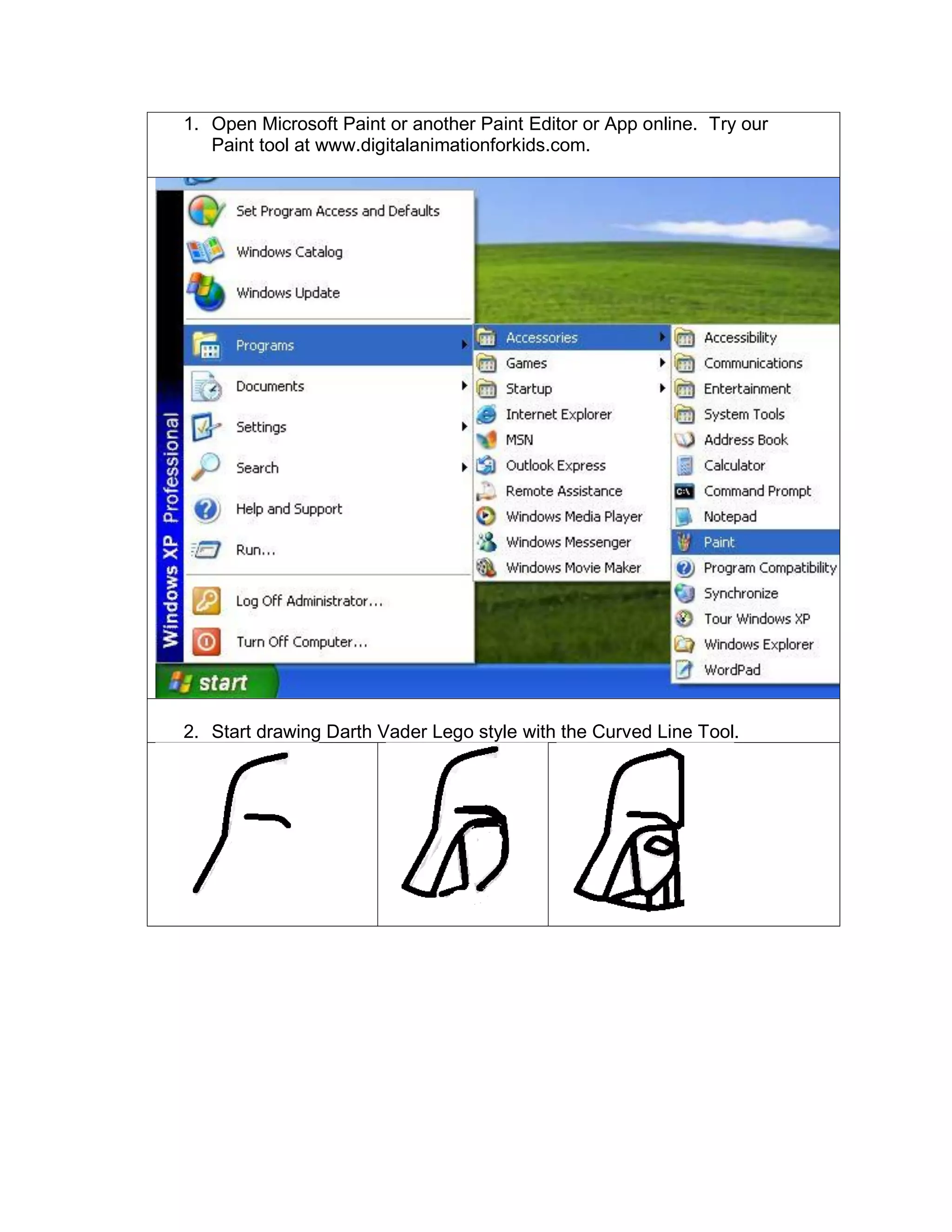
1. Open Microsoft Paint or another Paint Editor or App online. Try our
Paint tool at www.digitalanimationforkids.com.
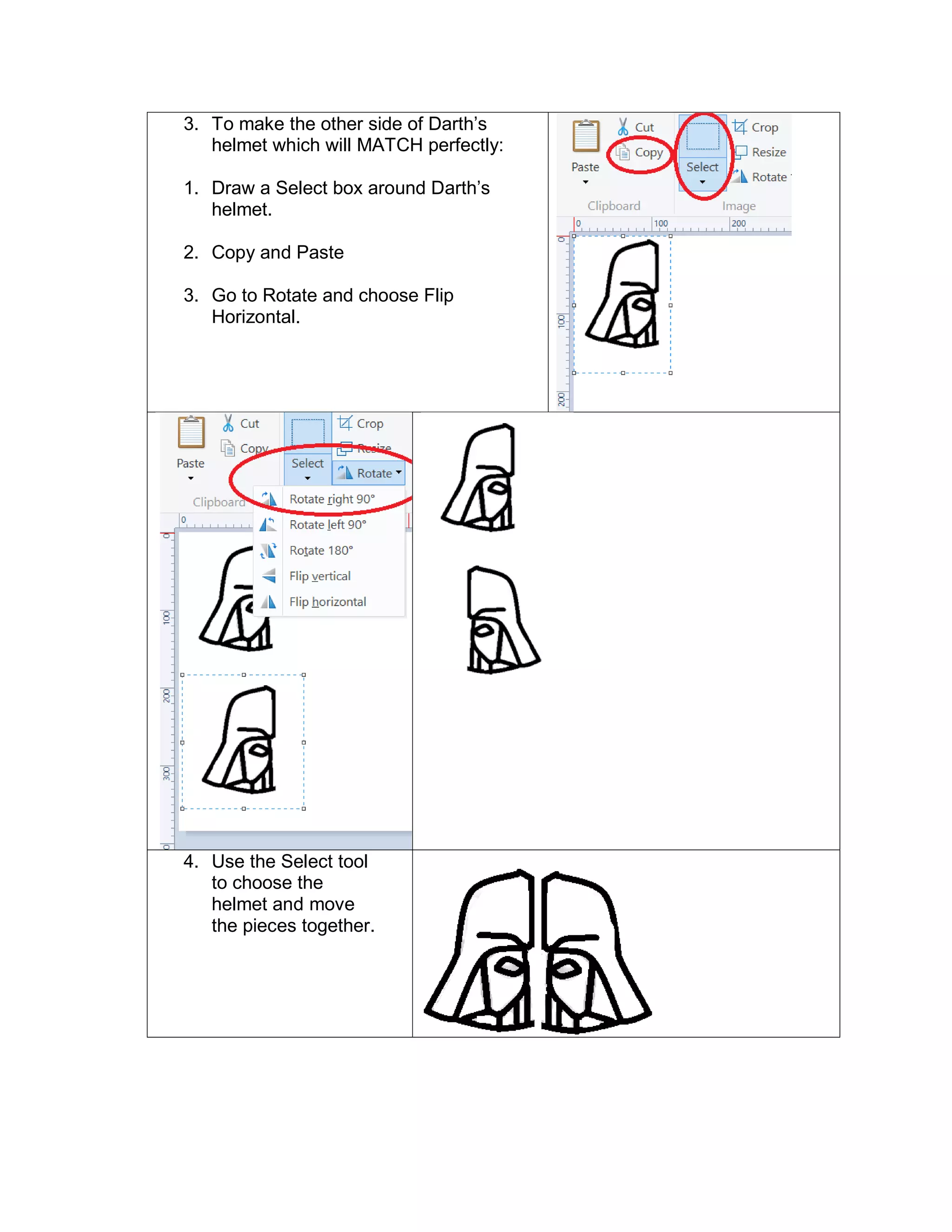
2. Start drawing Darth Vader Lego style with the Curved Line Tool.
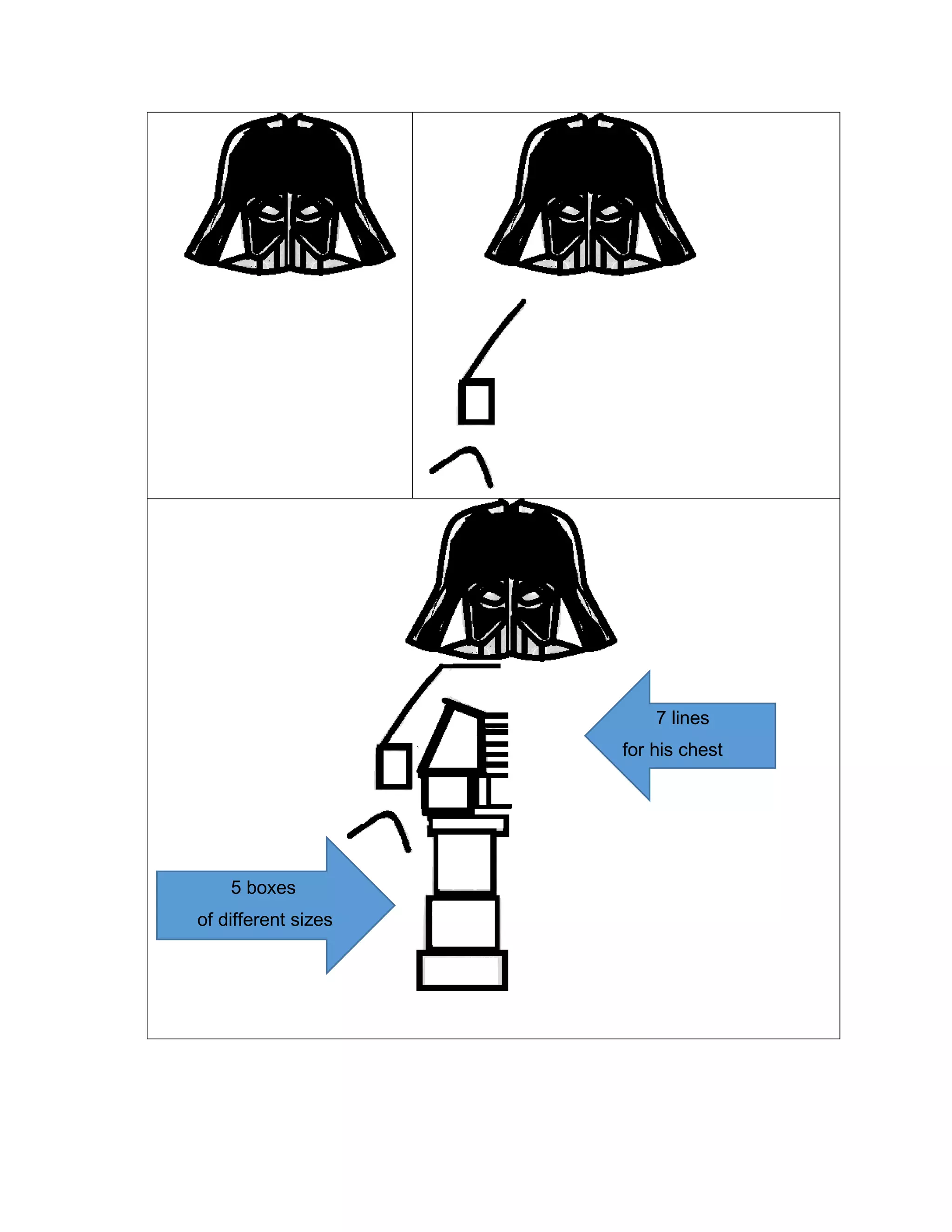
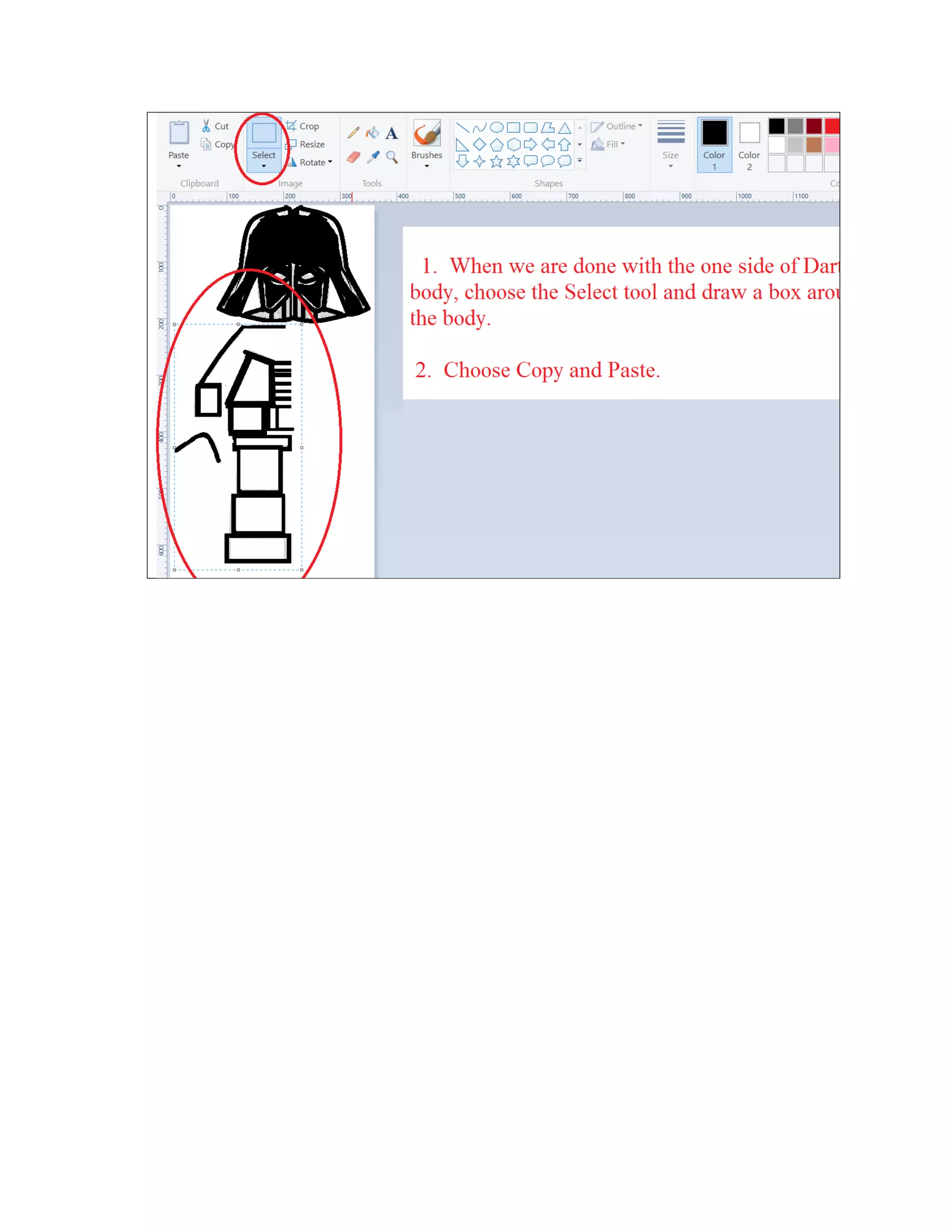
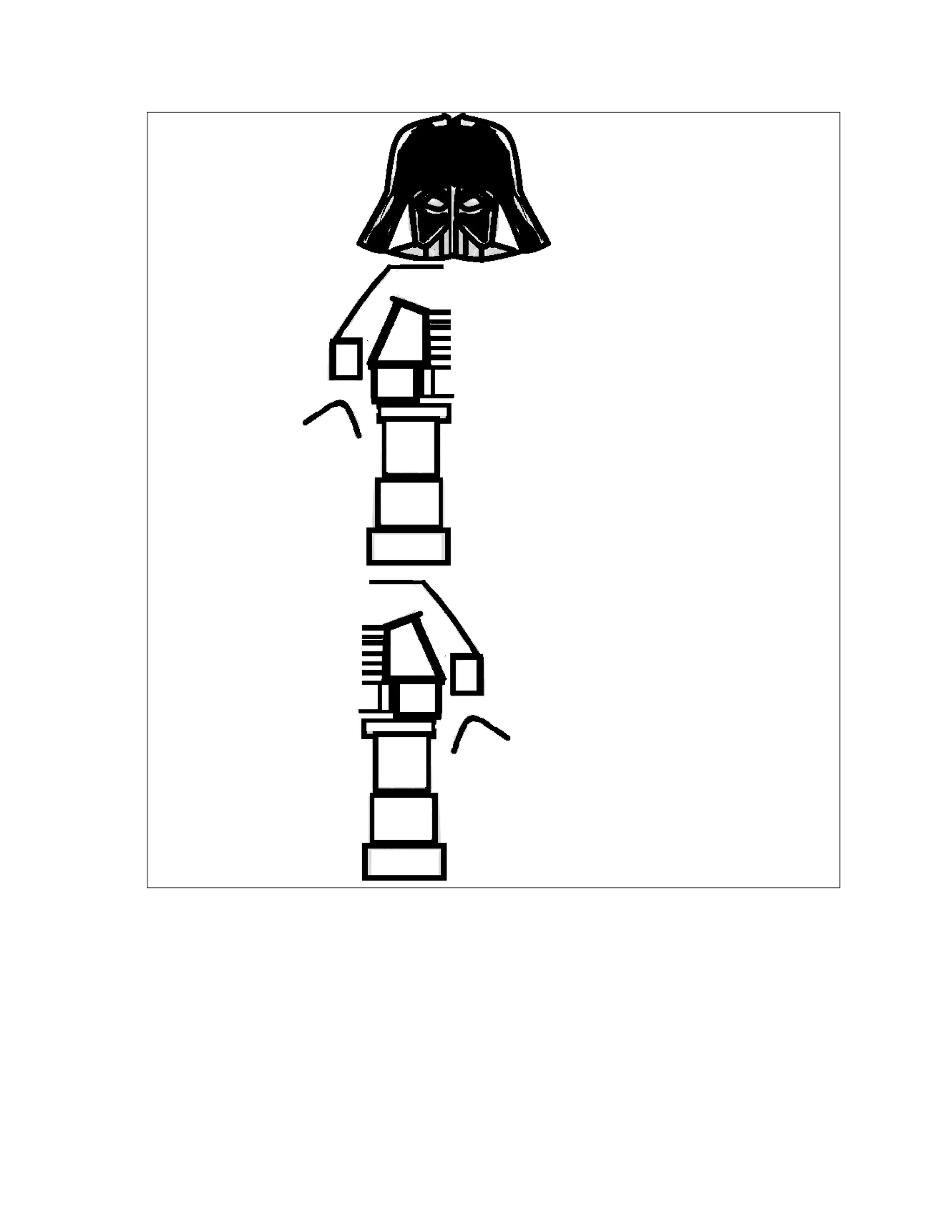
3. To make the other side of Darth’s
helmet which will MATCH perfectly:
1. Draw a Select box around Darth’s
helmet.
2. Copy and Paste
3. Go to Rotate and choose Flip
Horizontal.
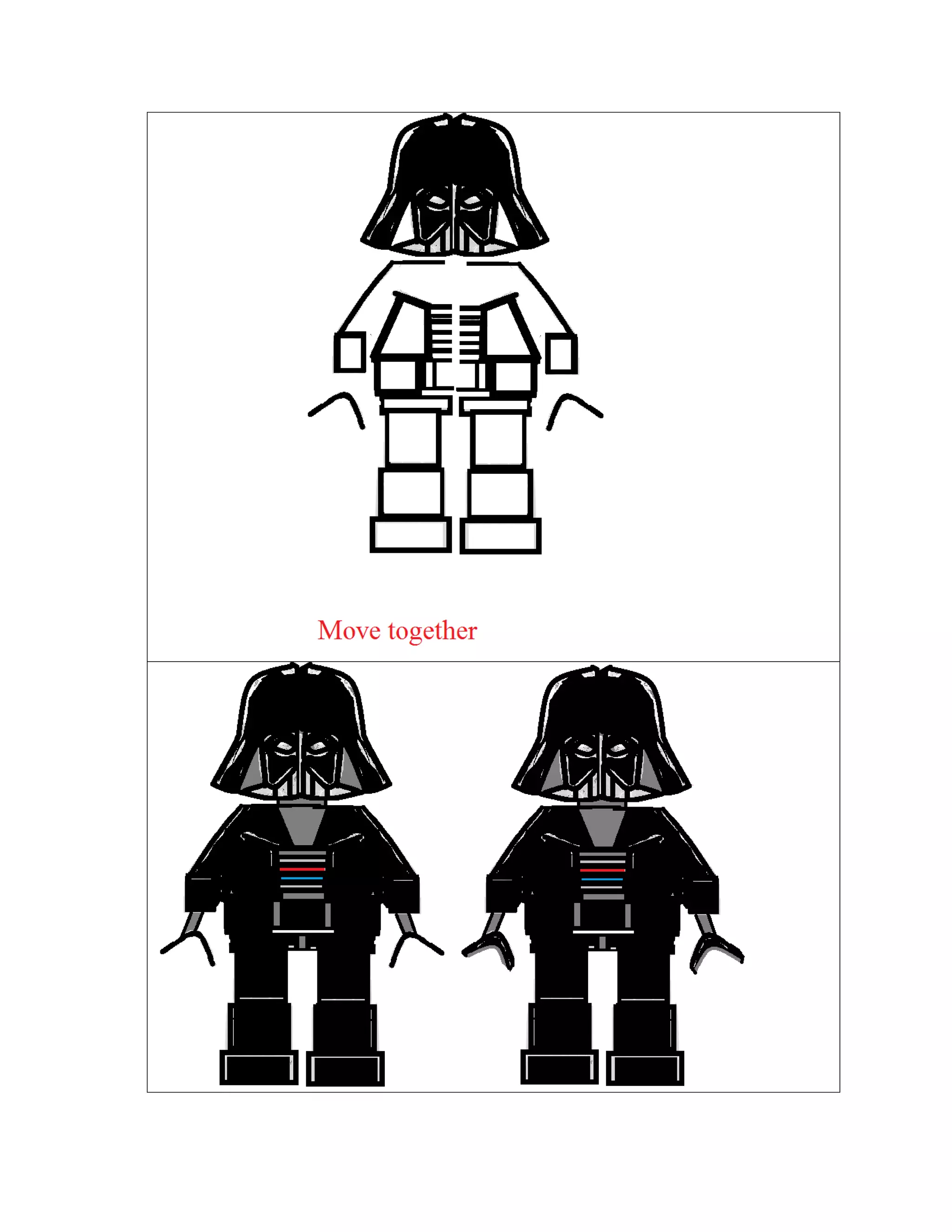
4. Use the Select tool
to choose the
helmet and move
the pieces together.
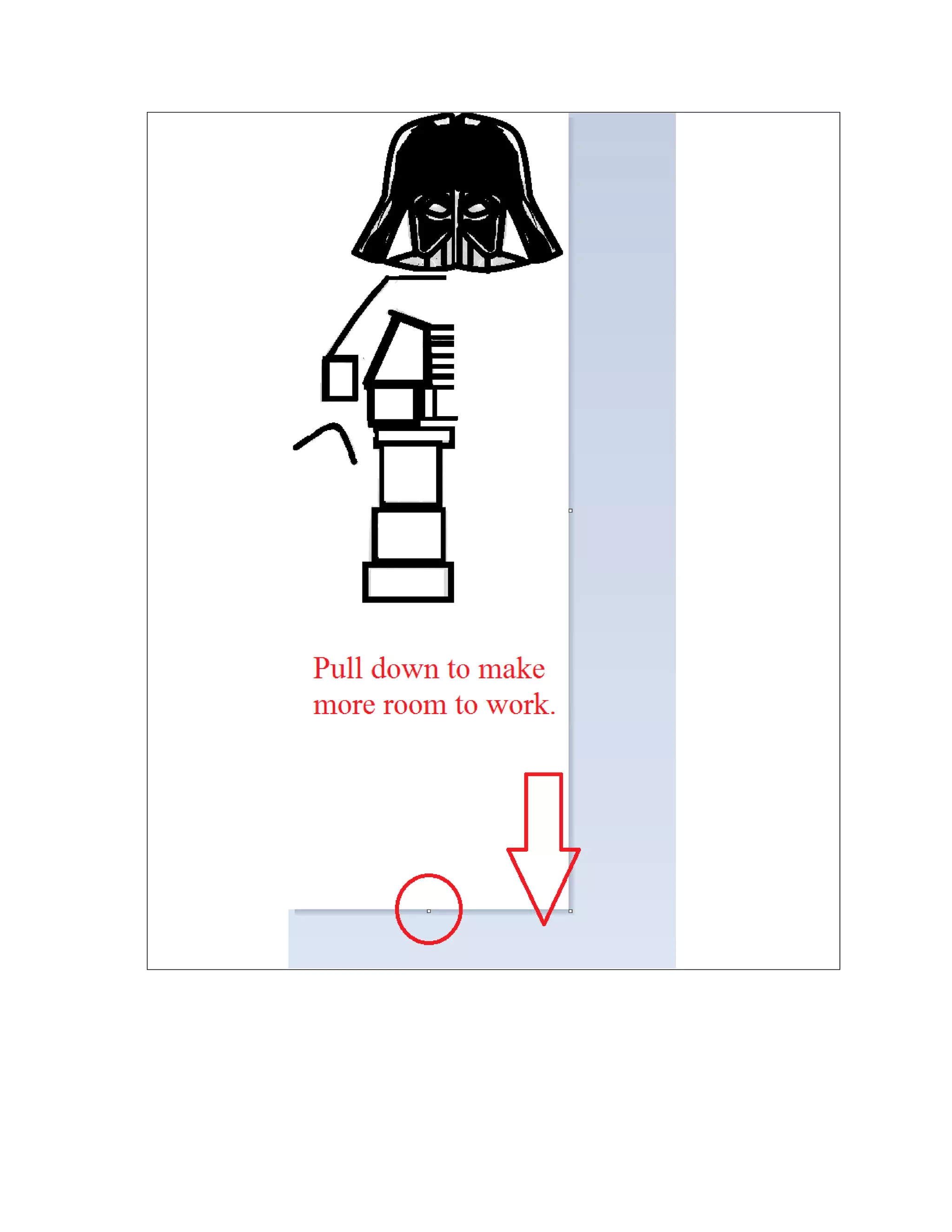
5 boxes
of different sizes
7 lines
for his chest
Darth vader lego in steps for facebook

Darth vader lego in steps for facebook

  • 1.
    1. Open MicrosoftPaint or another Paint Editor or App online. Try our Paint tool at www.digitalanimationforkids.com. 2. Start drawing Darth Vader Lego style with the Curved Line Tool.
  • 2.
    3. To makethe other side of Darth’s helmet which will MATCH perfectly: 1. Draw a Select box around Darth’s helmet. 2. Copy and Paste 3. Go to Rotate and choose Flip Horizontal. 4. Use the Select tool to choose the helmet and move the pieces together.
  • 3.
    5 boxes of differentsizes 7 lines for his chest