CYBER-CRIMES AND SECURITY
The Computer Security
 The term "computer security problem" refers to a wide range of
challenges and concerns related to the protection of computer systems,
networks, and data from various types of threats, attacks, and
vulnerabilities. Computer security is a critical aspect of modern
computing, as our reliance on technology and interconnected systems
continues to grow.
The Computer Security Problem
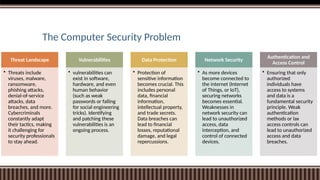
Threat Landscape
• Threats include
viruses, malware,
ransomware,
phishing attacks,
denial-of-service
attacks, data
breaches, and more.
Cybercriminals
constantly adapt
their tactics, making
it challenging for
security professionals
to stay ahead.
Vulnerabilities
• vulnerabilities can
exist in software,
hardware, and even
human behavior
(such as weak
passwords or falling
for social engineering
tricks). Identifying
and patching these
vulnerabilities is an
ongoing process.
Data Protection
• Protection of
sensitive information
becomes crucial. This
includes personal
data, financial
information,
intellectual property,
and trade secrets.
Data breaches can
lead to financial
losses, reputational
damage, and legal
repercussions.
Network Security
• As more devices
become connected to
the internet (Internet
of Things, or IoT),
securing networks
becomes essential.
Weaknesses in
network security can
lead to unauthorized
access, data
interception, and
control of connected
devices.
Authentication and
Access Control
• Ensuring that only
authorized
individuals have
access to systems
and data is a
fundamental security
principle. Weak
authentication
methods or lax
access controls can
lead to unauthorized
access and data
breaches.
The Computer Security Problem
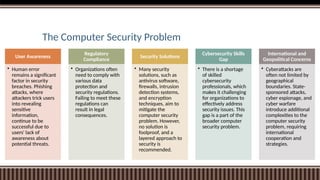
User Awareness
• Human error
remains a significant
factor in security
breaches. Phishing
attacks, where
attackers trick users
into revealing
sensitive
information,
continue to be
successful due to
users' lack of
awareness about
potential threats.
Regulatory
Compliance
• Organizations often
need to comply with
various data
protection and
security regulations.
Failing to meet these
regulations can
result in legal
consequences.
Security Solutions
• Many security
solutions, such as
antivirus software,
firewalls, intrusion
detection systems,
and encryption
techniques, aim to
mitigate the
computer security
problem. However,
no solution is
foolproof, and a
layered approach to
security is
recommended.
Cybersecurity Skills
Gap
• There is a shortage
of skilled
cybersecurity
professionals, which
makes it challenging
for organizations to
effectively address
security issues. This
gap is a part of the
broader computer
security problem.
International and
Geopolitical Concerns
• Cyberattacks are
often not limited by
geographical
boundaries. State-
sponsored attacks,
cyber espionage, and
cyber warfare
introduce additional
complexities to the
computer security
problem, requiring
international
cooperation and
strategies.
Computer Security Threats & Attacks
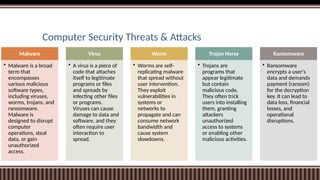
Malware
• Malware is a broad
term that
encompasses
various malicious
software types,
including viruses,
worms, trojans, and
ransomware.
Malware is
designed to disrupt
computer
operations, steal
data, or gain
unauthorized
access.
Virus
• A virus is a piece of
code that attaches
itself to legitimate
programs or files
and spreads by
infecting other files
or programs.
Viruses can cause
damage to data and
software, and they
often require user
interaction to
spread.
Worm
• Worms are self-
replicating malware
that spread without
user intervention.
They exploit
vulnerabilities in
systems or
networks to
propagate and can
consume network
bandwidth and
cause system
slowdowns.
Trojan Horse
• Trojans are
programs that
appear legitimate
but contain
malicious code.
They often trick
users into installing
them, granting
attackers
unauthorized
access to systems
or enabling other
malicious activities.
Ransomware
• Ransomware
encrypts a user's
data and demands
payment (ransom)
for the decryption
key. It can lead to
data loss, financial
losses, and
operational
disruptions.
Computer Security Threats & Attacks
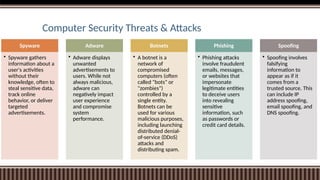
Spyware
• Spyware gathers
information about a
user's activities
without their
knowledge, often to
steal sensitive data,
track online
behavior, or deliver
targeted
advertisements.
Adware
• Adware displays
unwanted
advertisements to
users. While not
always malicious,
adware can
negatively impact
user experience
and compromise
system
performance.
Botnets
• A botnet is a
network of
compromised
computers (often
called "bots" or
"zombies")
controlled by a
single entity.
Botnets can be
used for various
malicious purposes,
including launching
distributed denial-
of-service (DDoS)
attacks and
distributing spam.
Phishing
• Phishing attacks
involve fraudulent
emails, messages,
or websites that
impersonate
legitimate entities
to deceive users
into revealing
sensitive
information, such
as passwords or
credit card details.
Spoofing
• Spoofing involves
falsifying
information to
appear as if it
comes from a
trusted source. This
can include IP
address spoofing,
email spoofing, and
DNS spoofing.
Computer Security Threats & Attacks
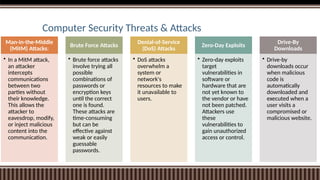
Man-in-the-Middle
(MitM) Attacks:
• In a MitM attack,
an attacker
intercepts
communications
between two
parties without
their knowledge.
This allows the
attacker to
eavesdrop, modify,
or inject malicious
content into the
communication.
Brute Force Attacks
• Brute force attacks
involve trying all
possible
combinations of
passwords or
encryption keys
until the correct
one is found.
These attacks are
time-consuming
but can be
effective against
weak or easily
guessable
passwords.
Denial-of-Service
(DoS) Attacks
• DoS attacks
overwhelm a
system or
network's
resources to make
it unavailable to
users.
Zero-Day Exploits
• Zero-day exploits
target
vulnerabilities in
software or
hardware that are
not yet known to
the vendor or have
not been patched.
Attackers use
these
vulnerabilities to
gain unauthorized
access or control.
Drive-By
Downloads
• Drive-by
downloads occur
when malicious
code is
automatically
downloaded and
executed when a
user visits a
compromised or
malicious website.
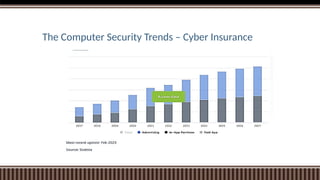
The Computer Security Trends – Cyber Insurance
Major Cyber Crimes happened in India
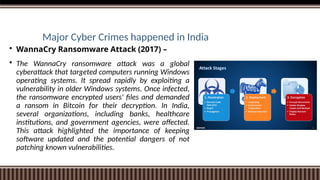
 WannaCry Ransomware Attack (2017) –
 The WannaCry ransomware attack was a global
cyberattack that targeted computers running Windows
operating systems. It spread rapidly by exploiting a
vulnerability in older Windows systems. Once infected,
the ransomware encrypted users' files and demanded
a ransom in Bitcoin for their decryption. In India,
several organizations, including banks, healthcare
institutions, and government agencies, were affected.
This attack highlighted the importance of keeping
software updated and the potential dangers of not
patching known vulnerabilities.
Major Cyber Crimes happened in India
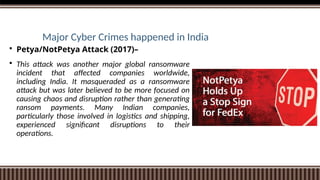
 Petya/NotPetya Attack (2017)–
 This attack was another major global ransomware
incident that affected companies worldwide,
including India. It masqueraded as a ransomware
attack but was later believed to be more focused on
causing chaos and disruption rather than generating
ransom payments. Many Indian companies,
particularly those involved in logistics and shipping,
experienced significant disruptions to their
operations.
Major Cyber Crimes happened in India
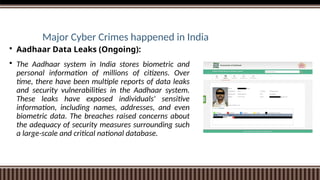
 Aadhaar Data Leaks (Ongoing):
 The Aadhaar system in India stores biometric and
personal information of millions of citizens. Over
time, there have been multiple reports of data leaks
and security vulnerabilities in the Aadhaar system.
These leaks have exposed individuals' sensitive
information, including names, addresses, and even
biometric data. The breaches raised concerns about
the adequacy of security measures surrounding such
a large-scale and critical national database.
Major Cyber Crimes happened in India
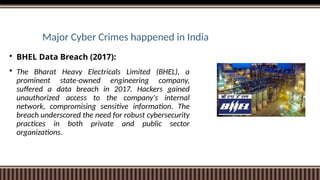
 BHEL Data Breach (2017):
 The Bharat Heavy Electricals Limited (BHEL), a
prominent state-owned engineering company,
suffered a data breach in 2017. Hackers gained
unauthorized access to the company's internal
network, compromising sensitive information. The
breach underscored the need for robust cybersecurity
practices in both private and public sector
organizations.
Major Cyber Crimes happened in India
 PNB Bank Heist (2018):
 Punjab National Bank (PNB), one of India's largest
public sector banks, fell victim to a major financial
cyberattack. The attack involved fraudulent issuance
of letters of undertaking (LoUs), resulting in
unauthorized fund transfers worth billions of rupees.
The incident highlighted vulnerabilities in the banking
sector's risk management, oversight, and
cybersecurity practices.
Major Cyber Crimes happened in India
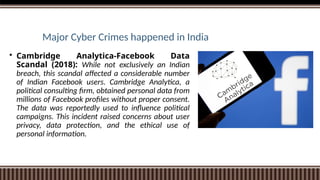
 Cambridge Analytica-Facebook Data
Scandal (2018): While not exclusively an Indian
breach, this scandal affected a considerable number
of Indian Facebook users. Cambridge Analytica, a
political consulting firm, obtained personal data from
millions of Facebook profiles without proper consent.
The data was reportedly used to influence political
campaigns. This incident raised concerns about user
privacy, data protection, and the ethical use of
personal information.
Major Cyber Crimes happened in India
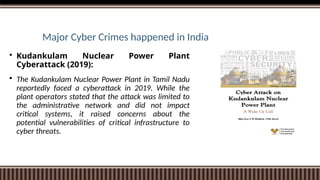
 Kudankulam Nuclear Power Plant
Cyberattack (2019):
 The Kudankulam Nuclear Power Plant in Tamil Nadu
reportedly faced a cyberattack in 2019. While the
plant operators stated that the attack was limited to
the administrative network and did not impact
critical systems, it raised concerns about the
potential vulnerabilities of critical infrastructure to
cyber threats.
Major Cyber Crimes happened in India
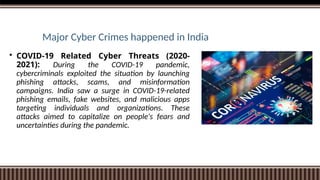
 COVID-19 Related Cyber Threats (2020-
2021): During the COVID-19 pandemic,
cybercriminals exploited the situation by launching
phishing attacks, scams, and misinformation
campaigns. India saw a surge in COVID-19-related
phishing emails, fake websites, and malicious apps
targeting individuals and organizations. These
attacks aimed to capitalize on people's fears and
uncertainties during the pandemic.
Cyber Hate Crimes
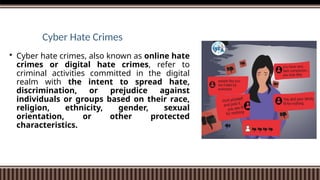
 Cyber hate crimes, also known as online hate
crimes or digital hate crimes, refer to
criminal activities committed in the digital
realm with the intent to spread hate,
discrimination, or prejudice against
individuals or groups based on their race,
religion, ethnicity, gender, sexual
orientation, or other protected
characteristics.
Cyber Hate Crimes - Forms
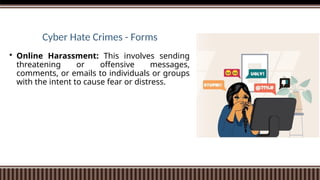
 Online Harassment: This involves sending
threatening or offensive messages,
comments, or emails to individuals or groups
with the intent to cause fear or distress.
Cyber Hate Crimes - Forms
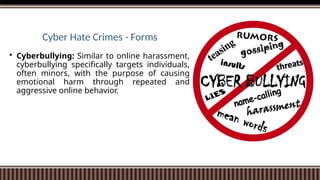
 Cyberbullying: Similar to online harassment,
cyberbullying specifically targets individuals,
often minors, with the purpose of causing
emotional harm through repeated and
aggressive online behavior.
Cyber Hate Crimes - Forms
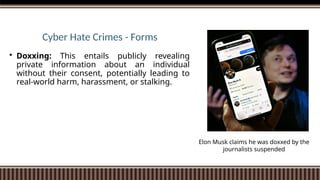
 Doxxing: This entails publicly revealing
private information about an individual
without their consent, potentially leading to
real-world harm, harassment, or stalking.
Elon Musk claims he was doxxed by the
journalists suspended
Cyber Hate Crimes - Forms
 Hate Speech: Sharing or promoting hate
speech, which involves using derogatory or
offensive language to demean or attack
certain individuals or groups based on their
characteristics.
Cyber Hate Crimes - Forms
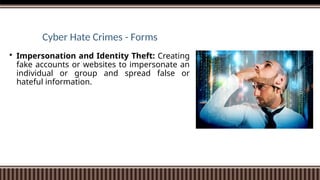
 Impersonation and Identity Theft: Creating
fake accounts or websites to impersonate an
individual or group and spread false or
hateful information.
Cyber Hate Crimes - Forms
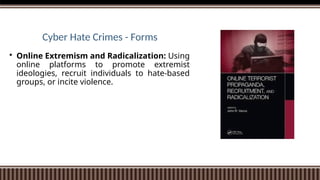
 Online Extremism and Radicalization: Using
online platforms to promote extremist
ideologies, recruit individuals to hate-based
groups, or incite violence.
Cyber Hate Crimes - Forms
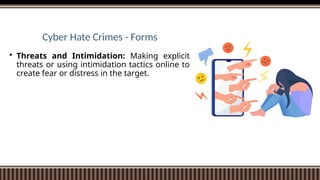
 Threats and Intimidation: Making explicit
threats or using intimidation tactics online to
create fear or distress in the target.
Cyber Hate Crimes - Forms
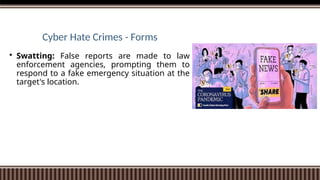
 Swatting: False reports are made to law
enforcement agencies, prompting them to
respond to a fake emergency situation at the
target's location.
Cyber Hate Crimes - Forms
 Revenge Porn: Sharing explicit images or
videos of individuals without their consent,
often as a means of revenge or humiliation.
CYBERCRIME TRENDS
 Pandemic-Related Phishing
 Ransomware Attacks
 Increase in BEC Attacks (Business Email Compromise)
 Mobile Malware
 Cyberactivism
 AI and IoT in Cybercrime.
CYBERCRIME TRENDS
 Card-Not-Present Fraud
 Data breaches
 Cryptojacking
 Targeted Attacks
 Encrypted Communication Platforms
 Bitcoin Popularity
CYBERCRIME TRENDS
 DDoS Attacks
 Business Email Compromise
 Social Engineering
 RDP Attacks (Remote Desktop Protocol)
https://financesonline.com/cybercrime-trends/
Cyber Terrorism
 Cyberterrorism refers to the use of
technology, particularly computer systems
and the internet, to carry out acts of
terrorism. These acts can range from
disrupting critical infrastructure to stealing
sensitive information, spreading propaganda,
and causing widespread fear and panic.
Cyberterrorism combines elements of both
traditional terrorism and cyberattacks,
leveraging the anonymity, reach, and
interconnectedness of digital platforms.
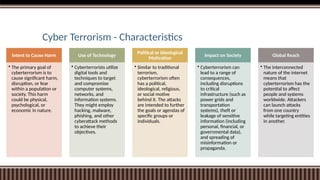
Cyber Terrorism - Characteristics
Intent to Cause Harm
• The primary goal of
cyberterrorism is to
cause significant harm,
disruption, or fear
within a population or
society. This harm
could be physical,
psychological, or
economic in nature.
Use of Technology
• Cyberterrorists utilize
digital tools and
techniques to target
and compromise
computer systems,
networks, and
information systems.
They might employ
hacking, malware,
phishing, and other
cyberattack methods
to achieve their
objectives.
Political or Ideological
Motivation
• Similar to traditional
terrorism,
cyberterrorism often
has a political,
ideological, religious,
or social motive
behind it. The attacks
are intended to further
the goals or agendas of
specific groups or
individuals.
Impact on Society
• Cyberterrorism can
lead to a range of
consequences,
including disruptions
to critical
infrastructure (such as
power grids and
transportation
systems), theft or
leakage of sensitive
information (including
personal, financial, or
governmental data),
and spreading of
misinformation or
propaganda.
Global Reach
• The interconnected
nature of the internet
means that
cyberterrorism has the
potential to affect
people and systems
worldwide. Attackers
can launch attacks
from one country
while targeting entities
in another.
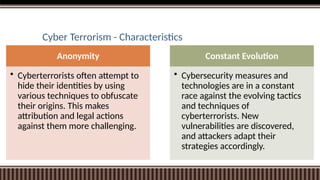
Cyber Terrorism - Characteristics
Anonymity
• Cyberterrorists often attempt to
hide their identities by using
various techniques to obfuscate
their origins. This makes
attribution and legal actions
against them more challenging.
Constant Evolution
• Cybersecurity measures and
technologies are in a constant
race against the evolving tactics
and techniques of
cyberterrorists. New
vulnerabilities are discovered,
and attackers adapt their
strategies accordingly.
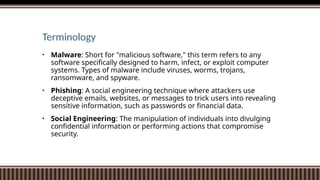
Terminology
• Malware: Short for "malicious software," this term refers to any
software specifically designed to harm, infect, or exploit computer
systems. Types of malware include viruses, worms, trojans,
ransomware, and spyware.
• Phishing: A social engineering technique where attackers use
deceptive emails, websites, or messages to trick users into revealing
sensitive information, such as passwords or financial data.
• Social Engineering: The manipulation of individuals into divulging
confidential information or performing actions that compromise
security.
Basic Security Terminology
• Firewall: A network security device that monitors and controls incoming
and outgoing network traffic based on predetermined security rules.
• Intrusion Detection System (IDS): A security tool that monitors network
or system activity for suspicious behavior and alerts administrators or
security personnel when potential intrusions are detected.
• Intrusion Prevention System (IPS): Building on IDS, an IPS not only
detects but also actively blocks or prevents suspicious or malicious activity
from compromising a network or system.
• Patch: A piece of software designed to fix vulnerabilities or bugs in a
program or system. Applying patches is important to keep software up-to-
date and secure.
Basic Security Terminology
• Two-Factor Authentication (2FA): A security mechanism that requires
users to provide two different authentication factors (such as a password
and a unique code sent to a mobile device) to access an account or system.
• Biometric Authentication: The use of unique physical or behavioral
characteristics, such as fingerprints, facial recognition, or iris scans, to
authenticate users.
• Incident Response: A structured approach to managing and mitigating
the impact of security incidents or breaches.
• Penetration Testing (Pen Testing): The practice of simulating
cyberattacks to identify vulnerabilities in a system, network, or application.
• Zero-Day Vulnerability: A previously unknown security vulnerability that
attackers can exploit before the software vendor releases a fix.
Approaches to Computer Security
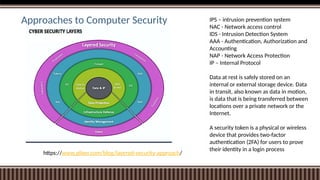
• Layered Defense: Implementing multiple layers of security measures can
help mitigate a wide range of threats. This includes using firewalls,
intrusion detection systems (IDS), intrusion prevention systems (IPS),
antivirus software, and more. Each layer adds an extra level of protection.
• Access Control: Controlling who has access to what resources is
fundamental to security. Implement strong authentication mechanisms,
enforce the principle of least privilege (giving users only the minimum
access required), and use role-based access control (RBAC) to manage user
permissions.
• Encryption: Encrypting sensitive data helps protect it from unauthorized
access, even if the data falls into the wrong hands. This includes using
encryption for data in transit (using protocols like HTTPS) and data at rest
(storing data in an encrypted format on storage devices).
Approaches to Computer Security IPS – intrusion prevention system
NAC - Network access control
IDS - Intrusion Detection System
AAA - Authentication, Authorization and
Accounting
NAP - Network Access Protection
IP – Internal Protocol
Data at rest is safely stored on an
internal or external storage device. Data
in transit, also known as data in motion,
is data that is being transferred between
locations over a private network or the
Internet.
A security token is a physical or wireless
device that provides two-factor
authentication (2FA) for users to prove
their identity in a login process
https://www.plixer.com/blog/layered-security-approach/
Approaches to Computer Security
• Patch Management: Keeping software and operating systems up to date
with the latest security patches is crucial. Many attacks exploit known
vulnerabilities, so timely patching helps prevent such exploits.
• Secure Development Practices: Building security into the software
development lifecycle is essential. This involves practices like code reviews,
secure coding guidelines, and testing for vulnerabilities before deploying
software.
• Security Audits and Penetration Testing: Regularly assessing your
systems' security through audits and penetration testing can help identify
vulnerabilities and weaknesses. Ethical hackers simulate attacks to uncover
potential issues before malicious actors exploit them.
Approaches to Computer Security
• Employee Training and Awareness: Humans are often the weakest link in
security. Educate employees about security best practices, how to
recognize phishing attempts, and the importance of strong password
management.
• Backup and Disaster Recovery: Regularly back up your data and have a
robust disaster recovery plan in place. This ensures that even if a security
breach occurs, you can restore your systems and data to a safe state.
• Network Segmentation: Dividing your network into segments can limit
the spread of threats. If an attacker gains access to one segment, they're
less likely to move laterally to other parts of the network.
• Mobile Device Security: With the proliferation of mobile devices, securing
them is crucial. Use strong authentication, encryption, and mobile device
management (MDM) solutions to protect these endpoints.
Approaches to Computer Security
• Incident Response Plan: Develop a plan outlining the steps to take in case
of a security incident. This helps minimize damage and downtime while
containing and mitigating the impact of an attack.
• Vendor and Third-Party Risk Management: Assess the security practices
of third-party vendors and partners who have access to your systems or
data. Their vulnerabilities could become your vulnerabilities.
• Regulatory Compliance: Depending on your industry, you may be subject
to specific security regulations (e.g., GDPR, HIPAA). Ensuring compliance
with these regulations is crucial for avoiding legal and financial
consequences.
• Monitoring and Detection: Implement monitoring tools to detect unusual
activities and anomalies on your network. Intrusion detection systems and
security information and event management (SIEM) systems can help
identify potential breaches.
Cyber Security Models
• Bell-LaPadula
• This Model was created in the 1950s by Scientists David Elliot Bell and Leonard .J. LaPadula.
Thus the Model is known as the Bell-LaPadula Model. This model is used to protect the
security and confidentiality.
• In this case, the classifications used to classify Subjects(Users) and Objects(Files) are
arranged in a non-discretionary manner and about various layers of secret.
• Three Primary rules
• Simple confidentiality Rule: The subject can read the files on the same layer of secrecy
and the lower layer of secrecy but not the higher layer of secrecy.
• Star Confidentiality Rule 2: The subject is only able to write the document on the same
layer of secrecy and above but not able to write in the lower layer of secrecy.
• Strong Confidentiality Rule: The subject can read and write documents on the same
layer of secrecy only, and not on the upper layer or the lower layer of secrecy.
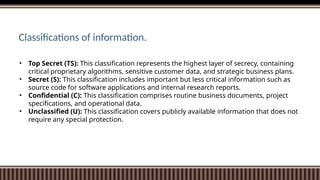
• Top Secret (TS): This classification represents the highest layer of secrecy, containing
critical proprietary algorithms, sensitive customer data, and strategic business plans.
• Secret (S): This classification includes important but less critical information such as
source code for software applications and internal research reports.
• Confidential (C): This classification comprises routine business documents, project
specifications, and operational data.
• Unclassified (U): This classification covers publicly available information that does not
require any special protection.
Classifications of information.
Cyber Security Models
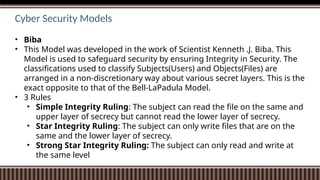
• Biba
• This Model was developed in the work of Scientist Kenneth .J. Biba. This
Model is used to safeguard security by ensuring Integrity in Security. The
classifications used to classify Subjects(Users) and Objects(Files) are
arranged in a non-discretionary way about various secret layers. This is the
exact opposite to that of the Bell-LaPadula Model.
• 3 Rules
• Simple Integrity Ruling: The subject can read the file on the same and
upper layer of secrecy but cannot read the lower layer of secrecy.
• Star Integrity Ruling: The subject can only write files that are on the
same and the lower layer of secrecy.
• Strong Star Integrity Ruling: The subject can only read and write at
the same level
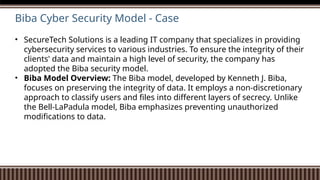
Biba Cyber Security Model - Case
• SecureTech Solutions is a leading IT company that specializes in providing
cybersecurity services to various industries. To ensure the integrity of their
clients' data and maintain a high level of security, the company has
adopted the Biba security model.
• Biba Model Overview: The Biba model, developed by Kenneth J. Biba,
focuses on preserving the integrity of data. It employs a non-discretionary
approach to classify users and files into different layers of secrecy. Unlike
the Bell-LaPadula model, Biba emphasizes preventing unauthorized
modifications to data.
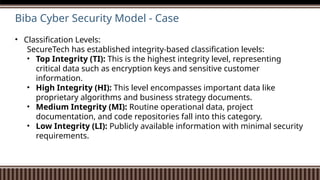
Biba Cyber Security Model - Case
• Classification Levels:
SecureTech has established integrity-based classification levels:
• Top Integrity (TI): This is the highest integrity level, representing
critical data such as encryption keys and sensitive customer
information.
• High Integrity (HI): This level encompasses important data like
proprietary algorithms and business strategy documents.
• Medium Integrity (MI): Routine operational data, project
documentation, and code repositories fall into this category.
• Low Integrity (LI): Publicly available information with minimal security
requirements.
Biba Cyber Security Model - Case
• Security Rules:
SecureTech enforces the following Biba security rules:
• Simple Integrity Rule: Users can read data at their integrity level or
above, but they are prohibited from reading data at lower integrity
levels. This prevents contamination of high-integrity data.
• Star Integrity Rule: Users can modify data at their integrity level or
below, ensuring that lower-integrity data is not compromised by higher-
integrity modifications.
• Strong Star Integrity Rule: Users can read and write data at their
integrity level only, minimizing the risk of unauthorized changes.
Cyber Security Models
Clarke Wilson Security Model: Model is a highly secure model. It includes the
following elements.
• SUBJECT: It’s any user who requests Data Items.
• CONSTRAINED DATA ITEMS: They are not accessible directly from the user. These
must be accessible through the Clarke Wilson Security Model.
• Unconstrained DATA ITEMS: They can be directly accessed via the Subject.
• The Components of Clarke Wilson Security Model
• TRANSFORMATION PROCESS: This is where the Subject’s request to gain access
to the constrained Data Items is processed via the Transform process, which
transforms it into permissions and forwards it to the Integration Verification
Process
• Integration VERIFICATION Process: Integration Verification Process will perform
authentication and authorization. The Subject will be granted access to the
restricted data items if the process succeeds.
Clarke Wilson Security Model - Case
Emily Johnson is a data analyst at SecureData Corporation. She needs to access a
highly sensitive report containing financial data of a client. Let's see how the Clarke
Wilson Security Model is applied in this case:
Request for Access:
Emily, as a subject, requests access to the constrained financial report.
Transformation Process:
Emily's access request is processed through the transformation process. The request
is transformed into specific permissions required to access the constrained data.
Integration Verification Process:
The integration verification process authenticates Emily's identity and checks her
authorization level. If Emily's identity is verified, and she has the necessary
permissions, she is granted access to the constrained financial report.
Access Granted:
Emily gains access to the financial report and can analyze the data as required.
Cryptography
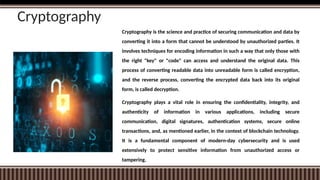
Cryptography is the science and practice of securing communication and data by
converting it into a form that cannot be understood by unauthorized parties. It
involves techniques for encoding information in such a way that only those with
the right "key" or "code" can access and understand the original data. This
process of converting readable data into unreadable form is called encryption,
and the reverse process, converting the encrypted data back into its original
form, is called decryption.
Cryptography plays a vital role in ensuring the confidentiality, integrity, and
authenticity of information in various applications, including secure
communication, digital signatures, authentication systems, secure online
transactions, and, as mentioned earlier, in the context of blockchain technology.
It is a fundamental component of modern-day cybersecurity and is used
extensively to protect sensitive information from unauthorized access or
tampering.
Authentication
Authentication is the process of confirming the identity of a user,
system, or device attempting to access a computer system,
network, or resource. It ensures that the entity requesting access
is indeed who it claims to be.
Username and Password: This is the most common form of
authentication, where users provide a unique username and a
corresponding password to access a system or resource.
Multi-Factor Authentication (MFA): MFA adds an extra layer of
security by requiring users to provide multiple forms of
verification, such as something they know (password), something
they have (a smartphone or hardware token), or something they
are (biometric data like fingerprints or facial recognition).
Public Key Infrastructure (PKI): PKI uses digital certificates and key
pairs to authenticate users and systems. It involves a public key for
encryption and a private key for decryption.
Biometric Authentication: This method uses unique biological
traits such as fingerprints, retinal scans, or facial recognition to
verify a user's identity.
Remote Access Control
Remote access control refers to the process of managing and restricting
access to computer systems, networks, and resources from remote locations.
It is especially important in today's interconnected world where employees,
partners, or clients often need access to resources from various locations.
Effective remote access control ensures that only authorized individuals or
devices can connect to and use these resources.

CYBER-CRIMES AND SECURITY A guide to understanding

  • 1.
  • 2.
    The Computer Security The term "computer security problem" refers to a wide range of challenges and concerns related to the protection of computer systems, networks, and data from various types of threats, attacks, and vulnerabilities. Computer security is a critical aspect of modern computing, as our reliance on technology and interconnected systems continues to grow.
  • 3.
    The Computer SecurityProblem Threat Landscape • Threats include viruses, malware, ransomware, phishing attacks, denial-of-service attacks, data breaches, and more. Cybercriminals constantly adapt their tactics, making it challenging for security professionals to stay ahead. Vulnerabilities • vulnerabilities can exist in software, hardware, and even human behavior (such as weak passwords or falling for social engineering tricks). Identifying and patching these vulnerabilities is an ongoing process. Data Protection • Protection of sensitive information becomes crucial. This includes personal data, financial information, intellectual property, and trade secrets. Data breaches can lead to financial losses, reputational damage, and legal repercussions. Network Security • As more devices become connected to the internet (Internet of Things, or IoT), securing networks becomes essential. Weaknesses in network security can lead to unauthorized access, data interception, and control of connected devices. Authentication and Access Control • Ensuring that only authorized individuals have access to systems and data is a fundamental security principle. Weak authentication methods or lax access controls can lead to unauthorized access and data breaches.
  • 4.
    The Computer SecurityProblem User Awareness • Human error remains a significant factor in security breaches. Phishing attacks, where attackers trick users into revealing sensitive information, continue to be successful due to users' lack of awareness about potential threats. Regulatory Compliance • Organizations often need to comply with various data protection and security regulations. Failing to meet these regulations can result in legal consequences. Security Solutions • Many security solutions, such as antivirus software, firewalls, intrusion detection systems, and encryption techniques, aim to mitigate the computer security problem. However, no solution is foolproof, and a layered approach to security is recommended. Cybersecurity Skills Gap • There is a shortage of skilled cybersecurity professionals, which makes it challenging for organizations to effectively address security issues. This gap is a part of the broader computer security problem. International and Geopolitical Concerns • Cyberattacks are often not limited by geographical boundaries. State- sponsored attacks, cyber espionage, and cyber warfare introduce additional complexities to the computer security problem, requiring international cooperation and strategies.
  • 5.
    Computer Security Threats& Attacks Malware • Malware is a broad term that encompasses various malicious software types, including viruses, worms, trojans, and ransomware. Malware is designed to disrupt computer operations, steal data, or gain unauthorized access. Virus • A virus is a piece of code that attaches itself to legitimate programs or files and spreads by infecting other files or programs. Viruses can cause damage to data and software, and they often require user interaction to spread. Worm • Worms are self- replicating malware that spread without user intervention. They exploit vulnerabilities in systems or networks to propagate and can consume network bandwidth and cause system slowdowns. Trojan Horse • Trojans are programs that appear legitimate but contain malicious code. They often trick users into installing them, granting attackers unauthorized access to systems or enabling other malicious activities. Ransomware • Ransomware encrypts a user's data and demands payment (ransom) for the decryption key. It can lead to data loss, financial losses, and operational disruptions.
  • 6.
    Computer Security Threats& Attacks Spyware • Spyware gathers information about a user's activities without their knowledge, often to steal sensitive data, track online behavior, or deliver targeted advertisements. Adware • Adware displays unwanted advertisements to users. While not always malicious, adware can negatively impact user experience and compromise system performance. Botnets • A botnet is a network of compromised computers (often called "bots" or "zombies") controlled by a single entity. Botnets can be used for various malicious purposes, including launching distributed denial- of-service (DDoS) attacks and distributing spam. Phishing • Phishing attacks involve fraudulent emails, messages, or websites that impersonate legitimate entities to deceive users into revealing sensitive information, such as passwords or credit card details. Spoofing • Spoofing involves falsifying information to appear as if it comes from a trusted source. This can include IP address spoofing, email spoofing, and DNS spoofing.
  • 7.
    Computer Security Threats& Attacks Man-in-the-Middle (MitM) Attacks: • In a MitM attack, an attacker intercepts communications between two parties without their knowledge. This allows the attacker to eavesdrop, modify, or inject malicious content into the communication. Brute Force Attacks • Brute force attacks involve trying all possible combinations of passwords or encryption keys until the correct one is found. These attacks are time-consuming but can be effective against weak or easily guessable passwords. Denial-of-Service (DoS) Attacks • DoS attacks overwhelm a system or network's resources to make it unavailable to users. Zero-Day Exploits • Zero-day exploits target vulnerabilities in software or hardware that are not yet known to the vendor or have not been patched. Attackers use these vulnerabilities to gain unauthorized access or control. Drive-By Downloads • Drive-by downloads occur when malicious code is automatically downloaded and executed when a user visits a compromised or malicious website.
  • 8.
    The Computer SecurityTrends – Cyber Insurance
  • 9.
    Major Cyber Crimeshappened in India  WannaCry Ransomware Attack (2017) –  The WannaCry ransomware attack was a global cyberattack that targeted computers running Windows operating systems. It spread rapidly by exploiting a vulnerability in older Windows systems. Once infected, the ransomware encrypted users' files and demanded a ransom in Bitcoin for their decryption. In India, several organizations, including banks, healthcare institutions, and government agencies, were affected. This attack highlighted the importance of keeping software updated and the potential dangers of not patching known vulnerabilities.
  • 10.
    Major Cyber Crimeshappened in India  Petya/NotPetya Attack (2017)–  This attack was another major global ransomware incident that affected companies worldwide, including India. It masqueraded as a ransomware attack but was later believed to be more focused on causing chaos and disruption rather than generating ransom payments. Many Indian companies, particularly those involved in logistics and shipping, experienced significant disruptions to their operations.
  • 11.
    Major Cyber Crimeshappened in India  Aadhaar Data Leaks (Ongoing):  The Aadhaar system in India stores biometric and personal information of millions of citizens. Over time, there have been multiple reports of data leaks and security vulnerabilities in the Aadhaar system. These leaks have exposed individuals' sensitive information, including names, addresses, and even biometric data. The breaches raised concerns about the adequacy of security measures surrounding such a large-scale and critical national database.
  • 12.
    Major Cyber Crimeshappened in India  BHEL Data Breach (2017):  The Bharat Heavy Electricals Limited (BHEL), a prominent state-owned engineering company, suffered a data breach in 2017. Hackers gained unauthorized access to the company's internal network, compromising sensitive information. The breach underscored the need for robust cybersecurity practices in both private and public sector organizations.
  • 13.
    Major Cyber Crimeshappened in India  PNB Bank Heist (2018):  Punjab National Bank (PNB), one of India's largest public sector banks, fell victim to a major financial cyberattack. The attack involved fraudulent issuance of letters of undertaking (LoUs), resulting in unauthorized fund transfers worth billions of rupees. The incident highlighted vulnerabilities in the banking sector's risk management, oversight, and cybersecurity practices.
  • 14.
    Major Cyber Crimeshappened in India  Cambridge Analytica-Facebook Data Scandal (2018): While not exclusively an Indian breach, this scandal affected a considerable number of Indian Facebook users. Cambridge Analytica, a political consulting firm, obtained personal data from millions of Facebook profiles without proper consent. The data was reportedly used to influence political campaigns. This incident raised concerns about user privacy, data protection, and the ethical use of personal information.
  • 15.
    Major Cyber Crimeshappened in India  Kudankulam Nuclear Power Plant Cyberattack (2019):  The Kudankulam Nuclear Power Plant in Tamil Nadu reportedly faced a cyberattack in 2019. While the plant operators stated that the attack was limited to the administrative network and did not impact critical systems, it raised concerns about the potential vulnerabilities of critical infrastructure to cyber threats.
  • 16.
    Major Cyber Crimeshappened in India  COVID-19 Related Cyber Threats (2020- 2021): During the COVID-19 pandemic, cybercriminals exploited the situation by launching phishing attacks, scams, and misinformation campaigns. India saw a surge in COVID-19-related phishing emails, fake websites, and malicious apps targeting individuals and organizations. These attacks aimed to capitalize on people's fears and uncertainties during the pandemic.
  • 17.
    Cyber Hate Crimes Cyber hate crimes, also known as online hate crimes or digital hate crimes, refer to criminal activities committed in the digital realm with the intent to spread hate, discrimination, or prejudice against individuals or groups based on their race, religion, ethnicity, gender, sexual orientation, or other protected characteristics.
  • 18.
    Cyber Hate Crimes- Forms  Online Harassment: This involves sending threatening or offensive messages, comments, or emails to individuals or groups with the intent to cause fear or distress.
  • 19.
    Cyber Hate Crimes- Forms  Cyberbullying: Similar to online harassment, cyberbullying specifically targets individuals, often minors, with the purpose of causing emotional harm through repeated and aggressive online behavior.
  • 20.
    Cyber Hate Crimes- Forms  Doxxing: This entails publicly revealing private information about an individual without their consent, potentially leading to real-world harm, harassment, or stalking. Elon Musk claims he was doxxed by the journalists suspended
  • 21.
    Cyber Hate Crimes- Forms  Hate Speech: Sharing or promoting hate speech, which involves using derogatory or offensive language to demean or attack certain individuals or groups based on their characteristics.
  • 22.
    Cyber Hate Crimes- Forms  Impersonation and Identity Theft: Creating fake accounts or websites to impersonate an individual or group and spread false or hateful information.
  • 23.
    Cyber Hate Crimes- Forms  Online Extremism and Radicalization: Using online platforms to promote extremist ideologies, recruit individuals to hate-based groups, or incite violence.
  • 24.
    Cyber Hate Crimes- Forms  Threats and Intimidation: Making explicit threats or using intimidation tactics online to create fear or distress in the target.
  • 25.
    Cyber Hate Crimes- Forms  Swatting: False reports are made to law enforcement agencies, prompting them to respond to a fake emergency situation at the target's location.
  • 26.
    Cyber Hate Crimes- Forms  Revenge Porn: Sharing explicit images or videos of individuals without their consent, often as a means of revenge or humiliation.
  • 27.
    CYBERCRIME TRENDS  Pandemic-RelatedPhishing  Ransomware Attacks  Increase in BEC Attacks (Business Email Compromise)  Mobile Malware  Cyberactivism  AI and IoT in Cybercrime.
  • 28.
    CYBERCRIME TRENDS  Card-Not-PresentFraud  Data breaches  Cryptojacking  Targeted Attacks  Encrypted Communication Platforms  Bitcoin Popularity
  • 29.
    CYBERCRIME TRENDS  DDoSAttacks  Business Email Compromise  Social Engineering  RDP Attacks (Remote Desktop Protocol) https://financesonline.com/cybercrime-trends/
  • 30.
    Cyber Terrorism  Cyberterrorismrefers to the use of technology, particularly computer systems and the internet, to carry out acts of terrorism. These acts can range from disrupting critical infrastructure to stealing sensitive information, spreading propaganda, and causing widespread fear and panic. Cyberterrorism combines elements of both traditional terrorism and cyberattacks, leveraging the anonymity, reach, and interconnectedness of digital platforms.
  • 31.
    Cyber Terrorism -Characteristics Intent to Cause Harm • The primary goal of cyberterrorism is to cause significant harm, disruption, or fear within a population or society. This harm could be physical, psychological, or economic in nature. Use of Technology • Cyberterrorists utilize digital tools and techniques to target and compromise computer systems, networks, and information systems. They might employ hacking, malware, phishing, and other cyberattack methods to achieve their objectives. Political or Ideological Motivation • Similar to traditional terrorism, cyberterrorism often has a political, ideological, religious, or social motive behind it. The attacks are intended to further the goals or agendas of specific groups or individuals. Impact on Society • Cyberterrorism can lead to a range of consequences, including disruptions to critical infrastructure (such as power grids and transportation systems), theft or leakage of sensitive information (including personal, financial, or governmental data), and spreading of misinformation or propaganda. Global Reach • The interconnected nature of the internet means that cyberterrorism has the potential to affect people and systems worldwide. Attackers can launch attacks from one country while targeting entities in another.
  • 32.
    Cyber Terrorism -Characteristics Anonymity • Cyberterrorists often attempt to hide their identities by using various techniques to obfuscate their origins. This makes attribution and legal actions against them more challenging. Constant Evolution • Cybersecurity measures and technologies are in a constant race against the evolving tactics and techniques of cyberterrorists. New vulnerabilities are discovered, and attackers adapt their strategies accordingly.
  • 33.
    Terminology • Malware: Shortfor "malicious software," this term refers to any software specifically designed to harm, infect, or exploit computer systems. Types of malware include viruses, worms, trojans, ransomware, and spyware. • Phishing: A social engineering technique where attackers use deceptive emails, websites, or messages to trick users into revealing sensitive information, such as passwords or financial data. • Social Engineering: The manipulation of individuals into divulging confidential information or performing actions that compromise security.
  • 34.
    Basic Security Terminology •Firewall: A network security device that monitors and controls incoming and outgoing network traffic based on predetermined security rules. • Intrusion Detection System (IDS): A security tool that monitors network or system activity for suspicious behavior and alerts administrators or security personnel when potential intrusions are detected. • Intrusion Prevention System (IPS): Building on IDS, an IPS not only detects but also actively blocks or prevents suspicious or malicious activity from compromising a network or system. • Patch: A piece of software designed to fix vulnerabilities or bugs in a program or system. Applying patches is important to keep software up-to- date and secure.
  • 35.
    Basic Security Terminology •Two-Factor Authentication (2FA): A security mechanism that requires users to provide two different authentication factors (such as a password and a unique code sent to a mobile device) to access an account or system. • Biometric Authentication: The use of unique physical or behavioral characteristics, such as fingerprints, facial recognition, or iris scans, to authenticate users. • Incident Response: A structured approach to managing and mitigating the impact of security incidents or breaches. • Penetration Testing (Pen Testing): The practice of simulating cyberattacks to identify vulnerabilities in a system, network, or application. • Zero-Day Vulnerability: A previously unknown security vulnerability that attackers can exploit before the software vendor releases a fix.
  • 36.
    Approaches to ComputerSecurity • Layered Defense: Implementing multiple layers of security measures can help mitigate a wide range of threats. This includes using firewalls, intrusion detection systems (IDS), intrusion prevention systems (IPS), antivirus software, and more. Each layer adds an extra level of protection. • Access Control: Controlling who has access to what resources is fundamental to security. Implement strong authentication mechanisms, enforce the principle of least privilege (giving users only the minimum access required), and use role-based access control (RBAC) to manage user permissions. • Encryption: Encrypting sensitive data helps protect it from unauthorized access, even if the data falls into the wrong hands. This includes using encryption for data in transit (using protocols like HTTPS) and data at rest (storing data in an encrypted format on storage devices).
  • 37.
    Approaches to ComputerSecurity IPS – intrusion prevention system NAC - Network access control IDS - Intrusion Detection System AAA - Authentication, Authorization and Accounting NAP - Network Access Protection IP – Internal Protocol Data at rest is safely stored on an internal or external storage device. Data in transit, also known as data in motion, is data that is being transferred between locations over a private network or the Internet. A security token is a physical or wireless device that provides two-factor authentication (2FA) for users to prove their identity in a login process https://www.plixer.com/blog/layered-security-approach/
  • 38.
    Approaches to ComputerSecurity • Patch Management: Keeping software and operating systems up to date with the latest security patches is crucial. Many attacks exploit known vulnerabilities, so timely patching helps prevent such exploits. • Secure Development Practices: Building security into the software development lifecycle is essential. This involves practices like code reviews, secure coding guidelines, and testing for vulnerabilities before deploying software. • Security Audits and Penetration Testing: Regularly assessing your systems' security through audits and penetration testing can help identify vulnerabilities and weaknesses. Ethical hackers simulate attacks to uncover potential issues before malicious actors exploit them.
  • 39.
    Approaches to ComputerSecurity • Employee Training and Awareness: Humans are often the weakest link in security. Educate employees about security best practices, how to recognize phishing attempts, and the importance of strong password management. • Backup and Disaster Recovery: Regularly back up your data and have a robust disaster recovery plan in place. This ensures that even if a security breach occurs, you can restore your systems and data to a safe state. • Network Segmentation: Dividing your network into segments can limit the spread of threats. If an attacker gains access to one segment, they're less likely to move laterally to other parts of the network. • Mobile Device Security: With the proliferation of mobile devices, securing them is crucial. Use strong authentication, encryption, and mobile device management (MDM) solutions to protect these endpoints.
  • 40.
    Approaches to ComputerSecurity • Incident Response Plan: Develop a plan outlining the steps to take in case of a security incident. This helps minimize damage and downtime while containing and mitigating the impact of an attack. • Vendor and Third-Party Risk Management: Assess the security practices of third-party vendors and partners who have access to your systems or data. Their vulnerabilities could become your vulnerabilities. • Regulatory Compliance: Depending on your industry, you may be subject to specific security regulations (e.g., GDPR, HIPAA). Ensuring compliance with these regulations is crucial for avoiding legal and financial consequences. • Monitoring and Detection: Implement monitoring tools to detect unusual activities and anomalies on your network. Intrusion detection systems and security information and event management (SIEM) systems can help identify potential breaches.
  • 41.
    Cyber Security Models •Bell-LaPadula • This Model was created in the 1950s by Scientists David Elliot Bell and Leonard .J. LaPadula. Thus the Model is known as the Bell-LaPadula Model. This model is used to protect the security and confidentiality. • In this case, the classifications used to classify Subjects(Users) and Objects(Files) are arranged in a non-discretionary manner and about various layers of secret. • Three Primary rules • Simple confidentiality Rule: The subject can read the files on the same layer of secrecy and the lower layer of secrecy but not the higher layer of secrecy. • Star Confidentiality Rule 2: The subject is only able to write the document on the same layer of secrecy and above but not able to write in the lower layer of secrecy. • Strong Confidentiality Rule: The subject can read and write documents on the same layer of secrecy only, and not on the upper layer or the lower layer of secrecy.
  • 42.
    • Top Secret(TS): This classification represents the highest layer of secrecy, containing critical proprietary algorithms, sensitive customer data, and strategic business plans. • Secret (S): This classification includes important but less critical information such as source code for software applications and internal research reports. • Confidential (C): This classification comprises routine business documents, project specifications, and operational data. • Unclassified (U): This classification covers publicly available information that does not require any special protection. Classifications of information.
  • 43.
    Cyber Security Models •Biba • This Model was developed in the work of Scientist Kenneth .J. Biba. This Model is used to safeguard security by ensuring Integrity in Security. The classifications used to classify Subjects(Users) and Objects(Files) are arranged in a non-discretionary way about various secret layers. This is the exact opposite to that of the Bell-LaPadula Model. • 3 Rules • Simple Integrity Ruling: The subject can read the file on the same and upper layer of secrecy but cannot read the lower layer of secrecy. • Star Integrity Ruling: The subject can only write files that are on the same and the lower layer of secrecy. • Strong Star Integrity Ruling: The subject can only read and write at the same level
  • 44.
    Biba Cyber SecurityModel - Case • SecureTech Solutions is a leading IT company that specializes in providing cybersecurity services to various industries. To ensure the integrity of their clients' data and maintain a high level of security, the company has adopted the Biba security model. • Biba Model Overview: The Biba model, developed by Kenneth J. Biba, focuses on preserving the integrity of data. It employs a non-discretionary approach to classify users and files into different layers of secrecy. Unlike the Bell-LaPadula model, Biba emphasizes preventing unauthorized modifications to data.
  • 45.
    Biba Cyber SecurityModel - Case • Classification Levels: SecureTech has established integrity-based classification levels: • Top Integrity (TI): This is the highest integrity level, representing critical data such as encryption keys and sensitive customer information. • High Integrity (HI): This level encompasses important data like proprietary algorithms and business strategy documents. • Medium Integrity (MI): Routine operational data, project documentation, and code repositories fall into this category. • Low Integrity (LI): Publicly available information with minimal security requirements.
  • 46.
    Biba Cyber SecurityModel - Case • Security Rules: SecureTech enforces the following Biba security rules: • Simple Integrity Rule: Users can read data at their integrity level or above, but they are prohibited from reading data at lower integrity levels. This prevents contamination of high-integrity data. • Star Integrity Rule: Users can modify data at their integrity level or below, ensuring that lower-integrity data is not compromised by higher- integrity modifications. • Strong Star Integrity Rule: Users can read and write data at their integrity level only, minimizing the risk of unauthorized changes.
  • 47.
    Cyber Security Models ClarkeWilson Security Model: Model is a highly secure model. It includes the following elements. • SUBJECT: It’s any user who requests Data Items. • CONSTRAINED DATA ITEMS: They are not accessible directly from the user. These must be accessible through the Clarke Wilson Security Model. • Unconstrained DATA ITEMS: They can be directly accessed via the Subject. • The Components of Clarke Wilson Security Model • TRANSFORMATION PROCESS: This is where the Subject’s request to gain access to the constrained Data Items is processed via the Transform process, which transforms it into permissions and forwards it to the Integration Verification Process • Integration VERIFICATION Process: Integration Verification Process will perform authentication and authorization. The Subject will be granted access to the restricted data items if the process succeeds.
  • 48.
    Clarke Wilson SecurityModel - Case Emily Johnson is a data analyst at SecureData Corporation. She needs to access a highly sensitive report containing financial data of a client. Let's see how the Clarke Wilson Security Model is applied in this case: Request for Access: Emily, as a subject, requests access to the constrained financial report. Transformation Process: Emily's access request is processed through the transformation process. The request is transformed into specific permissions required to access the constrained data. Integration Verification Process: The integration verification process authenticates Emily's identity and checks her authorization level. If Emily's identity is verified, and she has the necessary permissions, she is granted access to the constrained financial report. Access Granted: Emily gains access to the financial report and can analyze the data as required.
  • 49.
    Cryptography Cryptography is thescience and practice of securing communication and data by converting it into a form that cannot be understood by unauthorized parties. It involves techniques for encoding information in such a way that only those with the right "key" or "code" can access and understand the original data. This process of converting readable data into unreadable form is called encryption, and the reverse process, converting the encrypted data back into its original form, is called decryption. Cryptography plays a vital role in ensuring the confidentiality, integrity, and authenticity of information in various applications, including secure communication, digital signatures, authentication systems, secure online transactions, and, as mentioned earlier, in the context of blockchain technology. It is a fundamental component of modern-day cybersecurity and is used extensively to protect sensitive information from unauthorized access or tampering.
  • 50.
    Authentication Authentication is theprocess of confirming the identity of a user, system, or device attempting to access a computer system, network, or resource. It ensures that the entity requesting access is indeed who it claims to be. Username and Password: This is the most common form of authentication, where users provide a unique username and a corresponding password to access a system or resource. Multi-Factor Authentication (MFA): MFA adds an extra layer of security by requiring users to provide multiple forms of verification, such as something they know (password), something they have (a smartphone or hardware token), or something they are (biometric data like fingerprints or facial recognition). Public Key Infrastructure (PKI): PKI uses digital certificates and key pairs to authenticate users and systems. It involves a public key for encryption and a private key for decryption. Biometric Authentication: This method uses unique biological traits such as fingerprints, retinal scans, or facial recognition to verify a user's identity.
  • 51.
    Remote Access Control Remoteaccess control refers to the process of managing and restricting access to computer systems, networks, and resources from remote locations. It is especially important in today's interconnected world where employees, partners, or clients often need access to resources from various locations. Effective remote access control ensures that only authorized individuals or devices can connect to and use these resources.