Creative Web 2.
Git, like subversion (svn), is a…

free versioning system
A versioning system…

saves changes to files in commits, !
this keeps changes flexible and !
file sizes small.
Github is a…

platform to collaborate using git !
repositories
Setting up git & github
1. get a free github.com account"
2. download & install the github app"
• https://mac.github.com/"
• https://windows.github.com/"
3. Read the tutorial https://mac.github.com/
help.html
A commit consists of…

a commit message and the changes!
to a file
A commit message…

should give you a brief idea of what
changed with this commit
Any file can be committed…

code, image files, text documents, !
presentations, …
An introduction to

JavaScript
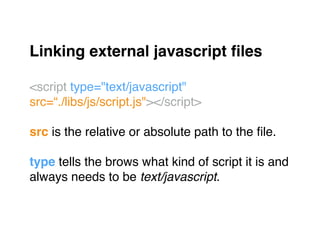
Linking external javascript files!
"
<script type="text/javascript" 

src=“./libs/js/script.js"></script>"
"
src is the relative or absolute path to the file."
"
type tells the brows what kind of script it is and"
always needs to be text/javascript."
In a JavaScript file…

you can start writing js without any!
more declarations.
A variable is a container…

that stores a value.
Variables!
"
Variables always need to be declared using the "
var keyword."
"
Otherwise they are defined globally, which could !
lead to performance and security problems.!
JavaScript has 4 types of variables!
"
• string (text)!
• number (integer e.g. 3 or float e.g. 1.2)!
• object (key-value pairs)!
• array (key-value pairs with numbered keys)
String!
"
var variableName = ‘string’;"
"
A string is a simple text which needs to be "
surrounded by single quotation marks."
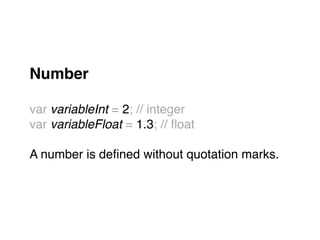
Number!
"
var variableInt = 2; // integer"
var variableFloat = 1.3; // float"
"
A number is defined without quotation marks."
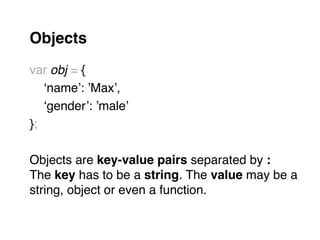
Objects!
"
var obj = { "
" ‘name’: ’Max’, "
" ‘gender’: ’male’"
};"
"
Objects are key-value pairs separated by :"
The key has to be a string. The value may be a"
string, object or even a function. "
Objects!
"
varObject.name "
=> returns: Max"
varObject[‘gender’] "
=> returns: male"
"
Object values are retrieved using the "
dot-notation objectName.key or the "
array-notation objectName[key].!
Array objects!
"
var arr = [ ‘item’, ’item 2’ ];"
Arrays are special objects. The key is assigned
automatically and is an index (integer) starting "
from 0."
Array objects!
"
arr[0] "
=> returns: item"
"
Array object values are retrieved using the "
array-notation arrayName[key].!
A function…

is a collection of commands.
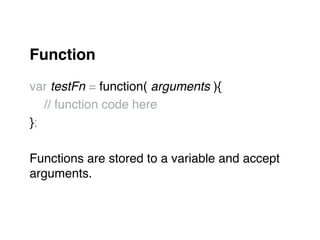
Function!
"
var testFn = function( arguments ){"
" // function code here"
};"
"
Functions are stored to a variable and accept"
arguments."
Function!
"
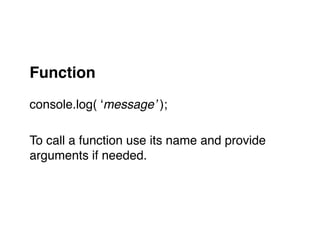
console.log( ‘message’ );"
"
To call a function use its name and provide "
arguments if needed."
Function!
"
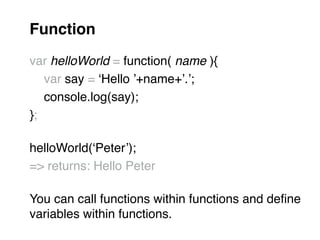
var helloWorld = function( name ){"
" var say = ‘Hello ’+name+’.’;"
" console.log(say);"
};"
"
helloWorld(‘Peter’);"
=> returns: Hello Peter"
"
You can call functions within functions and define "
variables within functions.
The idea of scope defines…

where something is available.!
"
You can’t access something that is"
out of scope.
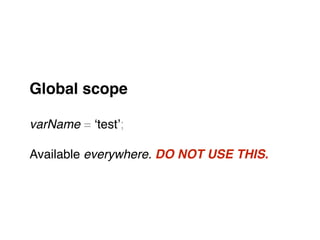
Global scope!
"
varName = ‘test’;"
"
Available everywhere. DO NOT USE THIS.
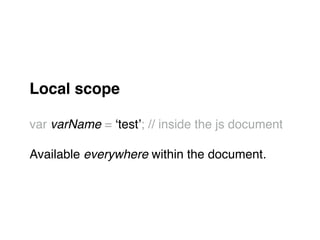
Local scope!
"
var varName = ‘test’; // inside the js document"
"
Available everywhere within the document.
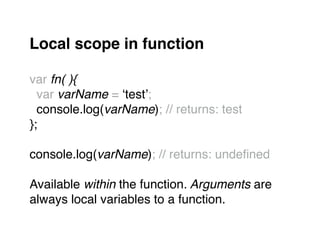
Local scope in function!
"
var fn( ){"
var varName = ‘test’;"
console.log(varName); // returns: test"
};"
"
console.log(varName); // returns: undefined"
"
Available within the function. Arguments are "
always local variables to a function.
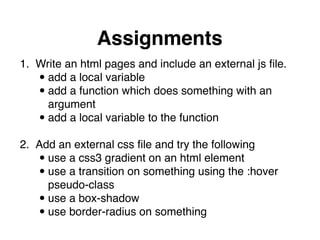
Assignments
1. Write an html pages and include an external js file."
•add a local variable"
•add a function which does something with an 

argument"
•add a local variable to the function

2. Add an external css file and try the following"
•use a css3 gradient on an html element"
•use a transition on something using the :hover 

pseudo-class"
•use a box-shadow"
•use border-radius on something
Lukas Oppermann
lukas@vea.re

Creative Web 2 - JavaScript

  • 1.
  • 2.
    Git, like subversion(svn), is a…
 free versioning system
  • 3.
    A versioning system…
 saveschanges to files in commits, ! this keeps changes flexible and ! file sizes small.
  • 4.
    Github is a…
 platformto collaborate using git ! repositories
  • 5.
  • 6.
    1. get afree github.com account" 2. download & install the github app" • https://mac.github.com/" • https://windows.github.com/" 3. Read the tutorial https://mac.github.com/ help.html
  • 7.
    A commit consistsof…
 a commit message and the changes! to a file
  • 8.
    A commit message…
 shouldgive you a brief idea of what changed with this commit
  • 9.
    Any file canbe committed…
 code, image files, text documents, ! presentations, …
  • 10.
  • 11.
    Linking external javascriptfiles! " <script type="text/javascript" 
 src=“./libs/js/script.js"></script>" " src is the relative or absolute path to the file." " type tells the brows what kind of script it is and" always needs to be text/javascript."
  • 12.
    In a JavaScriptfile…
 you can start writing js without any! more declarations.
  • 13.
    A variable isa container…
 that stores a value.
  • 14.
    Variables! " Variables always needto be declared using the " var keyword." " Otherwise they are defined globally, which could ! lead to performance and security problems.!
  • 15.
    JavaScript has 4types of variables! " • string (text)! • number (integer e.g. 3 or float e.g. 1.2)! • object (key-value pairs)! • array (key-value pairs with numbered keys)
  • 16.
    String! " var variableName =‘string’;" " A string is a simple text which needs to be " surrounded by single quotation marks."
  • 17.
    Number! " var variableInt =2; // integer" var variableFloat = 1.3; // float" " A number is defined without quotation marks."
  • 18.
    Objects! " var obj ={ " " ‘name’: ’Max’, " " ‘gender’: ’male’" };" " Objects are key-value pairs separated by :" The key has to be a string. The value may be a" string, object or even a function. "
  • 19.
    Objects! " varObject.name " => returns:Max" varObject[‘gender’] " => returns: male" " Object values are retrieved using the " dot-notation objectName.key or the " array-notation objectName[key].!
  • 20.
    Array objects! " var arr= [ ‘item’, ’item 2’ ];" Arrays are special objects. The key is assigned automatically and is an index (integer) starting " from 0."
  • 21.
    Array objects! " arr[0] " =>returns: item" " Array object values are retrieved using the " array-notation arrayName[key].!
  • 22.
    A function…
 is acollection of commands.
  • 23.
    Function! " var testFn =function( arguments ){" " // function code here" };" " Functions are stored to a variable and accept" arguments."
  • 24.
    Function! " console.log( ‘message’ );" " Tocall a function use its name and provide " arguments if needed."
  • 25.
    Function! " var helloWorld =function( name ){" " var say = ‘Hello ’+name+’.’;" " console.log(say);" };" " helloWorld(‘Peter’);" => returns: Hello Peter" " You can call functions within functions and define " variables within functions.
  • 26.
    The idea ofscope defines…
 where something is available.! " You can’t access something that is" out of scope.
  • 27.
    Global scope! " varName =‘test’;" " Available everywhere. DO NOT USE THIS.
  • 28.
    Local scope! " var varName= ‘test’; // inside the js document" " Available everywhere within the document.
  • 29.
    Local scope infunction! " var fn( ){" var varName = ‘test’;" console.log(varName); // returns: test" };" " console.log(varName); // returns: undefined" " Available within the function. Arguments are " always local variables to a function.
  • 30.
    Assignments 1. Write anhtml pages and include an external js file." •add a local variable" •add a function which does something with an 
 argument" •add a local variable to the function
 2. Add an external css file and try the following" •use a css3 gradient on an html element" •use a transition on something using the :hover 
 pseudo-class" •use a box-shadow" •use border-radius on something
  • 31.