JQUERY
Tips and tricks


Devlab - 10/06/2011
Hi! I’m Lester
This is Sheba
JQUERY
Tips and tricks
Selectors
Events
General tips
Usefull plugins
Selectors
Events
General tips
Usefull plugins
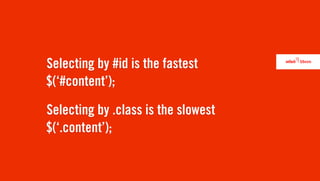
Selecting by #id is the fastest
$(ā€˜#content’);

Selecting by .class is the slowest
$(ā€˜.content’);
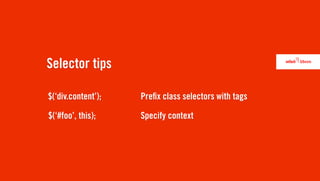
Selector tips

$(ā€˜div.content’);   Pre x class selectors with tags

$(ā€˜#foo’, this);    Specify context
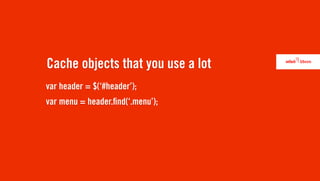
Cache objects that you use a lot
var header = $(ā€˜#header’);
var menu = header. nd(ā€˜.menu’);
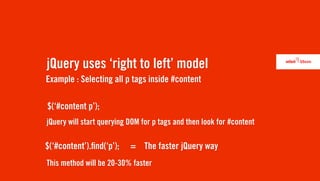
jQuery uses ā€˜right to left’ model
Example : Selecting all p tags inside #content

$(ā€˜#content p’);
jQuery will start querying DOM for p tags and then look for #content

$(ā€˜#content’). nd(ā€˜p’);    = The faster jQuery way
This method will be 20-30% faster
Write your own selectors
$.extend( $.expr[ā€˜:’], {
           myNewSelector: function(element)
           {
                // do something
           }
});
$(ā€˜#content :myNewSelector’);
Selectors
Events
General tips
Usefull plugins
These are the same
$(document).ready(function () { });


$(function () { });
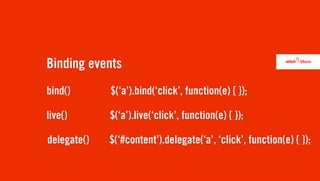
Binding events
bind()       $(ā€˜a’).bind(ā€˜click’, function(e) { });

live()       $(ā€˜a’).live(ā€˜click’, function(e) { });

delegate()   $(ā€˜#content’).delegate(ā€˜a’, ā€˜click’, function(e) { });
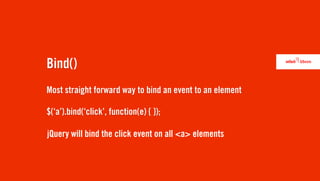
Bind()
Most straight forward way to bind an event to an element

$(ā€˜a’).bind(ā€˜click’, function(e) { });

jQuery will bind the click event on all <a> elements
Live()
Will also bind elements that are added to DOM dynamically

$(ā€˜a’).live(ā€˜click’, function(e) { });
Delegate()
Delegate will bind the handler to a given element
instead of the document root

$(ā€˜#content’).delegate(ā€˜a’, ā€˜click’, function(e) { });
Selectors
Events
General tips
Usefull plugins
Use HTML5
HTML5 brings more tags like <footer>, <header>, <section>, ...
Selector performance ++
DOM manipulation
Is frikkin’ slow

Try to avoid the append(), prepend(), after(), ... functions
Insert strings with html()
Always use the latest version (1.6.1)
Always use object detection
if( $(ā€˜#content’).length )
{
    // do stuff
}
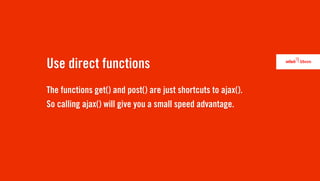
Use direct functions
The functions get() and post() are just shortcuts to ajax().
So calling ajax() will give you a small speed advantage.
Check out the utilities functions
$.inArray()   Determine whether an element exists inside an array
$.isArray()   Determine whether the argument is an array
$.map()       Translate all items in an array or object to new array of items
$.support()   Check for browser features
$.unique()    Sorts an array of DOM elements, with the duplicates removed
...
Unit testing
Selenium   http://seleniumhq.org/
Fucunit    http://funcunit.com/
QUnit      http://docs.jquery.com/Qunit
QMock      https://github.com/andybeeching/qmock
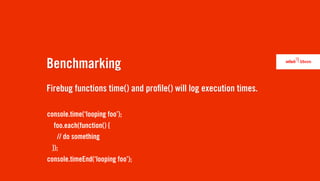
Benchmarking
Firebug functions time() and pro le() will log execution times.

console.time(ā€˜looping foo’);
   foo.each(function() {
    // do something
  });
console.timeEnd(ā€˜looping foo’);
Benchmarking
jsPerf - JavaScript performance playground
http://jsperf.com/
Selectors
Events
General tips
Usefull plugins
Tipsy
A Facebook-like tooltip plugin.
http://onehackoranother.com/projects/jquery/tipsy/
Nivo Slider
An image slider plugin.
http://nivo.dev7studios.com/
Shadowbox
A lightbox plugin.
http://www.shadowbox-js.com/
jCrop
An image cropping plugin.
http://deepliquid.com/content/Jcrop.html
jQuery Lint
A plugin that checks jQuery statements for errors
http://james.padolsey.com/javascript/jquery-lint/
QUESTIONS?
twitter.com/ElLesso
lester@netlash.com
lesterlievens.be

jQuery - Tips And Tricks