快快樂樂學 Angular 2 開發框架
多奇數位創意有限公司
技術總監 黃保翕 ( Will 保哥 )
部落格:http://blog.miniasp.com/
新手上路之 40 分鐘學會 Angular 2 網站開發框架
ANGULAR 2 簡介
Angular 2 Introduction
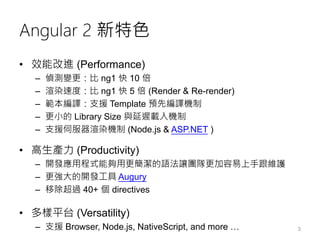
Angular 2 新特色
• 效能改進 (Performance)
– 偵測變更:比 ng1 快 10 倍
– 渲染速度:比 ng1 快 5 倍 (Render & Re-render)
– 範本編譯:支援 Template 預先編譯機制
– 更小的 Library Size 與延遲載入機制
– 支援伺服器渲染機制 (Node.js & ASP.NET )
• 高生產力 (Productivity)
– 開發應用程式能夠用更簡潔的語法讓團隊更加容易上手跟維護
– 更強大的開發工具 Augury
– 移除超過 40+ 個 directives
• 多樣平台 (Versatility)
– 支援 Browser, Node.js, NativeScript, and more … 3
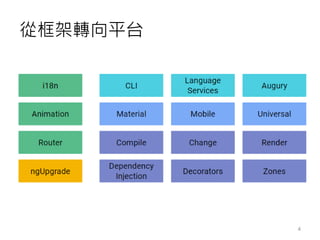
從框架轉向平台
4
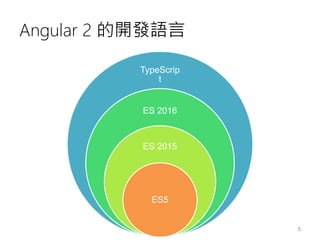
Angular 2 的開發語言
TypeScrip
t
ES 2016
ES 2015
ES5
5
Angular 2 的開發語言
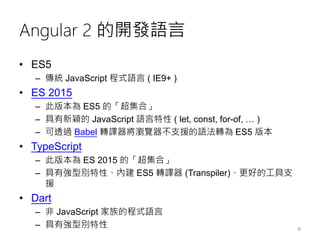
• ES5
– 傳統 JavaScript 程式語言 ( IE9+ )
• ES 2015
– 此版本為 ES5 的「超集合」
– 具有新穎的 JavaScript 語言特性 ( let, const, for-of, … )
– 可透過 Babel 轉譯器將瀏覽器不支援的語法轉為 ES5 版本
• TypeScript
– 此版本為 ES 2015 的「超集合」
– 具有強型別特性、內建 ES5 轉譯器 (Transpiler)、更好的工具支
援
• Dart
– 非 JavaScript 家族的程式語言
– 具有強型別特性 6
Angular 2 的開發工具
• Visual Studio Code
• Visual Studio 2015
• Sublime Text
• WebStorm
• Atom
• Plunker
7
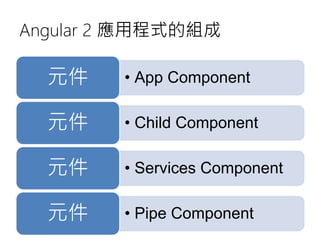
Angular 2 應用程式的組成
• App Component元件
• Child Component元件
• Services Component元件
• Pipe Component元件
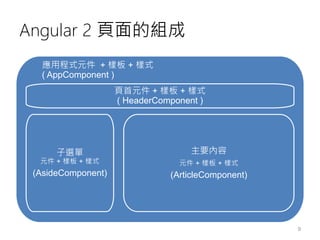
Angular 2 頁面的組成
應用程式元件 + 樣板 + 樣式
( AppComponent )
頁首元件 + 樣板 + 樣式
( HeaderComponent )
子選單
元件 + 樣板 + 樣式
(AsideComponent)
9
主要內容
元件 + 樣板 + 樣式
(ArticleComponent)
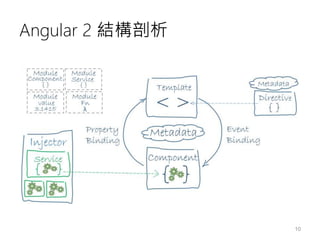
Angular 2 結構剖析
10
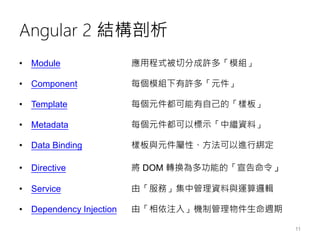
Angular 2 結構剖析
• Module 應用程式被切分成許多「模組」
• Component 每個模組下有許多「元件」
• Template 每個元件都可能有自己的「樣板」
• Metadata 每個元件都可以標示「中繼資料」
• Data Binding 樣板與元件屬性、方法可以進行綁定
• Directive 將 DOM 轉換為多功能的「宣告命令」
• Service 由「服務」集中管理資料與運算邏輯
• Dependency Injection 由「相依注入」機制管理物件生命週期
11
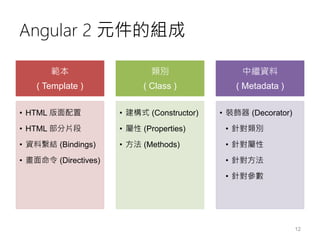
Angular 2 元件的組成
範本
( Template )
• HTML 版面配置
• HTML 部分片段
• 資料繫結 (Bindings)
• 畫面命令 (Directives)
類別
( Class )
• 建構式 (Constructor)
• 屬性 (Properties)
• 方法 (Methods)
中繼資料
( Metadata )
• 裝飾器 (Decorator)
• 針對類別
• 針對屬性
• 針對方法
• 針對參數
12
建立 ANGULAR 2 應用程式
Build your Angular 2 Application
13
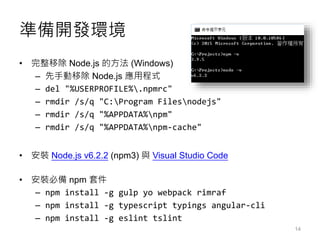
準備開發環境
• 完整移除 Node.js 的方法 (Windows)
– 先手動移除 Node.js 應用程式
– del "%USERPROFILE%.npmrc"
– rmdir /s/q "C:Program Filesnodejs"
– rmdir /s/q "%APPDATA%npm"
– rmdir /s/q "%APPDATA%npm-cache"
• 安裝 Node.js v6.2.2 (npm3) 與 Visual Studio Code
• 安裝必備 npm 套件
– npm install -g gulp yo webpack rimraf
– npm install -g typescript typings angular-cli
– npm install -g eslint tslint
14
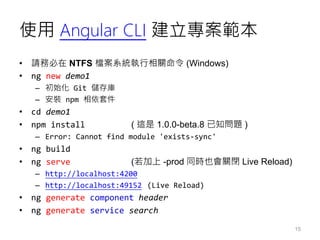
使用 Angular CLI 建立專案範本
• 請務必在 NTFS 檔案系統執行相關命令 (Windows)
• ng new demo1
– 初始化 Git 儲存庫
– 安裝 npm 相依套件
• cd demo1
• npm install ( 這是 1.0.0-beta.8 已知問題 )
– Error: Cannot find module 'exists-sync'
• ng build
• ng serve (若加上 -prod 同時也會關閉 Live Reload)
– http://localhost:4200
– http://localhost:49152 (Live Reload)
• ng generate component header
• ng generate service search
15
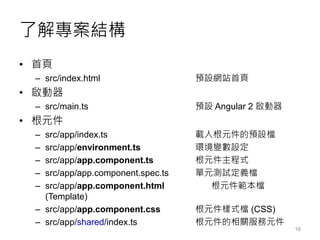
了解專案結構
• 首頁
– src/index.html 預設網站首頁
• 啟動器
– src/main.ts 預設 Angular 2 啟動器
• 根元件
– src/app/index.ts 載入根元件的預設檔
– src/app/environment.ts 環境變數設定
– src/app/app.component.ts 根元件主程式
– src/app/app.component.spec.ts 單元測試定義檔
– src/app/app.component.html 根元件範本檔
(Template)
– src/app/app.component.css 根元件樣式檔 (CSS)
– src/app/shared/index.ts 根元件的相關服務元件
16
資料繫結的四種方法 (Binding syntax)
• 內嵌繫結 ( interpolation )
{{property}}
• 屬性繫結 ( Property Binding )
[property]='statement'
• 事件繫結 ( Event Binding )
(event)='someMethod($event)'
• 雙向繫結 ( Two-way Binding )
[(ngModel)]='property'
17
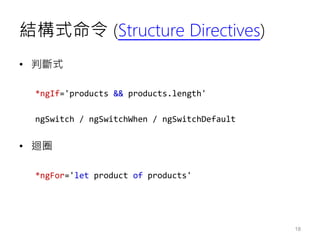
結構式命令 (Structure Directives)
• 判斷式
*ngIf='products && products.length'
ngSwitch / ngSwitchWhen / ngSwitchDefault
• 迴圈
*ngFor='let product of products'
18
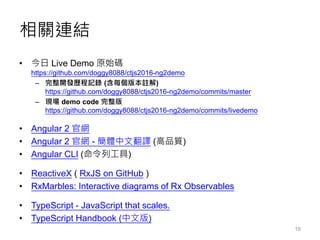
相關連結
• 今日 Live Demo 原始碼
https://github.com/doggy8088/ctjs2016-ng2demo
– 完整開發歷程記錄 (含每個版本註解)
https://github.com/doggy8088/ctjs2016-ng2demo/commits/master
– 現場 demo code 完整版
https://github.com/doggy8088/ctjs2016-ng2demo/commits/livedemo
• Angular 2 官網
• Angular 2 官網 - 簡體中文翻譯 (高品質)
• Angular CLI (命令列工具)
• ReactiveX ( RxJS on GitHub )
• RxMarbles: Interactive diagrams of Rx Observables
• TypeScript - JavaScript that scales.
• TypeScript Handbook (中文版)
19
聯絡資訊
• The Will Will Web
記載著 Will 在網路世界的學習心得與技術分享
– http://blog.miniasp.com/
• Will 保哥的技術交流中心 (臉書粉絲專頁)
– http://www.facebook.com/will.fans
• Will 保哥的噗浪
– http://www.plurk.com/willh/invite
• Will 保哥的推特
– https://twitter.com/Will_Huang

快快樂樂學 Angular 2 開發框架

  • 1.
    快快樂樂學 Angular 2開發框架 多奇數位創意有限公司 技術總監 黃保翕 ( Will 保哥 ) 部落格:http://blog.miniasp.com/ 新手上路之 40 分鐘學會 Angular 2 網站開發框架
  • 2.
  • 3.
    Angular 2 新特色 •效能改進 (Performance) – 偵測變更:比 ng1 快 10 倍 – 渲染速度:比 ng1 快 5 倍 (Render & Re-render) – 範本編譯:支援 Template 預先編譯機制 – 更小的 Library Size 與延遲載入機制 – 支援伺服器渲染機制 (Node.js & ASP.NET ) • 高生產力 (Productivity) – 開發應用程式能夠用更簡潔的語法讓團隊更加容易上手跟維護 – 更強大的開發工具 Augury – 移除超過 40+ 個 directives • 多樣平台 (Versatility) – 支援 Browser, Node.js, NativeScript, and more … 3
  • 4.
  • 5.
  • 6.
    Angular 2 的開發語言 •ES5 – 傳統 JavaScript 程式語言 ( IE9+ ) • ES 2015 – 此版本為 ES5 的「超集合」 – 具有新穎的 JavaScript 語言特性 ( let, const, for-of, … ) – 可透過 Babel 轉譯器將瀏覽器不支援的語法轉為 ES5 版本 • TypeScript – 此版本為 ES 2015 的「超集合」 – 具有強型別特性、內建 ES5 轉譯器 (Transpiler)、更好的工具支 援 • Dart – 非 JavaScript 家族的程式語言 – 具有強型別特性 6
  • 7.
    Angular 2 的開發工具 •Visual Studio Code • Visual Studio 2015 • Sublime Text • WebStorm • Atom • Plunker 7
  • 8.
    Angular 2 應用程式的組成 •App Component元件 • Child Component元件 • Services Component元件 • Pipe Component元件
  • 9.
    Angular 2 頁面的組成 應用程式元件+ 樣板 + 樣式 ( AppComponent ) 頁首元件 + 樣板 + 樣式 ( HeaderComponent ) 子選單 元件 + 樣板 + 樣式 (AsideComponent) 9 主要內容 元件 + 樣板 + 樣式 (ArticleComponent)
  • 10.
  • 11.
    Angular 2 結構剖析 •Module 應用程式被切分成許多「模組」 • Component 每個模組下有許多「元件」 • Template 每個元件都可能有自己的「樣板」 • Metadata 每個元件都可以標示「中繼資料」 • Data Binding 樣板與元件屬性、方法可以進行綁定 • Directive 將 DOM 轉換為多功能的「宣告命令」 • Service 由「服務」集中管理資料與運算邏輯 • Dependency Injection 由「相依注入」機制管理物件生命週期 11
  • 12.
    Angular 2 元件的組成 範本 (Template ) • HTML 版面配置 • HTML 部分片段 • 資料繫結 (Bindings) • 畫面命令 (Directives) 類別 ( Class ) • 建構式 (Constructor) • 屬性 (Properties) • 方法 (Methods) 中繼資料 ( Metadata ) • 裝飾器 (Decorator) • 針對類別 • 針對屬性 • 針對方法 • 針對參數 12
  • 13.
    建立 ANGULAR 2應用程式 Build your Angular 2 Application 13
  • 14.
    準備開發環境 • 完整移除 Node.js的方法 (Windows) – 先手動移除 Node.js 應用程式 – del "%USERPROFILE%.npmrc" – rmdir /s/q "C:Program Filesnodejs" – rmdir /s/q "%APPDATA%npm" – rmdir /s/q "%APPDATA%npm-cache" • 安裝 Node.js v6.2.2 (npm3) 與 Visual Studio Code • 安裝必備 npm 套件 – npm install -g gulp yo webpack rimraf – npm install -g typescript typings angular-cli – npm install -g eslint tslint 14
  • 15.
    使用 Angular CLI建立專案範本 • 請務必在 NTFS 檔案系統執行相關命令 (Windows) • ng new demo1 – 初始化 Git 儲存庫 – 安裝 npm 相依套件 • cd demo1 • npm install ( 這是 1.0.0-beta.8 已知問題 ) – Error: Cannot find module 'exists-sync' • ng build • ng serve (若加上 -prod 同時也會關閉 Live Reload) – http://localhost:4200 – http://localhost:49152 (Live Reload) • ng generate component header • ng generate service search 15
  • 16.
    了解專案結構 • 首頁 – src/index.html預設網站首頁 • 啟動器 – src/main.ts 預設 Angular 2 啟動器 • 根元件 – src/app/index.ts 載入根元件的預設檔 – src/app/environment.ts 環境變數設定 – src/app/app.component.ts 根元件主程式 – src/app/app.component.spec.ts 單元測試定義檔 – src/app/app.component.html 根元件範本檔 (Template) – src/app/app.component.css 根元件樣式檔 (CSS) – src/app/shared/index.ts 根元件的相關服務元件 16
  • 17.
    資料繫結的四種方法 (Binding syntax) •內嵌繫結 ( interpolation ) {{property}} • 屬性繫結 ( Property Binding ) [property]='statement' • 事件繫結 ( Event Binding ) (event)='someMethod($event)' • 雙向繫結 ( Two-way Binding ) [(ngModel)]='property' 17
  • 18.
    結構式命令 (Structure Directives) •判斷式 *ngIf='products && products.length' ngSwitch / ngSwitchWhen / ngSwitchDefault • 迴圈 *ngFor='let product of products' 18
  • 19.
    相關連結 • 今日 LiveDemo 原始碼 https://github.com/doggy8088/ctjs2016-ng2demo – 完整開發歷程記錄 (含每個版本註解) https://github.com/doggy8088/ctjs2016-ng2demo/commits/master – 現場 demo code 完整版 https://github.com/doggy8088/ctjs2016-ng2demo/commits/livedemo • Angular 2 官網 • Angular 2 官網 - 簡體中文翻譯 (高品質) • Angular CLI (命令列工具) • ReactiveX ( RxJS on GitHub ) • RxMarbles: Interactive diagrams of Rx Observables • TypeScript - JavaScript that scales. • TypeScript Handbook (中文版) 19
  • 20.
    聯絡資訊 • The WillWill Web 記載著 Will 在網路世界的學習心得與技術分享 – http://blog.miniasp.com/ • Will 保哥的技術交流中心 (臉書粉絲專頁) – http://www.facebook.com/will.fans • Will 保哥的噗浪 – http://www.plurk.com/willh/invite • Will 保哥的推特 – https://twitter.com/Will_Huang