Diving Deep Into Access 2013
Lisa Friedrichsen
Professor @ Johnson County Community College
Author @ Cengage, Illustrated Access series
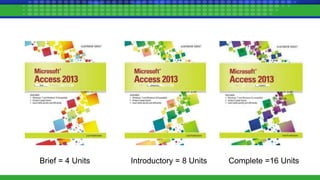
Brief = 4 Units Introductory = 8 Units Complete =16 Units
15 chapters of common examples…
Excel
- Budgets / What If Analysis
- Income Statement
- Balance Sheet
- Cash Flow Analysis
- Decision Support & Charting
- Scenario Analysis
- Breakeven Analysis
- Trend Analysis
- Linear Programming
- List Management
Access
- Relational Database Management
- Querying a Relational Database
- Information Communication / Reports
- Interface Design / Forms
- Application Development / Macros, VBA
What’s
New in
Access
2013?
• Text data type = Short Text
• Memo data type = Long Text
• No PivotTables, PivotCharts
• No Outlook integration
• Yes - Create PDF Email attachment
• No replication
• Access Web apps
Tables
• What are the two types of
Lookup fields?
• What do Lookup fields and
relationships have to do with one
another?
Queries
• How do I teach AND vs. OR criteria
in a way that makes sense?
• Racetracks!
• What is a parameter query and
why will it make me look like a
genius?
Forms
• What is the Record Source property
and why is it important?
• What are the two personalities of a
combo box and how do I them?
• Data Entry
• Find
• What is the purpose of so
many views?
– Report
– Print Preview
– Layout
– Design
• Group, Sort, and Total Pane –
How do I use it?
Reports
Access
and the
Web
• File|New – show Access Web Apps
• Traditional database vs. Access
Web App
• Hyperlink Data type
• HTML Formatting tags
• Save to XML
• Save to HTML
Final
Case
Study
• Tie a form, query, and report
together
• Create a dialog box form
• Pass criteria to a query
• Build a report on the query
Thank
You!
Lisa L. Friedrichsen
lisalfri@jccc.edu

Diving Deep Into Access 2013 - Course Technology Computing Conference

  • 1.
    Diving Deep IntoAccess 2013 Lisa Friedrichsen Professor @ Johnson County Community College Author @ Cengage, Illustrated Access series
  • 2.
    Brief = 4Units Introductory = 8 Units Complete =16 Units
  • 3.
    15 chapters ofcommon examples… Excel - Budgets / What If Analysis - Income Statement - Balance Sheet - Cash Flow Analysis - Decision Support & Charting - Scenario Analysis - Breakeven Analysis - Trend Analysis - Linear Programming - List Management Access - Relational Database Management - Querying a Relational Database - Information Communication / Reports - Interface Design / Forms - Application Development / Macros, VBA
  • 6.
    What’s New in Access 2013? • Textdata type = Short Text • Memo data type = Long Text • No PivotTables, PivotCharts • No Outlook integration • Yes - Create PDF Email attachment • No replication • Access Web apps
  • 7.
    Tables • What arethe two types of Lookup fields? • What do Lookup fields and relationships have to do with one another?
  • 8.
    Queries • How doI teach AND vs. OR criteria in a way that makes sense? • Racetracks! • What is a parameter query and why will it make me look like a genius?
  • 9.
    Forms • What isthe Record Source property and why is it important? • What are the two personalities of a combo box and how do I them? • Data Entry • Find
  • 10.
    • What isthe purpose of so many views? – Report – Print Preview – Layout – Design • Group, Sort, and Total Pane – How do I use it? Reports
  • 11.
    Access and the Web • File|New– show Access Web Apps • Traditional database vs. Access Web App • Hyperlink Data type • HTML Formatting tags • Save to XML • Save to HTML
  • 12.
    Final Case Study • Tie aform, query, and report together • Create a dialog box form • Pass criteria to a query • Build a report on the query
  • 13.