SCOTT THOMAS
IDLE TOOLS CORP

CRM OVERVIEW &
HOW IT CAN
WORK FOR YOU
OVERVIEW
 How I discovered CRM
 Today you may be experiencing….
 Getting started, setting up, & rolling out
 The critical after plan & keys to success
 Applying CRM to your distribution business
 The Future is here – the fully integrated “social”
enterprise
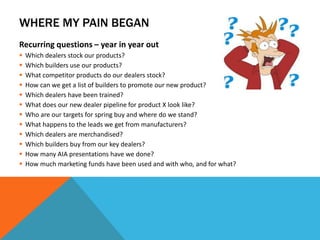
WHERE MY PAIN BEGAN
Recurring questions – year in year out













Which dealers stock our products?
Which builders use our products?
What competitor products do our dealers stock?
How can we get a list of builders to promote our new product?
Which dealers have been trained?
What does our new dealer pipeline for product X look like?
Who are our targets for spring buy and where do we stand?
What happens to the leads we get from manufacturers?
Which dealers are merchandised?
Which builders buy from our key dealers?
How many AIA presentations have we done?
How much marketing funds have been used and with who, and for what?
THE 1ST SOLUTION TO MY PAIN

Centralized Information
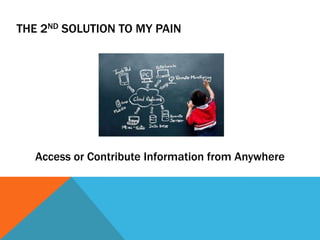
THE 2ND SOLUTION TO MY PAIN

Access or Contribute Information from Anywhere
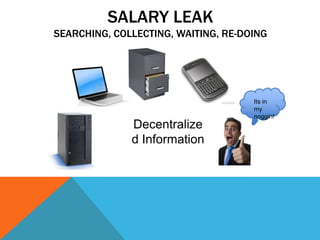
SALARY LEAK
SEARCHING, COLLECTING, WAITING, RE-DOING

Decentralize
d Information

Its in
my
noggin!
THE SPREADSHEET RODEO


One Time Use



Wasted Time



Not Sustainable



Stored Inconsistently



Versioning



One User at a Time



Time Consuming Consolidations



Always Start from Scratch
PATCHWORK PROCESSES


Email Based



Spreadsheet Based



No Reporting



Inconsistent



User Unique



Poor Documentation



Time Consuming
CRM IS A SOLUTION
 Centralize Information and provide mobile
access
 Reduce dependency on spreadsheets & other
temporary tracking methods
 Improve all types of processes within the
organization
 Automate - Everything
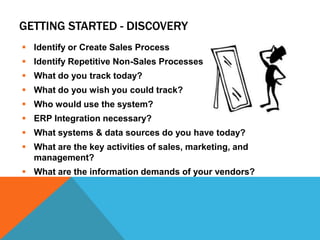
GETTING STARTED - DISCOVERY
 Identify or Create Sales Process
 Identify Repetitive Non-Sales Processes
 What do you track today?
 What do you wish you could track?
 Who would use the system?
 ERP Integration necessary?
 What systems & data sources do you have today?
 What are the key activities of sales, marketing, and
management?
 What are the information demands of your vendors?
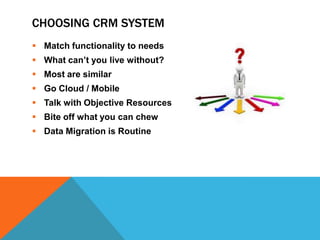
CHOOSING CRM SYSTEM
 Match functionality to needs
 What can’t you live without?
 Most are similar

 Go Cloud / Mobile
 Talk with Objective Resources
 Bite off what you can chew
 Data Migration is Routine
SYSTEM SET UP & CONFIGURATION
Create 2 Teams:
 Development Team (works with Implementation Firm)
 User Adoption Team (UAT) to validate design

Teams should be diverse but relatively small
Start with limited number of licenses
Approach from 2 ways:
 User Needs (Simplicity/Usability)
 Management Needs (Useful Output)
ROLLING OUT
 Phase In
 Have Training Prepared
 LISTEN to feedback

 Pre-establish check points
 No Lip Service
 Walk the Talk
 Use interactive training – DOING IS LEARNING
 Stick with it
THE AFTER PLAN
 More Important than roll out
 Evaluate every 3 months – Assign This!
 Add more functionality to the system based on
user feedback
 Have a plan for quick reaction to user needs
 Communicate with users and broadly share
answers & solutions
 Change CRM as your business changes
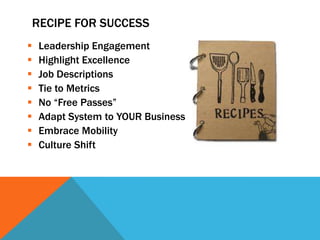
RECIPE FOR SUCCESS









Leadership Engagement
Highlight Excellence
Job Descriptions
Tie to Metrics
No “Free Passes”
Adapt System to YOUR Business
Embrace Mobility
Culture Shift
RECIPE FOR FAILURE
 Inconsistent Leadership Engagement
 Wink Wink Sales Management
 Failure to live in the system (culture)
 "3rd Hat" ownership or I.T. Only ownership
 Aversion to time and resource investment
 Big Brother and counting data
 Failure to act on outputs
 Request things the old way
 Perfectionism
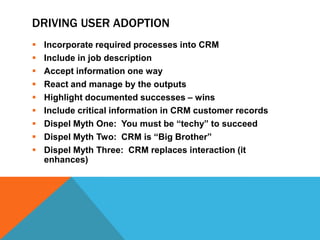
DRIVING USER ADOPTION










Incorporate required processes into CRM
Include in job description
Accept information one way
React and manage by the outputs
Highlight documented successes – wins
Include critical information in CRM customer records
Dispel Myth One: You must be “techy” to succeed
Dispel Myth Two: CRM is “Big Brother”
Dispel Myth Three: CRM replaces interaction (it
enhances)
SALES TO ACTIVITY BALANCE
 A sleep walker will sell more high end products
in New England than a pit bull in Alabama
 In good times sales will say: “Look how much I
SOLD”
 In tough times sales will say: “Look how much
I DID”
 Optimize selling and doing in all economic
situations
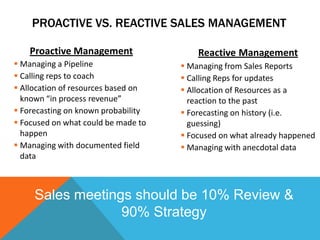
PROACTIVE VS. REACTIVE SALES MANAGEMENT
Proactive Management

Reactive Management

 Managing a Pipeline
 Calling reps to coach
 Allocation of resources based on
known “in process revenue”
 Forecasting on known probability
 Focused on what could be made to
happen
 Managing with documented field
data

 Managing from Sales Reports
 Calling Reps for updates
 Allocation of Resources as a
reaction to the past
 Forecasting on history (i.e.
guessing)
 Focused on what already happened
 Managing with anecdotal data

Sales meetings should be 10% Review &
90% Strategy
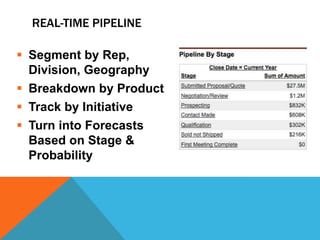
REAL-TIME PIPELINE
 Segment by Rep,
Division, Geography
 Breakdown by Product
 Track by Initiative
 Turn into Forecasts
Based on Stage &
Probability
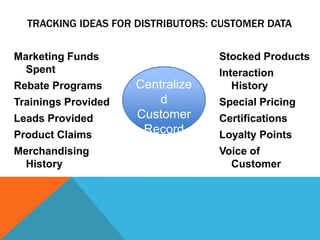
TRACKING IDEAS FOR DISTRIBUTORS: CUSTOMER DATA
Marketing Funds
Spent

Rebate Programs
Trainings Provided
Leads Provided

Product Claims
Merchandising
History

Stocked Products

Centralize
d
Customer
Record

Interaction
History
Special Pricing
Certifications

Loyalty Points
Voice of
Customer
TRACKING IDEAS FOR DISTRIBUTORS: INFORMATION
FOR SUPPLIERS
 Forward Looking Sales Pipeline by Product
 Project Tracking
 Sales Promotion Management & Results
 New Product Introduction Tracking
 Competitive Landscaping
 Training Documentation

 Lead Results
 Lost Sales Reports w/ Loss Reasons
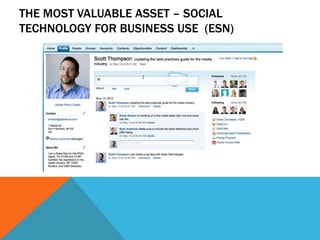
THE MOST VALUABLE ASSET – SOCIAL
TECHNOLOGY FOR BUSINESS USE (ESN)
ENTERPRISE SOCIAL NETWORKS
 Receive information about your business in
one place (one feed) – Rather than chasing
 “Follow” Sales Opportunities, Price Pages,
Presentations, Leads & Marketing
Campaigns
 Share information instantly with out email
threads
 On your Desktop, your tablet, your phone
 Read your business like a living, breathing
newspaper
THANK YOU!
Scott Thomas

CRM Implementation Services
(919) 455-5987
scott.thomas@idletoolscorp.co
m
Get started with basic discovery questionnaires at
idletoolscorp.com/services

CRM Presentation - NBMDA Annual Conference

  • 1.
    SCOTT THOMAS IDLE TOOLSCORP CRM OVERVIEW & HOW IT CAN WORK FOR YOU
  • 2.
    OVERVIEW  How Idiscovered CRM  Today you may be experiencing….  Getting started, setting up, & rolling out  The critical after plan & keys to success  Applying CRM to your distribution business  The Future is here – the fully integrated “social” enterprise
  • 3.
    WHERE MY PAINBEGAN Recurring questions – year in year out             Which dealers stock our products? Which builders use our products? What competitor products do our dealers stock? How can we get a list of builders to promote our new product? Which dealers have been trained? What does our new dealer pipeline for product X look like? Who are our targets for spring buy and where do we stand? What happens to the leads we get from manufacturers? Which dealers are merchandised? Which builders buy from our key dealers? How many AIA presentations have we done? How much marketing funds have been used and with who, and for what?
  • 4.
    THE 1ST SOLUTIONTO MY PAIN Centralized Information
  • 5.
    THE 2ND SOLUTIONTO MY PAIN Access or Contribute Information from Anywhere
  • 7.
    SALARY LEAK SEARCHING, COLLECTING,WAITING, RE-DOING Decentralize d Information Its in my noggin!
  • 8.
    THE SPREADSHEET RODEO  OneTime Use  Wasted Time  Not Sustainable  Stored Inconsistently  Versioning  One User at a Time  Time Consuming Consolidations  Always Start from Scratch
  • 9.
    PATCHWORK PROCESSES  Email Based  SpreadsheetBased  No Reporting  Inconsistent  User Unique  Poor Documentation  Time Consuming
  • 10.
    CRM IS ASOLUTION  Centralize Information and provide mobile access  Reduce dependency on spreadsheets & other temporary tracking methods  Improve all types of processes within the organization  Automate - Everything
  • 12.
    GETTING STARTED -DISCOVERY  Identify or Create Sales Process  Identify Repetitive Non-Sales Processes  What do you track today?  What do you wish you could track?  Who would use the system?  ERP Integration necessary?  What systems & data sources do you have today?  What are the key activities of sales, marketing, and management?  What are the information demands of your vendors?
  • 13.
    CHOOSING CRM SYSTEM Match functionality to needs  What can’t you live without?  Most are similar  Go Cloud / Mobile  Talk with Objective Resources  Bite off what you can chew  Data Migration is Routine
  • 14.
    SYSTEM SET UP& CONFIGURATION Create 2 Teams:  Development Team (works with Implementation Firm)  User Adoption Team (UAT) to validate design Teams should be diverse but relatively small Start with limited number of licenses Approach from 2 ways:  User Needs (Simplicity/Usability)  Management Needs (Useful Output)
  • 15.
    ROLLING OUT  PhaseIn  Have Training Prepared  LISTEN to feedback  Pre-establish check points  No Lip Service  Walk the Talk  Use interactive training – DOING IS LEARNING  Stick with it
  • 17.
    THE AFTER PLAN More Important than roll out  Evaluate every 3 months – Assign This!  Add more functionality to the system based on user feedback  Have a plan for quick reaction to user needs  Communicate with users and broadly share answers & solutions  Change CRM as your business changes
  • 18.
    RECIPE FOR SUCCESS         LeadershipEngagement Highlight Excellence Job Descriptions Tie to Metrics No “Free Passes” Adapt System to YOUR Business Embrace Mobility Culture Shift
  • 19.
    RECIPE FOR FAILURE Inconsistent Leadership Engagement  Wink Wink Sales Management  Failure to live in the system (culture)  "3rd Hat" ownership or I.T. Only ownership  Aversion to time and resource investment  Big Brother and counting data  Failure to act on outputs  Request things the old way  Perfectionism
  • 20.
    DRIVING USER ADOPTION          Incorporaterequired processes into CRM Include in job description Accept information one way React and manage by the outputs Highlight documented successes – wins Include critical information in CRM customer records Dispel Myth One: You must be “techy” to succeed Dispel Myth Two: CRM is “Big Brother” Dispel Myth Three: CRM replaces interaction (it enhances)
  • 22.
    SALES TO ACTIVITYBALANCE  A sleep walker will sell more high end products in New England than a pit bull in Alabama  In good times sales will say: “Look how much I SOLD”  In tough times sales will say: “Look how much I DID”  Optimize selling and doing in all economic situations
  • 23.
    PROACTIVE VS. REACTIVESALES MANAGEMENT Proactive Management Reactive Management  Managing a Pipeline  Calling reps to coach  Allocation of resources based on known “in process revenue”  Forecasting on known probability  Focused on what could be made to happen  Managing with documented field data  Managing from Sales Reports  Calling Reps for updates  Allocation of Resources as a reaction to the past  Forecasting on history (i.e. guessing)  Focused on what already happened  Managing with anecdotal data Sales meetings should be 10% Review & 90% Strategy
  • 24.
    REAL-TIME PIPELINE  Segmentby Rep, Division, Geography  Breakdown by Product  Track by Initiative  Turn into Forecasts Based on Stage & Probability
  • 25.
    TRACKING IDEAS FORDISTRIBUTORS: CUSTOMER DATA Marketing Funds Spent Rebate Programs Trainings Provided Leads Provided Product Claims Merchandising History Stocked Products Centralize d Customer Record Interaction History Special Pricing Certifications Loyalty Points Voice of Customer
  • 26.
    TRACKING IDEAS FORDISTRIBUTORS: INFORMATION FOR SUPPLIERS  Forward Looking Sales Pipeline by Product  Project Tracking  Sales Promotion Management & Results  New Product Introduction Tracking  Competitive Landscaping  Training Documentation  Lead Results  Lost Sales Reports w/ Loss Reasons
  • 28.
    THE MOST VALUABLEASSET – SOCIAL TECHNOLOGY FOR BUSINESS USE (ESN)
  • 29.
    ENTERPRISE SOCIAL NETWORKS Receive information about your business in one place (one feed) – Rather than chasing  “Follow” Sales Opportunities, Price Pages, Presentations, Leads & Marketing Campaigns  Share information instantly with out email threads  On your Desktop, your tablet, your phone  Read your business like a living, breathing newspaper
  • 30.
    THANK YOU! Scott Thomas CRMImplementation Services (919) 455-5987 scott.thomas@idletoolscorp.co m Get started with basic discovery questionnaires at idletoolscorp.com/services