®
Unlock Design Productivity:
What’s New in Creo Parametric 2.0
Kontrax, victor.mitov@kontrax.bg
3
1. Modern user experience
• Consistent and intuitive
• Streamlined workflows
2. New major capabilities
• Freestyle
• Real-time modeling
3. Blistering performance
• 10X faster assemblies
• 30X faster graphics performance*
4. Easily adopted
• Learn on the job, or
• 1 day training for fastest adoption
5. Unlock Potential beyond
• Direct editing, plus ….
What’s New in Creo Parametric 2.0
Double Design Productivity
* With latest graphics devices and drivers
4
Boost Design Productivity in 8 Key Areas
of Creo Parametric
User Experience
Measuring
Cross-Sections
Assemblies
Sheet metal
3D Annotation
Freestyle
Sketching
5
Head-to-Head Comparisons with
Pro/ENGINEER Wildfire 5.0
Compare: Time, mouse travel, clicks, and menus opened for common activities
6
Modern Ribbon-Based User Experience
Ribbon UI throughout all
of Creo Parametric
7
Familiar Windows look and feel
Consistent across common areas
Streamlined workflows
Interactive 3D dragger
In-graphics toolbar
CommandFinder
LearningConnector
Fast adoption, immediate productivity
User Experience Highlights
“The users find Creo Parametric 1.0 easier to
use than Pro/ENGINEER Wildfire 5 by a long
shot, and especially the reworked workflows in
common areas like sketching, part modeling,
assembly modeling, sheet metal, and drawing –
it’s really increased their design productivity.”
Damián Castillo, CAD & Administration
Manager at Hensley Industries
Product Mouse
Travel
Mouse
Clicks
Menus
Opened
Pro/ENGINEER
Wildfire 5.0
272 60 33
Creo Parametric
(Creo 2.0)
183 49 23
% Reduction
33%
Less mouse
travel
18%
Less mouse
clicks
30%
Less menus
opened
8
Improved Sketching
9
Sketch directly on model faces
Reference 3D objects
Streamlined interfaces for curves
from equations
Object action based dimensioning
Tapered extrude
Preview
Streamlined editing
Auto-regeneration
Fast in-context sketching,
immediate productivity
Sketching Highlights
Product Mouse
Travel
Mouse
Clicks
Menus
Opened
Pro/ENGINEER
Wildfire 5.0
274 125 24
Creo Parametric
(Creo 2.0)
137 65 11
% Reduction 50%
Less mouse
travel
48%
Less mouse
clicks
54%
Less menus
opened
10
Superfast Handling of Large Assemblies
11
New lightweight graphics
representations
Load up to 10 times faster
Explore assemblies interactively
Quick search across the
assembly
Track Changes
New component placement
constraints
3D Dragger for easy assembly
Work in the context of the whole
design, immediate productivity
Large Assemblies Highlights
“There’s noticeable improvement with large
assemblies. We’re about 40% more
productive, as the new lightweight graphics
representation makes loading, navigating, and
exploring assembles super fast.”
Damián Castillo, CAD & Administration
Manager at Hensley Industries
Product Mouse
Travel
Mouse
Clicks
Menus
Opened
Pro/ENGINEER
Wildfire 5.0
501 98 28
Creo Parametric
(Creo 2.0)
221 54 14
% Reduction 56%
Less mouse
travel
45%
Less mouse
clicks
50%
Less menus
opened
12
Intuitive Freestyle Modeling
13
Freestyle Highlights
Speed concept design
“Creo Freestyle was one of the many
product announcements that struck me
as fascinating.
Just the idea of having incredible ID
software as a freebie within Creo
Parametric was one I wanted to explore
further. We recommend that users who
do any industrial design begin using
Freestyle right away ”
Ray Kurland, Technicom
Quickly create freeform shapes and
surfaces
Directly work with the 3D shape
Sub-divisional modeling to create
simple or complex shapes
Refine areas
High-quality engineering surfaces
Reuse result for 3D detailed design
Industrial design for all, immediate
productivity
Product Time
(s)
Pro/ENGINEER
Wildfire 5.0
3000
Creo Parametric
(Creo 2.0)
239
% Reduction 92%
Less time
14
Sheetmetal design
15
Sheetmetal Design Highlights
Streamlined powerful sheet metal design capabilities
 Modern user experience
 Streamlined workflows for corner
reliefs, bends, and unbends
 Sheet metal conversion, including
corner reliefs
 New sketched forms
 Create piercings
 Join disconnected sheet metal walls
 2D flat pattern preview, including
overall dimensions and overlapping
geometry
 Create sheet metal designs fast
Product Mouse
Travel
Mouse
Clicks
Menus
Opened
Pro/ENGINEER
Wildfire 5.0
538 165 42
Creo Parametric
(Creo 2.0)
279 77 17
% Reduction
48%
Less
mouse
travel
53%
Less mouse
clicks
60%
Less menus
opened
49%
Faster
than Pro/ENGINEER Wildfire 5.0
16
3D Cross-Sections
+
17
 Pre-defined planes, or select existing
planes on models
 3D Dragger to dynamically reposition
 Separate window showing 2D view
 Real-time interference detection
 Create offset sections from 2D
sketches
 Access sections directly from the
model tree
 Create 2D curves from cross
sections
 Work in the context of the whole
design, immediate productivity
Cross-Section Highlights
Dynamically create 3D cross-sections
Product Mouse
Travel
Mouse
Clicks
Menus
Opened
Pro/ENGINEER
Wildfire 5.0
579 111 36
Creo Parametric
(Creo 2.0)
301 68 16
% Reduction 48%
Less
mouse
travel
39%
Less mouse
clicks
56%
Less menus
opened
56%
Faster
than Pro/ENGINEER Wildfire 5.0
18
Improved 3D Annotation
+
19
 Streamlined workflow aligned with
2D Annotation approach
 Pre-defined annotation planes
 Fast creation and automated placement
of annotations, dimensions, and notes
 Combined states to capture orientation,
relevant annotations, & cross sections
 Create multiple combined states with
preview thumbnails
 Use the drawing tree to access and
manage annotations
 Share annotated models and minimize
the need for 2D drawings
Annotation Highlights
Enrich models by adding 3D annotations, dimensions, and notes
Product Mouse
Travel
Mouse
Clicks
Menus
Opened
Pro/ENGINEER
Wildfire 5.0
662 179 38
Creo Parametric
(Creo 2.0)
198 54 8
% Reduction 70%
Less
mouse
travel
70%
Less mouse
clicks
79%
Less
menus
opened
58%
Faster
than Pro/ENGINEER Wildfire 5.0
20
3D Measuring
+
21
Multiple measurements in one tool
Context-sensitive measurements
Compound individual
measurements
Copy and paste any measured
result to other commands and
apps
Fully control a measurement
dimensions’ positions and
appearance
Faster and easier measuring
of the 3D model
Measuring Highlights
Streamlined measurements
Product Mouse
Travel
Mouse
Clicks
Menus
Opened
Pro/ENGINEER
Wildfire 5.0
188 47 20
Creo Parametric
(Creo 2.0)
156 35 7
% Reduction
17%
Less
mouse
travel
26%
Less mouse
clicks
65%
Less menus
opened
10%
Faster
than Pro/ENGINEER Wildfire 5.0
22
All 8 Areas Double Design Productivity
User Experience
Measuring
Cross-Sections
Assemblies
Sheet metal
3D Annotation
Freestyle
Sketching
Areas Creo
Parametric
Mouse Travel Mouse Clicks Menus
Opened
Time
(s)
User Experience,
Sketcher, Assembly,
Freestyle,
3D Annotations,
Measuring, Cross-
Sections, and
Sheet metal
Total %
Reduction
51%
Less mouse
travel
49%
Less mouse
clicks
57%
Less menus
opened
73%
Less time
23
 Interactive Graphics performance
• Partnerships with NVIDIA and AMD
• Creo Parametric together NVIDIA
QUADRO® and AMD FirePro®
• 30X faster in realistic mode
• 2-4X improvements generally
Other areas of Blistering Performance*
* With latest graphics devices and drivers
0 0.5 1 1.5 2 2.5 3
Quadro
2000
Quadro
4000
Quadro
5000
Relative Performance of Creo Parametric 2.0 vs
Pro/ENGINEER Wildfire 5.0
0.0
5.0
10.0
15.0
20.0
25.0
30.0
35.0
AMD FirePro V3900 AMD FirePro V4900 AMD FirePro V5900 AMD FirePro V7900
3.0 3.2 3.2 3.0
7.1 7.3 7.4 7.3
15.0
18.2 18.8
30.9
FPS
Pro/ENGINEER
Wildfire 5.0 -
Blended
Creo Parametric
2.0 - Blended
Creo Parametric
2.0 - OIT
24
• Learn On-the-Job with integrated
LearningConnector
– 200+ free in-context Creo Parametric tutorials
– Context sensitive access to >2,000 eLearning
topics
– Ability to map customer eLearning content to
specific features in Creo.
– Context sensitive help center and knowledge base
results
– Search for eLearning topics, tech support articles
and help
– Supports all key Creo apps and extensions
• Instructor-led or online for 8 hours
– Focused on moving from Pro/ENGINEER Wildfire
4.0 or 5.0 to Creo Parametric 2.0
– Reach full productivity faster
– Best practices
Easily & Quickly Get up to Speed with Creo Parametric
Quick adoption paths…
25
 No loss in data, models, parts,
assemblies, drawings, etc
 No loss in design intent, features,
parameters, annotations, etc
 Data fully upwards compatible,
irrespective of Pro/ENGINEER
release
 Creo Parametric’s user interface
can be tailored
 Customizations can be loaded
into Creo Parametric
Data Migration
Pro/ENGINEER design data loads directly into Creo Parametric
26
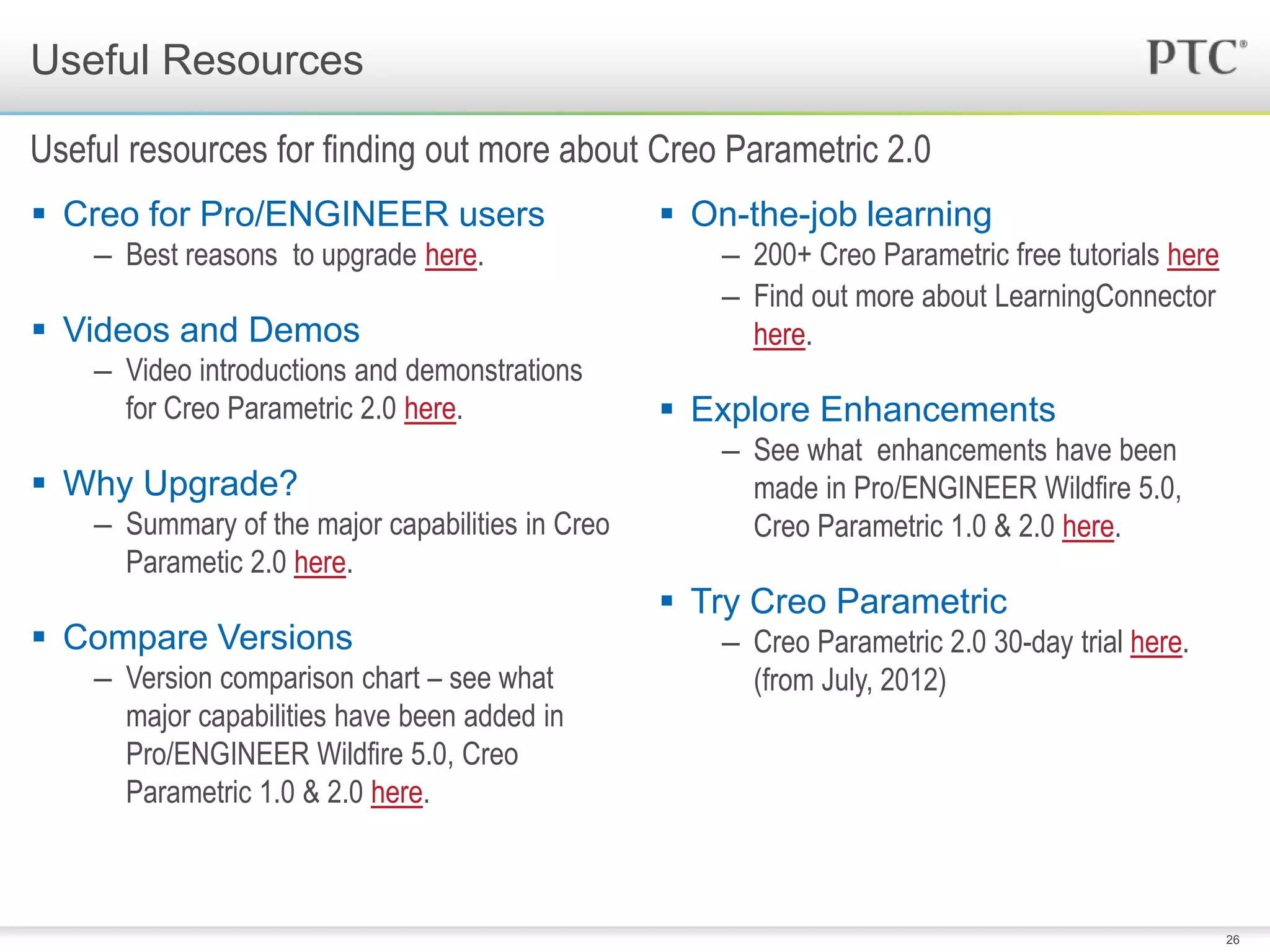
 Creo for Pro/ENGINEER users
– Best reasons to upgrade here.
 Videos and Demos
– Video introductions and demonstrations
for Creo Parametric 2.0 here.
 Why Upgrade?
– Summary of the major capabilities in Creo
Parametic 2.0 here.
 Compare Versions
– Version comparison chart – see what
major capabilities have been added in
Pro/ENGINEER Wildfire 5.0, Creo
Parametric 1.0 & 2.0 here.
 On-the-job learning
– 200+ Creo Parametric free tutorials here
– Find out more about LearningConnector
here.
 Explore Enhancements
– See what enhancements have been
made in Pro/ENGINEER Wildfire 5.0,
Creo Parametric 1.0 & 2.0 here.
 Try Creo Parametric
– Creo Parametric 2.0 30-day trial here.
(from July, 2012)
Useful Resources
Useful resources for finding out more about Creo Parametric 2.0
27
 Modern user experience
 Consistent and intuitive
 Streamlined workflows
 New major capabilities
 Freestyle
 Real-time modeling
 Blistering performance
 10X faster assemblies
 30X faster graphics performance*
 Easily adopted
 Learn on the job, or
 1 day training for fastest adoption
 Unlock Potential beyond
• Direct editing, plus ….
Best Reasons to Move to Creo Parametric Today!
Double Design Productivity
* With latest graphics devices and drivers
®

Creo parametric-adoption-webcast-final-eng-with-videos

  • 1.
  • 2.
    Unlock Design Productivity: What’sNew in Creo Parametric 2.0 Kontrax, victor.mitov@kontrax.bg
  • 3.
    3 1. Modern userexperience • Consistent and intuitive • Streamlined workflows 2. New major capabilities • Freestyle • Real-time modeling 3. Blistering performance • 10X faster assemblies • 30X faster graphics performance* 4. Easily adopted • Learn on the job, or • 1 day training for fastest adoption 5. Unlock Potential beyond • Direct editing, plus …. What’s New in Creo Parametric 2.0 Double Design Productivity * With latest graphics devices and drivers
  • 4.
    4 Boost Design Productivityin 8 Key Areas of Creo Parametric User Experience Measuring Cross-Sections Assemblies Sheet metal 3D Annotation Freestyle Sketching
  • 5.
    5 Head-to-Head Comparisons with Pro/ENGINEERWildfire 5.0 Compare: Time, mouse travel, clicks, and menus opened for common activities
  • 6.
    6 Modern Ribbon-Based UserExperience Ribbon UI throughout all of Creo Parametric
  • 7.
    7 Familiar Windows lookand feel Consistent across common areas Streamlined workflows Interactive 3D dragger In-graphics toolbar CommandFinder LearningConnector Fast adoption, immediate productivity User Experience Highlights “The users find Creo Parametric 1.0 easier to use than Pro/ENGINEER Wildfire 5 by a long shot, and especially the reworked workflows in common areas like sketching, part modeling, assembly modeling, sheet metal, and drawing – it’s really increased their design productivity.” Damián Castillo, CAD & Administration Manager at Hensley Industries Product Mouse Travel Mouse Clicks Menus Opened Pro/ENGINEER Wildfire 5.0 272 60 33 Creo Parametric (Creo 2.0) 183 49 23 % Reduction 33% Less mouse travel 18% Less mouse clicks 30% Less menus opened
  • 8.
  • 9.
    9 Sketch directly onmodel faces Reference 3D objects Streamlined interfaces for curves from equations Object action based dimensioning Tapered extrude Preview Streamlined editing Auto-regeneration Fast in-context sketching, immediate productivity Sketching Highlights Product Mouse Travel Mouse Clicks Menus Opened Pro/ENGINEER Wildfire 5.0 274 125 24 Creo Parametric (Creo 2.0) 137 65 11 % Reduction 50% Less mouse travel 48% Less mouse clicks 54% Less menus opened
  • 10.
    10 Superfast Handling ofLarge Assemblies
  • 11.
    11 New lightweight graphics representations Loadup to 10 times faster Explore assemblies interactively Quick search across the assembly Track Changes New component placement constraints 3D Dragger for easy assembly Work in the context of the whole design, immediate productivity Large Assemblies Highlights “There’s noticeable improvement with large assemblies. We’re about 40% more productive, as the new lightweight graphics representation makes loading, navigating, and exploring assembles super fast.” Damián Castillo, CAD & Administration Manager at Hensley Industries Product Mouse Travel Mouse Clicks Menus Opened Pro/ENGINEER Wildfire 5.0 501 98 28 Creo Parametric (Creo 2.0) 221 54 14 % Reduction 56% Less mouse travel 45% Less mouse clicks 50% Less menus opened
  • 12.
  • 13.
    13 Freestyle Highlights Speed conceptdesign “Creo Freestyle was one of the many product announcements that struck me as fascinating. Just the idea of having incredible ID software as a freebie within Creo Parametric was one I wanted to explore further. We recommend that users who do any industrial design begin using Freestyle right away ” Ray Kurland, Technicom Quickly create freeform shapes and surfaces Directly work with the 3D shape Sub-divisional modeling to create simple or complex shapes Refine areas High-quality engineering surfaces Reuse result for 3D detailed design Industrial design for all, immediate productivity Product Time (s) Pro/ENGINEER Wildfire 5.0 3000 Creo Parametric (Creo 2.0) 239 % Reduction 92% Less time
  • 14.
  • 15.
    15 Sheetmetal Design Highlights Streamlinedpowerful sheet metal design capabilities  Modern user experience  Streamlined workflows for corner reliefs, bends, and unbends  Sheet metal conversion, including corner reliefs  New sketched forms  Create piercings  Join disconnected sheet metal walls  2D flat pattern preview, including overall dimensions and overlapping geometry  Create sheet metal designs fast Product Mouse Travel Mouse Clicks Menus Opened Pro/ENGINEER Wildfire 5.0 538 165 42 Creo Parametric (Creo 2.0) 279 77 17 % Reduction 48% Less mouse travel 53% Less mouse clicks 60% Less menus opened 49% Faster than Pro/ENGINEER Wildfire 5.0
  • 16.
  • 17.
    17  Pre-defined planes,or select existing planes on models  3D Dragger to dynamically reposition  Separate window showing 2D view  Real-time interference detection  Create offset sections from 2D sketches  Access sections directly from the model tree  Create 2D curves from cross sections  Work in the context of the whole design, immediate productivity Cross-Section Highlights Dynamically create 3D cross-sections Product Mouse Travel Mouse Clicks Menus Opened Pro/ENGINEER Wildfire 5.0 579 111 36 Creo Parametric (Creo 2.0) 301 68 16 % Reduction 48% Less mouse travel 39% Less mouse clicks 56% Less menus opened 56% Faster than Pro/ENGINEER Wildfire 5.0
  • 18.
  • 19.
    19  Streamlined workflowaligned with 2D Annotation approach  Pre-defined annotation planes  Fast creation and automated placement of annotations, dimensions, and notes  Combined states to capture orientation, relevant annotations, & cross sections  Create multiple combined states with preview thumbnails  Use the drawing tree to access and manage annotations  Share annotated models and minimize the need for 2D drawings Annotation Highlights Enrich models by adding 3D annotations, dimensions, and notes Product Mouse Travel Mouse Clicks Menus Opened Pro/ENGINEER Wildfire 5.0 662 179 38 Creo Parametric (Creo 2.0) 198 54 8 % Reduction 70% Less mouse travel 70% Less mouse clicks 79% Less menus opened 58% Faster than Pro/ENGINEER Wildfire 5.0
  • 20.
  • 21.
    21 Multiple measurements inone tool Context-sensitive measurements Compound individual measurements Copy and paste any measured result to other commands and apps Fully control a measurement dimensions’ positions and appearance Faster and easier measuring of the 3D model Measuring Highlights Streamlined measurements Product Mouse Travel Mouse Clicks Menus Opened Pro/ENGINEER Wildfire 5.0 188 47 20 Creo Parametric (Creo 2.0) 156 35 7 % Reduction 17% Less mouse travel 26% Less mouse clicks 65% Less menus opened 10% Faster than Pro/ENGINEER Wildfire 5.0
  • 22.
    22 All 8 AreasDouble Design Productivity User Experience Measuring Cross-Sections Assemblies Sheet metal 3D Annotation Freestyle Sketching Areas Creo Parametric Mouse Travel Mouse Clicks Menus Opened Time (s) User Experience, Sketcher, Assembly, Freestyle, 3D Annotations, Measuring, Cross- Sections, and Sheet metal Total % Reduction 51% Less mouse travel 49% Less mouse clicks 57% Less menus opened 73% Less time
  • 23.
    23  Interactive Graphicsperformance • Partnerships with NVIDIA and AMD • Creo Parametric together NVIDIA QUADRO® and AMD FirePro® • 30X faster in realistic mode • 2-4X improvements generally Other areas of Blistering Performance* * With latest graphics devices and drivers 0 0.5 1 1.5 2 2.5 3 Quadro 2000 Quadro 4000 Quadro 5000 Relative Performance of Creo Parametric 2.0 vs Pro/ENGINEER Wildfire 5.0 0.0 5.0 10.0 15.0 20.0 25.0 30.0 35.0 AMD FirePro V3900 AMD FirePro V4900 AMD FirePro V5900 AMD FirePro V7900 3.0 3.2 3.2 3.0 7.1 7.3 7.4 7.3 15.0 18.2 18.8 30.9 FPS Pro/ENGINEER Wildfire 5.0 - Blended Creo Parametric 2.0 - Blended Creo Parametric 2.0 - OIT
  • 24.
    24 • Learn On-the-Jobwith integrated LearningConnector – 200+ free in-context Creo Parametric tutorials – Context sensitive access to >2,000 eLearning topics – Ability to map customer eLearning content to specific features in Creo. – Context sensitive help center and knowledge base results – Search for eLearning topics, tech support articles and help – Supports all key Creo apps and extensions • Instructor-led or online for 8 hours – Focused on moving from Pro/ENGINEER Wildfire 4.0 or 5.0 to Creo Parametric 2.0 – Reach full productivity faster – Best practices Easily & Quickly Get up to Speed with Creo Parametric Quick adoption paths…
  • 25.
    25  No lossin data, models, parts, assemblies, drawings, etc  No loss in design intent, features, parameters, annotations, etc  Data fully upwards compatible, irrespective of Pro/ENGINEER release  Creo Parametric’s user interface can be tailored  Customizations can be loaded into Creo Parametric Data Migration Pro/ENGINEER design data loads directly into Creo Parametric
  • 26.
    26  Creo forPro/ENGINEER users – Best reasons to upgrade here.  Videos and Demos – Video introductions and demonstrations for Creo Parametric 2.0 here.  Why Upgrade? – Summary of the major capabilities in Creo Parametic 2.0 here.  Compare Versions – Version comparison chart – see what major capabilities have been added in Pro/ENGINEER Wildfire 5.0, Creo Parametric 1.0 & 2.0 here.  On-the-job learning – 200+ Creo Parametric free tutorials here – Find out more about LearningConnector here.  Explore Enhancements – See what enhancements have been made in Pro/ENGINEER Wildfire 5.0, Creo Parametric 1.0 & 2.0 here.  Try Creo Parametric – Creo Parametric 2.0 30-day trial here. (from July, 2012) Useful Resources Useful resources for finding out more about Creo Parametric 2.0
  • 27.
    27  Modern userexperience  Consistent and intuitive  Streamlined workflows  New major capabilities  Freestyle  Real-time modeling  Blistering performance  10X faster assemblies  30X faster graphics performance*  Easily adopted  Learn on the job, or  1 day training for fastest adoption  Unlock Potential beyond • Direct editing, plus …. Best Reasons to Move to Creo Parametric Today! Double Design Productivity * With latest graphics devices and drivers
  • 28.

Editor's Notes

  • #2 Creo is a new approach to 3D CAD software announced in October 2010 by PTC.
  • #19 Current Preview version is 3D Annotaition h2h v1 [note this has not been fully edited yet] https://vimeo.com/album/1902007 Password: head2head
  • #29 Creo is a new approach to 3D CAD software announced in October 2010 by PTC.