Creating
Kick-Ass Users
AN	
  APPROACH	
  TO	
  ONBOARDING	
  AND	
  USER	
  ASSISTANCE	
  
Stefanie Andersen
stefanie.andersen@salesforce.com
www.linkedin.com/in/stefandersen
Video games are great at teaching
unfamiliar controls and unfamiliar skills. In a
lot of games, you start without knowing
anything at all – you don’t even know what
your goal is. You’re dropped into this
unfamiliar world, and you have to figure out
what it is you’re supposed to do and how.
Josh Clark, “Buttons are a Hack: The New
Rules of Designing for Touch”
If you want to learn how to
onboard new users, 
play more video games.
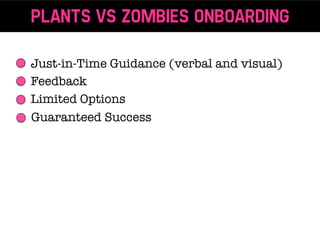
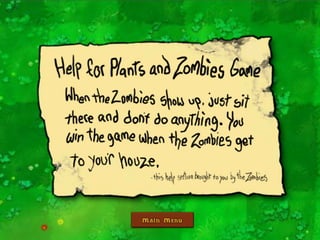
Plants VS Zombies Onboarding
•  Just-in-Time Guidance (verbal and visual)
•  Feedback
•  Limited Options
Guaranteed Success
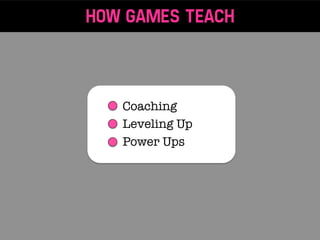
How Games Teach
•  Coaching
•  Leveling Up
•  Power Ups
Games are linear.
Products aren’t.
How can we apply game
dynamics to software
onboarding experiences?
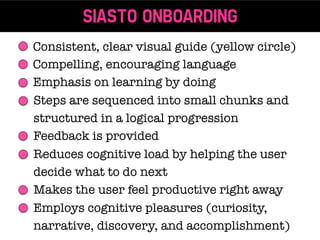
Siasto Onboarding
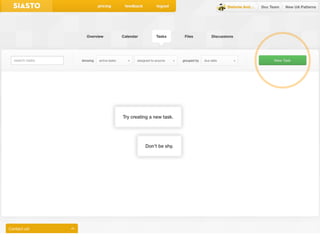
•  Consistent, clear visual guide (yellow circle)
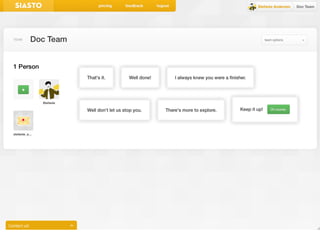
•  Compelling, encouraging language
•  Emphasis on learning by doing
Steps are sequenced into small chunks and 
structured in a logical progression
Feedback is provided
Reduces cognitive load by helping the user
decide what to do next
Makes the user feel productive right away
Employs cognitive pleasures (curiosity, 
narrative, discovery, and accomplishment)
The term onboardingcomes from the field of
human resources and the common practice of
new hire orientation. In that context, the steps in
the process are often referred to as
accommodate, assimilate, and accelerate—all of
which apply quite nicely to how new users ought to
be treated in order to bring them into the fold.
Whitney Hess, “What is Onboarding, and Why
is it Important?” Designing Social Interfaces
Onboarding Defined
ACCOMMODATE
Give users the tools they want and need to
use your app or website to their benefit.
ASSIMILATE
Help new users absorb the culture 
of the product and come to resemble 
the existing users.
ACCELERATE
Deliver on the value proposition 
better and faster.
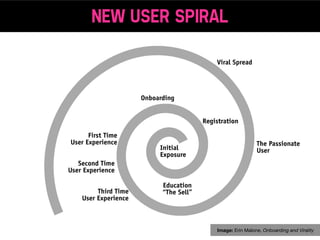
New User Spiral
Image: Erin Malone, Onboarding and Virality
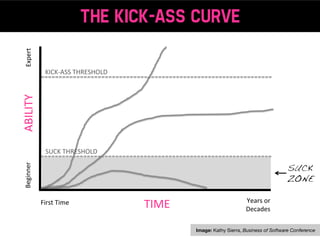
TIME	
  
ABILITY	
  
First	
  Time	
   Years	
  or	
  
Decades	
  
Beginner	
  Expert	
  
KICK-­‐ASS	
  THRESHOLD	
  
SUCK	
  THRESHOLD	
  
SUCK!
ZONE!
The Kick-Ass Curve
Image: Kathy Sierra, Business of Software Conference
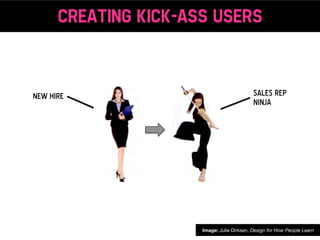
New Hire Sales Rep
Ninja
Creating kick-ass users
Image: Julie Dirksen, Design for How People Learn
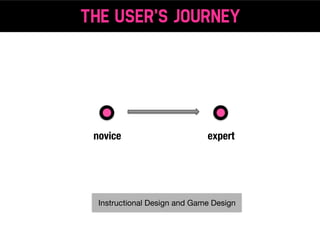
The User’s Journey
Instructional Design and Game Design
novice
 expert
Instructional Design
Appropriate Content, Appropriate Approach
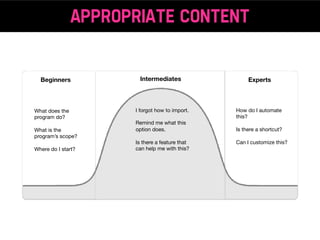
Appropriate Content
What does the
program do?

What is the
program’s scope?

Where do I start?
I forgot how to import.

Remind me what this
option does.

Is there a feature that
can help me with this?
How do I automate
this?

Is there a shortcut?

Can I customize this?
Beginners
 Intermediates
 Experts
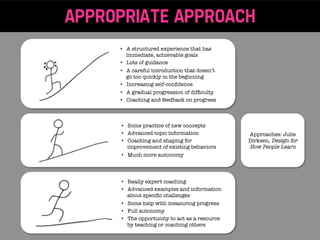
•  A structured experience that has
immediate, achievable goals
•  Lots of guidance
•  A careful introduction that doesn’t
go too quickly in the beginning
•  Increasing self-confidence
•  A gradual progression of difficulty
•  Coaching and feedback on progress
•  Some practice of new concepts
•  Advanced topic information
•  Coaching and shaping for
improvement of existing behaviors
•  Much more autonomy
•  Really expert coaching
•  Advanced examples and information
about specific challenges
•  Some help with measuring progress
•  Full autonomy
•  The opportunity to act as a resource
by teaching or coaching others
Appropriate Approach
Approaches: Julie
Dirksen, Design for
How People Learn
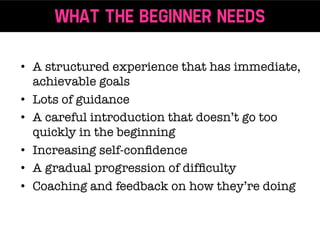
•  A structured experience that has immediate,
achievable goals
•  Lots of guidance
•  A careful introduction that doesn’t go too
quickly in the beginning
•  Increasing self-confidence
•  A gradual progression of difficulty
•  Coaching and feedback on how they’re doing
What The Beginner Needs
•  A structured experience that has immediate,
achievable goals
•  Lots of guidance
•  A careful introduction that doesn’t go too
quickly in the beginning
•  Increasing self-confidence
•  A gradual progression of difficulty
•  Coaching and feedback on how they’re doing
What Games Provide
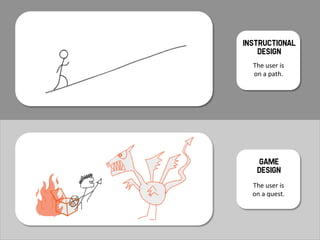
The	
  user	
  is	
  	
  
on	
  a	
  path.	
  
The	
  user	
  is	
  	
  
on	
  a	
  quest.	
  
Instructional
Design
Game
Design
Fun is just another word for learning.
Ralph Koster,
A Theory of Fun for Game Design
Fun from games arises out of
mastery. It arises out of
comprehension. In other words,
with games, learning is the drug.
Ralph Koster,
A Theory of Fun for Game Design
THIS IS YOUR BRAIN
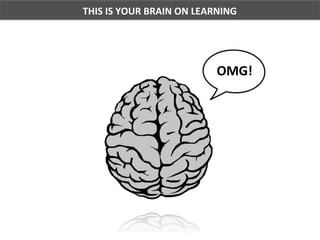
OMG!	
  
THIS	
  IS	
  YOUR	
  BRAIN	
  ON	
  LEARNING	
  
OUR"
SECRET"
WEAPON?
LEARNING	
  
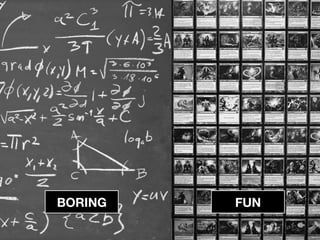
BORING
 FUN
Fun is just another word for learning.
under optimal conditions!
APPS	
  CAN	
  BE	
  GREAT	
  TEACHERS	
  
(ACTUAL	
  CLASSROOM)	
  
How do we engage our
users and help them 
learn our products?
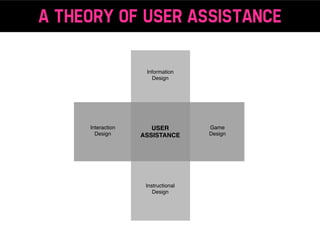
USER ASSISTANCE
A Theory of User Assistance
Information
Design"
Interaction"
Design"
Instructional"
Design"
Game"
Design"
USER!
ASSISTANCE!
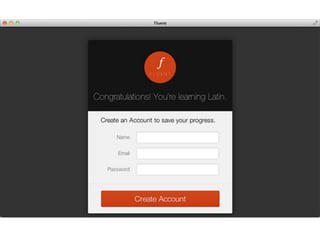
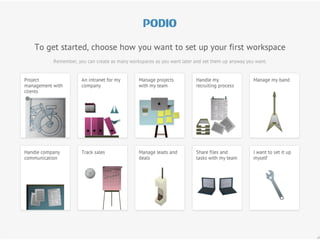
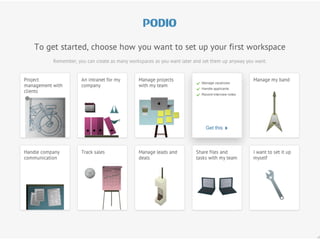
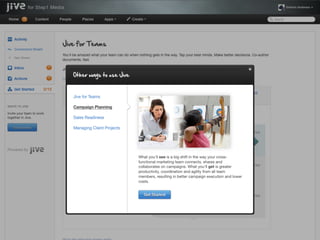
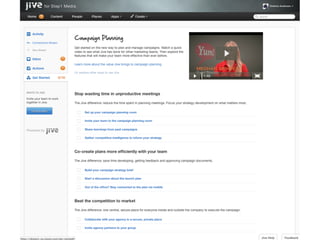
COMPETITIVE RESEARCH
Effec:ve	
  Onboarding	
  
ONBOARDING
PRINCIPLES
#1
Be Persuasive
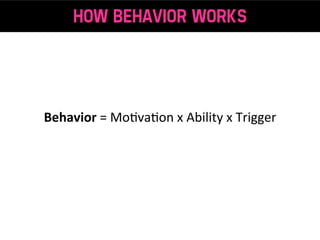
How Behavior Works
Behavior	
  =	
  MoGvaGon	
  x	
  Ability	
  x	
  Trigger	
  
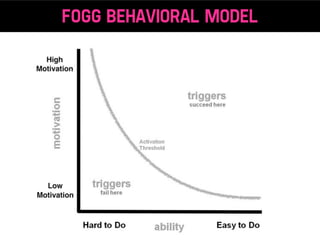
FogG Behavioral Model
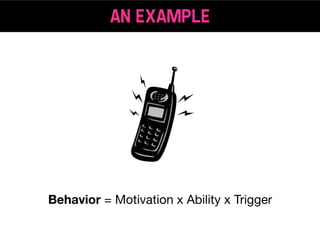
An Example
Behavior = Motivation x Ability x Trigger
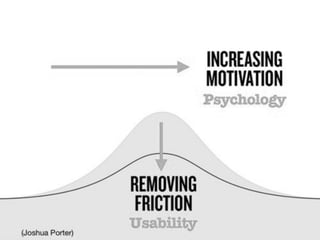
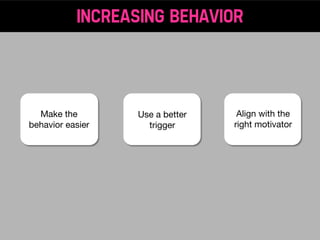
Increasing Behavior
Make the
behavior easier
Use a better
trigger
Align with the
right motivator
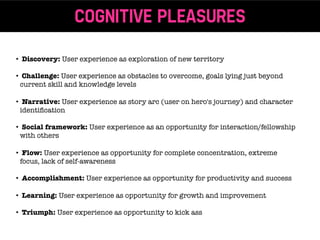
•  Discovery: User experience as exploration of new territory
•  Challenge: User experience as obstacles to overcome, goals lying just beyond
current skill and knowledge levels
•  Narrative: User experience as story arc (user on hero's journey) and character
identification

•  Social framework: User experience as an opportunity for interaction/fellowship
with others

•  Flow: User experience as opportunity for complete concentration, extreme
focus, lack of self-awareness
•  Accomplishment: User experience as opportunity for productivity and success

•  Learning: User experience as opportunity for growth and improvement
•  Triumph: User experience as opportunity to kick ass

Cognitive Pleasures
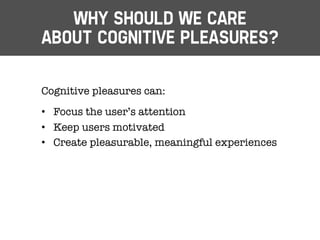
Why Should We Care
About Cognitive Pleasures?
Cognitive pleasures can:

•  Focus the user’s attention
•  Keep users motivated
•  Create pleasurable, meaningful experiences
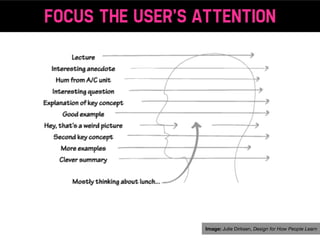
Focus the User’s Attention
Image: Julie Dirksen, Design for How People Learn
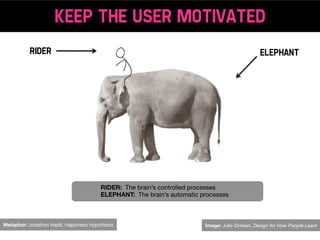
RIDER elephant
RIDER: The brain’s controlled processes
ELEPHANT: The brain’s automatic processes

Keep the User Motivated
Image: Julie Dirksen, Design for How People Learn
Metaphor: Jonathon Haidt, Happiness Hypothesis
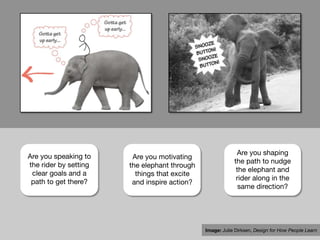
Are you speaking to
the rider by setting
clear goals and a
path to get there?
Are you motivating
the elephant through
things that excite
and inspire action?
Are you shaping
the path to nudge
the elephant and
rider along in the
same direction?
Image: Julie Dirksen, Design for How People Learn
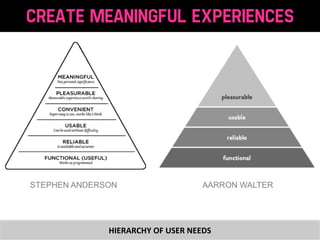
CREATE	
  PLEASURABLE,	
  MEANINGFUL	
  EXPERIENCES	
  
HIERARCHY	
  OF	
  USER	
  NEEDS	
  
Create Meaningful Experiences
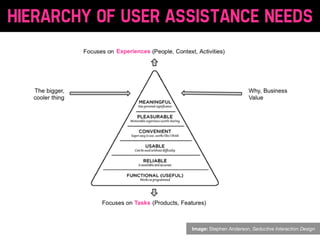
Tasks
Experiences
Hierarchy of User Assistance Needs
Image: Stephen Anderson, Seductive Interaction Design
#2
Offer Clear Goals and Guidance
#3
Shape the Path
Enticing users to use an application
(marketing) while teaching them
how to use it (onboarding) – is a
process I call gradual engagement.
Nathan Barry,
A Lesson in Gradual Engagement
#4
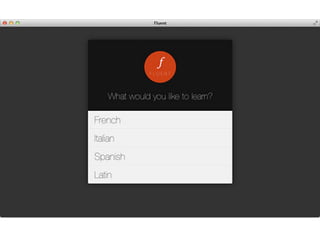
Make It Relevant and Meaningful
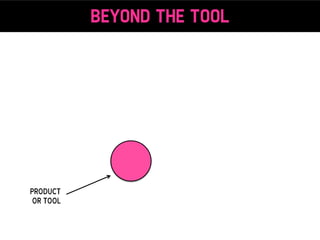
Product
or tool
Beyond the tool
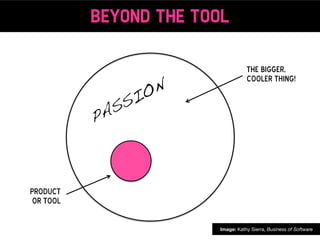
Product
or tool
THE BIGGER,
COOLER THING!
Beyond the tool
Image: Kathy Sierra, Business of Software
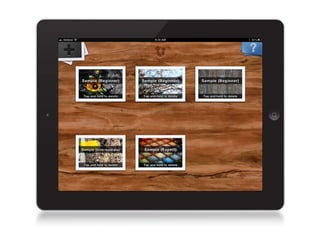
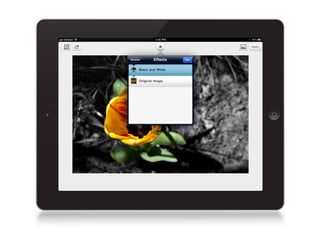
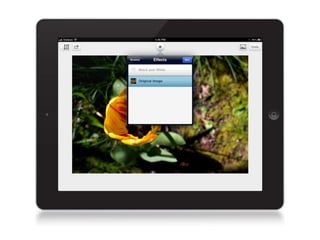
#5
Inspire Users with Ideas and Examples
#6
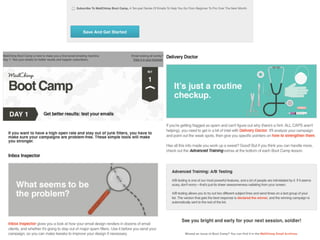
Use Compelling, Conversational Language
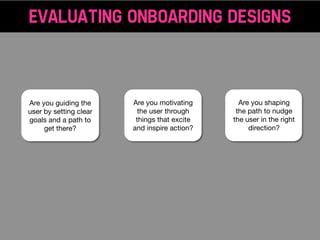
Are you guiding the
user by setting clear
goals and a path to
get there?
Are you motivating
the user through
things that excite
and inspire action?
Are you shaping
the path to nudge
the user in the right
direction?
Evaluating Onboarding Designs
Our Mission
Should We Choose to Accept It
Engage | Motivate | Educate | Make It Epic
Recipe for
Creating
Kick-Ass Users
Thanks.
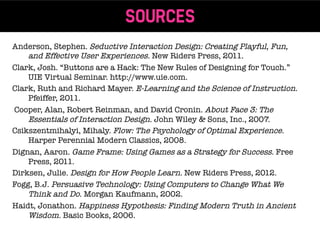
Sources
Anderson, Stephen. Seductive Interaction Design: Creating Playful, Fun,
and Effective User Experiences. New Riders Press, 2011.
Clark, Josh. “Buttons are a Hack: The New Rules of Designing for Touch.”
UIE Virtual Seminar. http://www.uie.com.
Clark, Ruth and Richard Mayer. E-Learning and the Science of Instruction.
Pfeiffer, 2011.
Cooper, Alan, Robert Reinman, and David Cronin. About Face 3: The
Essentials of Interaction Design. John Wiley & Sons, Inc., 2007.
Csikszentmihalyi, Mihaly. Flow: The Psychology of Optimal Experience.
Harper Perennial Modern Classics, 2008. 
Dignan, Aaron. Game Frame: Using Games as a Strategy for Success. Free
Press, 2011.
Dirksen, Julie. Design for How People Learn. New Riders Press, 2012.
Fogg, B.J. Persuasive Technology: Using Computers to Change What We
Think and Do. Morgan Kaufmann, 2002.
Haidt, Jonathon. Happiness Hypothesis: Finding Modern Truth in Ancient
Wisdom. Basic Books, 2006.
Sources
Heath, Chip and Dan Heath. Switch: How to Change Things When Change Is
Hard. Crown Business, 2010.
Johnson, Jeff. Designing with the Mind in Mind: Simple Guide to
Understanding User Interface Design Rules. Morgan Kaufmann
Publishers, 2010.
Kapp, Karl. The Gamification of Learning and Instruction: Game-Based
Methods and Strategies for Training and Education. John Wiley &
Sons, 2012.
Koster, Ralph. A Theory of Fun for Game Design. Paraglyph Press, 2004.
Pink, Daniel. Drive: The Surprising Truth About What Motivates Us.
Riverhead Trade, 2011.
Porter, Joshua. “Designing for Social Traction.” Slideshare.
Salen, Katie and Eric Zimmerman. Rules of Play: Fundamentals of Game
Design. The MIT Press, 2003.
Sierra, Kathy. “Creating Passionate Users.” Blog.
Sierra, Kathy. “Creating Passionate Users.” Business of Software
Conference, 2009. Video.
Sources
Walter, Aarron. Designing for Emotion. A Book Apart, 2011.
Ware, Colin. Visual Thinking: for Design. Morgan Kaufmann, 2008.
Weinschenk, Susan. 100 Things Every Designer Needs to Know about
People. New Riders Press, 2011.
Willingham, Daniel. Why Don’t Students Like School? A Cognitive Scientist
Answers Question about How the Mind Works and What It Means for
the Classroom. Jossey-Bass, 2009.
Willis, Judy. Research-Based Strategies to Ignite Student Learning:
Insights from a Neuroscientist and Classroom Teacher. ASCD, 2006.