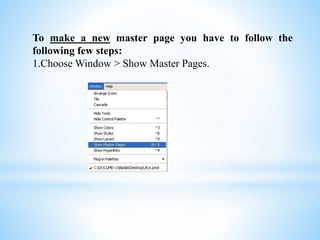
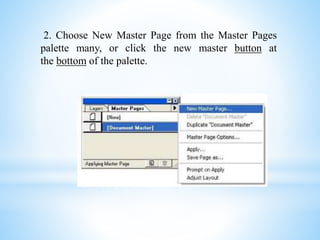
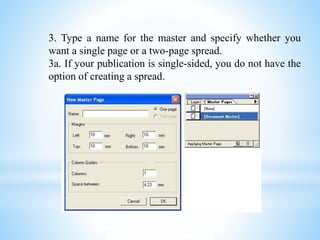
To create a new master page in a document, one must first open the master pages view, then select new master page from the palette menu or button. A name must be provided for the new master along with settings for page size, margins, number of columns, and spacing between columns on both sides if a two-page spread.