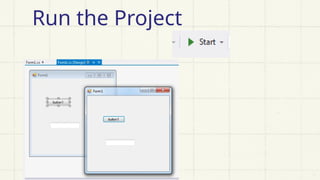
Creating a C# application involves a structured approach that starts with planning and progresses through development, testing, and deployment. C# is a versatile, object-oriented language developed by Microsoft and widely used for building various applications including desktop software, web apps, cloud services, and games. The process begins by clearly defining the purpose of the application. Whether it's a note-taking app, inventory manager, or calculator, understanding the goal helps in outlining key features, the user interface, and how data will be handled. Once the scope is set, the next step is to decide on the type of application—console, Windows Forms, WPF, ASP.NET, or a mobile app. For most beginners, Windows Forms is a great choice because of its straightforward GUI-based interface.
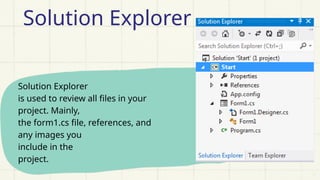
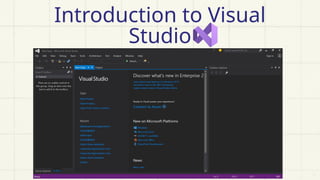
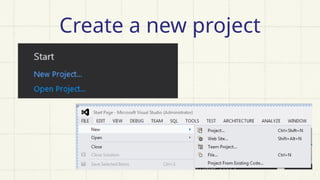
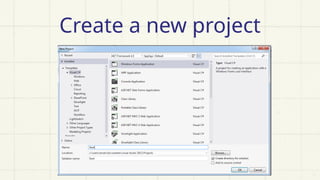
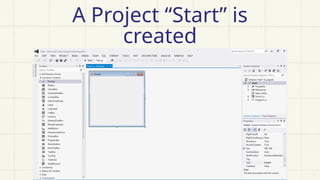
Setting up the development environment is crucial. Visual Studio, the primary IDE for C# and .NET development, provides all the necessary tools to create, test, and deploy applications. During installation, selecting the ".NET desktop development" workload ensures that the user has all components required for building Windows Forms applications. After installation, creating a new project is as simple as choosing the correct project template, naming the application, and setting the project location. Visual Studio automatically sets up the basic files and folders, including the main form, a program entry point, and auto-generated design files.
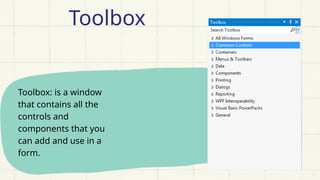
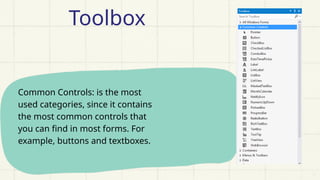
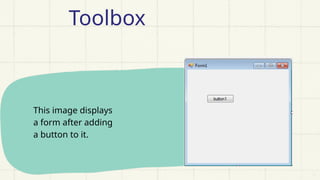
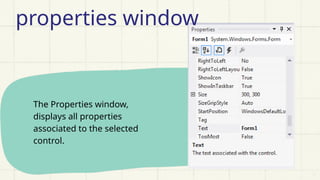
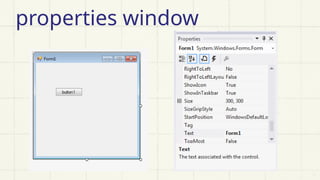
The user interface (UI) is designed using Visual Studio’s drag-and-drop designer. Common controls like labels, text boxes, buttons, and list boxes are available in the toolbox and can be placed on the form visually. Each control has properties like Name, Text, Size, and Color, which can be set through the Properties window. For example, in a to-do list app, a text box can accept input, a button can add tasks, and a list box can display the list. Event-driven programming allows these controls to respond to user actions such as clicking a button or changing text. Code is added behind these controls using event handlers—for example, when a button is clicked, a task is added to the list.
Writing the application logic is where C# shines. The code typically starts in the `Program.cs` file, which contains the entry point of the application and launches the main form. Inside the form’s code file, developers write methods to handle various tasks such as adding, deleting, or modifying data. For instance, when the add button is clicked, the application checks if the input field is not empty, then adds the text to the list box and clears the input field. Similar logic can be written to remove a selected item from the list box.
Data management is another critical aspect of C# application development. For small apps, in-memory storage using collections like lists is sufficient. However, if data needs to be saved between sessions, developers can use file handling techniques.

![Form1.cs [Design]
This window displays the
file form1.cs in design
mode.
In this window you can
add the needed controls
to the form.
Forms](https://image.slidesharecdn.com/createappswithcworkshop-250512043759-d8d148be/85/Create-apps-with-C-Workshop-for-students-11-320.jpg)