Downloaded 97 times
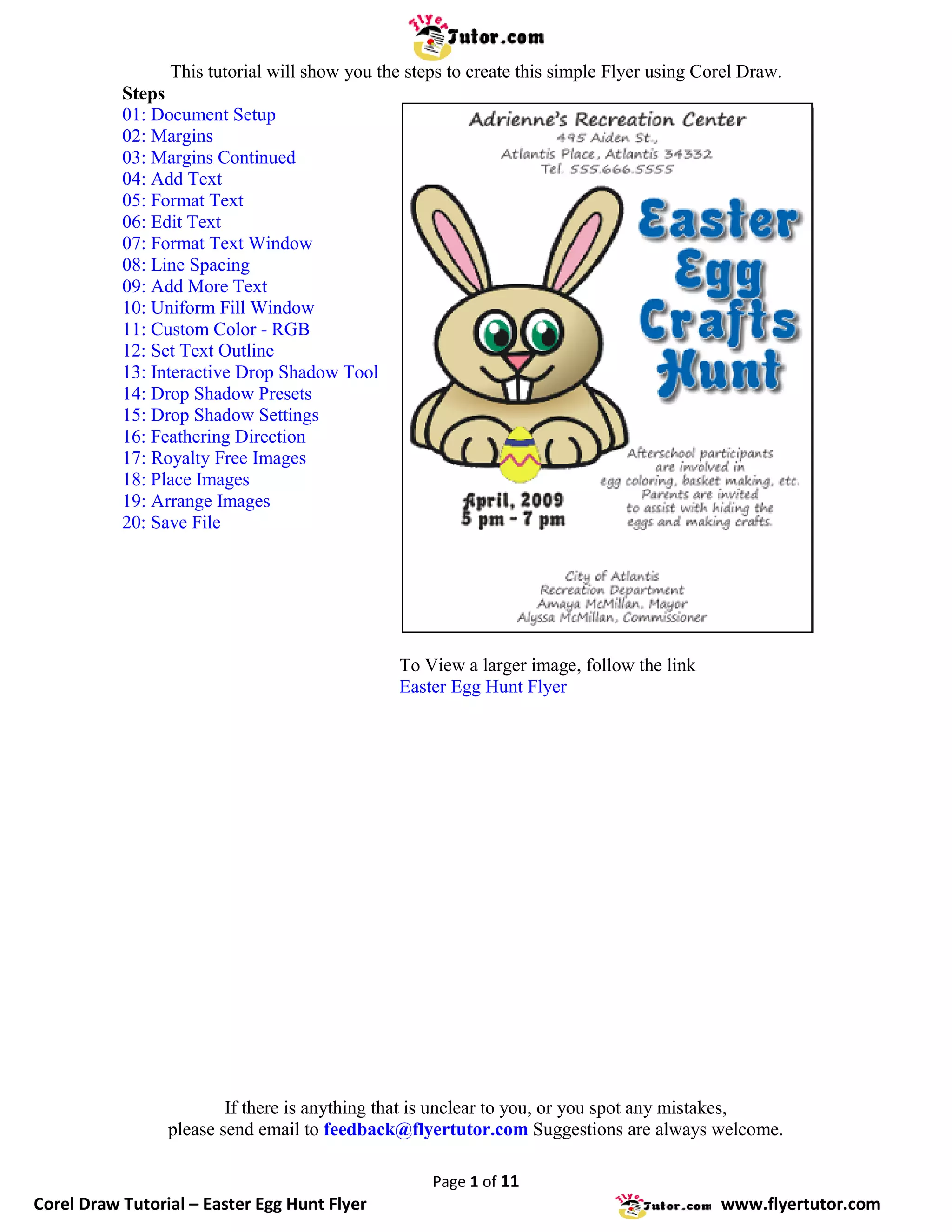
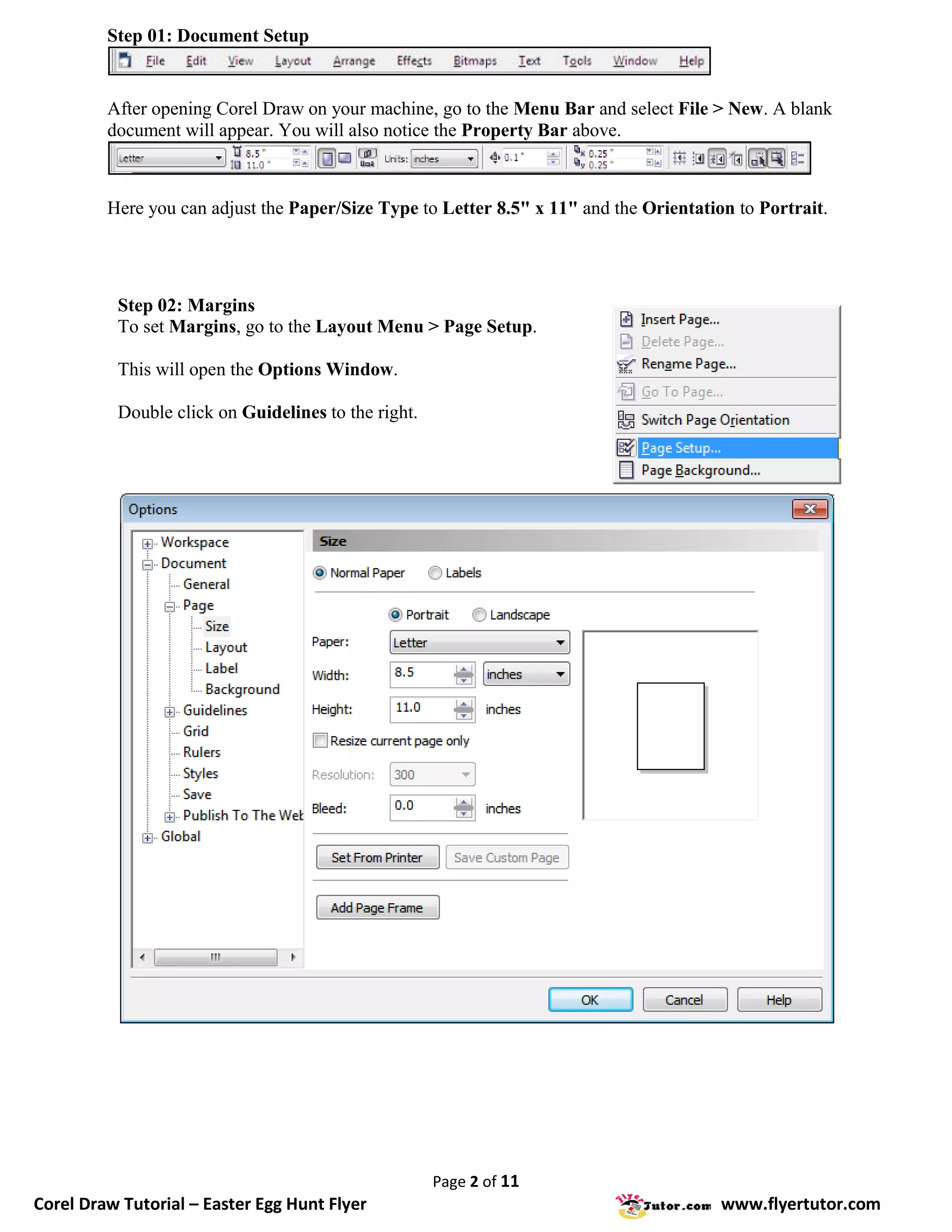
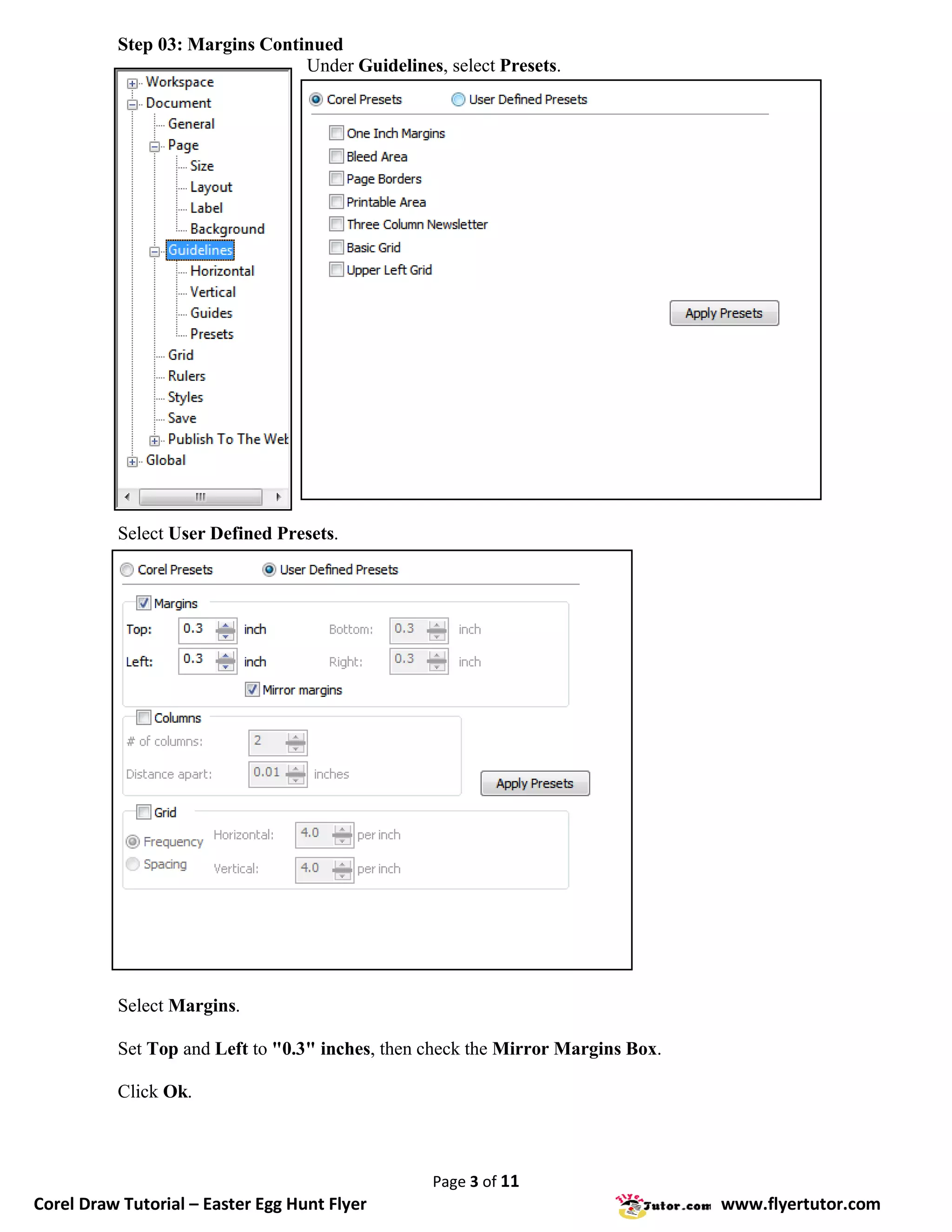
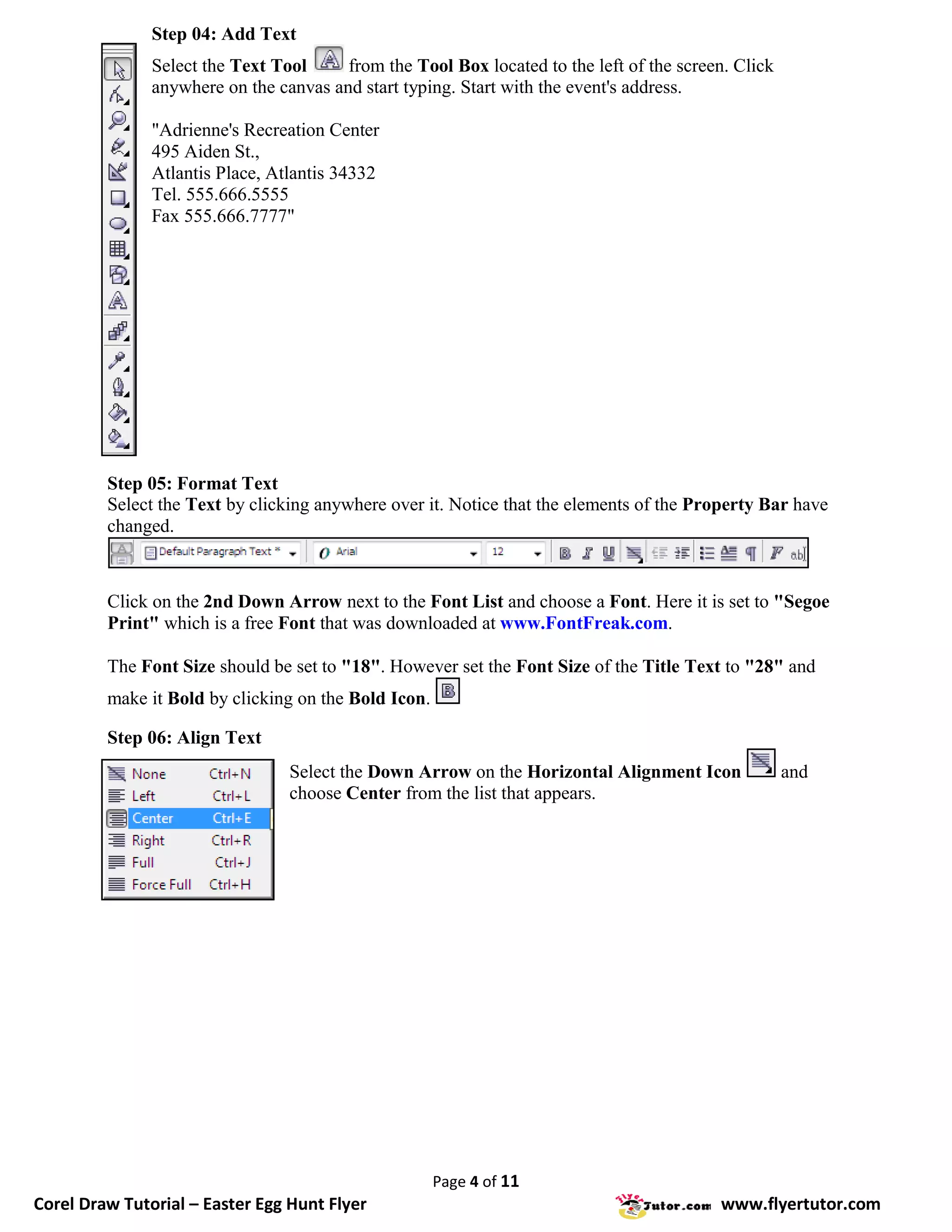
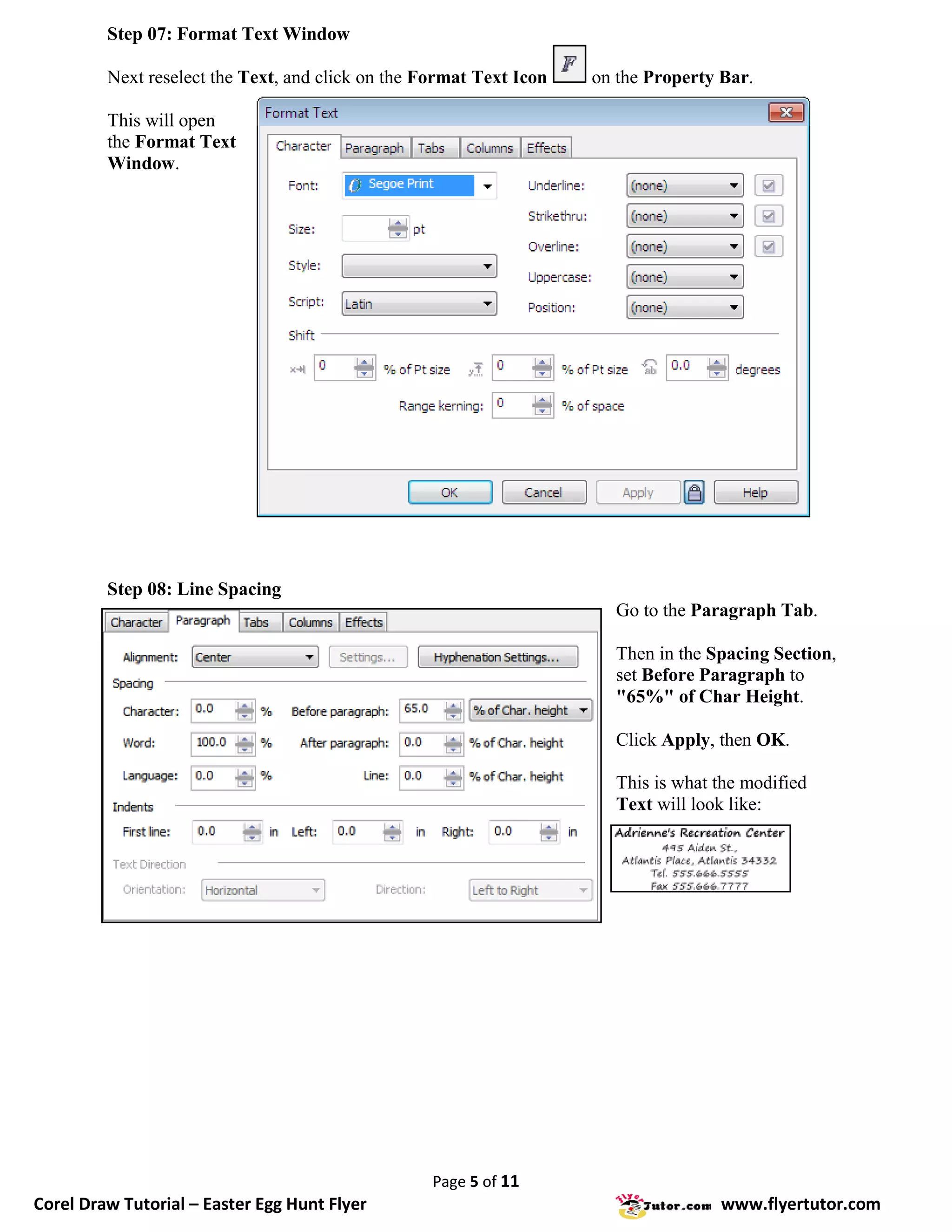
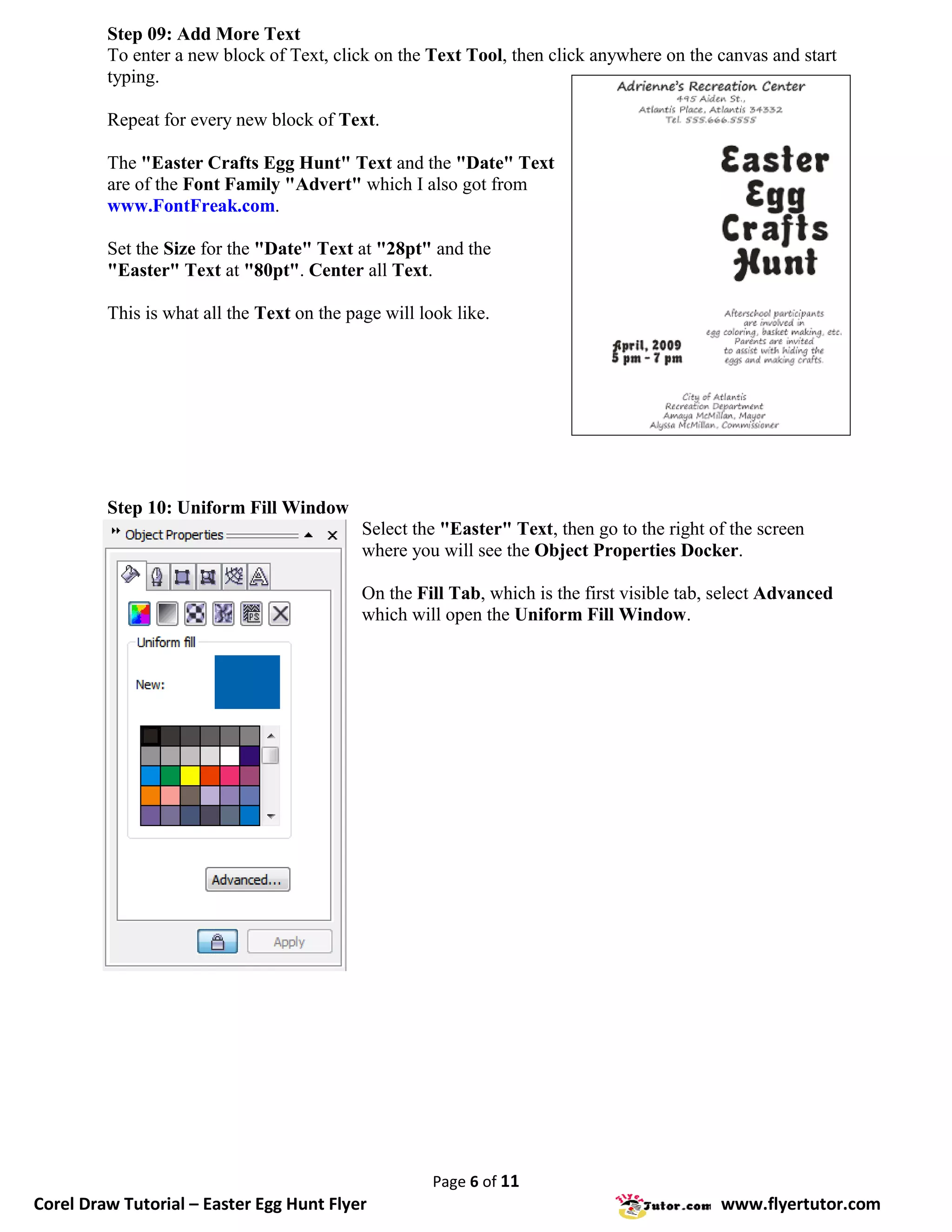
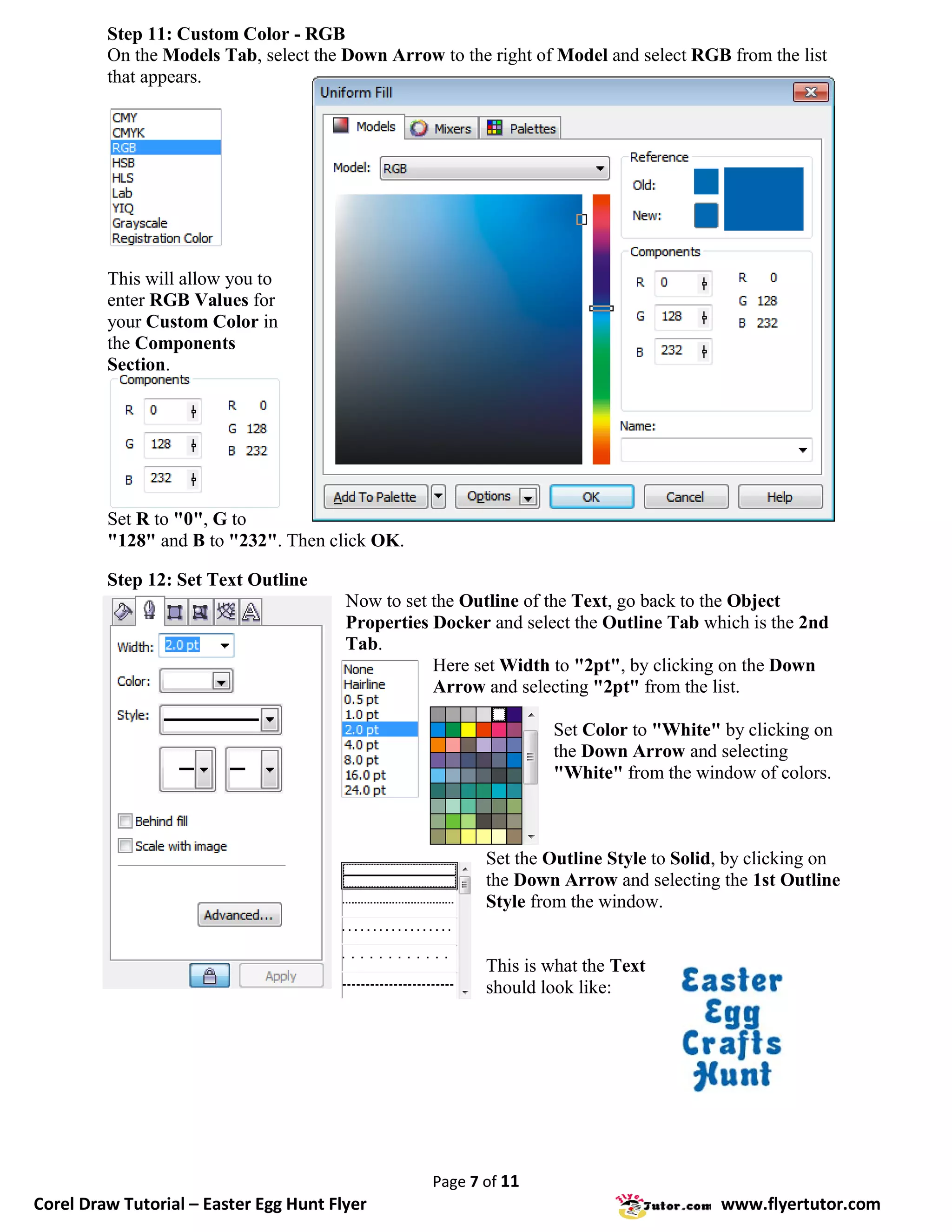
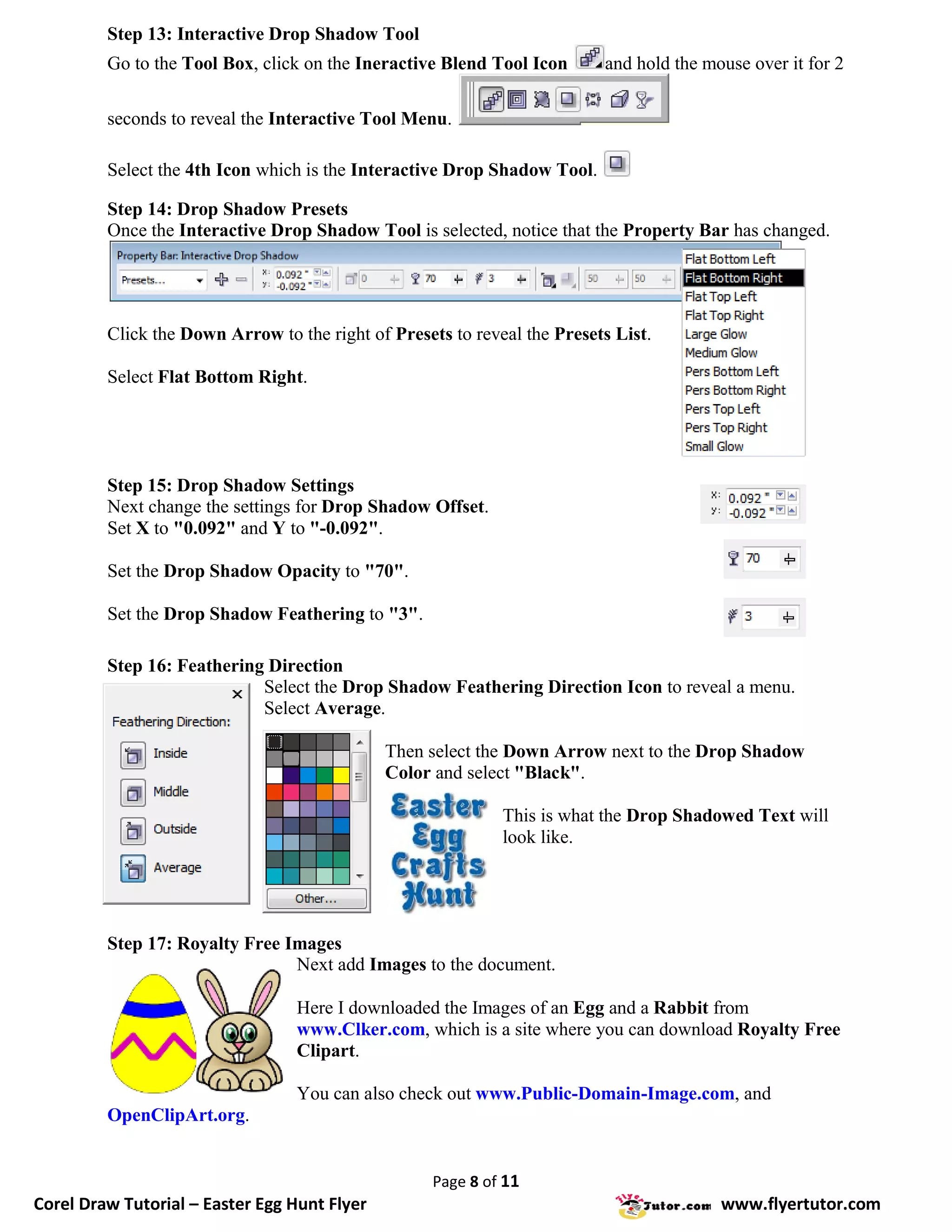
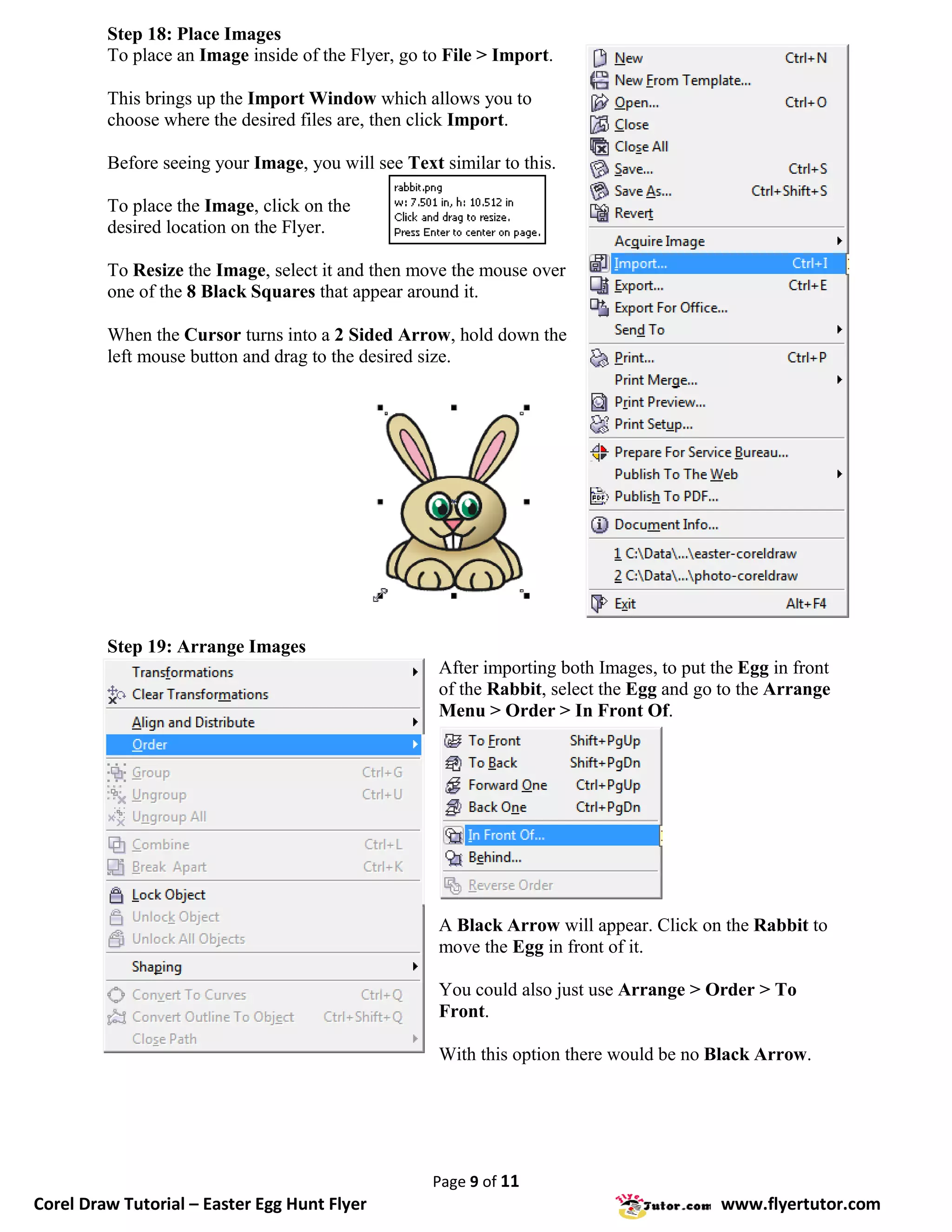
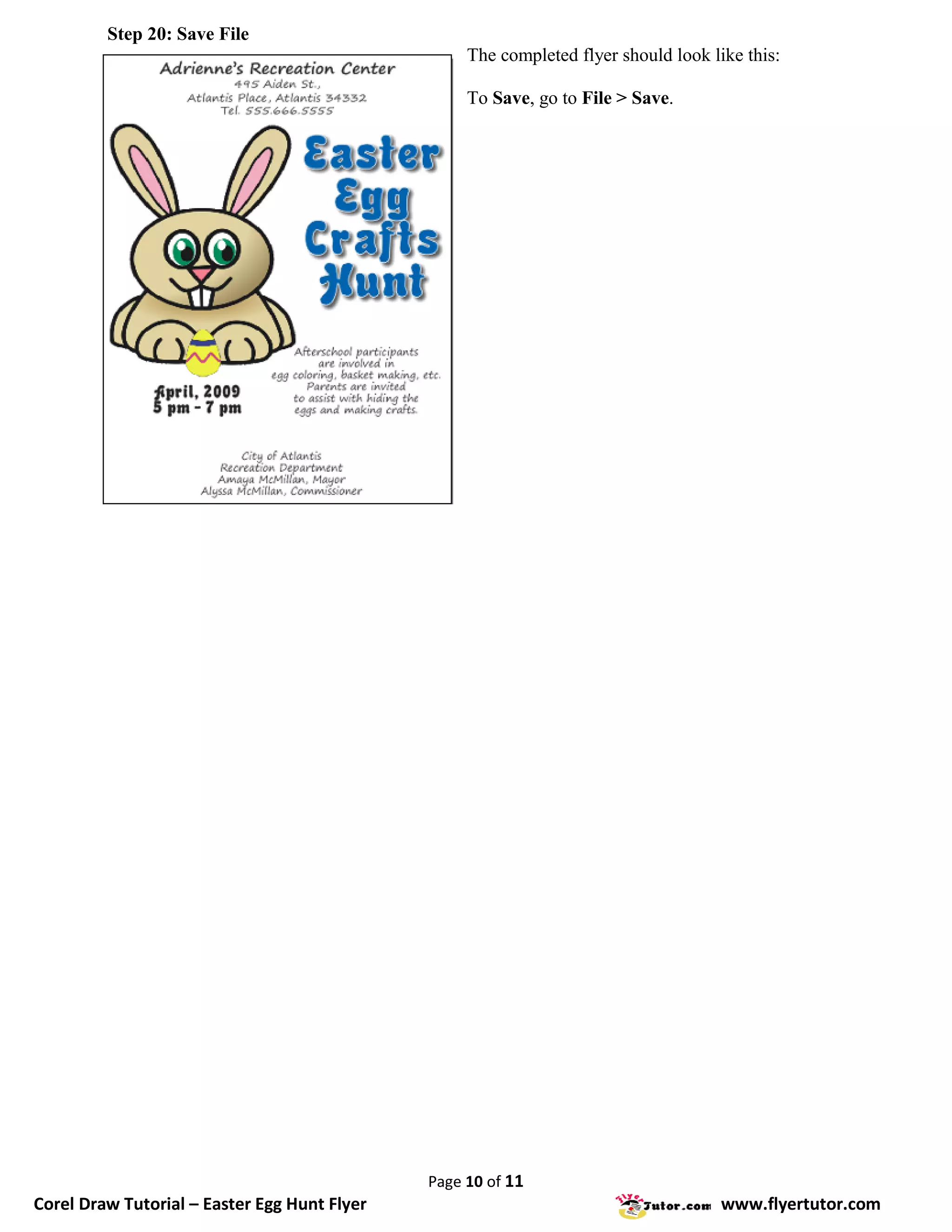
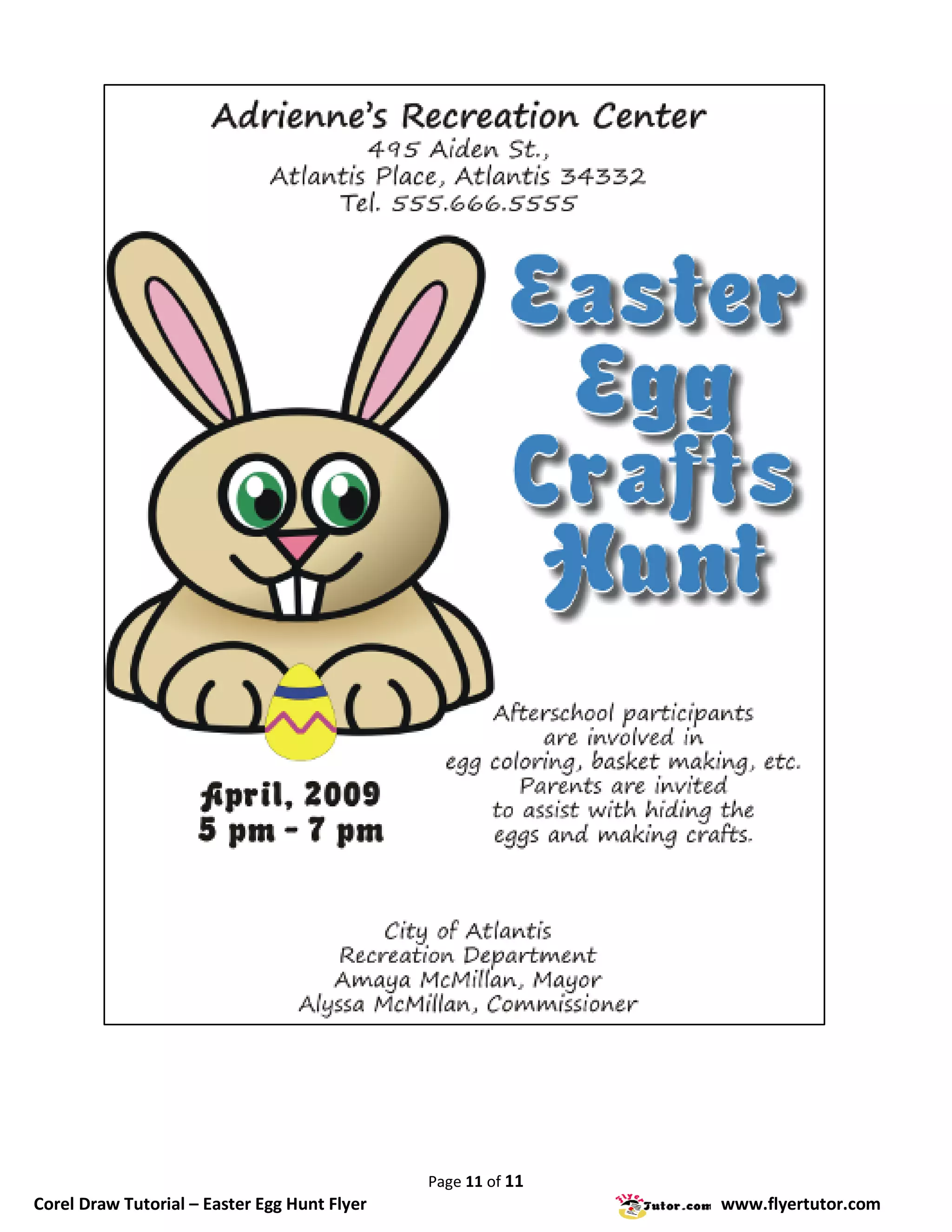

This document provides steps to create an Easter egg hunt flyer using Corel Draw. It includes instructions on document setup, adding and formatting text, adding images, and saving the file. Key steps are setting margins, choosing fonts and sizes for different text elements, applying fill and outline styles to text, adding drop shadows, and importing and arranging images on the page. The overall purpose is to guide the user through designing a simple flyer for an Easter egg hunt event using various Corel Draw tools and features.


