Marathwada Mitramandal’s
COLLEGE OF ENGINEERING
Karvenagar, Pune
Accredited with ‘A++’ Grade by NAAC
Presentation
On
Core Concepts In Python
By
Mrs. Ashwini Raut
Department of Computer Engineering
Agenda
VARIABLES KEYWORDS DATA TYPES COMMENT BASIC
PROGRAMS
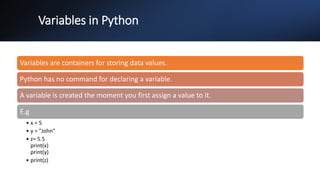
Variables in Python
Variables are containers for storing data values.
Python has no command for declaring a variable.
A variable is created the moment you first assign a value to it.
E.g
• x = 5
• y = "John“
• z= 5.5
print(x)
print(y)
• print(z)
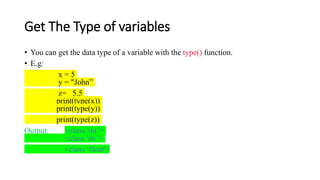
Get The Type of variables
• You can get the data type of a variable with the type() function.
• E.g:
x = 5
y = "John”
z= 5.5
print(type(x))
print(type(y))
print(type(z))
Output: <class 'int’>
<class 'str’>
<class ‘float'>
<class 'str'>
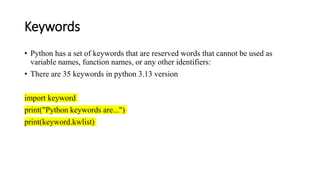
Keywords
• Python has a set of keywords that are reserved words that cannot be used as
variable names, function names, or any other identifiers:
• There are 35 keywords in python 3.13 version
import keyword
print("Python keywords are...")
print(keyword.kwlist)
Data Types in Python
• It’s the type of data particular variable is holding.
• E.g: int,float.
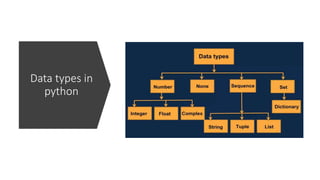
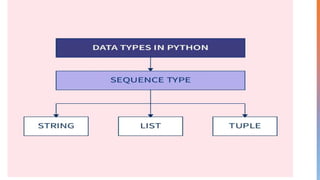
Data types in
python
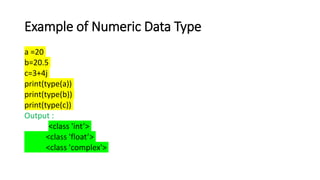
Example of Numeric Data Type
a =20
b=20.5
c=3+4j
print(type(a))
print(type(b))
print(type(c))
Output :
<class 'int’>
<class 'float’>
<class 'complex'>
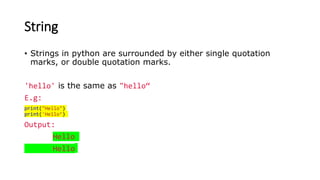
String
• Strings in python are surrounded by either single quotation
marks, or double quotation marks.
'hello' is the same as "hello“
E.g:
print("Hello")
print('Hello’)
Output:
Hello
Hello
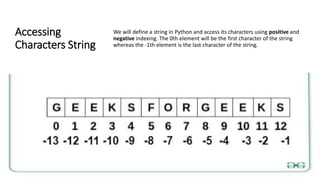
Accessing
Characters String
We will define a string in Python and access its characters using positive and
negative indexing. The 0th element will be the first character of the string
whereas the -1th element is the last character of the string.
Example
String1 = "Hello"
print("Initial String: ")
print(String1)
print("nFirst character of String is: ")
print(String1[0])
print("nLast character of String is: ")
print(String1[-1])
Output:
Initial String:
Hello
First character of String is:
H
Last character of String is:
O
List
• Lists are used to store multiple items in a single variable.
• Lists are created using square brackets:
E.g:
thislist = ["apple", "banana", "cherry"]
print(thislist)
Output: [‘apple’, ’banana’, ’cherry’] ', 'cherry']
Tuple
• Tuples are used to store multiple items in a single variable.
• A tuple is a collection which is ordered and unchangeable.
• Tuples are written with round brackets.
E.g:
thistup = ("apple", "banana", "cherry“)
print(thistup)
Output: (‘apple’, ’banana’, ’cherry’), 'banana', 'cherry']
Dictionary
• Dictionaries are used to store data values in key:value pairs. ‘
thisdict = {
"brand": "Ford",
"model": "Mustang",
"year": 1964
}
print(thisdict)
Output: ‘
{"brand": "Ford","model": "Mustang", "year": 1964}
{'brand': 'Ford', 'model': 'Mustang', 'year': 1964} c
{'brand': 'Ford', 'model': 'Mustang', 'year': 1964}herry']
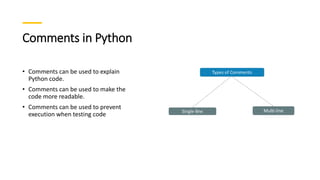
Comments in Python
• Comments can be used to explain
Python code.
• Comments can be used to make the
code more readable.
• Comments can be used to prevent
execution when testing code
Single Line Comment
• Single line comment is starts with #
• E.g:
#Program to print hello world
print(“Hello World!!”)
Output:
Hello World!!
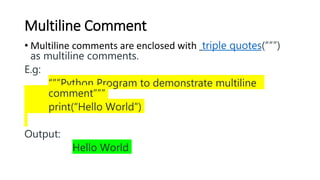
Multiline Comment
• Multiline comments are enclosed with triple quotes(“””)
as multiline comments.
E.g:
“””Python Program to demonstrate multiline
comment”””
print(“Hello World”)
Output:
Hello World
Basic Python program
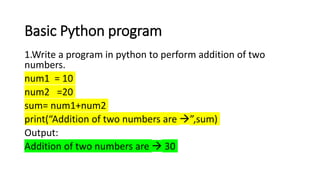
1.Write a program in python to perform addition of two
numbers.
num1 = 10
num2 =20
sum= num1+num2
print(“Addition of two numbers are ”,sum)
Output:
Addition of two numbers are  30
Basic Python program
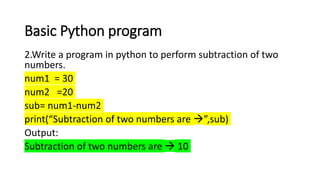
2.Write a program in python to perform subtraction of two
numbers.
num1 = 30
num2 =20
sub= num1-num2
print(“Subtraction of two numbers are ”,sub)
Output:
Subtraction of two numbers are  10
Basic Python program
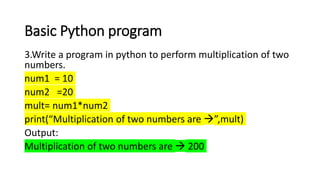
3.Write a program in python to perform multiplication of two
numbers.
num1 = 10
num2 =20
mult= num1*num2
print(“Multiplication of two numbers are ”,mult)
Output:
Multiplication of two numbers are  200
Basic Python program
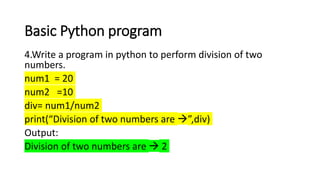
4.Write a program in python to perform division of two
numbers.
num1 = 20
num2 =10
div= num1/num2
print(“Division of two numbers are ”,div)
Output:
Division of two numbers are  2
Basic Python program
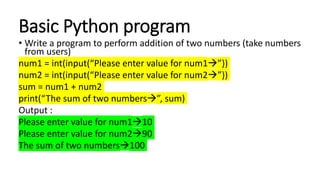
• Write a program to perform addition of two numbers (take numbers
from users)
num1 = int(input(“Please enter value for num1”))
num2 = int(input(“Please enter value for num2”))
sum = num1 + num2
print(“The sum of two numbers”, sum)
Output :
Please enter value for num110
Please enter value for num290
The sum of two numbers100
Core Concept_Python.pptx

Core Concept_Python.pptx

  • 1.
    Marathwada Mitramandal’s COLLEGE OFENGINEERING Karvenagar, Pune Accredited with ‘A++’ Grade by NAAC Presentation On Core Concepts In Python By Mrs. Ashwini Raut Department of Computer Engineering
  • 2.
    Agenda VARIABLES KEYWORDS DATATYPES COMMENT BASIC PROGRAMS
  • 3.
    Variables in Python Variablesare containers for storing data values. Python has no command for declaring a variable. A variable is created the moment you first assign a value to it. E.g • x = 5 • y = "John“ • z= 5.5 print(x) print(y) • print(z)
  • 4.
    Get The Typeof variables • You can get the data type of a variable with the type() function. • E.g: x = 5 y = "John” z= 5.5 print(type(x)) print(type(y)) print(type(z)) Output: <class 'int’> <class 'str’> <class ‘float'> <class 'str'>
  • 5.
    Keywords • Python hasa set of keywords that are reserved words that cannot be used as variable names, function names, or any other identifiers: • There are 35 keywords in python 3.13 version import keyword print("Python keywords are...") print(keyword.kwlist)
  • 6.
    Data Types inPython • It’s the type of data particular variable is holding. • E.g: int,float.
  • 7.
  • 9.
    Example of NumericData Type a =20 b=20.5 c=3+4j print(type(a)) print(type(b)) print(type(c)) Output : <class 'int’> <class 'float’> <class 'complex'>
  • 11.
    String • Strings inpython are surrounded by either single quotation marks, or double quotation marks. 'hello' is the same as "hello“ E.g: print("Hello") print('Hello’) Output: Hello Hello
  • 12.
    Accessing Characters String We willdefine a string in Python and access its characters using positive and negative indexing. The 0th element will be the first character of the string whereas the -1th element is the last character of the string.
  • 13.
    Example String1 = "Hello" print("InitialString: ") print(String1) print("nFirst character of String is: ") print(String1[0]) print("nLast character of String is: ") print(String1[-1]) Output: Initial String: Hello First character of String is: H Last character of String is: O
  • 14.
    List • Lists areused to store multiple items in a single variable. • Lists are created using square brackets: E.g: thislist = ["apple", "banana", "cherry"] print(thislist) Output: [‘apple’, ’banana’, ’cherry’] ', 'cherry']
  • 15.
    Tuple • Tuples areused to store multiple items in a single variable. • A tuple is a collection which is ordered and unchangeable. • Tuples are written with round brackets. E.g: thistup = ("apple", "banana", "cherry“) print(thistup) Output: (‘apple’, ’banana’, ’cherry’), 'banana', 'cherry']
  • 16.
    Dictionary • Dictionaries areused to store data values in key:value pairs. ‘ thisdict = { "brand": "Ford", "model": "Mustang", "year": 1964 } print(thisdict) Output: ‘ {"brand": "Ford","model": "Mustang", "year": 1964} {'brand': 'Ford', 'model': 'Mustang', 'year': 1964} c {'brand': 'Ford', 'model': 'Mustang', 'year': 1964}herry']
  • 17.
    Comments in Python •Comments can be used to explain Python code. • Comments can be used to make the code more readable. • Comments can be used to prevent execution when testing code
  • 18.
    Single Line Comment •Single line comment is starts with # • E.g: #Program to print hello world print(“Hello World!!”) Output: Hello World!!
  • 19.
    Multiline Comment • Multilinecomments are enclosed with triple quotes(“””) as multiline comments. E.g: “””Python Program to demonstrate multiline comment””” print(“Hello World”) Output: Hello World
  • 20.
    Basic Python program 1.Writea program in python to perform addition of two numbers. num1 = 10 num2 =20 sum= num1+num2 print(“Addition of two numbers are ”,sum) Output: Addition of two numbers are  30
  • 21.
    Basic Python program 2.Writea program in python to perform subtraction of two numbers. num1 = 30 num2 =20 sub= num1-num2 print(“Subtraction of two numbers are ”,sub) Output: Subtraction of two numbers are  10
  • 22.
    Basic Python program 3.Writea program in python to perform multiplication of two numbers. num1 = 10 num2 =20 mult= num1*num2 print(“Multiplication of two numbers are ”,mult) Output: Multiplication of two numbers are  200
  • 23.
    Basic Python program 4.Writea program in python to perform division of two numbers. num1 = 20 num2 =10 div= num1/num2 print(“Division of two numbers are ”,div) Output: Division of two numbers are  2
  • 24.
    Basic Python program •Write a program to perform addition of two numbers (take numbers from users) num1 = int(input(“Please enter value for num1”)) num2 = int(input(“Please enter value for num2”)) sum = num1 + num2 print(“The sum of two numbers”, sum) Output : Please enter value for num110 Please enter value for num290 The sum of two numbers100

Editor's Notes