So l u t i o n: Email Conversion


         Export Notes Software v8.2


     Convert From Lotus Notes
         to Outlook Email
           Environment


Brought to you by http://www.notestooutlook.com/
SysTools Software


Why Convert NSF to PST?
                   PST?
Need of Convert NSF to PST arise some situations like?

  • Work place change like new branch use Outlook and previously you working on Lotus
  Notes Email client.
  • Not able to maintain Lotus Notes as email manager
  • Fed up of Lotus Notes corruption
  • MS Outlook Eye catchy features provoked you to switch from Lotus to Outlook


Export Notes software converts all Lotus Notes folder like emails, address book, calendar,
journal, to do list, task, notes and email properties into Outlook format.
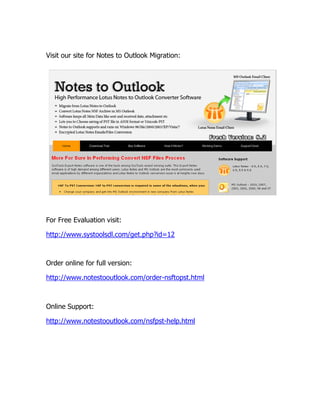
Visit our site for Notes to Outlook Migration:


For Free Evaluation visit:

http://www.systoolsdl.com/get.php?id=12


Order online for full version:

http://www.notestooutlook.com/order-nsftopst.html


Online Support:

http://www.notestooutlook.com/nsfpst-help.html
Conversion
Email Conversion Tips


Start

1.      Install Lotus Notes email application on the conversion machine.

2.      Do Install Outlook email client on the conversion machine and configure with
        dummy POP3 account.

3.      Do copy all Lotus Notes NSF files to be converted on the machine where the
        conversion has to be carried out.

4.      Do copy .id files too if NSF files are encrypted, as you may require it.

5.      Do check NSF file to view the corruption. Some folders may get grayed out or
        show a light green color. To remove view corruption, rename an existing
        folder in NSF file or move emails out of grayed folder and copy email to some
        new folder and then close the NSF file to take changes into effect


Don’t move these steps:


1.      Don’t connect to Domino Server during conversion.

2.      Don’t work on same NSF file in use during the conversion.

3.      Do copy all Lotus Notes NSF files to be converted on the machine where the
        conversion has to be carried out.


More details you can visit

http://www.systoolsfaqs.com/export-notes/
MS Outlook features

 1    Email Management: - Customize your messages by changing the font or by
      adding a signature, stationery or background to your messages. Organize incoming
      messages into folders, both automatically and manually, and color-code messages from
      specific senders and those concerning a related topic.

 2    Contact Management:- Add new contacts manually or import them
      from email messages and electronic business cards. Also, create and share electronic
      business cards.

 3    Schedule Management: Ad receives alerts as meeting times approach.
      Change the appearance of your calendar, change the time zone associated with your
      calendar and add additional calendar.

 4    Archiving: - It provides the opportunity to archive selected content both
      manually and automatically. By creating these archive files, you create a backup of
      your crucial information.

 5    Security:- Besides the typical password protection provided, Microsoft
      Outlook also helps to protect your data in other ways. Outlook automatically blocks
      the receipt of attachments containing certain file types to prevent your system from
      potentially harmful files, and you can add or remove file types to the block list.
Export Notes software features:

 6    Lotus Notes corruption: -                   Lotus Notes Corruption is a frequent
      happening event as like most of Systems. This corruption might be common
      phenomena for System but have a large effect on organization. So it is better to
      switch to a safer platform of Outlook which has great recovery mechanisms.


 7    High Installation Charges: -                       Lotus Notes offers great services in
      terms of email service but every service has a steep price tag. This cost often
      increases if the cost benefits ratio is low. Lotus notes has a high installation cost as it
      requires professional engineers to maintain it. So puts a hole in user’s pocket

 8    Unable to perform multiple tasks:                         With Lotus Notes users are
      unable to perform multiple tasks. Effecting multitasking directly decreases the
      efficiency of the employee. This restrict user to manage any other task till the time
      user is handling Lotus Notes therefore leads to loss of time.

 9    High technicality to operate it: -                          Lotus Notes require a
      professional knowledge as its vocabulary is technical in nature. The user have to be a
      computer engineer or a person with having good knowledge of computers as it is
      require to perform operations. This technical knowledge can lead to confusion which
      can hamper business.
Export Notes software features:


  1. Converts All Lotus Notes folder like emails, address book, calendar,
     journal, to do list, task, notes into Outlook.

  2. Converts unlimited Lotus Notes database into Outlook taking short time
     period

  3. Convert Encrypted NSF files into Outlook also maintain Lotus Notes
     Calendar recurrence

  4. Convert attachment, images extract form

  5. It creates 2 PST file if 20 GB space over of Outlook (Unicode)

  6. Support Lotus Notes v8.5, 8.0, 7.0, 6.0, 5.0

  7. Outlook 98, 2000, XP, 2003, 2007 and 2010

  8. Runs on all Windows system like 98, 2000, XP, 2003, Vista and Win 7


Get in touch to discuss your needs


By Phone:          863-692-5057

By email:          support@exportnotes.com

Convert Notes to Outlook

  • 1.
    So l ut i o n: Email Conversion Export Notes Software v8.2 Convert From Lotus Notes to Outlook Email Environment Brought to you by http://www.notestooutlook.com/
  • 2.
    SysTools Software Why ConvertNSF to PST? PST? Need of Convert NSF to PST arise some situations like? • Work place change like new branch use Outlook and previously you working on Lotus Notes Email client. • Not able to maintain Lotus Notes as email manager • Fed up of Lotus Notes corruption • MS Outlook Eye catchy features provoked you to switch from Lotus to Outlook Export Notes software converts all Lotus Notes folder like emails, address book, calendar, journal, to do list, task, notes and email properties into Outlook format.
  • 3.
    Visit our sitefor Notes to Outlook Migration: For Free Evaluation visit: http://www.systoolsdl.com/get.php?id=12 Order online for full version: http://www.notestooutlook.com/order-nsftopst.html Online Support: http://www.notestooutlook.com/nsfpst-help.html
  • 4.
    Conversion Email Conversion Tips Start 1. Install Lotus Notes email application on the conversion machine. 2. Do Install Outlook email client on the conversion machine and configure with dummy POP3 account. 3. Do copy all Lotus Notes NSF files to be converted on the machine where the conversion has to be carried out. 4. Do copy .id files too if NSF files are encrypted, as you may require it. 5. Do check NSF file to view the corruption. Some folders may get grayed out or show a light green color. To remove view corruption, rename an existing folder in NSF file or move emails out of grayed folder and copy email to some new folder and then close the NSF file to take changes into effect Don’t move these steps: 1. Don’t connect to Domino Server during conversion. 2. Don’t work on same NSF file in use during the conversion. 3. Do copy all Lotus Notes NSF files to be converted on the machine where the conversion has to be carried out. More details you can visit http://www.systoolsfaqs.com/export-notes/
  • 5.
    MS Outlook features 1 Email Management: - Customize your messages by changing the font or by adding a signature, stationery or background to your messages. Organize incoming messages into folders, both automatically and manually, and color-code messages from specific senders and those concerning a related topic. 2 Contact Management:- Add new contacts manually or import them from email messages and electronic business cards. Also, create and share electronic business cards. 3 Schedule Management: Ad receives alerts as meeting times approach. Change the appearance of your calendar, change the time zone associated with your calendar and add additional calendar. 4 Archiving: - It provides the opportunity to archive selected content both manually and automatically. By creating these archive files, you create a backup of your crucial information. 5 Security:- Besides the typical password protection provided, Microsoft Outlook also helps to protect your data in other ways. Outlook automatically blocks the receipt of attachments containing certain file types to prevent your system from potentially harmful files, and you can add or remove file types to the block list.
  • 6.
    Export Notes softwarefeatures: 6 Lotus Notes corruption: - Lotus Notes Corruption is a frequent happening event as like most of Systems. This corruption might be common phenomena for System but have a large effect on organization. So it is better to switch to a safer platform of Outlook which has great recovery mechanisms. 7 High Installation Charges: - Lotus Notes offers great services in terms of email service but every service has a steep price tag. This cost often increases if the cost benefits ratio is low. Lotus notes has a high installation cost as it requires professional engineers to maintain it. So puts a hole in user’s pocket 8 Unable to perform multiple tasks: With Lotus Notes users are unable to perform multiple tasks. Effecting multitasking directly decreases the efficiency of the employee. This restrict user to manage any other task till the time user is handling Lotus Notes therefore leads to loss of time. 9 High technicality to operate it: - Lotus Notes require a professional knowledge as its vocabulary is technical in nature. The user have to be a computer engineer or a person with having good knowledge of computers as it is require to perform operations. This technical knowledge can lead to confusion which can hamper business.
  • 7.
    Export Notes softwarefeatures: 1. Converts All Lotus Notes folder like emails, address book, calendar, journal, to do list, task, notes into Outlook. 2. Converts unlimited Lotus Notes database into Outlook taking short time period 3. Convert Encrypted NSF files into Outlook also maintain Lotus Notes Calendar recurrence 4. Convert attachment, images extract form 5. It creates 2 PST file if 20 GB space over of Outlook (Unicode) 6. Support Lotus Notes v8.5, 8.0, 7.0, 6.0, 5.0 7. Outlook 98, 2000, XP, 2003, 2007 and 2010 8. Runs on all Windows system like 98, 2000, XP, 2003, Vista and Win 7 Get in touch to discuss your needs By Phone: 863-692-5057 By email: support@exportnotes.com