International Research Journal of Engineering and Technology (IRJET) e-ISSN: 2395 -0056
Volume: 04 Issue: 06 | June -2017 www.irjet.net p-ISSN: 2395-0072
© 2017, IRJET | Impact Factor value: 5.181 | ISO 9001:2008 Certified Journal | Page 2339
Conversion of Gait data into OpenSim
1Deepak Jindal, 2Jagjit Singh Randhawa, 3Suman Kant, 4Ishant Gupta, 5Sourav Singla
1, 3Production and Industrial Engineering Department, PEC University of Technology, Chandigarh, India
2,4 Industrial & Product Design, PEC University of Technology, Chandigarh, India
5Mechanical Engineering Department, UIET, Punjab University, Chandigarh, India
---------------------------------------------------------------------***---------------------------------------------------------------------
Abstract - Dynamic simulations of movement allow one to
study neuromuscular coordination, analyze athletic
performance and estimate internal loading of the
musculoskeletal system. Simulations can also be used to
identify the sources of pathological movement and establish a
scientific basis for treatment planning. OpenSim is freely
available software used to calculate the muscle forces.
OpenSim provides a platform on which the biomechanics
community can build a library of simulations that can be
exchanged, tested, analyzed, and improved through a multi-
institutional collaboration. Thework dealswiththesolutionof
the inverse kinematic of the lower extremities of the
musculoskeletal system of man on the basis of marker motion
capture system and dynamic model obtaining in the software
package OpenSim. As a means of studying the gaits used
motion capture system and software platform OpenSim.
Key Words: OpenSim,Gait analysis, DynamicSimulation,
Inverse Kinematics, Muscle.
1. INTRODUCTION
Musculoskeletal modeling and simulation are more likely to
cure the pathology and decrease the cost of treatment by
showing the result of cause and effects relationships in
neurological and musculoskeletal impairments. Many
elements (muscles, joints, and segments) ofmusculoskeletal
are required to enable coordinate movement.Scientistswho
studied human movement have described many data to
show the relationships between muscles and bones, and
motion of joints[1]. As with Experiment alone, it's hard to
calculate the forces generatedbymuscles.Forexample,from
electromyography (EMG) in gait analysis tells when the
muscle is activated but it cannot tell what the force
generated in muscle is. So for that, there are many
commercial software available like Anybody,
BOB(Biomechanics of Bodies)[3],etc. and open source
software OpenSim. OpenSim Software is available at free of
cost.
It allows users to build their own model for simulating and
analyzing the musculoskeletal system. It is one of the major
applications from Simbios, an NIH (National Institute of
Health) Center for Biomedical Computation at Stanford
University. OpenSim models can be designed using C++
language or scaled the already existing model by recorded
the movement data using gait analysis. It is the upper
version of SIMM tool as OpenSim has more capability than
SIMM. As there are othercommercial packageslikeAnybody,
Visual 3-D,etc. through which we can find muscle forces, but
they don’t provide full access to the core code,andOPENSIM
provide full access to its core code by which capability of
OpenSim can be further increased according to researcher
need Researchers are using OpenSim to design many
orthotic devices like to see the Effect of Knee Bracing on
Lower-Limb Muscle Forces[4], analyze the human
movement using OpenSim, etc. As it makes easy for a user to
check what will be the effect on muscle by changing the
parameter of the device in coding.
2. Collection of Data
For a collection of data put the markers on the human body
(healthy subject) according to gait lab protocol. I used
PGIMER Chandigarh lab for data collection and used Helen
Hayes protocol and put 18 spherical markers on subject to
completely determine the rigid body position and
orientation: 3 on trunk ( c7,r should and l should) , 3 on
pelvis (r asis , l asis, sacrum ), 2 on each thigh (bar1 and
knee1) , 2 on each shank ( bar2 and mall) and 2 on each foot
( heel and met). 4 of these markers are fixed on rigid bars.
After placement of markers calibrate the BTS Gait system
properly.
Figure 1- Front Marker Position and Rear Marker Position
International Research Journal of Engineering and Technology (IRJET) e-ISSN: 2395 -0056
Volume: 04 Issue: 06 | June -2017 www.irjet.net p-ISSN: 2395-0072
© 2017, IRJET | Impact Factor value: 5.181 | ISO 9001:2008 Certified Journal | Page 2340
3. Trails of Subject:
After Marker placement adds a new patient in BTS System
and enters the Anthropometric measurements ofsubjectsin
a system which was measured with the help of Pelvimeter.
Further standing trail of the subject has taken. The subject
should stand in the middle of the lab without any body
movement being happened so that all markers should be
properly visible by cameras and thenwalkingtrail hastaken.
The subject moved in a straight line with normal walking
speed. No load has been placed on the subject.Takedifferent
trails of the subject and select the best trail for further
processing of data. Gave the rightgroundreactionvectorand
left ground reaction vector in 3D track. All data was saved in
the.tdf format in a given folder.
4. Conversion of Data:
i. Tdf Inspector: Tdf inspector is a tool which convert
data from .tdf file to .c3d (Coordinate 3D) file. Open the
saved file (Standing file and different walking trails files
separately) in Tdf inspector and convert it into .c3d format.
ii. Mokka Software: Itisanopensourcesoftwareeasily
analyzes the biomechanical data. Through this software, we
can read or write .c3d files and easily convert them into
many other formats. Open the .c3d file in Mokka Software
and convert the file into a.trc (Track RowColumn)file.When
the file was opened in mokkasoftware, it shows the position
of different force plate in gait lab and also its axis and
position of different makers which placed on subjects. The
.trc file is an input file for OpenSim for calculation inverse
kinematics.
Figure 2-Force Plates position and marker position shown
in Mokka Software
5. Format of .trc file
The .trc files which have gotten from Mokka Software
opened in notepad++ and saw the name of markers. As the
name of markers shown in .trc fileandnameofmarkersused
in OpenSim model2354 are not same so change the name of
markers in the.trc file according to OpenSim model2354
marker position and also defined new marker in OpenSim
model2354 according to Helen Hayes protocol.
6. Scaling
Open the model2354 in OpenSim and use the scale tool. The
scale tool changes the measurements of the model so that it
matches a particular subject as closely as possible. The
process of Scaling is by comparing the marker position in
experimentation to virtual marker position placed on the
model in a.trc file.
Figure 3- Files for Scaling
Make a Setup_Scale.xml file for scaling. Load this file in Scale
tool then model scaled according to the scale factor.
Figure 4-Scaled Model of as subject height is more than
given model
International Research Journal of Engineering and Technology (IRJET) e-ISSN: 2395 -0056
Volume: 04 Issue: 06 | June -2017 www.irjet.net p-ISSN: 2395-0072
© 2017, IRJET | Impact Factor value: 5.181 | ISO 9001:2008 Certified Journal | Page 2341
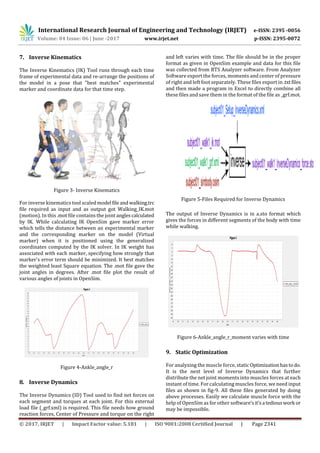
7. Inverse Kinematics
The Inverse Kinematics (IK) Tool runs through each time
frame of experimental data and re-arrange the positions of
the model in a pose that "best matches" experimental
marker and coordinate data for that time step.
Figure 3- Inverse Kinematics
For inverse kinematics tool scaled model file and walking.trc
file required as input and as output got Walking_IK.mot
(motion). In this .mot file contains the joint anglescalculated
by IK. While calculating IK OpenSim gave marker error
which tells the distance between an experimental marker
and the corresponding marker on the model (Virtual
marker) when it is positioned using the generalized
coordinates computed by the IK solver. In IK weight has
associated with each marker, specifying how strongly that
marker's error term should be minimized. It best matches
the weighted least Square equation. The .mot file gave the
joint angles in degrees. After .mot file plot the result of
various angles of joints in OpenSim.
Figure 4-Ankle_angle_r
8. Inverse Dynamics
The Inverse Dynamics (ID) Tool used to find net forces on
each segment and torques at each joint. For this external
load file (_grf.xml) is required. This file needs how ground
reaction forces, Center of Pressure and torque on the right
and left varies with time. The file should be in the proper
format as given in OpenSim example and data for this file
was collected from BTS Analyzer software. From Analyzer
Software export the forces, moments and center of pressure
of right and left foot separately. These files export in .txtfiles
and then made a program in Excel to directly combine all
these files and save them in the format of the file as _grf.mot.
Figure 5-Files Required for Inverse Dynamics
The output of Inverse Dynamics is in a.sto format which
gives the forces in different segments of the body with time
while walking.
Figure 6-Ankle_angle_r_moment varies with time
9. Static Optimization
For analyzing the muscle force, static Optimizationhastodo.
It is the next level of Inverse Dynamics that further
distribute the net joint moments into muscles forces at each
instant of time. For calculating muscles force, we need input
files as shown in fig-9. All these files generated by doing
above processes. Easily we calculate muscle force with the
help of OpenSim as for other software’sit’sa tediouswork or
may be impossible.
International Research Journal of Engineering and Technology (IRJET) e-ISSN: 2395 -0056
Volume: 04 Issue: 06 | June -2017 www.irjet.net p-ISSN: 2395-0072
© 2017, IRJET | Impact Factor value: 5.181 | ISO 9001:2008 Certified Journal | Page 2342
Figure 7- Files for Static Optimization
Figure 8 - Muscles Forces for Rect_fem_rmuscle force
10. Discussion
The most important finding of this paper is that how to
generate files as input files for OpenSim and how it can be
used to find muscle forces. As it is open source software so
many researchers are using this software than others and
also it provides an online community where models can be
shared, and any problem related to this can be discussed.
Through this many orthotic devices can be designed like
AFO, knee support and can analyze various load effect on
human movement and muscles force. This software can be
used to improve the activity or motion of athletics.
11. References
[1] Delp, Scott L., et al. "OpenSim: open-source software to
create and analyze dynamic simulationsofmovement."IEEE
transactions on biomedical engineering54.11(2007): 1940-
1950.
[2] Reinbolt, Jeffrey A., Ajay Seth, and Scott L. Delp.
"Simulation of human movement: applications using
OpenSim." Procedia IUTAM 2 (2011): 186-198.
[3] BoB – biomechanics in MATLAB James Shippen, Barbara
May.
[4] Ewing, Katie A., et al. "Prophylactic knee bracing alters
lower-limb muscle forces during a double-leg droplanding."
Journal of Biomechanics 49.14 (2016): 3347-3354.
[5] Hans Kainz, Luca Modenese Lee Barber,John Walsh
,Roslyn N Boyd ,David G Lloyd ,Christopher P Carty- Joint
kinematic calculations based on standard clinical direct
kinematic versus contemporary inverse kinematic
approaches: How large is the difference?
6]Dhaliwal, Sepaldeep Singh, Jagjit Singh Randhawa, and
Parveen Kalra. "Study the Sedentary Behavior amongIndian
Employees and Students."
[7]Seth, A., Sherman, M., Reinbolt, J.A. and Delp, S.L., 2011.
OpenSim: a musculoskeletal modeling and simulation
framework for in silico investigations and exchange.
Procedia Iutam, 2, pp.212-232.
BIOGRAPHIES
Deepak Jindal ME Production and
Industrial Engg. PEC University
Chandigarh.
1’st Author
Photo

Conversion of Gait data into OpenSim

  • 1.
    International Research Journalof Engineering and Technology (IRJET) e-ISSN: 2395 -0056 Volume: 04 Issue: 06 | June -2017 www.irjet.net p-ISSN: 2395-0072 © 2017, IRJET | Impact Factor value: 5.181 | ISO 9001:2008 Certified Journal | Page 2339 Conversion of Gait data into OpenSim 1Deepak Jindal, 2Jagjit Singh Randhawa, 3Suman Kant, 4Ishant Gupta, 5Sourav Singla 1, 3Production and Industrial Engineering Department, PEC University of Technology, Chandigarh, India 2,4 Industrial & Product Design, PEC University of Technology, Chandigarh, India 5Mechanical Engineering Department, UIET, Punjab University, Chandigarh, India ---------------------------------------------------------------------***--------------------------------------------------------------------- Abstract - Dynamic simulations of movement allow one to study neuromuscular coordination, analyze athletic performance and estimate internal loading of the musculoskeletal system. Simulations can also be used to identify the sources of pathological movement and establish a scientific basis for treatment planning. OpenSim is freely available software used to calculate the muscle forces. OpenSim provides a platform on which the biomechanics community can build a library of simulations that can be exchanged, tested, analyzed, and improved through a multi- institutional collaboration. Thework dealswiththesolutionof the inverse kinematic of the lower extremities of the musculoskeletal system of man on the basis of marker motion capture system and dynamic model obtaining in the software package OpenSim. As a means of studying the gaits used motion capture system and software platform OpenSim. Key Words: OpenSim,Gait analysis, DynamicSimulation, Inverse Kinematics, Muscle. 1. INTRODUCTION Musculoskeletal modeling and simulation are more likely to cure the pathology and decrease the cost of treatment by showing the result of cause and effects relationships in neurological and musculoskeletal impairments. Many elements (muscles, joints, and segments) ofmusculoskeletal are required to enable coordinate movement.Scientistswho studied human movement have described many data to show the relationships between muscles and bones, and motion of joints[1]. As with Experiment alone, it's hard to calculate the forces generatedbymuscles.Forexample,from electromyography (EMG) in gait analysis tells when the muscle is activated but it cannot tell what the force generated in muscle is. So for that, there are many commercial software available like Anybody, BOB(Biomechanics of Bodies)[3],etc. and open source software OpenSim. OpenSim Software is available at free of cost. It allows users to build their own model for simulating and analyzing the musculoskeletal system. It is one of the major applications from Simbios, an NIH (National Institute of Health) Center for Biomedical Computation at Stanford University. OpenSim models can be designed using C++ language or scaled the already existing model by recorded the movement data using gait analysis. It is the upper version of SIMM tool as OpenSim has more capability than SIMM. As there are othercommercial packageslikeAnybody, Visual 3-D,etc. through which we can find muscle forces, but they don’t provide full access to the core code,andOPENSIM provide full access to its core code by which capability of OpenSim can be further increased according to researcher need Researchers are using OpenSim to design many orthotic devices like to see the Effect of Knee Bracing on Lower-Limb Muscle Forces[4], analyze the human movement using OpenSim, etc. As it makes easy for a user to check what will be the effect on muscle by changing the parameter of the device in coding. 2. Collection of Data For a collection of data put the markers on the human body (healthy subject) according to gait lab protocol. I used PGIMER Chandigarh lab for data collection and used Helen Hayes protocol and put 18 spherical markers on subject to completely determine the rigid body position and orientation: 3 on trunk ( c7,r should and l should) , 3 on pelvis (r asis , l asis, sacrum ), 2 on each thigh (bar1 and knee1) , 2 on each shank ( bar2 and mall) and 2 on each foot ( heel and met). 4 of these markers are fixed on rigid bars. After placement of markers calibrate the BTS Gait system properly. Figure 1- Front Marker Position and Rear Marker Position
  • 2.
    International Research Journalof Engineering and Technology (IRJET) e-ISSN: 2395 -0056 Volume: 04 Issue: 06 | June -2017 www.irjet.net p-ISSN: 2395-0072 © 2017, IRJET | Impact Factor value: 5.181 | ISO 9001:2008 Certified Journal | Page 2340 3. Trails of Subject: After Marker placement adds a new patient in BTS System and enters the Anthropometric measurements ofsubjectsin a system which was measured with the help of Pelvimeter. Further standing trail of the subject has taken. The subject should stand in the middle of the lab without any body movement being happened so that all markers should be properly visible by cameras and thenwalkingtrail hastaken. The subject moved in a straight line with normal walking speed. No load has been placed on the subject.Takedifferent trails of the subject and select the best trail for further processing of data. Gave the rightgroundreactionvectorand left ground reaction vector in 3D track. All data was saved in the.tdf format in a given folder. 4. Conversion of Data: i. Tdf Inspector: Tdf inspector is a tool which convert data from .tdf file to .c3d (Coordinate 3D) file. Open the saved file (Standing file and different walking trails files separately) in Tdf inspector and convert it into .c3d format. ii. Mokka Software: Itisanopensourcesoftwareeasily analyzes the biomechanical data. Through this software, we can read or write .c3d files and easily convert them into many other formats. Open the .c3d file in Mokka Software and convert the file into a.trc (Track RowColumn)file.When the file was opened in mokkasoftware, it shows the position of different force plate in gait lab and also its axis and position of different makers which placed on subjects. The .trc file is an input file for OpenSim for calculation inverse kinematics. Figure 2-Force Plates position and marker position shown in Mokka Software 5. Format of .trc file The .trc files which have gotten from Mokka Software opened in notepad++ and saw the name of markers. As the name of markers shown in .trc fileandnameofmarkersused in OpenSim model2354 are not same so change the name of markers in the.trc file according to OpenSim model2354 marker position and also defined new marker in OpenSim model2354 according to Helen Hayes protocol. 6. Scaling Open the model2354 in OpenSim and use the scale tool. The scale tool changes the measurements of the model so that it matches a particular subject as closely as possible. The process of Scaling is by comparing the marker position in experimentation to virtual marker position placed on the model in a.trc file. Figure 3- Files for Scaling Make a Setup_Scale.xml file for scaling. Load this file in Scale tool then model scaled according to the scale factor. Figure 4-Scaled Model of as subject height is more than given model
  • 3.
    International Research Journalof Engineering and Technology (IRJET) e-ISSN: 2395 -0056 Volume: 04 Issue: 06 | June -2017 www.irjet.net p-ISSN: 2395-0072 © 2017, IRJET | Impact Factor value: 5.181 | ISO 9001:2008 Certified Journal | Page 2341 7. Inverse Kinematics The Inverse Kinematics (IK) Tool runs through each time frame of experimental data and re-arrange the positions of the model in a pose that "best matches" experimental marker and coordinate data for that time step. Figure 3- Inverse Kinematics For inverse kinematics tool scaled model file and walking.trc file required as input and as output got Walking_IK.mot (motion). In this .mot file contains the joint anglescalculated by IK. While calculating IK OpenSim gave marker error which tells the distance between an experimental marker and the corresponding marker on the model (Virtual marker) when it is positioned using the generalized coordinates computed by the IK solver. In IK weight has associated with each marker, specifying how strongly that marker's error term should be minimized. It best matches the weighted least Square equation. The .mot file gave the joint angles in degrees. After .mot file plot the result of various angles of joints in OpenSim. Figure 4-Ankle_angle_r 8. Inverse Dynamics The Inverse Dynamics (ID) Tool used to find net forces on each segment and torques at each joint. For this external load file (_grf.xml) is required. This file needs how ground reaction forces, Center of Pressure and torque on the right and left varies with time. The file should be in the proper format as given in OpenSim example and data for this file was collected from BTS Analyzer software. From Analyzer Software export the forces, moments and center of pressure of right and left foot separately. These files export in .txtfiles and then made a program in Excel to directly combine all these files and save them in the format of the file as _grf.mot. Figure 5-Files Required for Inverse Dynamics The output of Inverse Dynamics is in a.sto format which gives the forces in different segments of the body with time while walking. Figure 6-Ankle_angle_r_moment varies with time 9. Static Optimization For analyzing the muscle force, static Optimizationhastodo. It is the next level of Inverse Dynamics that further distribute the net joint moments into muscles forces at each instant of time. For calculating muscles force, we need input files as shown in fig-9. All these files generated by doing above processes. Easily we calculate muscle force with the help of OpenSim as for other software’sit’sa tediouswork or may be impossible.
  • 4.
    International Research Journalof Engineering and Technology (IRJET) e-ISSN: 2395 -0056 Volume: 04 Issue: 06 | June -2017 www.irjet.net p-ISSN: 2395-0072 © 2017, IRJET | Impact Factor value: 5.181 | ISO 9001:2008 Certified Journal | Page 2342 Figure 7- Files for Static Optimization Figure 8 - Muscles Forces for Rect_fem_rmuscle force 10. Discussion The most important finding of this paper is that how to generate files as input files for OpenSim and how it can be used to find muscle forces. As it is open source software so many researchers are using this software than others and also it provides an online community where models can be shared, and any problem related to this can be discussed. Through this many orthotic devices can be designed like AFO, knee support and can analyze various load effect on human movement and muscles force. This software can be used to improve the activity or motion of athletics. 11. References [1] Delp, Scott L., et al. "OpenSim: open-source software to create and analyze dynamic simulationsofmovement."IEEE transactions on biomedical engineering54.11(2007): 1940- 1950. [2] Reinbolt, Jeffrey A., Ajay Seth, and Scott L. Delp. "Simulation of human movement: applications using OpenSim." Procedia IUTAM 2 (2011): 186-198. [3] BoB – biomechanics in MATLAB James Shippen, Barbara May. [4] Ewing, Katie A., et al. "Prophylactic knee bracing alters lower-limb muscle forces during a double-leg droplanding." Journal of Biomechanics 49.14 (2016): 3347-3354. [5] Hans Kainz, Luca Modenese Lee Barber,John Walsh ,Roslyn N Boyd ,David G Lloyd ,Christopher P Carty- Joint kinematic calculations based on standard clinical direct kinematic versus contemporary inverse kinematic approaches: How large is the difference? 6]Dhaliwal, Sepaldeep Singh, Jagjit Singh Randhawa, and Parveen Kalra. "Study the Sedentary Behavior amongIndian Employees and Students." [7]Seth, A., Sherman, M., Reinbolt, J.A. and Delp, S.L., 2011. OpenSim: a musculoskeletal modeling and simulation framework for in silico investigations and exchange. Procedia Iutam, 2, pp.212-232. BIOGRAPHIES Deepak Jindal ME Production and Industrial Engg. PEC University Chandigarh. 1’st Author Photo