Introducing
Continuous Integration
for Android
Is it worth it?
What's inside - unboxing
Who (and how) is pulling the strings
What can we automate
Summary
Agenda
Is it worth it?
What's inside - unboxing
Who (and how) is pulling the strings
What can we automate
Summary
Agenda
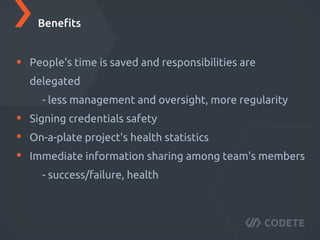
Benefits
Time is saved and responsibilities are delegated
- less management and oversight, more regularity
Signing credentials safety
On-a-plate project's health statistics
Immediate information sharing among team's members
- success/failure, health
Benefits
Drawbacks
Initial setup overhead
A server is needed
Drawbacks
Is it worth it?
What's inside - unboxing
Who (and how) is pulling the strings
What can we automate
Summary
Agenda
Components
Components
Setup
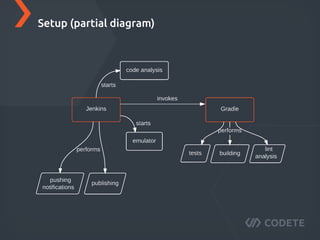
Setup (partial diagram)
Is it worth it?
What's inside - unboxing
Who (and how) is pulling the strings
What can we automate
Summary
Agenda
Jenkins
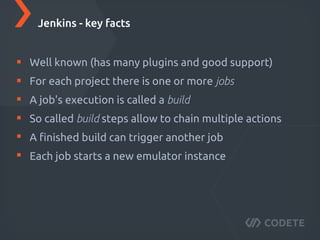
Well known (has many plugins and good support)
For each project there is one or more jobs
A job's execution is called a build
So called build steps allow to chain multiple actions
A finished build can trigger another job
Each job starts a new emulator instance
Jenkins - key facts
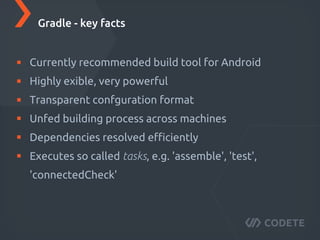
Gradle
Currently recommended build tool for Android
Highly flexible, very powerful
Transparent configuration format
Unified building process across machines
Dependencies resolved efficiently
Executes so called tasks, e.g. 'assemble', 'test',
'connectedCheck'
Gradle - key facts
Is it worth it?
What's inside - unboxing
Who (and how) is pulling the strings
What can we automate
Summary
Agenda
Secure signing
Well known (has many plugins and good support)
For each project there is one or more jobs
A job's execution is called a build
So called build steps allow to chain multiple actions
A finished build can trigger another job
Each job starts a new emulator instance
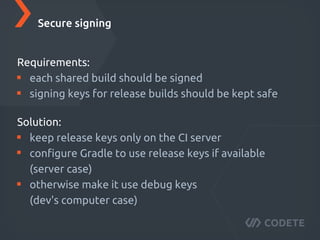
Secure signing
Requirements:
each public build should be signed
signing keys for release builds should be kept safe
Secure signing
Solution:
keep release keys only on the CI server
configure Gradle to use release keys if available
(server case)
otherwise make it use debug keys
(dev's computer case)
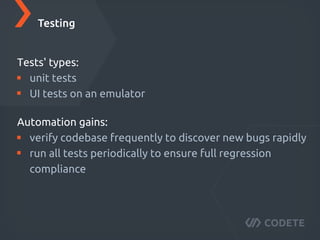
Testing
Tests' types:
unit tests
UI tests on an emulator
Testing
Automation gains:
verify codebase frequently to discover new bugs rapidly
run all tests periodically to ensure full regression
compliance
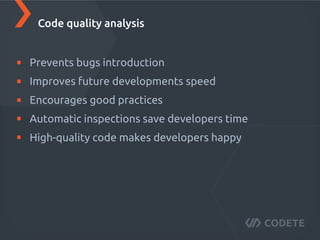
Code quality analysis
Prevents bugs introduction
Improves future development's speed
Encourages good practices
Automatic inspections save developers' time
High-quality code makes developers happy
Code quality analysis
Team notification
Push messages to a Slack channel of choice
Post a job status change
E-mail notifications are also available but…
people tend to ignore those (or mark them as spam)
Team notification
Distribution
Easy APK sharing via Crashlytics (e.g. for QA teams)
Dedicated jobs use only special commits
(e.g. with a release tag)
Distribution
Is it worth it?
What's inside - unboxing
Who (and how) is pulling the strings
What can we automate
Summary
Agenda
Setup
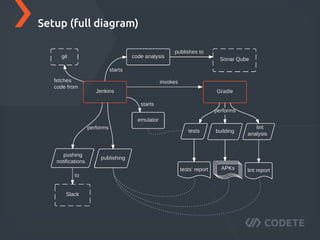
Setup (full diagram)
Jenkins
responsibilities
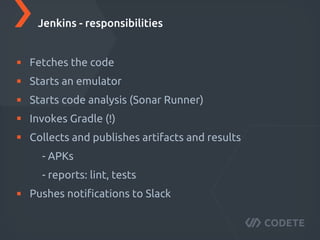
Fetches the code
Starts an emulator
Starts code analysis (Sonar Runner)
Invokes Gradle (!)
Collects and publishes artifacts and results
- APKs
- reports: lint, tests
Pushes notifications to Slack
Jenkins - responsibilities
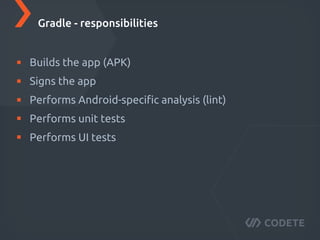
Gradle
responsibilities
Builds the app (APK)
Signs the app
Performs Android-specific analysis (lint)
Performs unit tests
Performs UI tests
Gradle - responsibilities
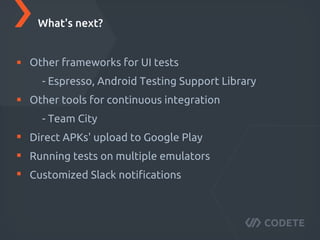
What's next?
Other frameworks for UI tests
- Espresso, Android Testing Support Library
Other tools for continuous integration
- Team City
Direct APKs' upload to Google Play
Running tests on multiple emulators
Customized Slack notifications
What's next?
Thank you for your attention
mail@codete.com www.codete.com
It’s FREE!
SIGN UP FOR WEBINAR

Continues Integration for Android

  • 1.
  • 2.
    Is it worthit? What's inside - unboxing Who (and how) is pulling the strings What can we automate Summary Agenda
  • 3.
    Is it worthit? What's inside - unboxing Who (and how) is pulling the strings What can we automate Summary Agenda
  • 4.
  • 5.
    Time is savedand responsibilities are delegated - less management and oversight, more regularity Signing credentials safety On-a-plate project's health statistics Immediate information sharing among team's members - success/failure, health Benefits
  • 6.
  • 7.
    Initial setup overhead Aserver is needed Drawbacks
  • 8.
    Is it worthit? What's inside - unboxing Who (and how) is pulling the strings What can we automate Summary Agenda
  • 9.
  • 10.
  • 11.
  • 12.
  • 13.
    Is it worthit? What's inside - unboxing Who (and how) is pulling the strings What can we automate Summary Agenda
  • 14.
  • 15.
    Well known (hasmany plugins and good support) For each project there is one or more jobs A job's execution is called a build So called build steps allow to chain multiple actions A finished build can trigger another job Each job starts a new emulator instance Jenkins - key facts
  • 16.
  • 17.
    Currently recommended buildtool for Android Highly flexible, very powerful Transparent configuration format Unified building process across machines Dependencies resolved efficiently Executes so called tasks, e.g. 'assemble', 'test', 'connectedCheck' Gradle - key facts
  • 18.
    Is it worthit? What's inside - unboxing Who (and how) is pulling the strings What can we automate Summary Agenda
  • 19.
  • 20.
    Well known (hasmany plugins and good support) For each project there is one or more jobs A job's execution is called a build So called build steps allow to chain multiple actions A finished build can trigger another job Each job starts a new emulator instance Secure signing Requirements: each public build should be signed signing keys for release builds should be kept safe Secure signing Solution: keep release keys only on the CI server configure Gradle to use release keys if available (server case) otherwise make it use debug keys (dev's computer case)
  • 21.
  • 22.
    Tests' types: unit tests UItests on an emulator Testing Automation gains: verify codebase frequently to discover new bugs rapidly run all tests periodically to ensure full regression compliance
  • 23.
  • 24.
    Prevents bugs introduction Improvesfuture development's speed Encourages good practices Automatic inspections save developers' time High-quality code makes developers happy Code quality analysis
  • 25.
  • 26.
    Push messages toa Slack channel of choice Post a job status change E-mail notifications are also available but… people tend to ignore those (or mark them as spam) Team notification
  • 27.
  • 28.
    Easy APK sharingvia Crashlytics (e.g. for QA teams) Dedicated jobs use only special commits (e.g. with a release tag) Distribution
  • 29.
    Is it worthit? What's inside - unboxing Who (and how) is pulling the strings What can we automate Summary Agenda
  • 30.
  • 31.
  • 32.
  • 33.
    Fetches the code Startsan emulator Starts code analysis (Sonar Runner) Invokes Gradle (!) Collects and publishes artifacts and results - APKs - reports: lint, tests Pushes notifications to Slack Jenkins - responsibilities
  • 34.
  • 35.
    Builds the app(APK) Signs the app Performs Android-specific analysis (lint) Performs unit tests Performs UI tests Gradle - responsibilities
  • 36.
  • 37.
    Other frameworks forUI tests - Espresso, Android Testing Support Library Other tools for continuous integration - Team City Direct APKs' upload to Google Play Running tests on multiple emulators Customized Slack notifications What's next?
  • 38.
    Thank you foryour attention
  • 39.