C O N T E X T I S K I N G
U S I N G I N D O O R L O C A T I O N T E C H N O L O G Y F O R N E W V I S I T O R
E X P E R I E N C E S
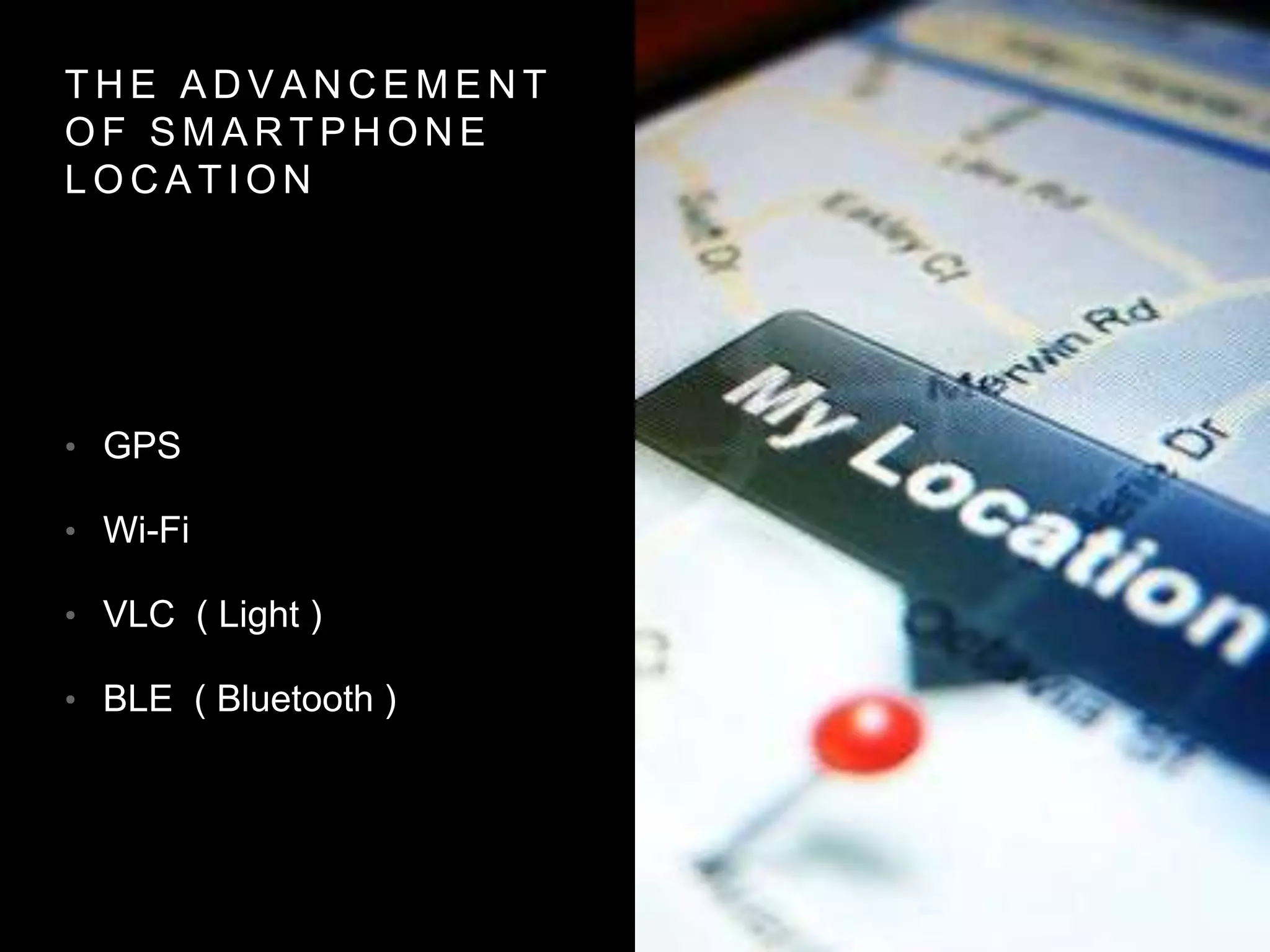
T H E A D V A N C E M E N T
O F S M A R T P H O N E
L O C A T I O N
• GPS
• Wi-Fi
• VLC ( Light )
• BLE ( Bluetooth )
A L I T T L E H E L P F R O M O U R F R I E N D S
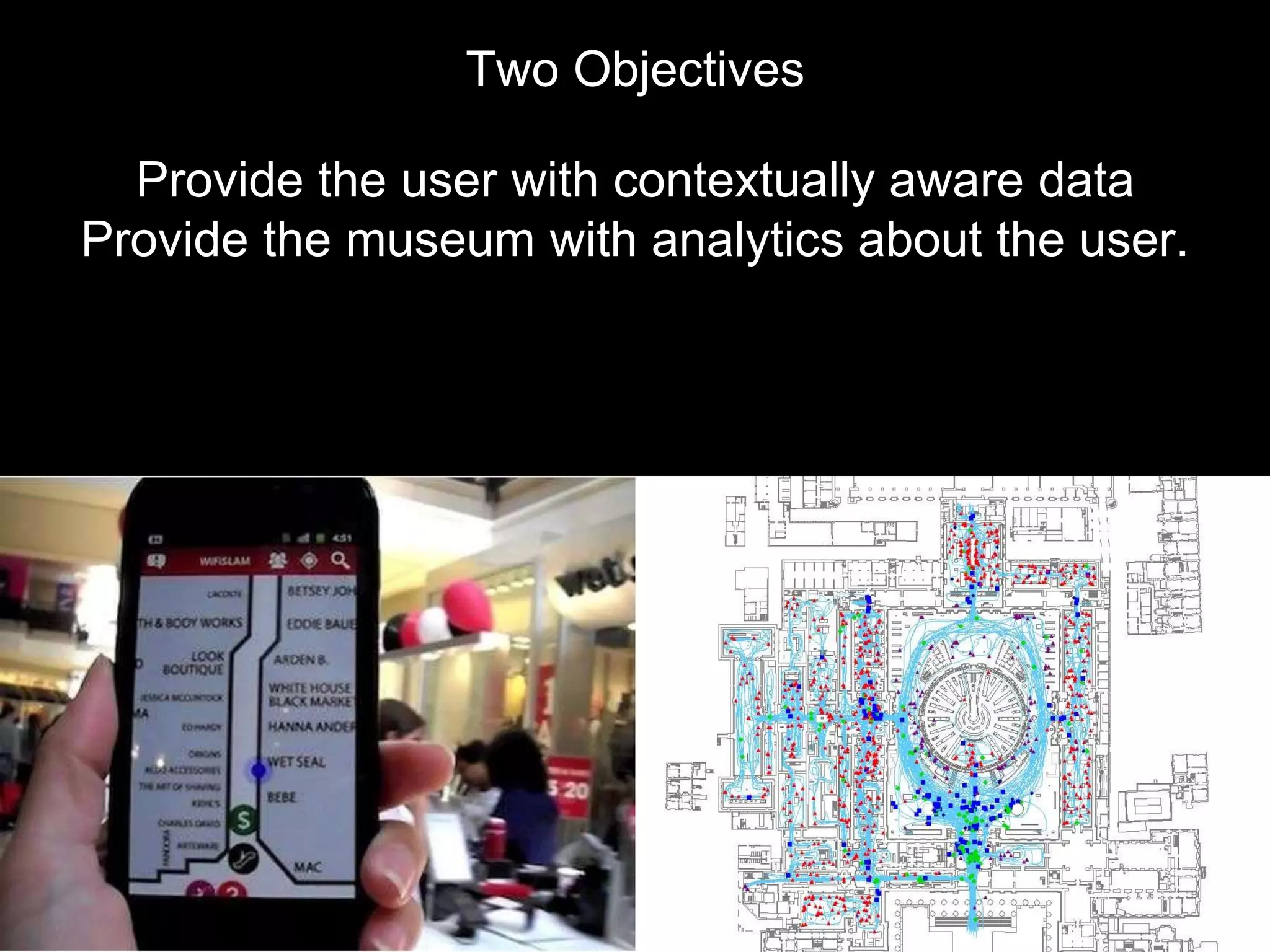
Two Objectives
Provide the user with contextually aware data
Provide the museum with analytics about the user.
H I S T O R Y O F
B L U E T O O T H
• Created by Ericsson in 1994
• Ubiquitous today
• Short distance two-way
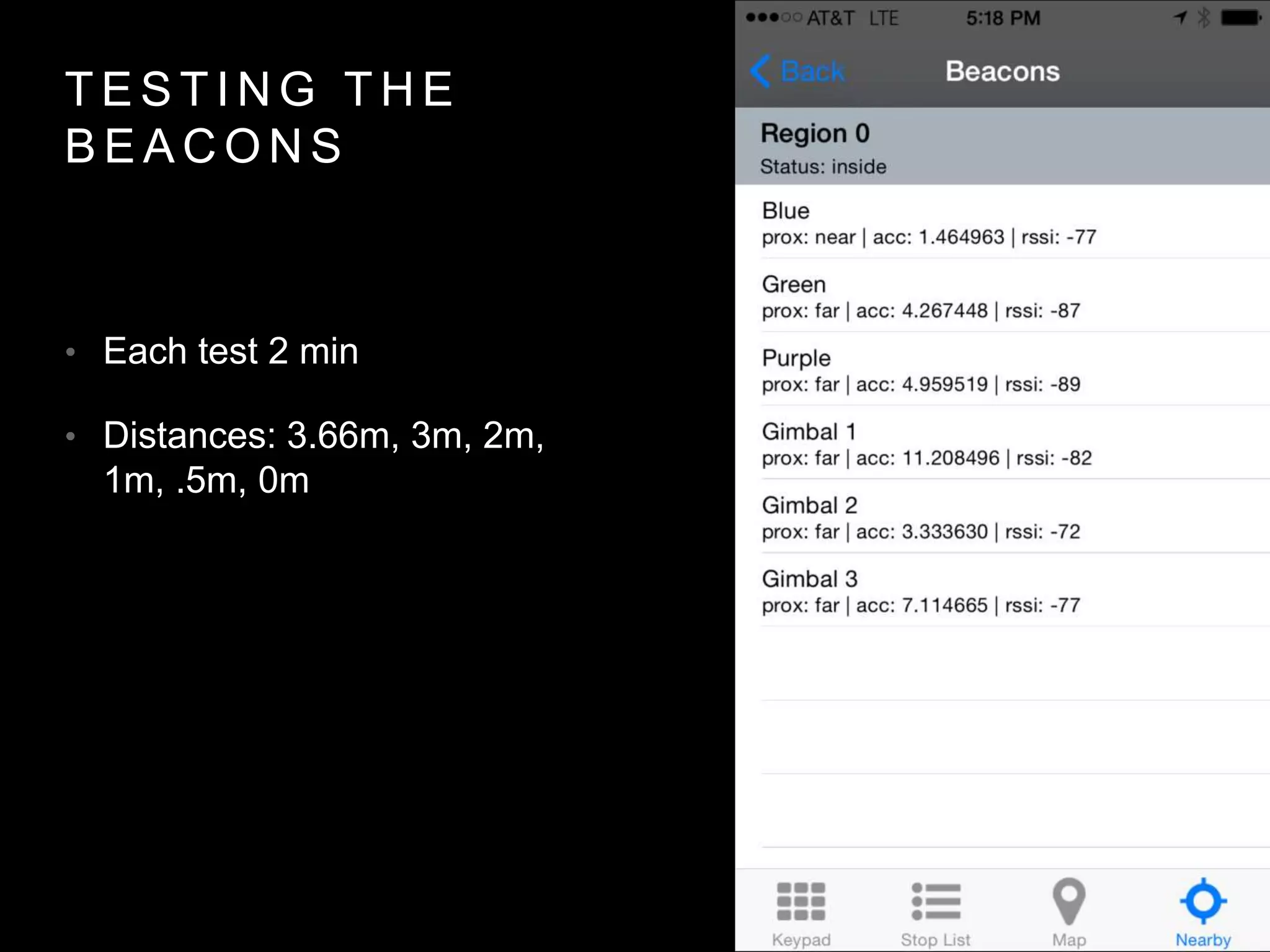
communication
• v4.0 (2010) brought Bluetooth
Low Energy (BLE) aka
Bluetooth Smart
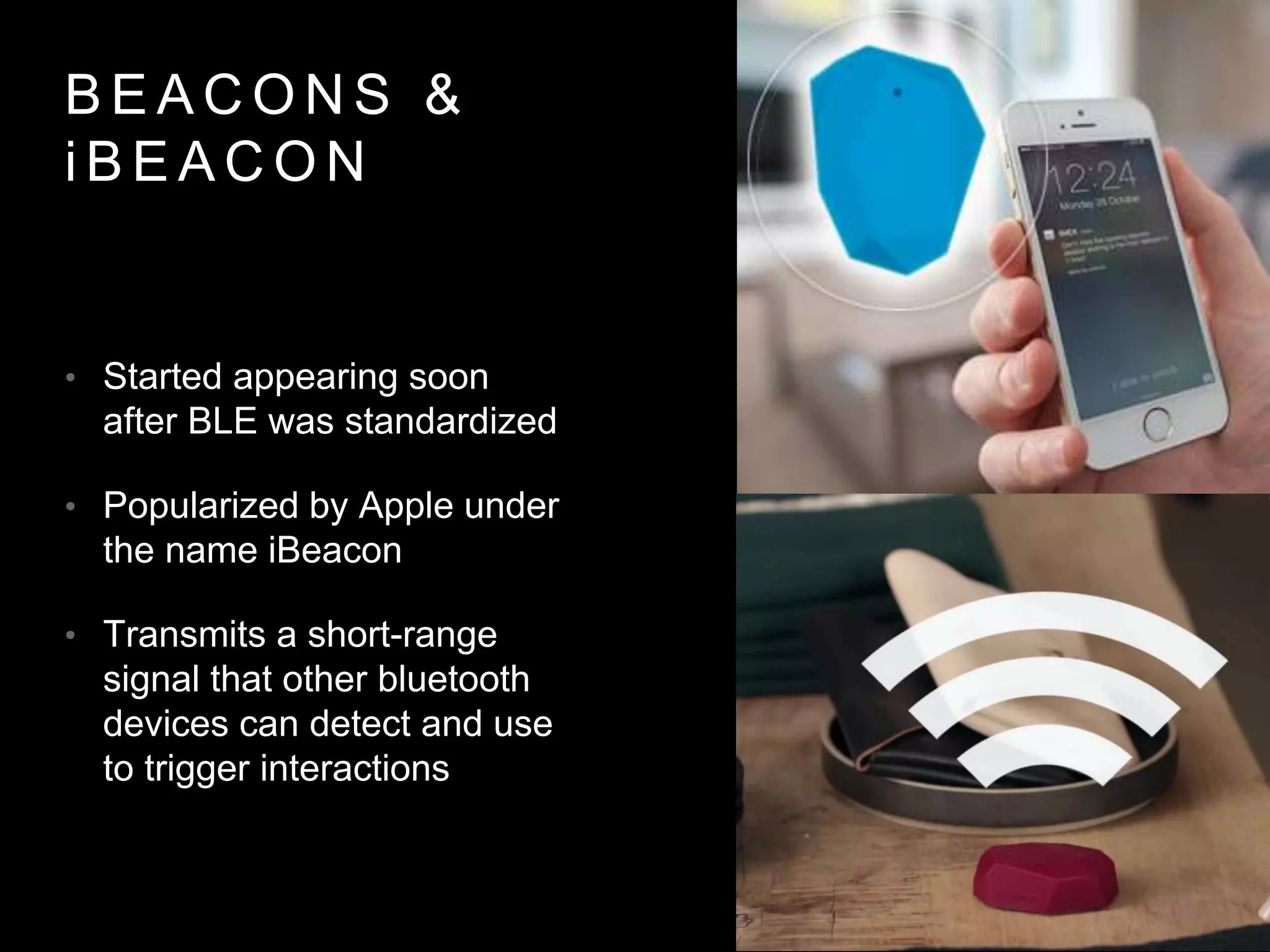
B E A C O N S &
i B E A C O N
• Started appearing soon
after BLE was standardized
• Popularized by Apple under
the name iBeacon
• Transmits a short-range
signal that other bluetooth
devices can detect and use
to trigger interactions
B E A C O N
B R E A K D O W N
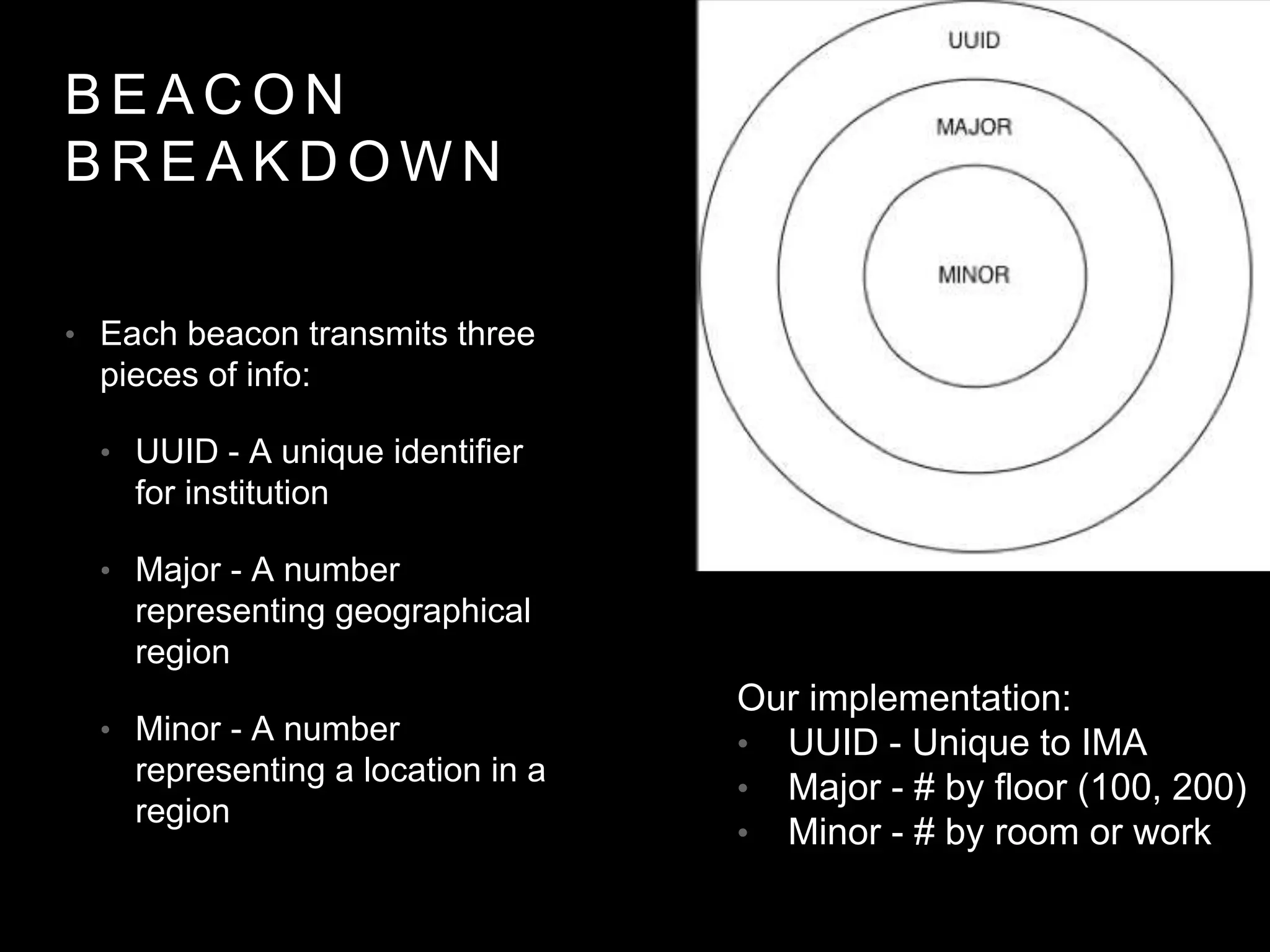
• Each beacon transmits three
pieces of info:
• UUID - A unique identifier
for institution
• Major - A number
representing geographical
region
• Minor - A number
representing a location in a
region
Our implementation:
• UUID - Unique to IMA
• Major - # by floor (100, 200)
• Minor - # by room or work
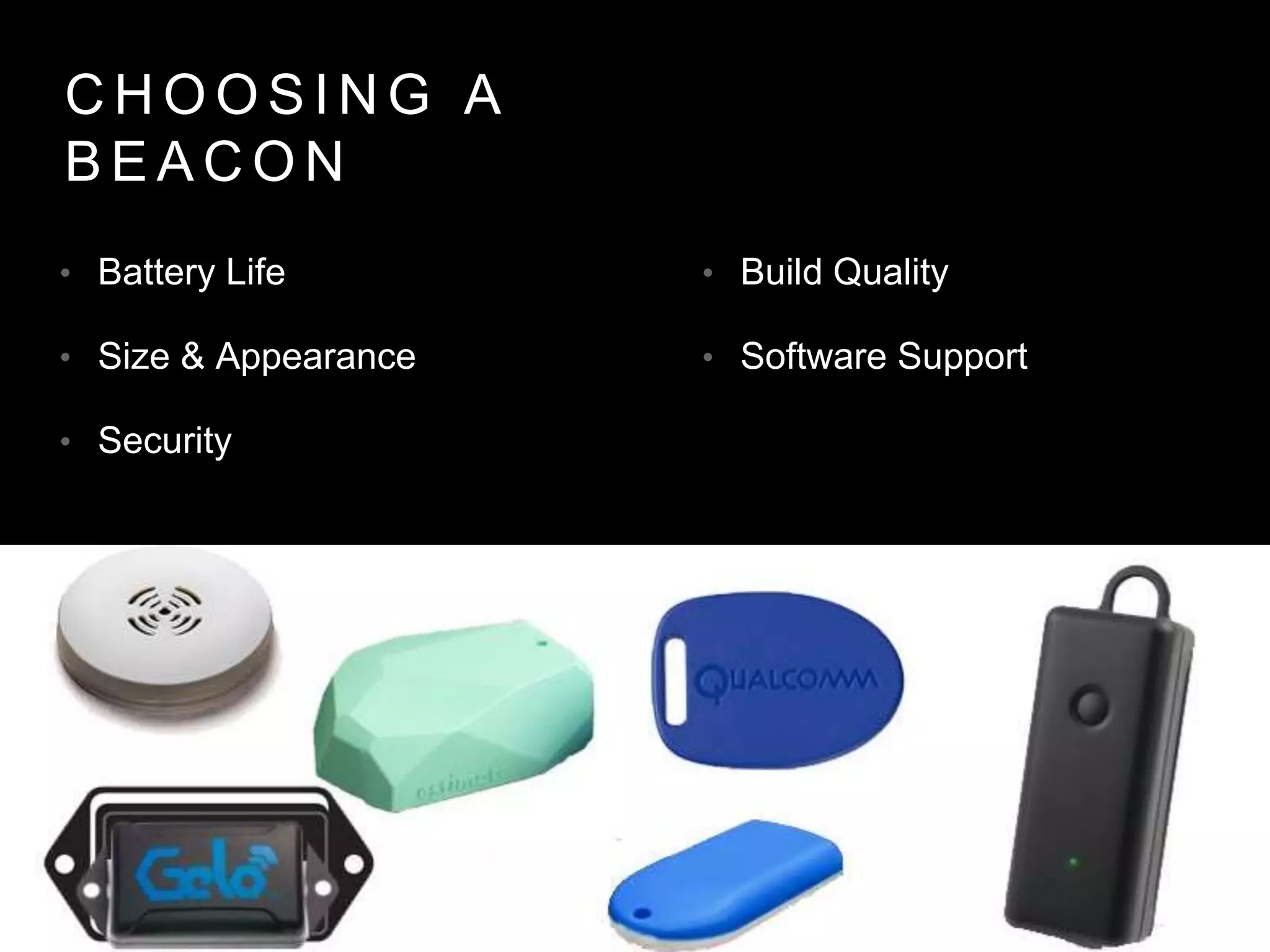
C H O O S I N G A
B E A C O N
• Battery Life
• Size & Appearance
• Security
• Build Quality
• Software Support
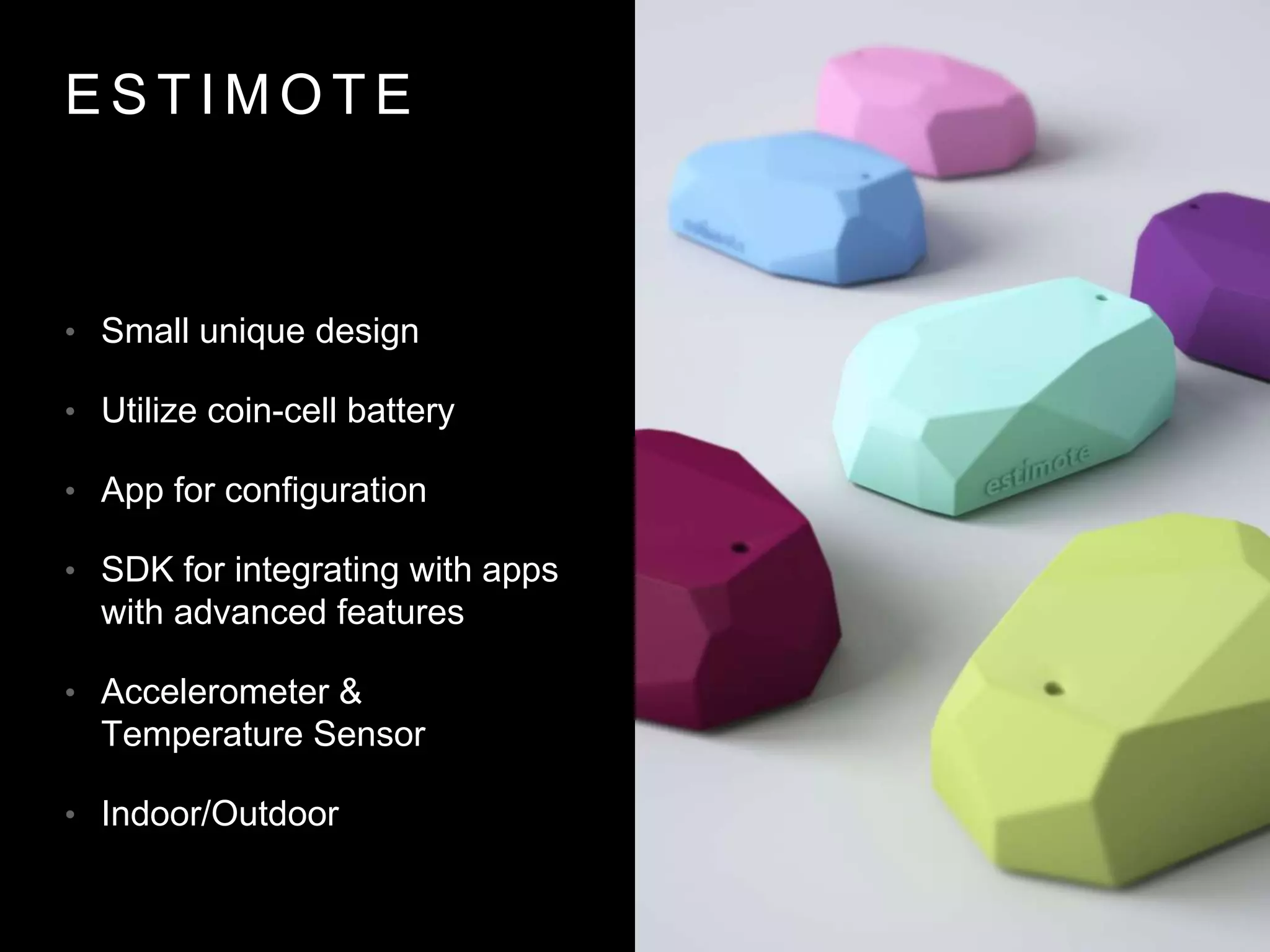
E S T I M O T E
• Small unique design
• Utilize coin-cell battery
• App for configuration
• SDK for integrating with apps
with advanced features
• Accelerometer &
Temperature Sensor
• Indoor/Outdoor
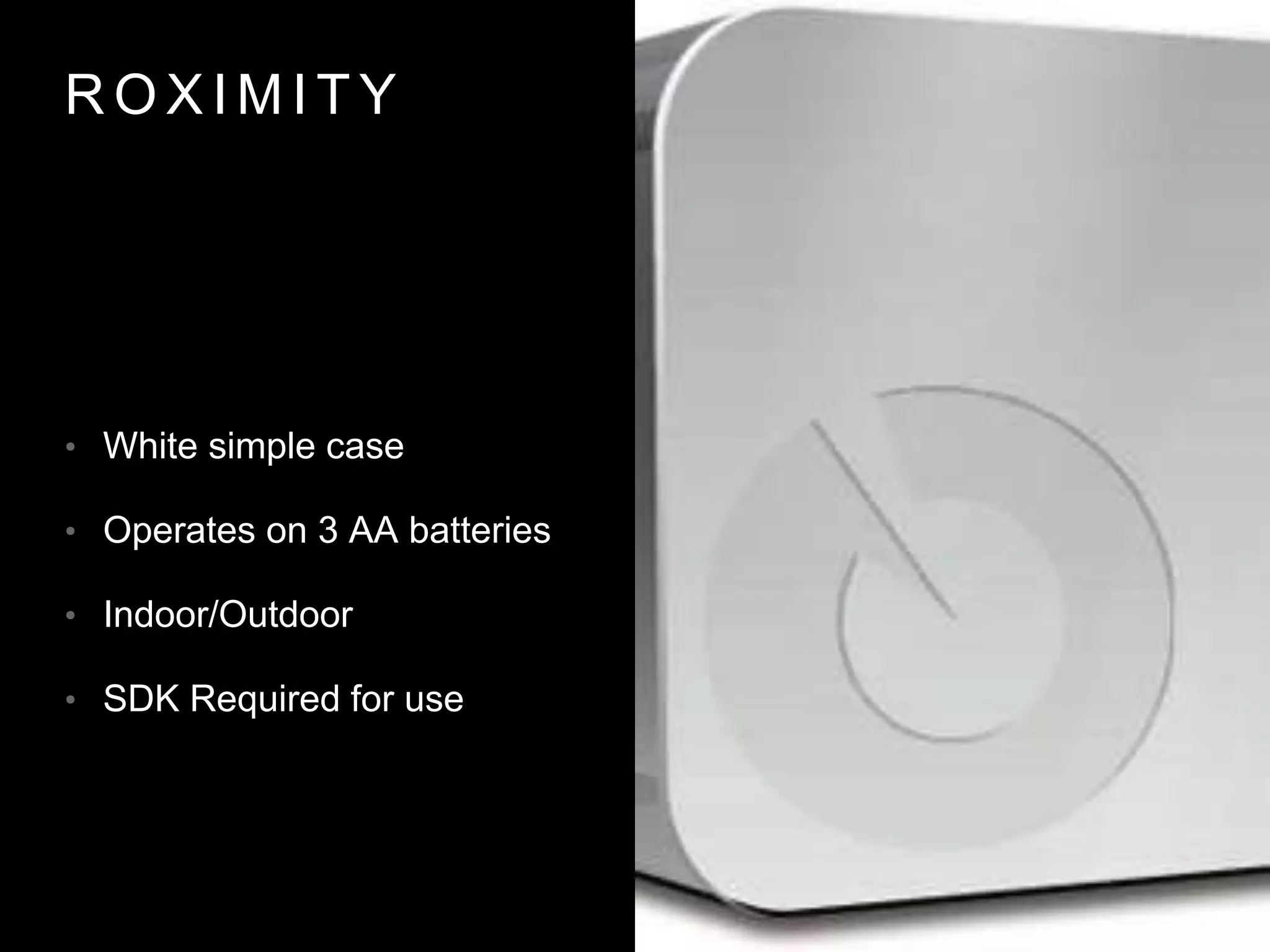
R O X I M I T Y
• White simple case
• Operates on 3 AA batteries
• Indoor/Outdoor
• SDK Required for use
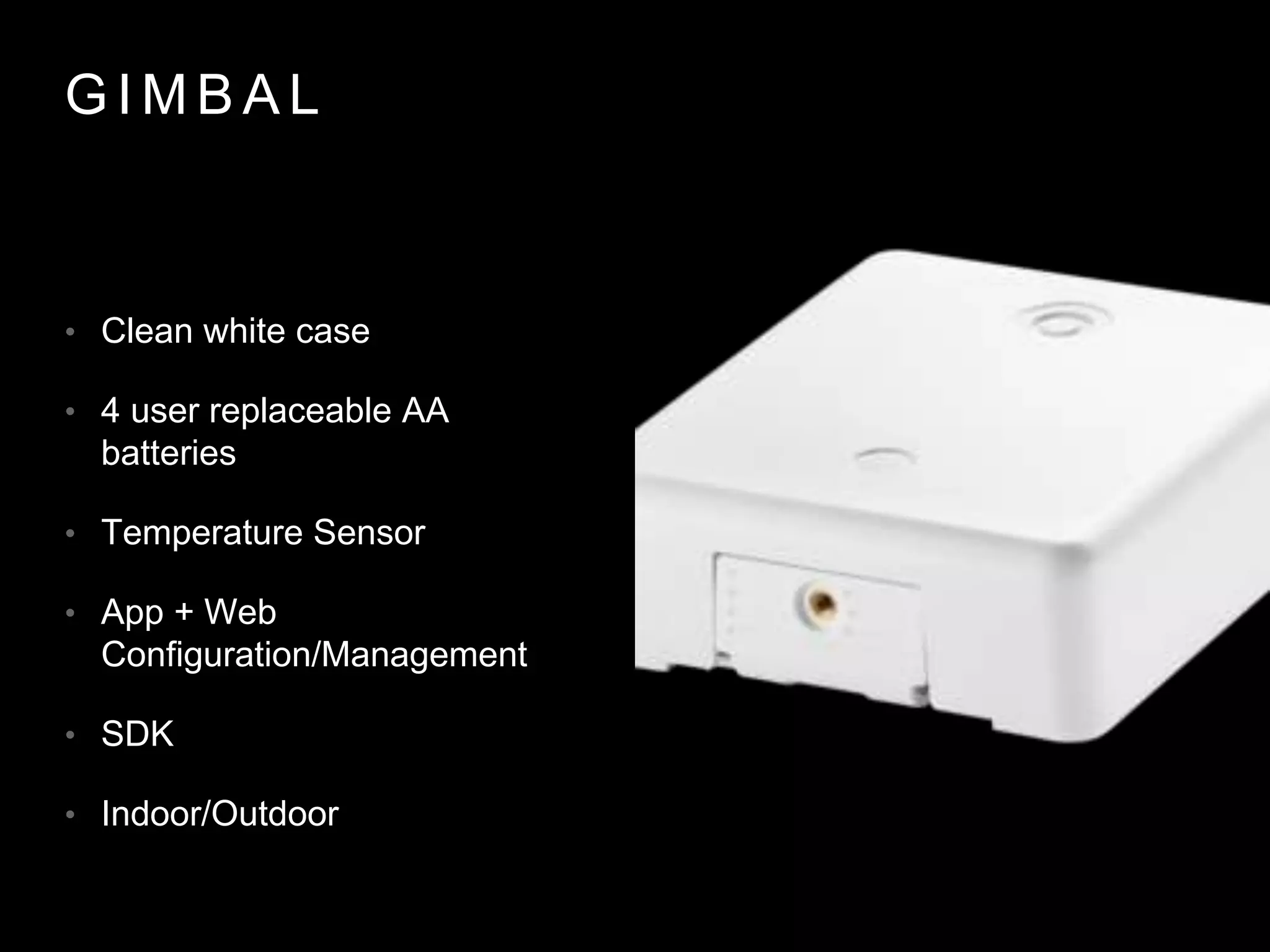
G I M B A L
• Clean white case
• 4 user replaceable AA
batteries
• Temperature Sensor
• App + Web
Configuration/Management
• SDK
• Indoor/Outdoor
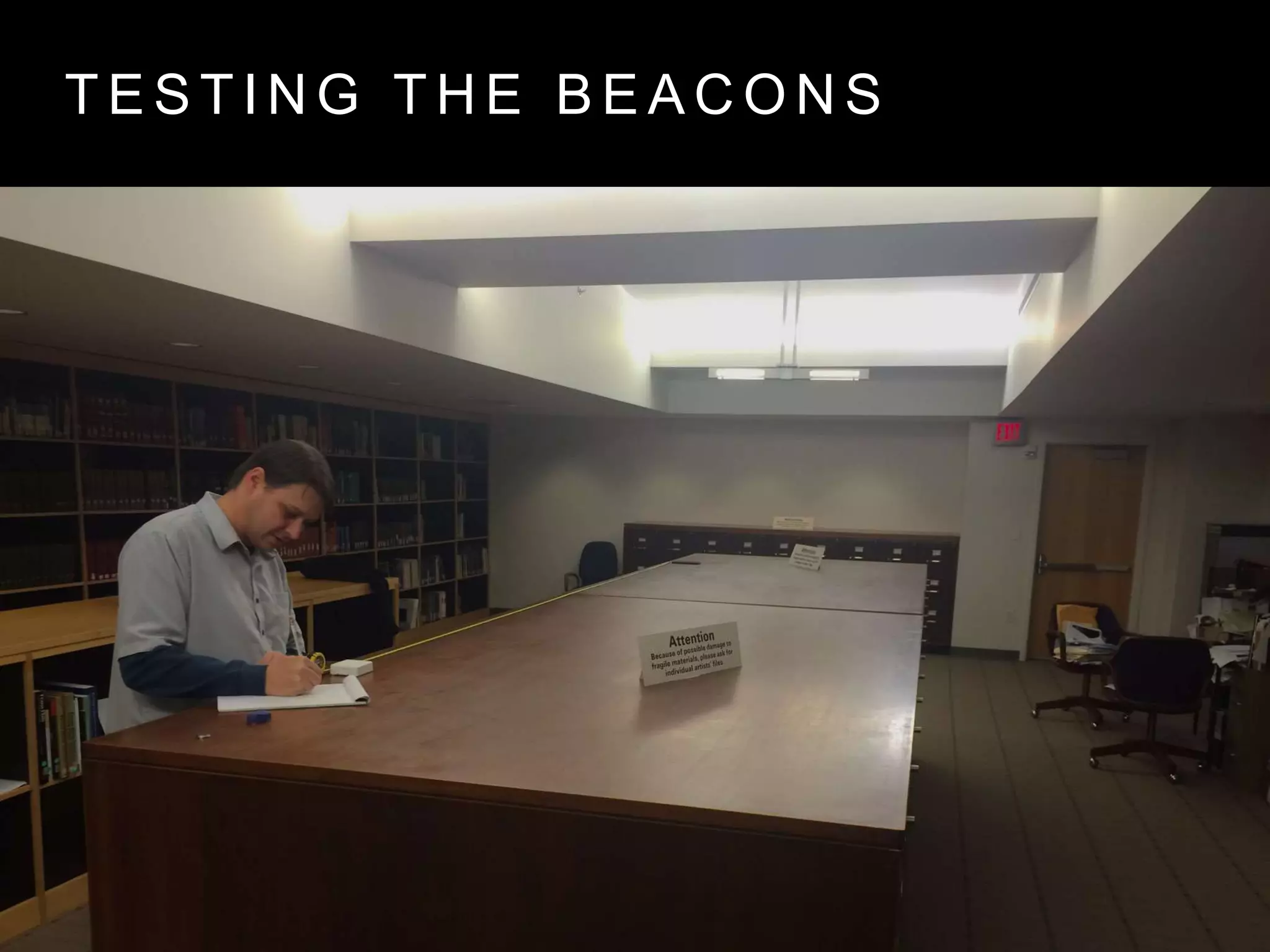
T E S T I N G T H E B E A C O N S
T E S T I N G T H E
B E A C O N S
• Each test 2 min
• Distances: 3.66m, 3m, 2m,
1m, .5m, 0m
T E S T I N G T H E B E A C O N S
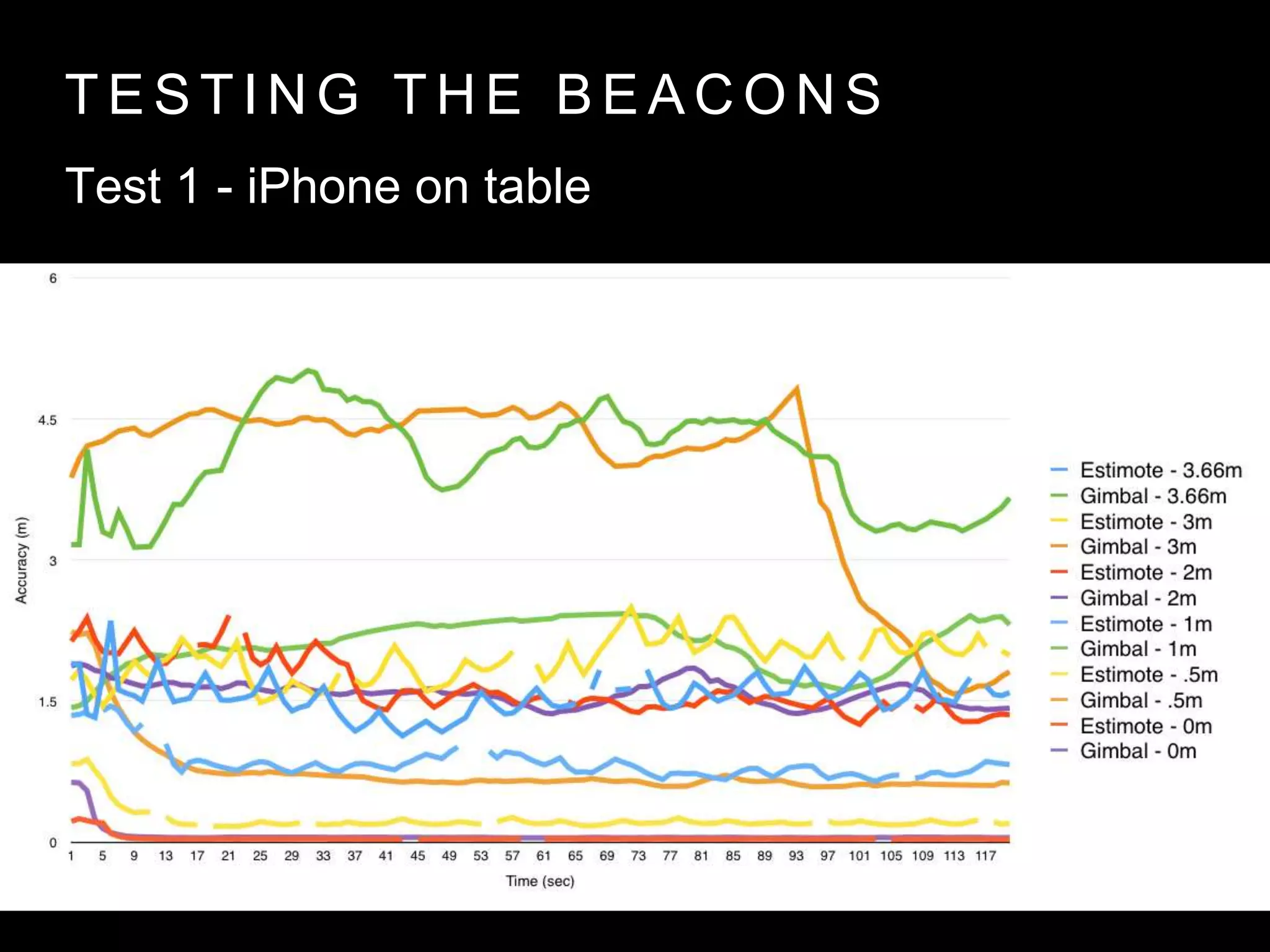
Test 1 - iPhone on table
T E S T I N G T H E B E A C O N S
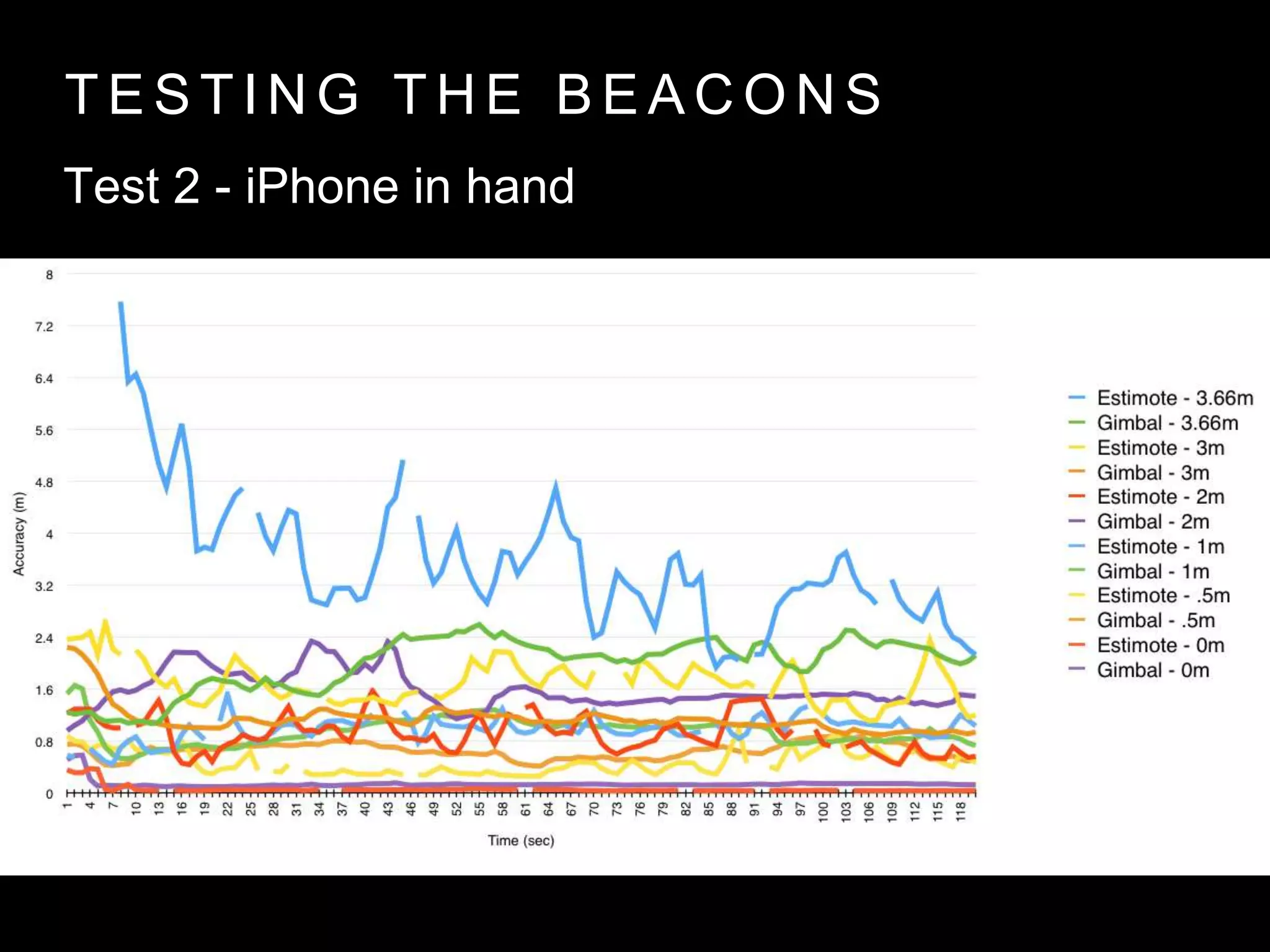
Test 2 - iPhone in hand
T E S T I N G T H E B E A C O N S
Outcomes
• To avoid vendor lock-in, check if the beacon supports
standard iBeacon protocol without SDK requirement
• Gimbal Beacons had the most consistent testing data
• Larger batteries, ease of configuration and consistent
data led us to choose Gimbal for IMA
B E A C O N M O N I T O R I N G & R A N G I N G F O R i O S
• Regions consist of a UUID, Major,
and Minor combination
• Apps can utilize 20 regions
• iOS 7 or greater
B E A C O N M O N I T O R I N G & R A N G I N G F O R i O S
• Notifications for
entering or exiting a
region
• Approx 20 second
delay on exit
• Can be enabled in
the background
B E A C O N M O N I T O R I N G & R A N G I N G F O R i O S
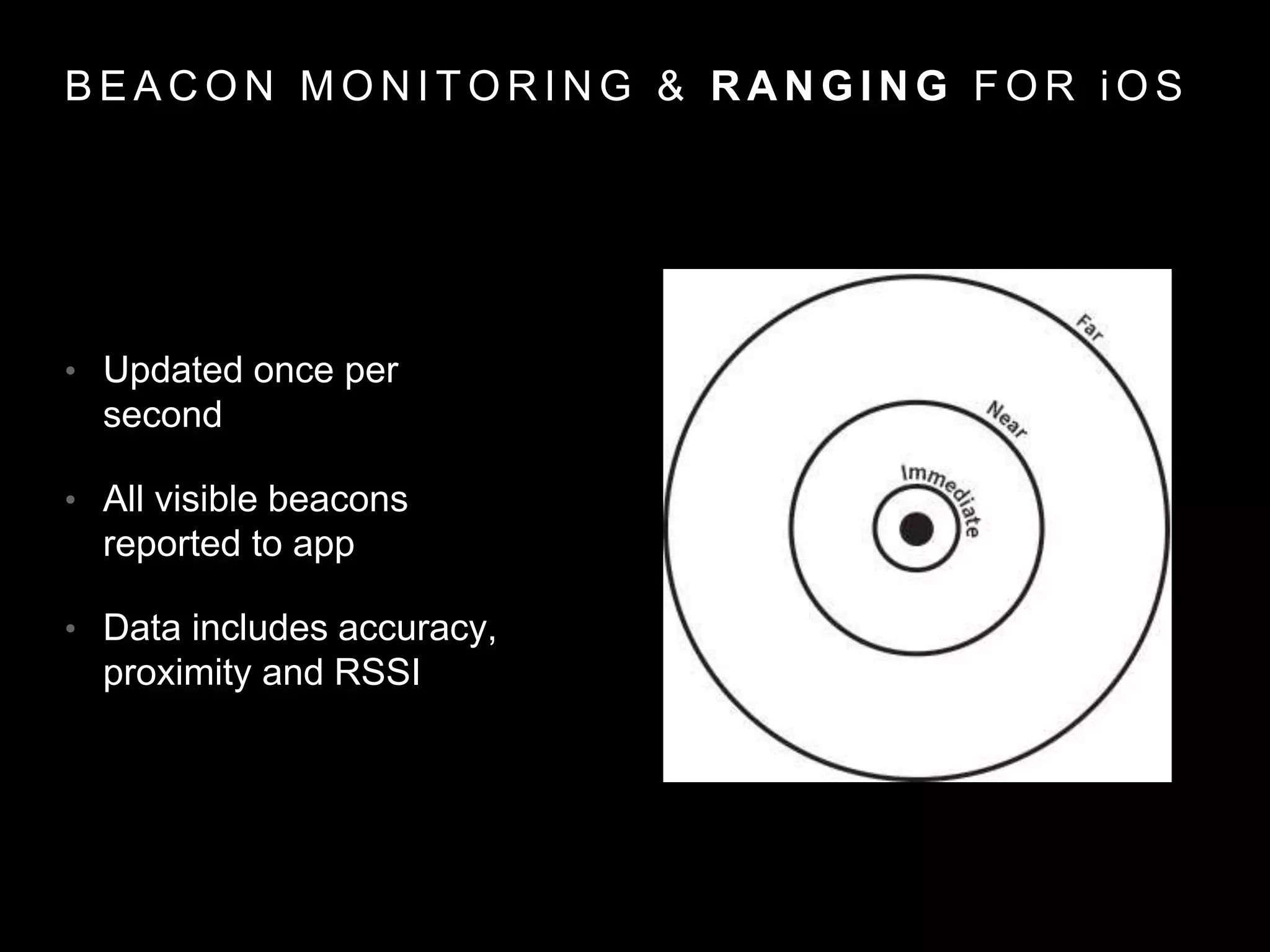
• Updated once per
second
• All visible beacons
reported to app
• Data includes accuracy,
proximity and RSSI
P E R M I S S I O N S
• iOS introduced new
location permissions
• While using app
• While not using app
P R O V I D I N G I N D O O R C O N T E X T W I T H
B E A C O N S & T A P
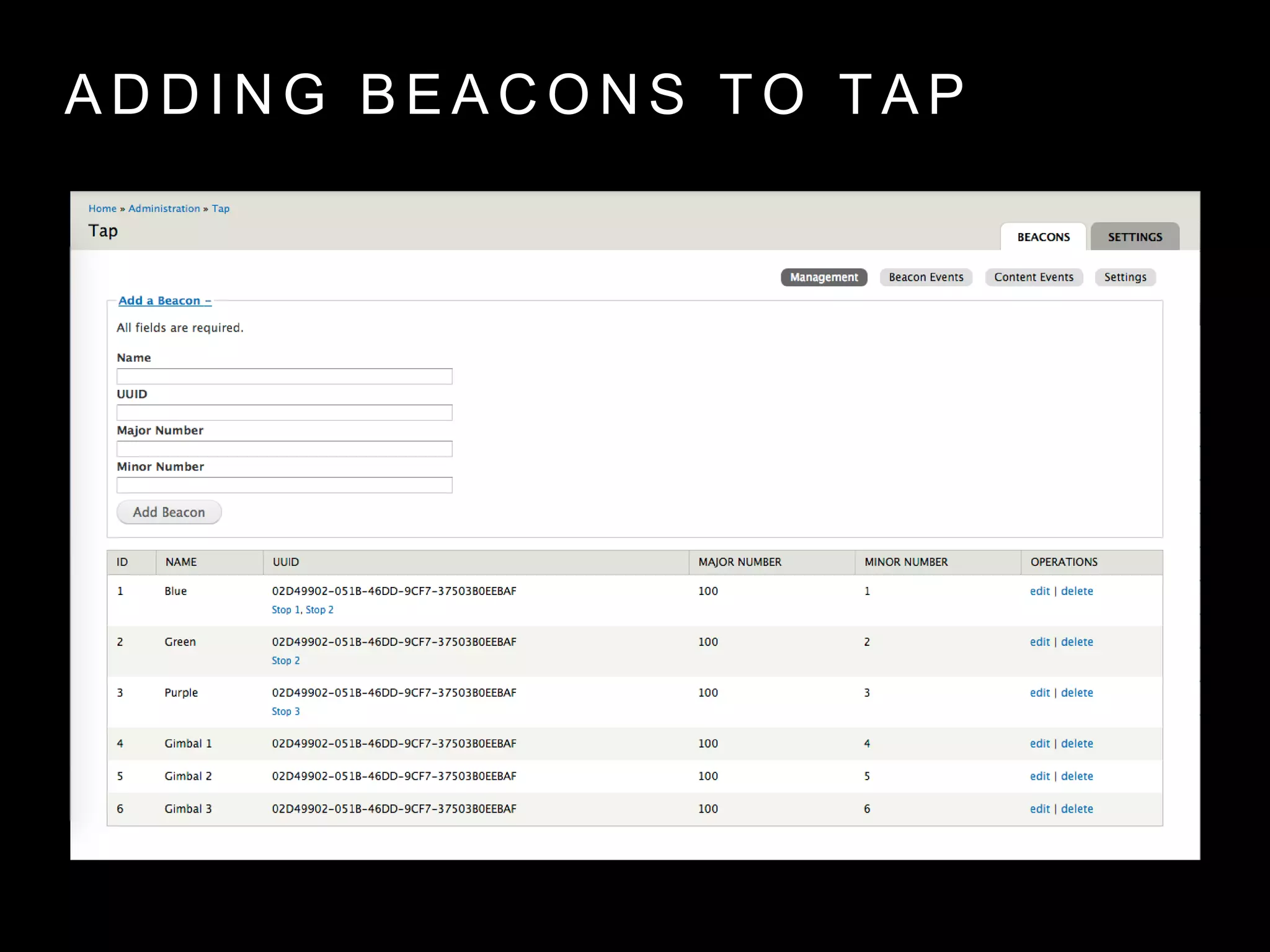
A D D I N G B E A C O N S T O T A P
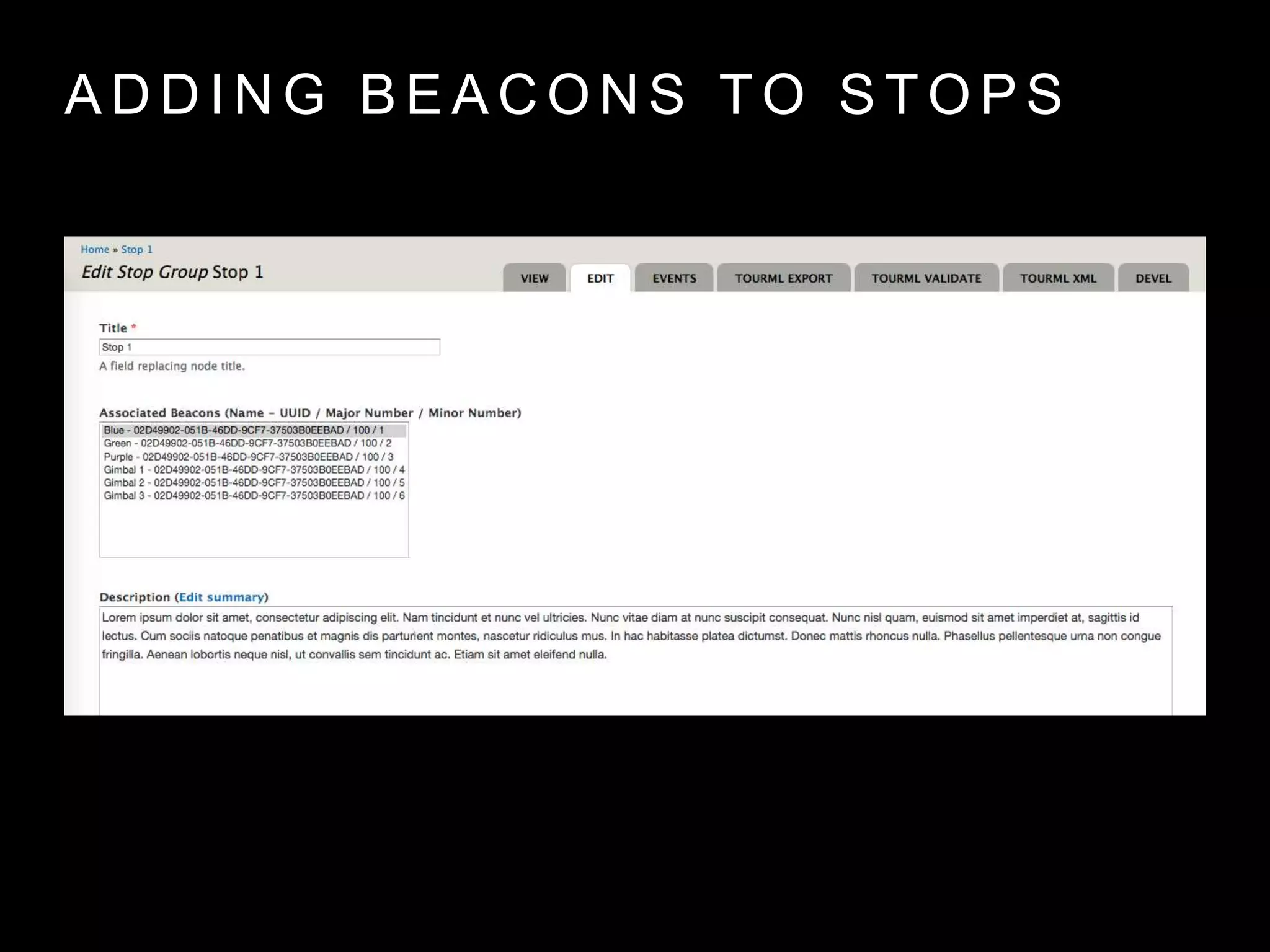
A D D I N G B E A C O N S T O S T O P S
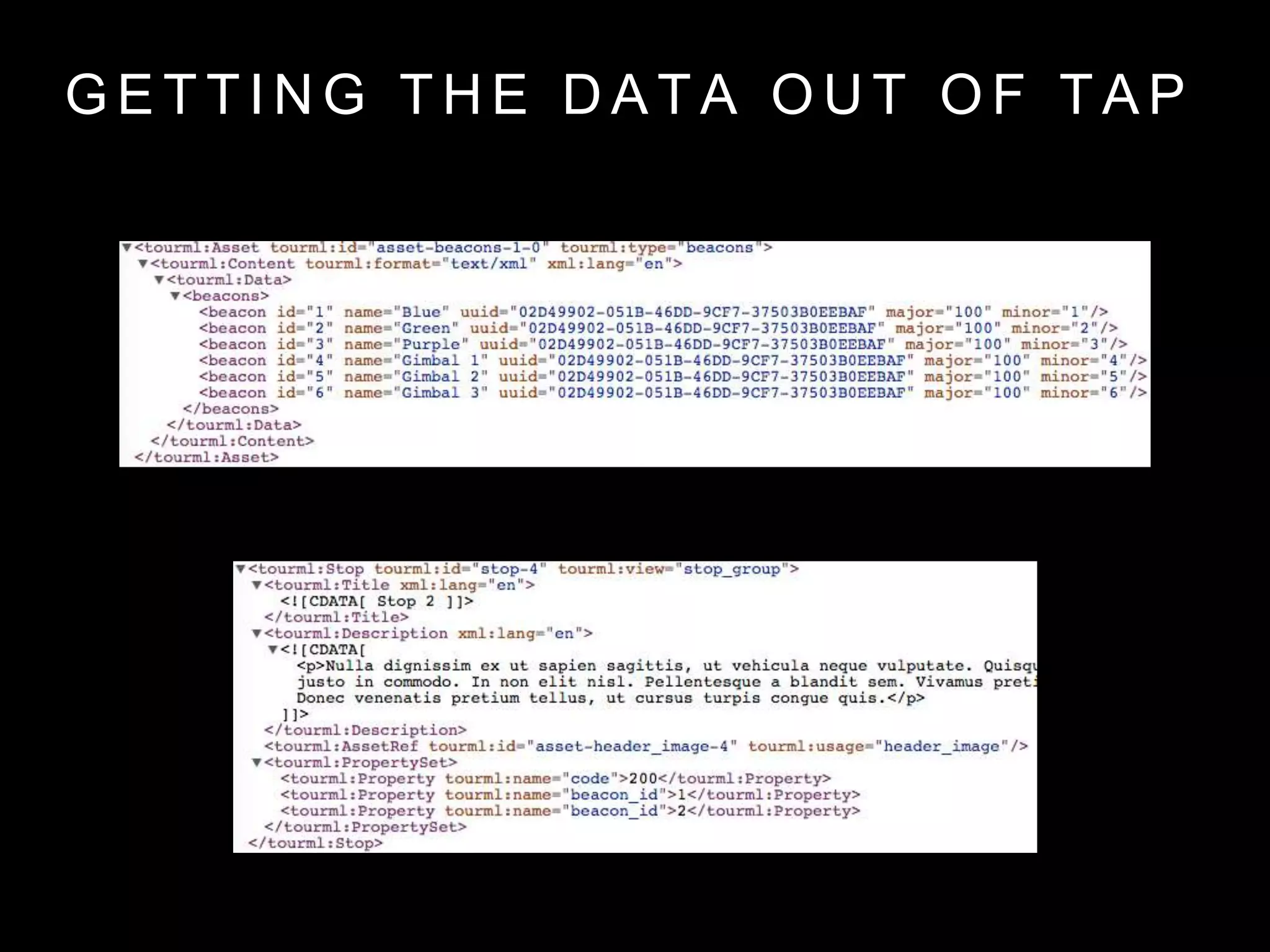
G E T T I N G T H E D A T A O U T O F T A P
T A P i O S A N D B E A C O N S
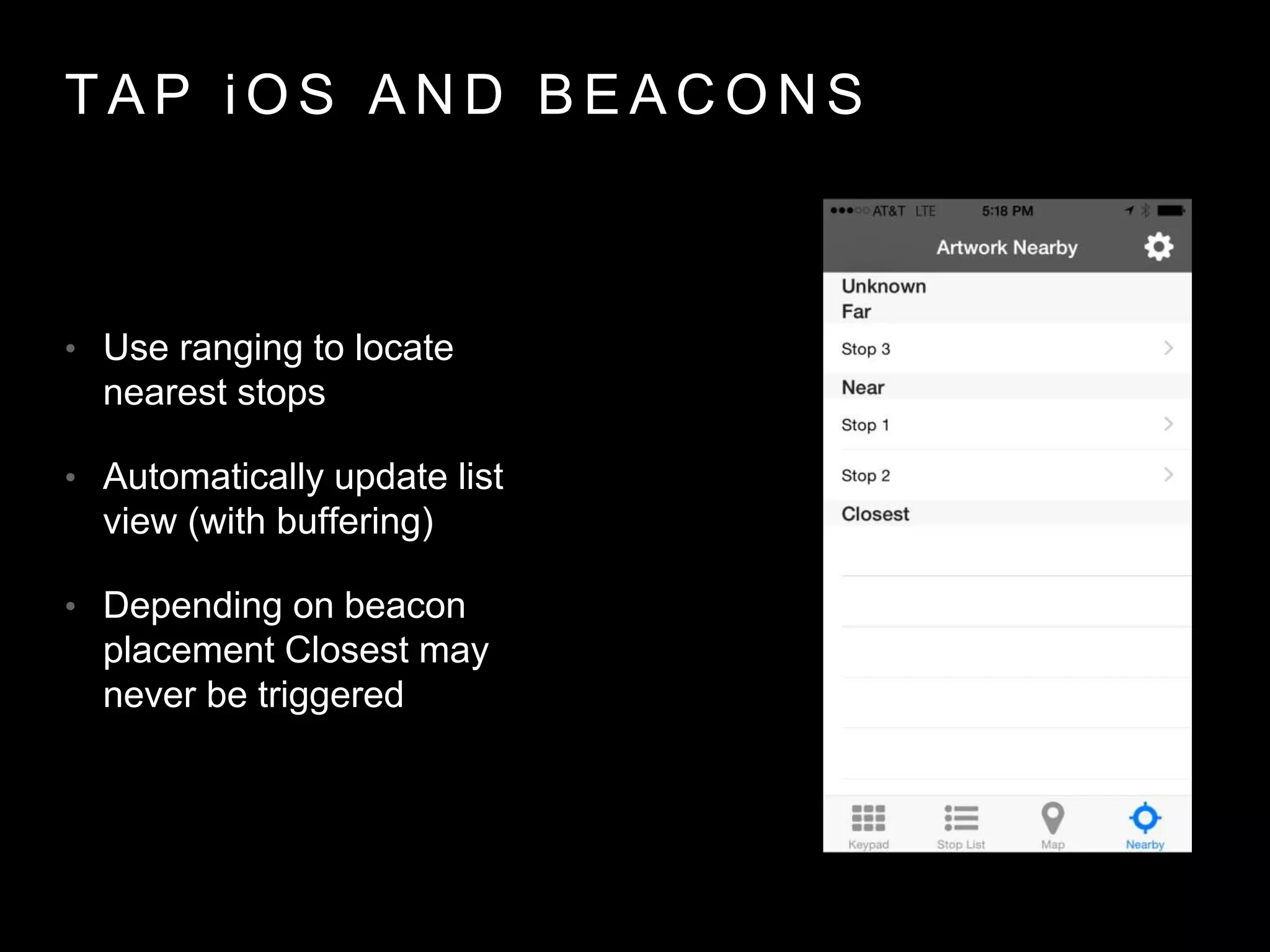
• Use ranging to locate
nearest stops
• Automatically update list
view (with buffering)
• Depending on beacon
placement Closest may
never be triggered
T A P i O S A N D B E A C O N S
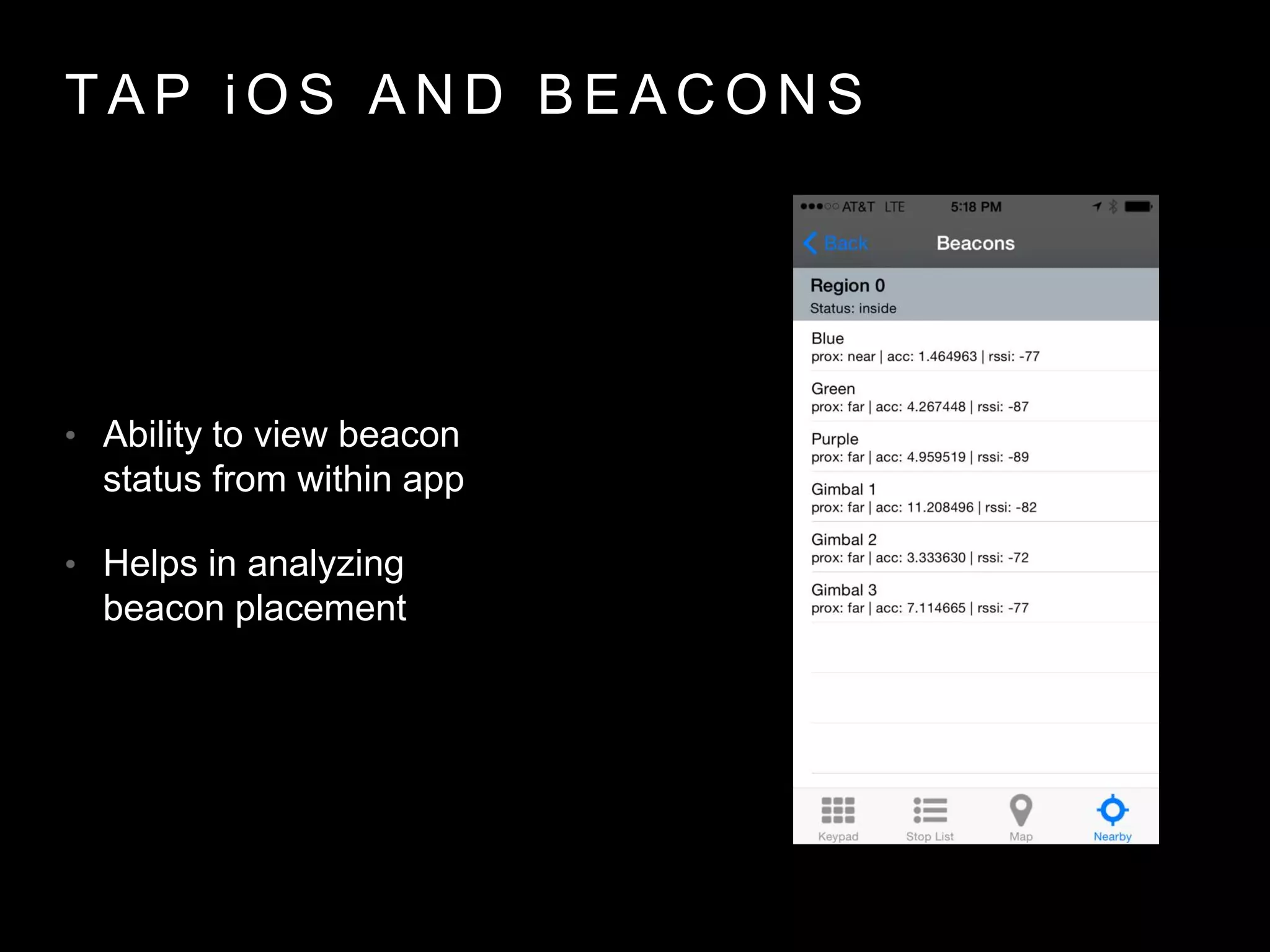
• Ability to view beacon
status from within app
• Helps in analyzing
beacon placement
C O L L E C T I N G U S E R A N A L Y T I C S
• Analytics reporting built
into TAP
• API’s added for
receiving data
• Beacon + Content
Analytics
C O L L E C T I N G U S E R A N A L Y T I C S
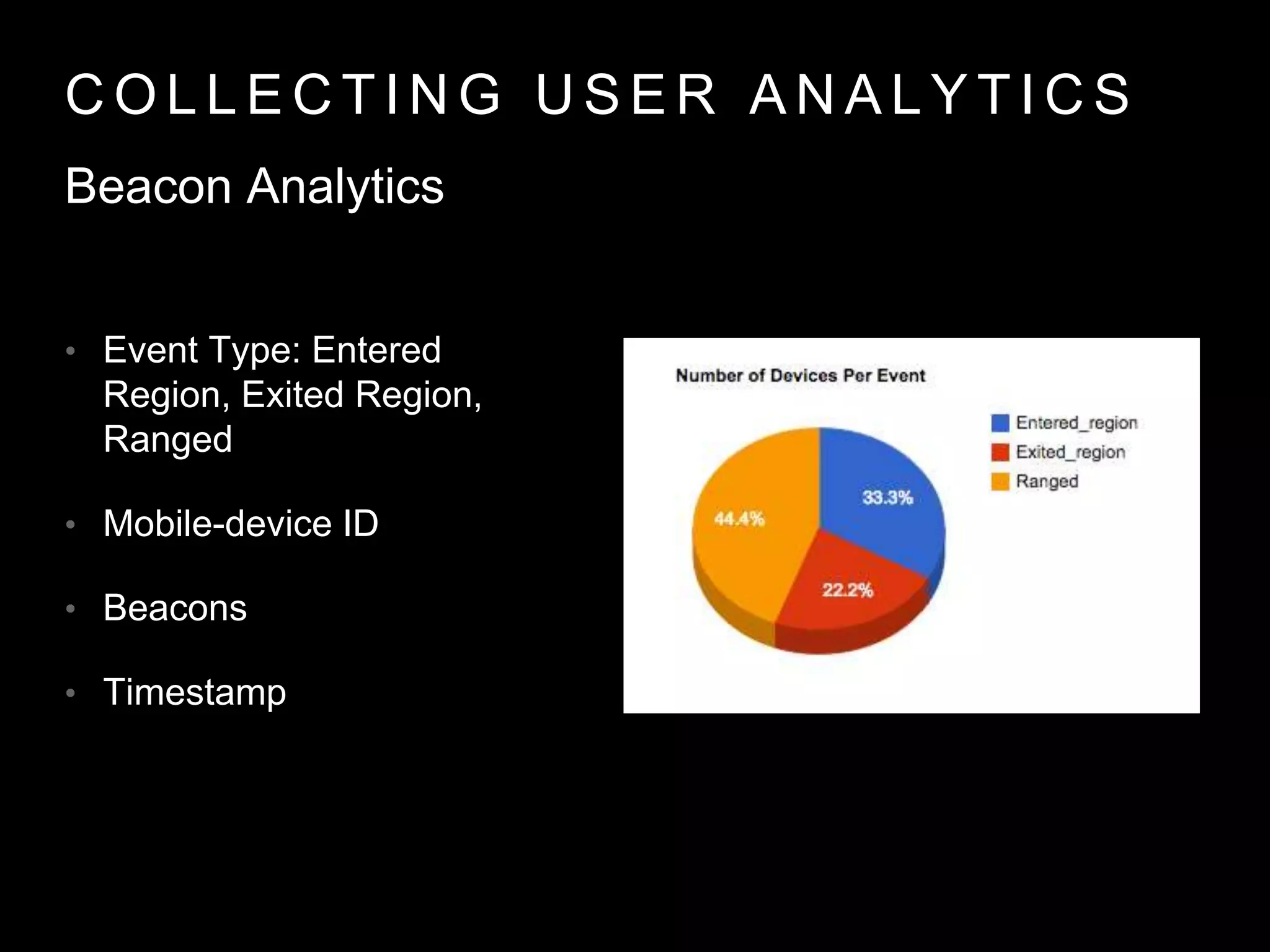
• Event Type: Entered
Region, Exited Region,
Ranged
• Mobile-device ID
• Beacons
• Timestamp
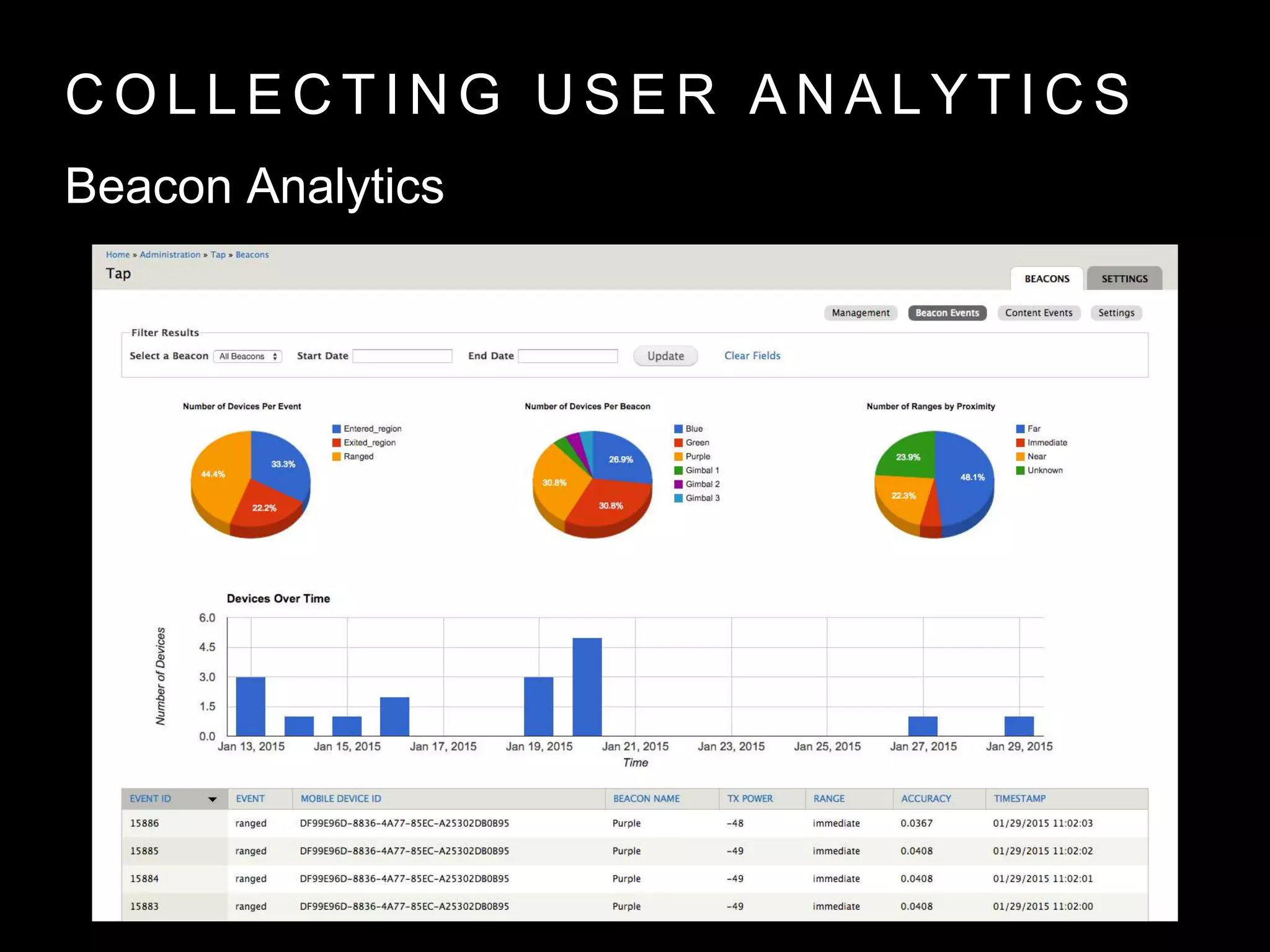
Beacon Analytics
C O L L E C T I N G U S E R A N A L Y T I C S
Beacon Analytics
C O L L E C T I N G U S E R A N A L Y T I C S
• Event
• Mobile-Device ID
• Stop ID
• Timestamp
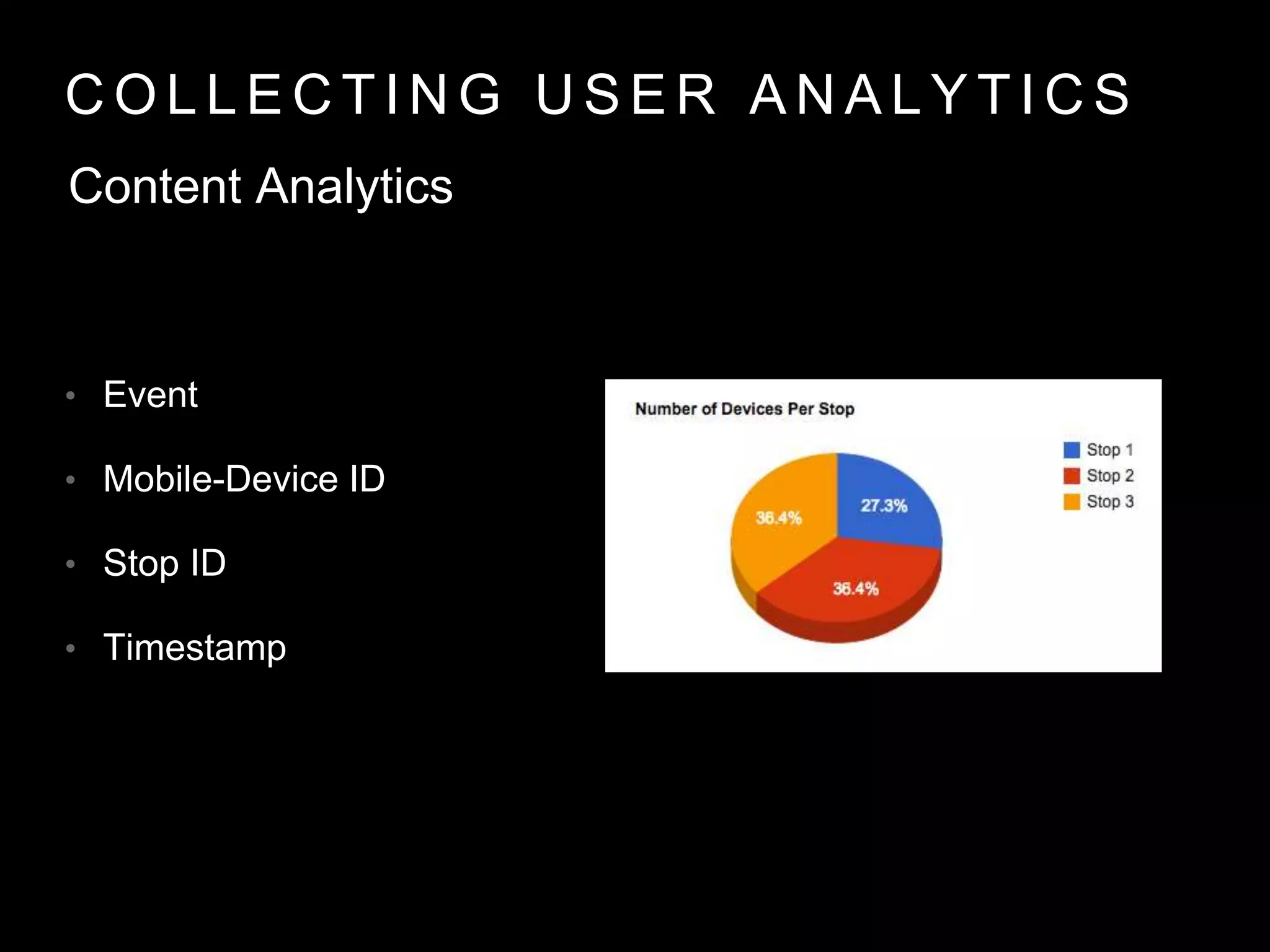
Content Analytics
C O L L E C T I N G U S E R A N A L Y T I C S
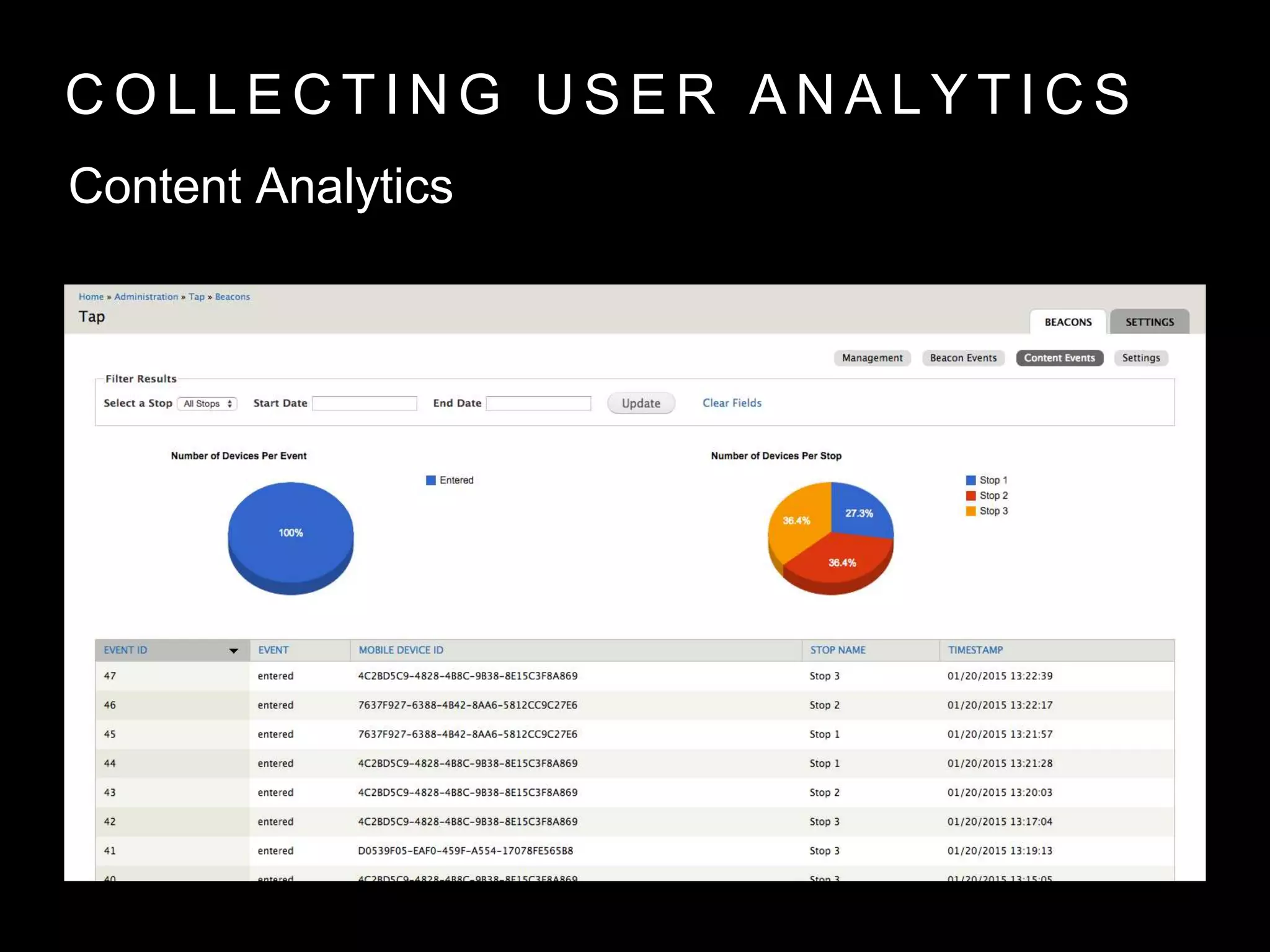
Content Analytics
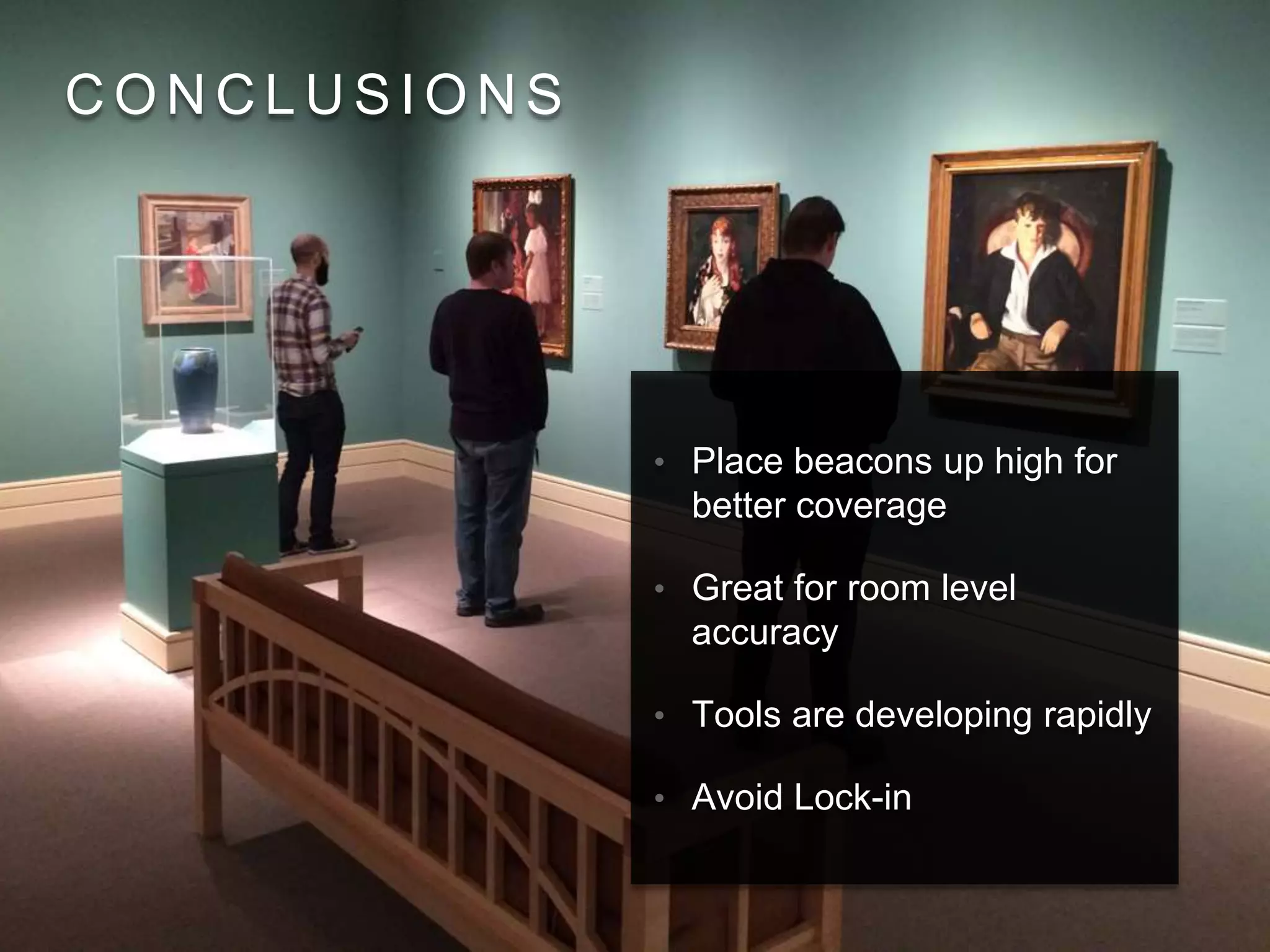
C O N C L U S I O N S
• Place beacons up high for
better coverage
• Great for room level
accuracy
• Tools are developing rapidly
• Avoid Lock-in
C O N T A C T I N F O
Kyle Jaebker
kjaebker@imamusem.org
@kjaebker
Gray Bowman
gbowman@imamuseum.org
@LateNightwGray
Contact info
Rich Cherry
rcherry@thebroad.org
@richcherry
Kyle Jaebker
kjaebker@imamusem.org
@kjaebker

Context is King

  • 1.
    C O NT E X T I S K I N G U S I N G I N D O O R L O C A T I O N T E C H N O L O G Y F O R N E W V I S I T O R E X P E R I E N C E S
  • 2.
    T H EA D V A N C E M E N T O F S M A R T P H O N E L O C A T I O N • GPS • Wi-Fi • VLC ( Light ) • BLE ( Bluetooth )
  • 3.
    A L IT T L E H E L P F R O M O U R F R I E N D S
  • 4.
    Two Objectives Provide theuser with contextually aware data Provide the museum with analytics about the user.
  • 5.
    H I ST O R Y O F B L U E T O O T H • Created by Ericsson in 1994 • Ubiquitous today • Short distance two-way communication • v4.0 (2010) brought Bluetooth Low Energy (BLE) aka Bluetooth Smart
  • 6.
    B E AC O N S & i B E A C O N • Started appearing soon after BLE was standardized • Popularized by Apple under the name iBeacon • Transmits a short-range signal that other bluetooth devices can detect and use to trigger interactions
  • 7.
    B E AC O N B R E A K D O W N • Each beacon transmits three pieces of info: • UUID - A unique identifier for institution • Major - A number representing geographical region • Minor - A number representing a location in a region Our implementation: • UUID - Unique to IMA • Major - # by floor (100, 200) • Minor - # by room or work
  • 8.
    C H OO S I N G A B E A C O N • Battery Life • Size & Appearance • Security • Build Quality • Software Support
  • 9.
    E S TI M O T E • Small unique design • Utilize coin-cell battery • App for configuration • SDK for integrating with apps with advanced features • Accelerometer & Temperature Sensor • Indoor/Outdoor
  • 10.
    R O XI M I T Y • White simple case • Operates on 3 AA batteries • Indoor/Outdoor • SDK Required for use
  • 11.
    G I MB A L • Clean white case • 4 user replaceable AA batteries • Temperature Sensor • App + Web Configuration/Management • SDK • Indoor/Outdoor
  • 12.
    T E ST I N G T H E B E A C O N S
  • 13.
    T E ST I N G T H E B E A C O N S • Each test 2 min • Distances: 3.66m, 3m, 2m, 1m, .5m, 0m
  • 14.
    T E ST I N G T H E B E A C O N S Test 1 - iPhone on table
  • 15.
    T E ST I N G T H E B E A C O N S Test 2 - iPhone in hand
  • 16.
    T E ST I N G T H E B E A C O N S Outcomes • To avoid vendor lock-in, check if the beacon supports standard iBeacon protocol without SDK requirement • Gimbal Beacons had the most consistent testing data • Larger batteries, ease of configuration and consistent data led us to choose Gimbal for IMA
  • 17.
    B E AC O N M O N I T O R I N G & R A N G I N G F O R i O S • Regions consist of a UUID, Major, and Minor combination • Apps can utilize 20 regions • iOS 7 or greater
  • 18.
    B E AC O N M O N I T O R I N G & R A N G I N G F O R i O S • Notifications for entering or exiting a region • Approx 20 second delay on exit • Can be enabled in the background
  • 19.
    B E AC O N M O N I T O R I N G & R A N G I N G F O R i O S • Updated once per second • All visible beacons reported to app • Data includes accuracy, proximity and RSSI
  • 20.
    P E RM I S S I O N S • iOS introduced new location permissions • While using app • While not using app
  • 21.
    P R OV I D I N G I N D O O R C O N T E X T W I T H B E A C O N S & T A P
  • 22.
    A D DI N G B E A C O N S T O T A P
  • 23.
    A D DI N G B E A C O N S T O S T O P S
  • 24.
    G E TT I N G T H E D A T A O U T O F T A P
  • 25.
    T A Pi O S A N D B E A C O N S • Use ranging to locate nearest stops • Automatically update list view (with buffering) • Depending on beacon placement Closest may never be triggered
  • 26.
    T A Pi O S A N D B E A C O N S • Ability to view beacon status from within app • Helps in analyzing beacon placement
  • 27.
    C O LL E C T I N G U S E R A N A L Y T I C S
  • 28.
    C O LL E C T I N G U S E R A N A L Y T I C S • Analytics reporting built into TAP • API’s added for receiving data • Beacon + Content Analytics
  • 29.
    C O LL E C T I N G U S E R A N A L Y T I C S • Event Type: Entered Region, Exited Region, Ranged • Mobile-device ID • Beacons • Timestamp Beacon Analytics
  • 30.
    C O LL E C T I N G U S E R A N A L Y T I C S Beacon Analytics
  • 31.
    C O LL E C T I N G U S E R A N A L Y T I C S • Event • Mobile-Device ID • Stop ID • Timestamp Content Analytics
  • 32.
    C O LL E C T I N G U S E R A N A L Y T I C S Content Analytics
  • 33.
    C O NC L U S I O N S • Place beacons up high for better coverage • Great for room level accuracy • Tools are developing rapidly • Avoid Lock-in
  • 34.
    C O NT A C T I N F O Kyle Jaebker kjaebker@imamusem.org @kjaebker Gray Bowman gbowman@imamuseum.org @LateNightwGray
  • 35.

Editor's Notes

  • #3 Smartphones more advanced and prevalent Location based technologies have advanced Many methods to chose from, each a set of compromises
  • #4 The (IMA) with support from the (IMLS) Sparks Grant undertaking a research project to evaluate the capabilities of (BLE) for providing location context indoors.
  • #5 - second slide from SpaceSyntax / British Museum
  • #6 Included in almost all mobile phones Short distance comms after being “paired”; provides security through opt-in BLE, low energy, smaller devices, coin cell battery
  • #9 battery life - duration, ease of replacement size - colors, weight, ability to blend in or hide security - features for rotating identifiers, spoof prevention build quality - some beacons are glued together software support - Some beacons require special SDK. Some provide management interface
  • #10 App allows for major minor uuid, signal strength, battery, etc Another app allows for location testing SDK provides further features for beacons: randomization, extra sensors
  • #11 glued shut web management on Rox’s website
  • #12 SDK includes security features Allows use of Apple’s standard API
  • #31 Number of Devices per Event: a breakdown of how many devices have triggered each type of event Number of Devices per Beacon: the number of unique devices seen by each beacon Number of Ranges by Proximity: the number of times each range (or proximity) was detected Devices over Time: the number of devices seen for a given time period
  • #33 Number of Devices per Event: the number of unique devices that have triggered an event Number of Devices per Stop: the number of unique devices that have triggered an event for a specific stop