
Containers on Azure
Web Apps
Rajesh Kolla
Full-stack development ,Azure Architect
Email: razesh.kolla@gmail.com
Twitter: @RajeshKolla18
LinkedIn: https://be.linkedin.com/in/razeshkolla
Agenda
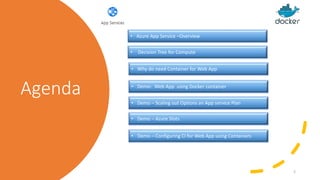
• Azure App Service –Overview
• Demo- Web App using Docker container
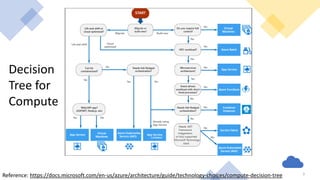
• Decision Tree for Compute
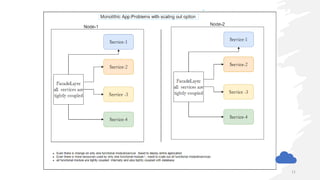
• Demo – Scaling out Options an App service Plan
• Demo – Azure Slots
• Demo – Configuring CI for Web App using Containers
2
• Why do need Container for Web App
Decision
Tree for
Compute
Reference: https://docs.microsoft.com/en-us/azure/architecture/guide/technology-choices/compute-decision-tree 3
Azure App Service
• Multiple Languages and frameworks
• Managed Production environments
• Containerization and Docker support
• Global Scale with high availability
• API and Mobile features
• Security
• Server less Code
• Integration with Visual studio and Visual studio code
• DevOps Optimization
• Staging Slots
• Manage Environment
• Can host multiple web apps using same App service plan
• Several Pricing tiers available
• Basic, Standard & Premium
• Support Many platform
• Also support Containers
4
HTTP-based service for hosting web applications,
REST APIs, and mobile back ends.
can develop in your favorite language, be it .NET,
.NET Core, Java, Ruby, Node.js, PHP, or Python.
Applications run and scale with ease on both
Windows and Linux-based environments
Why do need Containers for web App?
5
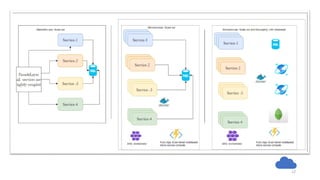
• Consistent deployment model
• Support more frameworks
• Control over frameworks version
• Multi-container support
• - Docker-compose or Kubernetes YAML
• Trigger deployment from container registry
Demo-1
Running WordPressnginx Docker
container On WebApp
6
Demo-2
Scaling out an App service plan
7
Demo-3
Azure slots on Web App
8
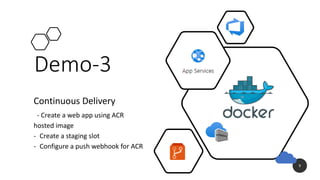
Demo-3
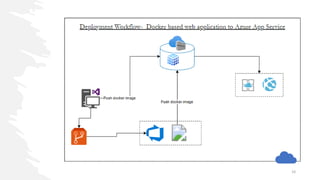
Continuous Delivery
- Create a web app using ACR
hosted image
- Create a staging slot
- Configure a push webhook for ACR
9
10
11
12
Q&A

Containers on azure web apps

  • 1.
    Containers on Azure WebApps Rajesh Kolla Full-stack development ,Azure Architect Email: razesh.kolla@gmail.com Twitter: @RajeshKolla18 LinkedIn: https://be.linkedin.com/in/razeshkolla
  • 2.
    Agenda • Azure AppService –Overview • Demo- Web App using Docker container • Decision Tree for Compute • Demo – Scaling out Options an App service Plan • Demo – Azure Slots • Demo – Configuring CI for Web App using Containers 2 • Why do need Container for Web App
  • 3.
  • 4.
    Azure App Service •Multiple Languages and frameworks • Managed Production environments • Containerization and Docker support • Global Scale with high availability • API and Mobile features • Security • Server less Code • Integration with Visual studio and Visual studio code • DevOps Optimization • Staging Slots • Manage Environment • Can host multiple web apps using same App service plan • Several Pricing tiers available • Basic, Standard & Premium • Support Many platform • Also support Containers 4 HTTP-based service for hosting web applications, REST APIs, and mobile back ends. can develop in your favorite language, be it .NET, .NET Core, Java, Ruby, Node.js, PHP, or Python. Applications run and scale with ease on both Windows and Linux-based environments
  • 5.
    Why do needContainers for web App? 5 • Consistent deployment model • Support more frameworks • Control over frameworks version • Multi-container support • - Docker-compose or Kubernetes YAML • Trigger deployment from container registry
  • 6.
  • 7.
    Demo-2 Scaling out anApp service plan 7
  • 8.
  • 9.
    Demo-3 Continuous Delivery - Createa web app using ACR hosted image - Create a staging slot - Configure a push webhook for ACR 9
  • 10.
  • 11.
  • 12.
  • 13.