

My favourite tools for
digital engagement


    Steph Gray, Head of Digital Engagement
    steph.gray@bis.gsi.gov.uk
    020 3300 8166
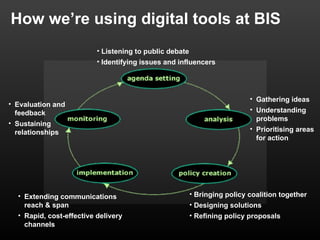
How we’re using digital tools at BIS
                          • Listening to public debate
                          • Identifying issues and influencers


                                                                           • Gathering ideas
• Evaluation and
  feedback                                                                 • Understanding
                                                                             problems
• Sustaining
  relationships                                                            • Prioritising areas
                                                                             for action


  • Extending communications                             • Bringing policy coalition together
    reach & span                                         • Designing solutions
  • Rapid, cost-effective delivery                       • Refining policy proposals
    channels
1. Igoogle & specialist search tools
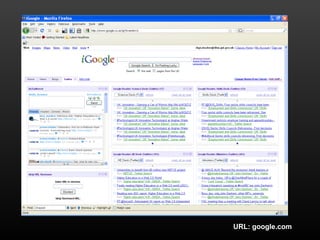
• Personalised Google homepage - handy ‘dashboard’ for
  people to have on their browser
• Used by Press Office to monitor mentions of ministers or
  issues on blogs or online news
• You can add ‘widgets’ for anything from weather forecast
  to tool enabling you to send Twitter messages from your
  dashboard
• Google Blog Search and Twitter Search enable you to get
  a live list of search results and plug them into your iGoogle
  page using RSS
URL: google.com
URL: blogsearch.google.co.uk & search.twitter.com
2. Delicious
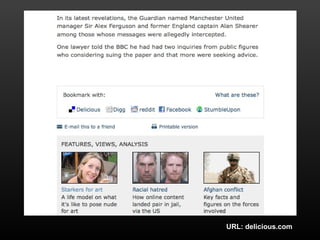
• Social bookmarking buttons are common on lots of website
  now - they let you save and share links to interesting pages
  you find
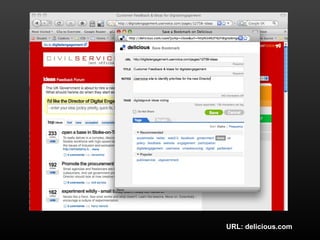
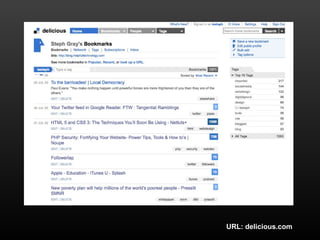
• Delicious is one of the common services - works like your
  Favourites, but on the web rather than on your computer
  (great if you have separate work and home PCs)
• You describe (‘tag’) pages you find with logical keywords,
  and you can see what tags other people have used
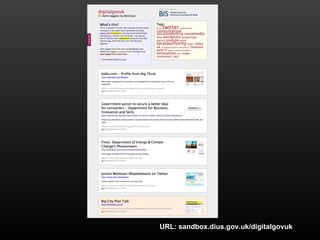
• You can use a list of Delicious bookmarks and incorporate
  them into other sites, using RSS
URL: delicious.com
URL: delicious.com
URL: delicious.com
URL: sandbox.dius.gov.uk/digitalgovuk
3. Ning
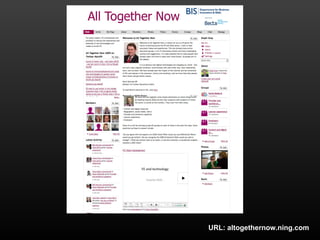
• Ning is like a website or a mini-Facebook in a box
• You can set one up for free, make changes to the look and
  feel, and choose what features you want it to have -
  member profiles, photo sharing, forums, blogs etc
• Great way to set up a community site for people to share
  things like photos, slides, links and have discussions about
  them
• Handy for events: you can set one up to share the slides,
  notes, pictures and videos from the day, and continue the
  discussions online
URL: altogethernow.ning.com
4. UserVoice
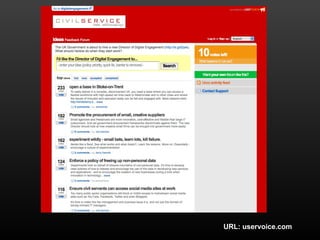
• Uservoice is an idea generation and voting service
• You set up a page and invite customers, colleagues or
  anyone else to submit ideas (maybe service
  improvements, names for a new project etc) and comment
  or/vote on other people’s ideas
• Ideas are shown in a list, with the most popular at the top
• Easy way to engage people with a specific question and
  keep the discussion focussed
• But set the scope at the outset - it’s open to abuse as
  people try and ‘campaign’ for an outcome or try and fix the
  voting - fringe ideas with a small but passionate following
  can often rise to the top
• You can add a feedback tab or widget on your site
URL: uservoice.com
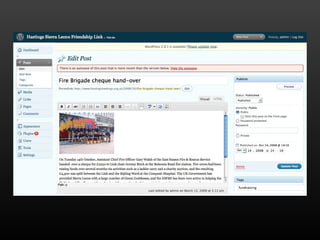
5. Wordpress
• Two versions:
   • Wordpress.com: hosted blog service, where you can
   sign up and manage a free blog on their network
   • Wordpress.org: download the same blog software for
   free and install it on your own servers
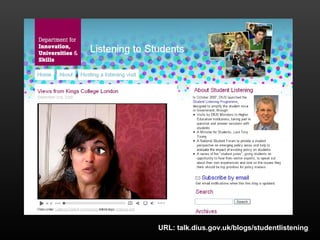
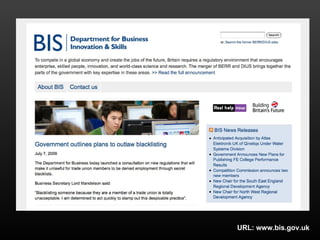
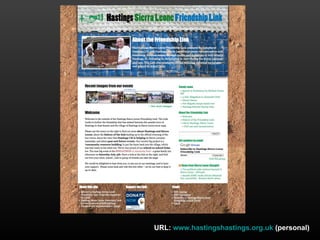
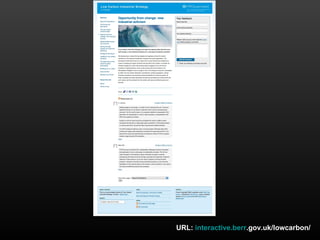
• Really flexible tool, can be used to host simple websites as
  well as blogs (e.g. the BIS corporate website)
• Lots of modules and add-ons to add extra functionality are
  available free (e.g. star ratings, photo galleries etc)
URL: talk.dius.gov.uk/blogs/studentlistening
URL: www.bis.gov.uk
URL: www.hastingshastings.org.uk (personal)
URL: interactive.berr.gov.uk/lowcarbon/
6. Slideshare
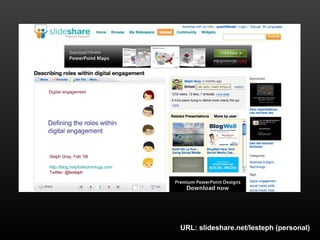
• Slideshare is a hosting service for presentations
• You upload your presentation, and it turns into a widget
  you can embed on a website or blog
• People can view and comment on the slides in the context
  of your website, without having to download them first
• You can also track how many people have viewed your
  presentation
URL: slideshare.net/lesteph (personal)
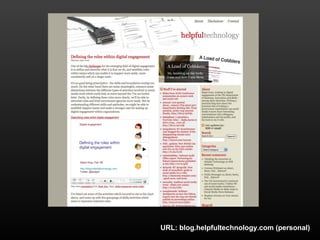
URL: blog.helpfultechnology.com (personal)
7. Audioboo (& Twitter)
• Audioboo is a (short) podcasting service, which mainly
  works with Apple iPhones
• You use an iPhone app to turn the iPhone into a voice
  recorder, take a picture of the scene with the camera, and
  plot your location on a map. This is uploaded to the
  Audioboo service, and your podcast is published online
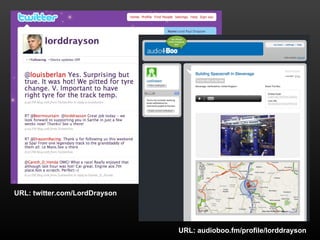
• You can embed the podcast on a website, and/or post a
  link to it via Twitter - something which BIS Minister Lord
  Drayson has done when out on visits
URL: twitter.com/LordDrayson


                               URL: audioboo.fm/profile/lorddrayson
The Magnificent Seven:

  • iGoogle (& specialist searches)
  • Delicious
  • Ning
  • Uservoice
  • Wordpress
  • Slideshare
  • Audioboo (and Twitter)
http://sandbox.dius.gov.uk

Personal:
http://blog.helpfultechnology.com
Twitter: @lesteph

ConnectedGeneration: Social Media Tools

  • 1.
    My favourite toolsfor digital engagement Steph Gray, Head of Digital Engagement steph.gray@bis.gsi.gov.uk 020 3300 8166
  • 2.
    How we’re usingdigital tools at BIS • Listening to public debate • Identifying issues and influencers • Gathering ideas • Evaluation and feedback • Understanding problems • Sustaining relationships • Prioritising areas for action • Extending communications • Bringing policy coalition together reach & span • Designing solutions • Rapid, cost-effective delivery • Refining policy proposals channels
  • 3.
    1. Igoogle &specialist search tools • Personalised Google homepage - handy ‘dashboard’ for people to have on their browser • Used by Press Office to monitor mentions of ministers or issues on blogs or online news • You can add ‘widgets’ for anything from weather forecast to tool enabling you to send Twitter messages from your dashboard • Google Blog Search and Twitter Search enable you to get a live list of search results and plug them into your iGoogle page using RSS
  • 4.
  • 5.
  • 6.
    2. Delicious • Socialbookmarking buttons are common on lots of website now - they let you save and share links to interesting pages you find • Delicious is one of the common services - works like your Favourites, but on the web rather than on your computer (great if you have separate work and home PCs) • You describe (‘tag’) pages you find with logical keywords, and you can see what tags other people have used • You can use a list of Delicious bookmarks and incorporate them into other sites, using RSS
  • 7.
  • 8.
  • 9.
  • 10.
  • 11.
    3. Ning • Ningis like a website or a mini-Facebook in a box • You can set one up for free, make changes to the look and feel, and choose what features you want it to have - member profiles, photo sharing, forums, blogs etc • Great way to set up a community site for people to share things like photos, slides, links and have discussions about them • Handy for events: you can set one up to share the slides, notes, pictures and videos from the day, and continue the discussions online
  • 12.
  • 13.
    4. UserVoice • Uservoiceis an idea generation and voting service • You set up a page and invite customers, colleagues or anyone else to submit ideas (maybe service improvements, names for a new project etc) and comment or/vote on other people’s ideas • Ideas are shown in a list, with the most popular at the top • Easy way to engage people with a specific question and keep the discussion focussed • But set the scope at the outset - it’s open to abuse as people try and ‘campaign’ for an outcome or try and fix the voting - fringe ideas with a small but passionate following can often rise to the top • You can add a feedback tab or widget on your site
  • 14.
  • 15.
    5. Wordpress • Twoversions: • Wordpress.com: hosted blog service, where you can sign up and manage a free blog on their network • Wordpress.org: download the same blog software for free and install it on your own servers • Really flexible tool, can be used to host simple websites as well as blogs (e.g. the BIS corporate website) • Lots of modules and add-ons to add extra functionality are available free (e.g. star ratings, photo galleries etc)
  • 16.
  • 17.
  • 18.
  • 19.
  • 21.
    6. Slideshare • Slideshareis a hosting service for presentations • You upload your presentation, and it turns into a widget you can embed on a website or blog • People can view and comment on the slides in the context of your website, without having to download them first • You can also track how many people have viewed your presentation
  • 22.
  • 23.
  • 24.
    7. Audioboo (&Twitter) • Audioboo is a (short) podcasting service, which mainly works with Apple iPhones • You use an iPhone app to turn the iPhone into a voice recorder, take a picture of the scene with the camera, and plot your location on a map. This is uploaded to the Audioboo service, and your podcast is published online • You can embed the podcast on a website, and/or post a link to it via Twitter - something which BIS Minister Lord Drayson has done when out on visits
  • 25.
    URL: twitter.com/LordDrayson URL: audioboo.fm/profile/lorddrayson
  • 26.
    The Magnificent Seven: • iGoogle (& specialist searches) • Delicious • Ning • Uservoice • Wordpress • Slideshare • Audioboo (and Twitter)
  • 27.