Configuring hostname, time and
 login message on Cisco switch


       WWW.TCPIPGURU.COM
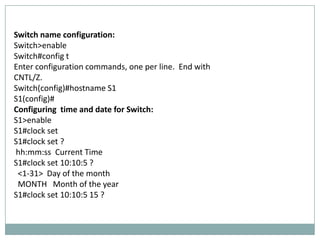
Switch name configuration:
Switch>enable
Switch#config t
Enter configuration commands, one per line. End with
CNTL/Z.
Switch(config)#hostname S1
S1(config)#
Configuring time and date for Switch:
S1>enable
S1#clock set
S1#clock set ?
hh:mm:ss Current Time
S1#clock set 10:10:5 ?
 <1-31> Day of the month
 MONTH Month of the year
S1#clock set 10:10:5 15 ?
MONTH Month of the year
S1#clock set 10:10:5 15 dec?
S1#clock set 10:10:5 15 dec ?
 <1993-2035> Year
S1#clock set 10:10:5 15 dec 2011 ?
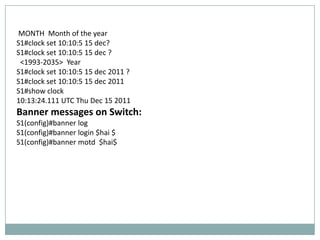
S1#clock set 10:10:5 15 dec 2011
S1#show clock
10:13:24.111 UTC Thu Dec 15 2011
Banner messages on Switch:
S1(config)#banner log
S1(config)#banner login $hai $
S1(config)#banner motd $hai$

Configuring hostname, time and login message for Cisco switch

  • 1.
    Configuring hostname, timeand login message on Cisco switch WWW.TCPIPGURU.COM
  • 3.
    Switch name configuration: Switch>enable Switch#configt Enter configuration commands, one per line. End with CNTL/Z. Switch(config)#hostname S1 S1(config)# Configuring time and date for Switch: S1>enable S1#clock set S1#clock set ? hh:mm:ss Current Time S1#clock set 10:10:5 ? <1-31> Day of the month MONTH Month of the year S1#clock set 10:10:5 15 ?
  • 4.
    MONTH Month ofthe year S1#clock set 10:10:5 15 dec? S1#clock set 10:10:5 15 dec ? <1993-2035> Year S1#clock set 10:10:5 15 dec 2011 ? S1#clock set 10:10:5 15 dec 2011 S1#show clock 10:13:24.111 UTC Thu Dec 15 2011 Banner messages on Switch: S1(config)#banner log S1(config)#banner login $hai $ S1(config)#banner motd $hai$