Concept maps:  types, use, software Nadia Spang Bovey, Faculté des Lettres - RISET
Menu Introduction: information visualization Why represent knowledge? Building the concept map: basics  (25 min.) Practicalities: identifying a suitable software (20 min.)
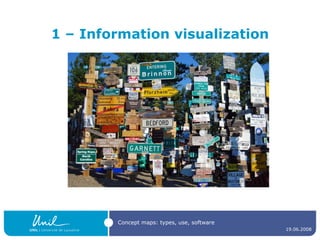
1 – Information visualization
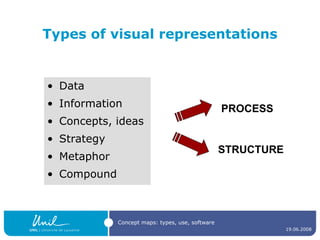
Types of visual representations Data Information Concepts, ideas Strategy Metaphor Compound PROCESS STRUCTURE
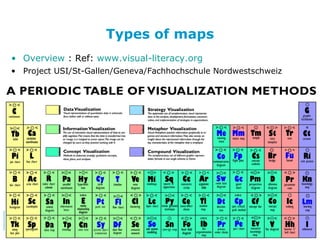
Types of maps Overview  : Ref:  www.visual-literacy.org   Project USI/St-Gallen/Geneva/Fachhochschule Nordwestschweiz
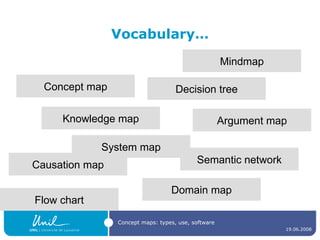
Vocabulary… Concept map Knowledge map Semantic network Domain map Causation map Mindmap Decision tree Argument map System map Flow chart
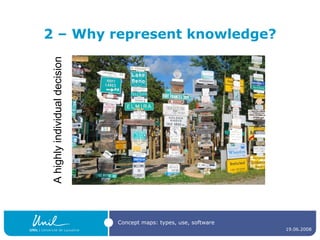
2 – Why represent knowledge? A highly individual decision
Use in teaching and research Identifying relationships between concept makes learning meaningful Facilitates understanding, retention and recall Knowledge and reasoning are better structured Knowledge is processed and actively revised Provides cognitive amplification by filtering Allows for reflexive thinking, self-dialogue and creative associations Stimulates the exploration/resolution of cognitive conflicts
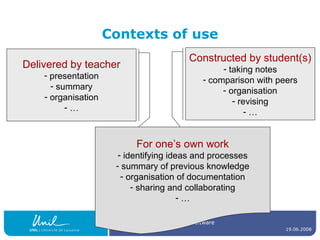
Contexts of use Delivered by teacher presentation summary organisation … Constructed by student(s) taking notes comparison with peers organisation revising … For one’s own work identifying ideas and processes summary of previous knowledge organisation of documentation sharing and collaborating …
Are you regularly drawing concept maps ? What for ? Will someone give an example ?
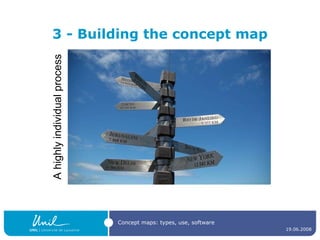
3 - Building the concept map A highly individual process
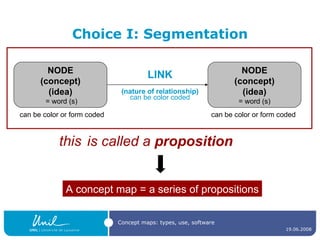
Choice I: Segmentation is called a  proposition LINK (nature of relationship) can be color coded A concept map = a series of propositions NODE (concept) (idea) = word (s) can be color or form coded NODE (concept) (idea) = word (s) can be color or form coded this
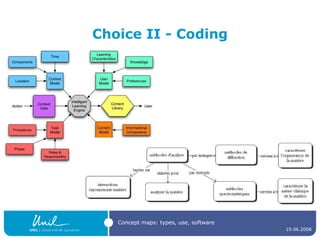
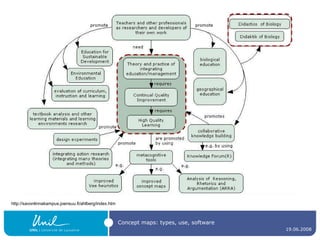
Choice II - Coding
http://savonlinnakampus.joensuu.fi/ahlberg/index.htm
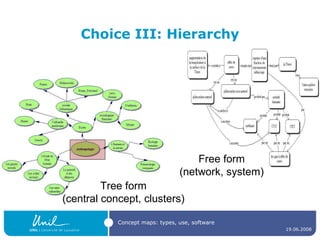
Choice III: Hierarchy Tree form (central concept, clusters) Free form (network, system)
How to make concept mapping a fruitful exercise Students need to produce maps; the more they do it, the better they’ll understand the process. Begin with a  simple topic , using a  small number  of concepts. Work through  example(s)  with the group, modifying the map where necessary. Emphasize the importance of thinking about  all  possible links. Emphasize the importance of writing down the nature of the links. Emphasize that there is  no single “correct” answer ; often more than one appropriate link. Emphasize the importance of using  arrows and their direction  in describing the proposition. From http://www.fed.cuhk.edu.hk/~johnson/misconceptions/ce/learn/concept_map.htm
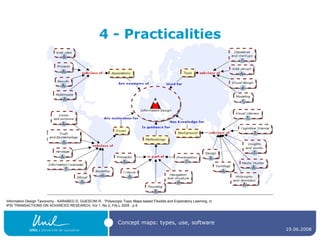
4 - Practicalities Information Design Taxonomy - KARABEG D, GUESCINI R., “Polyscopic Topic Maps-based Flexible and Exploratory Learning, in  IPSI TRANSACTIONS ON ADVANCED RESEARCH, Vol 1, No 2, FALL 2005 , p 6
How many of you use… MindManager or FreeMind ? Inspiration ? CMapTools ? PersonalBrain ? Compendium ? Other software ?
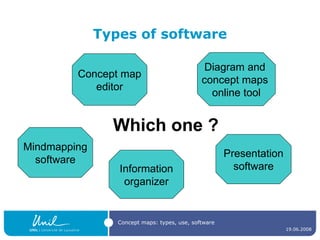
Types of software Concept map editor Mindmapping software Information organizer Presentation software Diagram and  concept maps  online tool Which one ?
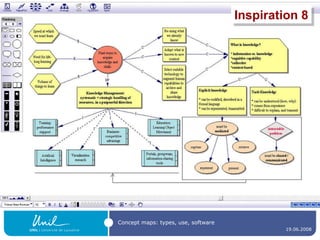
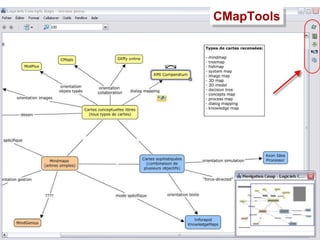
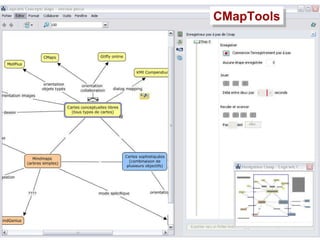
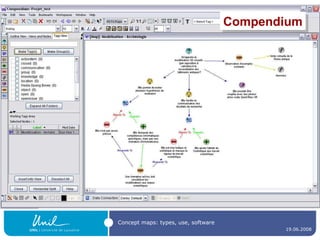
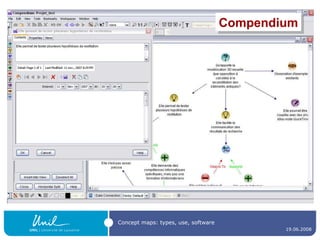
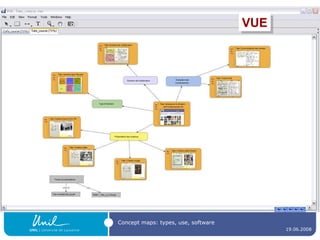
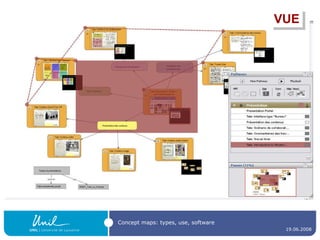
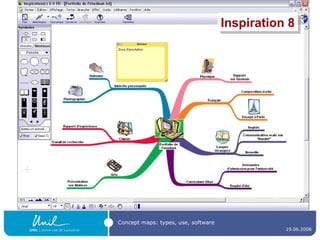
Concept map editors A  concept map editor , like  [Commercial] Inspiration ( http://www.inspiration.com/  ) [multiplatform freeware]  CmapTools  ( http:// cmap.ihmc.us / ) Compendium  ( http:// www.compendiuminstitute.org / ) Vue ( http:// vue.uit.tufts.edu / ) [GNU GPL-licenced]  Conzilla  ( http:// www.conzilla.org /   ) in Java
Inspiration 8
CMapTools
CMapTools
Compendium
Compendium
VUE
VUE
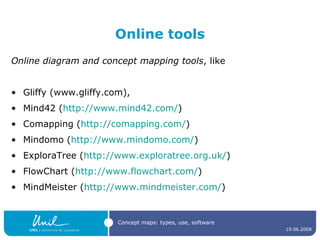
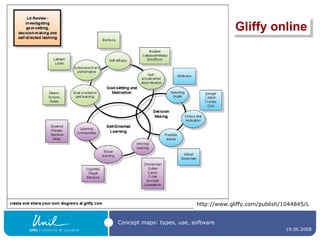
Online tools Online diagram and concept mapping tools , like  Gliffy (www.gliffy.com),  Mind42 ( http://www.mind42.com/ )  Comapping ( http:// comapping.com / )  Mindomo ( http:// www.mindomo.com / )  ExploraTree ( http:// www.exploratree.org.uk / )  FlowChart ( http:// www.flowchart.com / ) MindMeister ( http:// www.mindmeister.com / )
http://www.gliffy.com/publish/1044845/L Gliffy online
Mind mapping software Freeware , like   FreeMind ( http:// freemind.sourceforge.net/wiki/index.php/Main_Page )  Thinkgraph ( http:// www.thinkgraph.com )  VYM - View Your Mind ( http://www.insilmaril.de/vym  )  or Kdissert ( http://freehackers.org/~tnagy/kdissert/ ) [Linux only] Commercial software , like Inspiration ( http:// www.inspiration.com / )  MindManager ( http:// www.mindjet.com / ) MindGenius ( http:// www.mindgenius.com / )   Visual Mind ( http://www.visual-mind.com / ) MindMapper ( http:// www.mindmapperusa.com / )
Inspiration 8
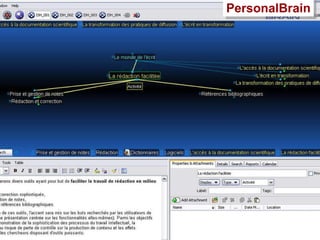
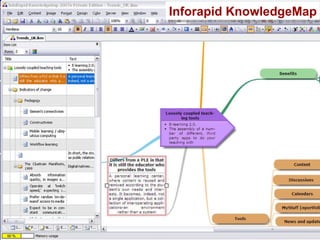
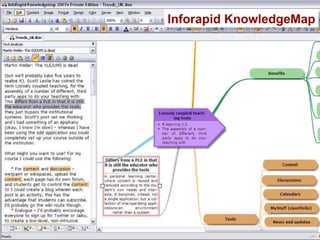
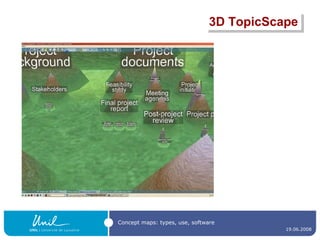
Information organizers PersonalBrain ( http://www.thebrain.com/ ) InfoRapid KnowledgeMap  ( http://www.inforapid.de/html/knowledgemapeng.htm ) 3D TopicScape ( http:// www.topicscape.com / )
PersonalBrain
Inforapid KnowledgeMap
3D TopicScape
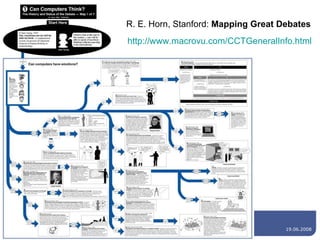
Presentation software Microsoft PowerPoint   OpenOffice Impress …  and others, depending on your objective ! [On the next slide, an example that could not easily be achieved with the software mentioned today]
http:// www.macrovu.com/CCTGeneralInfo.html R. E. Horn, Stanford:  Mapping Great Debates
Thank you for your attention ! Any question ? Contact: nadia.spangbovey@unil.ch

Concept Maps: Types, uses, software

  • 1.
    Concept maps: types, use, software Nadia Spang Bovey, Faculté des Lettres - RISET
  • 2.
    Menu Introduction: informationvisualization Why represent knowledge? Building the concept map: basics (25 min.) Practicalities: identifying a suitable software (20 min.)
  • 3.
    1 – Informationvisualization
  • 4.
    Types of visualrepresentations Data Information Concepts, ideas Strategy Metaphor Compound PROCESS STRUCTURE
  • 5.
    Types of mapsOverview : Ref: www.visual-literacy.org Project USI/St-Gallen/Geneva/Fachhochschule Nordwestschweiz
  • 6.
    Vocabulary… Concept mapKnowledge map Semantic network Domain map Causation map Mindmap Decision tree Argument map System map Flow chart
  • 7.
    2 – Whyrepresent knowledge? A highly individual decision
  • 8.
    Use in teachingand research Identifying relationships between concept makes learning meaningful Facilitates understanding, retention and recall Knowledge and reasoning are better structured Knowledge is processed and actively revised Provides cognitive amplification by filtering Allows for reflexive thinking, self-dialogue and creative associations Stimulates the exploration/resolution of cognitive conflicts
  • 9.
    Contexts of useDelivered by teacher presentation summary organisation … Constructed by student(s) taking notes comparison with peers organisation revising … For one’s own work identifying ideas and processes summary of previous knowledge organisation of documentation sharing and collaborating …
  • 10.
    Are you regularlydrawing concept maps ? What for ? Will someone give an example ?
  • 11.
    3 - Buildingthe concept map A highly individual process
  • 12.
    Choice I: Segmentationis called a proposition LINK (nature of relationship) can be color coded A concept map = a series of propositions NODE (concept) (idea) = word (s) can be color or form coded NODE (concept) (idea) = word (s) can be color or form coded this
  • 13.
  • 14.
  • 15.
    Choice III: HierarchyTree form (central concept, clusters) Free form (network, system)
  • 16.
    How to makeconcept mapping a fruitful exercise Students need to produce maps; the more they do it, the better they’ll understand the process. Begin with a simple topic , using a small number of concepts. Work through example(s) with the group, modifying the map where necessary. Emphasize the importance of thinking about all possible links. Emphasize the importance of writing down the nature of the links. Emphasize that there is no single “correct” answer ; often more than one appropriate link. Emphasize the importance of using arrows and their direction in describing the proposition. From http://www.fed.cuhk.edu.hk/~johnson/misconceptions/ce/learn/concept_map.htm
  • 17.
    4 - PracticalitiesInformation Design Taxonomy - KARABEG D, GUESCINI R., “Polyscopic Topic Maps-based Flexible and Exploratory Learning, in IPSI TRANSACTIONS ON ADVANCED RESEARCH, Vol 1, No 2, FALL 2005 , p 6
  • 18.
    How many ofyou use… MindManager or FreeMind ? Inspiration ? CMapTools ? PersonalBrain ? Compendium ? Other software ?
  • 19.
    Types of softwareConcept map editor Mindmapping software Information organizer Presentation software Diagram and concept maps online tool Which one ?
  • 20.
    Concept map editorsA concept map editor , like [Commercial] Inspiration ( http://www.inspiration.com/ ) [multiplatform freeware] CmapTools  ( http:// cmap.ihmc.us / ) Compendium  ( http:// www.compendiuminstitute.org / ) Vue ( http:// vue.uit.tufts.edu / ) [GNU GPL-licenced] Conzilla  ( http:// www.conzilla.org / ) in Java
  • 21.
  • 22.
  • 23.
  • 24.
  • 25.
  • 26.
  • 27.
  • 28.
    Online tools Onlinediagram and concept mapping tools , like Gliffy (www.gliffy.com), Mind42 ( http://www.mind42.com/ ) Comapping ( http:// comapping.com / ) Mindomo ( http:// www.mindomo.com / ) ExploraTree ( http:// www.exploratree.org.uk / ) FlowChart ( http:// www.flowchart.com / ) MindMeister ( http:// www.mindmeister.com / )
  • 29.
  • 30.
    Mind mapping softwareFreeware , like FreeMind ( http:// freemind.sourceforge.net/wiki/index.php/Main_Page ) Thinkgraph ( http:// www.thinkgraph.com ) VYM - View Your Mind ( http://www.insilmaril.de/vym ) or Kdissert ( http://freehackers.org/~tnagy/kdissert/ ) [Linux only] Commercial software , like Inspiration ( http:// www.inspiration.com / ) MindManager ( http:// www.mindjet.com / ) MindGenius ( http:// www.mindgenius.com / ) Visual Mind ( http://www.visual-mind.com / ) MindMapper ( http:// www.mindmapperusa.com / )
  • 31.
  • 32.
    Information organizers PersonalBrain( http://www.thebrain.com/ ) InfoRapid KnowledgeMap ( http://www.inforapid.de/html/knowledgemapeng.htm ) 3D TopicScape ( http:// www.topicscape.com / )
  • 33.
  • 34.
  • 35.
  • 36.
  • 37.
    Presentation software MicrosoftPowerPoint  OpenOffice Impress … and others, depending on your objective ! [On the next slide, an example that could not easily be achieved with the software mentioned today]
  • 38.
    http:// www.macrovu.com/CCTGeneralInfo.html R.E. Horn, Stanford: Mapping Great Debates
  • 39.
    Thank you foryour attention ! Any question ? Contact: nadia.spangbovey@unil.ch