Introduction
to Image
processing
Hosted by : Aerobotix INSAT
Presented by : BOUAFIF Rayen
BOUAFIF RAYEN
- IIA4 Student
- Aerobotix Training manager
Plan :
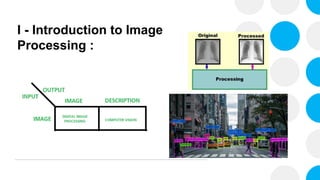
• Introduction ( Image Processing vs Computer Vision ? )
• What’s An Image ?
• Basic Functions (Grayscaling , Thresholding, Transformations)
• Filters
• Bitwise Operations
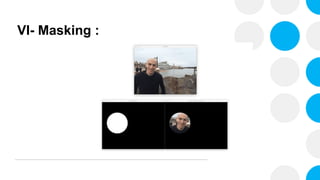
• Masking
• Masking
• Contour detection
• Face detection project (HAAR cascade)
• Face Recognition
I - Introduction to Image
Processing :
I - Introduction to Image
Processing :
- OpenCV : Open Source Computer Vision Library
- A great tool for Image processing and computer
vision applications .
- It supports multiple languages like Python , Java ,
C++.
- We’re going to use python for this course
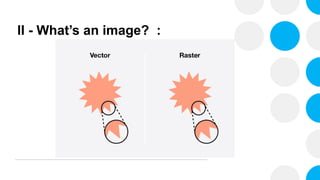
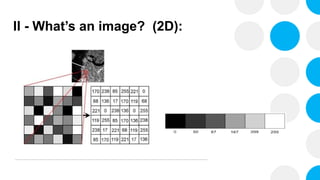
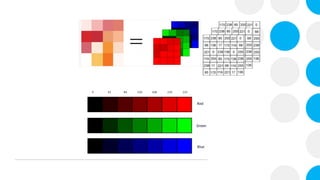
II - What’s an image? :
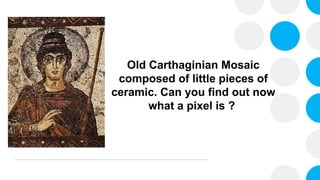
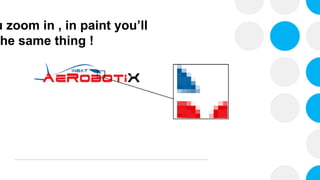
Old Carthaginian Mosaic
composed of little pieces of
ceramic. Can you find out now
what a pixel is ?
u zoom in , in paint you’ll
he same thing !
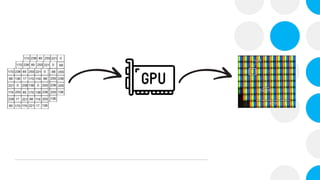
II - What’s an image? (2D):
Let’s Code !
III - Basic Functions :
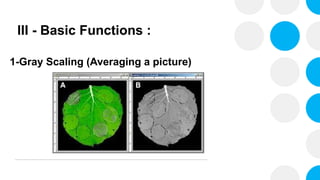
1-Gray Scaling (Averaging a picture)
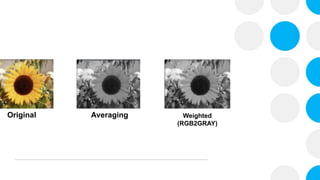
Original Averaging Weighted
(RGB2GRAY)
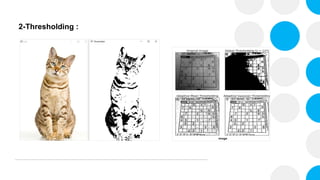
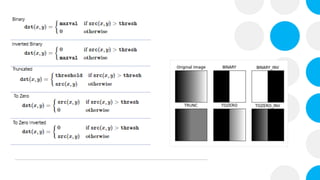
2-Thresholding :
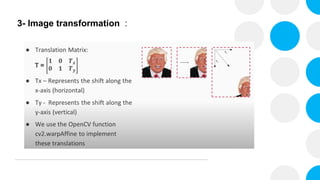
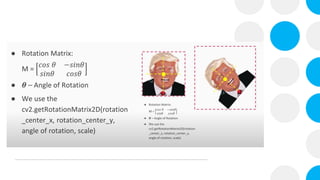
3- Image transformation :
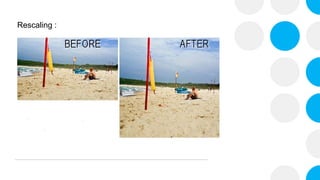
Rescaling :
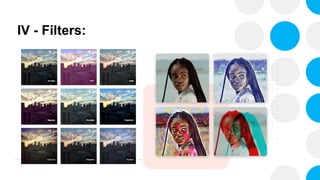
IV - Filters:
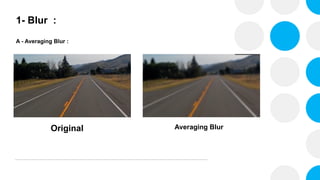
1- Blur :
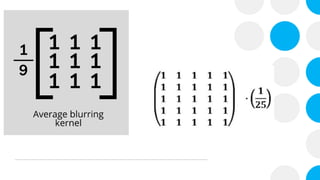
A - Averaging Blur :
Original Averaging Blur
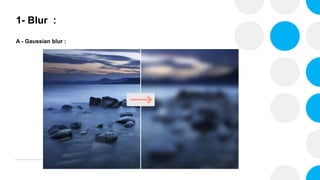
1- Blur :
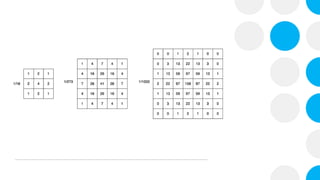
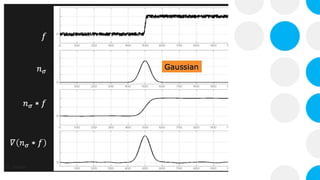
A - Gaussian blur :
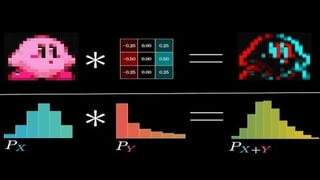
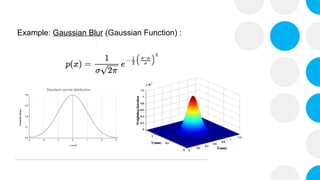
Example: Gaussian Blur (Gaussian Function) :
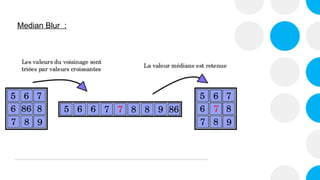
Median Blur :
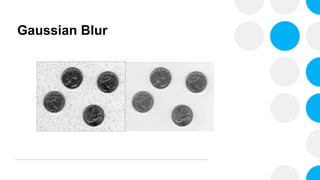
Gaussian Blur
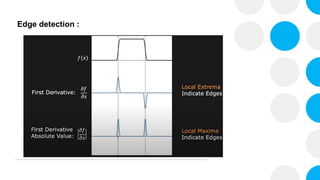
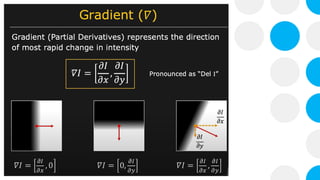
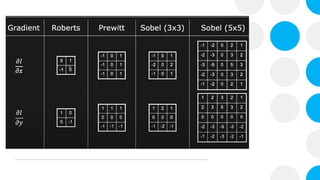
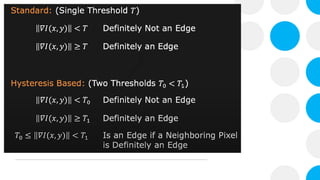
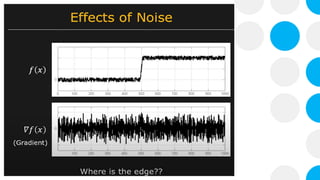
Edge detection :
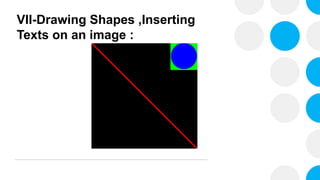
VII-Drawing Shapes ,Inserting
Texts on an image :
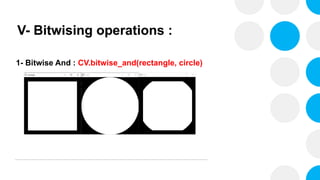
V- Bitwising operations :
1- Bitwise And : CV.bitwise_and(rectangle, circle)
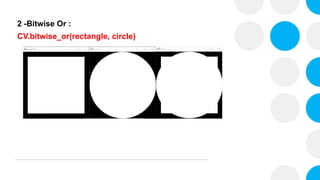
2 -Bitwise Or :
CV.bitwise_or(rectangle, circle)
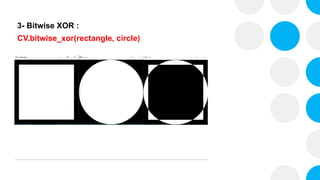
3- Bitwise XOR :
CV.bitwise_xor(rectangle, circle)
VI- Masking :
VII- Line detection : (Hough
Transform) :

Computer Vision Basics using openCV Aerobotix