USB Toolkit
 CREDITS TO: http://www.technorms.com/34364/portable-pc-
maintenance-toolkit
Create Your Own
Portable PC
Maintenance Toolkit With
These 10 Programs
Essential Software for
PC Maintenance Toolkit
Recover WiFi Passwords
 WiFi Password Decryptor gathers the stored wireless passwords from a PC. The password is
stored on the computer from the time it was first entered. If someone has forgotten the
password, you can run this single executable program on the computer that was used to
connect to the wireless access point.
 Note that this program does not hack wireless networks, it simply recovers lost passwords
that are already stored on a PC but not readable by humans. No network connection is
needed to recover the WiFi passwords.
Clean the Registry and Other Files
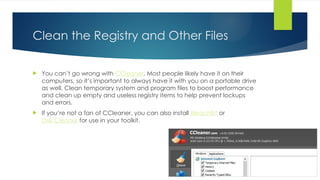
 You can’t go wrong with CCleaner. Most people likely have it on their
computers, so it’s important to always have it with you on a portable drive
as well. Clean temporary system and program files to boost performance
and clean up empty and useless registry items to help prevent lockups
and errors.
 If you’re not a fan of CCleaner, you can also install BleachBit or
Disk Cleaner for use in your toolkit.
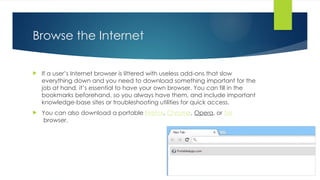
Browse the Internet
 If a user’s Internet browser is littered with useless add-ons that slow
everything down and you need to download something important for the
job at hand, it’s essential to have your own browser. You can fill in the
bookmarks beforehand, so you always have them, and include important
knowledge-base sites or troubleshooting utilities for quick access.
 You can also download a portable Firefox, Chrome, Opera, or Tor
browser.
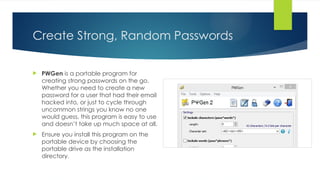
Create Strong, Random Passwords
 PWGen is a portable program for
creating strong passwords on the go.
Whether you need to create a new
password for a user that had their email
hacked into, or just to cycle through
uncommon strings you know no one
would guess, this program is easy to use
and doesn’t take up much space at all.
 Ensure you install this program on the
portable device by choosing the
portable drive as the installation
directory.
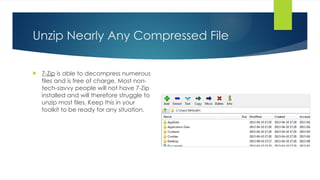
Unzip Nearly Any Compressed File
 7-Zip is able to decompress numerous
files and is free of charge. Most non-
tech-savvy people will not have 7-Zip
installed and will therefore struggle to
unzip most files. Keep this in your
toolkit to be ready for any situation.
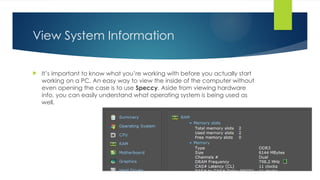
View System Information
 It’s important to know what you’re working with before you actually start
working on a PC. An easy way to view the inside of the computer without
even opening the case is to use Speccy. Aside from viewing hardware
info, you can easily understand what operating system is being used as
well.
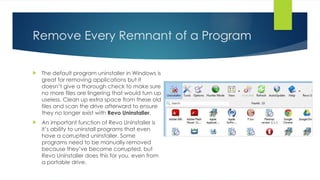
Remove Every Remnant of a Program
 The default program uninstaller in Windows is
great for removing applications but it
doesn’t give a thorough check to make sure
no more files are lingering that would turn up
useless. Clean up extra space from these old
files and scan the drive afterward to ensure
they no longer exist with Revo Uninstaller.
 An important function of Revo Uninstaller is
it’s ability to uninstall programs that even
have a corrupted uninstaller. Some
programs need to be manually removed
because they’ve become corrupted, but
Revo Uninstaller does this for you, even from
a portable drive.
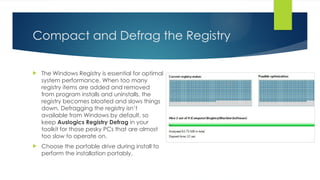
Compact and Defrag the Registry
 The Windows Registry is essential for optimal
system performance. When too many
registry items are added and removed
from program installs and uninstalls, the
registry becomes bloated and slows things
down. Defragging the registry isn’t
available from Windows by default, so
keep Auslogics Registry Defrag in your
toolkit for those pesky PCs that are almost
too slow to operate on.
 Choose the portable drive during install to
perform the installation portably.
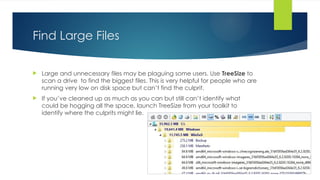
Find Large Files
 Large and unnecessary files may be plaguing some users. Use TreeSize to
scan a drive to find the biggest files. This is very helpful for people who are
running very low on disk space but can’t find the culprit.
 If you’ve cleaned up as much as you can but still can’t identify what
could be hogging all the space, launch TreeSize from your toolkit to
identify where the culprits might lie.
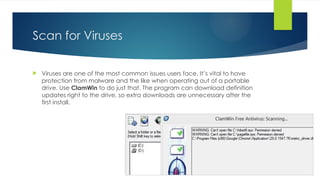
Scan for Viruses
 Viruses are one of the most common issues users face. It’s vital to have
protection from malware and the like when operating out of a portable
drive. Use ClamWin to do just that. The program can download definition
updates right to the drive, so extra downloads are unnecessary after the
first install.
Recuva
 Recuva can “undelete” file of any type that were removed from the
Recycle Bin, a digital camera, flash drive, or MP3 player. I’ve had many
people come to me with the issue of lost pictures they feared would be
unrecoverable. Recuva does quite a good job with this.

COMPUTER TECHNICIAN TOOLKIT - Version111

  • 4.
    USB Toolkit  CREDITSTO: http://www.technorms.com/34364/portable-pc- maintenance-toolkit
  • 5.
    Create Your Own PortablePC Maintenance Toolkit With These 10 Programs
  • 6.
    Essential Software for PCMaintenance Toolkit
  • 7.
    Recover WiFi Passwords WiFi Password Decryptor gathers the stored wireless passwords from a PC. The password is stored on the computer from the time it was first entered. If someone has forgotten the password, you can run this single executable program on the computer that was used to connect to the wireless access point.  Note that this program does not hack wireless networks, it simply recovers lost passwords that are already stored on a PC but not readable by humans. No network connection is needed to recover the WiFi passwords.
  • 8.
    Clean the Registryand Other Files  You can’t go wrong with CCleaner. Most people likely have it on their computers, so it’s important to always have it with you on a portable drive as well. Clean temporary system and program files to boost performance and clean up empty and useless registry items to help prevent lockups and errors.  If you’re not a fan of CCleaner, you can also install BleachBit or Disk Cleaner for use in your toolkit.
  • 9.
    Browse the Internet If a user’s Internet browser is littered with useless add-ons that slow everything down and you need to download something important for the job at hand, it’s essential to have your own browser. You can fill in the bookmarks beforehand, so you always have them, and include important knowledge-base sites or troubleshooting utilities for quick access.  You can also download a portable Firefox, Chrome, Opera, or Tor browser.
  • 10.
    Create Strong, RandomPasswords  PWGen is a portable program for creating strong passwords on the go. Whether you need to create a new password for a user that had their email hacked into, or just to cycle through uncommon strings you know no one would guess, this program is easy to use and doesn’t take up much space at all.  Ensure you install this program on the portable device by choosing the portable drive as the installation directory.
  • 11.
    Unzip Nearly AnyCompressed File  7-Zip is able to decompress numerous files and is free of charge. Most non- tech-savvy people will not have 7-Zip installed and will therefore struggle to unzip most files. Keep this in your toolkit to be ready for any situation.
  • 12.
    View System Information It’s important to know what you’re working with before you actually start working on a PC. An easy way to view the inside of the computer without even opening the case is to use Speccy. Aside from viewing hardware info, you can easily understand what operating system is being used as well.
  • 13.
    Remove Every Remnantof a Program  The default program uninstaller in Windows is great for removing applications but it doesn’t give a thorough check to make sure no more files are lingering that would turn up useless. Clean up extra space from these old files and scan the drive afterward to ensure they no longer exist with Revo Uninstaller.  An important function of Revo Uninstaller is it’s ability to uninstall programs that even have a corrupted uninstaller. Some programs need to be manually removed because they’ve become corrupted, but Revo Uninstaller does this for you, even from a portable drive.
  • 14.
    Compact and Defragthe Registry  The Windows Registry is essential for optimal system performance. When too many registry items are added and removed from program installs and uninstalls, the registry becomes bloated and slows things down. Defragging the registry isn’t available from Windows by default, so keep Auslogics Registry Defrag in your toolkit for those pesky PCs that are almost too slow to operate on.  Choose the portable drive during install to perform the installation portably.
  • 15.
    Find Large Files Large and unnecessary files may be plaguing some users. Use TreeSize to scan a drive to find the biggest files. This is very helpful for people who are running very low on disk space but can’t find the culprit.  If you’ve cleaned up as much as you can but still can’t identify what could be hogging all the space, launch TreeSize from your toolkit to identify where the culprits might lie.
  • 16.
    Scan for Viruses Viruses are one of the most common issues users face. It’s vital to have protection from malware and the like when operating out of a portable drive. Use ClamWin to do just that. The program can download definition updates right to the drive, so extra downloads are unnecessary after the first install.
  • 17.
    Recuva  Recuva can“undelete” file of any type that were removed from the Recycle Bin, a digital camera, flash drive, or MP3 player. I’ve had many people come to me with the issue of lost pictures they feared would be unrecoverable. Recuva does quite a good job with this.