WELCOME
S.Y. 2019 - 2020
COMPUTER LABORATORY
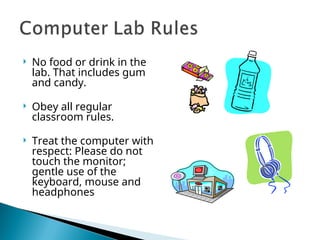
 No food or drink in the
lab. That includes gum
and candy.
 Obey all regular
classroom rules.
 Treat the computer with
respect: Please do not
touch the monitor;
gentle use of the
keyboard, mouse and
headphones
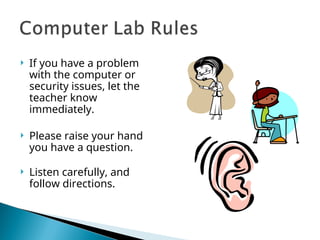
 If you have a problem
with the computer or
security issues, let the
teacher know
immediately.
 Please raise your hand
you have a question.
 Listen carefully, and
follow directions.
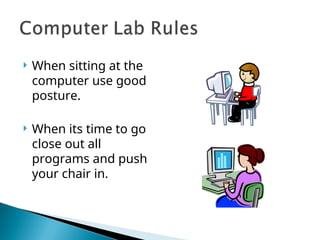
 When sitting at the
computer use good
posture.
 When its time to go
close out all
programs and push
your chair in.
 Do not personalize the
computers, for
example:
◦ Installing screen savers
from the Internet.
◦ Changing the desktop
background.
◦ Changing the video and
audio settings unless
instructed.
◦ Adding, changing or moving
icons on the desktop
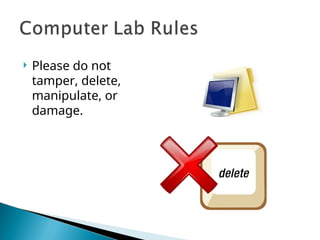
 Please do not
tamper, delete,
manipulate, or
damage.
 Students will access the
Internet for research
only or as assigned by
teachers.
 Appropriate network
and interpersonal
etiquette are expected.
 Vulgarities, abusive
language, offensive
messages or pictures
and dishonesty are
prohibited
 Vandalizing, damaging,
disabling or gaining
unauthorized access to
another person's property,
file, data, or material
 Revealing home address,
phone numbers or
information about anyone
else is prohibited.
 Transmission of any material
that is protected by copyright
laws and/or trespassing in
another’s files is prohibited.
 No Accessing, printing,
downloading or uploading
personal web pages.
 No engaging in any
commercial or business
activity.
 No On-line game playing.
 No Printing, downloading
or uploading information
from a personal disk
without permission.
 No Chat rooms, instant
messaging are prohibited.
Computer Laboratory Rules and Regulations

Computer Laboratory Rules and Regulations

  • 1.
    WELCOME S.Y. 2019 -2020 COMPUTER LABORATORY
  • 2.
     No foodor drink in the lab. That includes gum and candy.  Obey all regular classroom rules.  Treat the computer with respect: Please do not touch the monitor; gentle use of the keyboard, mouse and headphones
  • 3.
     If youhave a problem with the computer or security issues, let the teacher know immediately.  Please raise your hand you have a question.  Listen carefully, and follow directions.
  • 4.
     When sittingat the computer use good posture.  When its time to go close out all programs and push your chair in.
  • 5.
     Do notpersonalize the computers, for example: ◦ Installing screen savers from the Internet. ◦ Changing the desktop background. ◦ Changing the video and audio settings unless instructed. ◦ Adding, changing or moving icons on the desktop
  • 6.
     Please donot tamper, delete, manipulate, or damage.
  • 7.
     Students willaccess the Internet for research only or as assigned by teachers.  Appropriate network and interpersonal etiquette are expected.  Vulgarities, abusive language, offensive messages or pictures and dishonesty are prohibited
  • 8.
     Vandalizing, damaging, disablingor gaining unauthorized access to another person's property, file, data, or material  Revealing home address, phone numbers or information about anyone else is prohibited.  Transmission of any material that is protected by copyright laws and/or trespassing in another’s files is prohibited.
  • 9.
     No Accessing,printing, downloading or uploading personal web pages.  No engaging in any commercial or business activity.  No On-line game playing.  No Printing, downloading or uploading information from a personal disk without permission.  No Chat rooms, instant messaging are prohibited.

Editor's Notes

  • #2 Day 1 of Technology Class presentation