Comment utiliser VS Code
pour travailler avec une scratch
Org
Salesforce Developer Group, Dakar, Senegal
TROUIN Thierry
@ThierryTrouin
Technical Expert at Business & Decision
Leader of Toulouse Salesforce User Group (France)
Lightning champion
9 ans d’experience
5 certifications
5x Rangers sur Trailhead
Thierry TROUIN
Speaker Slide Layout
 Introduction to SFDX
 Prerequistes
 Scratch org
 Go further
 Conclusion
Table of Contents
Introduction
Introduction
• Salesforce DX, introduces a new type of
environment: Scratch orgs. Scratch orgs are
source-driven and disposable deployments of
Salesforce code which can be used to drive
development, testing, and continuous integration.
• You can quickly spin up a dedicated scratch org to
test your code and, once you've validated your
changes, you can use your own continuous
integration tools to immediately test and promote
your code.
• As soon as your tests are passing, you can merge
your branch, build packages, and deploy to a
staging sandbox for final testing.
RAPID TESTING AND DEVELOPMENT
Scratch Org
 The scratch org is a full of Salesforce code and metadata environment.
 A scratch org is fully configurable
 Ephemeral (1 to 30 days)
 Allowing developers to emulate different Salesforce editions with different features and preferences.
 You can share the scratch org configuration file with other team members, so you all have the same
basic org in which to do your development.
More informations in Salesforce documentations here : https://sforce.co/2QpJ2e6
Introduction
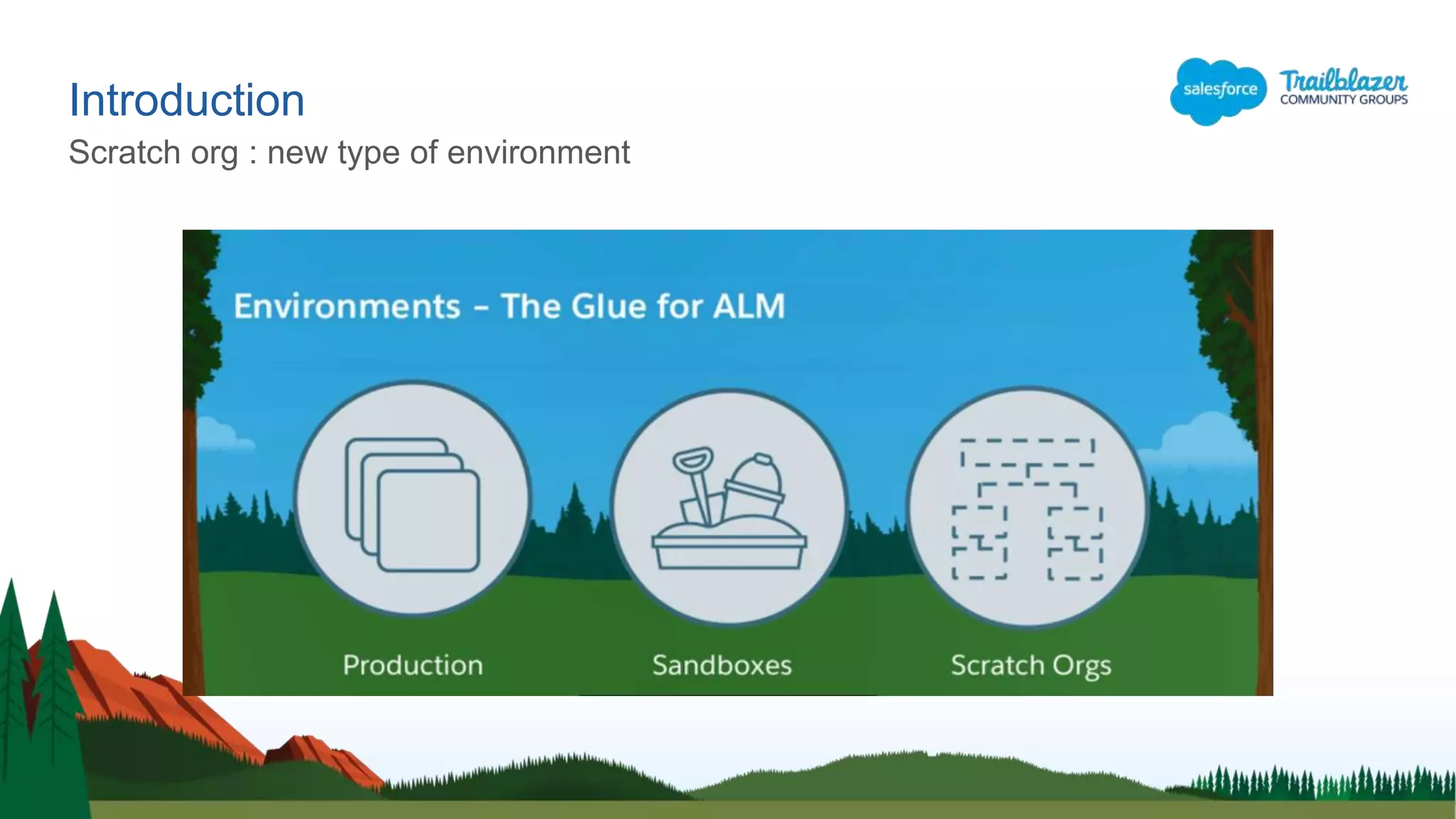
Scratch org : new type of environment
Introduction
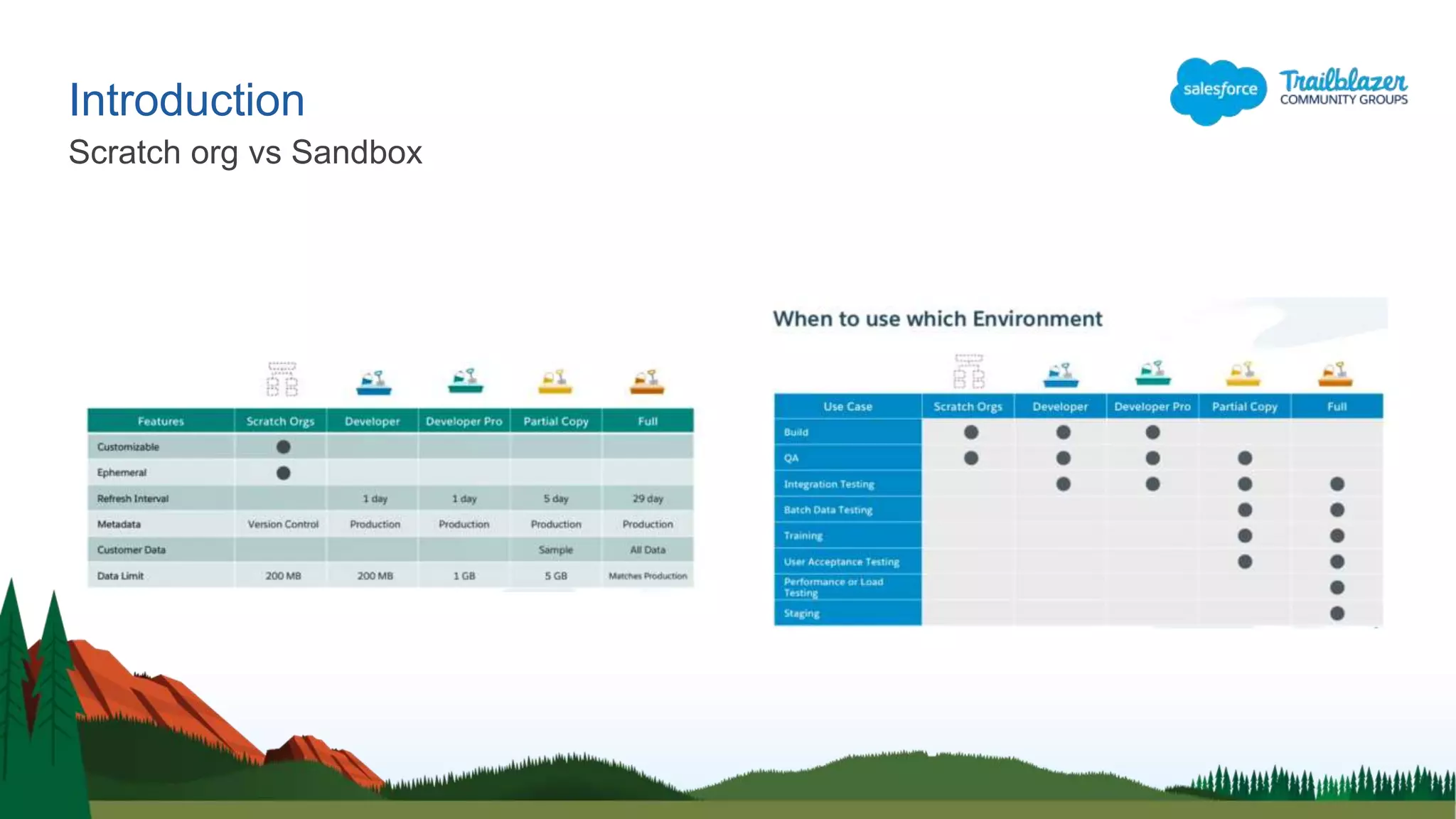
Scratch org vs Sandbox
Prerequistes
Prerequistes
Dev Hub
https://sforce.co/2K1PHKA
Enable Dev Hub in your org so you can create
and manage scratch orgs from the command
line. Scratch orgs are disposable Salesforce
orgs to support development and testing.
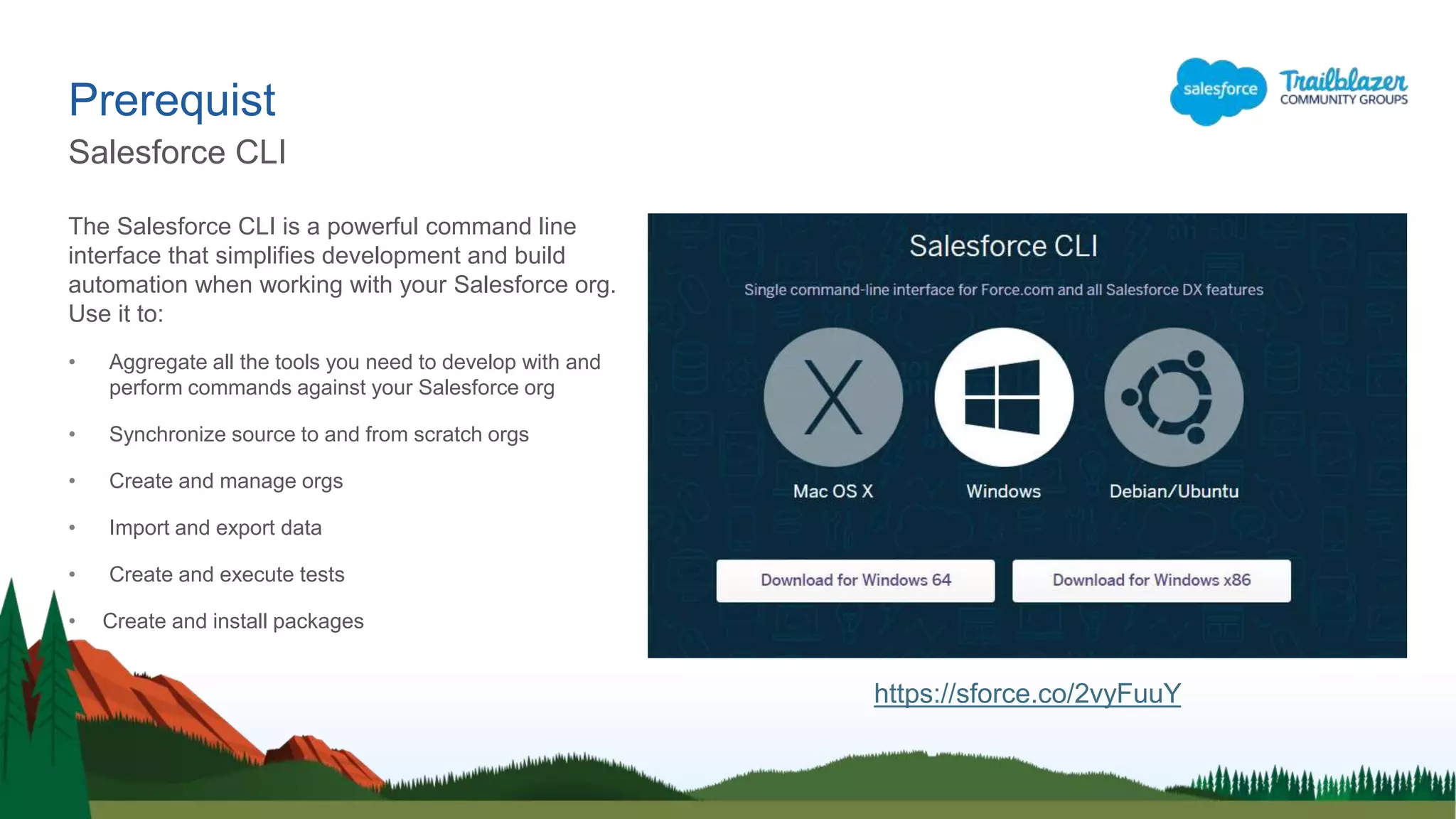
The Salesforce CLI is a powerful command line
interface that simplifies development and build
automation when working with your Salesforce org.
Use it to:
• Aggregate all the tools you need to develop with and
perform commands against your Salesforce org
• Synchronize source to and from scratch orgs
• Create and manage orgs
• Import and export data
• Create and execute tests
• Create and install packages
Prerequist
Salesforce CLI
https://sforce.co/2vyFuuY
Prerequistes
Visual Studio Code
 Outlook is for e-mail
 Word is to write documents
 Chrome is for internet
navigation
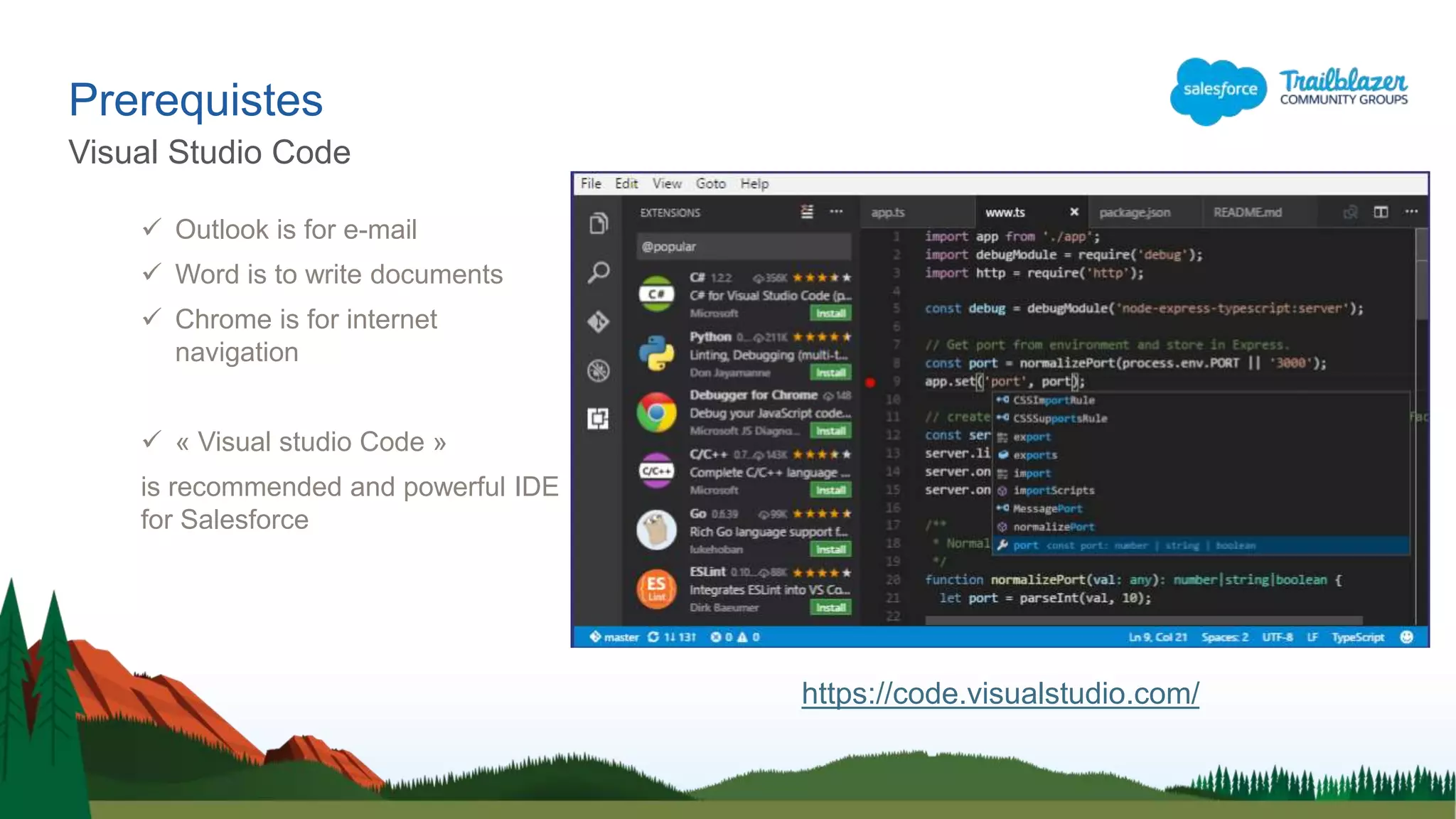
 « Visual studio Code »
is recommended and powerful IDE
for Salesforce
https://code.visualstudio.com/
Prerequistes
Salesforce Extensions Pack
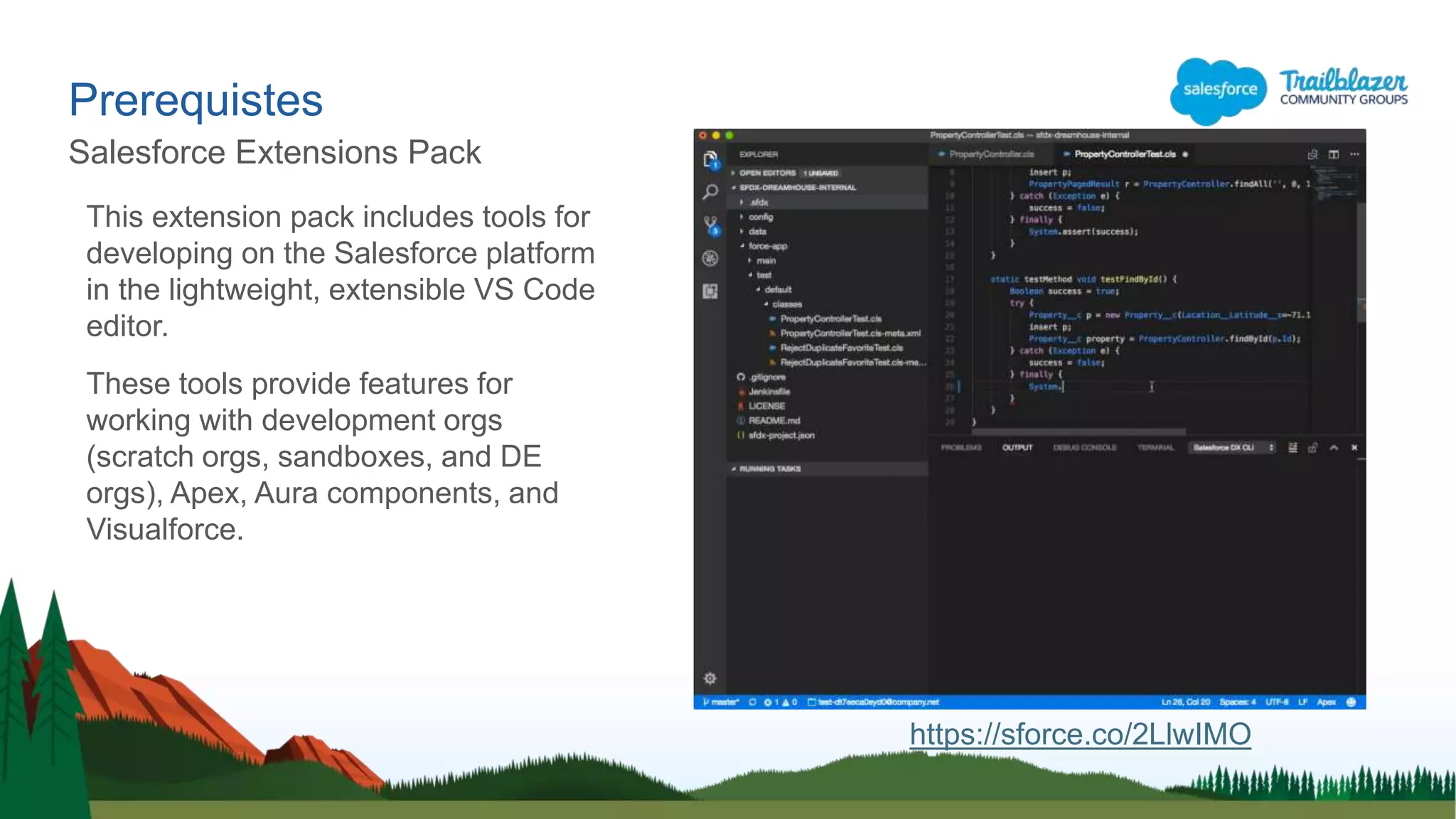
This extension pack includes tools for
developing on the Salesforce platform
in the lightweight, extensible VS Code
editor.
These tools provide features for
working with development orgs
(scratch orgs, sandboxes, and DE
orgs), Apex, Aura components, and
Visualforce.
https://sforce.co/2LlwIMO
Prerequistes
Git (optional)
 Git was created by Linus Torvalds
in 2005 for development of the
Linux kernel, with other kernel
developers contributing to its initial
development
 Git is a distributed version-control
system for tracking changes in
source code during software
development.
 It is designed for coordinating work
among programmers, but it can be
used to track changes in any set of
files.
Créer une « Scratch Org »
Scratch Org
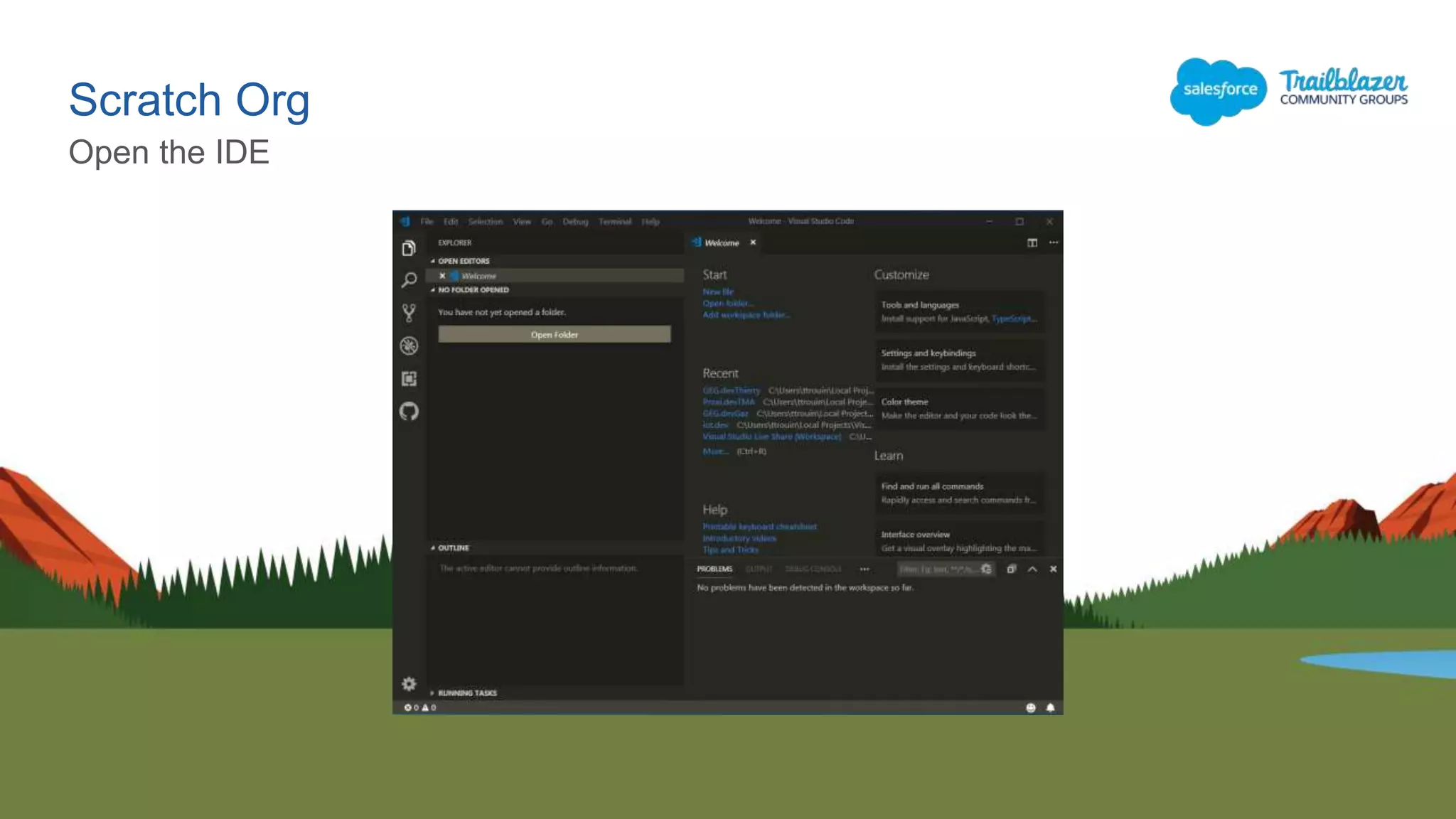
Open the IDE
Scratch Org
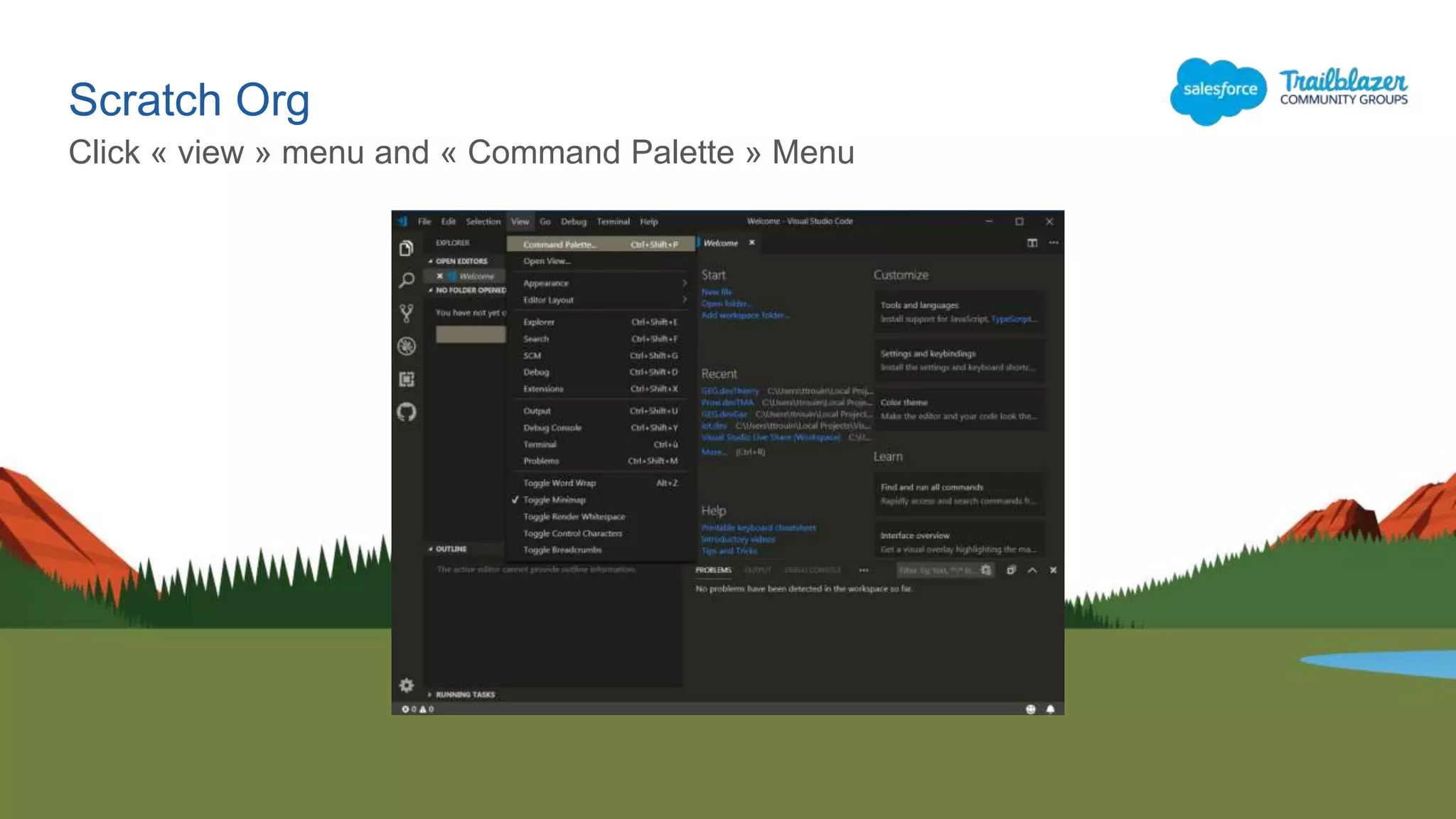
Click « view » menu and « Command Palette » Menu
Scratch Org
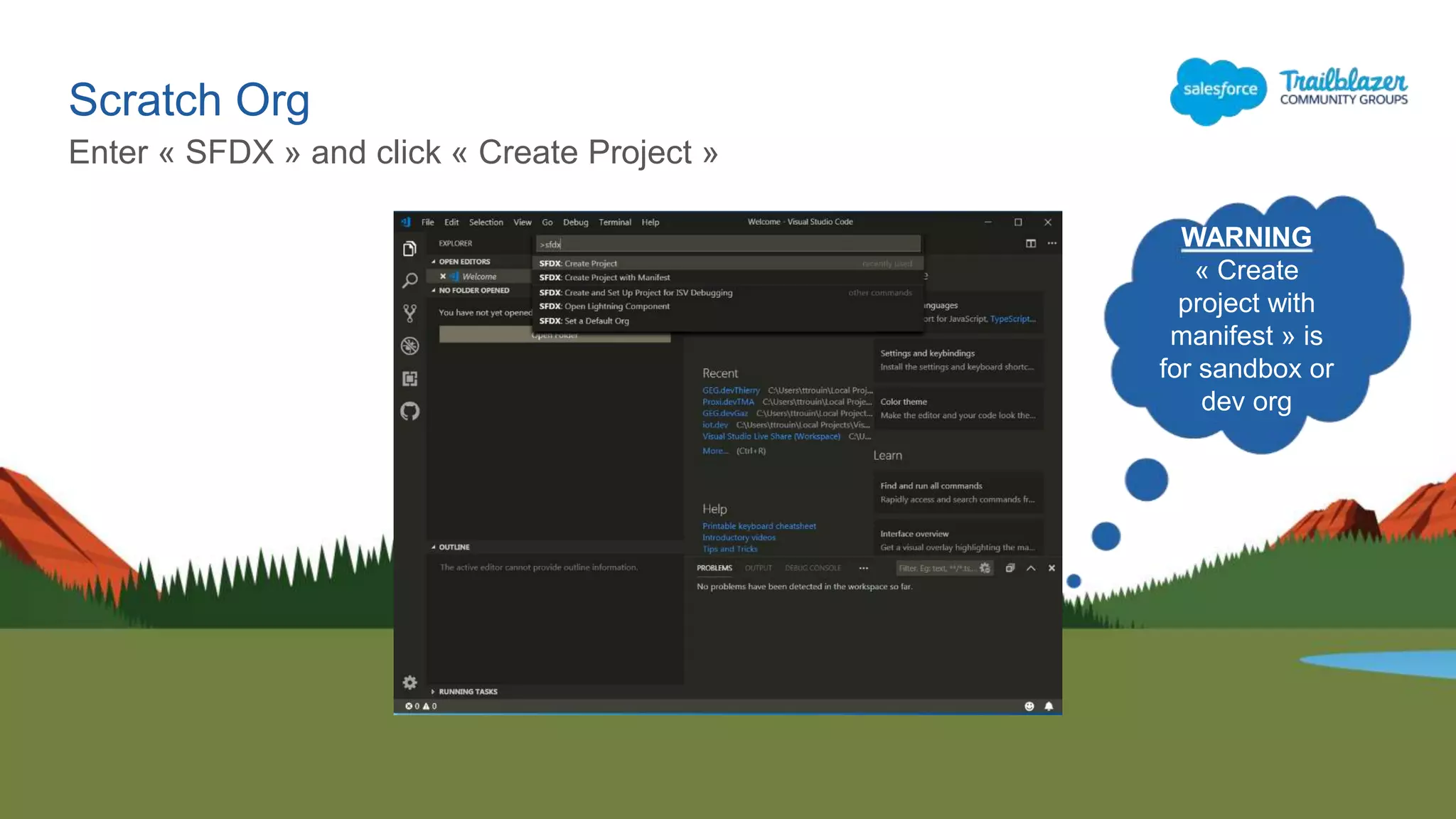
Enter « SFDX » and click « Create Project »
WARNING
« Create
project with
manifest » is
for sandbox or
dev org
Scratch Org
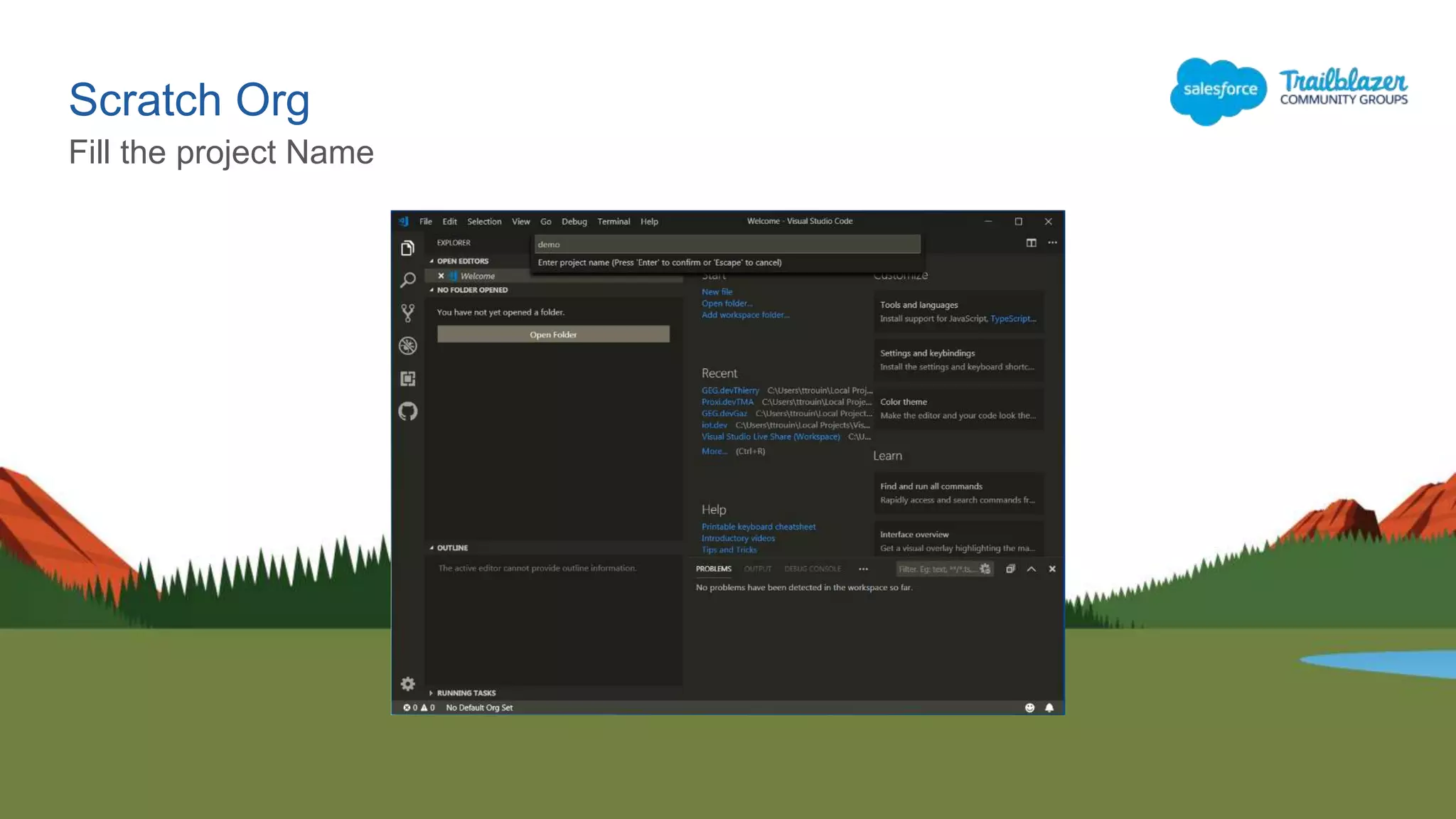
Fill the project Name
Scratch Org
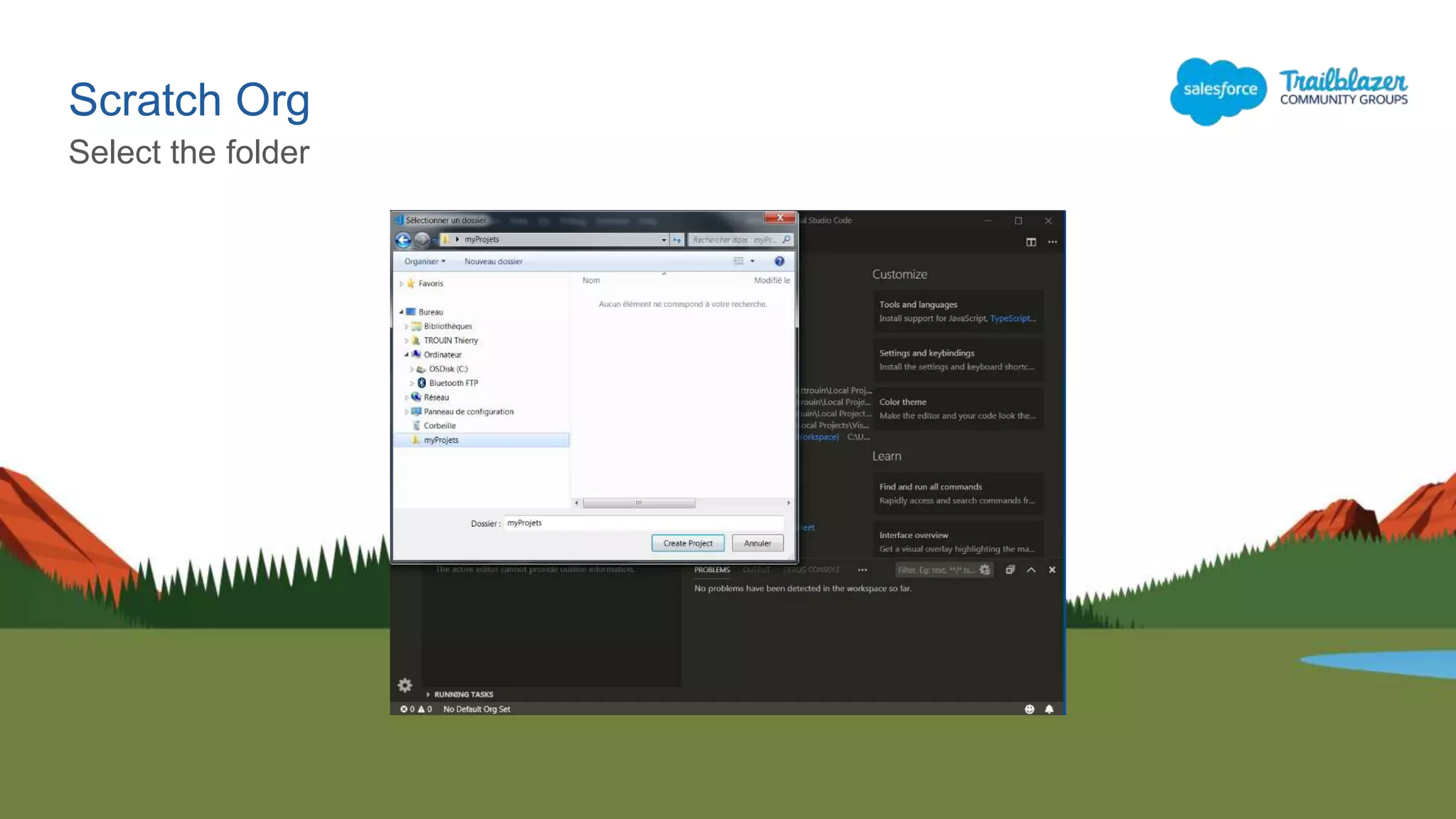
Select the folder
Scratch Org
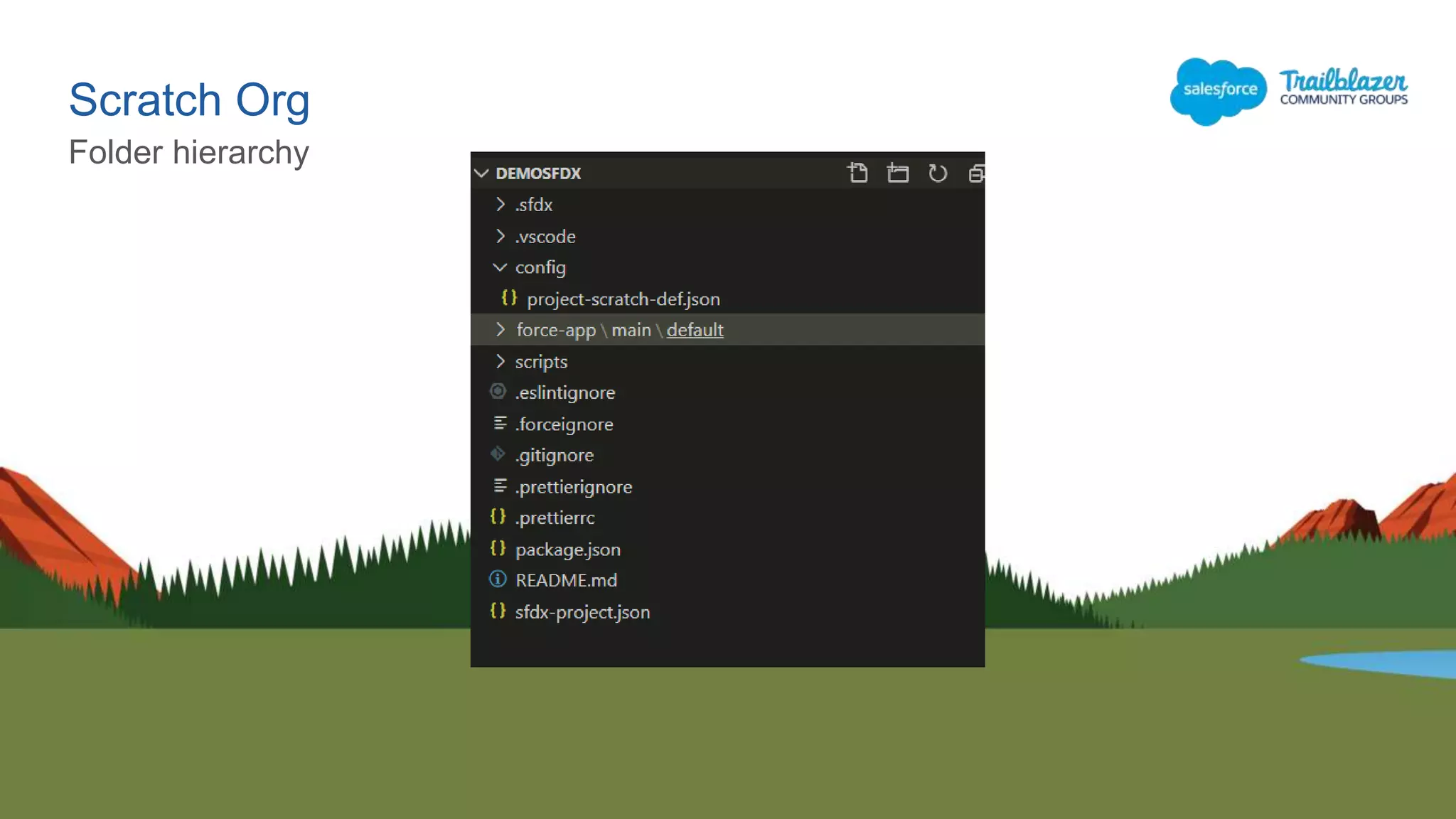
Folder hierarchy
Great, you have created your first project…
Now you could create the org 
Scratch Org
Scratch Org
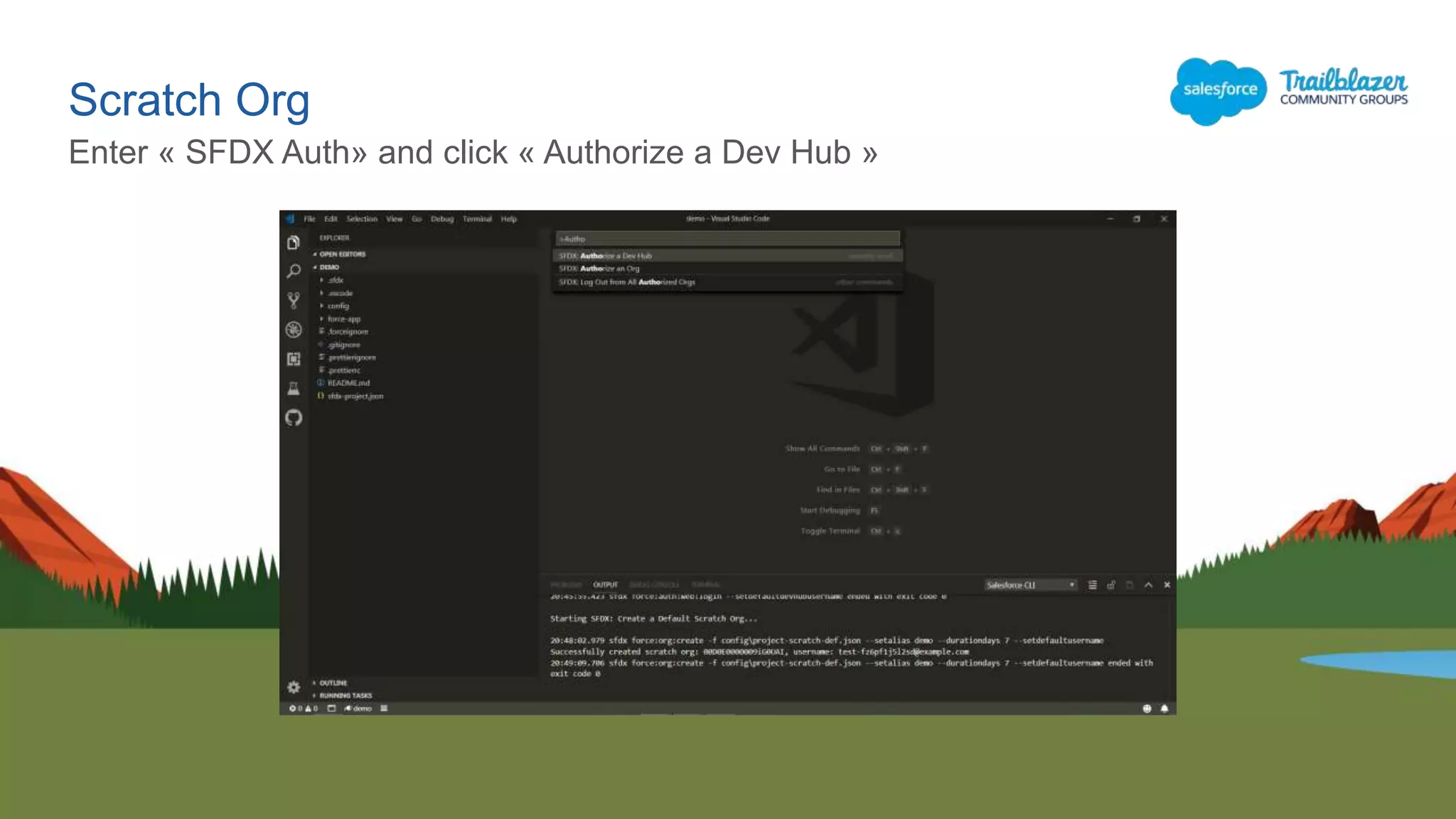
Enter « SFDX Auth» and click « Authorize a Dev Hub »
Scratch Org
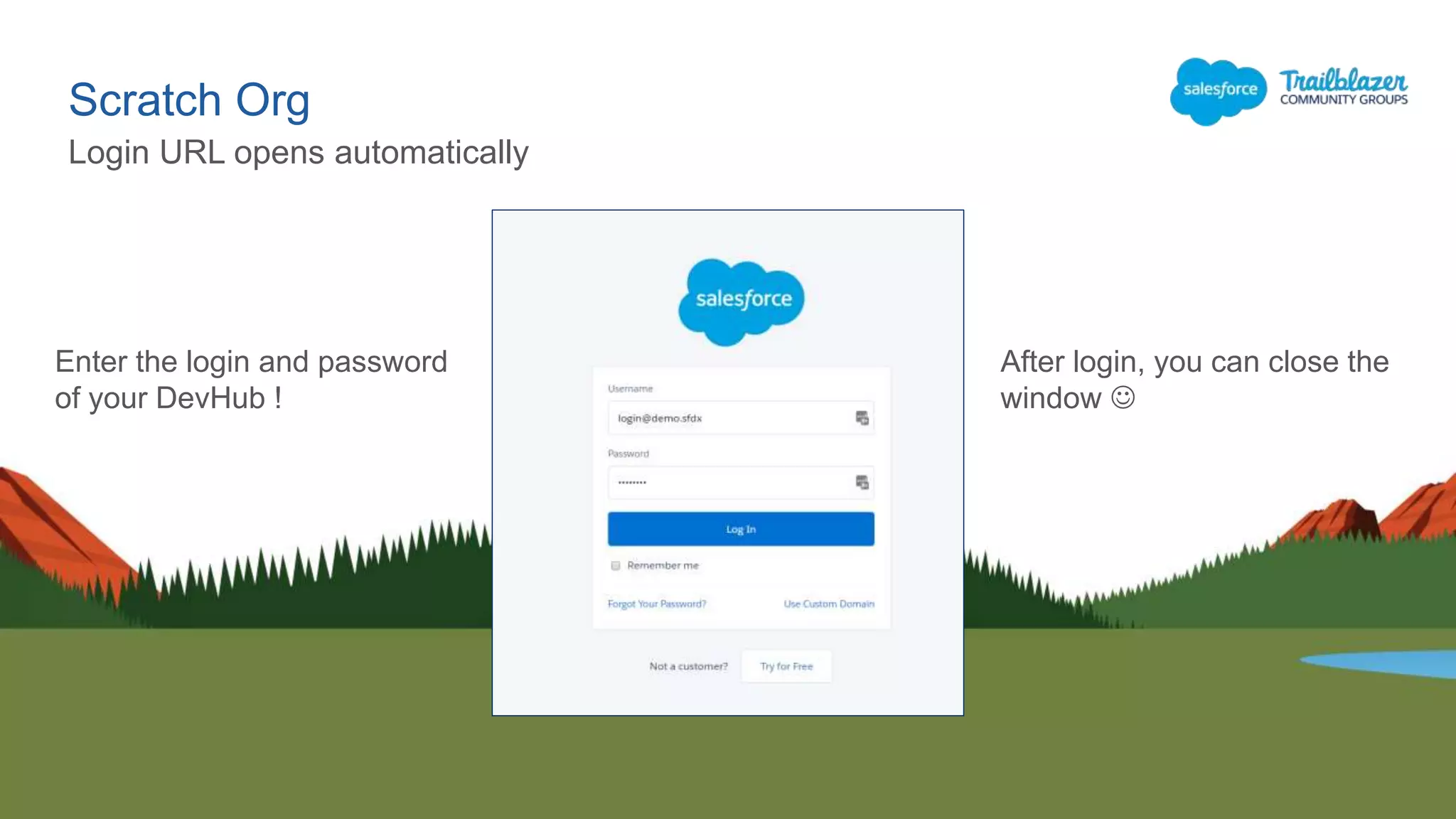
Login URL opens automatically
After login, you can close the
window 
Enter the login and password
of your DevHub !
Scratch Org
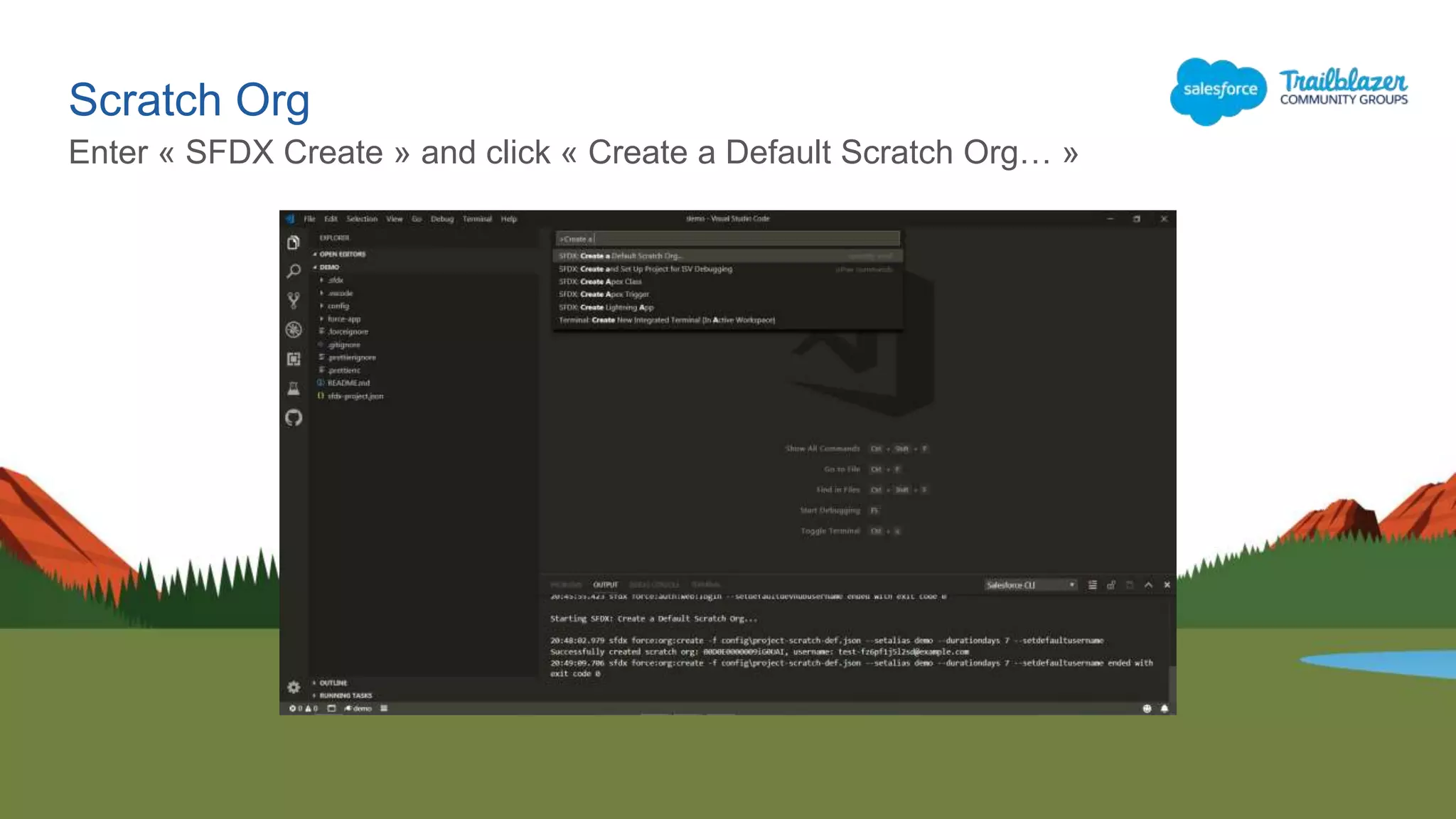
Enter « SFDX Create » and click « Create a Default Scratch Org… »
Scratch Org
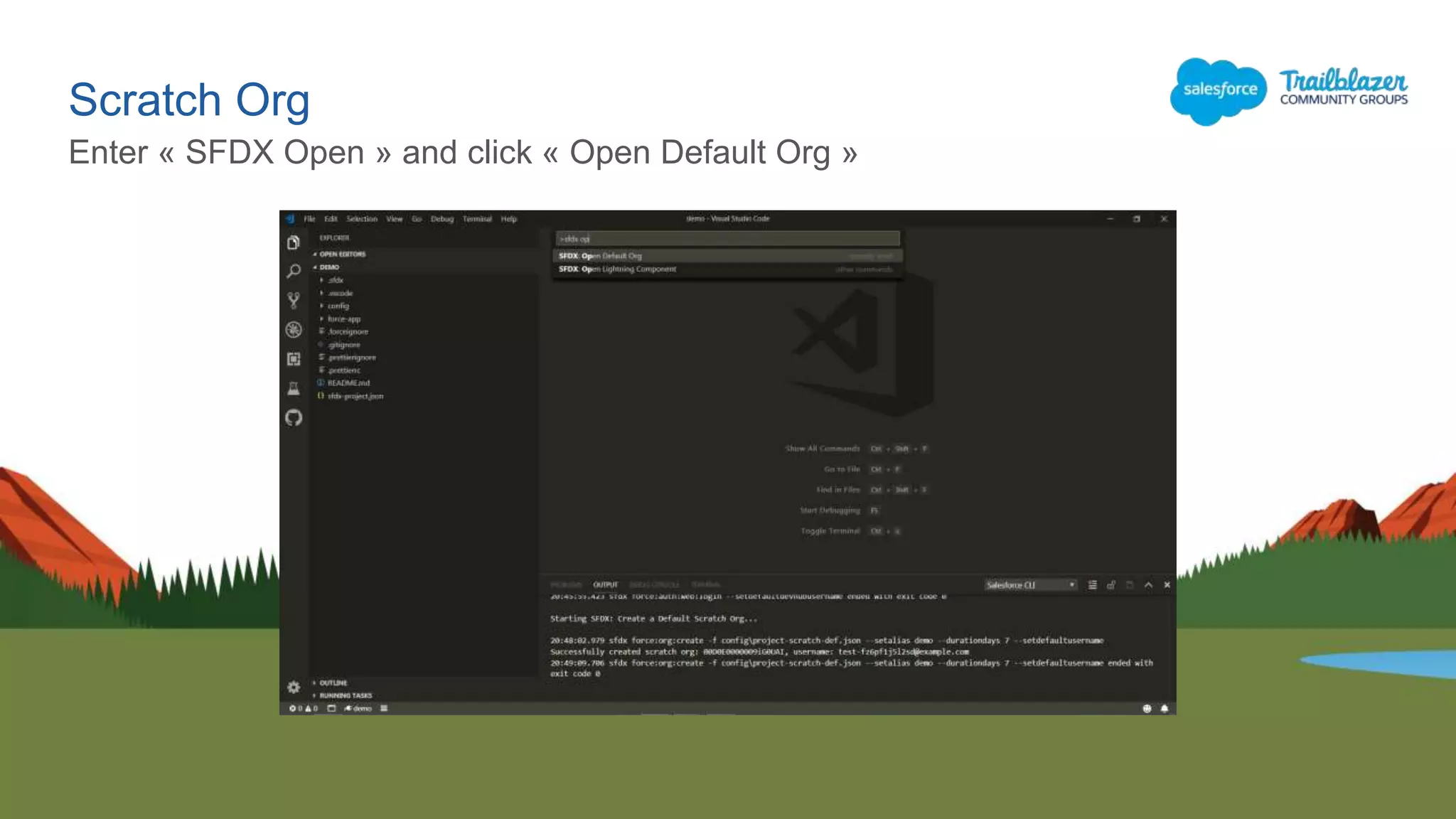
Enter « SFDX Open » and click « Open Default Org »
Scratch Org
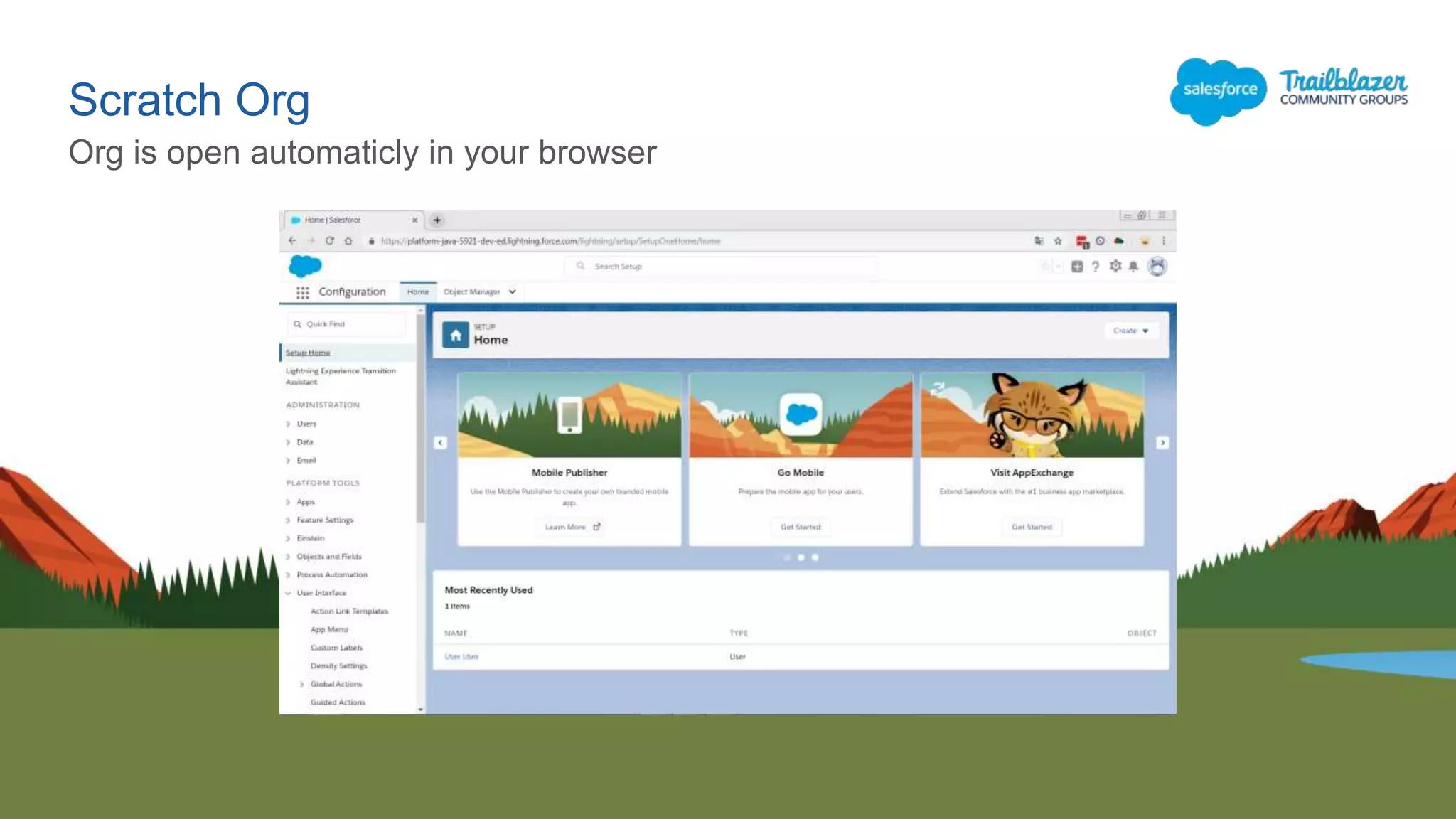
Org is open automaticly in your browser
Scratch Org
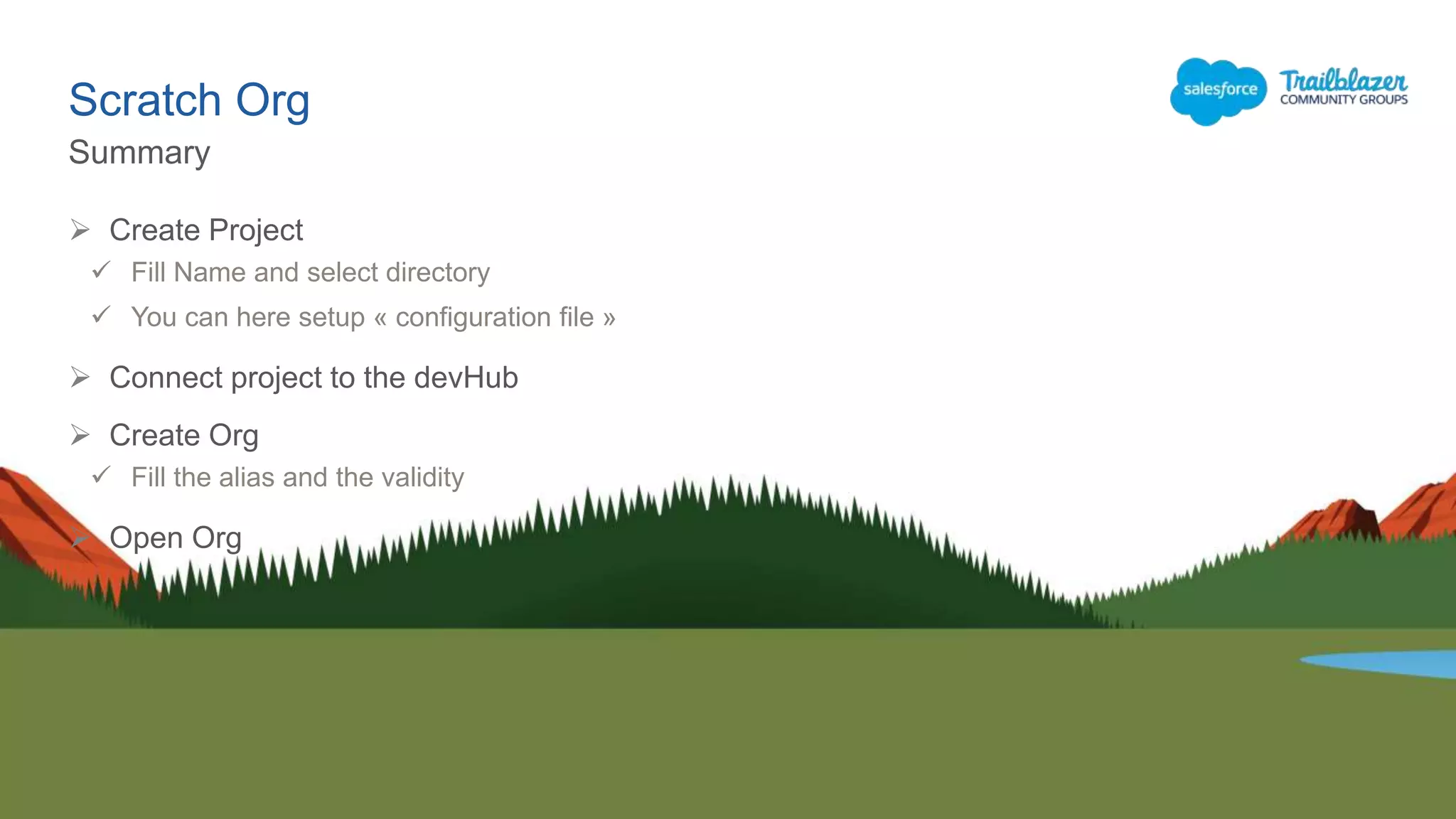
Your org is ready.
You can navigate and configure org
Scratch Org
Summary
 Create Project
 Fill Name and select directory
 You can here setup « configuration file »
 Connect project to the devHub
 Create Org
 Fill the alias and the validity
 Open Org
Go further
Go further
This is a prerequisite if you want to install an
AppExchange
 sfdx force:user:password:generate -u
MyAliasName
Change user password
Go further
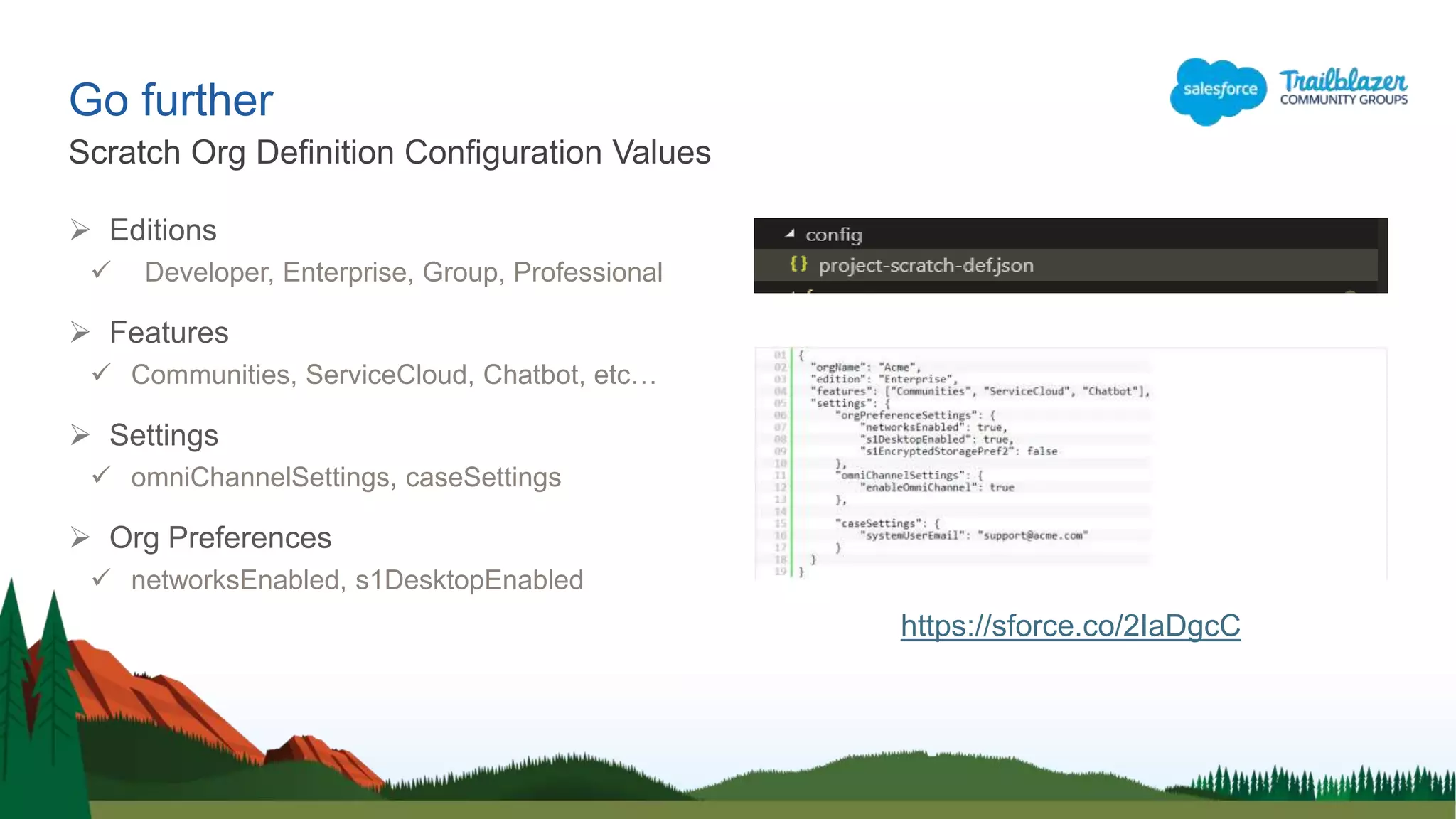
 Editions
 Developer, Enterprise, Group, Professional
 Features
 Communities, ServiceCloud, Chatbot, etc…
 Settings
 omniChannelSettings, caseSettings
 Org Preferences
 networksEnabled, s1DesktopEnabled
Scratch Org Definition Configuration Values
https://sforce.co/2IaDgcC
Go further
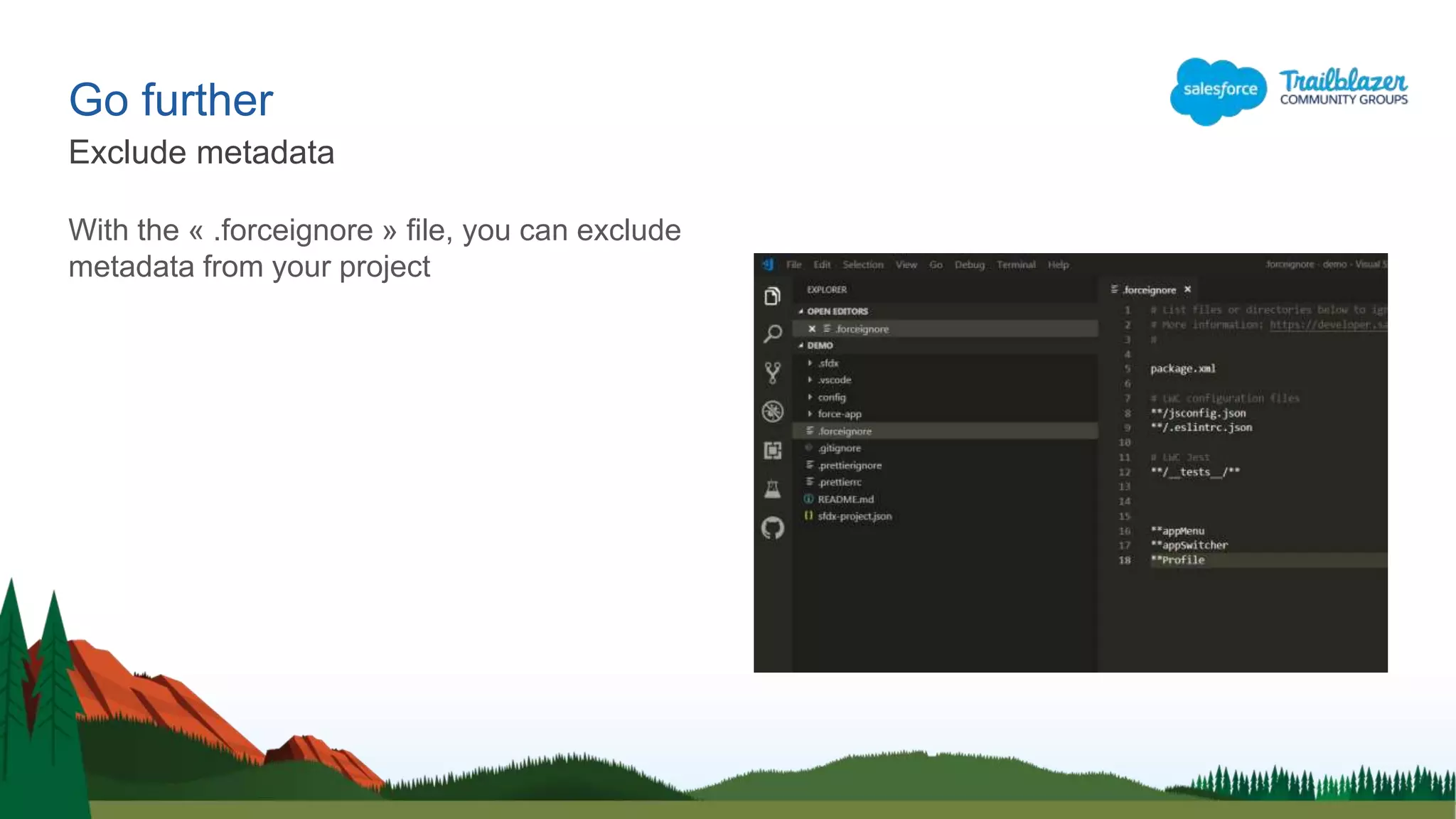
With the « .forceignore » file, you can exclude
metadata from your project
Exclude metadata
Go further
You can retrieve or send metadata to your org
with this following command :
 Status
 View All changes
 Retrieve
 Pull Source from default Scratch Org
 Send
 Push Source to default Scratch Org
Retrieve metadata
Go further
Export & Import
 Export data
 sfdx force:data:tree:export –q "SELECT Name FROM Account WHERE Name != NULL“ -d ./data
 The option « -q » defines that it is a ‘query’
 The option « -d » defines the output file path
 Export data (multiple releated object)
 sfdx force:data:tree:export -q "select Name, (Select FirstName, LastName,Email from Contacts),
(Select Name, CloseDate, StageName, Amount from Opportunities), (Select CaseNumber, Status,
Priority from Cases) from Account" -d ./data
 Import data
 sfdx force:data:tree:import --sobjecttreefiles data/Account.json
Go further
CLI : help for command
sfdx force:source -h
sfdx force -h
sfdx force:source:push -h
Go further
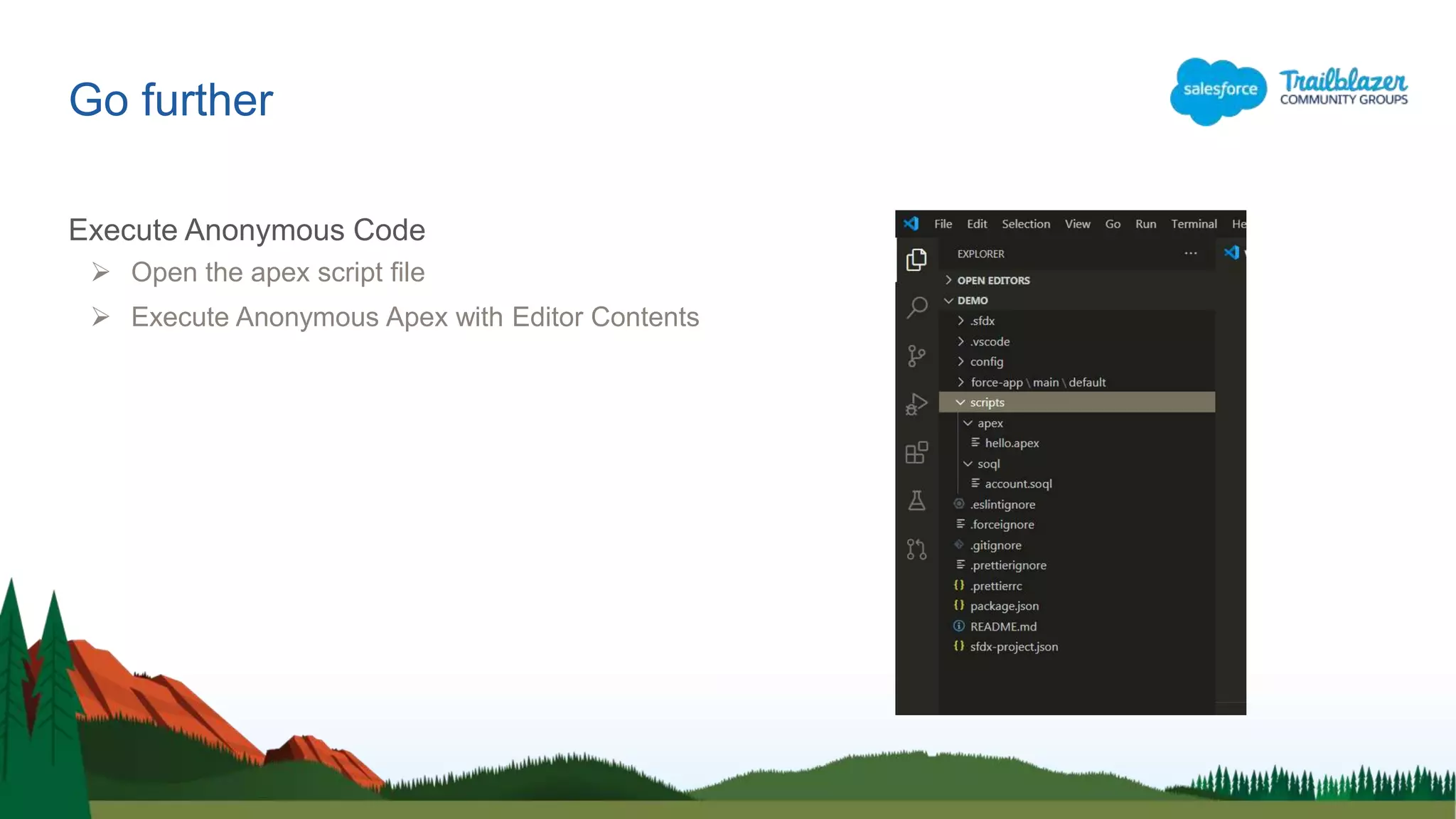
Execute Anonymous Code
 Open the apex script file
 Execute Anonymous Apex with Editor Contents
Go further
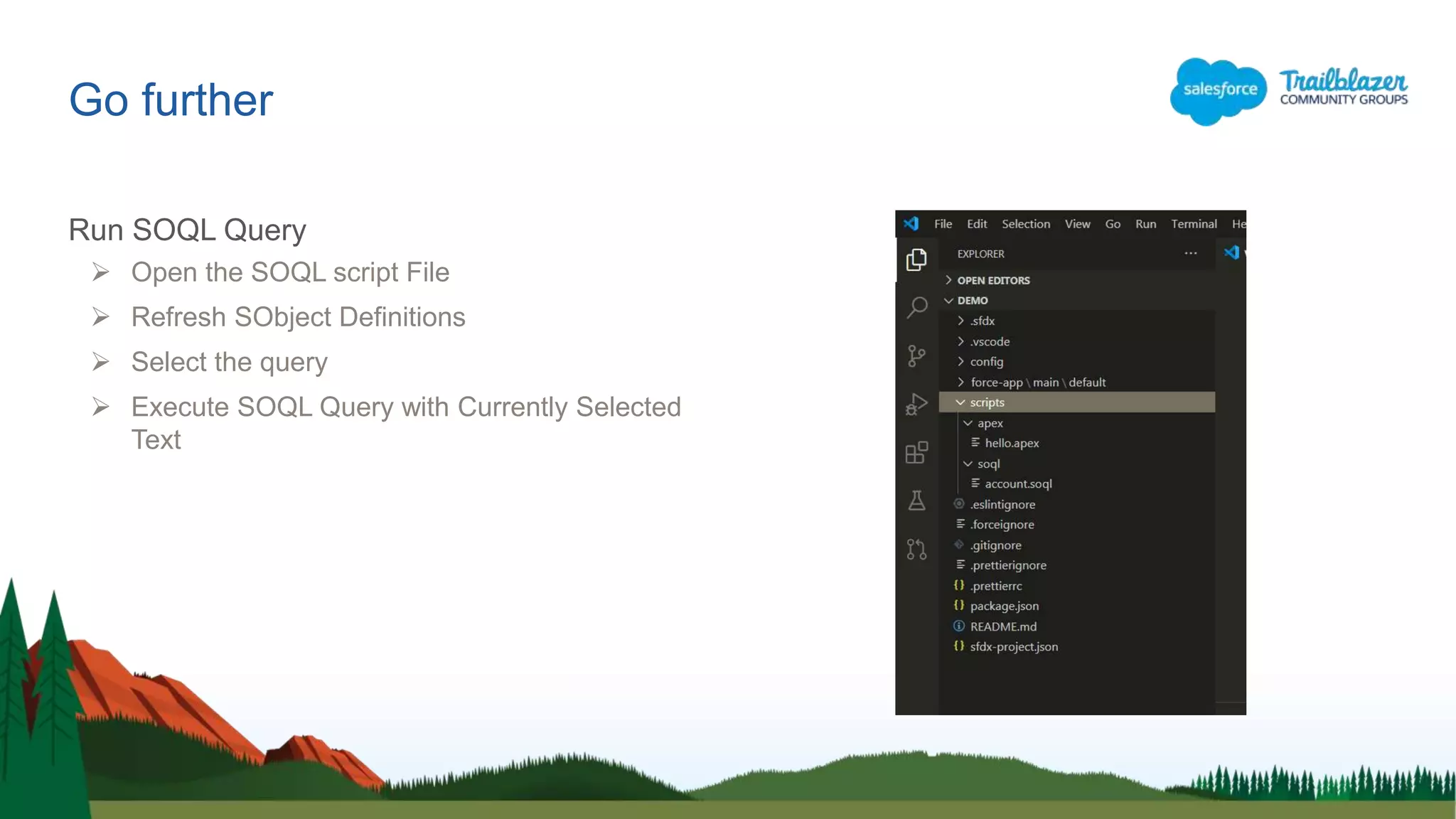
Run SOQL Query
 Open the SOQL script File
 Refresh SObject Definitions
 Select the query
 Execute SOQL Query with Currently Selected
Text
Conclusion
Conclusion
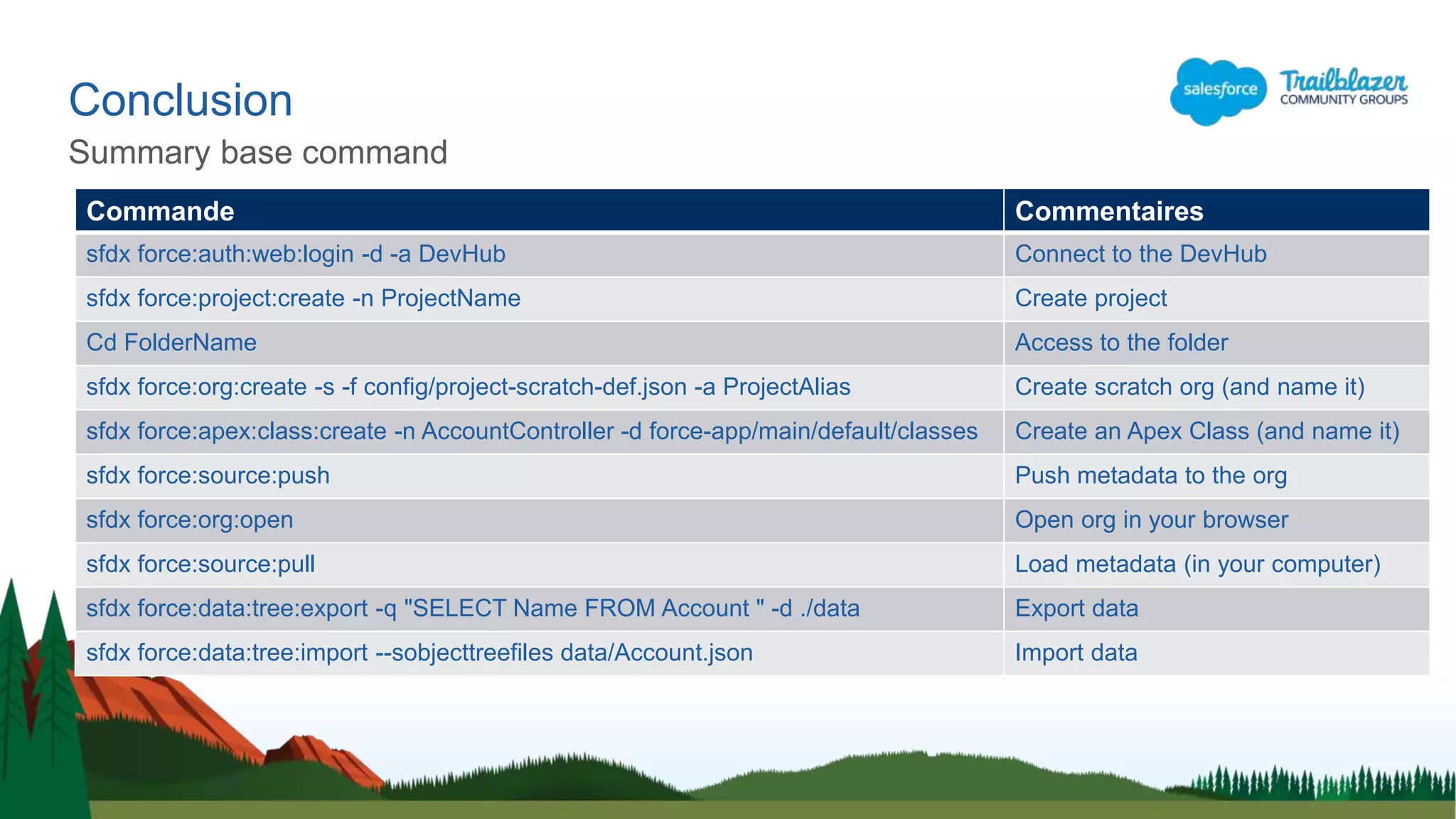
Summary base command
Commande Commentaires
sfdx force:auth:web:login -d -a DevHub Connect to the DevHub
sfdx force:project:create -n ProjectName Create project
Cd FolderName Access to the folder
sfdx force:org:create -s -f config/project-scratch-def.json -a ProjectAlias Create scratch org (and name it)
sfdx force:apex:class:create -n AccountController -d force-app/main/default/classes Create an Apex Class (and name it)
sfdx force:source:push Push metadata to the org
sfdx force:org:open Open org in your browser
sfdx force:source:pull Load metadata (in your computer)
sfdx force:data:tree:export -q "SELECT Name FROM Account " -d ./data Export data
sfdx force:data:tree:import --sobjecttreefiles data/Account.json Import data
Conclusion
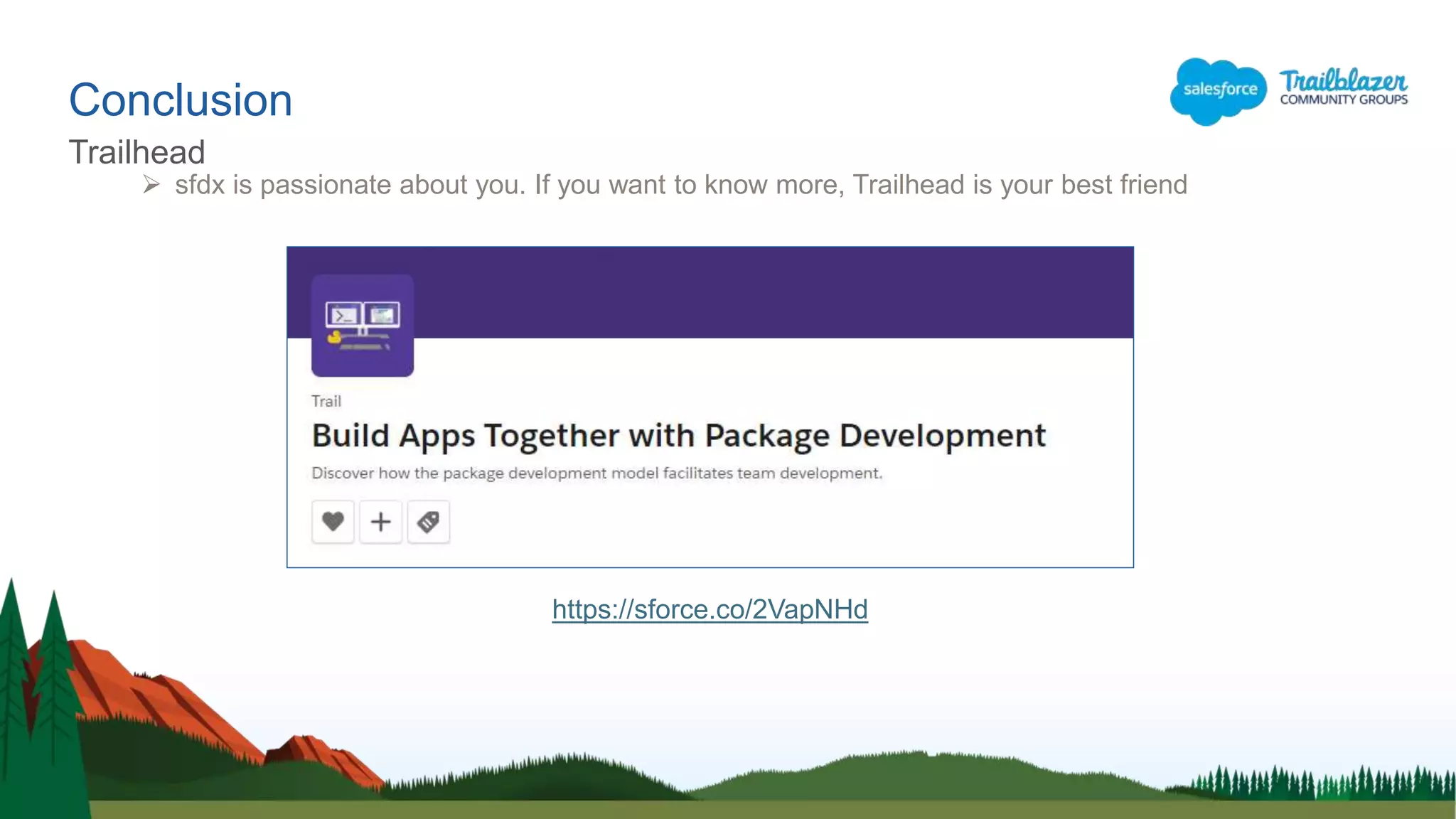
Trailhead
 sfdx is passionate about you. If you want to know more, Trailhead is your best friend
https://sforce.co/2VapNHd
Conclusion
References
 Salesforce DX CLI (download page)
https://sforce.co/2vyFuuY
 Salesforce CLI Command Reference
https://sforce.co/2pdPEAe
 Salesforce DX Developer Guide
https://sforce.co/2HBToov
 Trailhead : Salesforce DX Trail
https://sforce.co/2VapNHd
https://kahoot.it/
Quiz
Quel était le sujet du jour ?
 Comment préparer des crêpes
 Comment utiliser Salesforce
 Comment utiliser VS Code pour gérer des scratch Org
 Comment utiliser SFDX
Quiz
1/5
Qu'est-ce qu'une scractch Org ?
 Un environnement de développement
 Un environnement de Sandbox
 Un environnement éphémère et complètement personnalisable
 Quelque chose d'autre ?
Quiz
2/5
Comment faire une récupération en local des métadonnées de notre scratch org ?
 SFDX Pull
 SFDX Push
 SFDX retrieve
 Ant retrieve
Quiz
3/5
Quel menu me permet d'accéder au multiple commande ?
 Menu Command Palette
 Menu Open
 Menu Run
 Menu Preference
Quiz
4/5
Quel commande me permet de créer une scratch Org
 New Scratch Org
 Create Project with Manifest
 Create Project
 Open default Org
Quiz
5/5

Comment utiliser Visual Studio Code pour travailler avec une scratch Org

  • 1.
    Comment utiliser VSCode pour travailler avec une scratch Org Salesforce Developer Group, Dakar, Senegal TROUIN Thierry @ThierryTrouin
  • 2.
    Technical Expert atBusiness & Decision Leader of Toulouse Salesforce User Group (France) Lightning champion 9 ans d’experience 5 certifications 5x Rangers sur Trailhead Thierry TROUIN Speaker Slide Layout
  • 3.
     Introduction toSFDX  Prerequistes  Scratch org  Go further  Conclusion Table of Contents
  • 4.
  • 5.
    Introduction • Salesforce DX,introduces a new type of environment: Scratch orgs. Scratch orgs are source-driven and disposable deployments of Salesforce code which can be used to drive development, testing, and continuous integration. • You can quickly spin up a dedicated scratch org to test your code and, once you've validated your changes, you can use your own continuous integration tools to immediately test and promote your code. • As soon as your tests are passing, you can merge your branch, build packages, and deploy to a staging sandbox for final testing. RAPID TESTING AND DEVELOPMENT
  • 6.
    Scratch Org  Thescratch org is a full of Salesforce code and metadata environment.  A scratch org is fully configurable  Ephemeral (1 to 30 days)  Allowing developers to emulate different Salesforce editions with different features and preferences.  You can share the scratch org configuration file with other team members, so you all have the same basic org in which to do your development. More informations in Salesforce documentations here : https://sforce.co/2QpJ2e6
  • 7.
    Introduction Scratch org :new type of environment
  • 8.
  • 9.
  • 10.
    Prerequistes Dev Hub https://sforce.co/2K1PHKA Enable DevHub in your org so you can create and manage scratch orgs from the command line. Scratch orgs are disposable Salesforce orgs to support development and testing.
  • 11.
    The Salesforce CLIis a powerful command line interface that simplifies development and build automation when working with your Salesforce org. Use it to: • Aggregate all the tools you need to develop with and perform commands against your Salesforce org • Synchronize source to and from scratch orgs • Create and manage orgs • Import and export data • Create and execute tests • Create and install packages Prerequist Salesforce CLI https://sforce.co/2vyFuuY
  • 12.
    Prerequistes Visual Studio Code Outlook is for e-mail  Word is to write documents  Chrome is for internet navigation  « Visual studio Code » is recommended and powerful IDE for Salesforce https://code.visualstudio.com/
  • 13.
    Prerequistes Salesforce Extensions Pack Thisextension pack includes tools for developing on the Salesforce platform in the lightweight, extensible VS Code editor. These tools provide features for working with development orgs (scratch orgs, sandboxes, and DE orgs), Apex, Aura components, and Visualforce. https://sforce.co/2LlwIMO
  • 14.
    Prerequistes Git (optional)  Gitwas created by Linus Torvalds in 2005 for development of the Linux kernel, with other kernel developers contributing to its initial development  Git is a distributed version-control system for tracking changes in source code during software development.  It is designed for coordinating work among programmers, but it can be used to track changes in any set of files.
  • 15.
    Créer une «Scratch Org »
  • 16.
  • 17.
    Scratch Org Click «view » menu and « Command Palette » Menu
  • 18.
    Scratch Org Enter «SFDX » and click « Create Project » WARNING « Create project with manifest » is for sandbox or dev org
  • 19.
  • 20.
  • 21.
  • 22.
    Great, you havecreated your first project… Now you could create the org  Scratch Org
  • 23.
    Scratch Org Enter «SFDX Auth» and click « Authorize a Dev Hub »
  • 24.
    Scratch Org Login URLopens automatically After login, you can close the window  Enter the login and password of your DevHub !
  • 25.
    Scratch Org Enter «SFDX Create » and click « Create a Default Scratch Org… »
  • 26.
    Scratch Org Enter «SFDX Open » and click « Open Default Org »
  • 27.
    Scratch Org Org isopen automaticly in your browser
  • 28.
    Scratch Org Your orgis ready. You can navigate and configure org
  • 29.
    Scratch Org Summary  CreateProject  Fill Name and select directory  You can here setup « configuration file »  Connect project to the devHub  Create Org  Fill the alias and the validity  Open Org
  • 30.
  • 31.
    Go further This isa prerequisite if you want to install an AppExchange  sfdx force:user:password:generate -u MyAliasName Change user password
  • 32.
    Go further  Editions Developer, Enterprise, Group, Professional  Features  Communities, ServiceCloud, Chatbot, etc…  Settings  omniChannelSettings, caseSettings  Org Preferences  networksEnabled, s1DesktopEnabled Scratch Org Definition Configuration Values https://sforce.co/2IaDgcC
  • 33.
    Go further With the« .forceignore » file, you can exclude metadata from your project Exclude metadata
  • 34.
    Go further You canretrieve or send metadata to your org with this following command :  Status  View All changes  Retrieve  Pull Source from default Scratch Org  Send  Push Source to default Scratch Org Retrieve metadata
  • 35.
    Go further Export &Import  Export data  sfdx force:data:tree:export –q "SELECT Name FROM Account WHERE Name != NULL“ -d ./data  The option « -q » defines that it is a ‘query’  The option « -d » defines the output file path  Export data (multiple releated object)  sfdx force:data:tree:export -q "select Name, (Select FirstName, LastName,Email from Contacts), (Select Name, CloseDate, StageName, Amount from Opportunities), (Select CaseNumber, Status, Priority from Cases) from Account" -d ./data  Import data  sfdx force:data:tree:import --sobjecttreefiles data/Account.json
  • 36.
    Go further CLI :help for command sfdx force:source -h sfdx force -h sfdx force:source:push -h
  • 37.
    Go further Execute AnonymousCode  Open the apex script file  Execute Anonymous Apex with Editor Contents
  • 38.
    Go further Run SOQLQuery  Open the SOQL script File  Refresh SObject Definitions  Select the query  Execute SOQL Query with Currently Selected Text
  • 39.
  • 40.
    Conclusion Summary base command CommandeCommentaires sfdx force:auth:web:login -d -a DevHub Connect to the DevHub sfdx force:project:create -n ProjectName Create project Cd FolderName Access to the folder sfdx force:org:create -s -f config/project-scratch-def.json -a ProjectAlias Create scratch org (and name it) sfdx force:apex:class:create -n AccountController -d force-app/main/default/classes Create an Apex Class (and name it) sfdx force:source:push Push metadata to the org sfdx force:org:open Open org in your browser sfdx force:source:pull Load metadata (in your computer) sfdx force:data:tree:export -q "SELECT Name FROM Account " -d ./data Export data sfdx force:data:tree:import --sobjecttreefiles data/Account.json Import data
  • 41.
    Conclusion Trailhead  sfdx ispassionate about you. If you want to know more, Trailhead is your best friend https://sforce.co/2VapNHd
  • 42.
    Conclusion References  Salesforce DXCLI (download page) https://sforce.co/2vyFuuY  Salesforce CLI Command Reference https://sforce.co/2pdPEAe  Salesforce DX Developer Guide https://sforce.co/2HBToov  Trailhead : Salesforce DX Trail https://sforce.co/2VapNHd
  • 44.
  • 45.
    Quel était lesujet du jour ?  Comment préparer des crêpes  Comment utiliser Salesforce  Comment utiliser VS Code pour gérer des scratch Org  Comment utiliser SFDX Quiz 1/5
  • 46.
    Qu'est-ce qu'une scractchOrg ?  Un environnement de développement  Un environnement de Sandbox  Un environnement éphémère et complètement personnalisable  Quelque chose d'autre ? Quiz 2/5
  • 47.
    Comment faire unerécupération en local des métadonnées de notre scratch org ?  SFDX Pull  SFDX Push  SFDX retrieve  Ant retrieve Quiz 3/5
  • 48.
    Quel menu mepermet d'accéder au multiple commande ?  Menu Command Palette  Menu Open  Menu Run  Menu Preference Quiz 4/5
  • 49.
    Quel commande mepermet de créer une scratch Org  New Scratch Org  Create Project with Manifest  Create Project  Open default Org Quiz 5/5

Editor's Notes

  • #6 Salesforce DX introduit un nouveau type d’environnement: les scratch org Ce sont des org pilotés par les sources et pouvant être utilisés pour piloter le développement, les tests et l'intégration continue. Vous pouvez rapidement créer une scratch org dédiée pour tester votre code et, une fois vos modifications validées, vous pouvez utiliser vos propres outils d'intégration continue pour tester et promouvoir immédiatement votre code. Dès que vos tests sont réussis, vous pouvez fusionner votre branche, créer des packages et les déployer pour les tests finaux.
  • #7 Une scratch org est un environnement Salesforce. Une scratch org est entièrement configurable Ce qui permet aux développeurs d'émuler différentes éditions de Salesforce Avec différentes fonctionnalités et préférences. Organisation Ephémère (validité de 1 à 30 jours) Vous pouvez partager le fichier de configuration de l'organisation de travail avec d'autres membres de l'équipe Afin que vous disposiez tous de la même organisation de base pour effectuer votre développement.
  • #8 Les « Scratch org » sont de nouveaux environnements
  • #11 Activez Dev Hub dans votre organisation pour pouvoir créer et gérer des organisations à partir de SFDX. Les scratch org sont des organisations à usage unique destinées à prendre en charge le développement et les tests.
  • #12 Salesforce CLI est une interface de ligne de commande puissante qui simplifie le développement et l’automatisation de la construction lors de l’utilisation de votre organisation Salesforce.
  • #14 Ce pack d'extension comprend des outils de développement pour la plate-forme Salesforce dans l'éditeur de VS Code. Ces outils fournissent des fonctionnalités pour travailler avec les organisations de développement. (organisations scratch, sandbox et organisations DE), Apex, les composants Aura et Visualforce.
  • #15 Git a été créé par Linus Torvalds en 2005 pour le développement du noyau Linux. D'autres développeurs du noyau ont contribués à son développement initial. Git est un système de contrôle de version distribué permettant de suivre les modifications du code source au cours du développement du logiciel. Il est conçu pour coordonner le travail des programmeurs, mais il peut être utilisé pour suivre les modifications dans n’importe quel ensemble de fichiers.
  • #36 C’est super d’avoir une org, mais pour les données, je dois tout recréer ? La réponse est « NON » Salesforce DX dispose de fonctionnalités permettant de faire des exports et des imports