LEVELS OF COMPUTER PROGRAMMING LANGUAGES
• All computers whether small or big cannot do
anything on their own. They all require a series of
instructions (i.e programs) before they can do any
processing. It is these programs that will direct the
computer to carry out the required task. The
programs have to be written out comprehensively:
to cover all possibilities: and in the right order
before the control unit of the CPU can use them
effectively.
• Programs can be written in several languages. Just
as there are many spoken languages, there are
many computer languages. In this lecture we shall
study the different levels of computer languages
and their forms.
• Currently all computer languages can be grouped
into three, namely, machine languages, assembly
languages and high-level languages. Machine
languages and assembly languages are together
referred to as low-level languages. The detail
characteristics of each group of languages are
discussed below.
LOW-LEVEL LANGUAGES
• These group of languages are so named because in form
they are very close (i.e. similar) to the language the
computer understands, and very remote from languages
spoken by human beings. Low-level languages are in two
forms namely: Machine Language and Assembly
Language.
Machine Language
• Machine language is as old as the computer itself. It is the
computer’ s own language.
• It consists of the code that designates the electrical states
in the computer (i.e, on or off): this is expressed as
combination of Os and 1s.
• It is called the computer’s own language because codes or
instructions written in machine language can be executed
directly by the computer; without the need for any
translation.
• Each type of computer has its own machine language. That
is to say, that different brands of computers cannot
understand programs written in another brand’s machine
language. Talking specifically, a computer made by IBM
company has its own language which is different from the
one of NCR company. Even two different models of
computers made by the same company do not usually have
the same machine language. Thus programs written in
machine language are said to be machine- dependent..
LEVELS OF COMPUTER PROGRAMMING LANGUAGES CONTINUES
• Every instruction in machine language programs must specify both the operation to be carried
out as well as the storage locations of the data items to be used in the operation. In form, it
consists of a series of numbers.
• The operation part is called opcode or operation code and the remaining part gives the
addresses of the data items in memory that will be affected by the operation.
• For example, the instruction, in machine language, to make the computer add together the
numbers currently stored in memory addresses four and seven and then store the sum in
address four will look like this:
1A47
• The first two numbers 1A is the operation code for add in IBM 360 machine.
• On another machine it will be another series of numbers different from the one given.
• For effective and efficient program in machine language, the programmer must keep track of
which memory locations have been used and the purpose of each memory location. Also the
programmer must know every operation code and the action that it causes the computer to
take.
• Due to these special requirements machine language programming is extremely complex,
tedious and time consuming.
• To overcome this, the assembly language come into existence.
LEVELS OF COMPUTER PROGRAMMING LANGUAGES CONTINUES
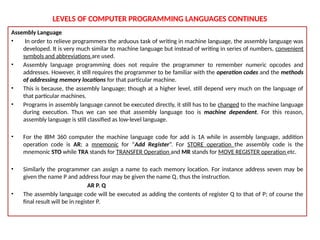
Assembly Language
• In order to relieve programmers the arduous task of writing in machine language, the assembly language was
developed. It is very much similar to machine language but instead of writing in series of numbers, convenient
symbols and abbreviations are used.
• Assembly language programming does not require the programmer to remember numeric opcodes and
addresses. However, it still requires the programmer to be familiar with the operation codes and the methods
of addressing memory locations for that particular machine.
• This is because, the assembly language; though at a higher level, still depend very much on the language of
that particular machines.
• Programs in assembly language cannot be executed directly, it still has to be changed to the machine language
during execution. Thus we can see that assembly language too is machine dependent. For this reason,
assembly language is still classified as low-level language.
• For the IBM 360 computer the machine language code for add is 1A while in assembly language, addition
operation code is AR; a mnemonic for “Add Register”. For STORE operation the assembly code is the
mnemonic STO while TRA stands for TRANSFER Operation and MR stands for MOVE REGISTER operation etc.
• Similarly the programmer can assign a name to each memory location. For instance address seven may be
given the name P and address four may be given the name Q, thus the instruction.
AR P. Q
• The assembly language code will be executed as adding the contents of register Q to that of P; of course the
final result will be in register P.
LEVELS OF COMPUTER PROGRAMMING LANGUAGES CONTINUES
HIGH-LEVEL LANGUAGES
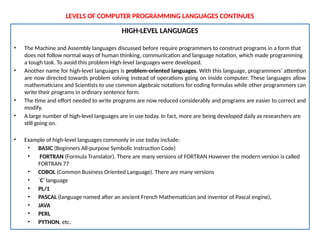
• The Machine and Assembly languages discussed before require programmers to construct programs in a form that
does not follow normal ways of human thinking, communication and language notation, which made programming
a tough task. To avoid this problem High-level languages were developed.
• Another name for high-level languages is problem-oriented languages. With this language, programmers’ attention
are now directed towards problem solving instead of operations going on inside computer. These languages allow
mathematicians and Scientists to use common algebraic notations for coding formulas while other programmers can
write their programs in ordinary sentence form.
• The time and effort needed to write programs are now reduced considerably and programs are easier to correct and
modify.
• A large number of high-level languages are in use today. In fact, more are being developed daily as researchers are
still going on.
• Example of high-level languages commonly in use today include:
• BASIC (Beginners All-purpose Symbolic Instruction Code)
• FORTRAN (Formula Translator). There are many versions of FORTRAN However the modern version is called
FORTRAN 77
• COBOL (Common Business Oriented Language). There are many versions
• `C’ language
• PL/1
• PASCAL (language named after an ancient French Mathematician and inventor of Pascal engine),
• JAVA
• PERL
• PYTHON, etc.
LEVELS OF COMPUTER PROGRAMMING LANGUAGES CONTINUES
• Each of the high-level languages has rules that govern how to write instructions in them.
Like any human language, it is the duty of the programmer or user to learn the rules of the
language he wants to use.
• Unlike low-level language which is machine-dependent, high-level languages are machine-
independent. That is to say, a program written in any of the high-level languages can be run
with little or no changes by computer made by many different manufacturers.
• Thus, as new computers come into existence, programmers do not have to rewrite the
existing programs and learn new language as it is the case with assembly programming.
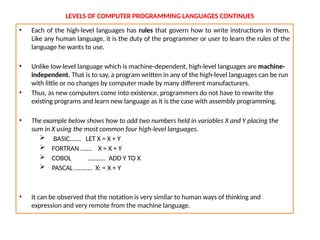
• The example below shows how to add two numbers held in variables X and Y placing the
sum in X using the most common four high-level languages.
 BASIC……. LET X = X + Y
 FORTRAN ……. X = X + Y
 COBOL ……….. ADD Y TO X
 PASCAL ……….. X: = X + Y
• It can be observed that the notation is very similar to human ways of thinking and
expression and very remote from the machine language.
LEVELS OF COMPUTER PROGRAMMING LANGUAGES CONTINUES
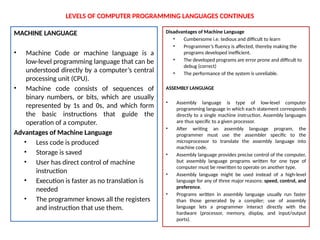
MACHINE LANGUAGE
• Machine Code or machine language is a
low-level programming language that can be
understood directly by a computer’s central
processing unit (CPU).
• Machine code consists of sequences of
binary numbers, or bits, which are usually
represented by 1s and 0s, and which form
the basic instructions that guide the
operation of a computer.
Advantages of Machine Language
• Less code is produced
• Storage is saved
• User has direct control of machine
instruction
• Execution is faster as no translation is
needed
• The programmer knows all the registers
and instruction that use them.
Disadvantages of Machine Language
• Cumbersome i.e. tedious and difficult to learn
• Programmer’s fluency is affected, thereby making the
programs developed inefficient.
• The developed programs are error prone and difficult to
debug (correct)
• The performance of the system is unreliable.
ASSEMBLY LANGUAGE
• Assembly language is type of low-level computer
programming language in which each statement corresponds
directly to a single machine instruction. Assembly languages
are thus specific to a given processor.
• After writing an assembly language program, the
programmer must use the assembler specific to the
microprocessor to translate the assembly language into
machine code.
• Assembly language provides precise control of the computer,
but assembly language programs written for one type of
computer must be rewritten to operate on another type.
• Assembly language might be used instead of a high-level
language for any of three major reasons: speed, control, and
preference.
• Programs written in assembly language usually run faster
than those generated by a compiler; use of assembly
language lets a programmer interact directly with the
hardware (processor, memory, display, and input/output
ports).
LEVELS OF COMPUTER PROGRAMMING LANGUAGES CONTINUES
Advantages of Low Level Language
1. Program translation is easier than high
level language
2. Programs written in low level languages
are faster.
3. It affords the programmer the opportunity
to understand the internal structure of
the hardware and its registers.
Disadvantages of Low Level Language
4. It is machine dependent, that is, cannot
be transferred to another computer.
5. Program development is slow as the
programmer must have detailed
knowledge of the hardware structure.
6. Program maintenance is slow and error
prone.
HIGH LEVEL LANGUAGE
• High-Level Language is a computer language that provides
a certain level of abstraction from the underlying machine
language through the use of declarations, control
statements, and other syntactical structures.
• The computer programmers enjoy using this language
because it gives them the fluency, the flexibility and the
opportunity to express their thought to the best of their
ability.
Advantages of High Level Language
1. It makes programming easier for the human being.
2. High level instructions are easier to understand and
faster to code.
3. Error correction and resting of program is easier
4. They are machine independent. That is, program
written for computer can be transferred to another
computer with little or no modification.
Disadvantages of High Level Languages
5. High level language tends to be inefficient in the use of
CPU and other facilities.
6. Machine code instructions are produced and than
requires more storage spaces.
7. More time is required to run the program as it has to be
translated.
THE CONCEPT OF DEBUGGING AND MAINTAINING PROGRAM
• Debugging is the art of diagnosing errors in programs and determining how to correct them. "Bugs" come in a
variety of forms, including: coding errors, design errors, complex interactions, poor user interface designs, and
system failures.
• Bugs are found throughout the software lifecycle. The programmer may find an issue, a software tester might
identify a problem, or an end user might report an unexpected result. Part of debugging effectively involves using
the appropriate techniques to get necessary information from the different sources of problem reports.
• Debugging is described as identification and removal of localized implementation errors or bugs from a program or
system.
• Program debugging is often supported by a debug tool, a software tool that allows the internal behavior of the
program to be investigated in order to establish the existence of bugs.
Sources of Bugs in a Program
With coding errors, the source of the problem lies with the person who implements the code. Examples of
coding errors include:
 Calling the wrong function ("moveUp", instead of "moveDown")
 Using the wrong variable names in the wrong places ( "moveTo(y, x)" instead of "moveTo(x, y)")
 Failing to initialize a variable ( "y = x + 1", where x has not been set)
 Skipping a check for an error return
• Software users readily see some design errors, while in other cases design flaws make a program more
difficult to improve or fix, and those flaws are not obvious to a user. Obvious design flaws are often
demonstrated by programs that run up against the limits of a computer, such as available memory, available disk
space, available processor speed, and overwhelming input/output devices.
• More difficult design errors fall into several categories:
THE CONCEPT OF DEBUGGING AND MAINTAINING PROGRAM CONTINUES
• Failure to hide complexity
• Incomplete or ambiguous "contracts"
• Undocumented side effects
Preventing Bugs
No discussion of debugging software would be
complete without a discussion of how to prevent bugs
in the first place. No matter how well you write code,
if you write the wrong code, it won't help anyone.
If you create the right code, but users cannot work
the user interface, you might as well have not written
the code. In short, a good debugger should keep an
open mind about where the problem might lie.
METHODS OF DEBUGGING
Understand the Problem
In order to write effective software, the developer
must solve the problem the user needs solved. Users,
naturally enough, do not think in strict algorithms,
windowing systems, web pages, or command line
interfaces. Rather, users think of their problems in the
way that they think of their problems (yes, that is
circular).
Sit down with the intended user, and ask them what they
want from the software.
In short, ask the users what their goals are. Absent those
goals, users will keep reporting bugs that do not add up to a
coherent whole.
Basic Debugging Techniques/Steps
 Recognize that a bug exists
 Isolate the source of the bug
 Identify the cause of the bug
 Determine a fix for the bug
 Apply the fix and test it
Recognize a bug exists
Detection of bugs can be done proactively or passively. An
experienced programmer often knows where errors are
more likely to occur, based on the complexity of sections of
the program as well as possible data corruption. For
example, any data obtained from a user should be treated
suspiciously. Great care should be taken to verify that the
format and content of the data are correct.
The goal of this step is to identify the symptoms of the bug.
Observing the symptoms of the problem, under what
conditions the problem is detected, and what work-around,
if any, have been found, will greatly help the remaining steps
to debugging the problem.
THE CONCEPT OF DEBUGGING AND MAINTAINING PROGRAM CONTINUES
Isolate the Source of Bug
This step is often the most difficult (and therefore
rewarding) step in debugging. The idea is to identify
what portion of the system is causing the error.
Unfortunately, the source of the problem isn't always
the same as the source of the symptoms.
For example, if an input record is corrupted, an error
may not occur until the program is processing a different
record, or performing some action based on the
erroneous information, which could happen long after
the record was read.
This step often involves iterative testing. The
programmer might first verify that the input is correct,
next if it was read correctly, processed correctly, etc. For
modular systems, this step can be a little easier by
checking the validity of data passed across interfaces
between different modules. If the input was correct, but
the output was not, then the source of the error is
within the module.
THE CONCEPT OF DEBUGGING AND MAINTAINING PROGRAM CONTINUES

COM 113 INTRO TO COMPUTER PROGRAMMING-PRT2.pptx

  • 1.
    LEVELS OF COMPUTERPROGRAMMING LANGUAGES • All computers whether small or big cannot do anything on their own. They all require a series of instructions (i.e programs) before they can do any processing. It is these programs that will direct the computer to carry out the required task. The programs have to be written out comprehensively: to cover all possibilities: and in the right order before the control unit of the CPU can use them effectively. • Programs can be written in several languages. Just as there are many spoken languages, there are many computer languages. In this lecture we shall study the different levels of computer languages and their forms. • Currently all computer languages can be grouped into three, namely, machine languages, assembly languages and high-level languages. Machine languages and assembly languages are together referred to as low-level languages. The detail characteristics of each group of languages are discussed below. LOW-LEVEL LANGUAGES • These group of languages are so named because in form they are very close (i.e. similar) to the language the computer understands, and very remote from languages spoken by human beings. Low-level languages are in two forms namely: Machine Language and Assembly Language. Machine Language • Machine language is as old as the computer itself. It is the computer’ s own language. • It consists of the code that designates the electrical states in the computer (i.e, on or off): this is expressed as combination of Os and 1s. • It is called the computer’s own language because codes or instructions written in machine language can be executed directly by the computer; without the need for any translation. • Each type of computer has its own machine language. That is to say, that different brands of computers cannot understand programs written in another brand’s machine language. Talking specifically, a computer made by IBM company has its own language which is different from the one of NCR company. Even two different models of computers made by the same company do not usually have the same machine language. Thus programs written in machine language are said to be machine- dependent..
  • 2.
    LEVELS OF COMPUTERPROGRAMMING LANGUAGES CONTINUES • Every instruction in machine language programs must specify both the operation to be carried out as well as the storage locations of the data items to be used in the operation. In form, it consists of a series of numbers. • The operation part is called opcode or operation code and the remaining part gives the addresses of the data items in memory that will be affected by the operation. • For example, the instruction, in machine language, to make the computer add together the numbers currently stored in memory addresses four and seven and then store the sum in address four will look like this: 1A47 • The first two numbers 1A is the operation code for add in IBM 360 machine. • On another machine it will be another series of numbers different from the one given. • For effective and efficient program in machine language, the programmer must keep track of which memory locations have been used and the purpose of each memory location. Also the programmer must know every operation code and the action that it causes the computer to take. • Due to these special requirements machine language programming is extremely complex, tedious and time consuming. • To overcome this, the assembly language come into existence.
  • 3.
    LEVELS OF COMPUTERPROGRAMMING LANGUAGES CONTINUES Assembly Language • In order to relieve programmers the arduous task of writing in machine language, the assembly language was developed. It is very much similar to machine language but instead of writing in series of numbers, convenient symbols and abbreviations are used. • Assembly language programming does not require the programmer to remember numeric opcodes and addresses. However, it still requires the programmer to be familiar with the operation codes and the methods of addressing memory locations for that particular machine. • This is because, the assembly language; though at a higher level, still depend very much on the language of that particular machines. • Programs in assembly language cannot be executed directly, it still has to be changed to the machine language during execution. Thus we can see that assembly language too is machine dependent. For this reason, assembly language is still classified as low-level language. • For the IBM 360 computer the machine language code for add is 1A while in assembly language, addition operation code is AR; a mnemonic for “Add Register”. For STORE operation the assembly code is the mnemonic STO while TRA stands for TRANSFER Operation and MR stands for MOVE REGISTER operation etc. • Similarly the programmer can assign a name to each memory location. For instance address seven may be given the name P and address four may be given the name Q, thus the instruction. AR P. Q • The assembly language code will be executed as adding the contents of register Q to that of P; of course the final result will be in register P.
  • 4.
    LEVELS OF COMPUTERPROGRAMMING LANGUAGES CONTINUES HIGH-LEVEL LANGUAGES • The Machine and Assembly languages discussed before require programmers to construct programs in a form that does not follow normal ways of human thinking, communication and language notation, which made programming a tough task. To avoid this problem High-level languages were developed. • Another name for high-level languages is problem-oriented languages. With this language, programmers’ attention are now directed towards problem solving instead of operations going on inside computer. These languages allow mathematicians and Scientists to use common algebraic notations for coding formulas while other programmers can write their programs in ordinary sentence form. • The time and effort needed to write programs are now reduced considerably and programs are easier to correct and modify. • A large number of high-level languages are in use today. In fact, more are being developed daily as researchers are still going on. • Example of high-level languages commonly in use today include: • BASIC (Beginners All-purpose Symbolic Instruction Code) • FORTRAN (Formula Translator). There are many versions of FORTRAN However the modern version is called FORTRAN 77 • COBOL (Common Business Oriented Language). There are many versions • `C’ language • PL/1 • PASCAL (language named after an ancient French Mathematician and inventor of Pascal engine), • JAVA • PERL • PYTHON, etc.
  • 5.
    LEVELS OF COMPUTERPROGRAMMING LANGUAGES CONTINUES • Each of the high-level languages has rules that govern how to write instructions in them. Like any human language, it is the duty of the programmer or user to learn the rules of the language he wants to use. • Unlike low-level language which is machine-dependent, high-level languages are machine- independent. That is to say, a program written in any of the high-level languages can be run with little or no changes by computer made by many different manufacturers. • Thus, as new computers come into existence, programmers do not have to rewrite the existing programs and learn new language as it is the case with assembly programming. • The example below shows how to add two numbers held in variables X and Y placing the sum in X using the most common four high-level languages.  BASIC……. LET X = X + Y  FORTRAN ……. X = X + Y  COBOL ……….. ADD Y TO X  PASCAL ……….. X: = X + Y • It can be observed that the notation is very similar to human ways of thinking and expression and very remote from the machine language.
  • 6.
    LEVELS OF COMPUTERPROGRAMMING LANGUAGES CONTINUES MACHINE LANGUAGE • Machine Code or machine language is a low-level programming language that can be understood directly by a computer’s central processing unit (CPU). • Machine code consists of sequences of binary numbers, or bits, which are usually represented by 1s and 0s, and which form the basic instructions that guide the operation of a computer. Advantages of Machine Language • Less code is produced • Storage is saved • User has direct control of machine instruction • Execution is faster as no translation is needed • The programmer knows all the registers and instruction that use them. Disadvantages of Machine Language • Cumbersome i.e. tedious and difficult to learn • Programmer’s fluency is affected, thereby making the programs developed inefficient. • The developed programs are error prone and difficult to debug (correct) • The performance of the system is unreliable. ASSEMBLY LANGUAGE • Assembly language is type of low-level computer programming language in which each statement corresponds directly to a single machine instruction. Assembly languages are thus specific to a given processor. • After writing an assembly language program, the programmer must use the assembler specific to the microprocessor to translate the assembly language into machine code. • Assembly language provides precise control of the computer, but assembly language programs written for one type of computer must be rewritten to operate on another type. • Assembly language might be used instead of a high-level language for any of three major reasons: speed, control, and preference. • Programs written in assembly language usually run faster than those generated by a compiler; use of assembly language lets a programmer interact directly with the hardware (processor, memory, display, and input/output ports).
  • 7.
    LEVELS OF COMPUTERPROGRAMMING LANGUAGES CONTINUES Advantages of Low Level Language 1. Program translation is easier than high level language 2. Programs written in low level languages are faster. 3. It affords the programmer the opportunity to understand the internal structure of the hardware and its registers. Disadvantages of Low Level Language 4. It is machine dependent, that is, cannot be transferred to another computer. 5. Program development is slow as the programmer must have detailed knowledge of the hardware structure. 6. Program maintenance is slow and error prone. HIGH LEVEL LANGUAGE • High-Level Language is a computer language that provides a certain level of abstraction from the underlying machine language through the use of declarations, control statements, and other syntactical structures. • The computer programmers enjoy using this language because it gives them the fluency, the flexibility and the opportunity to express their thought to the best of their ability. Advantages of High Level Language 1. It makes programming easier for the human being. 2. High level instructions are easier to understand and faster to code. 3. Error correction and resting of program is easier 4. They are machine independent. That is, program written for computer can be transferred to another computer with little or no modification. Disadvantages of High Level Languages 5. High level language tends to be inefficient in the use of CPU and other facilities. 6. Machine code instructions are produced and than requires more storage spaces. 7. More time is required to run the program as it has to be translated.
  • 8.
    THE CONCEPT OFDEBUGGING AND MAINTAINING PROGRAM • Debugging is the art of diagnosing errors in programs and determining how to correct them. "Bugs" come in a variety of forms, including: coding errors, design errors, complex interactions, poor user interface designs, and system failures. • Bugs are found throughout the software lifecycle. The programmer may find an issue, a software tester might identify a problem, or an end user might report an unexpected result. Part of debugging effectively involves using the appropriate techniques to get necessary information from the different sources of problem reports. • Debugging is described as identification and removal of localized implementation errors or bugs from a program or system. • Program debugging is often supported by a debug tool, a software tool that allows the internal behavior of the program to be investigated in order to establish the existence of bugs. Sources of Bugs in a Program With coding errors, the source of the problem lies with the person who implements the code. Examples of coding errors include:  Calling the wrong function ("moveUp", instead of "moveDown")  Using the wrong variable names in the wrong places ( "moveTo(y, x)" instead of "moveTo(x, y)")  Failing to initialize a variable ( "y = x + 1", where x has not been set)  Skipping a check for an error return • Software users readily see some design errors, while in other cases design flaws make a program more difficult to improve or fix, and those flaws are not obvious to a user. Obvious design flaws are often demonstrated by programs that run up against the limits of a computer, such as available memory, available disk space, available processor speed, and overwhelming input/output devices. • More difficult design errors fall into several categories:
  • 9.
    THE CONCEPT OFDEBUGGING AND MAINTAINING PROGRAM CONTINUES • Failure to hide complexity • Incomplete or ambiguous "contracts" • Undocumented side effects Preventing Bugs No discussion of debugging software would be complete without a discussion of how to prevent bugs in the first place. No matter how well you write code, if you write the wrong code, it won't help anyone. If you create the right code, but users cannot work the user interface, you might as well have not written the code. In short, a good debugger should keep an open mind about where the problem might lie. METHODS OF DEBUGGING Understand the Problem In order to write effective software, the developer must solve the problem the user needs solved. Users, naturally enough, do not think in strict algorithms, windowing systems, web pages, or command line interfaces. Rather, users think of their problems in the way that they think of their problems (yes, that is circular). Sit down with the intended user, and ask them what they want from the software. In short, ask the users what their goals are. Absent those goals, users will keep reporting bugs that do not add up to a coherent whole. Basic Debugging Techniques/Steps  Recognize that a bug exists  Isolate the source of the bug  Identify the cause of the bug  Determine a fix for the bug  Apply the fix and test it Recognize a bug exists Detection of bugs can be done proactively or passively. An experienced programmer often knows where errors are more likely to occur, based on the complexity of sections of the program as well as possible data corruption. For example, any data obtained from a user should be treated suspiciously. Great care should be taken to verify that the format and content of the data are correct. The goal of this step is to identify the symptoms of the bug. Observing the symptoms of the problem, under what conditions the problem is detected, and what work-around, if any, have been found, will greatly help the remaining steps to debugging the problem.
  • 10.
    THE CONCEPT OFDEBUGGING AND MAINTAINING PROGRAM CONTINUES Isolate the Source of Bug This step is often the most difficult (and therefore rewarding) step in debugging. The idea is to identify what portion of the system is causing the error. Unfortunately, the source of the problem isn't always the same as the source of the symptoms. For example, if an input record is corrupted, an error may not occur until the program is processing a different record, or performing some action based on the erroneous information, which could happen long after the record was read. This step often involves iterative testing. The programmer might first verify that the input is correct, next if it was read correctly, processed correctly, etc. For modular systems, this step can be a little easier by checking the validity of data passed across interfaces between different modules. If the input was correct, but the output was not, then the source of the error is within the module.
  • 11.
    THE CONCEPT OFDEBUGGING AND MAINTAINING PROGRAM CONTINUES

Editor's Notes

  • #1 COM 311 – PART II