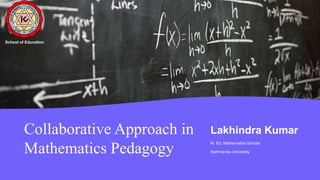
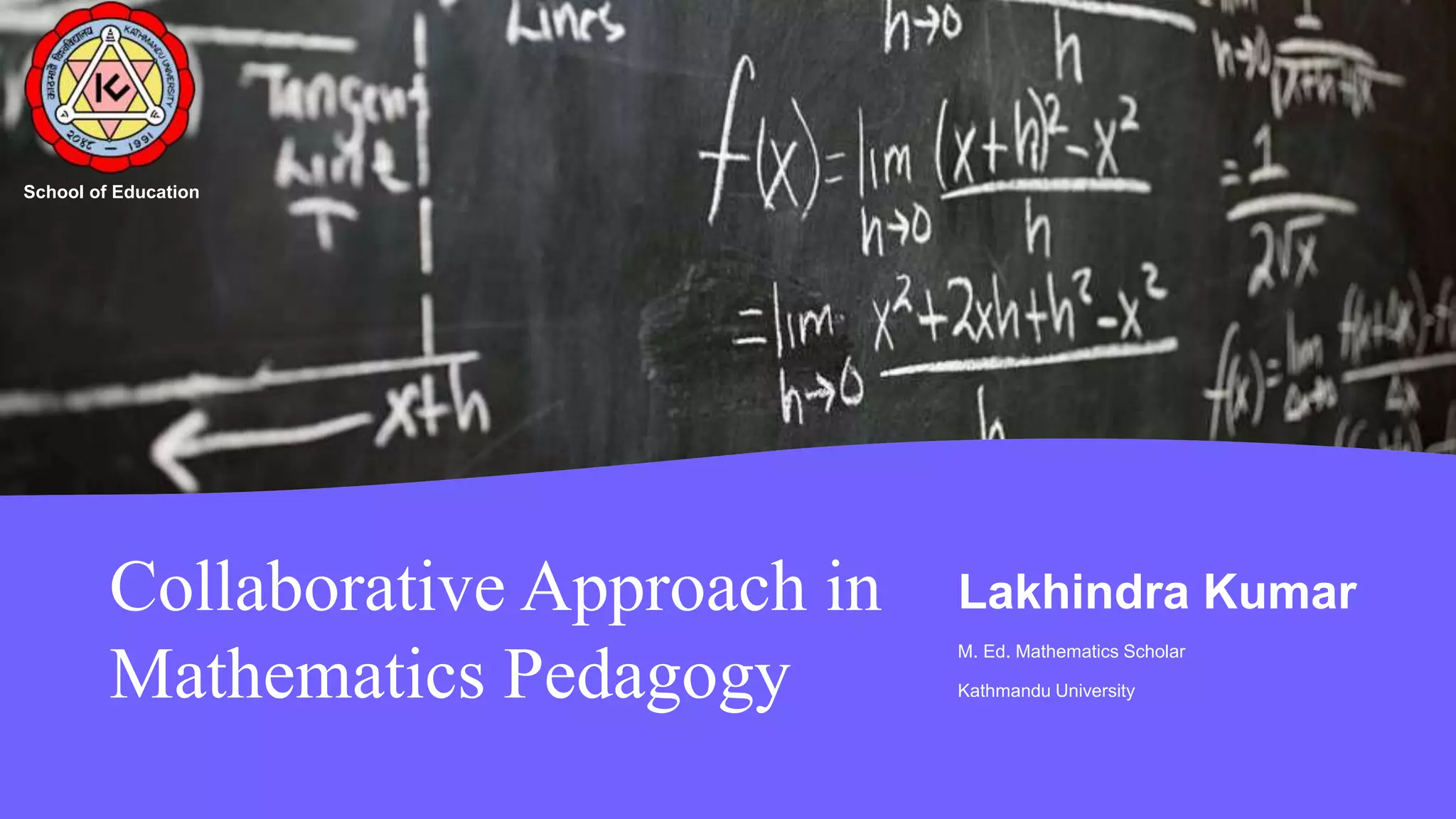
Collaborative Approach in
Mathematics Pedagogy
Lakhindra Kumar
M. Ed. Mathematics Scholar
Kathmandu University
School of Education
Introduction:
Understanding Collaborative Learning:
Collaboration in Mathematics:
Implementing Collaborative Techniques:
Challenges:
Overcoming Challenges:
Conclusion:
2 1 / 8 / 2 0 2 3 Collaborative Approach in Mathematics Pedagogy 2
Agenda
2 1 / 8 / 2 0 2 3 P R E S E N T A T I O N T I T L E 3
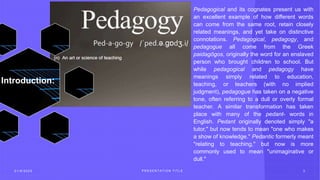
Introduction:
Pedagogical and its cognates present us with
an excellent example of how different words
can come from the same root, retain closely
related meanings, and yet take on distinctive
connotations. Pedagogical, pedagogy, and
pedagogue all come from the Greek
paidagōgos, originally the word for an enslaved
person who brought children to school. But
while pedagogical and pedagogy have
meanings simply related to education,
teaching, or teachers (with no implied
judgment), pedagogue has taken on a negative
tone, often referring to a dull or overly formal
teacher. A similar transformation has taken
place with many of the pedant- words in
English. Pedant originally denoted simply "a
tutor," but now tends to mean "one who makes
a show of knowledge." Pedantic formerly meant
"relating to teaching," but now is more
commonly used to mean "unimaginative or
dull."
Topic One
Subtitle
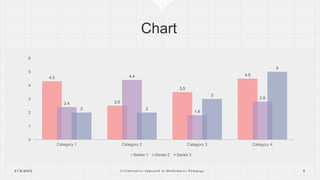
4.3
2.5
3.5
4.5
2.4
4.4
1.8
2.8
2 2
3
5
0
1
2
3
4
5
6
Category 1 Category 2 Category 3 Category 4
Series 1 Series 2 Series 3
2 1 / 8 / 2 0 2 3 C o l l a b o r a t i v e A p p r o a c h i n M a t h e m a t i c s P e d a g o g y 5
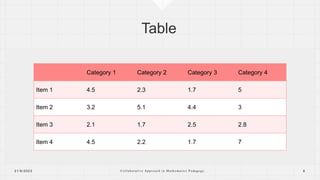
Category 1 Category 2 Category 3 Category 4
Item 1 4.5 2.3 1.7 5
Item 2 3.2 5.1 4.4 3
Item 3 2.1 1.7 2.5 2.8
Item 4 4.5 2.2 1.7 7
2 1 / 8 / 2 0 2 3 C o l l a b o r a t i v e A p p r o a c h i n M a t h e m a t i c s P e d a g o g y 6
The way to get started is to quit talking
and begin doing.
Walt Disney
2 1 / 8 / 2 0 2 3 C o l l a b o r a t i v e A p p r o a c h i n M a t h e m a t i c s P e d a g o g y 7
Team
2 1 / 8 / 2 0 2 3 C o l l a b o r a t i v e A p p r o a c h i n M a t h e m a t i c s P e d a g o g y 8
Name
Title
Name
Title
Name
Title
Name
Title
Timeline
2 1 / 8 / 2 0 2 3 C o l l a b o r a t i v e A p p r o a c h i n M a t h e m a t i c s P e d a g o g y 9
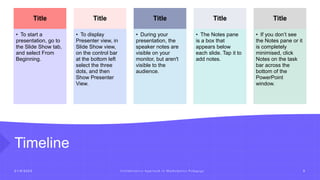
Title
• To start a
presentation, go to
the Slide Show tab,
and select From
Beginning.
Title
• To display
Presenter view, in
Slide Show view,
on the control bar
at the bottom left
select the three
dots, and then
Show Presenter
View.
Title
• During your
presentation, the
speaker notes are
visible on your
monitor, but aren't
visible to the
audience.
Title
• The Notes pane
is a box that
appears below
each slide. Tap it to
add notes.
Title
• If you don’t see
the Notes pane or it
is completely
minimised, click
Notes on the task
bar across the
bottom of the
PowerPoint
window.
Content
Subtitle
1. Add text, images, art, and videos.
2. Add transitions, animations, and motion.
3. Save to OneDrive, to get to your
presentations from your computer, tablet, or
phone.
Subtitle
1. Open the Design Ideas pane for instant slide
makeovers.
2. When we have design ideas, we’ll show
them to you right there.
2 1 / 8 / 2 0 2 3 C o l l a b o r a t i v e A p p r o a c h i n M a t h e m a t i c s P e d a g o g y 1 0
Content
Subtitle
1. Add text, images, art, and
videos.
2. Add transitions, animations,
and motion.
3. Save to OneDrive, to get to
your presentations from your
computer, tablet, or phone.
Subtitle
1. Open the Design Ideas pane
for instant slide makeovers.
2. When we have design ideas,
we’ll show them to you right
there.
Subtitle
1. This PowerPoint theme uses
its own unique set of colours,
fonts and effects to create the
overall look and feel of these
slides.
2. PowerPoint has tons of
themes to give your
presentation just the right
personality.
2 1 / 8 / 2 0 2 3 C o l l a b o r a t i v e A p p r o a c h i n M a t h e m a t i c s P e d a g o g y 1 1
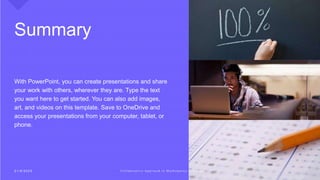
Summary
With PowerPoint, you can create presentations and share
your work with others, wherever they are. Type the text
you want here to get started. You can also add images,
art, and videos on this template. Save to OneDrive and
access your presentations from your computer, tablet, or
phone.
2 1 / 8 / 2 0 2 3 C o l l a b o r a t i v e A p p r o a c h i n M a t h e m a t i c s P e d a g o g y 1 2
Thank you
Presenter Name
Email
Website
2 1 / 8 / 2 0 2 3 C o l l a b o r a t i v e A p p r o a c h i n M a t h e m a t i c s P e d a g o g y 1 3

Collaborative Approach in Mathematics Pedagogy.pptx

  • 1.
    Collaborative Approach in MathematicsPedagogy Lakhindra Kumar M. Ed. Mathematics Scholar Kathmandu University School of Education
  • 2.
    Introduction: Understanding Collaborative Learning: Collaborationin Mathematics: Implementing Collaborative Techniques: Challenges: Overcoming Challenges: Conclusion: 2 1 / 8 / 2 0 2 3 Collaborative Approach in Mathematics Pedagogy 2 Agenda
  • 3.
    2 1 /8 / 2 0 2 3 P R E S E N T A T I O N T I T L E 3 Introduction: Pedagogical and its cognates present us with an excellent example of how different words can come from the same root, retain closely related meanings, and yet take on distinctive connotations. Pedagogical, pedagogy, and pedagogue all come from the Greek paidagōgos, originally the word for an enslaved person who brought children to school. But while pedagogical and pedagogy have meanings simply related to education, teaching, or teachers (with no implied judgment), pedagogue has taken on a negative tone, often referring to a dull or overly formal teacher. A similar transformation has taken place with many of the pedant- words in English. Pedant originally denoted simply "a tutor," but now tends to mean "one who makes a show of knowledge." Pedantic formerly meant "relating to teaching," but now is more commonly used to mean "unimaginative or dull."
  • 4.
  • 5.
    4.3 2.5 3.5 4.5 2.4 4.4 1.8 2.8 2 2 3 5 0 1 2 3 4 5 6 Category 1Category 2 Category 3 Category 4 Series 1 Series 2 Series 3 2 1 / 8 / 2 0 2 3 C o l l a b o r a t i v e A p p r o a c h i n M a t h e m a t i c s P e d a g o g y 5
  • 6.
    Category 1 Category2 Category 3 Category 4 Item 1 4.5 2.3 1.7 5 Item 2 3.2 5.1 4.4 3 Item 3 2.1 1.7 2.5 2.8 Item 4 4.5 2.2 1.7 7 2 1 / 8 / 2 0 2 3 C o l l a b o r a t i v e A p p r o a c h i n M a t h e m a t i c s P e d a g o g y 6
  • 7.
    The way toget started is to quit talking and begin doing. Walt Disney 2 1 / 8 / 2 0 2 3 C o l l a b o r a t i v e A p p r o a c h i n M a t h e m a t i c s P e d a g o g y 7
  • 8.
    Team 2 1 /8 / 2 0 2 3 C o l l a b o r a t i v e A p p r o a c h i n M a t h e m a t i c s P e d a g o g y 8 Name Title Name Title Name Title Name Title
  • 9.
    Timeline 2 1 /8 / 2 0 2 3 C o l l a b o r a t i v e A p p r o a c h i n M a t h e m a t i c s P e d a g o g y 9 Title • To start a presentation, go to the Slide Show tab, and select From Beginning. Title • To display Presenter view, in Slide Show view, on the control bar at the bottom left select the three dots, and then Show Presenter View. Title • During your presentation, the speaker notes are visible on your monitor, but aren't visible to the audience. Title • The Notes pane is a box that appears below each slide. Tap it to add notes. Title • If you don’t see the Notes pane or it is completely minimised, click Notes on the task bar across the bottom of the PowerPoint window.
  • 10.
    Content Subtitle 1. Add text,images, art, and videos. 2. Add transitions, animations, and motion. 3. Save to OneDrive, to get to your presentations from your computer, tablet, or phone. Subtitle 1. Open the Design Ideas pane for instant slide makeovers. 2. When we have design ideas, we’ll show them to you right there. 2 1 / 8 / 2 0 2 3 C o l l a b o r a t i v e A p p r o a c h i n M a t h e m a t i c s P e d a g o g y 1 0
  • 11.
    Content Subtitle 1. Add text,images, art, and videos. 2. Add transitions, animations, and motion. 3. Save to OneDrive, to get to your presentations from your computer, tablet, or phone. Subtitle 1. Open the Design Ideas pane for instant slide makeovers. 2. When we have design ideas, we’ll show them to you right there. Subtitle 1. This PowerPoint theme uses its own unique set of colours, fonts and effects to create the overall look and feel of these slides. 2. PowerPoint has tons of themes to give your presentation just the right personality. 2 1 / 8 / 2 0 2 3 C o l l a b o r a t i v e A p p r o a c h i n M a t h e m a t i c s P e d a g o g y 1 1
  • 12.
    Summary With PowerPoint, youcan create presentations and share your work with others, wherever they are. Type the text you want here to get started. You can also add images, art, and videos on this template. Save to OneDrive and access your presentations from your computer, tablet, or phone. 2 1 / 8 / 2 0 2 3 C o l l a b o r a t i v e A p p r o a c h i n M a t h e m a t i c s P e d a g o g y 1 2
  • 13.
    Thank you Presenter Name Email Website 21 / 8 / 2 0 2 3 C o l l a b o r a t i v e A p p r o a c h i n M a t h e m a t i c s P e d a g o g y 1 3