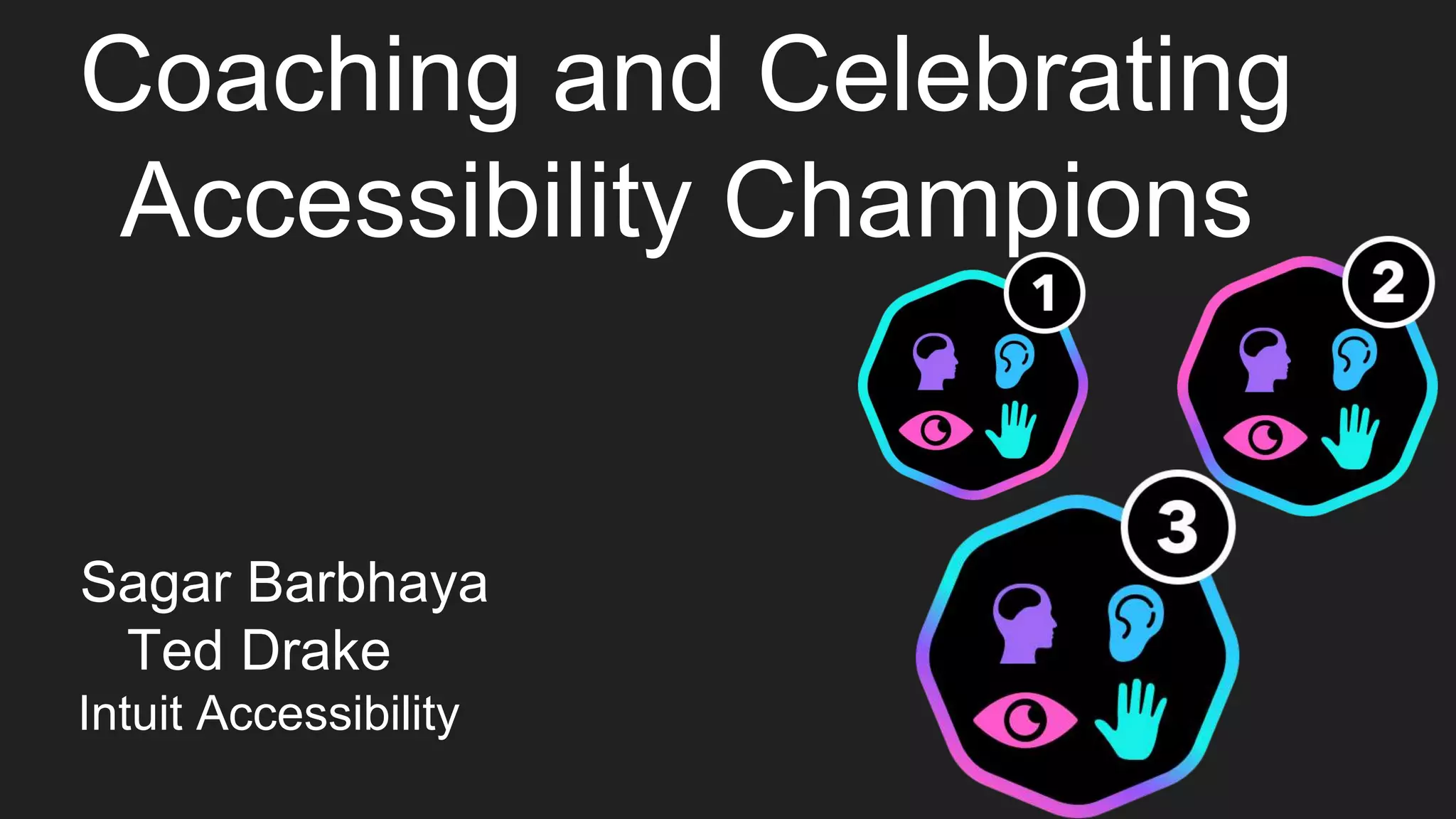
Coaching and Celebrating
Accessibility Champions
Sagar Barbhaya
Ted Drake
Intuit Accessibility
Today’s Speakers
Sagar Barbhaya Ted Drake
Senior Software Engineer Principal Accessibility Engineer
@sagar_barbhaya @ted_drake
Agenda
● What is an Accessibility Champion?
● How and Why Accessibility Champions?
● Statistics and Diversity of Accessibility Champions at Intuit
● Levels of Accessibility Champions
○ Level 1
○ Level 2
○ Level 3
● Intuit Specific Initiatives - Coach and Learn
● Motivation for Champions
● Story of an Accessibility Champion Developer
● Environment conducive for productivity
What Does A Champion Mean?
“A Person who fights or argues for a cause or on behalf of someone else”
Decipher Champions Quote
“A Person who fights or argues for a cause or on behalf of someone else”
Person: Designers/Product Managers/Engineers
Fights/argues: Best Practices for Accessibility
Someone: Accessibility Team
“Finally, champions are part of the project. They have
empathy. They are the implementers and so they have the
best understanding of the project and its goals. The
champion model is refocusing accessibility on making the
‘doing’ better, rather than marking what has already been
‘done’.”
- Jamie Knights, Senior accessibility specialist at BBC Future Media
Story of an Accessibility Champion Developer
Other Reasons For Creating Accessibility
Champions
● Here at Intuit we are customer obsessed.
● Extremely important to provide a seamless experience to ALL users.
● Employees need to have knowledge and be driven to serve customers
● Impossible to Scale to 50+ products at a time
● Technologies are evolving every other day
● Working with Different locations,Business Units,Time Zones etc
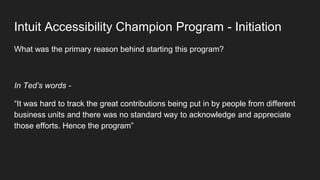
Intuit Accessibility Champion Program - Initiation
What was the primary reason behind starting this program?
In Ted’s words -
“It was hard to track the great contributions being put in by people from different
business units and there was no standard way to acknowledge and appreciate
those efforts. Hence the program”
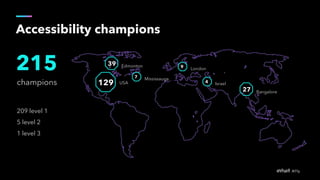
Accessibility champions
champions
215
209 level 1
5 level 2
1 level 3
27
39 Edmonton
Bangalore
7 Mississauga
9 London
4 Israel129 USA
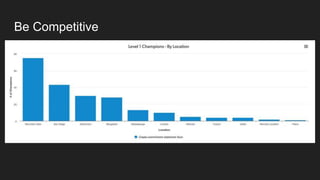
Be Competitive
Diversity in Champions
● Intuit tracks champions by their role.
● Product Development(Engineer to a Director), Designer, Product Manager,
Customer help), all a part of this program
● Track champions by business units/locations to motivate by creating an
atmosphere of healthy competition.
● How else to keep them motivated? Levels !
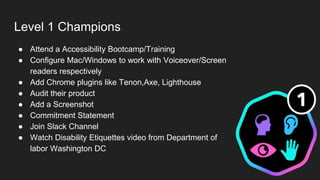
Level 1 Champions
● Attend a Accessibility Bootcamp/Training
● Configure Mac/Windows to work with Voiceover/Screen
readers respectively
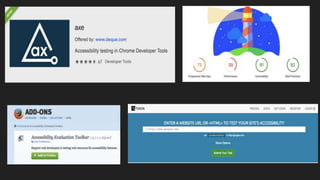
● Add Chrome plugins like Tenon,Axe, Lighthouse
● Audit their product
● Add a Screenshot
● Commitment Statement
● Join Slack Channel
● Watch Disability Etiquettes video from Department of
labor Washington DC
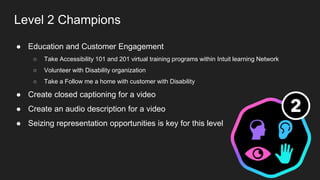
Level 2 Champions
● Education and Customer Engagement
○ Take Accessibility 101 and 201 virtual training programs within Intuit learning Network
○ Volunteer with Disability organization
○ Take a Follow me a home with customer with Disability
● Create closed captioning for a video
● Create an audio description for a video
● Seizing representation opportunities is key for this level
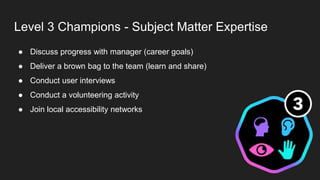
Level 3 Champions - Subject Matter Expertise
● Discuss progress with manager (career goals)
● Deliver a brown bag to the team (learn and share)
● Conduct user interviews
● Conduct a volunteering activity
● Join local accessibility networks
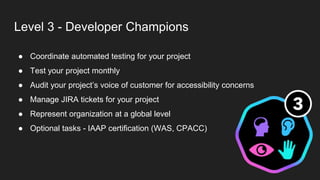
Level 3 - Developer Champions
● Coordinate automated testing for your project
● Test your project monthly
● Audit your project’s voice of customer for accessibility concerns
● Manage JIRA tickets for your project
● Represent organization at a global level
● Optional tasks - IAAP certification (WAS, CPACC)
Level 3 - User Experience Champions
● Complete Microsoft’s Inclusive Design 101
● Audit color usage on your product
● Evaluate readability of your project information
● Audit design specifications for accessibility
● Explore solutions for supporting user preferences
Level 3 - Customer Connect Champions
● Complete Disability Etiquette training videos
● Provide training for customer support team
● Monitor customer feedback for accessibility problems
● Consolidate feedback and create JIRA tickets
● Create documents for customer solutions
Representation Opportunities
● For some people, motivation comes from peer appreciation
● Building confidence amongst people about their knowledge and capabilities is
key.
● Representation opportunities outside of the organization.
● Pushes them towards personal growth and overall improving their graph
● CSUN 2016, two presenters - Sagar and Ted, 5 months into the champions
program and 6 presenters this year from various areas like design, product
development, engineering management.
● Exponential growth is key.
Intuit Specific Initiatives - Coach and Learn (Take
the Program Forward)
● Accessibility Bootcamps - Newly College Graduates, Front End Engineers
● Business Unit Specific Events - Progress of a product, future goals
● Lunch and Learn Events - Basics, example - How to use a screen reader
● Role specific events - Designer, Product Managers
● User testing sessions
● Empathy sessions - Get into the shoes of our customers using assistive
technology to cater better to their needs
Story of an Accessibility Champion Developer… continued
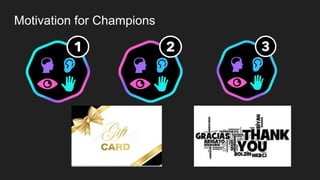
Motivation for Champions
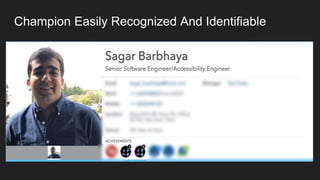
Champion Easily Recognized And Identifiable
Environment Conducive For Productivity
● Conducive Environment boosts people to work towards a certain project.
● Easy to ramp up and innovate in such an environment.
● Intuit Accessibility Automation
● Linters to promote accessible Development
● Tools to run accessibility checks on a website
Accessibility Automation at Intuit – Deep Dive
● Accessibility automation hub - one stop shop for integrations needed with any
platform
● Examples - Selenium, Webdriver JS, Webdriver IO
● Solid statistics - track progress
● Scalable - handle requests for multiple products across different business
units
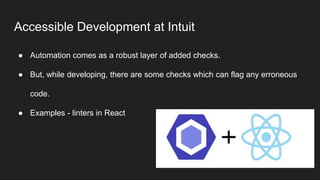
Accessible Development at Intuit
● Automation comes as a robust layer of added checks.
● But, while developing, there are some checks which can flag any erroneous
code.
● Examples - linters in React
Coaching and Celebrating Your Accessibility Champions

Coaching and Celebrating Your Accessibility Champions

  • 1.
    Coaching and Celebrating AccessibilityChampions Sagar Barbhaya Ted Drake Intuit Accessibility
  • 2.
    Today’s Speakers Sagar BarbhayaTed Drake Senior Software Engineer Principal Accessibility Engineer @sagar_barbhaya @ted_drake
  • 3.
    Agenda ● What isan Accessibility Champion? ● How and Why Accessibility Champions? ● Statistics and Diversity of Accessibility Champions at Intuit ● Levels of Accessibility Champions ○ Level 1 ○ Level 2 ○ Level 3 ● Intuit Specific Initiatives - Coach and Learn ● Motivation for Champions ● Story of an Accessibility Champion Developer ● Environment conducive for productivity
  • 4.
    What Does AChampion Mean? “A Person who fights or argues for a cause or on behalf of someone else”
  • 5.
    Decipher Champions Quote “APerson who fights or argues for a cause or on behalf of someone else” Person: Designers/Product Managers/Engineers Fights/argues: Best Practices for Accessibility Someone: Accessibility Team
  • 6.
    “Finally, champions arepart of the project. They have empathy. They are the implementers and so they have the best understanding of the project and its goals. The champion model is refocusing accessibility on making the ‘doing’ better, rather than marking what has already been ‘done’.” - Jamie Knights, Senior accessibility specialist at BBC Future Media
  • 7.
    Story of anAccessibility Champion Developer
  • 8.
    Other Reasons ForCreating Accessibility Champions ● Here at Intuit we are customer obsessed. ● Extremely important to provide a seamless experience to ALL users. ● Employees need to have knowledge and be driven to serve customers ● Impossible to Scale to 50+ products at a time ● Technologies are evolving every other day ● Working with Different locations,Business Units,Time Zones etc
  • 9.
    Intuit Accessibility ChampionProgram - Initiation What was the primary reason behind starting this program? In Ted’s words - “It was hard to track the great contributions being put in by people from different business units and there was no standard way to acknowledge and appreciate those efforts. Hence the program”
  • 10.
    Accessibility champions champions 215 209 level1 5 level 2 1 level 3 27 39 Edmonton Bangalore 7 Mississauga 9 London 4 Israel129 USA
  • 11.
  • 12.
    Diversity in Champions ●Intuit tracks champions by their role. ● Product Development(Engineer to a Director), Designer, Product Manager, Customer help), all a part of this program ● Track champions by business units/locations to motivate by creating an atmosphere of healthy competition. ● How else to keep them motivated? Levels !
  • 13.
    Level 1 Champions ●Attend a Accessibility Bootcamp/Training ● Configure Mac/Windows to work with Voiceover/Screen readers respectively ● Add Chrome plugins like Tenon,Axe, Lighthouse ● Audit their product ● Add a Screenshot ● Commitment Statement ● Join Slack Channel ● Watch Disability Etiquettes video from Department of labor Washington DC
  • 14.
    Level 2 Champions ●Education and Customer Engagement ○ Take Accessibility 101 and 201 virtual training programs within Intuit learning Network ○ Volunteer with Disability organization ○ Take a Follow me a home with customer with Disability ● Create closed captioning for a video ● Create an audio description for a video ● Seizing representation opportunities is key for this level
  • 15.
    Level 3 Champions- Subject Matter Expertise ● Discuss progress with manager (career goals) ● Deliver a brown bag to the team (learn and share) ● Conduct user interviews ● Conduct a volunteering activity ● Join local accessibility networks
  • 16.
    Level 3 -Developer Champions ● Coordinate automated testing for your project ● Test your project monthly ● Audit your project’s voice of customer for accessibility concerns ● Manage JIRA tickets for your project ● Represent organization at a global level ● Optional tasks - IAAP certification (WAS, CPACC)
  • 17.
    Level 3 -User Experience Champions ● Complete Microsoft’s Inclusive Design 101 ● Audit color usage on your product ● Evaluate readability of your project information ● Audit design specifications for accessibility ● Explore solutions for supporting user preferences
  • 18.
    Level 3 -Customer Connect Champions ● Complete Disability Etiquette training videos ● Provide training for customer support team ● Monitor customer feedback for accessibility problems ● Consolidate feedback and create JIRA tickets ● Create documents for customer solutions
  • 19.
    Representation Opportunities ● Forsome people, motivation comes from peer appreciation ● Building confidence amongst people about their knowledge and capabilities is key. ● Representation opportunities outside of the organization. ● Pushes them towards personal growth and overall improving their graph ● CSUN 2016, two presenters - Sagar and Ted, 5 months into the champions program and 6 presenters this year from various areas like design, product development, engineering management. ● Exponential growth is key.
  • 20.
    Intuit Specific Initiatives- Coach and Learn (Take the Program Forward) ● Accessibility Bootcamps - Newly College Graduates, Front End Engineers ● Business Unit Specific Events - Progress of a product, future goals ● Lunch and Learn Events - Basics, example - How to use a screen reader ● Role specific events - Designer, Product Managers ● User testing sessions ● Empathy sessions - Get into the shoes of our customers using assistive technology to cater better to their needs
  • 21.
    Story of anAccessibility Champion Developer… continued
  • 22.
  • 23.
  • 24.
    Environment Conducive ForProductivity ● Conducive Environment boosts people to work towards a certain project. ● Easy to ramp up and innovate in such an environment. ● Intuit Accessibility Automation ● Linters to promote accessible Development ● Tools to run accessibility checks on a website
  • 26.
    Accessibility Automation atIntuit – Deep Dive ● Accessibility automation hub - one stop shop for integrations needed with any platform ● Examples - Selenium, Webdriver JS, Webdriver IO ● Solid statistics - track progress ● Scalable - handle requests for multiple products across different business units
  • 28.
    Accessible Development atIntuit ● Automation comes as a robust layer of added checks. ● But, while developing, there are some checks which can flag any erroneous code. ● Examples - linters in React