Mind Mapping


Copyright CoachCathy.ca October 2010
KEY LEARNING POINTS
     1.     Organize Individual Thoughts & Group
            Brainstorming.
     2.     Encourage Creativity & Originality, Optimize
            Learning & Retention.
     3.     More Organized, Cohesive Presentations
            with a Creative Flare!


Copyright CoachCathy.ca October 2010
A MIND MAP IS…..
    A Revolutionary Method of……
     Note Taking

     Note Making

     Group Brainstorming

     Presenting ideas

    …that is more effective than linear notes.


Copyright CoachCathy.ca October 2010
MIND MAPPING IS…..
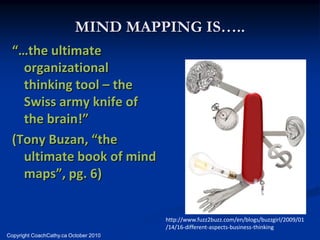
  “…the ultimate
    organizational
    thinking tool – the
    Swiss army knife of
    the brain!”
  (Tony Buzan, “the
    ultimate book of mind
    maps”, pg. 6)

                                       http://www.fuzz2buzz.com/en/blogs/buzzgirl/2009/01
                                       /14/16-different-aspects-business-thinking
Copyright CoachCathy.ca October 2010
MIND MAPPING IS…..
                                          “…the whole brain alternative
                                           to linear thinking. [It] reaches
                                           out in all directions and
                                           catches thoughts from any
                                           angle.” (Michael Michalko,
                                           Cracking Creativity)
http://users.wfu.edu/oddoem9/resources.h
tml#top


Copyright CoachCathy.ca October 2010
CHALLENGES
        What are your current
         challenges with note-
         taking and note-making?
        Do you struggle with
         organizing your projects
         or presenting ideas?
        Do you need an excellent
         problem solving and
         brainstorming tool?

Copyright CoachCathy.ca October 2010
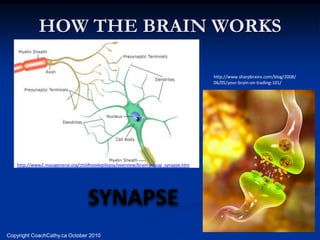
HOW THE BRAIN WORKS

                                                                                    http://www.sharpbrains.com/blog/2008/
                                                                                    06/05/your-brain-on-trading-101/


   http://www2.massgeneral.org/childhoodepilepsy/overview/brain-popup_synapse.htm


                                   SYNAPSE
Copyright CoachCathy.ca October 2010
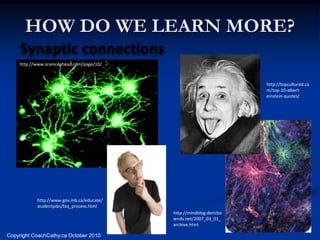
HOW DO WE LEARN MORE?
     Synaptic connections
    http://www.scienceahead.com/page/10/


                                                                     http://topcultured.co
                                                                     m/top-10-albert-
                                                                     einstein-quotes/


           http://www.gov.mb.ca/educate/
           studentjobs/faq_process.html
                                           http://mindblog.dericbo
                                           wnds.net/2007_03_01_
                                           archive.html

Copyright CoachCathy.ca October 2010
HOW DOES A CHILD LEARN?
  singing

                Having…….
                          FUN
Talking
Copying                                MOVING
                                                http://www.ladbrokeradio.co
                                                m/2005.html


Copyright CoachCathy.ca October 2010
HISTORY OF MIND MAPPING
                                       Origin
        Tony Buzan

        How do I learn?

        What are the best techniques for reading,
         creating, memorizing and thinking in
         general?

        Mind Mapping was created!

Copyright CoachCathy.ca October 2010
HISTORY OF MIND MAPPING
                                       Notes of Geniuses


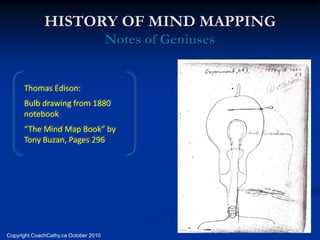
      Thomas Edison:
      Bulb drawing from 1880
      notebook
      “The Mind Map Book” by
      Tony Buzan, Pages 296


Copyright CoachCathy.ca October 2010
Notes of Geniuses


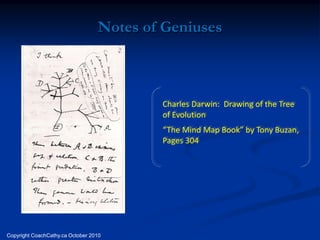
                                          Charles Darwin: Drawing of the Tree
                                          of Evolution
                                          “The Mind Map Book” by Tony Buzan,
                                          Pages 304


Copyright CoachCathy.ca October 2010
Notes of Geniuses
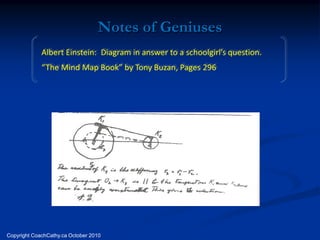
             Albert Einstein: Diagram in answer to a schoolgirl’s question.
             “The Mind Map Book” by Tony Buzan, Pages 296


Copyright CoachCathy.ca October 2010
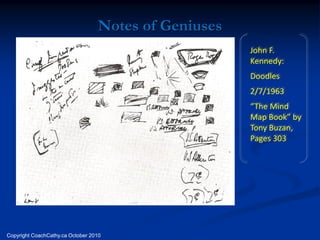
Notes of Geniuses
                                                      John F.
                                                      Kennedy:
                                                      Doodles
                                                      2/7/1963
                                                      “The Mind
                                                      Map Book” by
                                                      Tony Buzan,
                                                      Pages 303


Copyright CoachCathy.ca October 2010
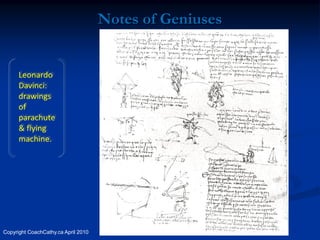
Notes of Geniuses


      Leonardo
      Davinci:
      drawings
      of
      parachute
      & flying
      machine.


Copyright CoachCathy.ca April 2010
What do you notice about
       the notes of geniuses?
        Why do you think this
        would work better than
        standard linear notes?
Copyright CoachCathy.ca April 2010
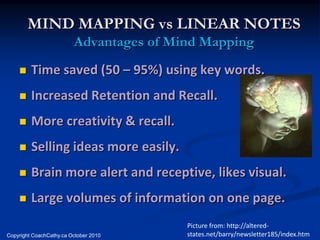
MIND MAPPING vs LINEAR NOTES
                         Advantages of Mind Mapping
        Time saved (50 – 95%) using key words.
        Increased Retention and Recall.
        More creativity & recall.
        Selling ideas more easily.
        Brain more alert and receptive, likes visual.
        Large volumes of information on one page.
                                         Picture from: http://altered-
Copyright CoachCathy.ca October 2010     states.net/barry/newsletter185/index.htm
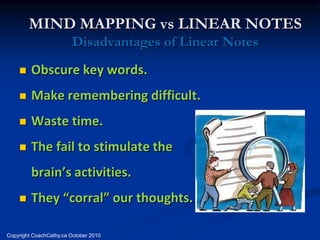
MIND MAPPING vs LINEAR NOTES
                         Disadvantages of Linear Notes
        Obscure key words.
        Make remembering difficult.
        Waste time.
        The fail to stimulate the
         brain’s activities.
        They “corral” our thoughts.

Copyright CoachCathy.ca October 2010
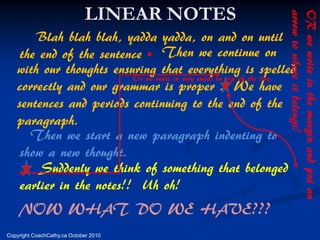
LINEAR NOTES
       Blah blah blah, yadda yadda, on and on until
                                       .
    the end of the sentence Then we continue on
   with our thoughts ensuring that everything is spelled
                          Or we write in very small on top of the line.
   correctly and our grammar is proper . We have
   sentences and periods continuing to the end of the
   paragraph.
      Then we start a new paragraph indenting to
    show a new thought.
        Suddenly we think of something that belonged
    earlier in the notes!! Uh oh!
    NOW WHAT DO WE HAVE???
Copyright CoachCathy.ca October 2010
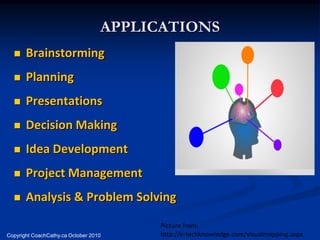
APPLICATIONS
      Brainstorming
      Planning
      Presentations
      Decision Making
      Idea Development
      Project Management
      Analysis & Problem Solving

                                         Picture from:
Copyright CoachCathy.ca October 2010     http://e-techknowledge.com/visualmapping.aspx
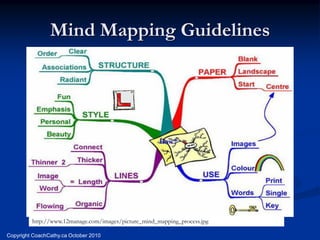
Mind Mapping Guidelines


         http://www.12manage.com/images/picture_mind_mapping_process.jpg

Copyright CoachCathy.ca October 2010
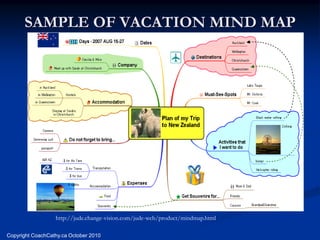
SAMPLE OF VACATION MIND MAP


                  http://jude.change-vision.com/jude-web/product/mindmap.html

Copyright CoachCathy.ca October 2010
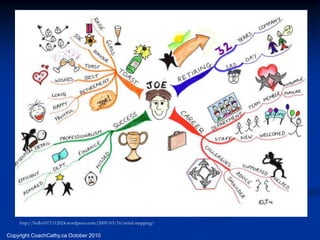
http://hello1071112024.wordpress.com/2009/03/16/mind-mapping/

Copyright CoachCathy.ca October 2010
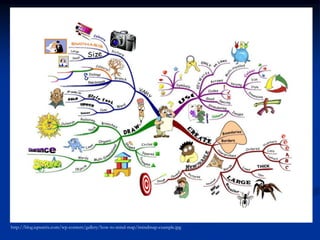
http://blog.iqmatrix.com/wp-content/gallery/how-to-mind-map/imindmap-example.jpg
MAKE YOUR OWN MIND MAP
                   CENTRAL IDEA
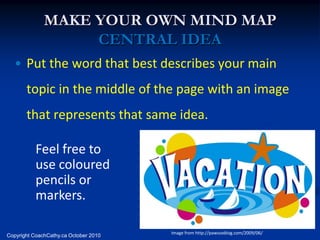
  • Put the word that best describes your main
       topic in the middle of the page with an image
       that represents that same idea.

           Feel free to
           use coloured
           pencils or
           markers.

                                       Image from http://pawsoxblog.com/2009/06/
Copyright CoachCathy.ca October 2010
MAKE YOUR OWN MIND MAP
                      MAIN BRANCHES
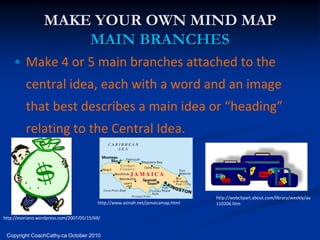
    • Make 4 or 5 main branches attached to the
          central idea, each with a word and an image
          that best describes a main idea or “heading”
          relating to the Central Idea.


                                                                                  http://webclipart.about.com/library/weekly/aa
                                          http://www.asinah.net/jamaicamap.html   110206.htm

http://esoriano.wordpress.com/2007/05/15/69/


 Copyright CoachCathy.ca October 2010
MAKE YOUR OWN MIND MAP
                 WORDS AND IMAGES
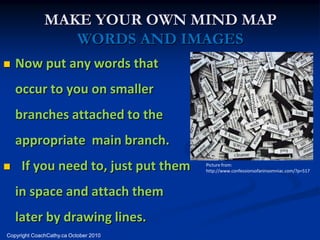
   Now put any words that
    occur to you on smaller
    branches attached to the
    appropriate main branch.
    If you need to, just put them     Picture from:
                                       http://www.confessionsofaninsomniac.com/?p=517


    in space and attach them
    later by drawing lines.
Copyright CoachCathy.ca October 2010
PICTURES
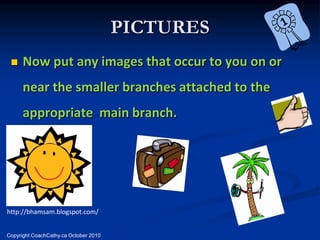
     Now put any images that occur to you on or
      near the smaller branches attached to the
      appropriate main branch.


http://bhamsam.blogspot.com/


Copyright CoachCathy.ca October 2010
MIND MAPPING SOFTWARE
             BENEFITS
        Neatness and clarity.
        Move branches with ease.
        Icons and picture imports available.
        Changes are simple and Mind Map, Gantt
         and MS Outlook updated automatically!
        Import and Export easily with MSOffice

Copyright CoachCathy.ca October 2010
MIND MAPPING SOFTWARE
      BENEFITS
   View as Mind Map, Gantt or Timeline.
   Presentation Ready!
   Hierarchy automatically assigned.
   Optimizes brainstorming, visualization and
    sharing information.
   Organize work streams with ease.
MIND MAPPING SOFTWARE
      BENEFITS
   Enables all team members to visualize.
   Attach relevant files, notes and pictures with
    ease!
   Assign priorities, duration and dependencies.
   Export information instantly to Word, Excel,
    Project or Outlook.
NEW FEATURES OF
           MINDVIEW 4
   Shared Workspace
   True Multi-User Editing
   Locking And Granting Rights To Branches
   Automated Distribution Of Tasks To Resource
   Tracking Changes
   Enhanced Project Management Reports
   Improved Sharepoint Integration
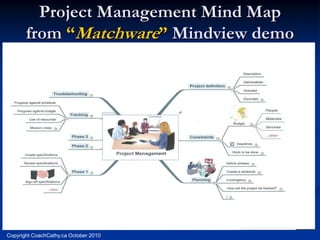
Project Management Mind Map
       from “Matchware” Mindview demo


Copyright CoachCathy.ca October 2010
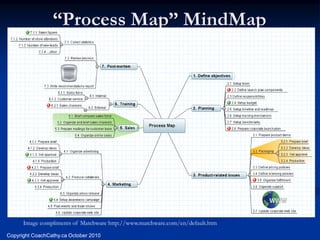
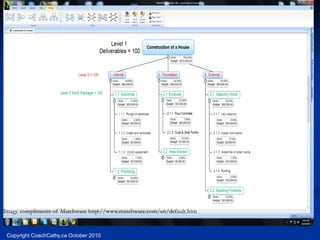
“Process Map” MindMap


      Image compliments of Matchware http://www.matchware.com/en/default.htm
Copyright CoachCathy.ca October 2010
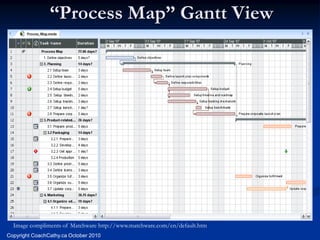
“Process Map” Gantt View


  Image compliments of Matchware http://www.matchware.com/en/default.htm
Copyright CoachCathy.ca October 2010
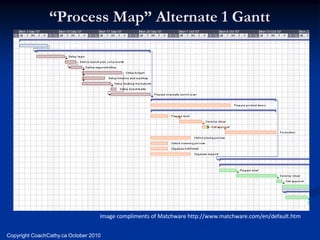
“Process Map” Alternate 1 Gantt


                                   Image compliments of Matchware http://www.matchware.com/en/default.htm


Copyright CoachCathy.ca October 2010
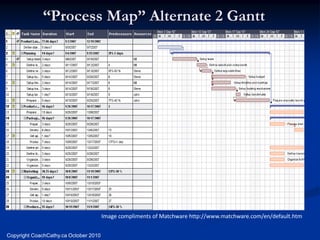
“Process Map” Alternate 2 Gantt


                                       Image compliments of Matchware http://www.matchware.com/en/default.htm


Copyright CoachCathy.ca October 2010
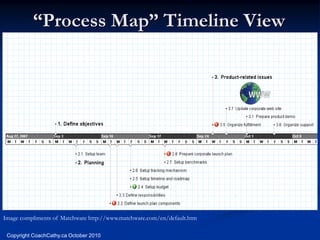
“Process Map” Timeline View


Image compliments of Matchware http://www.matchware.com/en/default.htm

 Copyright CoachCathy.ca October 2010
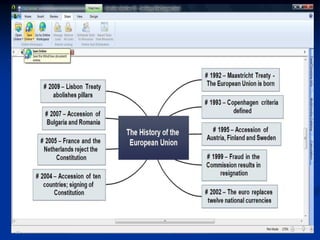
Image compliments of Matchware http://www.matchware.com/en/default.htm


 Copyright CoachCathy.ca October 2010
KEY LEARNING POINTS
    1.     Organize Individual Thoughts & Group
           Brainstorming.
    2.     Encourage Creativity & Originality, Optimize
           Learning & Retention.
    3.     More Organized, Cohesive Presentations with a
           Creative Flare!


Copyright CoachCathy.ca October 2010
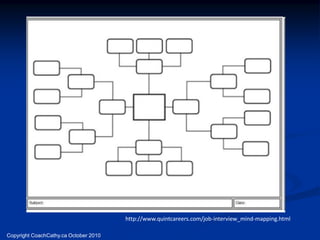
http://www.quintcareers.com/job-interview_mind-mapping.html

Copyright CoachCathy.ca October 2010
http://www.matchware.com/en/products/mindview/default.htm

      BRANDON CONRAD T: 813-254-6644
         Brandon.conrad@matchware.com
Copyright CoachCathy.ca October 2010
TAKE-AWAY LEARNINGS
        On a big page, please make a MIND MAP of
         your most IMPORTANT take-away learnings
         from this workshop.

        Make a personal action plan to ensure that
         you use the skills you have learned.

   Cathy Byrnes                        519-651-1260
   www.coachcathy.ca                   cathy@coachcathy.ca
Copyright CoachCathy.ca October 2010

Coach Cathy: Mind Mapping

  • 1.
  • 2.
    KEY LEARNING POINTS 1. Organize Individual Thoughts & Group Brainstorming. 2. Encourage Creativity & Originality, Optimize Learning & Retention. 3. More Organized, Cohesive Presentations with a Creative Flare! Copyright CoachCathy.ca October 2010
  • 3.
    A MIND MAPIS….. A Revolutionary Method of……  Note Taking  Note Making  Group Brainstorming  Presenting ideas …that is more effective than linear notes. Copyright CoachCathy.ca October 2010
  • 4.
    MIND MAPPING IS….. “…the ultimate organizational thinking tool – the Swiss army knife of the brain!” (Tony Buzan, “the ultimate book of mind maps”, pg. 6) http://www.fuzz2buzz.com/en/blogs/buzzgirl/2009/01 /14/16-different-aspects-business-thinking Copyright CoachCathy.ca October 2010
  • 5.
    MIND MAPPING IS…..  “…the whole brain alternative to linear thinking. [It] reaches out in all directions and catches thoughts from any angle.” (Michael Michalko, Cracking Creativity) http://users.wfu.edu/oddoem9/resources.h tml#top Copyright CoachCathy.ca October 2010
  • 6.
    CHALLENGES  What are your current challenges with note- taking and note-making?  Do you struggle with organizing your projects or presenting ideas?  Do you need an excellent problem solving and brainstorming tool? Copyright CoachCathy.ca October 2010
  • 7.
    HOW THE BRAINWORKS http://www.sharpbrains.com/blog/2008/ 06/05/your-brain-on-trading-101/ http://www2.massgeneral.org/childhoodepilepsy/overview/brain-popup_synapse.htm SYNAPSE Copyright CoachCathy.ca October 2010
  • 8.
    HOW DO WELEARN MORE? Synaptic connections http://www.scienceahead.com/page/10/ http://topcultured.co m/top-10-albert- einstein-quotes/ http://www.gov.mb.ca/educate/ studentjobs/faq_process.html http://mindblog.dericbo wnds.net/2007_03_01_ archive.html Copyright CoachCathy.ca October 2010
  • 9.
    HOW DOES ACHILD LEARN? singing Having……. FUN Talking Copying MOVING http://www.ladbrokeradio.co m/2005.html Copyright CoachCathy.ca October 2010
  • 10.
    HISTORY OF MINDMAPPING Origin  Tony Buzan  How do I learn?  What are the best techniques for reading, creating, memorizing and thinking in general?  Mind Mapping was created! Copyright CoachCathy.ca October 2010
  • 11.
    HISTORY OF MINDMAPPING Notes of Geniuses Thomas Edison: Bulb drawing from 1880 notebook “The Mind Map Book” by Tony Buzan, Pages 296 Copyright CoachCathy.ca October 2010
  • 12.
    Notes of Geniuses Charles Darwin: Drawing of the Tree of Evolution “The Mind Map Book” by Tony Buzan, Pages 304 Copyright CoachCathy.ca October 2010
  • 13.
    Notes of Geniuses Albert Einstein: Diagram in answer to a schoolgirl’s question. “The Mind Map Book” by Tony Buzan, Pages 296 Copyright CoachCathy.ca October 2010
  • 14.
    Notes of Geniuses John F. Kennedy: Doodles 2/7/1963 “The Mind Map Book” by Tony Buzan, Pages 303 Copyright CoachCathy.ca October 2010
  • 15.
    Notes of Geniuses Leonardo Davinci: drawings of parachute & flying machine. Copyright CoachCathy.ca April 2010
  • 16.
    What do younotice about the notes of geniuses? Why do you think this would work better than standard linear notes? Copyright CoachCathy.ca April 2010
  • 17.
    MIND MAPPING vsLINEAR NOTES Advantages of Mind Mapping  Time saved (50 – 95%) using key words.  Increased Retention and Recall.  More creativity & recall.  Selling ideas more easily.  Brain more alert and receptive, likes visual.  Large volumes of information on one page. Picture from: http://altered- Copyright CoachCathy.ca October 2010 states.net/barry/newsletter185/index.htm
  • 18.
    MIND MAPPING vsLINEAR NOTES Disadvantages of Linear Notes  Obscure key words.  Make remembering difficult.  Waste time.  The fail to stimulate the brain’s activities.  They “corral” our thoughts. Copyright CoachCathy.ca October 2010
  • 19.
    LINEAR NOTES Blah blah blah, yadda yadda, on and on until . the end of the sentence Then we continue on with our thoughts ensuring that everything is spelled Or we write in very small on top of the line. correctly and our grammar is proper . We have sentences and periods continuing to the end of the paragraph. Then we start a new paragraph indenting to show a new thought. Suddenly we think of something that belonged earlier in the notes!! Uh oh! NOW WHAT DO WE HAVE??? Copyright CoachCathy.ca October 2010
  • 20.
    APPLICATIONS  Brainstorming  Planning  Presentations  Decision Making  Idea Development  Project Management  Analysis & Problem Solving Picture from: Copyright CoachCathy.ca October 2010 http://e-techknowledge.com/visualmapping.aspx
  • 21.
    Mind Mapping Guidelines http://www.12manage.com/images/picture_mind_mapping_process.jpg Copyright CoachCathy.ca October 2010
  • 22.
    SAMPLE OF VACATIONMIND MAP http://jude.change-vision.com/jude-web/product/mindmap.html Copyright CoachCathy.ca October 2010
  • 23.
  • 24.
  • 25.
    MAKE YOUR OWNMIND MAP CENTRAL IDEA • Put the word that best describes your main topic in the middle of the page with an image that represents that same idea. Feel free to use coloured pencils or markers. Image from http://pawsoxblog.com/2009/06/ Copyright CoachCathy.ca October 2010
  • 26.
    MAKE YOUR OWNMIND MAP MAIN BRANCHES • Make 4 or 5 main branches attached to the central idea, each with a word and an image that best describes a main idea or “heading” relating to the Central Idea. http://webclipart.about.com/library/weekly/aa http://www.asinah.net/jamaicamap.html 110206.htm http://esoriano.wordpress.com/2007/05/15/69/ Copyright CoachCathy.ca October 2010
  • 27.
    MAKE YOUR OWNMIND MAP WORDS AND IMAGES  Now put any words that occur to you on smaller branches attached to the appropriate main branch.  If you need to, just put them Picture from: http://www.confessionsofaninsomniac.com/?p=517 in space and attach them later by drawing lines. Copyright CoachCathy.ca October 2010
  • 28.
    PICTURES  Now put any images that occur to you on or near the smaller branches attached to the appropriate main branch. http://bhamsam.blogspot.com/ Copyright CoachCathy.ca October 2010
  • 29.
    MIND MAPPING SOFTWARE BENEFITS  Neatness and clarity.  Move branches with ease.  Icons and picture imports available.  Changes are simple and Mind Map, Gantt and MS Outlook updated automatically!  Import and Export easily with MSOffice Copyright CoachCathy.ca October 2010
  • 30.
    MIND MAPPING SOFTWARE BENEFITS  View as Mind Map, Gantt or Timeline.  Presentation Ready!  Hierarchy automatically assigned.  Optimizes brainstorming, visualization and sharing information.  Organize work streams with ease.
  • 31.
    MIND MAPPING SOFTWARE BENEFITS  Enables all team members to visualize.  Attach relevant files, notes and pictures with ease!  Assign priorities, duration and dependencies.  Export information instantly to Word, Excel, Project or Outlook.
  • 32.
    NEW FEATURES OF MINDVIEW 4  Shared Workspace  True Multi-User Editing  Locking And Granting Rights To Branches  Automated Distribution Of Tasks To Resource  Tracking Changes  Enhanced Project Management Reports  Improved Sharepoint Integration
  • 33.
    Project Management MindMap from “Matchware” Mindview demo Copyright CoachCathy.ca October 2010
  • 34.
    “Process Map” MindMap Image compliments of Matchware http://www.matchware.com/en/default.htm Copyright CoachCathy.ca October 2010
  • 35.
    “Process Map” GanttView Image compliments of Matchware http://www.matchware.com/en/default.htm Copyright CoachCathy.ca October 2010
  • 36.
    “Process Map” Alternate1 Gantt Image compliments of Matchware http://www.matchware.com/en/default.htm Copyright CoachCathy.ca October 2010
  • 37.
    “Process Map” Alternate2 Gantt Image compliments of Matchware http://www.matchware.com/en/default.htm Copyright CoachCathy.ca October 2010
  • 38.
    “Process Map” TimelineView Image compliments of Matchware http://www.matchware.com/en/default.htm Copyright CoachCathy.ca October 2010
  • 39.
    Image compliments ofMatchware http://www.matchware.com/en/default.htm Copyright CoachCathy.ca October 2010
  • 42.
    KEY LEARNING POINTS 1. Organize Individual Thoughts & Group Brainstorming. 2. Encourage Creativity & Originality, Optimize Learning & Retention. 3. More Organized, Cohesive Presentations with a Creative Flare! Copyright CoachCathy.ca October 2010
  • 43.
  • 44.
    http://www.matchware.com/en/products/mindview/default.htm BRANDON CONRAD T: 813-254-6644 Brandon.conrad@matchware.com Copyright CoachCathy.ca October 2010
  • 45.
    TAKE-AWAY LEARNINGS  On a big page, please make a MIND MAP of your most IMPORTANT take-away learnings from this workshop.  Make a personal action plan to ensure that you use the skills you have learned. Cathy Byrnes 519-651-1260 www.coachcathy.ca cathy@coachcathy.ca Copyright CoachCathy.ca October 2010