Introduction
Text book
 Andrew Tanenbaum, “Computer Networks, 3rd Edition”,
1996. [4th edition is available]
◦ Recommended
 James F. Kurose and Keith W. Ross, “Computer
Networking , A Top-Down Approach Featuring the
Internet”, 2001.
 Stallings, William, “Data and Computer
Communications, 6th Edition”, 2000.
Basics
 Lots of terminology
 Basics of communications
 Internetworking
 Network hardware
 Protocols and Layering
 Network Addressing
 Routing, Flow, Error and Congestion Control
 Network operating systems
 How to configure/operate equipment in a
vendor-specific way
 How to design and implement network
software
You will not learn working with networks!
You will learn how to learn working with them
 A collection of transmission hardware and facilities,
terminal equipment, and protocols
 Provides communication that is
Reliable
Fair
Efficient
From one application to another
 Automatically detects and corrects
Data corruption
Data loss
Duplication
Out-of-order delivery
 Automatically finds optimal path from source to destination
 Telephone
 Satellite
 TV programs
 Internet
◦ ftp
◦ mail
◦ Chat
◦ …
 Business Applications
◦ online buying
 Home Applications
◦ mail, chat
 Mobile Users
◦ wireless: laptops, PDA, mobile, in plane
 Social Issues
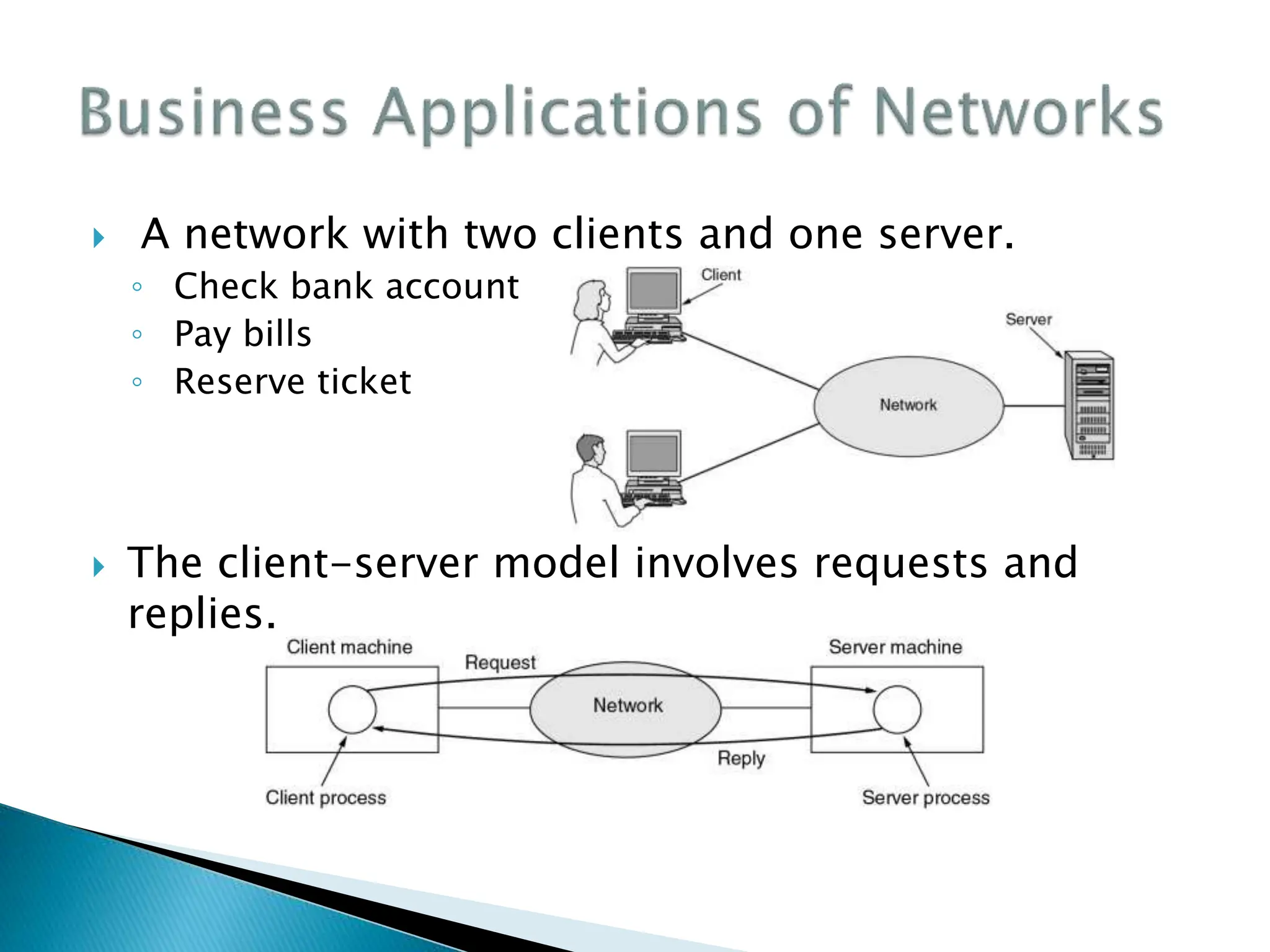
 A network with two clients and one server.
◦ Check bank account
◦ Pay bills
◦ Reserve ticket
 The client-server model involves requests and
replies.
 Access to remote information
◦ Leaning online, downloading
 Person-to-person communication
◦ chat, phone
 Interactive entertainment
◦ games, movies, …
 Electronic commerce
 Peer-to-peer (P2P)
◦ Kazaa, Emule,
 E-commerce
 Combinations of wireless networks and mobile
computing.
 Discussions about
◦ politics,
◦ religion,
◦ …
 Hack and robbery
 Transmission hardware
 Special-purpose hardware devices
◦ interconnect transmission media
◦ control transmission
◦ run protocol software
 Protocol software
◦ encodes and formats data
◦ detects and corrects problems
 Transmission technology (2 types)
◦ Broadcast links
◦ Point-to-point links
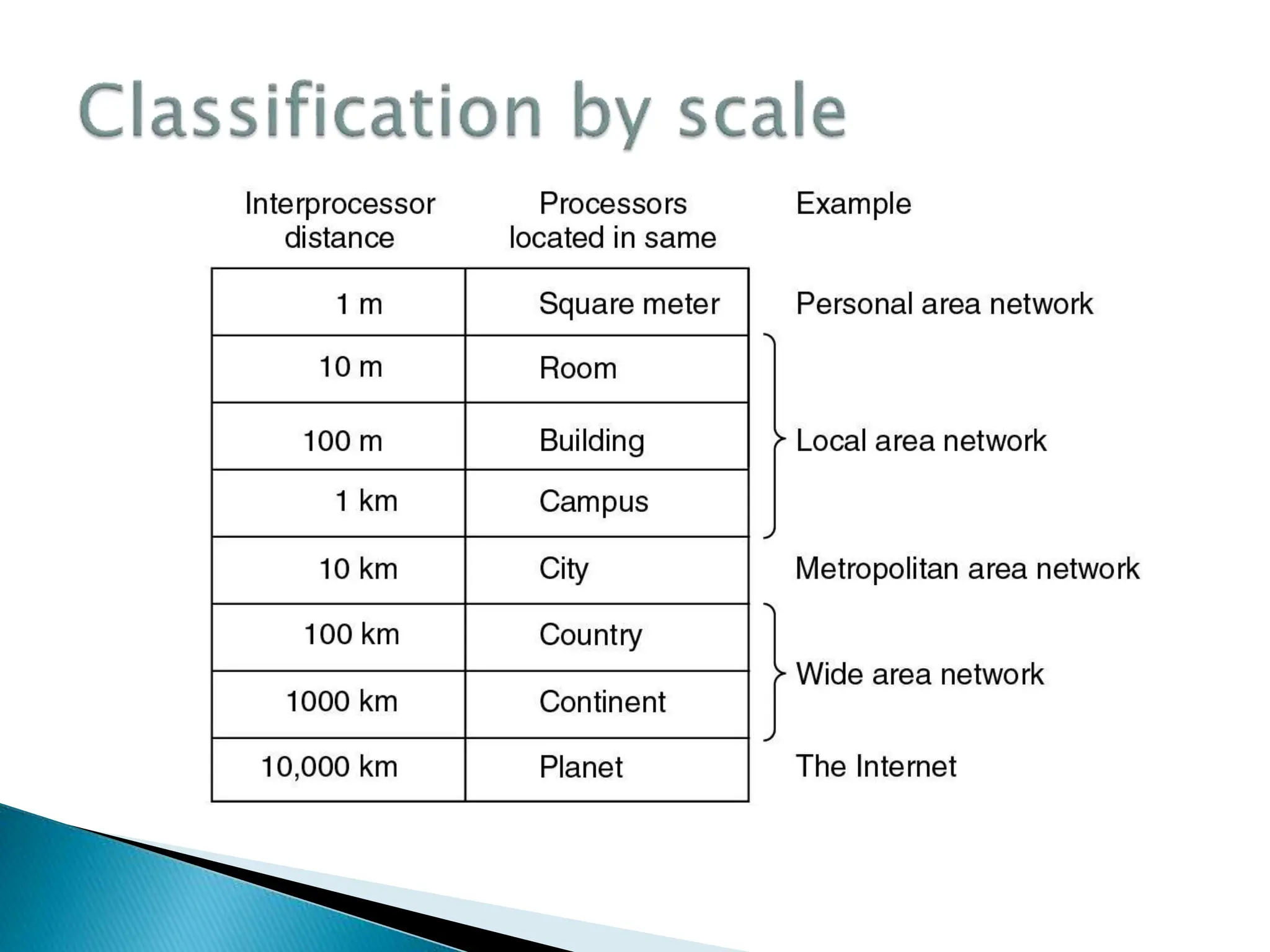
 Scale
◦ Local Area Networks (LAN)
◦ Metropolitan Area Networks (MAN)
◦ Wide Area Networks (WAN)
◦ Wireless Networks
◦ Home Networks
◦ Internetworks
 Media
 Wire line
 Wireless
 There are A single communication link for all
systems in network = Broadcasting
 Messages (Packets) contain destination
address
 Multicasting: A subset of systems can get the
message
 Usually used in small networks like LANs
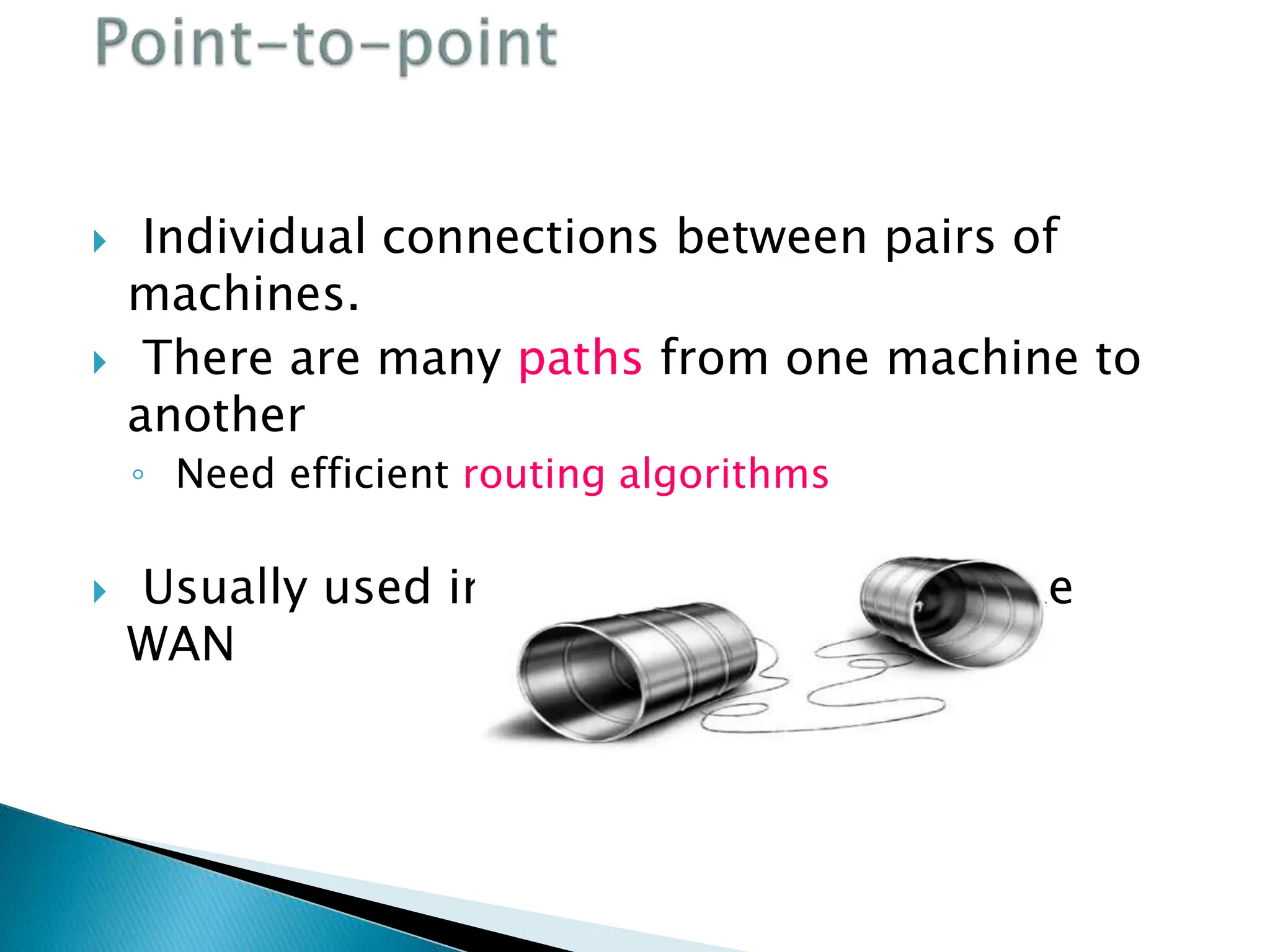
 Individual connections between pairs of
machines.
 There are many paths from one machine to
another
◦ Need efficient routing algorithms
 Usually used in large scale networks like
WAN
 Packets
◦ Messages - the "chunk" of data transmitted from
one machine to the next.
 Addressing
◦ One to one: Packet contains specific target address.
◦ Broadcasting: All machines on the network receive and
process the packet.
◦ Multicasting: A subset of machines receive and process
the packet
 Privately owned. Can be up to several
kilometers long; Ex. in a building
 Separated by their:
Size: Restricted so worst case transmission time can be
contained.
 Transmission technology: Single channel with multiple
machines connected to it. Run at speeds of 10, 100, or more
Mbps.
 Topology: two popular broadcast networks:
 Bus
 Ring
 Topology …
◦ Bus
 Ethernet (IEEE 802.3):
 Bus based broadcast network with decentralized control
at 10 or 100 Mbps.
◦ Ring
 Token Ring (IEEE 802.5):
 Ring based broadcast network with token arbitration at
4 or 16 Mbps.
 Low delay. High reliability.
 Requires collision arbitration
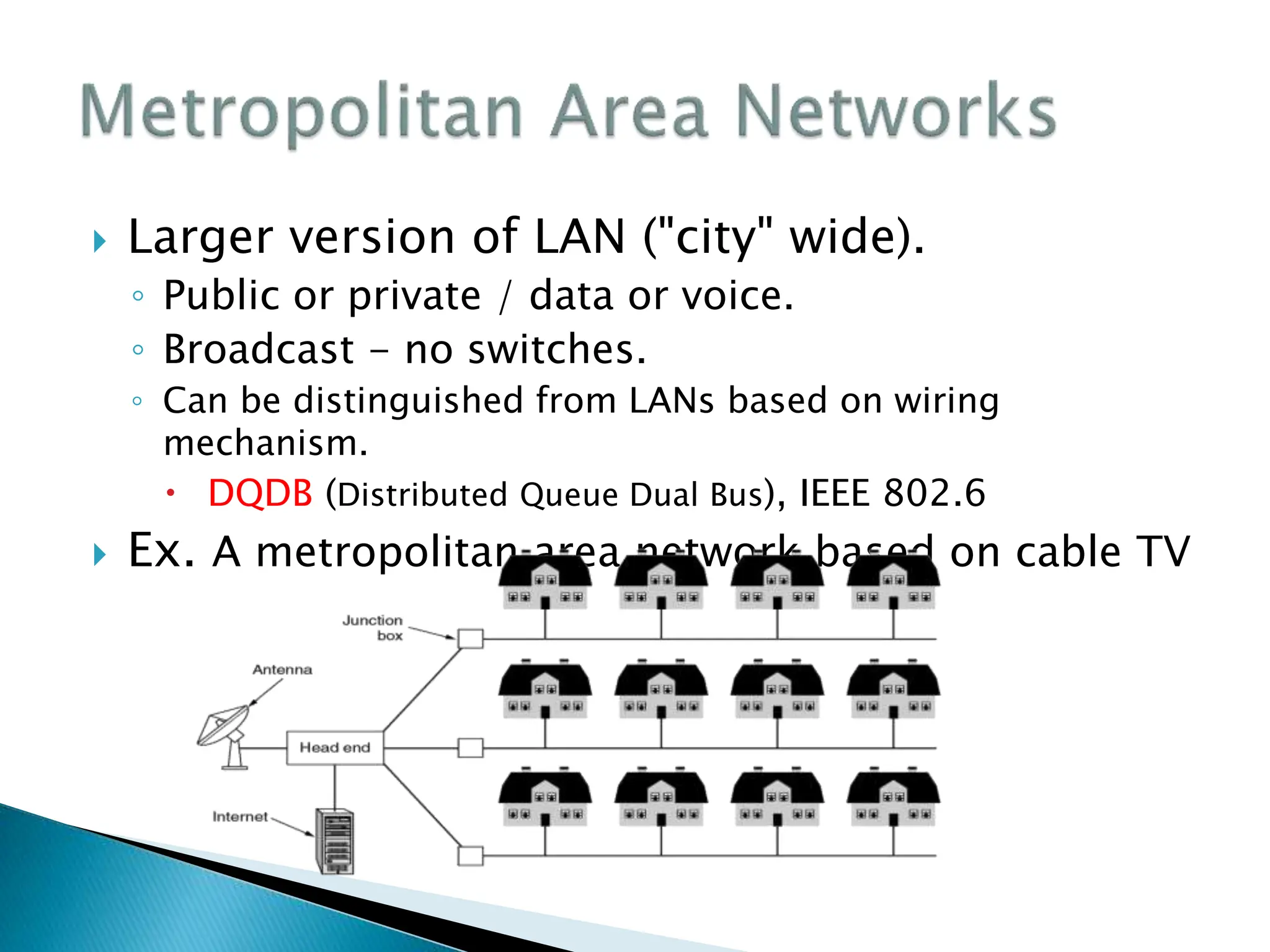
 Larger version of LAN ("city" wide).
◦ Public or private / data or voice.
◦ Broadcast - no switches.
◦ Can be distinguished from LANs based on wiring
mechanism.
 DQDB (Distributed Queue Dual Bus), IEEE 802.6
 Ex. A metropolitan area network based on cable TV
 Networks spanning large distances.
 Ex. Relation between hosts on LANs and the
subnet.
 Hosts or End Systems:
◦ Machines running user applications.
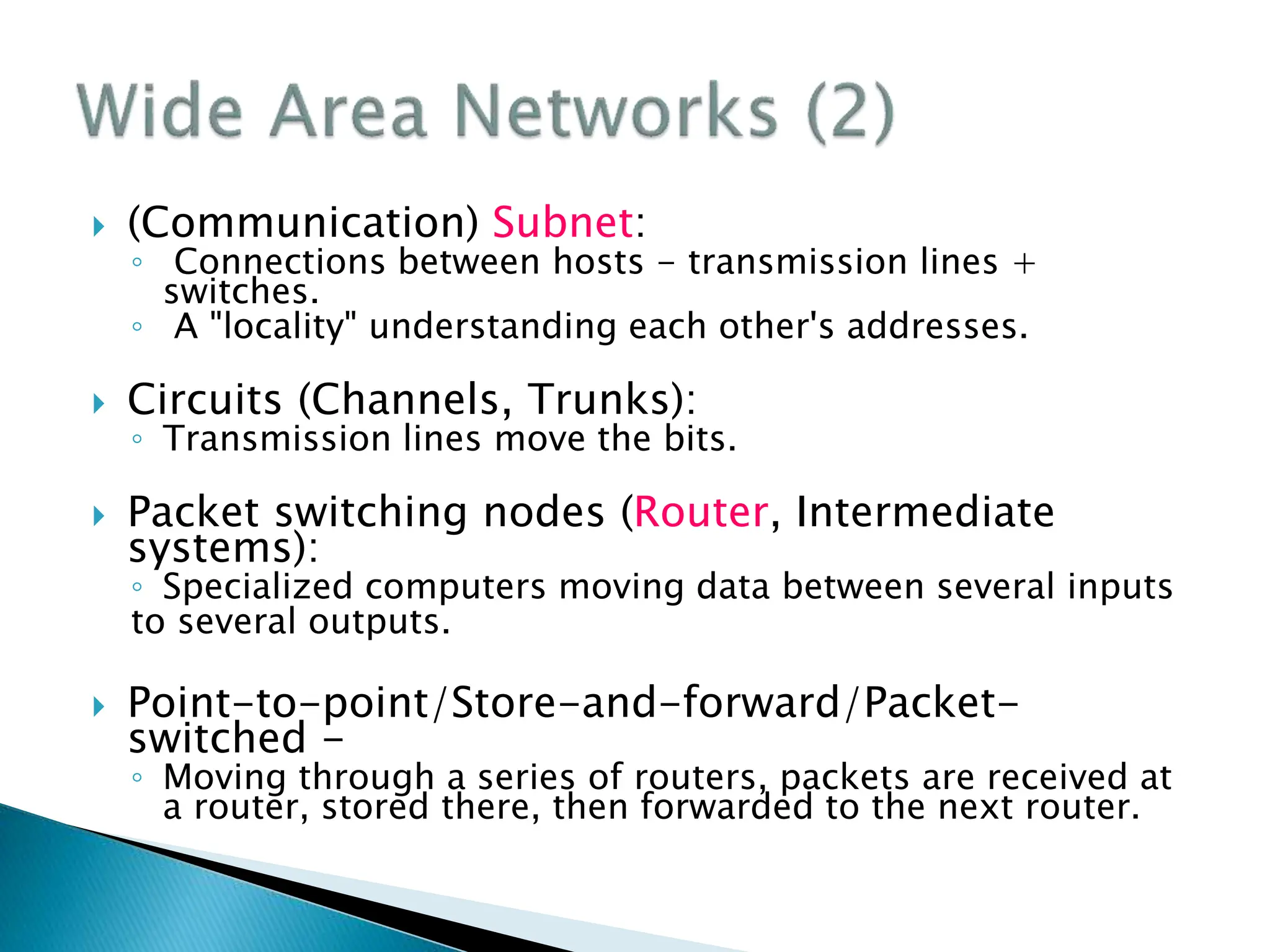
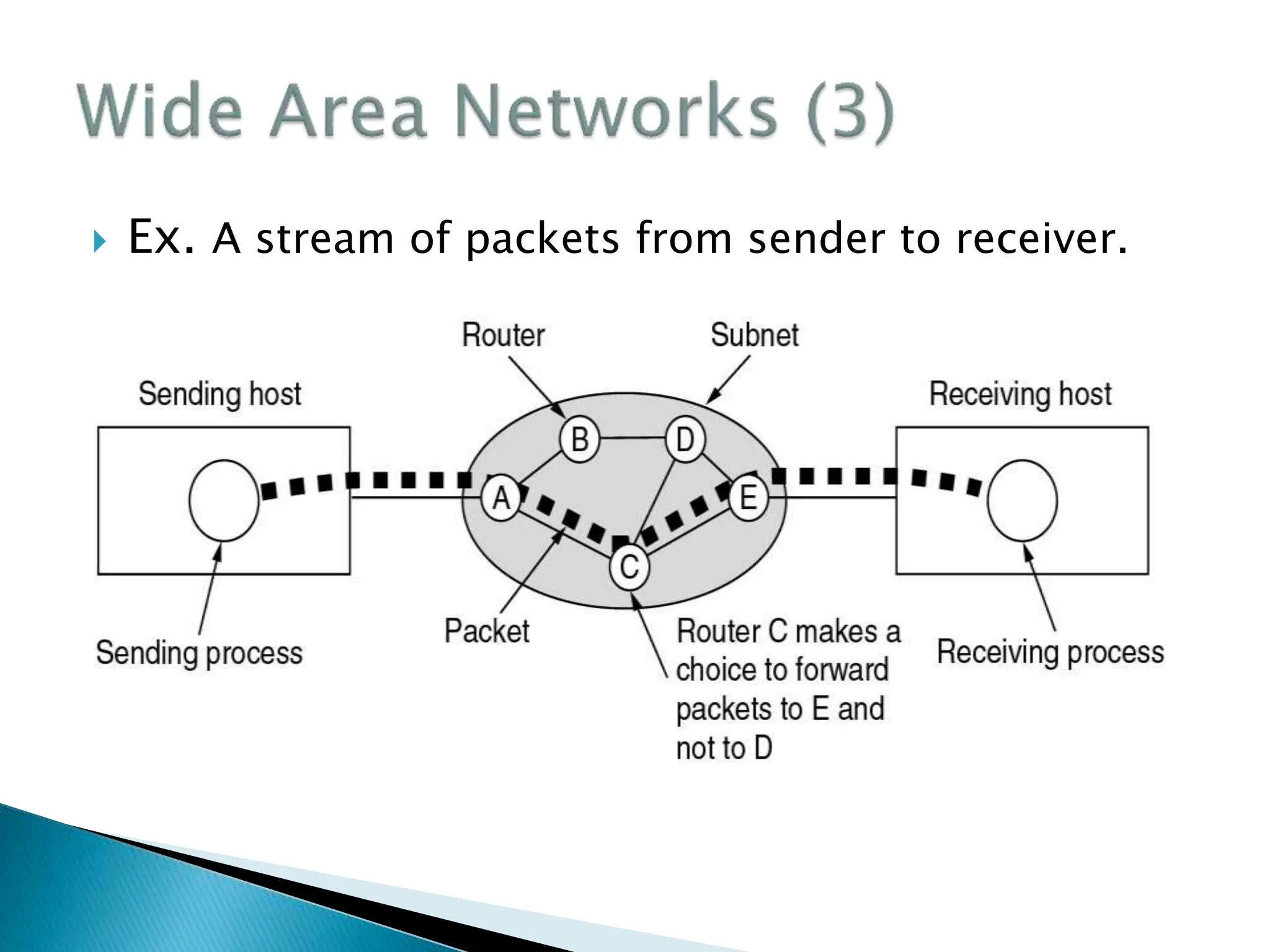
 (Communication) Subnet:
◦ Connections between hosts - transmission lines +
switches.
◦ A "locality" understanding each other's addresses.
 Circuits (Channels, Trunks):
◦ Transmission lines move the bits.
 Packet switching nodes (Router, Intermediate
systems):
◦ Specialized computers moving data between several inputs
to several outputs.
 Point-to-point/Store-and-forward/Packet-
switched -
◦ Moving through a series of routers, packets are received at
a router, stored there, then forwarded to the next router.
 Ex. A stream of packets from sender to receiver.
 Used where computer is mobile or far away from
wires.
◦ Only 1 - 2 Mbps,
◦ higher error rates,
◦ interference
 Use
◦ Sound
◦ Light and mirrors
◦ Infrared
◦ RF
◦ Microwave
 Bluetooth configuration
 Ex. A flying LAN
 Wireless LAN
 Primary networks more depend on hardware
 It talks about the philosophy of connecting
together two entities.
 “Layering” is the key word
◦ Protocol Hierarchies
◦ Design Issues for the Layers
◦ The Relationship of Services to Protocols
 Layers :
The concept that network software is organized
functionally into levels. A level on one host talks to
the same level on another host (its peer).
 Protocol :
The protocol is the convention or standard that a
layer uses to talk to the other layer. An agreement
or standard on the conversation.
 Protocol Hierarchies
◦ Layers,
Important that each
layer perform specific
actions.
◦ protocols,
◦ Interfaces
Defines the services
That one layer offers
another (either up
or down.)
 Ex. Protocol of philosopher-translator-secretary
architecture.
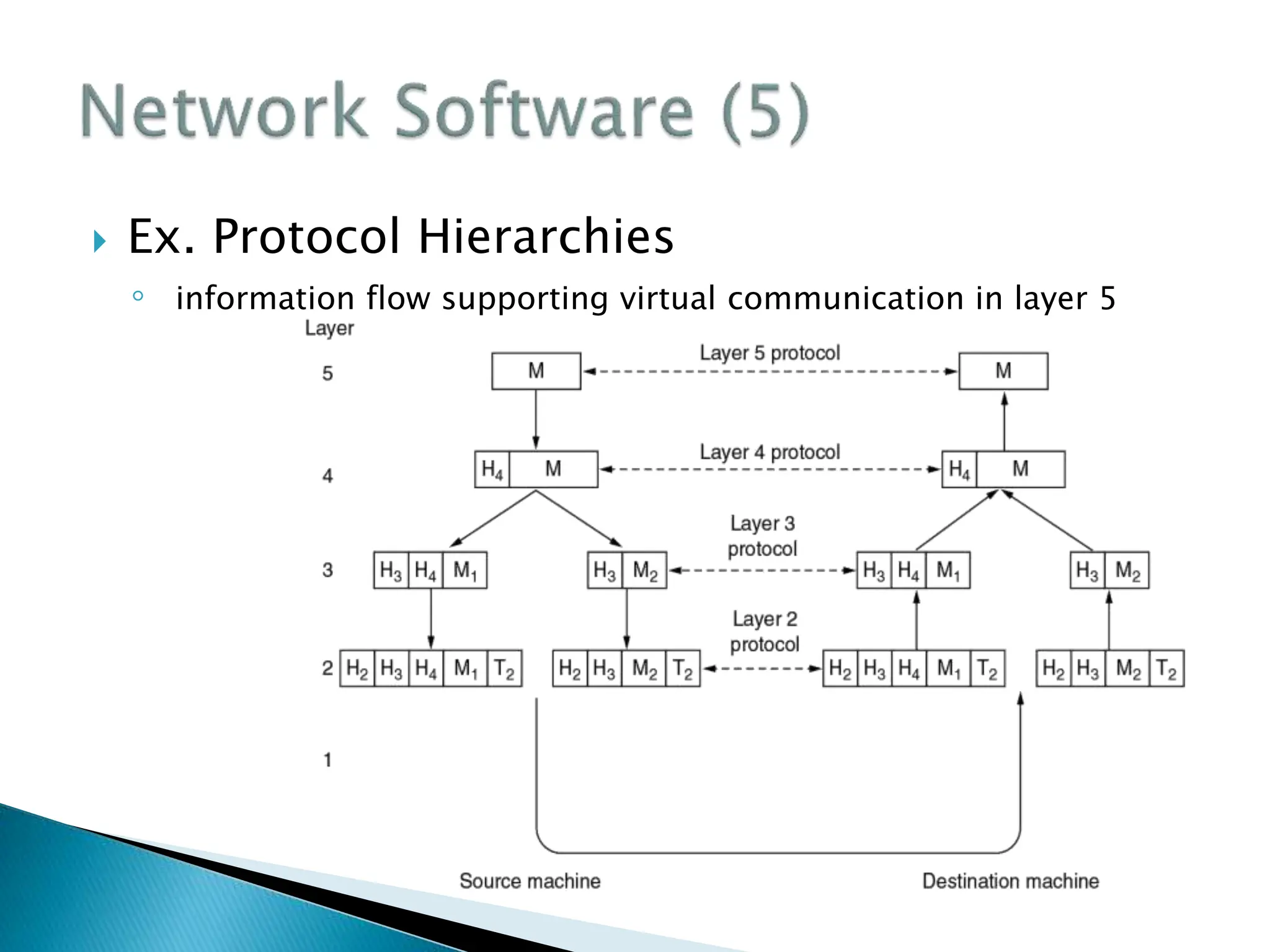
 Ex. Protocol Hierarchies
◦ information flow supporting virtual communication in layer 5
 Physical Medium:
◦ Underneath the layers is the wire or fiber or whatever.
 Network architecture:
◦ A set of layers and protocols. It contains details on what happens
in the layer and what the layers says to its peer.
◦ Functional interfaces and implementation details are not part of
the spec, since that's not visible outside the machine.
 Protocol stack:
◦ A list of protocols used by a system, one protocol per layer.
 Information flow:
◦ "Send_to_peer" rather than "call_next_layer_down".
 Addressing
 Error control. (garbled or missing.)
 Preservation of message ordering.
 Flow control.
 Breaking up messages into a smaller chunks (and
reassembly.)
 Multiplexing messages on same connection.
 Routing - how to get from one host to another.
Connection Both Directions Simultaneous
Simplex No No
Half duplex Yes No
Full duplex Yes Yes
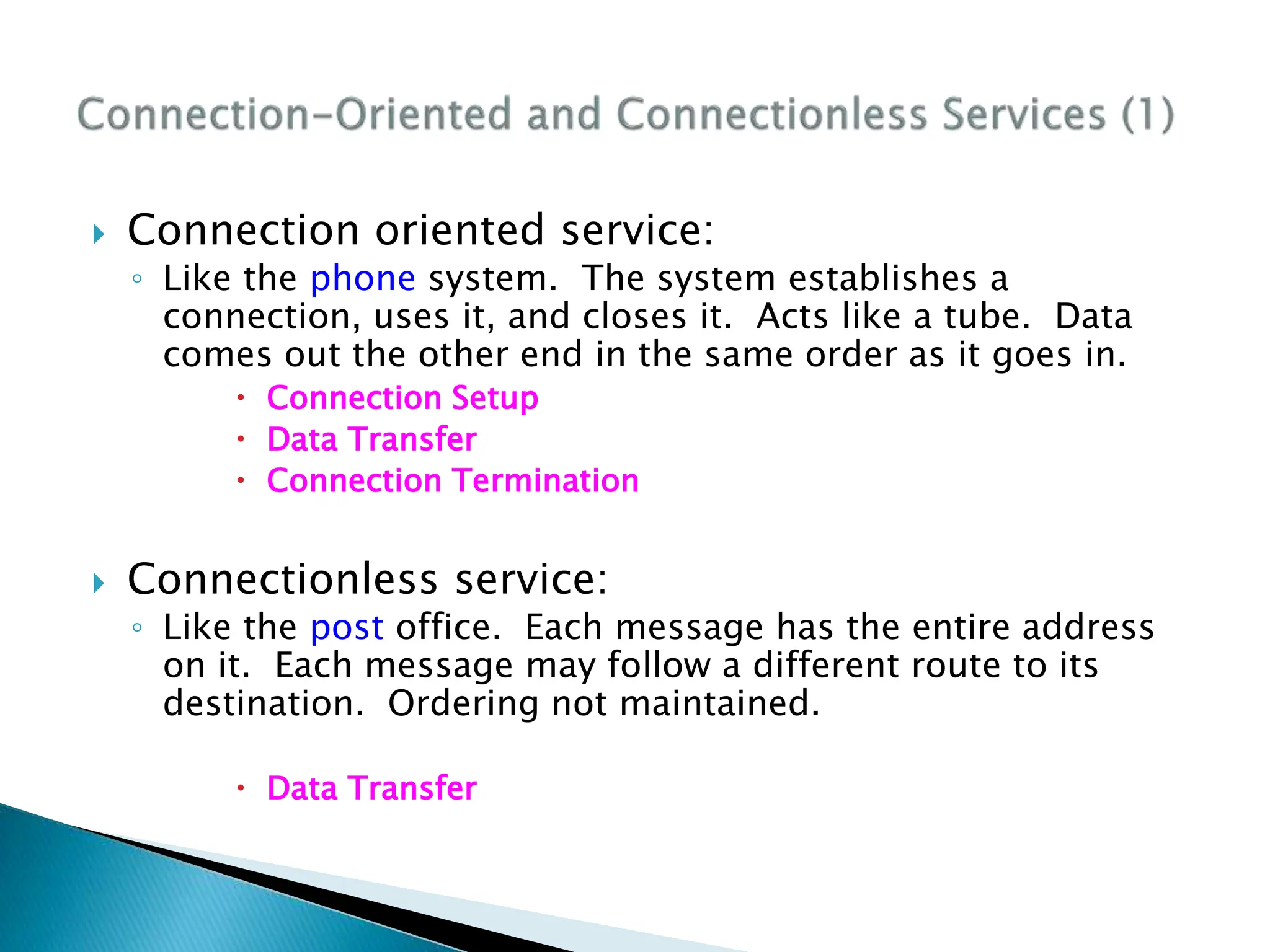
 Connection oriented service:
◦ Like the phone system. The system establishes a
connection, uses it, and closes it. Acts like a tube. Data
comes out the other end in the same order as it goes in.
 Connection Setup
 Data Transfer
 Connection Termination
 Connectionless service:
◦ Like the post office. Each message has the entire address
on it. Each message may follow a different route to its
destination. Ordering not maintained.
 Data Transfer
 Quality of service (QoS):
◦ Will the message arrive?
 A reliable connection-oriented service guarantees success.
 Message sequence - message boundaries and order are maintained.
 Byte streams - messages are broken up or combined; flow is bytes.
Can pair mechanism with upper-layer requirements.
 Datagram Service:
◦ Like junk mail. It's not worth the cost to determine if it
actually arrived. Needs a high probability of arrival, but
100% not required. Connectionless, no acknowledgment.
 Acknowledged datagram service:
◦ As above, but improved reliability via acknowledgment.
 Request-reply service:
◦ Acknowledgment is in the form of a reply.
 Summary of six different types of service.
 Service Primitives for connection-oriented
service
◦ Example
Connect.indication
Connect.request
Connect.confirm
Data.indication
Data.request
Data.request
Data.indication
Disconnect.indication
Disconnect.request
Disconnect.confirm
 Example: Connection-Oriented
 Services are primitives that a layer provides for the
layer above it.
 Protocols are rules governing the meaning of
frames/packets/messages exchanged with the peer
entity.
 Headers, Data, and Trailers
 Encapsulation
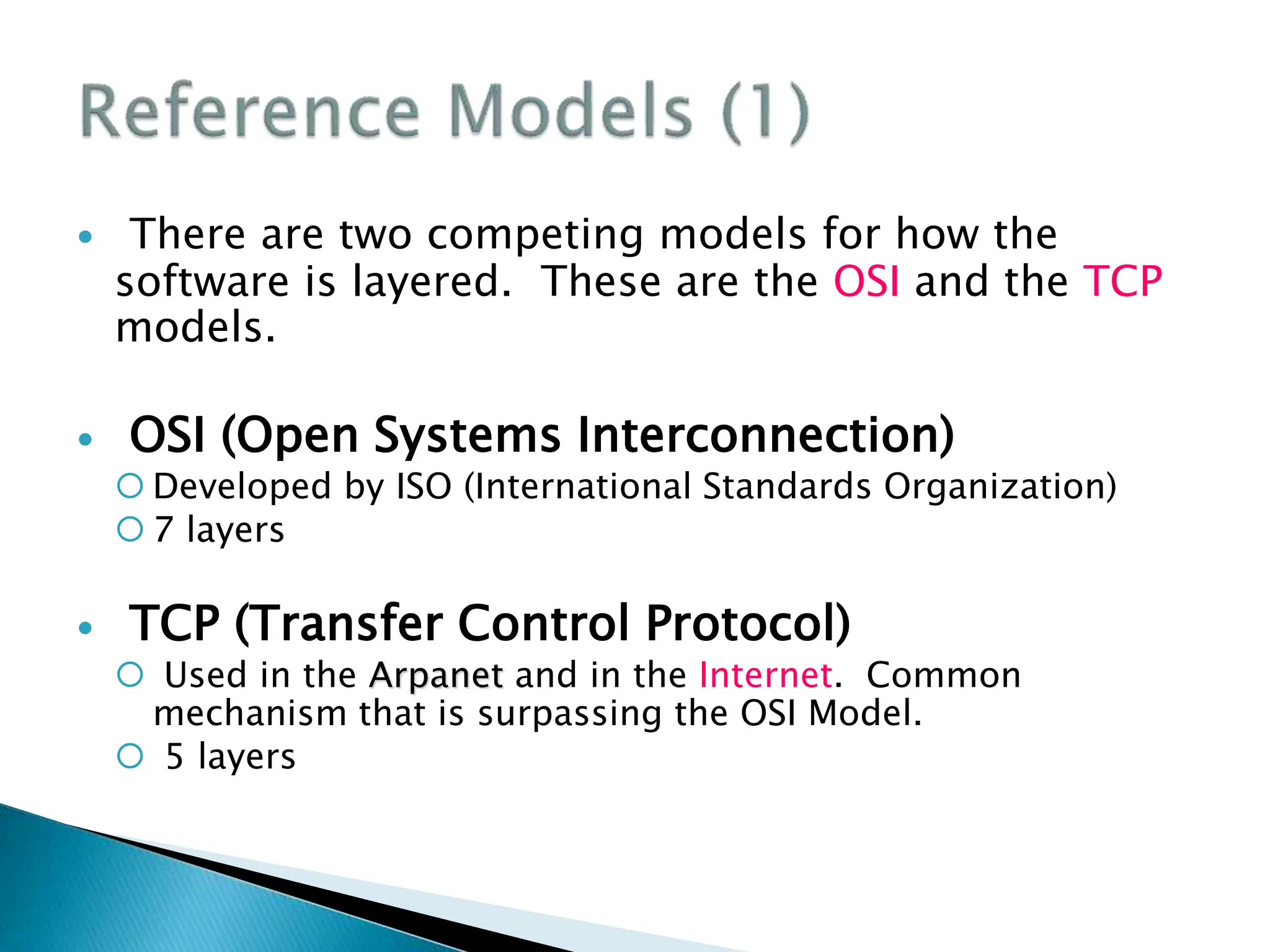
 There are two competing models for how the
software is layered. These are the OSI and the TCP
models.
 OSI (Open Systems Interconnection)
 Developed by ISO (International Standards Organization)
 7 layers
 TCP (Transfer Control Protocol)
 Used in the Arpanet and in the Internet. Common
mechanism that is surpassing the OSI Model.
 5 layers
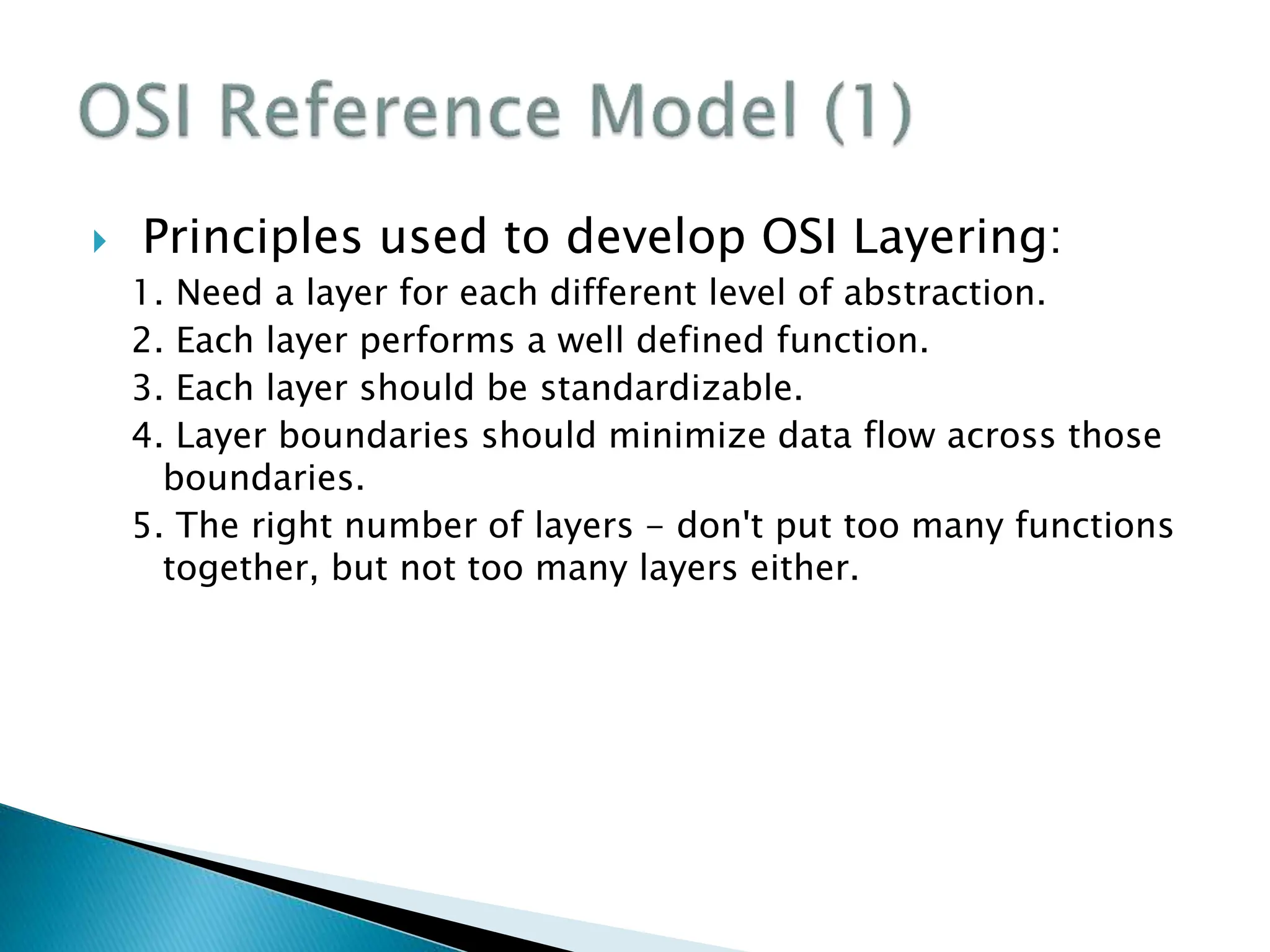
 Principles used to develop OSI Layering:
1. Need a layer for each different level of abstraction.
2. Each layer performs a well defined function.
3. Each layer should be standardizable.
4. Layer boundaries should minimize data flow across those
boundaries.
5. The right number of layers - don't put too many functions
together, but not too many layers either.
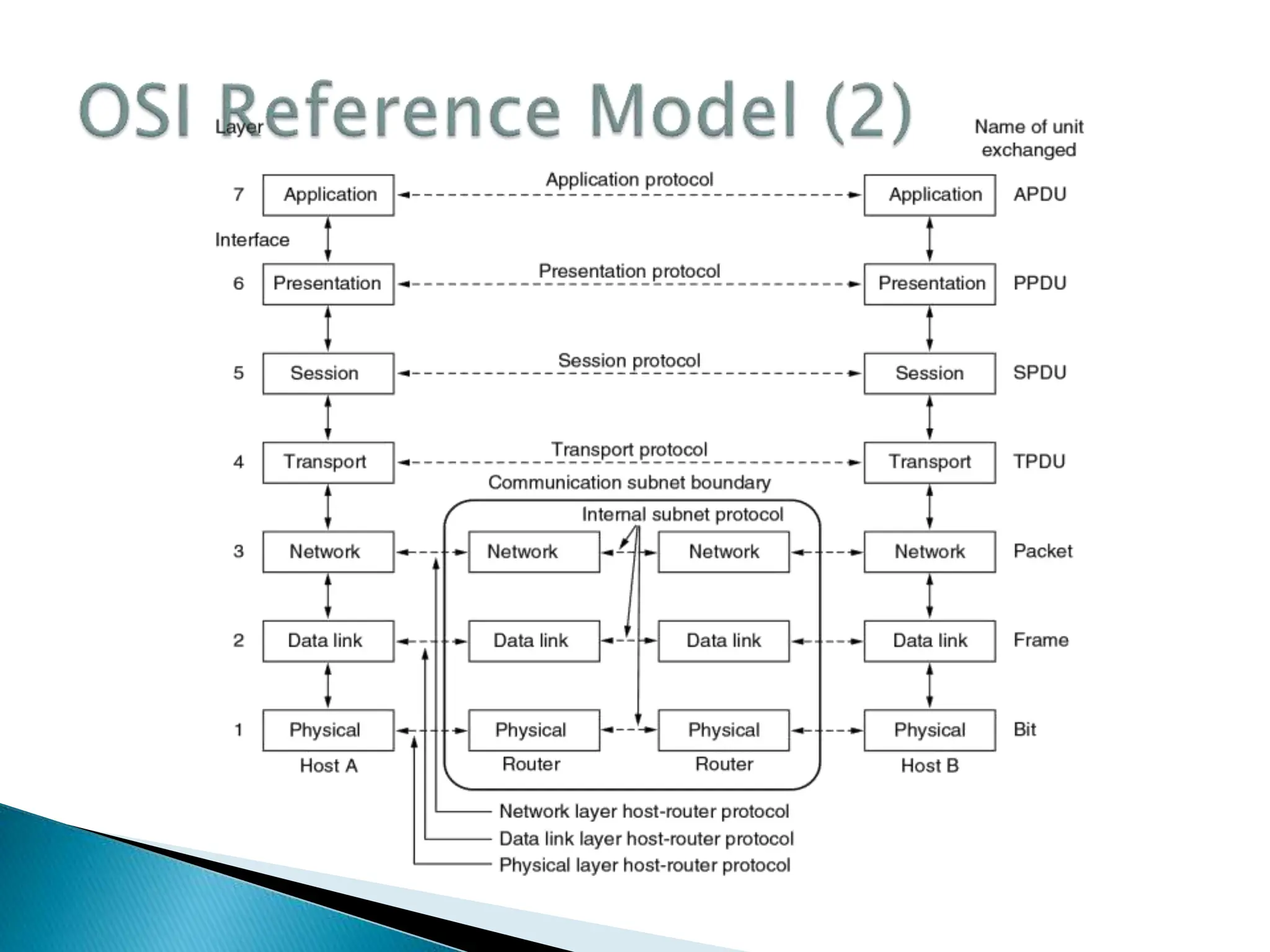
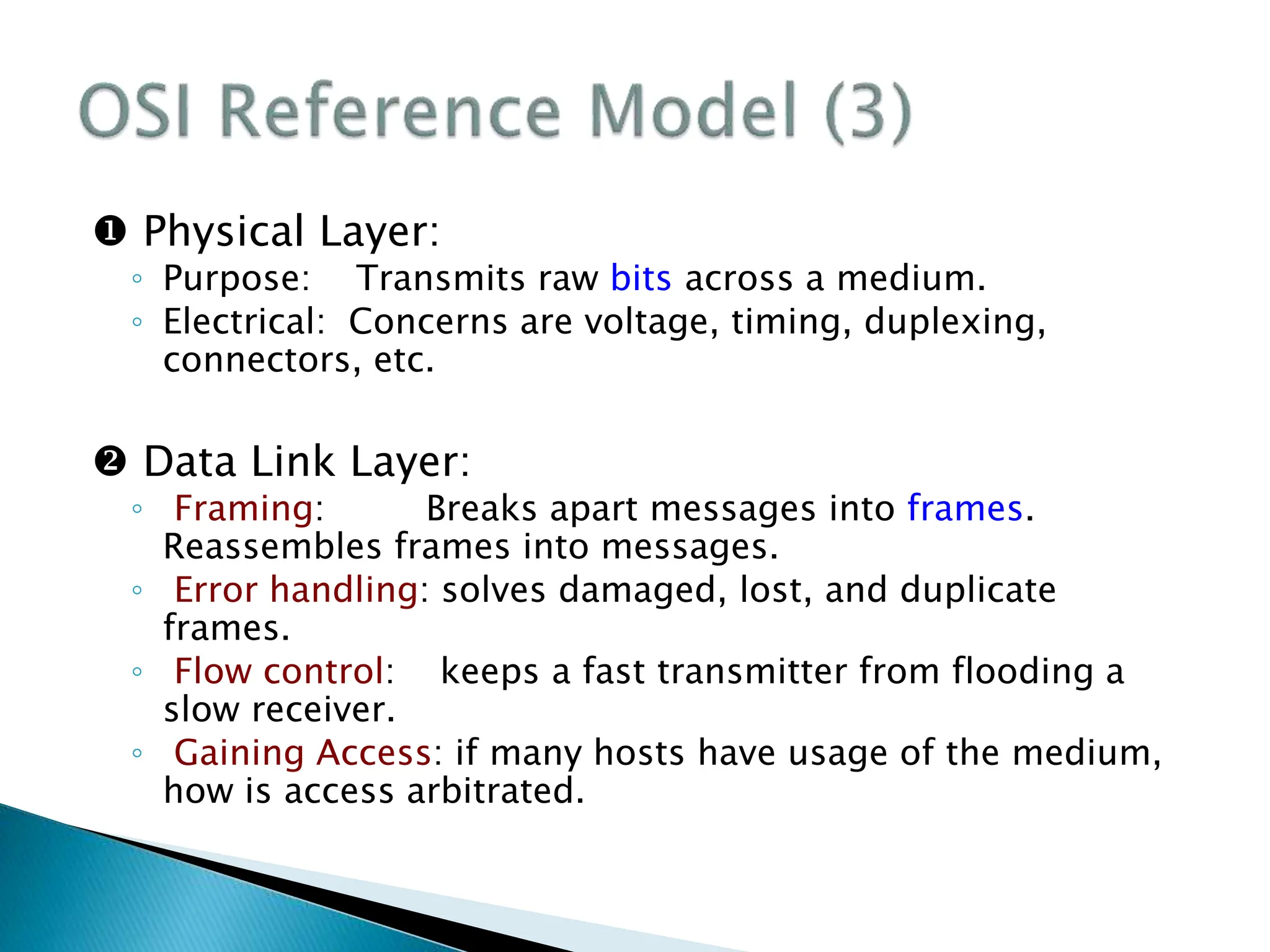
 Physical Layer:
◦ Purpose: Transmits raw bits across a medium.
◦ Electrical: Concerns are voltage, timing, duplexing,
connectors, etc.
 Data Link Layer:
◦ Framing: Breaks apart messages into frames.
Reassembles frames into messages.
◦ Error handling: solves damaged, lost, and duplicate
frames.
◦ Flow control: keeps a fast transmitter from flooding a
slow receiver.
◦ Gaining Access: if many hosts have usage of the medium,
how is access arbitrated.
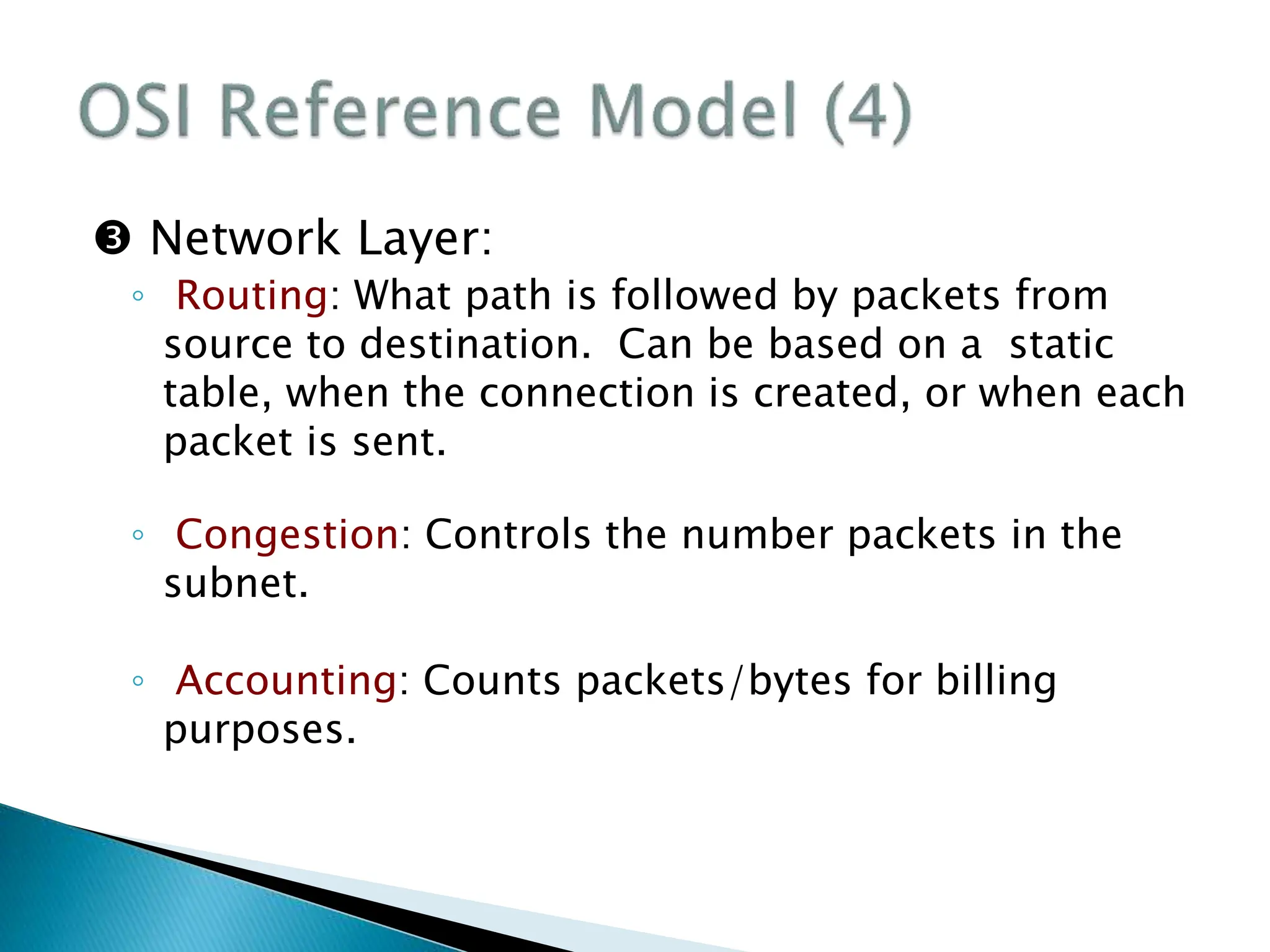
 Network Layer:
◦ Routing: What path is followed by packets from
source to destination. Can be based on a static
table, when the connection is created, or when each
packet is sent.
◦ Congestion: Controls the number packets in the
subnet.
◦ Accounting: Counts packets/bytes for billing
purposes.
 Transport Layer:
◦ Reliability: Ensures that packets arrive at their destination.
Reassembles out of order messages.
◦ Hides network: Allows details of the network to be hidden
from higher level layers.
◦ Service Decisions: What type of service to provide; error-
free point to point, datagram, etc.
◦ Mapping: Determines which messages belong to which
connections.
◦ Naming: "Send to node ZZZ" must be translated into an
internal address and route.
◦ Flow control: keeps a fast transmitter from flooding a slow
receiver.
 Session Layer:
◦ Sessions: Provides services that span a particular message.
For instance, a login session could be logged.
◦ Synchronization: Provide way to subdivide a long
mechanism for reliability.
 Presentation Layer:
◦ Prettiness: Syntax and semantics of information
transmitted. Understands the nature of the data being
transmitted. Converts ASCII/EBCDIC, big endian/little
endian
Application Layer:
◦ Interfacing: Terminal type translation.
◦ File transfer: Programs able to understand directory
structures and naming conventions and map them onto
various systems.
 Data Transmission in the OSI Model
 Internet Layer
◦ Connector: Provides packet switched connectionless
service.
◦ Routing :The IP (Internet Protocol) does delivery and
congestion control.
 Transport Layer
◦ TCP (Transmission Control Protocol): provides a reliable
connection oriented protocol that delivers a byte stream
from one node to another. Guarantees delivery and
provides flow control.
◦ UDP (User Datagram Protocol) provides an unreliable
connection-less protocol for applications that provide their
own.
 Application Layer
◦ Terminal Telnet
◦ File transfer FTP
◦ The Web HTTP
◦ Mail SMTP

CN chapter1.ppt

  • 1.
  • 2.
    Text book  AndrewTanenbaum, “Computer Networks, 3rd Edition”, 1996. [4th edition is available] ◦ Recommended  James F. Kurose and Keith W. Ross, “Computer Networking , A Top-Down Approach Featuring the Internet”, 2001.  Stallings, William, “Data and Computer Communications, 6th Edition”, 2000.
  • 3.
    Basics  Lots ofterminology  Basics of communications  Internetworking  Network hardware  Protocols and Layering  Network Addressing  Routing, Flow, Error and Congestion Control
  • 4.
     Network operatingsystems  How to configure/operate equipment in a vendor-specific way  How to design and implement network software You will not learn working with networks! You will learn how to learn working with them
  • 5.
     A collectionof transmission hardware and facilities, terminal equipment, and protocols  Provides communication that is Reliable Fair Efficient From one application to another  Automatically detects and corrects Data corruption Data loss Duplication Out-of-order delivery  Automatically finds optimal path from source to destination
  • 6.
     Telephone  Satellite TV programs  Internet ◦ ftp ◦ mail ◦ Chat ◦ …
  • 7.
     Business Applications ◦online buying  Home Applications ◦ mail, chat  Mobile Users ◦ wireless: laptops, PDA, mobile, in plane  Social Issues
  • 8.
     A networkwith two clients and one server. ◦ Check bank account ◦ Pay bills ◦ Reserve ticket  The client-server model involves requests and replies.
  • 9.
     Access toremote information ◦ Leaning online, downloading  Person-to-person communication ◦ chat, phone  Interactive entertainment ◦ games, movies, …  Electronic commerce
  • 10.
     Peer-to-peer (P2P) ◦Kazaa, Emule,  E-commerce
  • 11.
     Combinations ofwireless networks and mobile computing.
  • 12.
     Discussions about ◦politics, ◦ religion, ◦ …  Hack and robbery
  • 13.
     Transmission hardware Special-purpose hardware devices ◦ interconnect transmission media ◦ control transmission ◦ run protocol software  Protocol software ◦ encodes and formats data ◦ detects and corrects problems
  • 14.
     Transmission technology(2 types) ◦ Broadcast links ◦ Point-to-point links  Scale ◦ Local Area Networks (LAN) ◦ Metropolitan Area Networks (MAN) ◦ Wide Area Networks (WAN) ◦ Wireless Networks ◦ Home Networks ◦ Internetworks  Media  Wire line  Wireless
  • 15.
     There areA single communication link for all systems in network = Broadcasting  Messages (Packets) contain destination address  Multicasting: A subset of systems can get the message  Usually used in small networks like LANs
  • 16.
     Individual connectionsbetween pairs of machines.  There are many paths from one machine to another ◦ Need efficient routing algorithms  Usually used in large scale networks like WAN
  • 17.
     Packets ◦ Messages- the "chunk" of data transmitted from one machine to the next.  Addressing ◦ One to one: Packet contains specific target address. ◦ Broadcasting: All machines on the network receive and process the packet. ◦ Multicasting: A subset of machines receive and process the packet
  • 19.
     Privately owned.Can be up to several kilometers long; Ex. in a building  Separated by their: Size: Restricted so worst case transmission time can be contained.  Transmission technology: Single channel with multiple machines connected to it. Run at speeds of 10, 100, or more Mbps.  Topology: two popular broadcast networks:  Bus  Ring
  • 20.
     Topology … ◦Bus  Ethernet (IEEE 802.3):  Bus based broadcast network with decentralized control at 10 or 100 Mbps. ◦ Ring  Token Ring (IEEE 802.5):  Ring based broadcast network with token arbitration at 4 or 16 Mbps.  Low delay. High reliability.  Requires collision arbitration
  • 21.
     Larger versionof LAN ("city" wide). ◦ Public or private / data or voice. ◦ Broadcast - no switches. ◦ Can be distinguished from LANs based on wiring mechanism.  DQDB (Distributed Queue Dual Bus), IEEE 802.6  Ex. A metropolitan area network based on cable TV
  • 22.
     Networks spanninglarge distances.  Ex. Relation between hosts on LANs and the subnet.  Hosts or End Systems: ◦ Machines running user applications.
  • 23.
     (Communication) Subnet: ◦Connections between hosts - transmission lines + switches. ◦ A "locality" understanding each other's addresses.  Circuits (Channels, Trunks): ◦ Transmission lines move the bits.  Packet switching nodes (Router, Intermediate systems): ◦ Specialized computers moving data between several inputs to several outputs.  Point-to-point/Store-and-forward/Packet- switched - ◦ Moving through a series of routers, packets are received at a router, stored there, then forwarded to the next router.
  • 24.
     Ex. Astream of packets from sender to receiver.
  • 25.
     Used wherecomputer is mobile or far away from wires. ◦ Only 1 - 2 Mbps, ◦ higher error rates, ◦ interference  Use ◦ Sound ◦ Light and mirrors ◦ Infrared ◦ RF ◦ Microwave
  • 26.
     Bluetooth configuration Ex. A flying LAN  Wireless LAN
  • 27.
     Primary networksmore depend on hardware  It talks about the philosophy of connecting together two entities.  “Layering” is the key word ◦ Protocol Hierarchies ◦ Design Issues for the Layers ◦ The Relationship of Services to Protocols
  • 28.
     Layers : Theconcept that network software is organized functionally into levels. A level on one host talks to the same level on another host (its peer).  Protocol : The protocol is the convention or standard that a layer uses to talk to the other layer. An agreement or standard on the conversation.
  • 29.
     Protocol Hierarchies ◦Layers, Important that each layer perform specific actions. ◦ protocols, ◦ Interfaces Defines the services That one layer offers another (either up or down.)
  • 30.
     Ex. Protocolof philosopher-translator-secretary architecture.
  • 31.
     Ex. ProtocolHierarchies ◦ information flow supporting virtual communication in layer 5
  • 32.
     Physical Medium: ◦Underneath the layers is the wire or fiber or whatever.  Network architecture: ◦ A set of layers and protocols. It contains details on what happens in the layer and what the layers says to its peer. ◦ Functional interfaces and implementation details are not part of the spec, since that's not visible outside the machine.  Protocol stack: ◦ A list of protocols used by a system, one protocol per layer.  Information flow: ◦ "Send_to_peer" rather than "call_next_layer_down".
  • 33.
     Addressing  Errorcontrol. (garbled or missing.)  Preservation of message ordering.  Flow control.  Breaking up messages into a smaller chunks (and reassembly.)  Multiplexing messages on same connection.  Routing - how to get from one host to another. Connection Both Directions Simultaneous Simplex No No Half duplex Yes No Full duplex Yes Yes
  • 34.
     Connection orientedservice: ◦ Like the phone system. The system establishes a connection, uses it, and closes it. Acts like a tube. Data comes out the other end in the same order as it goes in.  Connection Setup  Data Transfer  Connection Termination  Connectionless service: ◦ Like the post office. Each message has the entire address on it. Each message may follow a different route to its destination. Ordering not maintained.  Data Transfer
  • 35.
     Quality ofservice (QoS): ◦ Will the message arrive?  A reliable connection-oriented service guarantees success.  Message sequence - message boundaries and order are maintained.  Byte streams - messages are broken up or combined; flow is bytes. Can pair mechanism with upper-layer requirements.  Datagram Service: ◦ Like junk mail. It's not worth the cost to determine if it actually arrived. Needs a high probability of arrival, but 100% not required. Connectionless, no acknowledgment.  Acknowledged datagram service: ◦ As above, but improved reliability via acknowledgment.  Request-reply service: ◦ Acknowledgment is in the form of a reply.
  • 36.
     Summary ofsix different types of service.
  • 37.
     Service Primitivesfor connection-oriented service ◦ Example Connect.indication Connect.request Connect.confirm Data.indication Data.request Data.request Data.indication Disconnect.indication Disconnect.request Disconnect.confirm
  • 38.
  • 39.
     Services areprimitives that a layer provides for the layer above it.  Protocols are rules governing the meaning of frames/packets/messages exchanged with the peer entity.
  • 41.
     Headers, Data,and Trailers  Encapsulation
  • 42.
     There aretwo competing models for how the software is layered. These are the OSI and the TCP models.  OSI (Open Systems Interconnection)  Developed by ISO (International Standards Organization)  7 layers  TCP (Transfer Control Protocol)  Used in the Arpanet and in the Internet. Common mechanism that is surpassing the OSI Model.  5 layers
  • 44.
     Principles usedto develop OSI Layering: 1. Need a layer for each different level of abstraction. 2. Each layer performs a well defined function. 3. Each layer should be standardizable. 4. Layer boundaries should minimize data flow across those boundaries. 5. The right number of layers - don't put too many functions together, but not too many layers either.
  • 46.
     Physical Layer: ◦Purpose: Transmits raw bits across a medium. ◦ Electrical: Concerns are voltage, timing, duplexing, connectors, etc.  Data Link Layer: ◦ Framing: Breaks apart messages into frames. Reassembles frames into messages. ◦ Error handling: solves damaged, lost, and duplicate frames. ◦ Flow control: keeps a fast transmitter from flooding a slow receiver. ◦ Gaining Access: if many hosts have usage of the medium, how is access arbitrated.
  • 47.
     Network Layer: ◦Routing: What path is followed by packets from source to destination. Can be based on a static table, when the connection is created, or when each packet is sent. ◦ Congestion: Controls the number packets in the subnet. ◦ Accounting: Counts packets/bytes for billing purposes.
  • 48.
     Transport Layer: ◦Reliability: Ensures that packets arrive at their destination. Reassembles out of order messages. ◦ Hides network: Allows details of the network to be hidden from higher level layers. ◦ Service Decisions: What type of service to provide; error- free point to point, datagram, etc. ◦ Mapping: Determines which messages belong to which connections. ◦ Naming: "Send to node ZZZ" must be translated into an internal address and route. ◦ Flow control: keeps a fast transmitter from flooding a slow receiver.
  • 49.
     Session Layer: ◦Sessions: Provides services that span a particular message. For instance, a login session could be logged. ◦ Synchronization: Provide way to subdivide a long mechanism for reliability.  Presentation Layer: ◦ Prettiness: Syntax and semantics of information transmitted. Understands the nature of the data being transmitted. Converts ASCII/EBCDIC, big endian/little endian Application Layer: ◦ Interfacing: Terminal type translation. ◦ File transfer: Programs able to understand directory structures and naming conventions and map them onto various systems.
  • 50.
     Data Transmissionin the OSI Model
  • 52.
     Internet Layer ◦Connector: Provides packet switched connectionless service. ◦ Routing :The IP (Internet Protocol) does delivery and congestion control.  Transport Layer ◦ TCP (Transmission Control Protocol): provides a reliable connection oriented protocol that delivers a byte stream from one node to another. Guarantees delivery and provides flow control. ◦ UDP (User Datagram Protocol) provides an unreliable connection-less protocol for applications that provide their own.
  • 53.
     Application Layer ◦Terminal Telnet ◦ File transfer FTP ◦ The Web HTTP ◦ Mail SMTP