Content Management Systems (CMS) -
Demystifying Website Creation
1
Submitted By
MD Sazid Zamil(213015018)
Romn Ahomed Shohag(213015017)
Md Farhad Uddin Monshi(213015023)
Rakibul Islam(213015028)
Submitted To
Feroza Naznin
Lecturer,
Green University of Bangladesh
Introduction
What is a CMS?
 A software application that simplifies website
creation and management.
 Enables users to create, edit, and publish content
without coding.
 Provides a user-friendly interface for managing text,
images, videos, and more.
 Offers pre-built templates and themes for easy
website design customization.
2
How Does a CMS Work?
Consists of two main parts:
 Content Management Application (CMA): The
user interface where you create, edit, and
manage your website content.
 Content Delivery Application (CDA): The
backend system that stores your content and
delivers it to visitors when they access your
website.
3
Benefits of Using a CMS
User Friendly
Increased Efficiency
Collaboration
Scalability
Security
SEO Optimization
Cost Optimization
4
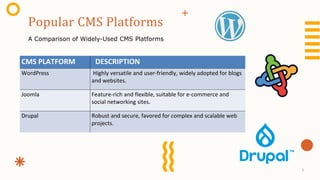
Popular CMS Platforms
A Comparison of Widely-Used CMS Platforms
CMS PLATFORM DESCRIPTION
WordPress Highly versatile and user-friendly, widely adopted for blogs
and websites.
Joomla Feature-rich and flexible, suitable for e-commerce and
social networking sites.
Drupal Robust and secure, favored for complex and scalable web
projects.
5
Optimizing Workflow
With CMS
 Streamlined Content Creation and Editing
 Version Control
 Automated Workflows
 Role-Based Permissions
 Collaboration Tools
 Integration with External Tools
6
Challenges and Limitations of CMS
 Security vulnerabilities
 Customization limitations
 Learning curve for new users
 Performance issues with extensive plugins
 Ongoing maintenance and updates
7
 Purpose and Goals
 Research Different Platforms
 User-friendly interface and ease of navigation.
 Customization and Flexibility
 Options for upgrading and extending functionalities.
 Built-in security features and regular updates.
 Integration with SEO marketing tools and analytics.
 Support and Community
 Integration with Other Systems like CRM , ERP
Choosing the Right CMS
8
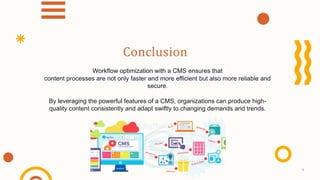
Workflow optimization with a CMS ensures that
content processes are not only faster and more efficient but also more reliable and
secure.
By leveraging the powerful features of a CMS, organizations can produce high-
quality content consistently and adapt swiftly to changing demands and trends.
Conclusion
9
Thanks!
10

cms content management system web ppt theory presentation (1).pptx

  • 1.
    Content Management Systems(CMS) - Demystifying Website Creation 1 Submitted By MD Sazid Zamil(213015018) Romn Ahomed Shohag(213015017) Md Farhad Uddin Monshi(213015023) Rakibul Islam(213015028) Submitted To Feroza Naznin Lecturer, Green University of Bangladesh
  • 2.
    Introduction What is aCMS?  A software application that simplifies website creation and management.  Enables users to create, edit, and publish content without coding.  Provides a user-friendly interface for managing text, images, videos, and more.  Offers pre-built templates and themes for easy website design customization. 2
  • 3.
    How Does aCMS Work? Consists of two main parts:  Content Management Application (CMA): The user interface where you create, edit, and manage your website content.  Content Delivery Application (CDA): The backend system that stores your content and delivers it to visitors when they access your website. 3
  • 4.
    Benefits of Usinga CMS User Friendly Increased Efficiency Collaboration Scalability Security SEO Optimization Cost Optimization 4
  • 5.
    Popular CMS Platforms AComparison of Widely-Used CMS Platforms CMS PLATFORM DESCRIPTION WordPress Highly versatile and user-friendly, widely adopted for blogs and websites. Joomla Feature-rich and flexible, suitable for e-commerce and social networking sites. Drupal Robust and secure, favored for complex and scalable web projects. 5
  • 6.
    Optimizing Workflow With CMS Streamlined Content Creation and Editing  Version Control  Automated Workflows  Role-Based Permissions  Collaboration Tools  Integration with External Tools 6
  • 7.
    Challenges and Limitationsof CMS  Security vulnerabilities  Customization limitations  Learning curve for new users  Performance issues with extensive plugins  Ongoing maintenance and updates 7
  • 8.
     Purpose andGoals  Research Different Platforms  User-friendly interface and ease of navigation.  Customization and Flexibility  Options for upgrading and extending functionalities.  Built-in security features and regular updates.  Integration with SEO marketing tools and analytics.  Support and Community  Integration with Other Systems like CRM , ERP Choosing the Right CMS 8
  • 9.
    Workflow optimization witha CMS ensures that content processes are not only faster and more efficient but also more reliable and secure. By leveraging the powerful features of a CMS, organizations can produce high- quality content consistently and adapt swiftly to changing demands and trends. Conclusion 9
  • 10.