Kuvempu University
Department ofMCA and Computer Science
Jnanasahyadri Shankaraghatta
Seminar On
Introduction to
Content Management System
Submitted By:
Madhushree Meghavath K B
IV MCA Reg: P06MC22S126031
Submitted To:
Spoorthi T L
Faculty Member
2.
Introduction to
Content
Management
System
• Contentdevelopment has become a
sensational means of sharing information
over the internet. Even non-technical users
got the ability to publish content easily
and quickly on the World Wide Web.
• All this is possible because of the easy-to-
use content management tools widely
used by firms, news organizations,
educational institutions, and other
businesses. This tutorial will teach you
about the concept of CMS and why it is
widely accepted.
3.
What is Content
ManagementSystem
(CMS)
A Content Management System (CMS) can be defined
as a tool or software program containing a set of
interrelated programs used for creating and
managing different digital or online content.
Some famous examples of CMS software are
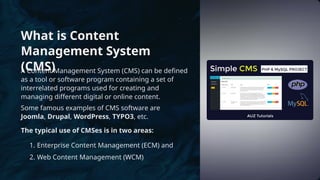
Joomla, Drupal, WordPress, TYPO3, etc.
The typical use of CMSes is in two areas:
1. Enterprise Content Management (ECM) and
2. Web Content Management (WCM)
4.
A content managementsystem is
composed of two major components.
These are:
• A content management
application (CMA) is a graphical
user interface that allows users to
create, delete, modify, and
publish content without the
knowledge of HTML or other
programming languages
necessary to create web pages.
• A content delivery application
(CDA) is responsible for the back-
end services. It manages as well
as delivers content after being
framed in the CMA.
5.
Features of CMS
•User Management: It allows management of users'
information, such as the roles of different users assigned
to work together, creating or deleting users, and changing
usernames, passwords, and other related information.
• Theme System: It allows us to modify the site view
and functionality using stylesheets, images, and
templates.
• Extending Plugins: Different plugins are offered,
which give custom functionalities and features to
create the CMS site.
• Search Engine Optimization: It is embedded with
many search engine optimization (SEO) tools that
make content SEO more straightforward.
• Media Management: It manages media files and
folders, making it easy to upload media content.
• Multilingual: Translation of the language, as
preferred by the user, is possible through CMS.
6.
Advantages of CMS
•Most of the CMS is open source and is available for free
• Easy and quick uploading of media files can be done.
• Several SEO tools make on-site SEO simpler.
• Easy customization is possible as per the need of the us
• It can modify CSS files as per the design needed by the
• Many templates and plugins are available for
free. Customization of plugins is also
possible.
• Content editing is also more comfortable as
it uses the WYSIWYG editor.
7.
Disdvantages of CMS
•CMS software needs a time-to-time update,
so the user must look for an updated
version.
• Using different plugins can make your
website heavy and challenging to run.
• CMS hosting is quite expansive.
• PHP knowledge is required to modify or
change the WordPress website.