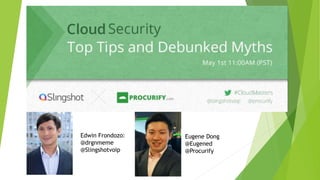
Eugene Dong
@Eugened
@Procurify
Edwin Frondozo:
@drgnmeme
@Slingshotvoip
Overview
 Introduction
 Format
 Security in the Cloud
 What is cloud?
 Heartbleed Bug
 Security issues (real and imagined)
 Best Practices
 Questions
Join the Conversation:
#CloudMasters
Edwin Frondozo:
@drgnmeme
@Slingshotvoip
Eugene Dong
@Eugened
@Procurify
What is the Cloud?
 Storing and accessing data and programs on the internet instead of your
computer's hard drive
 Google Drive, Apple iCloud, Samsung Chromebook, SaaS, VoIP, etc.
 Benefits (some)
 Accessibility
 Real-time vs. versioning
 Backup
 Scalability and low-cost
 Increased security
 And more….
Heartbleed Bug
 Not the norm - loophole
 How it worked:
 Scrape data from server memory
 500,000 websites
 Top 100 websites and their “patch” status: http://www.cnet.com/how-to/which-sites-have-
patched-the-heartbleed-bug/
 Don’t change your password until they have fixed the bug
 Start with banking, email
 Protect yourself
 Don’t use public Wi-Fi
 Change your passwords
 Clear browsing history and passwords
 Check your bank statement
Is the Cloud Secure?
Classic Concerns:
 Control over administration
 Geographic control of information
 Shared server space, “noisy neighbours”
 Control over virtualization
 Shared infrastructure and settings
 Collateral damage
 Blacklist of an IP in a public cloud
 Data export lock-in
Best Practices 1
 Keep up with security news!
 Keep your internal security up to date
 This can often be weaker than your cloud’s security measures
 Are your employees on the cloud?
 Rise of BYOD culture
 Have your IT team make a list of what is ok for them to use
 Baby steps in cloud migration
Best Practices 2
 Keep software testing and sensitive data off the cloud
 Investigate your cloud providers
 Back up your data
 Use a smart password
 Not “Password” or “1234”
 Letters, numbers, special characters
 Disconnect chrome extension
 Log out when you shut down your systems
http://www.slingshotvoip.com
http://www.procurify.com

Cloud Security: Tips and Myths

  • 1.
  • 2.
    Overview  Introduction  Format Security in the Cloud  What is cloud?  Heartbleed Bug  Security issues (real and imagined)  Best Practices  Questions Join the Conversation: #CloudMasters Edwin Frondozo: @drgnmeme @Slingshotvoip Eugene Dong @Eugened @Procurify
  • 3.
    What is theCloud?  Storing and accessing data and programs on the internet instead of your computer's hard drive  Google Drive, Apple iCloud, Samsung Chromebook, SaaS, VoIP, etc.  Benefits (some)  Accessibility  Real-time vs. versioning  Backup  Scalability and low-cost  Increased security  And more….
  • 4.
    Heartbleed Bug  Notthe norm - loophole  How it worked:  Scrape data from server memory  500,000 websites  Top 100 websites and their “patch” status: http://www.cnet.com/how-to/which-sites-have- patched-the-heartbleed-bug/  Don’t change your password until they have fixed the bug  Start with banking, email  Protect yourself  Don’t use public Wi-Fi  Change your passwords  Clear browsing history and passwords  Check your bank statement
  • 5.
    Is the CloudSecure? Classic Concerns:  Control over administration  Geographic control of information  Shared server space, “noisy neighbours”  Control over virtualization  Shared infrastructure and settings  Collateral damage  Blacklist of an IP in a public cloud  Data export lock-in
  • 6.
    Best Practices 1 Keep up with security news!  Keep your internal security up to date  This can often be weaker than your cloud’s security measures  Are your employees on the cloud?  Rise of BYOD culture  Have your IT team make a list of what is ok for them to use  Baby steps in cloud migration
  • 7.
    Best Practices 2 Keep software testing and sensitive data off the cloud  Investigate your cloud providers  Back up your data  Use a smart password  Not “Password” or “1234”  Letters, numbers, special characters  Disconnect chrome extension  Log out when you shut down your systems
  • 8.