Chrome Extensions:
Masking risks in
entertainment
Eduardo Chavarro Ovalle
Giovanni Cruz Forero
March 2020
Google Chrome Extensions
• Extensions are small software programs that customize the browsing
experience. They enable users to tailor Chrome functionality and behavior
to individual needs or preferences. They are built on web technologies
such as HTML, JavaScript, and CSS.
• An extension must fulfill a single purpose that is narrowly defined and
easy to understand. A single extension can include multiple components
and a range of functionality, as long as everything contributes towards a
common purpose.
https://developer.chrome.com/extensions
Google Chrome Extensions
https://developer.chrome.com/extensions
6.) Can my extension make changes to the start page, homepage, and new tab
settings?
Yes. If the purpose of your extension is to modify one narrow function of the browser
(either the start page, homepage or new tab page, for example), and it does only that,
then it would be compliant with the single-purpose policy.
Additionally, if the purpose of your extension is limited to one focus area or subject
matter, then you can have various functions related to that one area or subject matter,
including changes to start page, homepage and new tab page.
As of July 1, 2017, … If your extension modifies one of these functions, it must use the
Settings Overrides API.
Browser Extensions
• Extensions are installed within the files for your browser application.
• Extensions aren’t an application all on their own — their code runs as part
of your browser. Because your browser is already a trusted application, it’s
hard for antivirus software to catch malicious extensions.
redmorph/malicious-browser-extensions
Malicious Browser Extensions (MBE)
• The most
popular
marketplace for
extensions, the
Google Chrome
Web Store, does
not screen
extensions
before they are
published.
• Though
extensions
require
permissions to
work, most
browsers grant
them
permissions by
default (without
asking you).
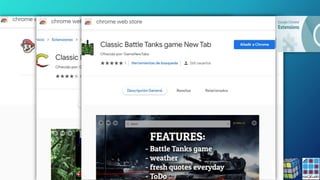
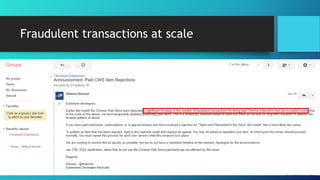
Fraudulent transactions at scale
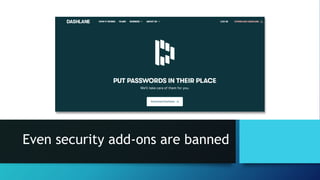
Even security add-ons are banned
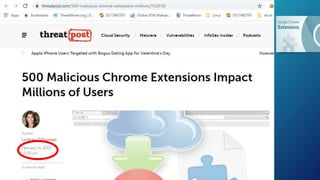
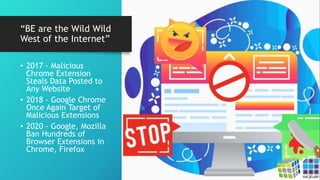
“BE are the Wild Wild
West of the Internet”
• 2017 - Malicious
Chrome Extension
Steals Data Posted to
Any Website
• 2018 - Google Chrome
Once Again Target of
Malicious Extensions
• 2020 - Google, Mozilla
Ban Hundreds of
Browser Extensions in
Chrome, Firefox
Show me the $$$
• Ad Fraud
• Stage 1 – Installer
• MBE + Scheduled Task
• Stage 2 – Finder
• Victim browser cookies + credentials
• Stage 3 – Patcher
• Latest Version
• "The extension is essentially set up to inject scripts into web pages, which
will then handle further functionality depending on the page,"
https://www.bleepingcomputer.com/news/security/malicious-browser-extensions-used-by-hackers-for-ad-fraud/
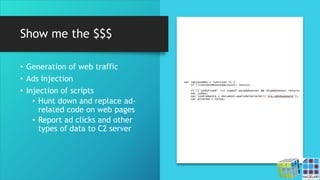
Show me the $$$
• Generation of web traffic
• Ads Injection
• Injection of scripts
• Hunt down and replace ad-
related code on web pages
• Report ad clicks and other
types of data to C2 server
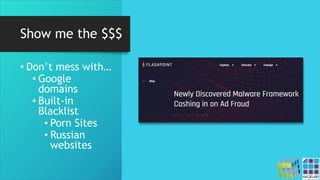
Show me the $$$
• Don’t mess with…
• Google
domains
• Built-in
Blacklist
• Porn Sites
• Russian
websites
Hands on lab
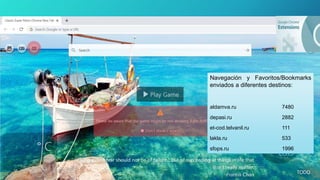
Navegación y Favoritos/Bookmarks
enviados a diferentes destinos:
aldamva.ru 7480
depasi.ru 2882
et-cod.telvanil.ru 111
lakla.ru 533
sfops.ru 1996
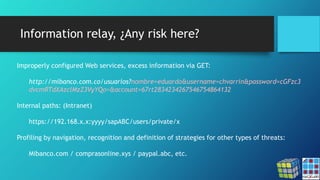
Information relay, ¿Any risk here?
Improperly configured Web services, excess information via GET:
http://mibanco.com.co/usuarios?nombre=eduardo&username=chvarrin&password=cGFzc3
dvcmRTdXAzclMzZ3VyYQo=&account=67rt2834234267546754864132
Internal paths: (Intranet)
https://192.168.x.x:yyyy/sapABC/users/private/x
Profiling by navigation, recognition and definition of strategies for other types of threats:
Mibanco.com / comprasonline.xys / paypal.abc, etc.
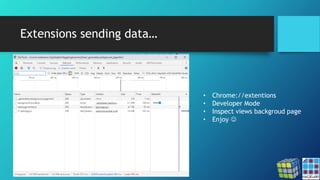
Extensions sending data…
• Chrome://extentions
• Developer Mode
• Inspect views backgroud page
• Enjoy 
lnkr: The New Malicious
Browser Extensions
Campaign Spreading
Across the Net
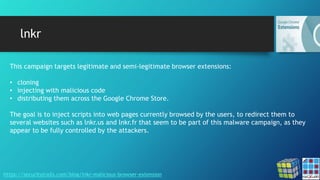
lnkr
https://securitytrails.com/blog/lnkr-malicious-browser-extension
This campaign targets legitimate and semi-legitimate browser extensions:
• cloning
• injecting with malicious code
• distributing them across the Google Chrome Store.
The goal is to inject scripts into web pages currently browsed by the users, to redirect them to
several websites such as lnkr.us and lnkr.fr that seem to be part of this malware campaign, as they
appear to be fully controlled by the attackers.
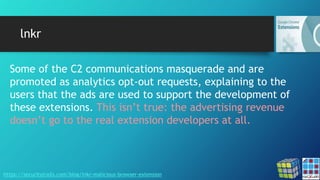
lnkr
https://securitytrails.com/blog/lnkr-malicious-browser-extension
Some of the C2 communications masquerade and are
promoted as analytics opt-out requests, explaining to the
users that the ads are used to support the development of
these extensions. This isn’t true: the advertising revenue
doesn’t go to the real extension developers at all.
DataSpii
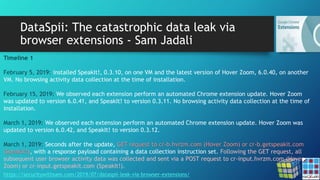
DataSpii: The catastrophic data leak via
browser extensions - Sam Jadali
https://securitywithsam.com/2019/07/dataspii-leak-via-browser-extensions/
Timeline 1
February 5, 2019: installed SpeakIt!, 0.3.10, on one VM and the latest version of Hover Zoom, 6.0.40, on another
VM. No browsing activity data collection at the time of installation.
February 15, 2019: We observed each extension perform an automated Chrome extension update. Hover Zoom
was updated to version 6.0.41, and SpeakIt! to version 0.3.11. No browsing activity data collection at the time of
installation.
March 1, 2019: We observed each extension perform an automated Chrome extension update. Hover Zoom was
updated to version 6.0.42, and SpeakIt! to version 0.3.12.
March 1, 2019: Seconds after the update, GET request to cr-b.hvrzm.com (Hover Zoom) or cr-b.getspeakit.com
(SpeakIt!), with a response payload containing a data collection instruction set. Following the GET request, all
subsequent user browser activity data was collected and sent via a POST request to cr-input.hvrzm.com (Hover
Zoom) or cr-input.getspeakit.com (SpeakIt!).
DataSpii: The catastrophic data leak via
browser extensions - Sam Jadali
https://securitywithsam.com/2019/07/dataspii-leak-via-browser-extensions/
Timeline 2
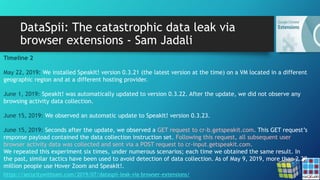
May 22, 2019: We installed SpeakIt! version 0.3.21 (the latest version at the time) on a VM located in a different
geographic region and at a different hosting provider.
June 1, 2019: SpeakIt! was automatically updated to version 0.3.22. After the update, we did not observe any
browsing activity data collection.
June 15, 2019: We observed an automatic update to SpeakIt! version 0.3.23.
June 15, 2019: Seconds after the update, we observed a GET request to cr-b.getspeakit.com. This GET request’s
response payload contained the data collection instruction set. Following this request, all subsequent user
browser activity data was collected and sent via a POST request to cr-input.getspeakit.com.
We repeated this experiment six times, under numerous scenarios; each time we obtained the same result. In
the past, similar tactics have been used to avoid detection of data collection. As of May 9, 2019, more than 2.29
million people use Hover Zoom and SpeakIt!.
DataSpii: The catastrophic data leak via
browser extensions - Sam Jadali
https://securitywithsam.com/2019/07/dataspii-leak-via-browser-extensions/
Test 1. SuperZoom extension on macOS.
Our original visit:
OUR-REDACTED-IP – – [11/Mar/2019:20:50:06 +0000] “GET
/samtesting.html?&os=mac&brow=crmium&v=74.0.3684.0&ext=SZ&date=mar112019&time=149pmpst&socse
c=123004567&customerssn=123004567&lastname=doe&first=john&last=doe&password=mypass&p=anotherpa
ss&apikey=XYZ HTTP/1.1” 200 198 “-” “Mozilla/5.0 (Macintosh; Intel Mac OS X 10_14_3)
AppleWebKit/537.36 (KHTML, like Gecko) Chrome/74.0.3684.0 Safari/537.36”
Approximately 4 hours later, an unknown AWS IP performed a GET request of the collected URL:
184.72.115.35 – – [12/Mar/2019:01:03:45 +0000] “GET
/samtesting.html?&os=mac&brow=crmium&v=74.0.3684.0&ext=SZ&date=mar112019&time=149pmpst&socse
c=123004567&customerssn=123004567&lastname=doe&first=john&last=doe&password=mypass&p=anotherpa
ss&apikey=XYZ HTTP/1.1” 200 198 “-” “Mozilla/5.0 (Macintosh; Intel Mac OS X 10_10_1)
AppleWebKit/600.1.25 (KHTML, like Gecko) Version/8.0 Safari/600.1.25”
DataSpii: The catastrophic data leak via
browser extensions - Sam Jadali
https://securitywithsam.com/2019/07/dataspii-leak-via-browser-extensions/
Test 2. SaveFrom.net Helper extension (installed via the extension author’s website) on macOS.
Our original visit:
[OUR-REDACTED-IP] – – [11/Mar/2019:21:42:00 +0000] “GET
/samtesting.html?&os=macosx10143&brow=ff&v=65.0.1&ext=SFfromsfhelpernet&date=mar112019&time=24
1pmpst&socsec=123004567&customerssn=123004567&lastname=doe&first=john&last=doe&password=mypass
&p=anotherpass&apikey=XYZ HTTP/1.1” 200 198 “-” “Mozilla/5.0 (Macintosh; Intel Mac OS X 10.14; rv:65.0)
Gecko/20100101 Firefox/65.0”
Approximately 3.5 hours later, an unknown AWS IP performed a GET request of the collected URL:
184.72.115.35 – – [12/Mar/2019:01:17:47 +0000] “GET
/samtesting.html?&os=macosx10143&brow=ff&v=65.0.1&ext=SFfromsfhelpernet&date=mar112019&time=24
1pmpst&socsec=123004567&customerssn=123004567&lastname=doe&first=john&last=doe&password=mypass
&p=anotherpass&apikey=XYZ HTTP/1.1” 200 198 “-” “Mozilla/5.0 (Macintosh; Intel Mac OS X 10_10_1)
AppleWebKit/600.1.25 (KHTML, like Gecko) Version/8.0 Safari/600.1.25”
DataSpii: The catastrophic data leak via
browser extensions - Sam Jadali
https://securitywithsam.com/2019/07/dataspii-leak-via-browser-extensions/
Using a browser with a Party Y extension, we visited various sample file types, including zip and SQL database
files.
When visiting the zip file, the browser downloaded the file into the file system. It did not load them directly in
the browser. As a result, we did not observe the transmission of the zip URL to a third-party hostname.
However, the SQL files were loaded in the browser and the URL of our SQL files was transmitted to cr-
input.hvrzm.com. Three hours after it was collected by the Party Y extension, we observed a third-party visit to
our SQL file:
184.72.115.35 – – [18/May/2019:12:50:27 +0000] “GET /dataspii-sql-50000rows.sql HTTP/1.1” 200 4393501
“-” “Mozilla/5.0 (Macintosh; Intel Mac OS X 10_10_1) AppleWebKit/600.1.25 (KHTML, like Gecko)
Version/8.0 Safari/600.1.25”
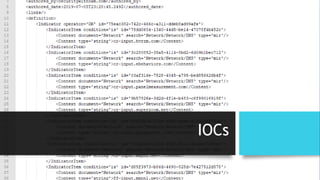
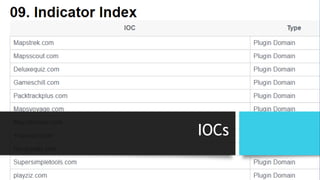
IOCs
Chrome Extensions: DUO
Security
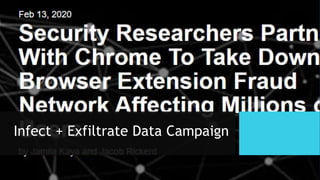
Infect + Exfiltrate Data Campaign
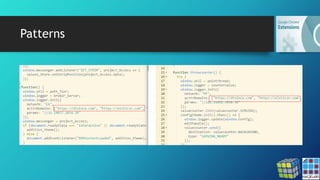
Patterns
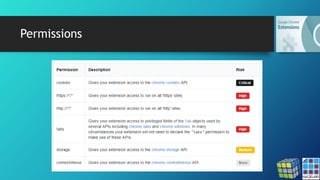
Permissions
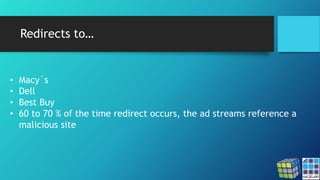
Redirects to…
• Macy´s
• Dell
• Best Buy
• 60 to 70 % of the time redirect occurs, the ad streams reference a
malicious site
IOCs
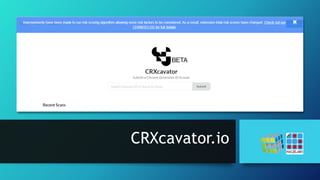
CRXcavator.io
Browser Extensions:
Proactive Countermeasures
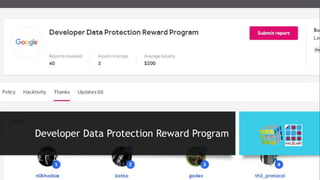
Developer Data Protection Reward Program
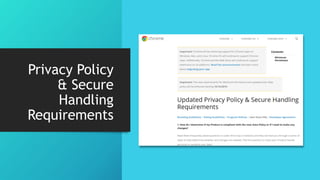
Privacy Policy
& Secure
Handling
Requirements
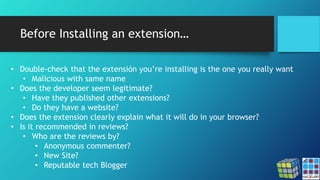
Before Installing an extension…
• Double-check that the extensión you’re installing is the one you really want
• Malicious with same name
• Does the developer seem legitimate?
• Have they published other extensions?
• Do they have a website?
• Does the extension clearly explain what it will do in your browser?
• Is it recommended in reviews?
• Who are the reviews by?
• Anonymous commenter?
• New Site?
• Reputable tech Blogger
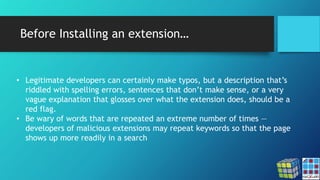
Before Installing an extension…
• Legitimate developers can certainly make typos, but a description that’s
riddled with spelling errors, sentences that don’t make sense, or a very
vague explanation that glosses over what the extension does, should be a
red flag.
• Be wary of words that are repeated an extreme number of times —
developers of malicious extensions may repeat keywords so that the page
shows up more readily in a search
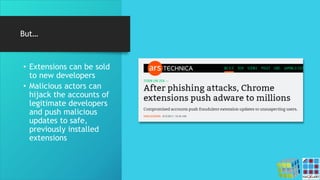
But…
• Extensions can be sold
to new developers
• Malicious actors can
hijack the accounts of
legitimate developers
and push malicious
updates to safe,
previously installed
extensions
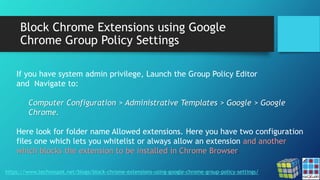
Block Chrome Extensions using Google
Chrome Group Policy Settings
https://www.technospot.net/blogs/block-chrome-extensions-using-google-chrome-group-policy-settings/
If you have system admin privilege, Launch the Group Policy Editor
and Navigate to:
Computer Configuration > Administrative Templates > Google > Google
Chrome.
Here look for folder name Allowed extensions. Here you have two configuration
files one which lets you whitelist or always allow an extension and another
which blocks the extension to be installed in Chrome Browser.
Define Chrome browser policies on managed
computers
https://support.google.com/chrome/a/answer/187202?visit_id=637188541540719613-2881667105&rd=2
• You can define device-level policies, which will be applied regardless of
whether people are using the Chrome browser or logged into an account.
• You can also set user-level policies for the operating system, which will be
applied when certain users logon to a device.
• You can make it mandatory to apply policies that users cannot change, or set
default preferences that users can change.
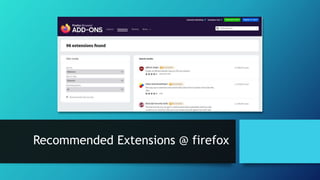
Recommended Extensions @ firefox
Tracker Blocker
Other Browsers…
• https://v.ht/hlbog_chrome
• https://v.ht/hlbog_firefox
• https://v.ht/hlbog_safari
• https://v.ht/hlbog_opera
• https://v.ht/hlbog_iexplorer ;)
Thank you / Obrigado / Gracias
Eduardo Chavarro Ovalle
@echavarro
Giovanni Cruz Forero
@fixxx3r

Chrome Extensions: Masking risks in entertainment

  • 1.
    Chrome Extensions: Masking risksin entertainment Eduardo Chavarro Ovalle Giovanni Cruz Forero March 2020
  • 2.
    Google Chrome Extensions •Extensions are small software programs that customize the browsing experience. They enable users to tailor Chrome functionality and behavior to individual needs or preferences. They are built on web technologies such as HTML, JavaScript, and CSS. • An extension must fulfill a single purpose that is narrowly defined and easy to understand. A single extension can include multiple components and a range of functionality, as long as everything contributes towards a common purpose. https://developer.chrome.com/extensions
  • 3.
    Google Chrome Extensions https://developer.chrome.com/extensions 6.)Can my extension make changes to the start page, homepage, and new tab settings? Yes. If the purpose of your extension is to modify one narrow function of the browser (either the start page, homepage or new tab page, for example), and it does only that, then it would be compliant with the single-purpose policy. Additionally, if the purpose of your extension is limited to one focus area or subject matter, then you can have various functions related to that one area or subject matter, including changes to start page, homepage and new tab page. As of July 1, 2017, … If your extension modifies one of these functions, it must use the Settings Overrides API.
  • 4.
    Browser Extensions • Extensionsare installed within the files for your browser application. • Extensions aren’t an application all on their own — their code runs as part of your browser. Because your browser is already a trusted application, it’s hard for antivirus software to catch malicious extensions. redmorph/malicious-browser-extensions
  • 5.
    Malicious Browser Extensions(MBE) • The most popular marketplace for extensions, the Google Chrome Web Store, does not screen extensions before they are published. • Though extensions require permissions to work, most browsers grant them permissions by default (without asking you).
  • 8.
  • 9.
  • 10.
    “BE are theWild Wild West of the Internet” • 2017 - Malicious Chrome Extension Steals Data Posted to Any Website • 2018 - Google Chrome Once Again Target of Malicious Extensions • 2020 - Google, Mozilla Ban Hundreds of Browser Extensions in Chrome, Firefox
  • 11.
    Show me the$$$ • Ad Fraud • Stage 1 – Installer • MBE + Scheduled Task • Stage 2 – Finder • Victim browser cookies + credentials • Stage 3 – Patcher • Latest Version • "The extension is essentially set up to inject scripts into web pages, which will then handle further functionality depending on the page," https://www.bleepingcomputer.com/news/security/malicious-browser-extensions-used-by-hackers-for-ad-fraud/
  • 12.
    Show me the$$$ • Generation of web traffic • Ads Injection • Injection of scripts • Hunt down and replace ad- related code on web pages • Report ad clicks and other types of data to C2 server
  • 13.
    Show me the$$$ • Don’t mess with… • Google domains • Built-in Blacklist • Porn Sites • Russian websites
  • 14.
  • 15.
    Navegación y Favoritos/Bookmarks enviadosa diferentes destinos: aldamva.ru 7480 depasi.ru 2882 et-cod.telvanil.ru 111 lakla.ru 533 sfops.ru 1996
  • 16.
    Information relay, ¿Anyrisk here? Improperly configured Web services, excess information via GET: http://mibanco.com.co/usuarios?nombre=eduardo&username=chvarrin&password=cGFzc3 dvcmRTdXAzclMzZ3VyYQo=&account=67rt2834234267546754864132 Internal paths: (Intranet) https://192.168.x.x:yyyy/sapABC/users/private/x Profiling by navigation, recognition and definition of strategies for other types of threats: Mibanco.com / comprasonline.xys / paypal.abc, etc.
  • 17.
    Extensions sending data… •Chrome://extentions • Developer Mode • Inspect views backgroud page • Enjoy 
  • 18.
    lnkr: The NewMalicious Browser Extensions Campaign Spreading Across the Net
  • 19.
    lnkr https://securitytrails.com/blog/lnkr-malicious-browser-extension This campaign targetslegitimate and semi-legitimate browser extensions: • cloning • injecting with malicious code • distributing them across the Google Chrome Store. The goal is to inject scripts into web pages currently browsed by the users, to redirect them to several websites such as lnkr.us and lnkr.fr that seem to be part of this malware campaign, as they appear to be fully controlled by the attackers.
  • 20.
    lnkr https://securitytrails.com/blog/lnkr-malicious-browser-extension Some of theC2 communications masquerade and are promoted as analytics opt-out requests, explaining to the users that the ads are used to support the development of these extensions. This isn’t true: the advertising revenue doesn’t go to the real extension developers at all.
  • 21.
  • 22.
    DataSpii: The catastrophicdata leak via browser extensions - Sam Jadali https://securitywithsam.com/2019/07/dataspii-leak-via-browser-extensions/ Timeline 1 February 5, 2019: installed SpeakIt!, 0.3.10, on one VM and the latest version of Hover Zoom, 6.0.40, on another VM. No browsing activity data collection at the time of installation. February 15, 2019: We observed each extension perform an automated Chrome extension update. Hover Zoom was updated to version 6.0.41, and SpeakIt! to version 0.3.11. No browsing activity data collection at the time of installation. March 1, 2019: We observed each extension perform an automated Chrome extension update. Hover Zoom was updated to version 6.0.42, and SpeakIt! to version 0.3.12. March 1, 2019: Seconds after the update, GET request to cr-b.hvrzm.com (Hover Zoom) or cr-b.getspeakit.com (SpeakIt!), with a response payload containing a data collection instruction set. Following the GET request, all subsequent user browser activity data was collected and sent via a POST request to cr-input.hvrzm.com (Hover Zoom) or cr-input.getspeakit.com (SpeakIt!).
  • 23.
    DataSpii: The catastrophicdata leak via browser extensions - Sam Jadali https://securitywithsam.com/2019/07/dataspii-leak-via-browser-extensions/ Timeline 2 May 22, 2019: We installed SpeakIt! version 0.3.21 (the latest version at the time) on a VM located in a different geographic region and at a different hosting provider. June 1, 2019: SpeakIt! was automatically updated to version 0.3.22. After the update, we did not observe any browsing activity data collection. June 15, 2019: We observed an automatic update to SpeakIt! version 0.3.23. June 15, 2019: Seconds after the update, we observed a GET request to cr-b.getspeakit.com. This GET request’s response payload contained the data collection instruction set. Following this request, all subsequent user browser activity data was collected and sent via a POST request to cr-input.getspeakit.com. We repeated this experiment six times, under numerous scenarios; each time we obtained the same result. In the past, similar tactics have been used to avoid detection of data collection. As of May 9, 2019, more than 2.29 million people use Hover Zoom and SpeakIt!.
  • 24.
    DataSpii: The catastrophicdata leak via browser extensions - Sam Jadali https://securitywithsam.com/2019/07/dataspii-leak-via-browser-extensions/ Test 1. SuperZoom extension on macOS. Our original visit: OUR-REDACTED-IP – – [11/Mar/2019:20:50:06 +0000] “GET /samtesting.html?&os=mac&brow=crmium&v=74.0.3684.0&ext=SZ&date=mar112019&time=149pmpst&socse c=123004567&customerssn=123004567&lastname=doe&first=john&last=doe&password=mypass&p=anotherpa ss&apikey=XYZ HTTP/1.1” 200 198 “-” “Mozilla/5.0 (Macintosh; Intel Mac OS X 10_14_3) AppleWebKit/537.36 (KHTML, like Gecko) Chrome/74.0.3684.0 Safari/537.36” Approximately 4 hours later, an unknown AWS IP performed a GET request of the collected URL: 184.72.115.35 – – [12/Mar/2019:01:03:45 +0000] “GET /samtesting.html?&os=mac&brow=crmium&v=74.0.3684.0&ext=SZ&date=mar112019&time=149pmpst&socse c=123004567&customerssn=123004567&lastname=doe&first=john&last=doe&password=mypass&p=anotherpa ss&apikey=XYZ HTTP/1.1” 200 198 “-” “Mozilla/5.0 (Macintosh; Intel Mac OS X 10_10_1) AppleWebKit/600.1.25 (KHTML, like Gecko) Version/8.0 Safari/600.1.25”
  • 25.
    DataSpii: The catastrophicdata leak via browser extensions - Sam Jadali https://securitywithsam.com/2019/07/dataspii-leak-via-browser-extensions/ Test 2. SaveFrom.net Helper extension (installed via the extension author’s website) on macOS. Our original visit: [OUR-REDACTED-IP] – – [11/Mar/2019:21:42:00 +0000] “GET /samtesting.html?&os=macosx10143&brow=ff&v=65.0.1&ext=SFfromsfhelpernet&date=mar112019&time=24 1pmpst&socsec=123004567&customerssn=123004567&lastname=doe&first=john&last=doe&password=mypass &p=anotherpass&apikey=XYZ HTTP/1.1” 200 198 “-” “Mozilla/5.0 (Macintosh; Intel Mac OS X 10.14; rv:65.0) Gecko/20100101 Firefox/65.0” Approximately 3.5 hours later, an unknown AWS IP performed a GET request of the collected URL: 184.72.115.35 – – [12/Mar/2019:01:17:47 +0000] “GET /samtesting.html?&os=macosx10143&brow=ff&v=65.0.1&ext=SFfromsfhelpernet&date=mar112019&time=24 1pmpst&socsec=123004567&customerssn=123004567&lastname=doe&first=john&last=doe&password=mypass &p=anotherpass&apikey=XYZ HTTP/1.1” 200 198 “-” “Mozilla/5.0 (Macintosh; Intel Mac OS X 10_10_1) AppleWebKit/600.1.25 (KHTML, like Gecko) Version/8.0 Safari/600.1.25”
  • 26.
    DataSpii: The catastrophicdata leak via browser extensions - Sam Jadali https://securitywithsam.com/2019/07/dataspii-leak-via-browser-extensions/ Using a browser with a Party Y extension, we visited various sample file types, including zip and SQL database files. When visiting the zip file, the browser downloaded the file into the file system. It did not load them directly in the browser. As a result, we did not observe the transmission of the zip URL to a third-party hostname. However, the SQL files were loaded in the browser and the URL of our SQL files was transmitted to cr- input.hvrzm.com. Three hours after it was collected by the Party Y extension, we observed a third-party visit to our SQL file: 184.72.115.35 – – [18/May/2019:12:50:27 +0000] “GET /dataspii-sql-50000rows.sql HTTP/1.1” 200 4393501 “-” “Mozilla/5.0 (Macintosh; Intel Mac OS X 10_10_1) AppleWebKit/600.1.25 (KHTML, like Gecko) Version/8.0 Safari/600.1.25”
  • 27.
  • 28.
  • 29.
    Infect + ExfiltrateData Campaign
  • 30.
  • 31.
  • 32.
    Redirects to… • Macy´s •Dell • Best Buy • 60 to 70 % of the time redirect occurs, the ad streams reference a malicious site
  • 33.
  • 34.
  • 35.
  • 36.
  • 37.
  • 38.
    Before Installing anextension… • Double-check that the extensión you’re installing is the one you really want • Malicious with same name • Does the developer seem legitimate? • Have they published other extensions? • Do they have a website? • Does the extension clearly explain what it will do in your browser? • Is it recommended in reviews? • Who are the reviews by? • Anonymous commenter? • New Site? • Reputable tech Blogger
  • 39.
    Before Installing anextension… • Legitimate developers can certainly make typos, but a description that’s riddled with spelling errors, sentences that don’t make sense, or a very vague explanation that glosses over what the extension does, should be a red flag. • Be wary of words that are repeated an extreme number of times — developers of malicious extensions may repeat keywords so that the page shows up more readily in a search
  • 40.
    But… • Extensions canbe sold to new developers • Malicious actors can hijack the accounts of legitimate developers and push malicious updates to safe, previously installed extensions
  • 41.
    Block Chrome Extensionsusing Google Chrome Group Policy Settings https://www.technospot.net/blogs/block-chrome-extensions-using-google-chrome-group-policy-settings/ If you have system admin privilege, Launch the Group Policy Editor and Navigate to: Computer Configuration > Administrative Templates > Google > Google Chrome. Here look for folder name Allowed extensions. Here you have two configuration files one which lets you whitelist or always allow an extension and another which blocks the extension to be installed in Chrome Browser.
  • 42.
    Define Chrome browserpolicies on managed computers https://support.google.com/chrome/a/answer/187202?visit_id=637188541540719613-2881667105&rd=2 • You can define device-level policies, which will be applied regardless of whether people are using the Chrome browser or logged into an account. • You can also set user-level policies for the operating system, which will be applied when certain users logon to a device. • You can make it mandatory to apply policies that users cannot change, or set default preferences that users can change.
  • 43.
  • 44.
  • 45.
    Other Browsers… • https://v.ht/hlbog_chrome •https://v.ht/hlbog_firefox • https://v.ht/hlbog_safari • https://v.ht/hlbog_opera • https://v.ht/hlbog_iexplorer ;)
  • 46.
    Thank you /Obrigado / Gracias Eduardo Chavarro Ovalle @echavarro Giovanni Cruz Forero @fixxx3r