6
C H A P T E R
Telecommunications
and Networks for
all new1234
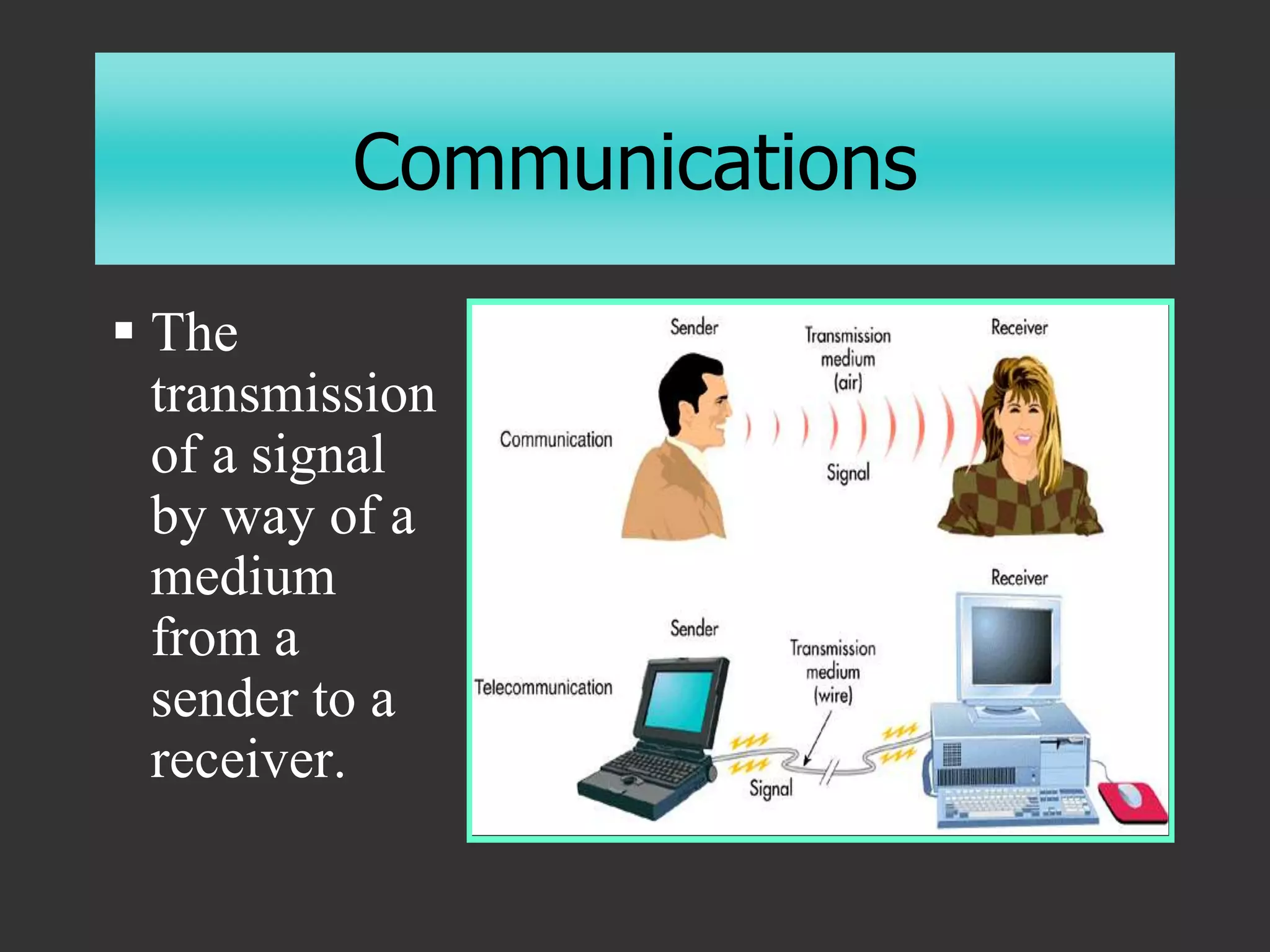
Communications
 The
transmission
of a signal
by way of a
medium
from a
sender to a
receiver.
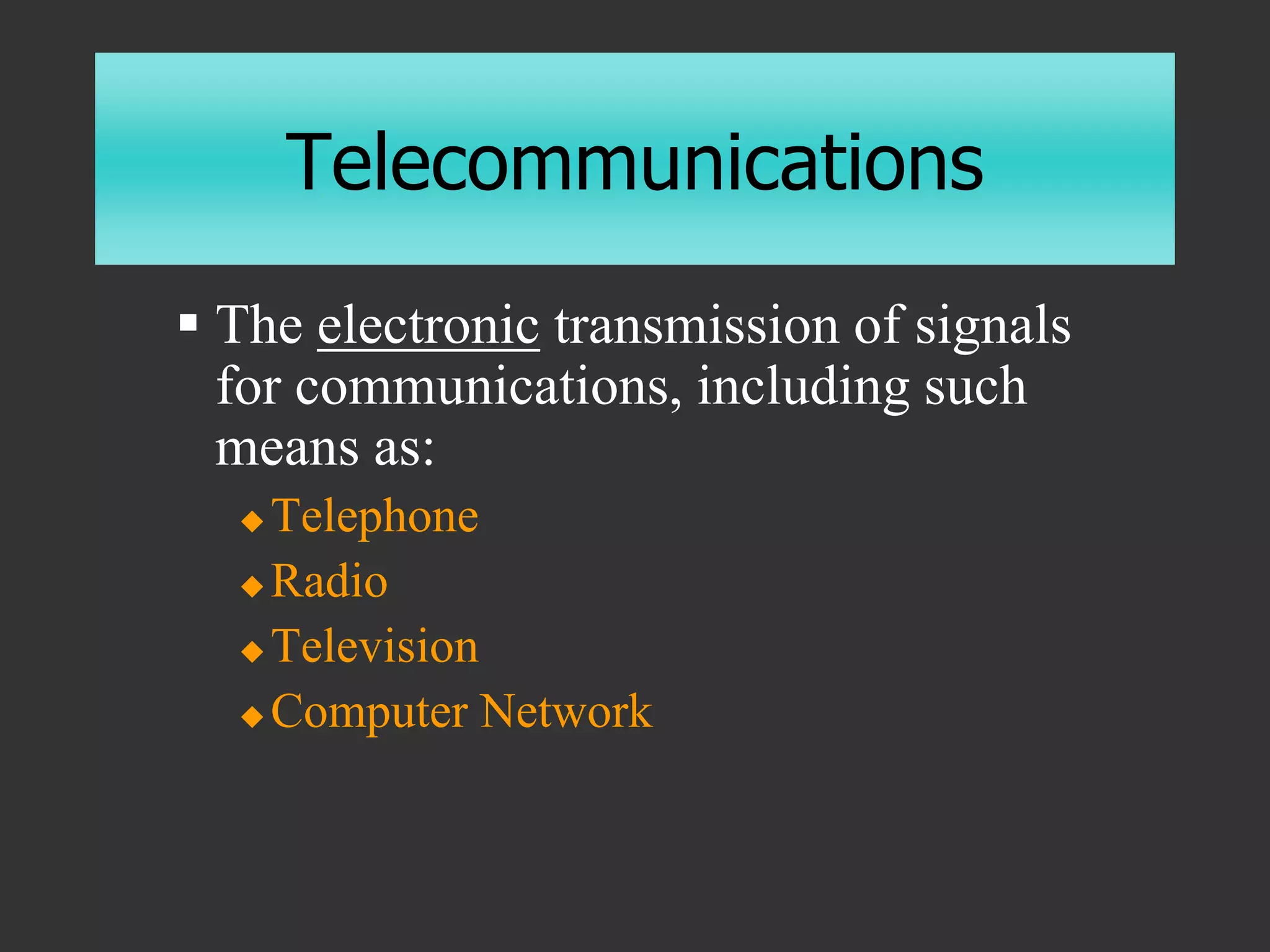
Telecommunications
 The electronic transmission of signals
for communications, including such
means as:
 Telephone
 Radio
 Television
 Computer Network
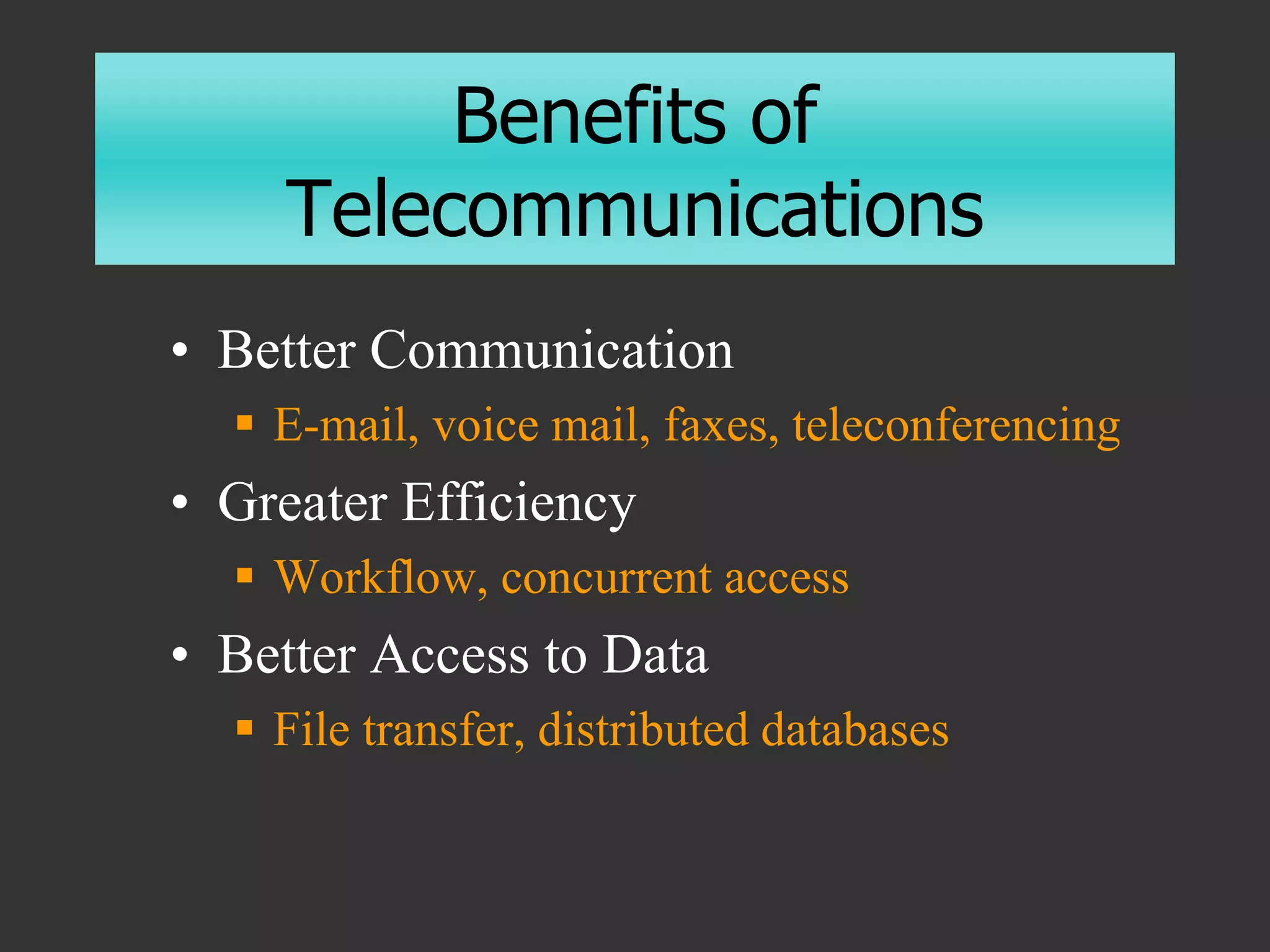
Benefits of
Telecommunications
• Better Communication
 E-mail, voice mail, faxes, teleconferencing
• Greater Efficiency
 Workflow, concurrent access
• Better Access to Data
 File transfer, distributed databases
Modes of Data Transfer
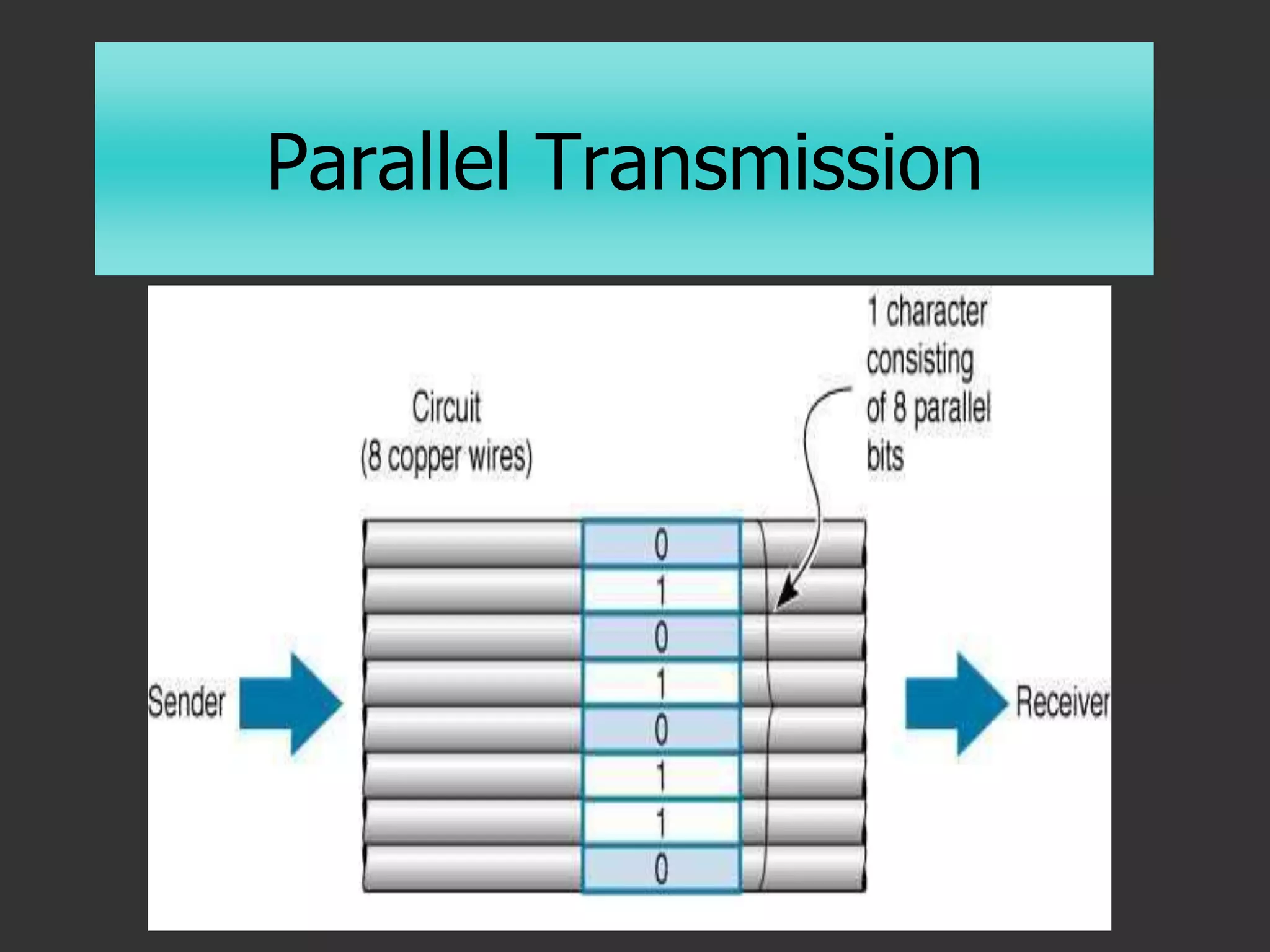
• Parallel
 More than one bit at the same time
 Printers, Processors, Motherboards
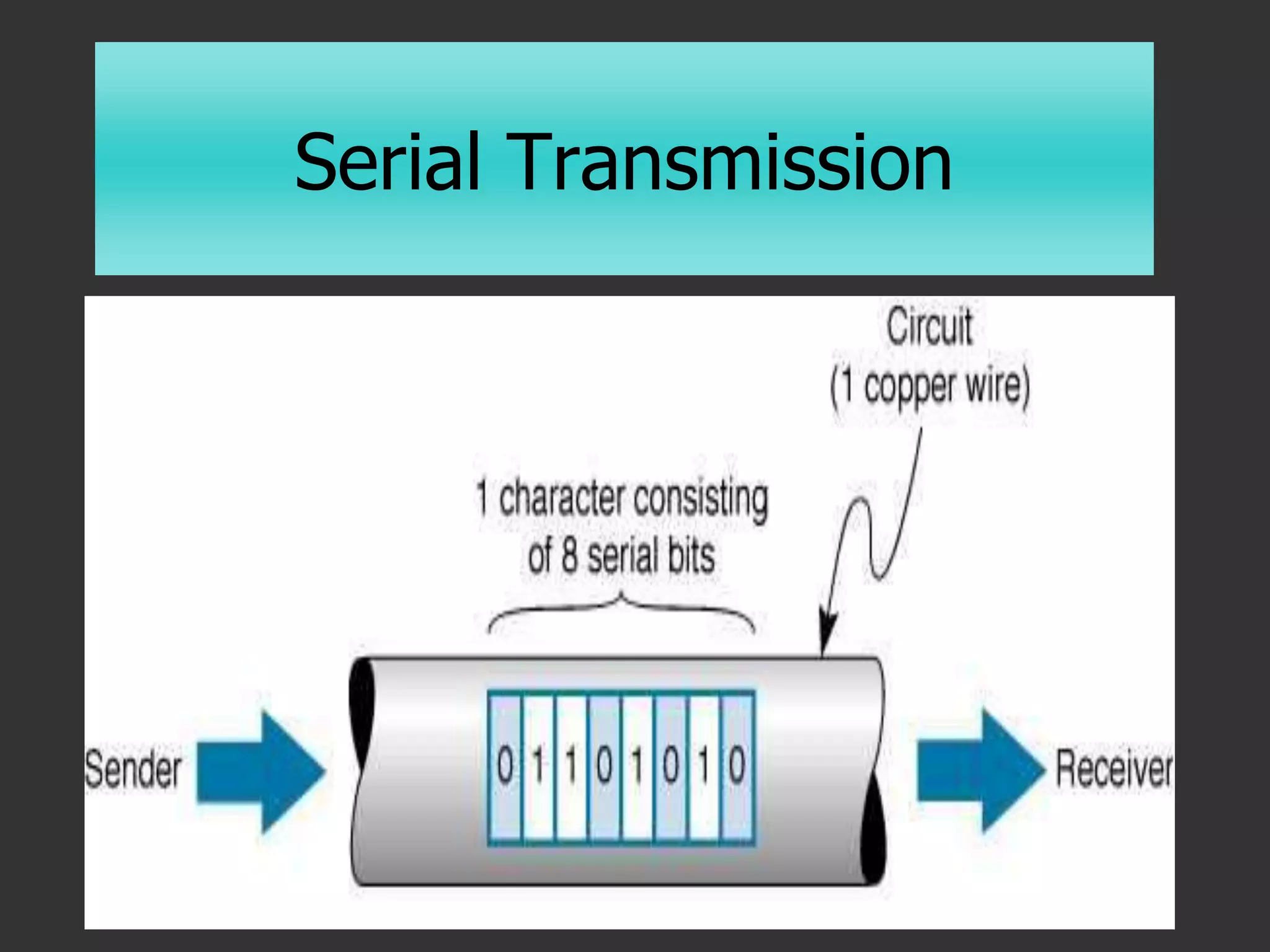
• Serial
 One bit at a time
 Slower, but longer distances
Parallel Transmission
Serial Transmission
Modes of Data Transfer
• Simplex
 One-way transmission
• Half-Duplex
 One-way at a time
• Full-Duplex
 Two-way transmission
The Concept of Networking
• Computers connected to each other so
they can share data
• Before Networking: SneakerNet
 Copy information to a floppy disk and pass
it to anyone who needs it
 Risks?
Why Network
• File Management
 Sharing, transferring
• Application Sharing
• Device Sharing
 Printers, Storage Devices, Modems
• Workgroup Activities
 Scheduling, e-mail, conferencing
A Computer Network
• Hardware
 Modems, servers, routers, NICs
• Software
 Network operating systems
 Communications software
• Communication Channels
 Cabling, microwave, etc.
Networking
• Local Area Network (LAN)
 A group of computers (physically)
connected together within a certain area
• Wide Area Network (WAN)
 A network that extends over a larger
area, such as a city block or a country
Categories of Networks
• Peer-to-Peer (workgroups)
 Typically <10 people
 No central communication control device
 Each computer acts as client and server
 Inexpensive
 Limited security
 Uses each PC’s resources
 Windows, Windows NT/2000
Categories of Networks
• Server-based
 Dedicated servers
 File, application, mail, fax, communication
 Centralized, shared resources
 Security
 Backup
 Thousands of users
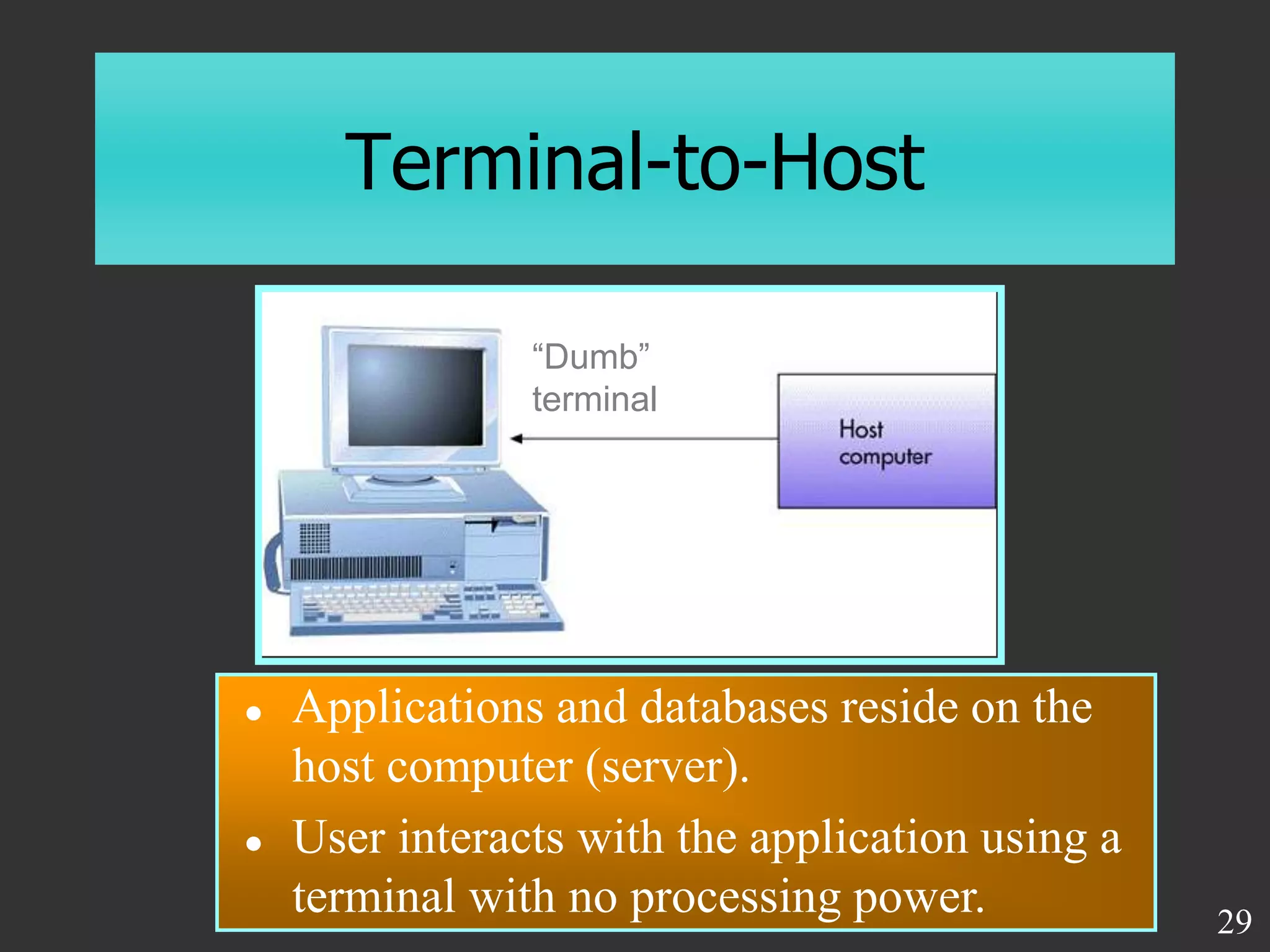
Terminal-to-Host
“Dumb”
terminal
 Applications and databases reside on the
host computer (server).
 User interacts with the application using a
terminal with no processing power. 29
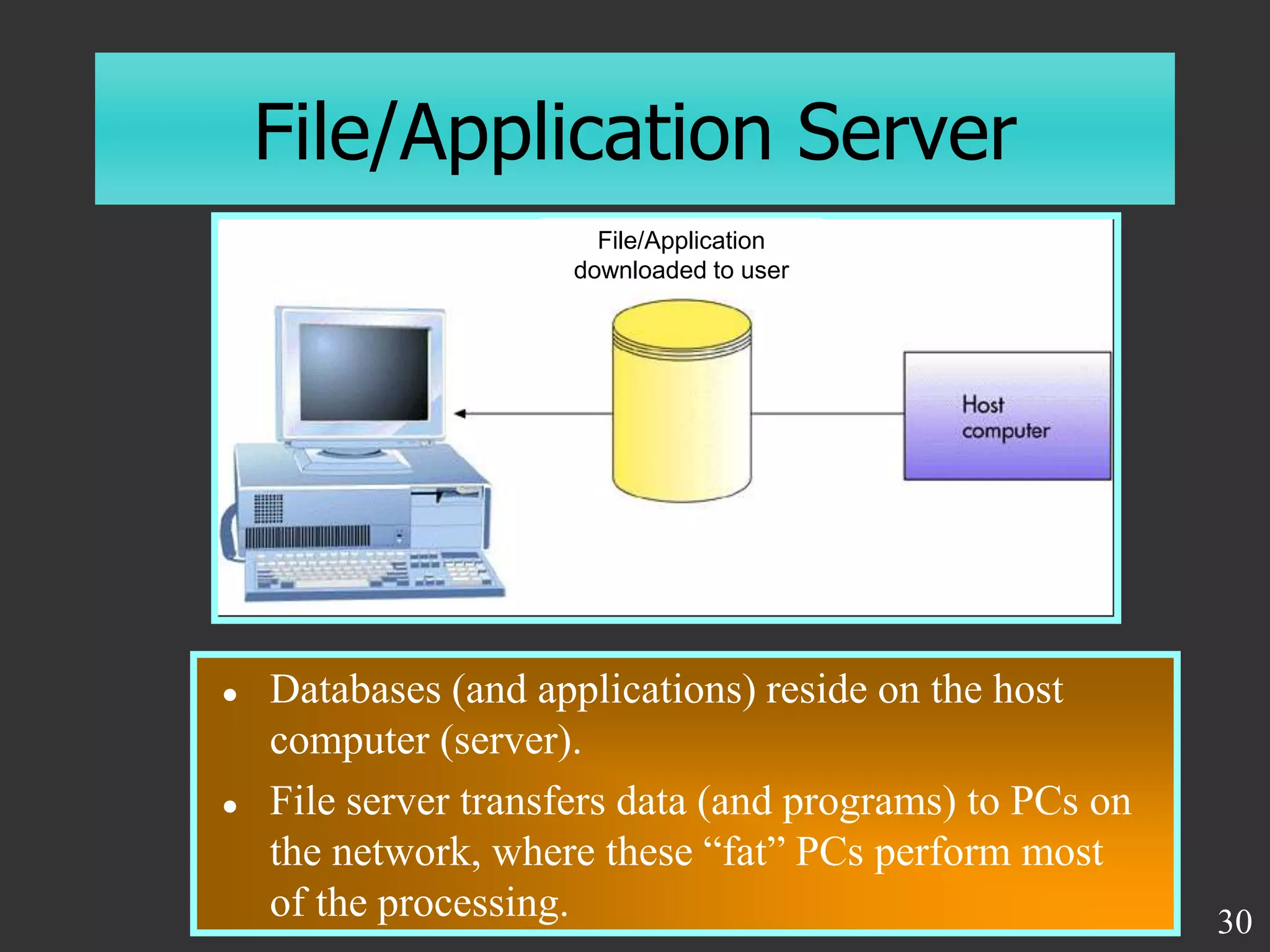
File/Application Server
 Databases (and applications) reside on the host
computer (server).
 File server transfers data (and programs) to PCs on
the network, where these “fat” PCs perform most
of the processing. 30
File/Application
downloaded to user
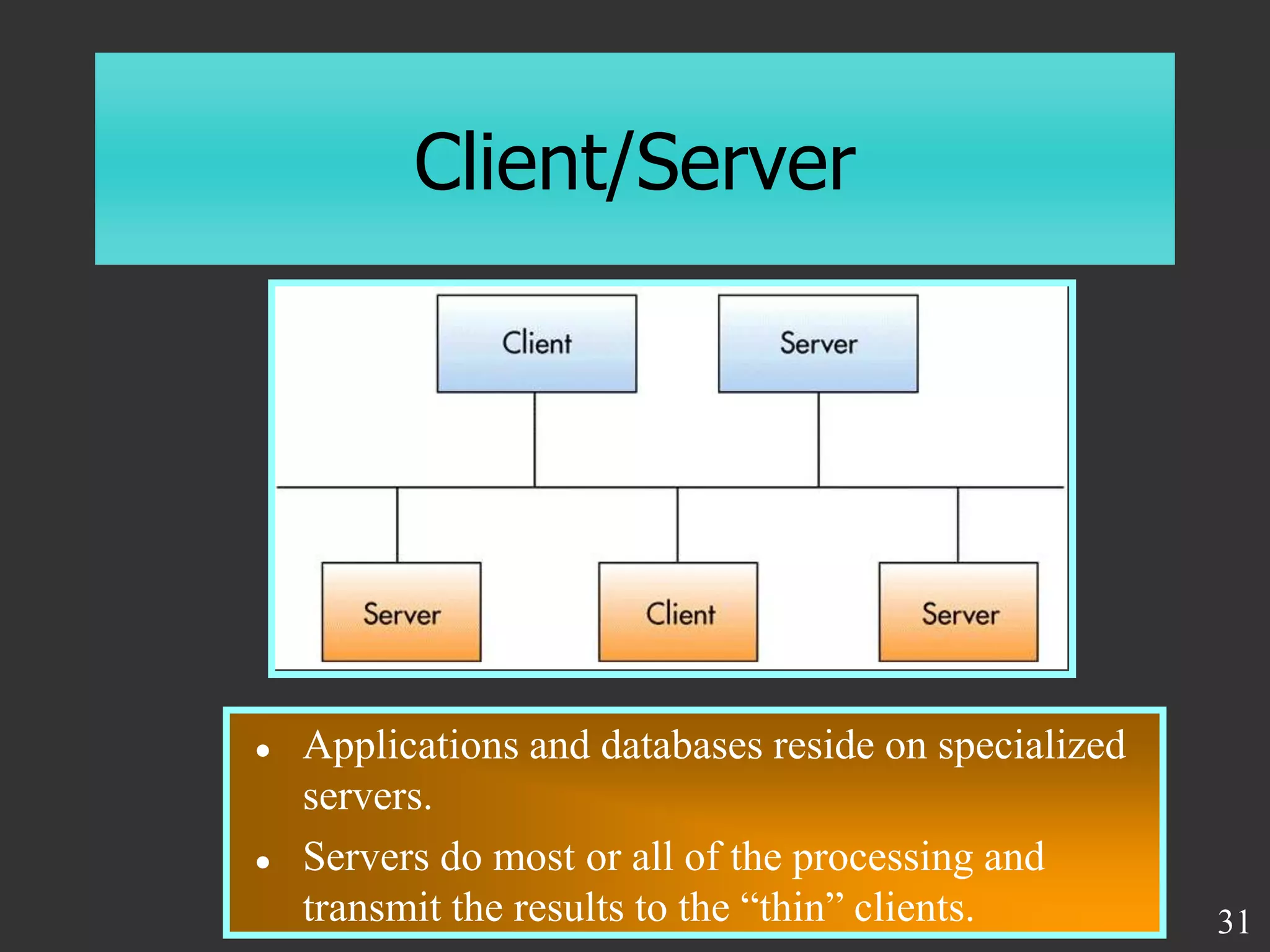
Client/Server
 Applications and databases reside on specialized
servers.
 Servers do most or all of the processing and
transmit the results to the “thin” clients. 31
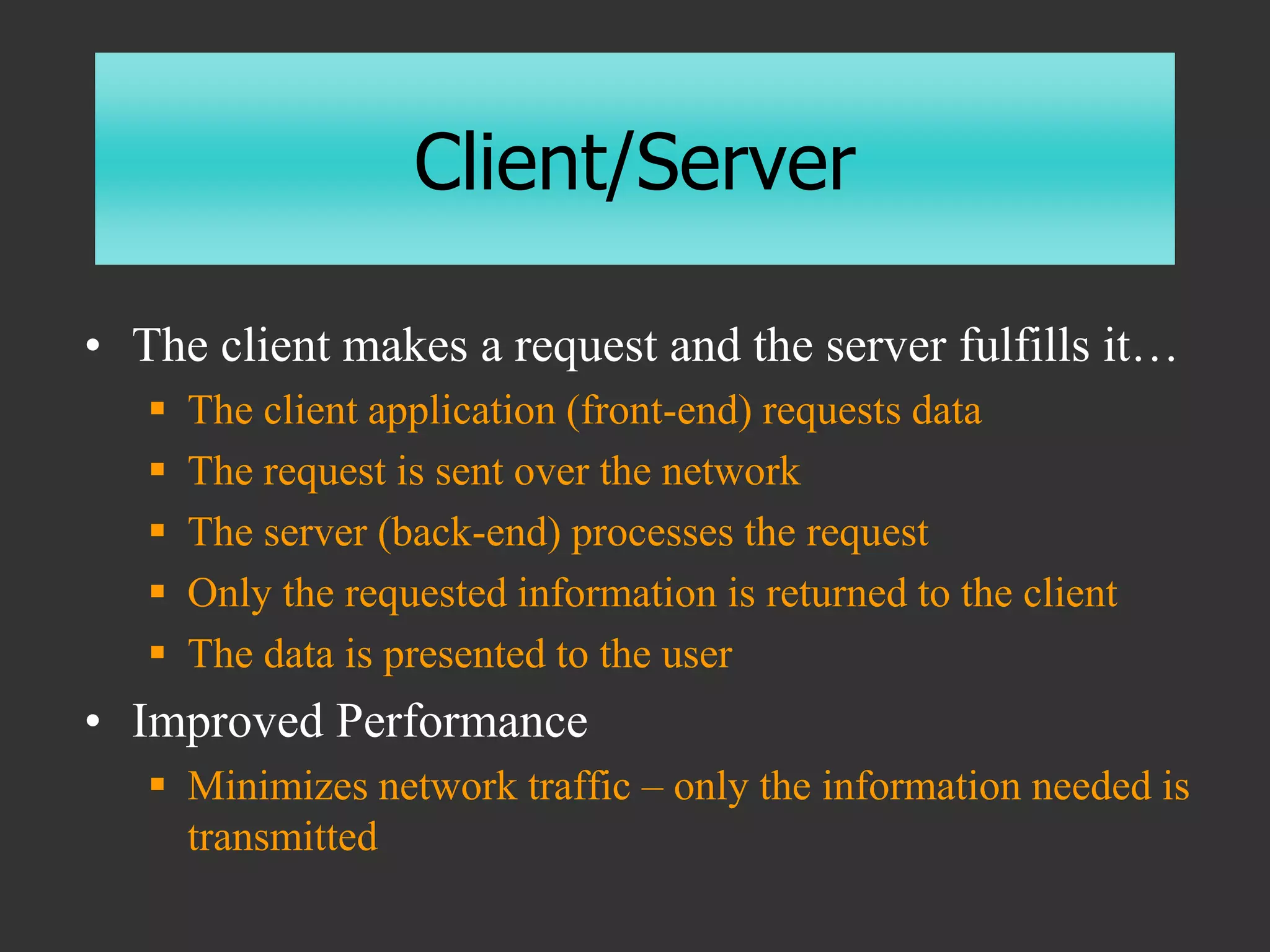
Client/Server
• The client makes a request and the server fulfills it…
 The client application (front-end) requests data
 The request is sent over the network
 The server (back-end) processes the request
 Only the requested information is returned to the client
 The data is presented to the user
• Improved Performance
 Minimizes network traffic – only the information needed is
transmitted
Network Terminology
• Workstation
 Each computer attached to the network
• Node
 Each device attached to the network (each has a
unique hexadecimal MAC - Media Access
Control – address e.g. 08:00:69:02:01:FC )
• Server
 A central repository for information
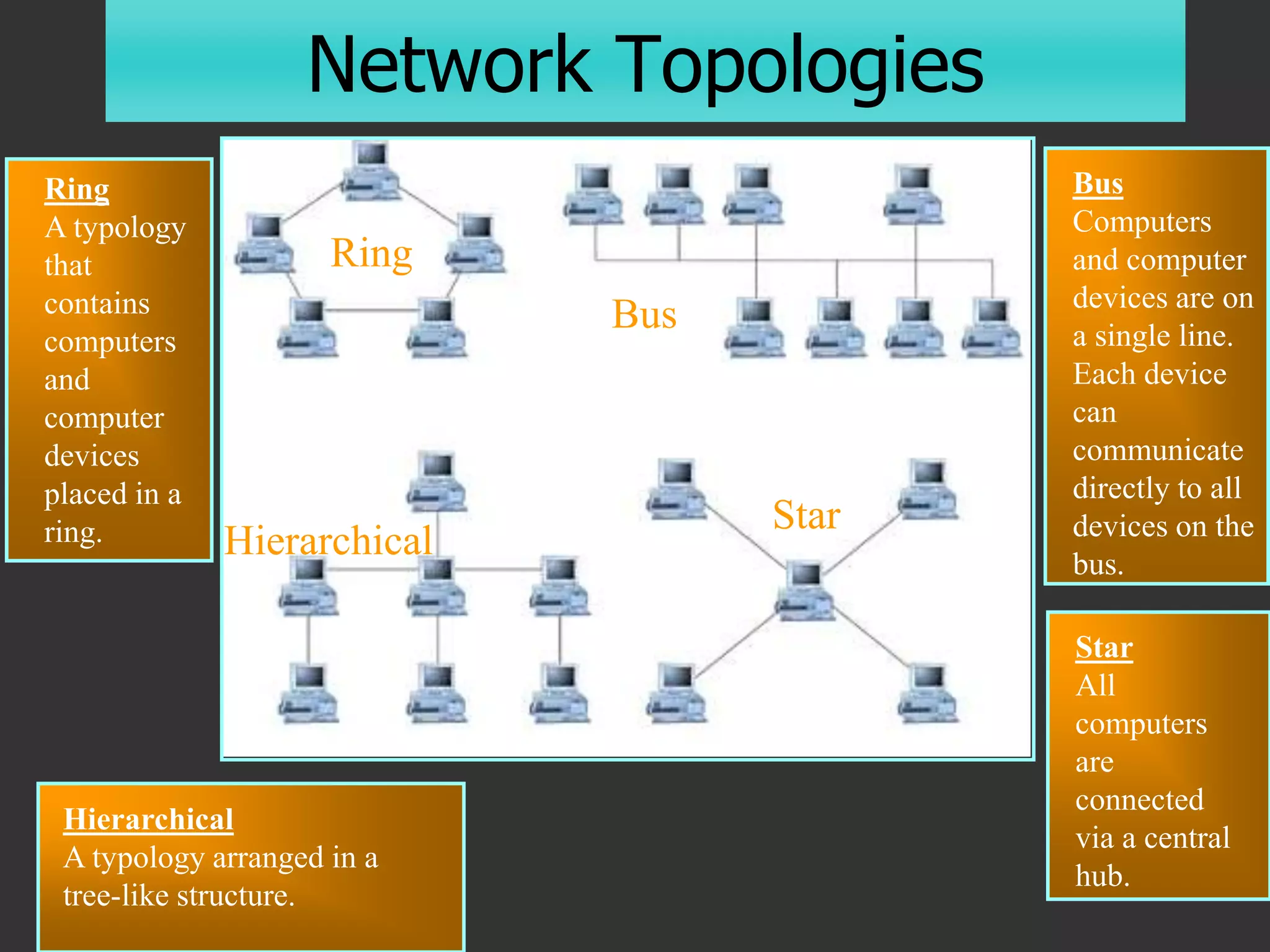
• Topology
 The overall configuration of the network
Network Topology
• Connecting every node to every other
node would require N x (N-1)/2 cables
• Network Topology
 A logical model that describes how networks
are structured or configured.
 Bus
 Star
 Ring
24
…or combinations
Network Topologies
Ring
A typology
that
contains
computers
and
computer
devices
placed in a
ring.
Bus
Computers
and computer
devices are on
a single line.
Each device
can
communicate
directly to all
devices on the
bus.
Star
All
computers
are
connected
via a central
hub.
Ring
Hierarchical
Star
Bus
Hierarchical
A typology arranged in a
tree-like structure.
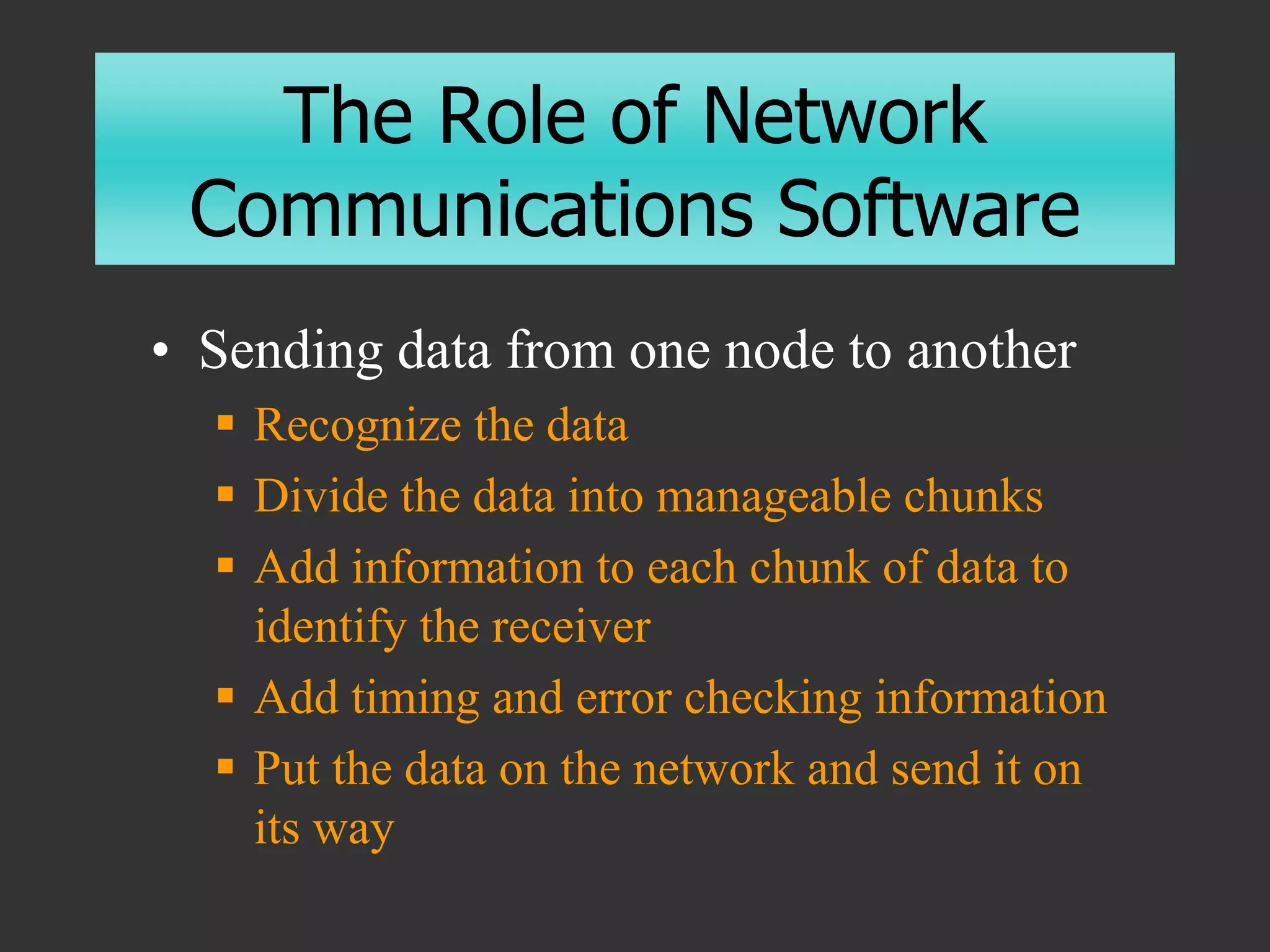
The Role of Network
Communications Software
• Sending data from one node to another
 Recognize the data
 Divide the data into manageable chunks
 Add information to each chunk of data to
identify the receiver
 Add timing and error checking information
 Put the data on the network and send it on
its way
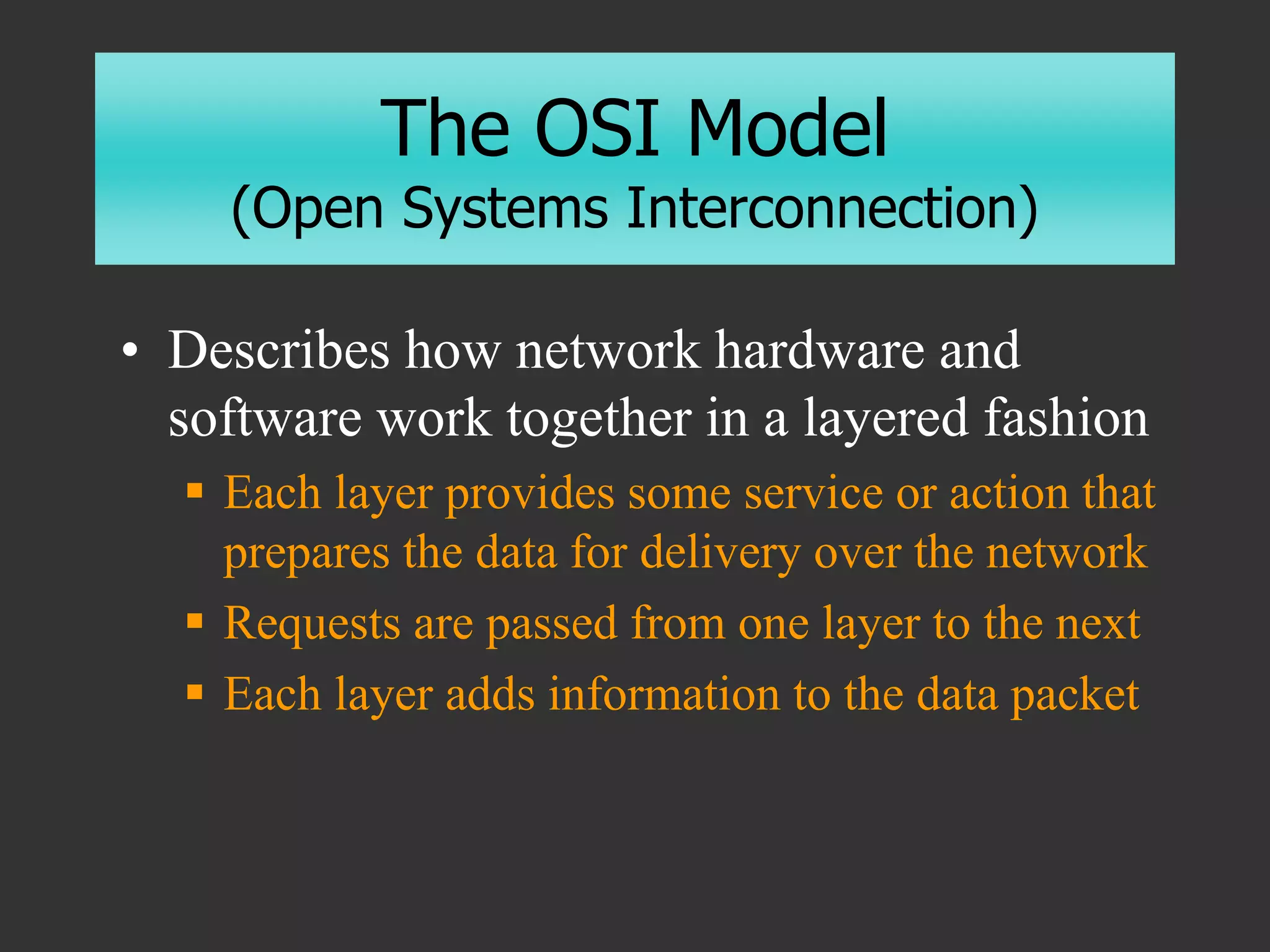
The OSI Model
(Open Systems Interconnection)
• Describes how network hardware and
software work together in a layered fashion
 Each layer provides some service or action that
prepares the data for delivery over the network
 Requests are passed from one layer to the next
 Each layer adds information to the data packet
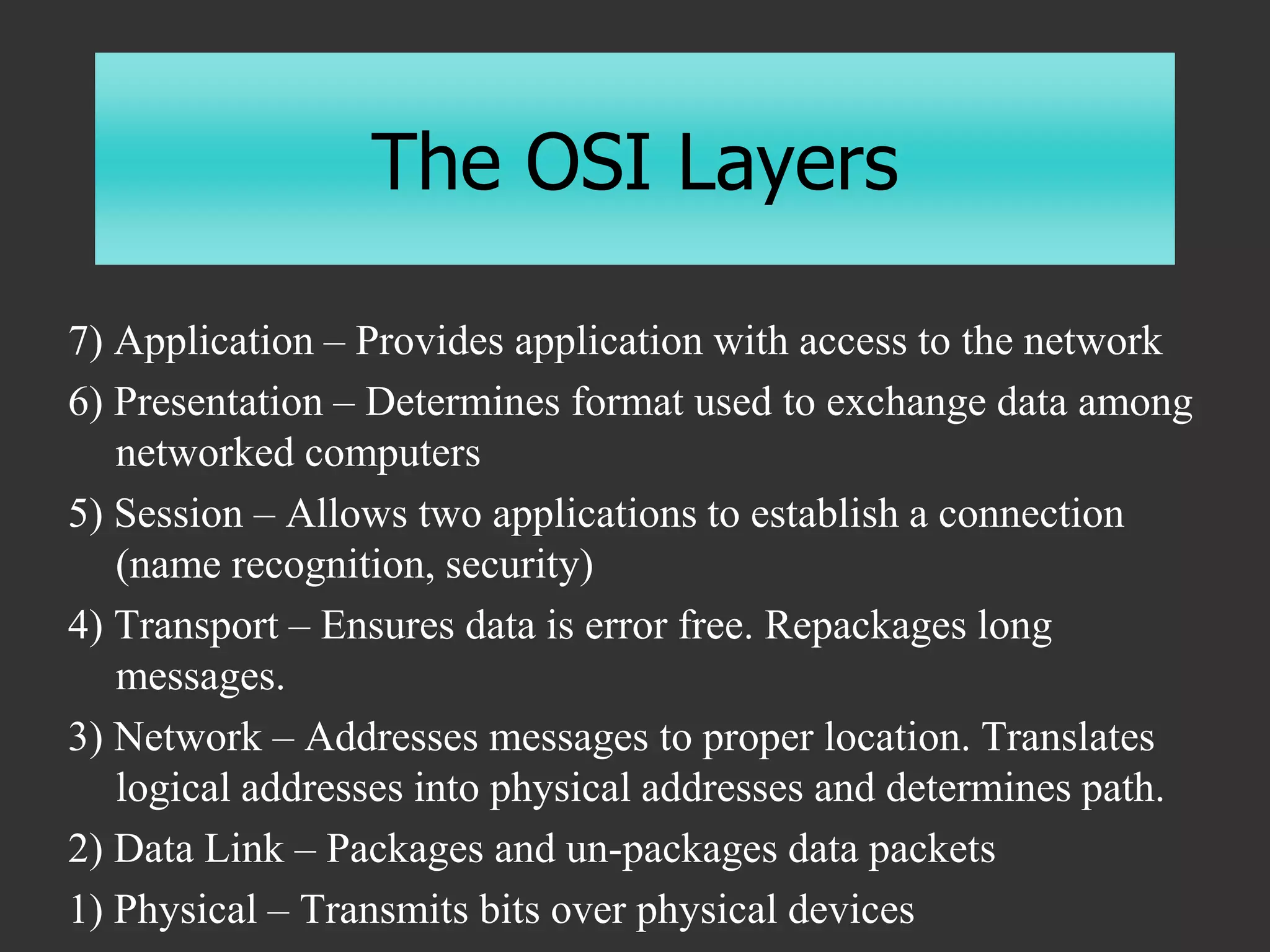
The OSI Layers
7) Application – Provides application with access to the network
6) Presentation – Determines format used to exchange data among
networked computers
5) Session – Allows two applications to establish a connection
(name recognition, security)
4) Transport – Ensures data is error free. Repackages long
messages.
3) Network – Addresses messages to proper location. Translates
logical addresses into physical addresses and determines path.
2) Data Link – Packages and un-packages data packets
1) Physical – Transmits bits over physical devices
Slide 5 of 26
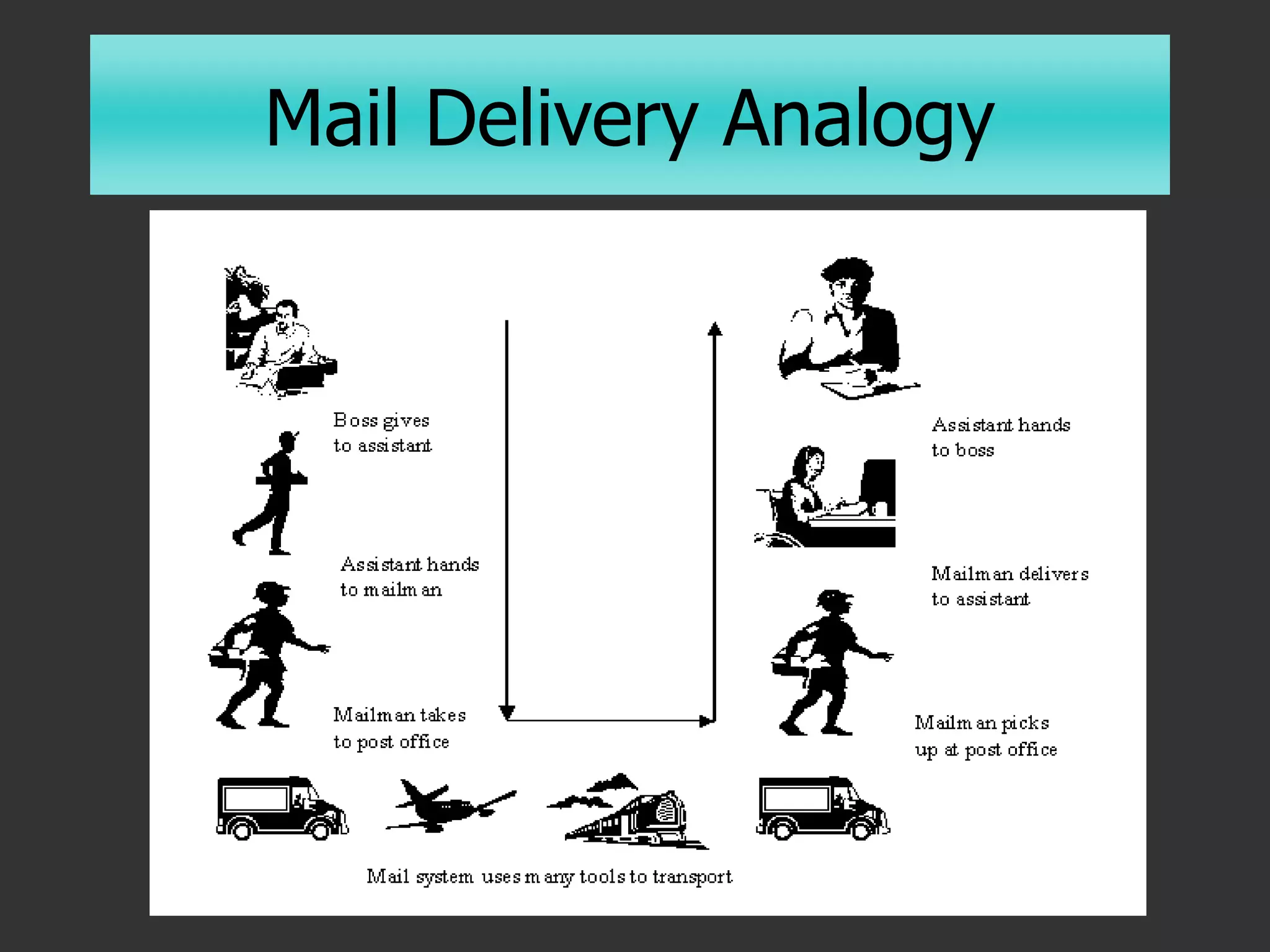
Mail Delivery Analogy
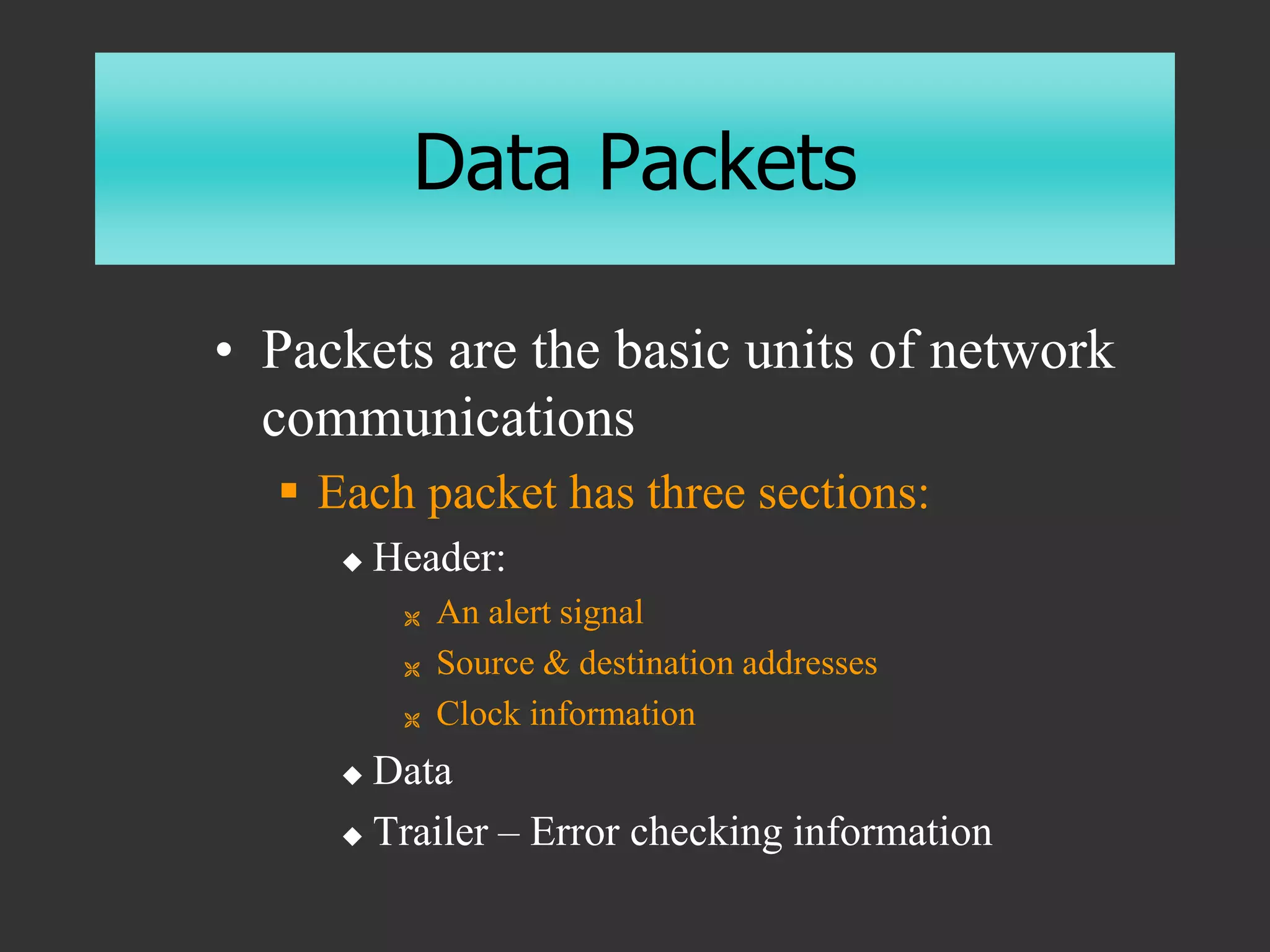
Data Packets
• Packets are the basic units of network
communications
 Each packet has three sections:
 Header:
 An alert signal
 Source & destination addresses
 Clock information
 Data
 Trailer – Error checking information
Protocols
• From the Greek protocollon, which was a
leaf of paper glued to a manuscript volume,
describing its contents
• The special set of rules that nodes in a
telecommunication connection use when
they communicate.
• Protocols exist at several OSI levels in a
telecommunication connection.
• Both nodes must recognize and observe a
protocol.
Protocols
• Rules & procedures for communicating
 Sending Computer
 Breaks the data into packets
 Adds addressing information
 Prepares the data for transmission
 Receiving Computer
 Takes packets off the cable
 Strips the packets of addressing information
 Reassembles the data form the packets
Protocols
• For two computers to communicate, they must
be using the same set of protocols (rules)
• Examples of protocols
 SMTP – Mail transfer protocol
 FTP – File transfer protocol
 TCP/IP – Internet protocol
 IPX/SPX – Novell protocol
 Ethernet – Physical layer protocol
Traffic Control
• If two computers put data onto the cable
at the same time, the packets will collide
and be destroyed
• There must be a way to…
 Access the cable without running into other
data
 Be accessed by the receiving computer with
assurance that it is intact
Access Methods
• Carrier-Sense Multiple Access
 Each node checks the cable for traffic
before sending
 No node can transmit data until the cable
is free (no contention)
 If two computers transmit at the same
time, they detect the collision and wait a
random time to re-transmit
• Token Passing
Communication
Media/Channels
• Cabling
• Microwave/Satellite
• Cellular
• Infrared
• Telephone Lines
Cabling Considerations
• Cost
• Ease of Installation & Maintenance
• Reliability
• Speed
• Distance
Distance Considerations
• Attenuation
 Loss of signal quality & strength
 Repeaters can extend the distance
• Packet Collisions
• Susceptibility to RF Noise
Types of Cabling
• Twisted Pair Wire Cable
 Insulated pairs of wires historically used
in telephone service
 Category 1 – Telephones
 Category 3 – Up to 10Mbps
 Category 5 – Up to 100Mbps
Twisted Pair Details
• RF Noise
 Twisting cancels out electrical noise
 Shielded is less susceptible
• Crosstalk
• 10Base-T
• Maximum segment ~100 meters
• RJ-45 connectors
Types of Cabling
• Coaxial Cable (BNC)
 Consists of an inner conductor wire
surrounded by insulation, called the
dielectric. The dielectric is
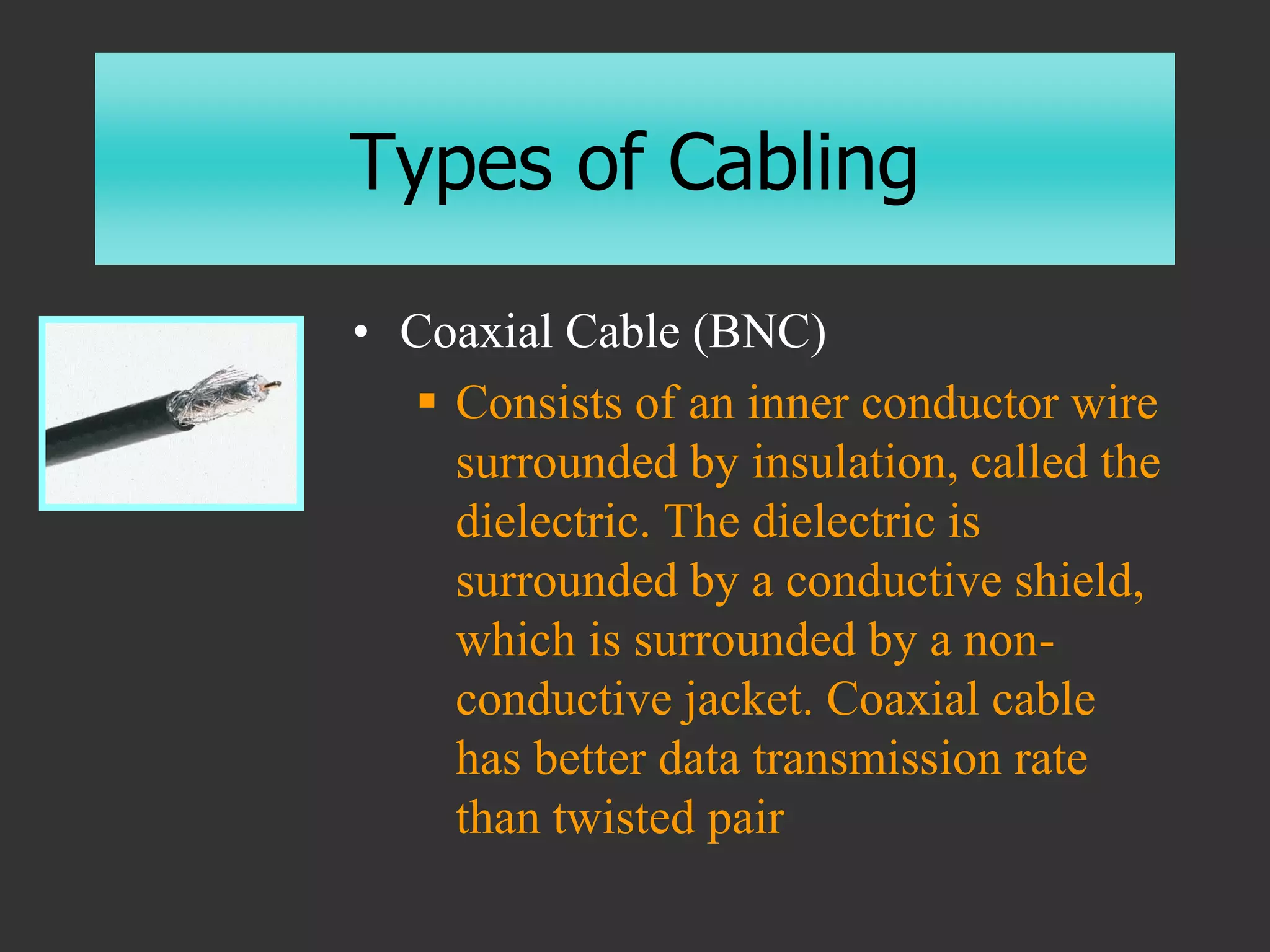
surrounded by a conductive shield,
which is surrounded by a non-
conductive jacket. Coaxial cable
has better data transmission rate
than twisted pair
Coax Details
• More resistant to interference and
attenuation than TP
• Supports longer distance and faster
rates
• BNC or RG6 connectors
Types of Cabling
• Fiber-optic Cable
 Many extremely thin fibers of glass or plastic
coated with a cladding and bound together in a
sheathing which transmits signals with light
beams.
 Fast transfer rates
 Immune to electrical interference (long distances)
 Hard to tap into
 Takes less space
Wireless Networks
• Microwave
 Terrestrial
 Satellite
• Cellular
• Infrared
 Line-of-sight
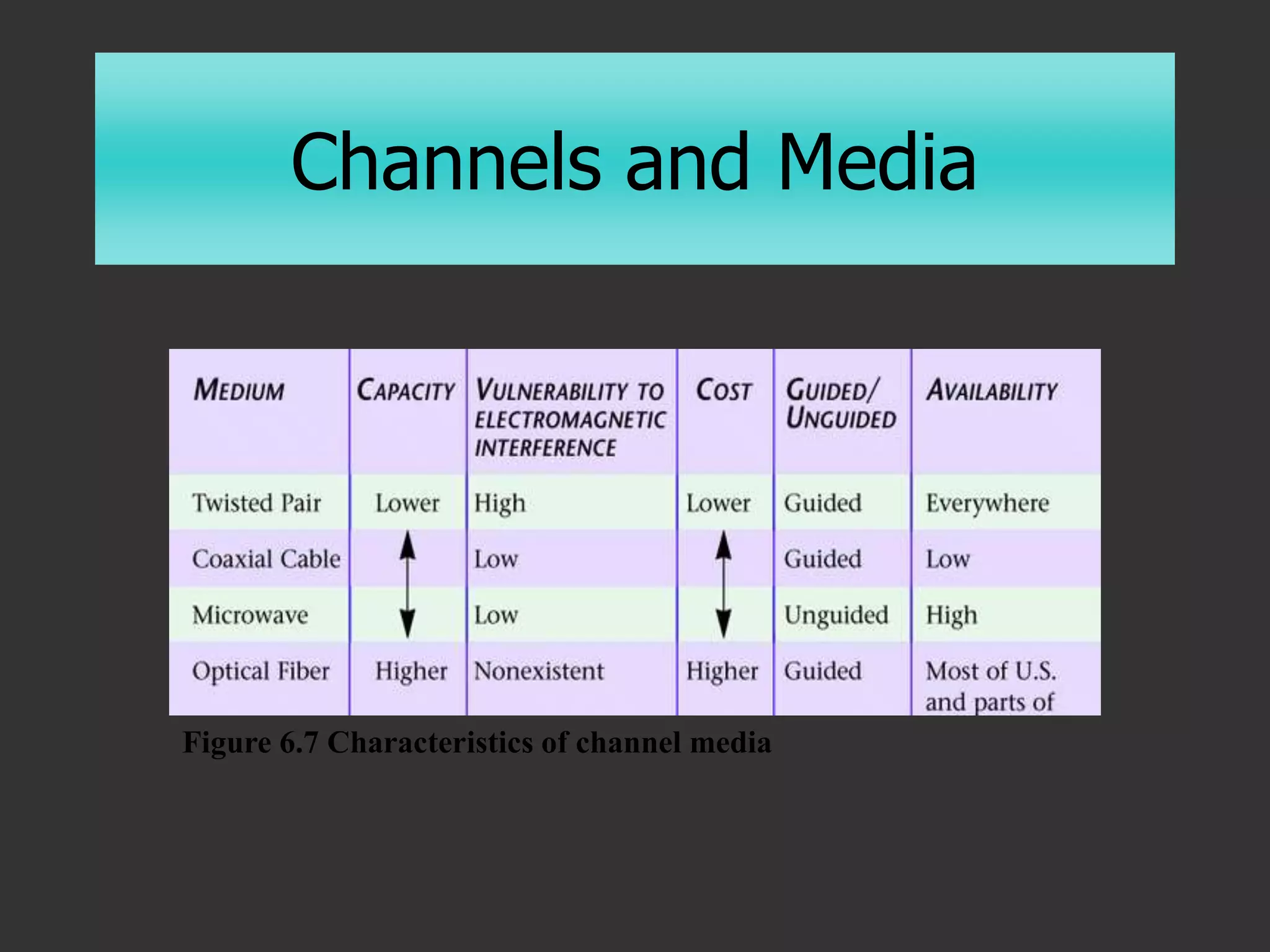
Channels and Media
Figure 6.7 Characteristics of channel media
Data Communications Over
Telephone Lines
• Computers generate a digital signal
• Phone circuits were designed to
accommodate an analog signal
Analog Signals
• Signals of varying frequency (pitch) and
amplitude (loudness)
 Continuous (infinite number of values)
 “Analogous” to the original data
 e.g. phone lines carry electronic signals analogous
to the original voices
 Must be amplified (repeated)
 Signal picks up (and amplifies) noise
 Cannot differentiate between signal and noise
Digital Signals
• Signals with only two possible values
 Discrete (fixed number of values)
 Repeaters can clean up noise
 Expects only “0” or “1”
• Telephones
 Use analog over “local loop” to local phone
office
 Converted to digital for longer distances
 Analog wave is converted to discrete digital signals
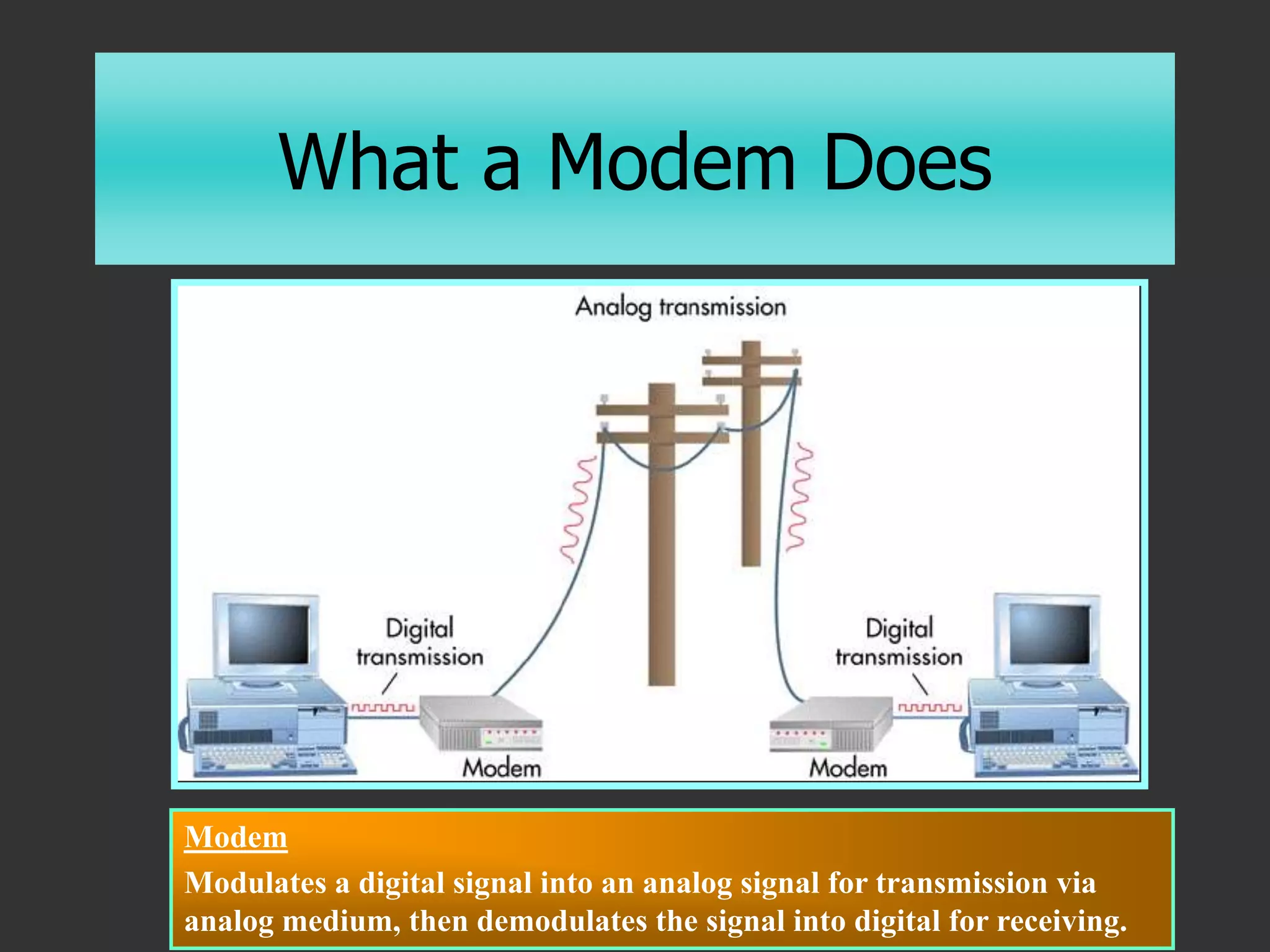
What a Modem Does
Modem
Modulates a digital signal into an analog signal for transmission via
analog medium, then demodulates the signal into digital for receiving.
Modulation
• Converts digital signals into analog
signals
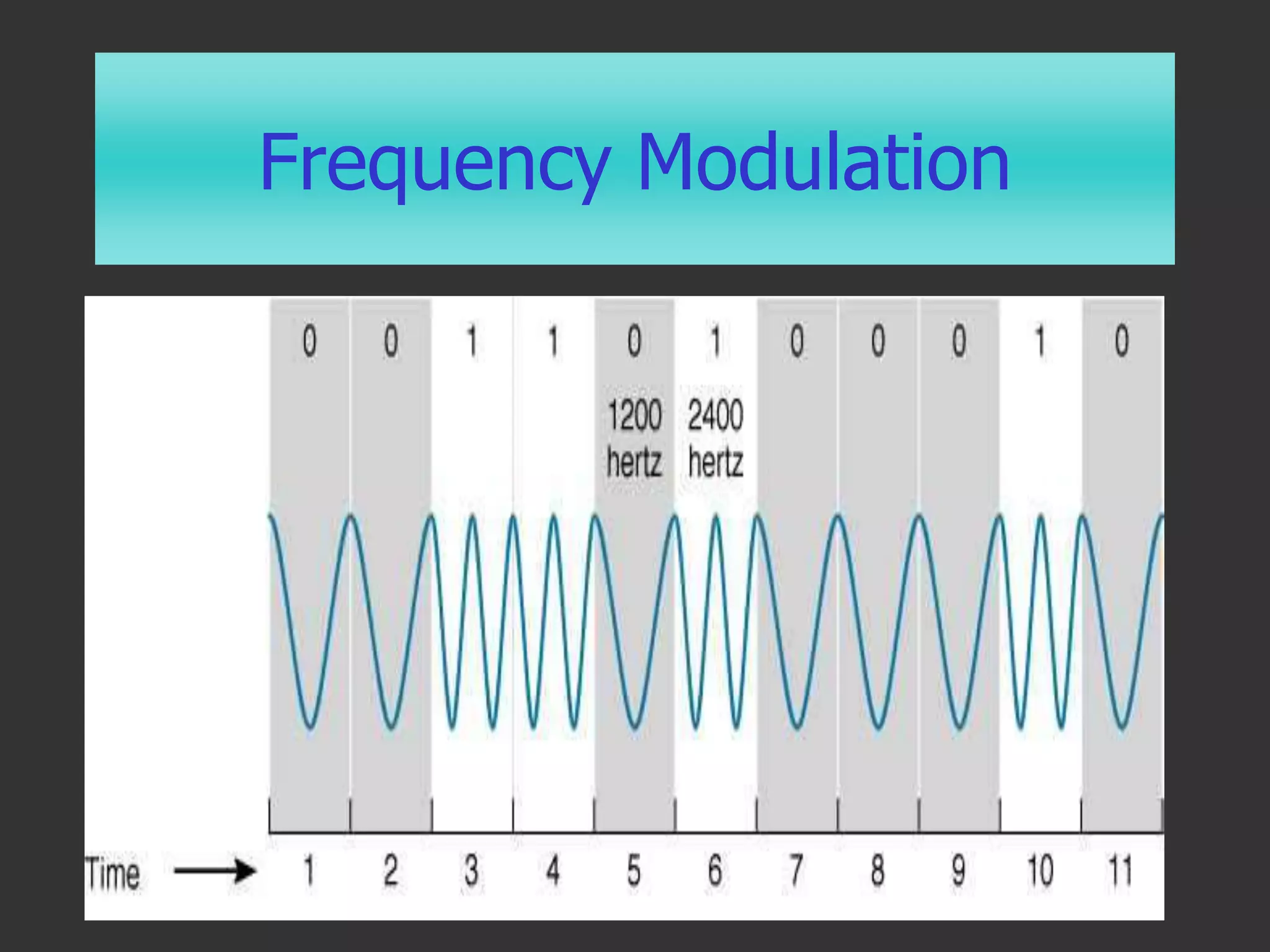
 Frequency Modulation – Vary the frequency
(pitch) to express a “1” or “0”
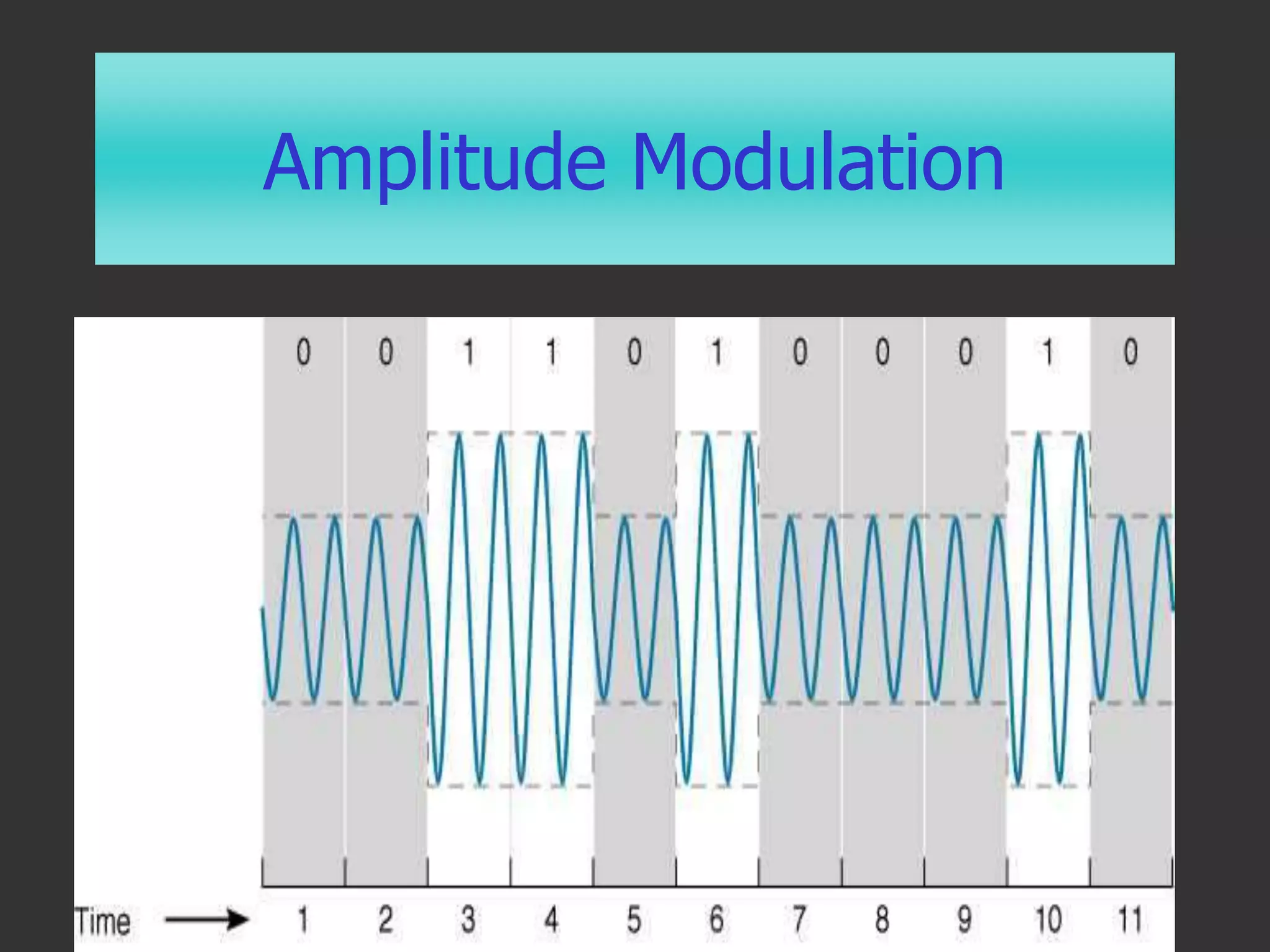
 Amplitude Modulation – Vary the amplitude
(volume) to express a “1” or “0”
• Demodulation converts them back
Amplitude Modulation
Frequency Modulation
Synchronization
• How do analog noises get divided up into
bits?
 Asynchronous Communications
 Sends stop bit (1) after 7-8 bits per character
 Sends start bit (0) to indicate next character
 Synchronous Communications
 Splits the channel into two channels
 Uses the second channel to send a clock
Error Detection
• Redundancy
 Send everything twice
• Parity
 8th bit makes parity even or odd
• Longitudinal Redundancy Check (LRC)
 Checks parity vertically & horizontally per block
• Checksum
 Checks the last 7 digits of the sum of a block
Error Correction
• Automatic Repeat Request (ARQ)
 Sender sends a block
 Receiver ACKnowledges or…
 Receiver sends a Negative Acknowledgement
(NAK)
• Full Duplex
 Sender keeps sending numbered blocks while
awaiting acknowledgements
Finding a Path
• Circuit Switching
 A dedicated channel (circuit) is
established for the duration of the
transmission (e.g. a phone call)
• Packet Switching
 A message is divided into packets and
each may take a different path (e.g.
TCP/IP)
• Dedicated Lines
Multiplexing
• Sharing Channels
 Phone conversation has 4Khz bandwidth
 Copper wire pair has 3Mhz bandwidth
• Allows multiple TV signals on coax
• Frequency Division Multiplexing
• Time-Division Multiplexing
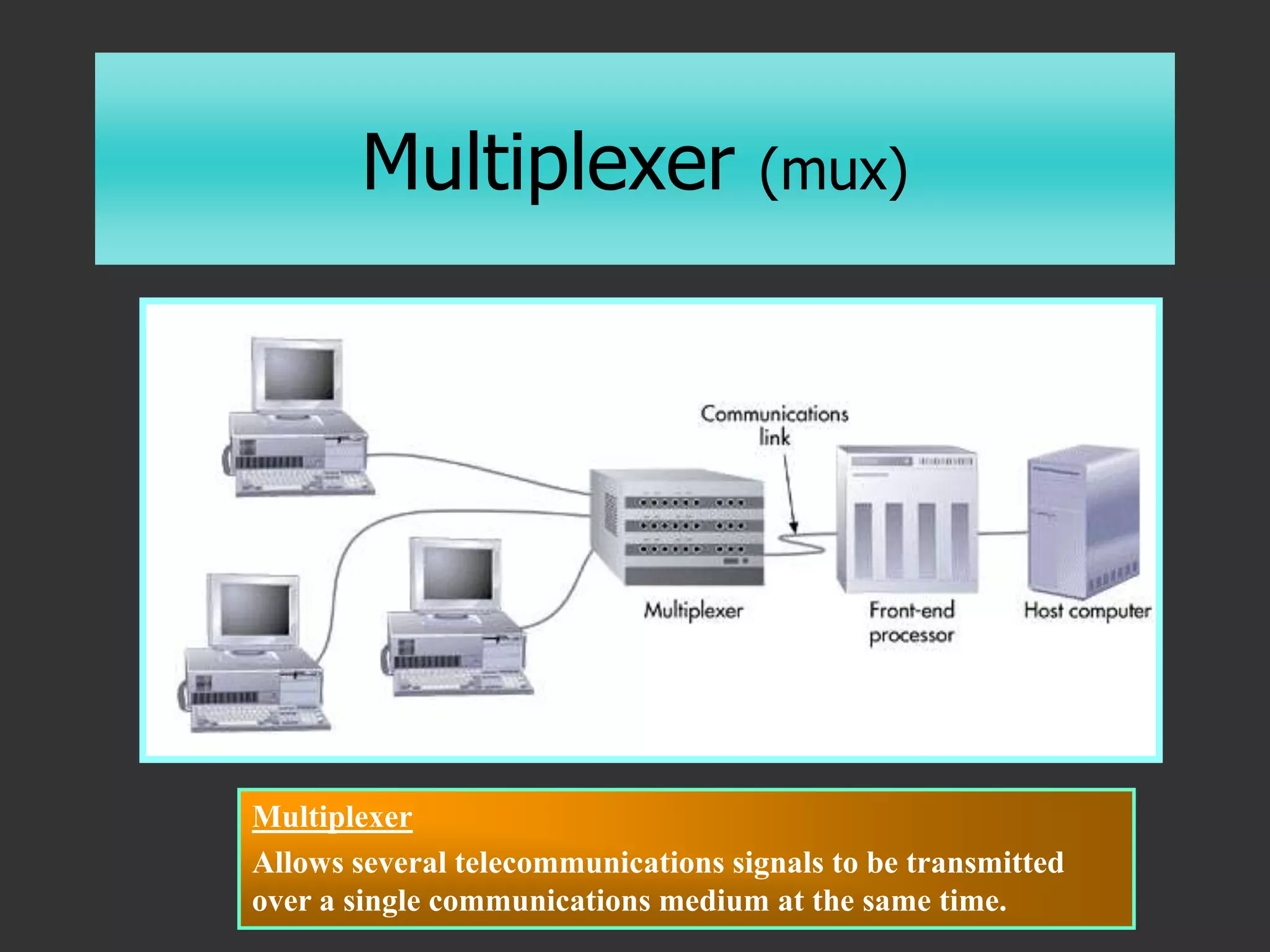
Multiplexer (mux)
Figure 6.11
Multiplexer
Allows several telecommunications signals to be transmitted
over a single communications medium at the same time.
Carriers and Services
• Plain Old Telephone Service (POTS)
 56Kbps
• Integrated Services Digital Network (ISDN)
 128Kbps
• Digital Subscriber Line (DSL)
 1,544Kbps
• Cable Modem
 Receive 256K-36Mbps; send at 64K-2Mbps
• T-1
 1,544Kbps (or multiples/fractions thereof)
Network Management
• Network Monitors
 Keep track of network traffic, number of
packets, packet size, collisions, re-
transmissions, etc.
 Enables planning
• Network Analyzers
 Randomly dissects packets, analyzes
problems, and determines the source
Networks and Distributed
Processing
• Centralized Processing
 Data processing that occurs in a single location or
facility.
• Decentralized Processing
 Data processing that occurs when devices are
placed at various remote locations.
• Distributed Processing
 Data processing that occurs when computers are
placed at remote locations but are connected to
each other via telecommunications devices.
23
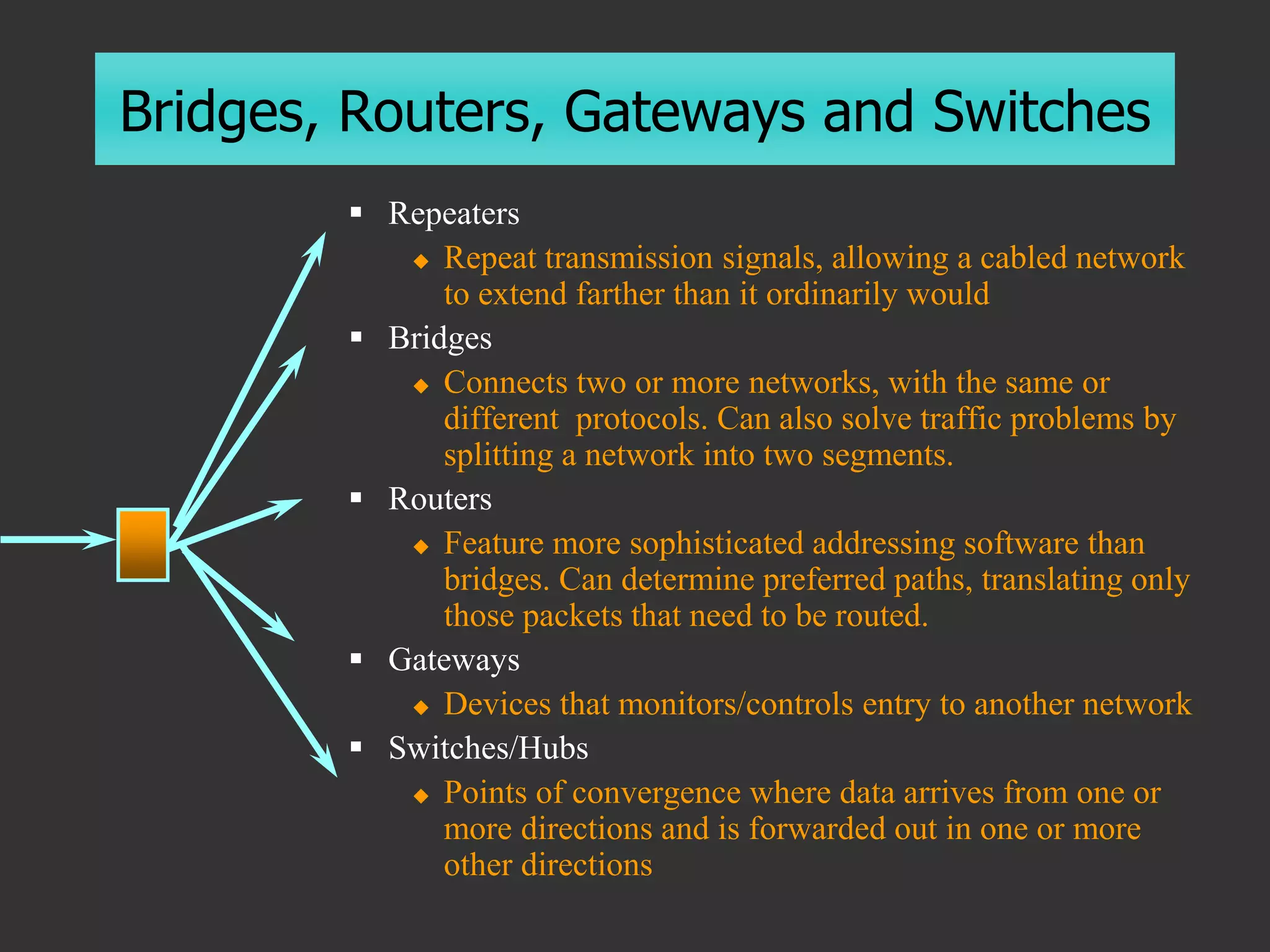
Bridges, Routers, Gateways and Switches
 Repeaters
 Repeat transmission signals, allowing a cabled network
to extend farther than it ordinarily would
 Bridges
 Connects two or more networks, with the same or
different protocols. Can also solve traffic problems by
splitting a network into two segments.
 Routers
 Feature more sophisticated addressing software than
bridges. Can determine preferred paths, translating only
those packets that need to be routed.
 Gateways
 Devices that monitors/controls entry to another network
 Switches/Hubs
 Points of convergence where data arrives from one or
more directions and is forwarded out in one or more
other directions
chapter1.ppt

chapter1.ppt

  • 1.
    6 C H AP T E R Telecommunications and Networks for all new1234
  • 2.
    Communications  The transmission of asignal by way of a medium from a sender to a receiver.
  • 3.
    Telecommunications  The electronictransmission of signals for communications, including such means as:  Telephone  Radio  Television  Computer Network
  • 4.
    Benefits of Telecommunications • BetterCommunication  E-mail, voice mail, faxes, teleconferencing • Greater Efficiency  Workflow, concurrent access • Better Access to Data  File transfer, distributed databases
  • 5.
    Modes of DataTransfer • Parallel  More than one bit at the same time  Printers, Processors, Motherboards • Serial  One bit at a time  Slower, but longer distances
  • 6.
  • 7.
  • 8.
    Modes of DataTransfer • Simplex  One-way transmission • Half-Duplex  One-way at a time • Full-Duplex  Two-way transmission
  • 9.
    The Concept ofNetworking • Computers connected to each other so they can share data • Before Networking: SneakerNet  Copy information to a floppy disk and pass it to anyone who needs it  Risks?
  • 10.
    Why Network • FileManagement  Sharing, transferring • Application Sharing • Device Sharing  Printers, Storage Devices, Modems • Workgroup Activities  Scheduling, e-mail, conferencing
  • 11.
    A Computer Network •Hardware  Modems, servers, routers, NICs • Software  Network operating systems  Communications software • Communication Channels  Cabling, microwave, etc.
  • 12.
    Networking • Local AreaNetwork (LAN)  A group of computers (physically) connected together within a certain area • Wide Area Network (WAN)  A network that extends over a larger area, such as a city block or a country
  • 13.
    Categories of Networks •Peer-to-Peer (workgroups)  Typically <10 people  No central communication control device  Each computer acts as client and server  Inexpensive  Limited security  Uses each PC’s resources  Windows, Windows NT/2000
  • 14.
    Categories of Networks •Server-based  Dedicated servers  File, application, mail, fax, communication  Centralized, shared resources  Security  Backup  Thousands of users
  • 15.
    Terminal-to-Host “Dumb” terminal  Applications anddatabases reside on the host computer (server).  User interacts with the application using a terminal with no processing power. 29
  • 16.
    File/Application Server  Databases(and applications) reside on the host computer (server).  File server transfers data (and programs) to PCs on the network, where these “fat” PCs perform most of the processing. 30 File/Application downloaded to user
  • 17.
    Client/Server  Applications anddatabases reside on specialized servers.  Servers do most or all of the processing and transmit the results to the “thin” clients. 31
  • 18.
    Client/Server • The clientmakes a request and the server fulfills it…  The client application (front-end) requests data  The request is sent over the network  The server (back-end) processes the request  Only the requested information is returned to the client  The data is presented to the user • Improved Performance  Minimizes network traffic – only the information needed is transmitted
  • 19.
    Network Terminology • Workstation Each computer attached to the network • Node  Each device attached to the network (each has a unique hexadecimal MAC - Media Access Control – address e.g. 08:00:69:02:01:FC ) • Server  A central repository for information • Topology  The overall configuration of the network
  • 20.
    Network Topology • Connectingevery node to every other node would require N x (N-1)/2 cables • Network Topology  A logical model that describes how networks are structured or configured.  Bus  Star  Ring 24 …or combinations
  • 21.
    Network Topologies Ring A typology that contains computers and computer devices placedin a ring. Bus Computers and computer devices are on a single line. Each device can communicate directly to all devices on the bus. Star All computers are connected via a central hub. Ring Hierarchical Star Bus Hierarchical A typology arranged in a tree-like structure.
  • 22.
    The Role ofNetwork Communications Software • Sending data from one node to another  Recognize the data  Divide the data into manageable chunks  Add information to each chunk of data to identify the receiver  Add timing and error checking information  Put the data on the network and send it on its way
  • 23.
    The OSI Model (OpenSystems Interconnection) • Describes how network hardware and software work together in a layered fashion  Each layer provides some service or action that prepares the data for delivery over the network  Requests are passed from one layer to the next  Each layer adds information to the data packet
  • 24.
    The OSI Layers 7)Application – Provides application with access to the network 6) Presentation – Determines format used to exchange data among networked computers 5) Session – Allows two applications to establish a connection (name recognition, security) 4) Transport – Ensures data is error free. Repackages long messages. 3) Network – Addresses messages to proper location. Translates logical addresses into physical addresses and determines path. 2) Data Link – Packages and un-packages data packets 1) Physical – Transmits bits over physical devices
  • 25.
    Slide 5 of26 Mail Delivery Analogy
  • 26.
    Data Packets • Packetsare the basic units of network communications  Each packet has three sections:  Header:  An alert signal  Source & destination addresses  Clock information  Data  Trailer – Error checking information
  • 27.
    Protocols • From theGreek protocollon, which was a leaf of paper glued to a manuscript volume, describing its contents • The special set of rules that nodes in a telecommunication connection use when they communicate. • Protocols exist at several OSI levels in a telecommunication connection. • Both nodes must recognize and observe a protocol.
  • 28.
    Protocols • Rules &procedures for communicating  Sending Computer  Breaks the data into packets  Adds addressing information  Prepares the data for transmission  Receiving Computer  Takes packets off the cable  Strips the packets of addressing information  Reassembles the data form the packets
  • 29.
    Protocols • For twocomputers to communicate, they must be using the same set of protocols (rules) • Examples of protocols  SMTP – Mail transfer protocol  FTP – File transfer protocol  TCP/IP – Internet protocol  IPX/SPX – Novell protocol  Ethernet – Physical layer protocol
  • 30.
    Traffic Control • Iftwo computers put data onto the cable at the same time, the packets will collide and be destroyed • There must be a way to…  Access the cable without running into other data  Be accessed by the receiving computer with assurance that it is intact
  • 31.
    Access Methods • Carrier-SenseMultiple Access  Each node checks the cable for traffic before sending  No node can transmit data until the cable is free (no contention)  If two computers transmit at the same time, they detect the collision and wait a random time to re-transmit • Token Passing
  • 32.
  • 33.
    Cabling Considerations • Cost •Ease of Installation & Maintenance • Reliability • Speed • Distance
  • 34.
    Distance Considerations • Attenuation Loss of signal quality & strength  Repeaters can extend the distance • Packet Collisions • Susceptibility to RF Noise
  • 35.
    Types of Cabling •Twisted Pair Wire Cable  Insulated pairs of wires historically used in telephone service  Category 1 – Telephones  Category 3 – Up to 10Mbps  Category 5 – Up to 100Mbps
  • 36.
    Twisted Pair Details •RF Noise  Twisting cancels out electrical noise  Shielded is less susceptible • Crosstalk • 10Base-T • Maximum segment ~100 meters • RJ-45 connectors
  • 37.
    Types of Cabling •Coaxial Cable (BNC)  Consists of an inner conductor wire surrounded by insulation, called the dielectric. The dielectric is surrounded by a conductive shield, which is surrounded by a non- conductive jacket. Coaxial cable has better data transmission rate than twisted pair
  • 38.
    Coax Details • Moreresistant to interference and attenuation than TP • Supports longer distance and faster rates • BNC or RG6 connectors
  • 39.
    Types of Cabling •Fiber-optic Cable  Many extremely thin fibers of glass or plastic coated with a cladding and bound together in a sheathing which transmits signals with light beams.  Fast transfer rates  Immune to electrical interference (long distances)  Hard to tap into  Takes less space
  • 40.
    Wireless Networks • Microwave Terrestrial  Satellite • Cellular • Infrared  Line-of-sight
  • 41.
    Channels and Media Figure6.7 Characteristics of channel media
  • 42.
    Data Communications Over TelephoneLines • Computers generate a digital signal • Phone circuits were designed to accommodate an analog signal
  • 43.
    Analog Signals • Signalsof varying frequency (pitch) and amplitude (loudness)  Continuous (infinite number of values)  “Analogous” to the original data  e.g. phone lines carry electronic signals analogous to the original voices  Must be amplified (repeated)  Signal picks up (and amplifies) noise  Cannot differentiate between signal and noise
  • 44.
    Digital Signals • Signalswith only two possible values  Discrete (fixed number of values)  Repeaters can clean up noise  Expects only “0” or “1” • Telephones  Use analog over “local loop” to local phone office  Converted to digital for longer distances  Analog wave is converted to discrete digital signals
  • 45.
    What a ModemDoes Modem Modulates a digital signal into an analog signal for transmission via analog medium, then demodulates the signal into digital for receiving.
  • 46.
    Modulation • Converts digitalsignals into analog signals  Frequency Modulation – Vary the frequency (pitch) to express a “1” or “0”  Amplitude Modulation – Vary the amplitude (volume) to express a “1” or “0” • Demodulation converts them back
  • 47.
  • 48.
  • 49.
    Synchronization • How doanalog noises get divided up into bits?  Asynchronous Communications  Sends stop bit (1) after 7-8 bits per character  Sends start bit (0) to indicate next character  Synchronous Communications  Splits the channel into two channels  Uses the second channel to send a clock
  • 50.
    Error Detection • Redundancy Send everything twice • Parity  8th bit makes parity even or odd • Longitudinal Redundancy Check (LRC)  Checks parity vertically & horizontally per block • Checksum  Checks the last 7 digits of the sum of a block
  • 51.
    Error Correction • AutomaticRepeat Request (ARQ)  Sender sends a block  Receiver ACKnowledges or…  Receiver sends a Negative Acknowledgement (NAK) • Full Duplex  Sender keeps sending numbered blocks while awaiting acknowledgements
  • 52.
    Finding a Path •Circuit Switching  A dedicated channel (circuit) is established for the duration of the transmission (e.g. a phone call) • Packet Switching  A message is divided into packets and each may take a different path (e.g. TCP/IP) • Dedicated Lines
  • 53.
    Multiplexing • Sharing Channels Phone conversation has 4Khz bandwidth  Copper wire pair has 3Mhz bandwidth • Allows multiple TV signals on coax • Frequency Division Multiplexing • Time-Division Multiplexing
  • 54.
    Multiplexer (mux) Figure 6.11 Multiplexer Allowsseveral telecommunications signals to be transmitted over a single communications medium at the same time.
  • 55.
    Carriers and Services •Plain Old Telephone Service (POTS)  56Kbps • Integrated Services Digital Network (ISDN)  128Kbps • Digital Subscriber Line (DSL)  1,544Kbps • Cable Modem  Receive 256K-36Mbps; send at 64K-2Mbps • T-1  1,544Kbps (or multiples/fractions thereof)
  • 56.
    Network Management • NetworkMonitors  Keep track of network traffic, number of packets, packet size, collisions, re- transmissions, etc.  Enables planning • Network Analyzers  Randomly dissects packets, analyzes problems, and determines the source
  • 57.
    Networks and Distributed Processing •Centralized Processing  Data processing that occurs in a single location or facility. • Decentralized Processing  Data processing that occurs when devices are placed at various remote locations. • Distributed Processing  Data processing that occurs when computers are placed at remote locations but are connected to each other via telecommunications devices. 23
  • 58.
    Bridges, Routers, Gatewaysand Switches  Repeaters  Repeat transmission signals, allowing a cabled network to extend farther than it ordinarily would  Bridges  Connects two or more networks, with the same or different protocols. Can also solve traffic problems by splitting a network into two segments.  Routers  Feature more sophisticated addressing software than bridges. Can determine preferred paths, translating only those packets that need to be routed.  Gateways  Devices that monitors/controls entry to another network  Switches/Hubs  Points of convergence where data arrives from one or more directions and is forwarded out in one or more other directions