Chapter - 01
Computer Concepts
Chapter Content
⚫Knowledge about computer
⚫Knowledge about hardware and software
⚫Knowledge about different types of computer
⚫Knowledge about first generation, second generation,
third generation, fourth generation and fifth
generation computer
2
CSC-103
What is Computer?
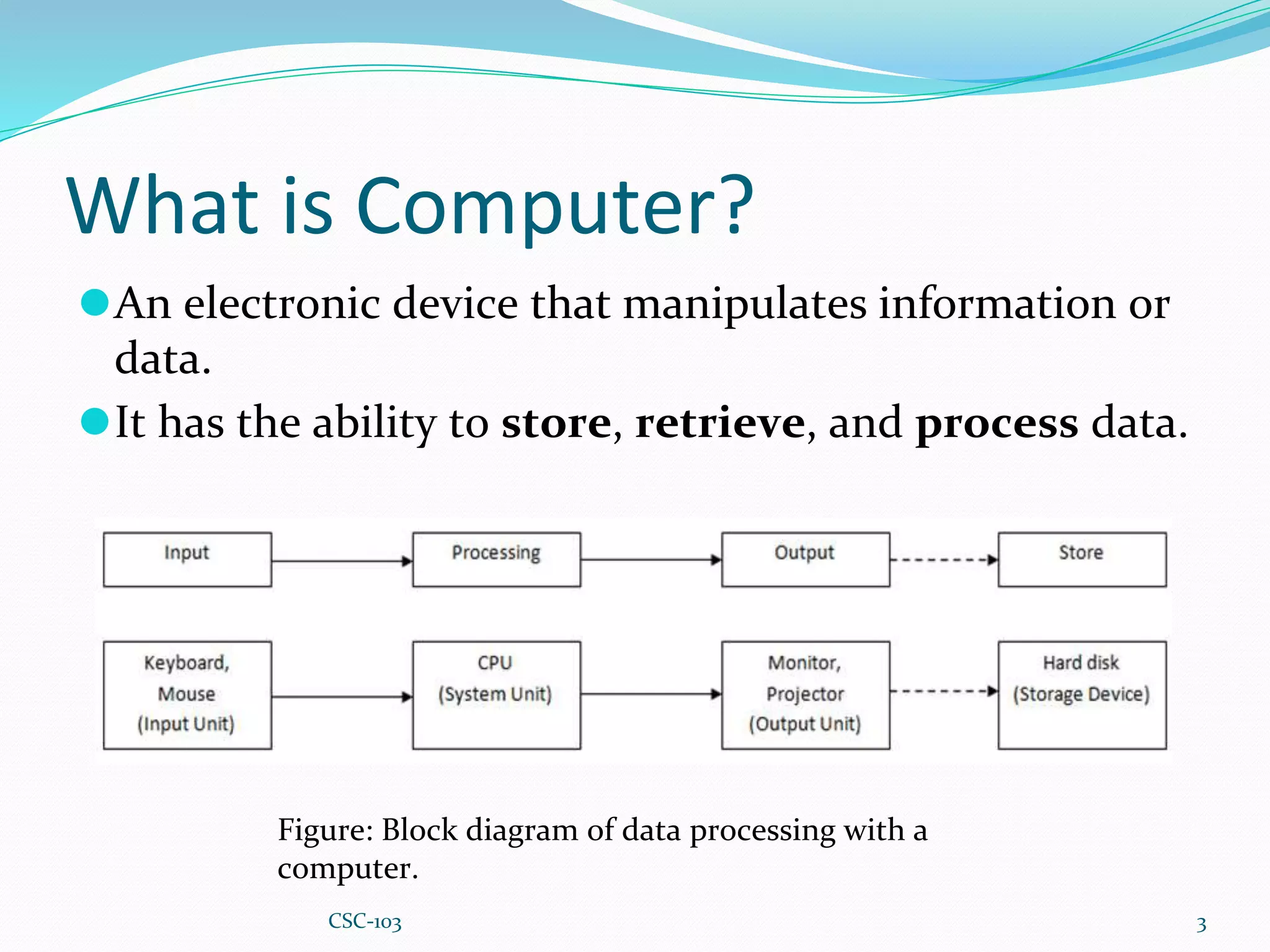
⚫An electronic device that manipulates information or
data.
⚫It has the ability to store, retrieve, and process data.
3
Figure: Block diagram of data processing with a
computer.
CSC-103
General Use of a computer
⚫type documents
⚫send email
⚫browse the Web
⚫handle spreadsheets
⚫Accounting
⚫database management
⚫Presentations
⚫games
4
CSC-103
Basic parts of Computer
All types of computers consist of two basic parts:
⚫Hardware - physical structure, such as the computer
monitor or keyboard
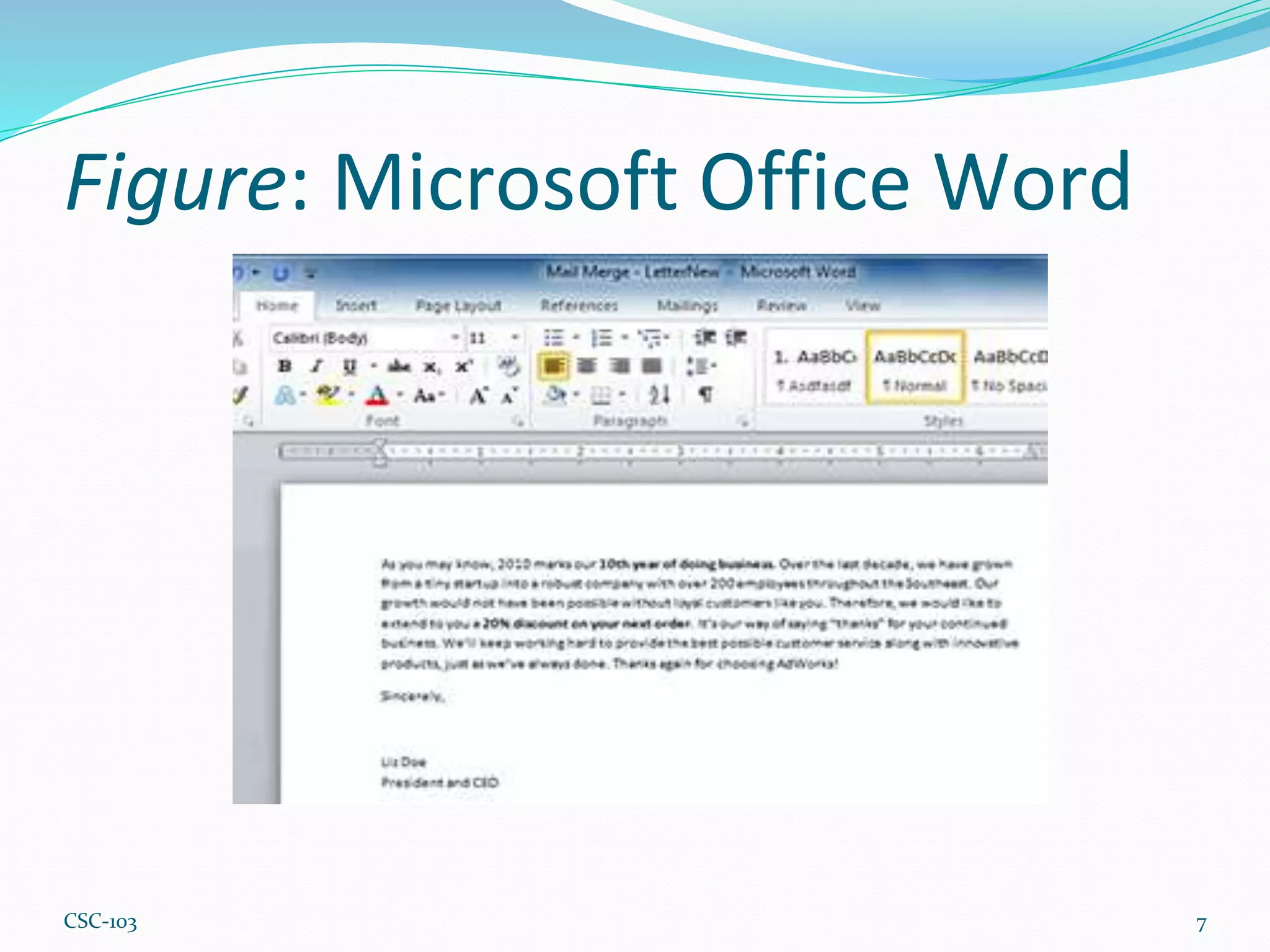
⚫Software - set of instructions that tells the hardware
what to do. Example: web browsers, games, and word
processors such as Microsoft Word
5
CSC-103
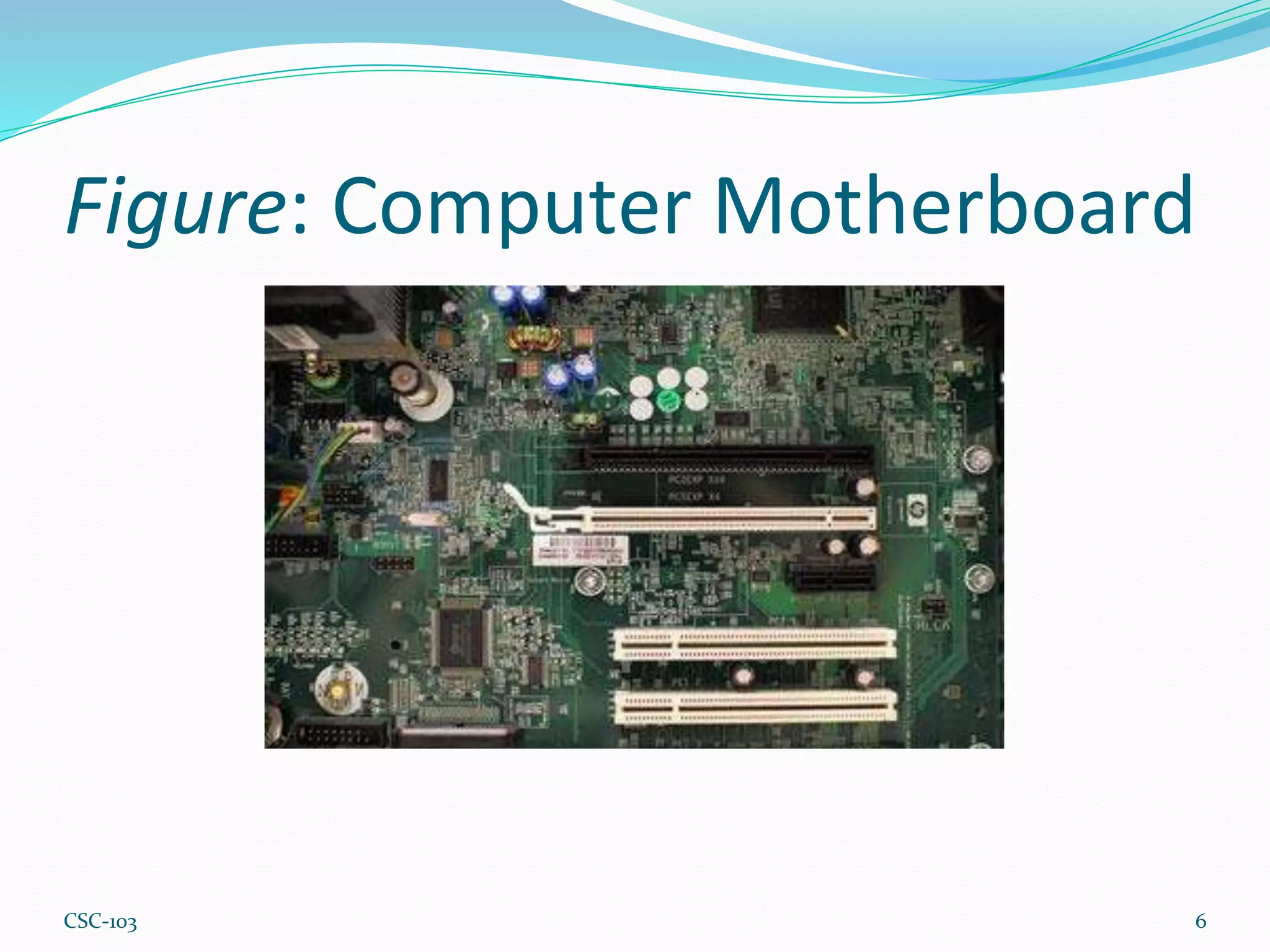
Figure: Computer Motherboard
6
CSC-103
Figure: Microsoft Office Word
7
CSC-103
Different types of computers
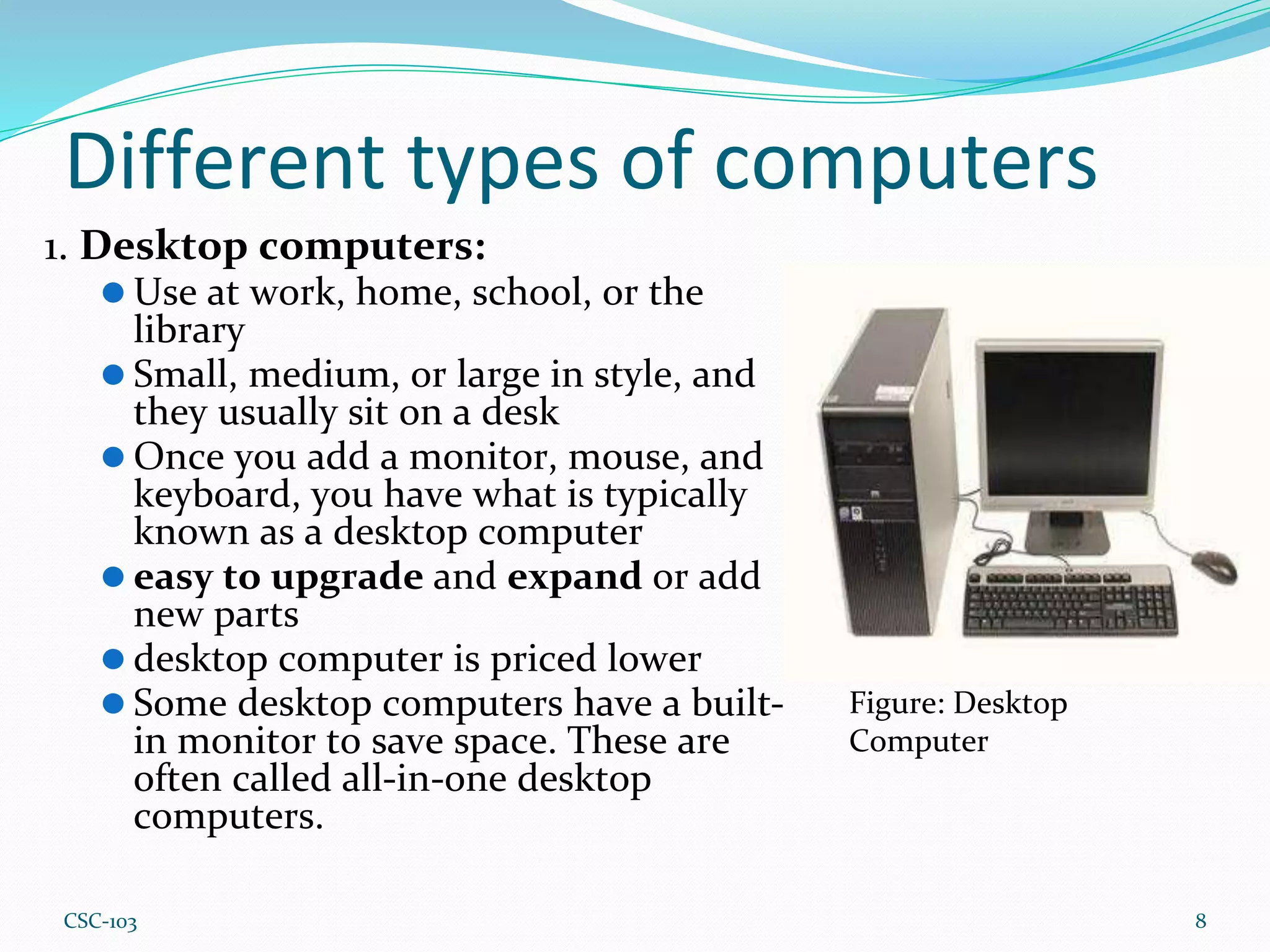
1. Desktop computers:
⚫ Use at work, home, school, or the
library
⚫ Small, medium, or large in style, and
they usually sit on a desk
⚫ Once you add a monitor, mouse, and
keyboard, you have what is typically
known as a desktop computer
⚫ easy to upgrade and expand or add
new parts
⚫ desktop computer is priced lower
⚫ Some desktop computers have a built-
in monitor to save space. These are
often called all-in-one desktop
computers.
8
Figure: Desktop
Computer
CSC-103
Different types of computers(cont.)
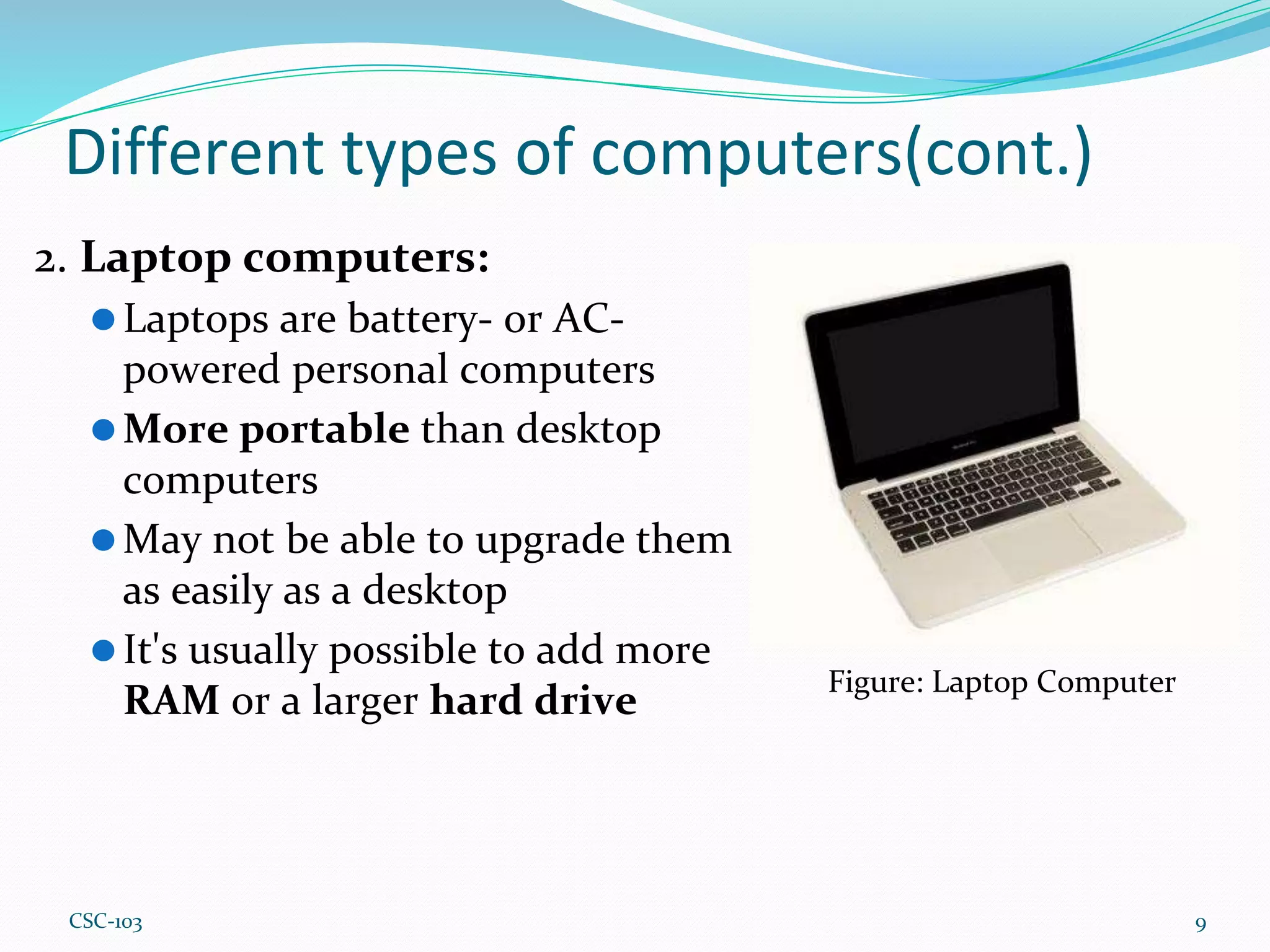
2. Laptop computers:
⚫Laptops are battery- or AC-
powered personal computers
⚫More portable than desktop
computers
⚫May not be able to upgrade them
as easily as a desktop
⚫It's usually possible to add more
RAM or a larger hard drive
9
Figure: Laptop Computer
CSC-103
Different types of computers(cont.)
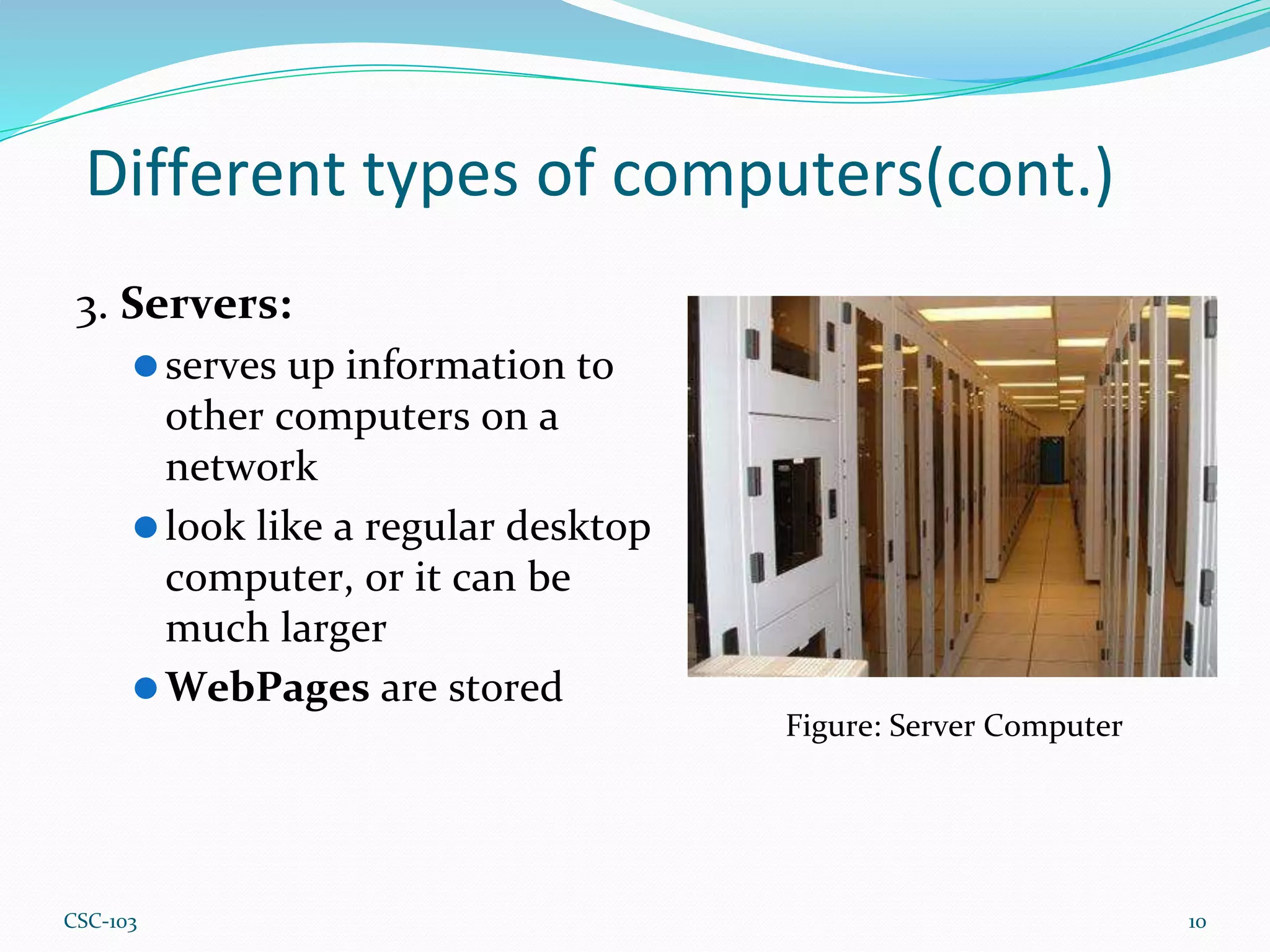
3. Servers:
⚫serves up information to
other computers on a
network
⚫look like a regular desktop
computer, or it can be
much larger
⚫WebPages are stored
10
Figure: Server Computer
CSC-103
Different types of computers(cont.)
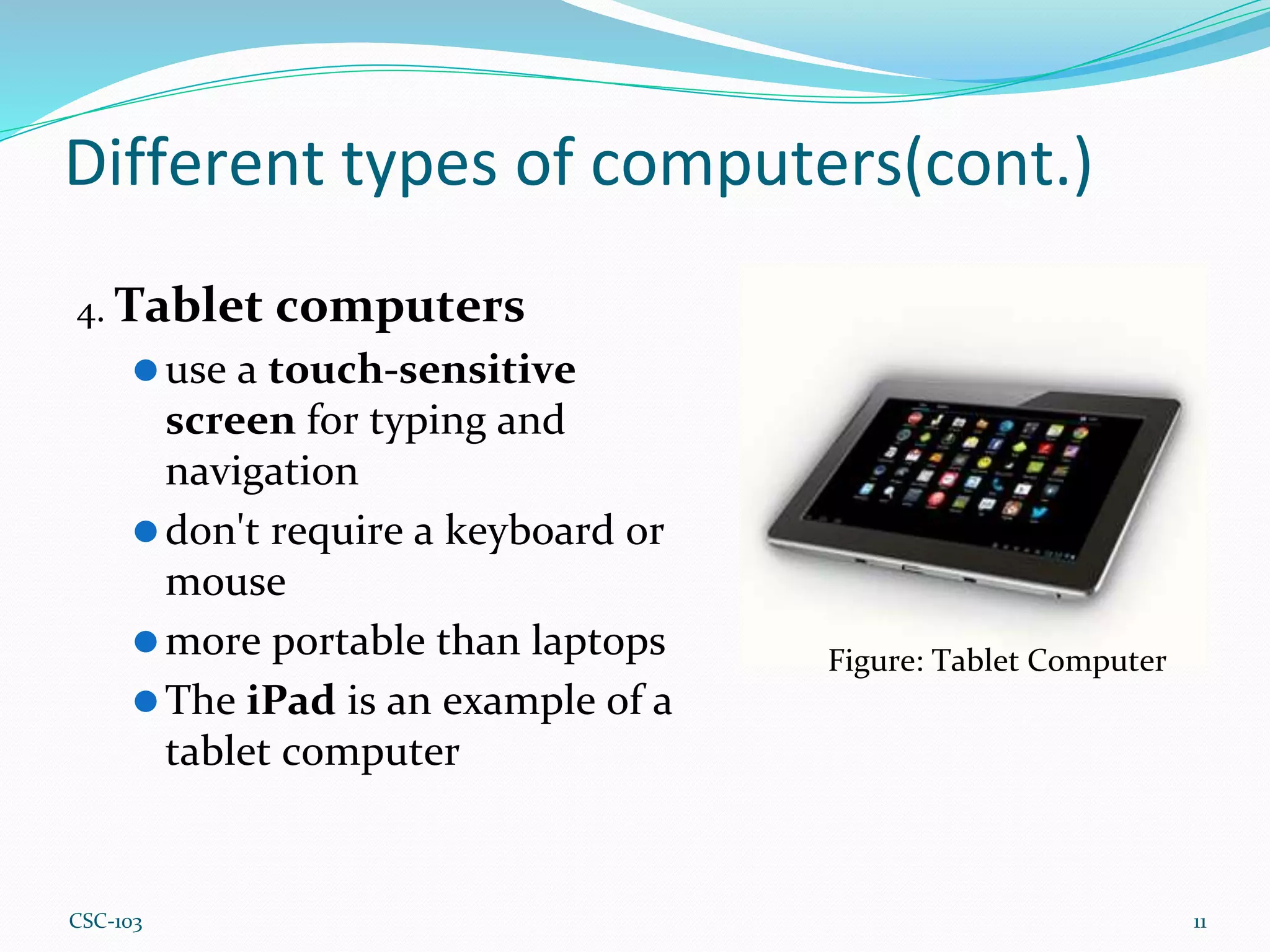
4. Tablet computers
⚫use a touch-sensitive
screen for typing and
navigation
⚫don't require a keyboard or
mouse
⚫more portable than laptops
⚫The iPad is an example of a
tablet computer
11
Figure: Tablet Computer
CSC-103
PCs and Macs
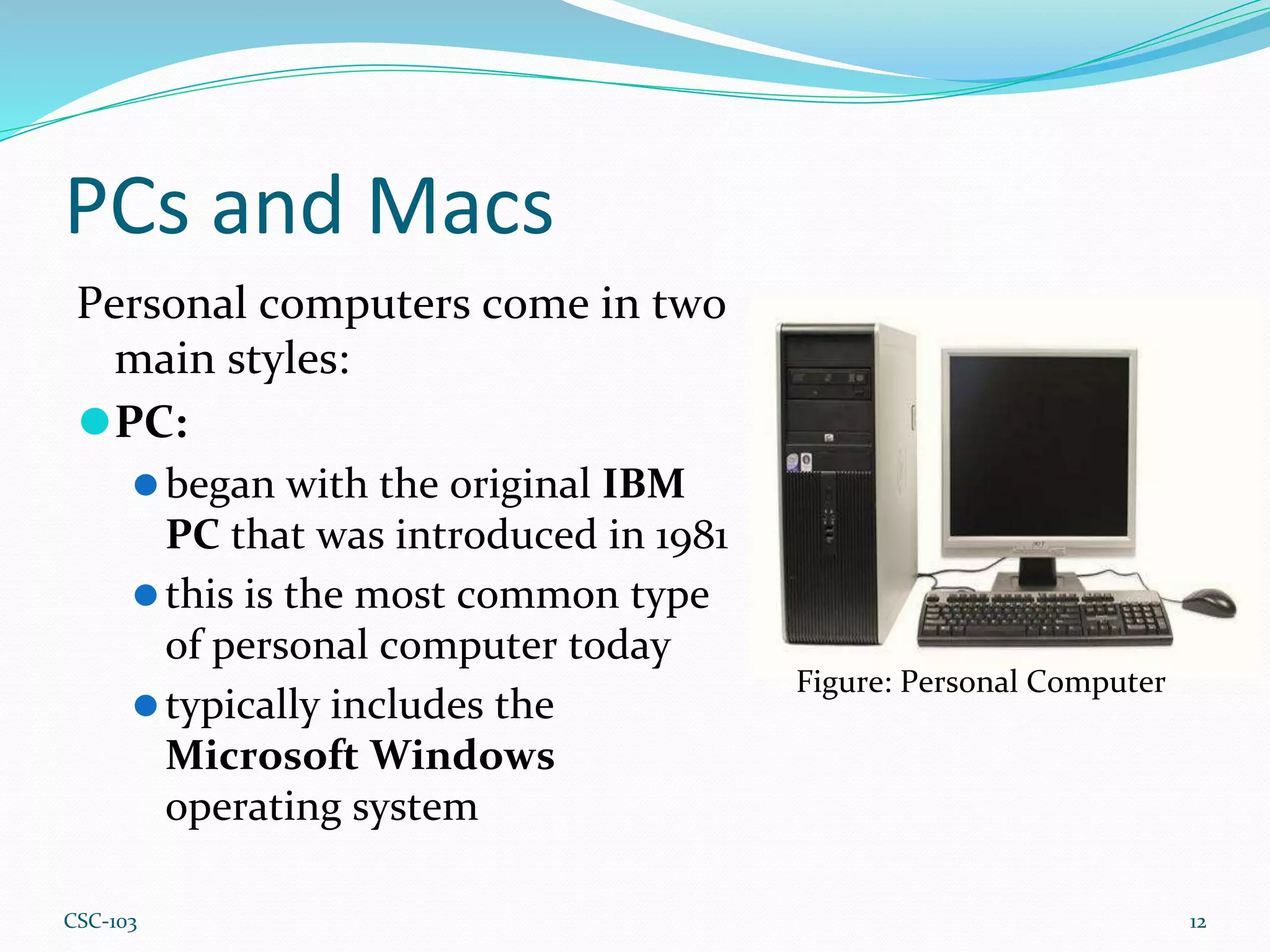
Personal computers come in two
main styles:
⚫PC:
⚫began with the original IBM
PC that was introduced in 1981
⚫this is the most common type
of personal computer today
⚫typically includes the
Microsoft Windows
operating system
12
Figure: Personal Computer
CSC-103
PCs and Macs (Cont.)
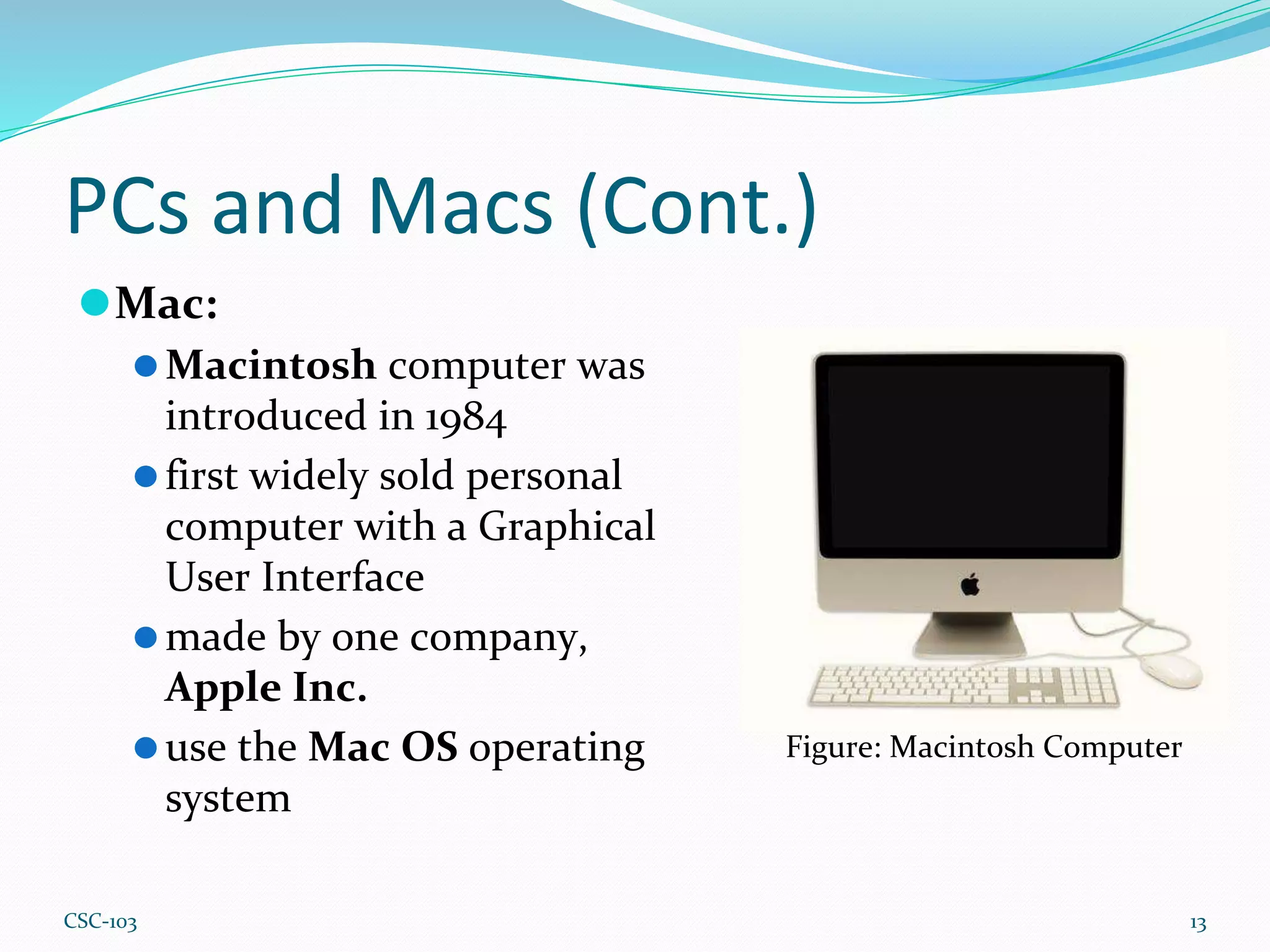
⚫Mac:
⚫Macintosh computer was
introduced in 1984
⚫first widely sold personal
computer with a Graphical
User Interface
⚫made by one company,
Apple Inc.
⚫use the Mac OS operating
system
13
Figure: Macintosh Computer
CSC-103
Summary
⚫ The computer – electronic device that can store, retrieve, and
process data.
⚫ Hardware – physical structure of the computer.
⚫ Software – set of instructions that tell the hardware what to do.
⚫ Desktop computers – personal computer designed for regular use
at a single location on or near a desk or table due to its size and
power requirements.
⚫ Laptop computers - a computer that is portable and suitable for use
while travelling.
⚫ Server Computers - used to manage network resources.
⚫ Tablet computers - small portable computer that accepts input
directly on to its screen rather than via a keyboard or mouse.
⚫ PCs – personal computer began with the original IBM PC that was
introduced in 1981. It typically includes the Microsoft Windows
operating system.
⚫ Macs - Macintosh computer introduced in 1984. Made by one
company Apple Inc., and they almost always use the Mac OS X
operating system.
14
CSC-103
Exercise 1.1
⚫What is computer?
⚫Define software and hardware with two examples.
⚫Write down about the basic parts of a computer.
⚫What is the difference between desktop and laptop
computer.
⚫Explain about different types of computer.
⚫Write down about PCs and Macs computer.
⚫What is server computer?
15
CSC-103
Critical Thinking 1.1
1. List the activities you perform using a computer.
2. Which type of computer do you think is the best for
you: a desktop computer, a laptop, a tablet, or a phone?
Give a reason for your answer.
16
CSC-103
Generations of Computer
⚫The state of improvement in the product
development process
⚫Miniaturization, speed, power, and computer memory
has proportionally increased
⚫Affect the way we live, work and play
⚫Fundamentally changed the way computers operate,
resulting in increasingly smaller, cheaper and more
powerful and more efficient and reliable devices.
17
CSC-103
Generations of Computer
1. First Generation - 1940-1956: Vacuum Tubes
2. Second Generation - 1956-1963: Transistors
3. Third Generation - 1964-1971: Integrated Circuits
4. Fourth Generation - 1971-Present: Microprocessors
5. Fifth Generation - Present and Beyond: Artificial
Intelligence
18
CSC-103
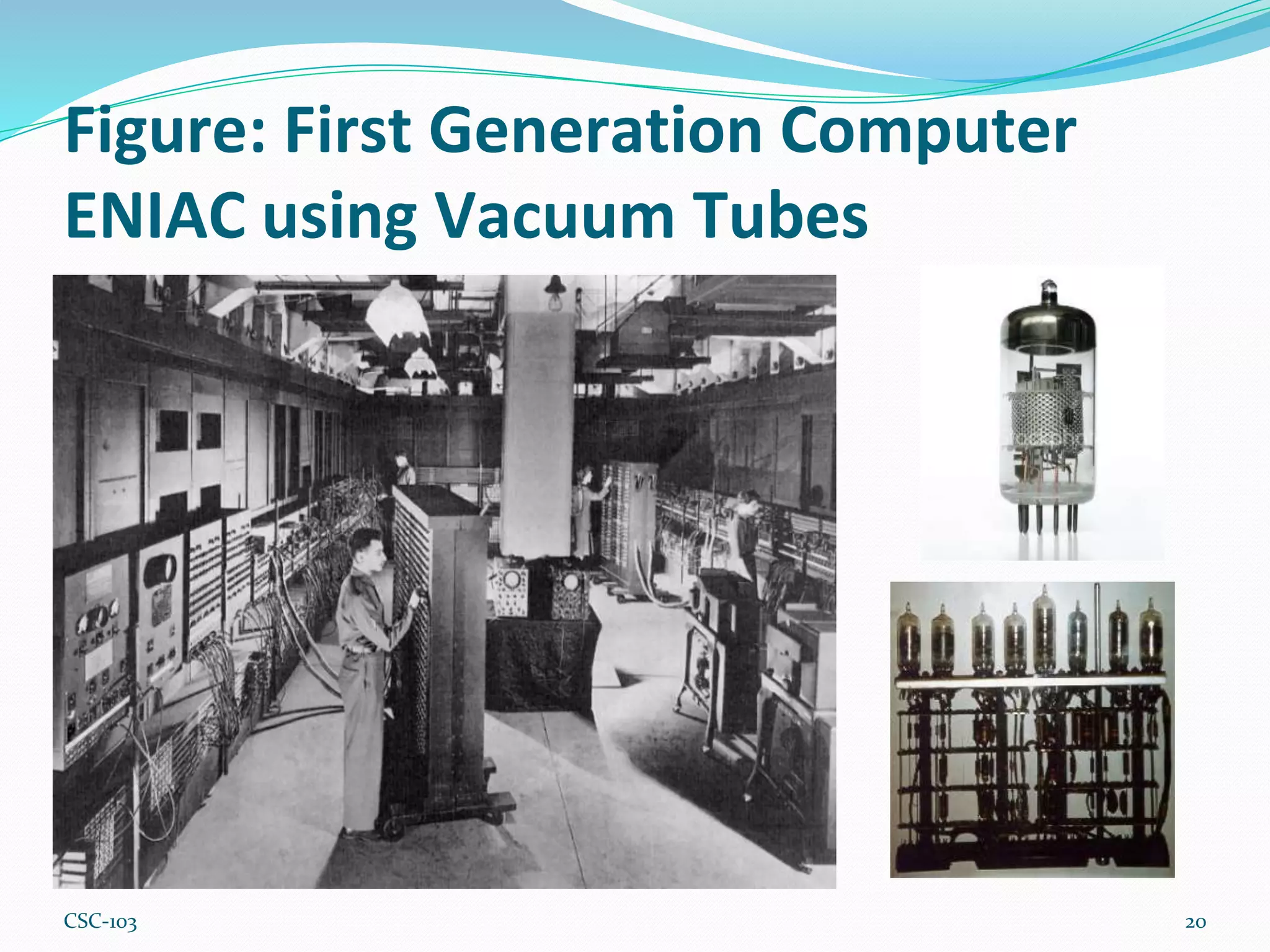
First Generation Computer ENIAC
using Vacuum Tubes
19
⚫Vacuum Tubes
⚫Magnetic Drum
⚫Hard Wire Programs in computers
⚫IBM 650, ENIAC, Mark II etc.
CSC-103
Figure: First Generation Computer
ENIAC using Vacuum Tubes
20
CSC-103
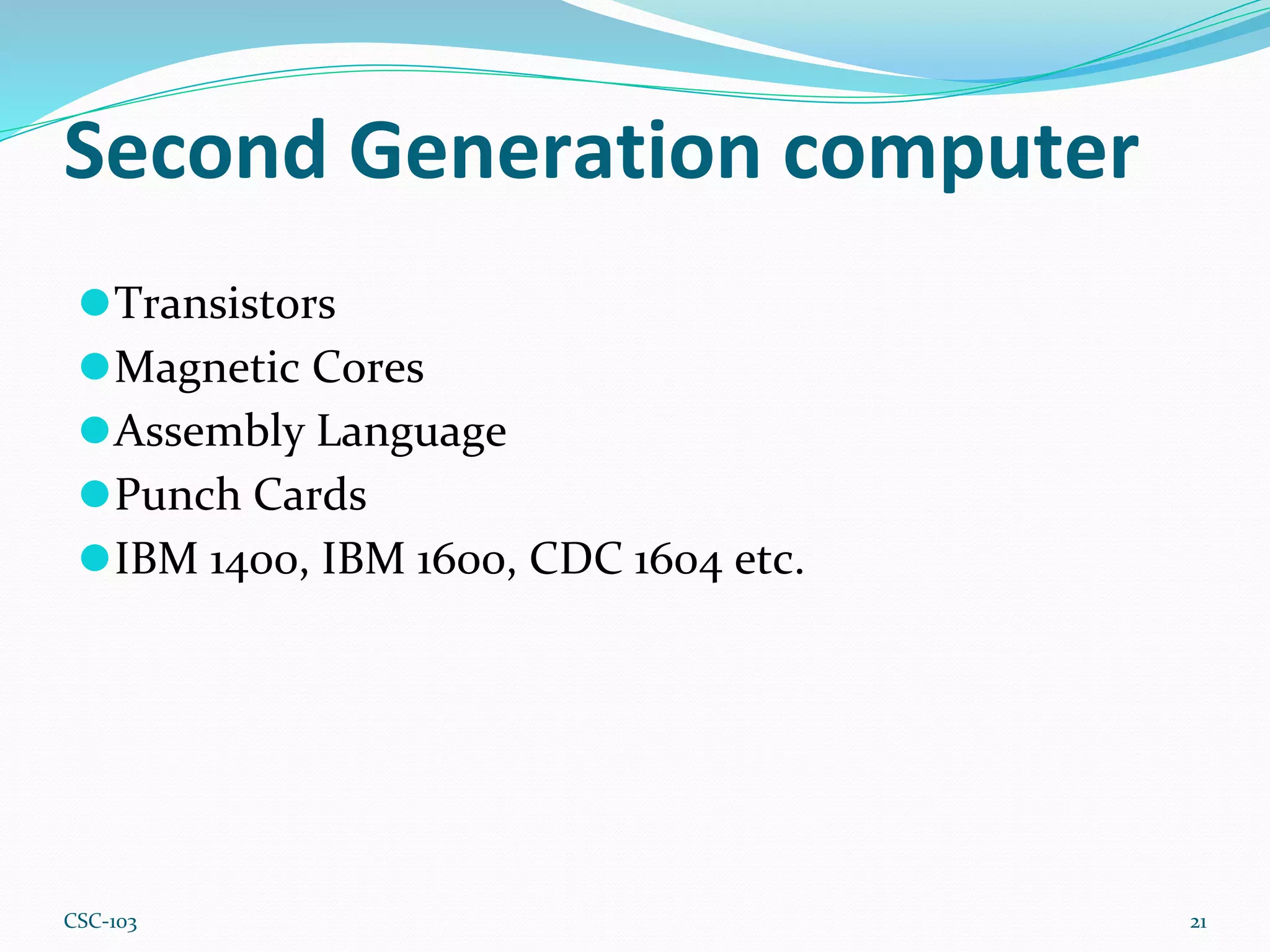
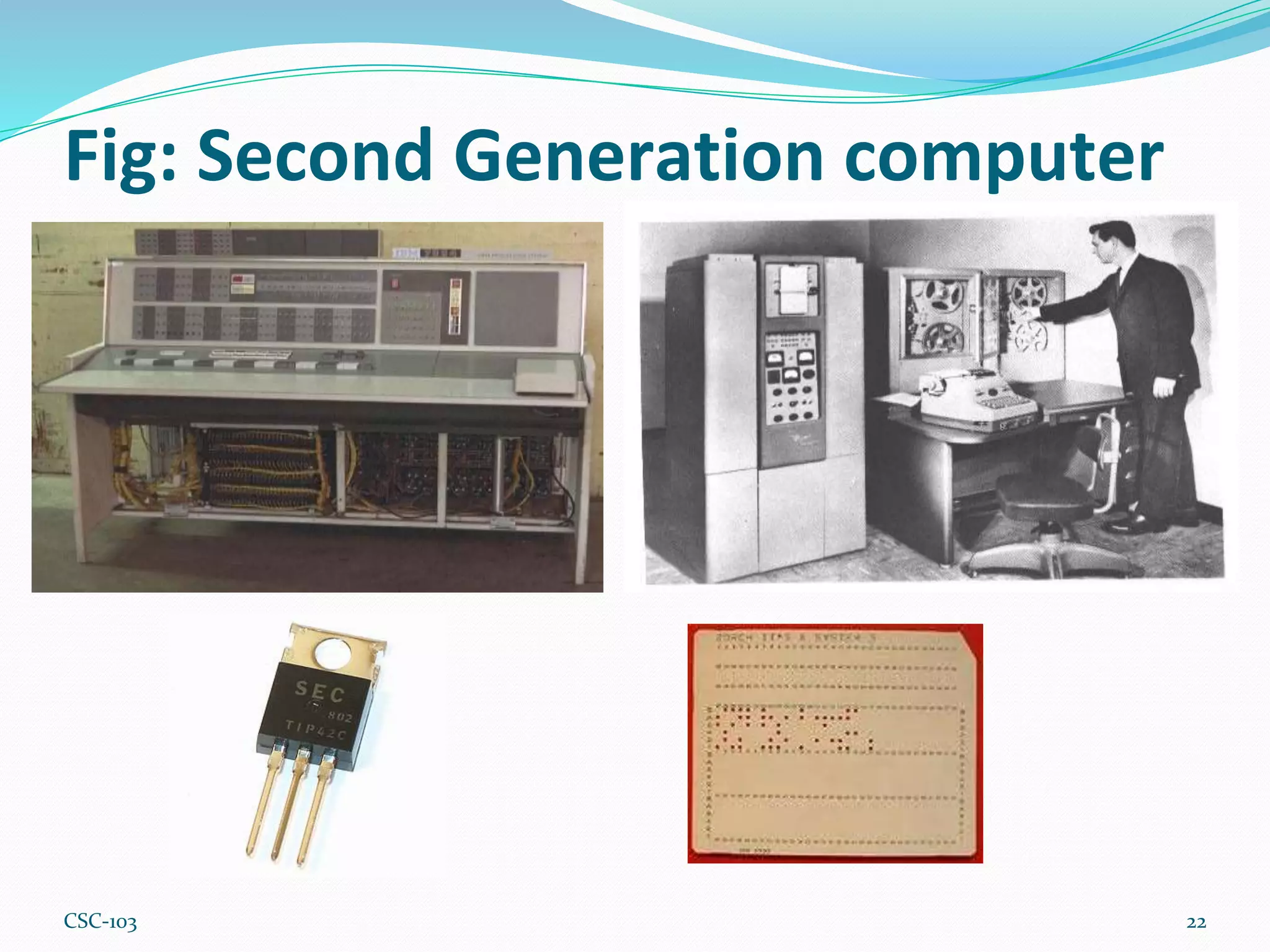
Second Generation computer
21
⚫Transistors
⚫Magnetic Cores
⚫Assembly Language
⚫Punch Cards
⚫IBM 1400, IBM 1600, CDC 1604 etc.
CSC-103
Fig: Second Generation computer
22
CSC-103
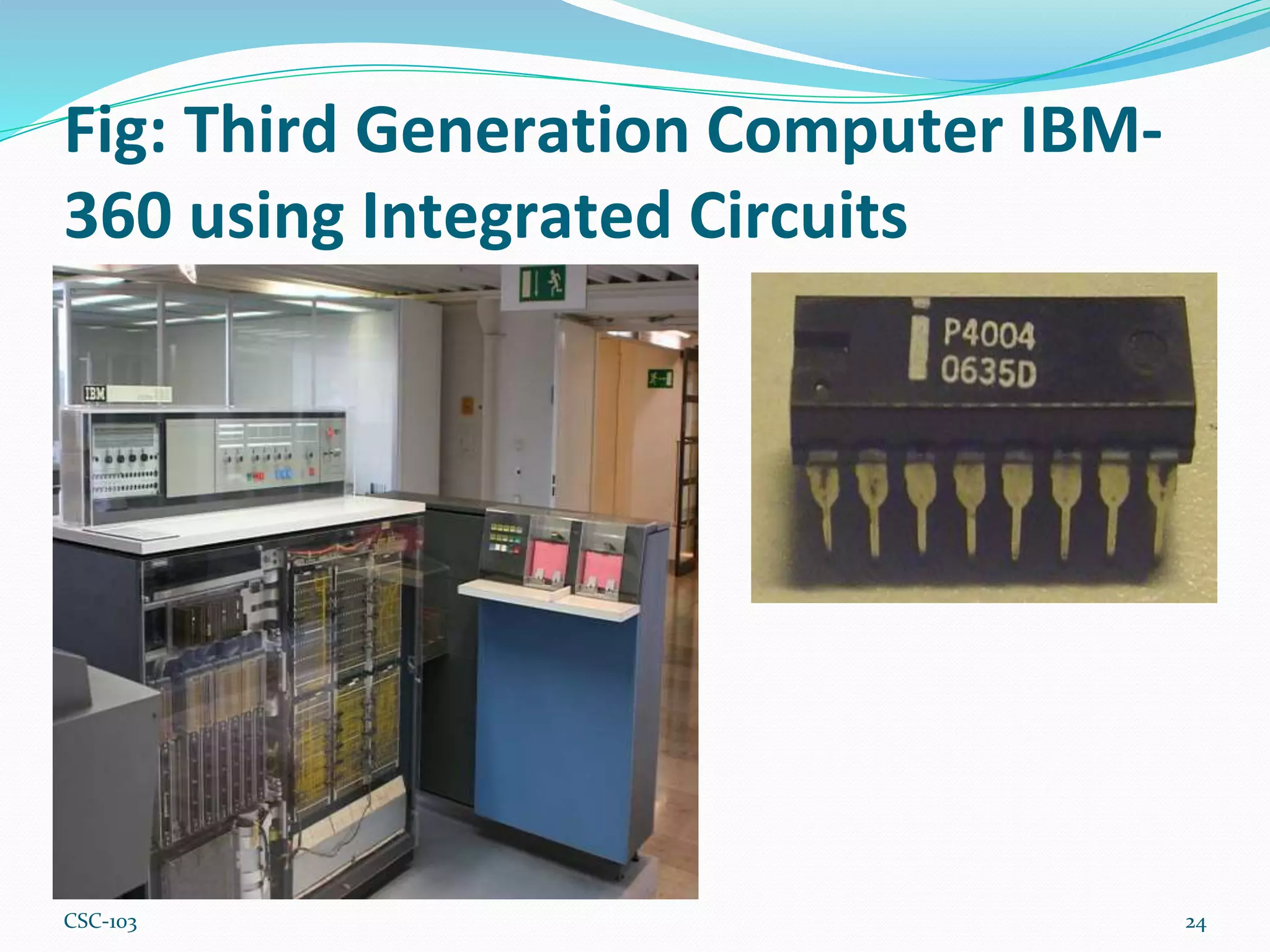
Third Generation Computer
23
⚫Silicon Chips (Integrated circuits)= IC
⚫High level programming language
⚫Keyboard Entry
⚫IBM 360, IBM 370, PDP-8 etc.
CSC-103
Fig: Third Generation Computer IBM-
360 using Integrated Circuits
24
CSC-103
Fourth Generation Computer using
Microprocessors
25
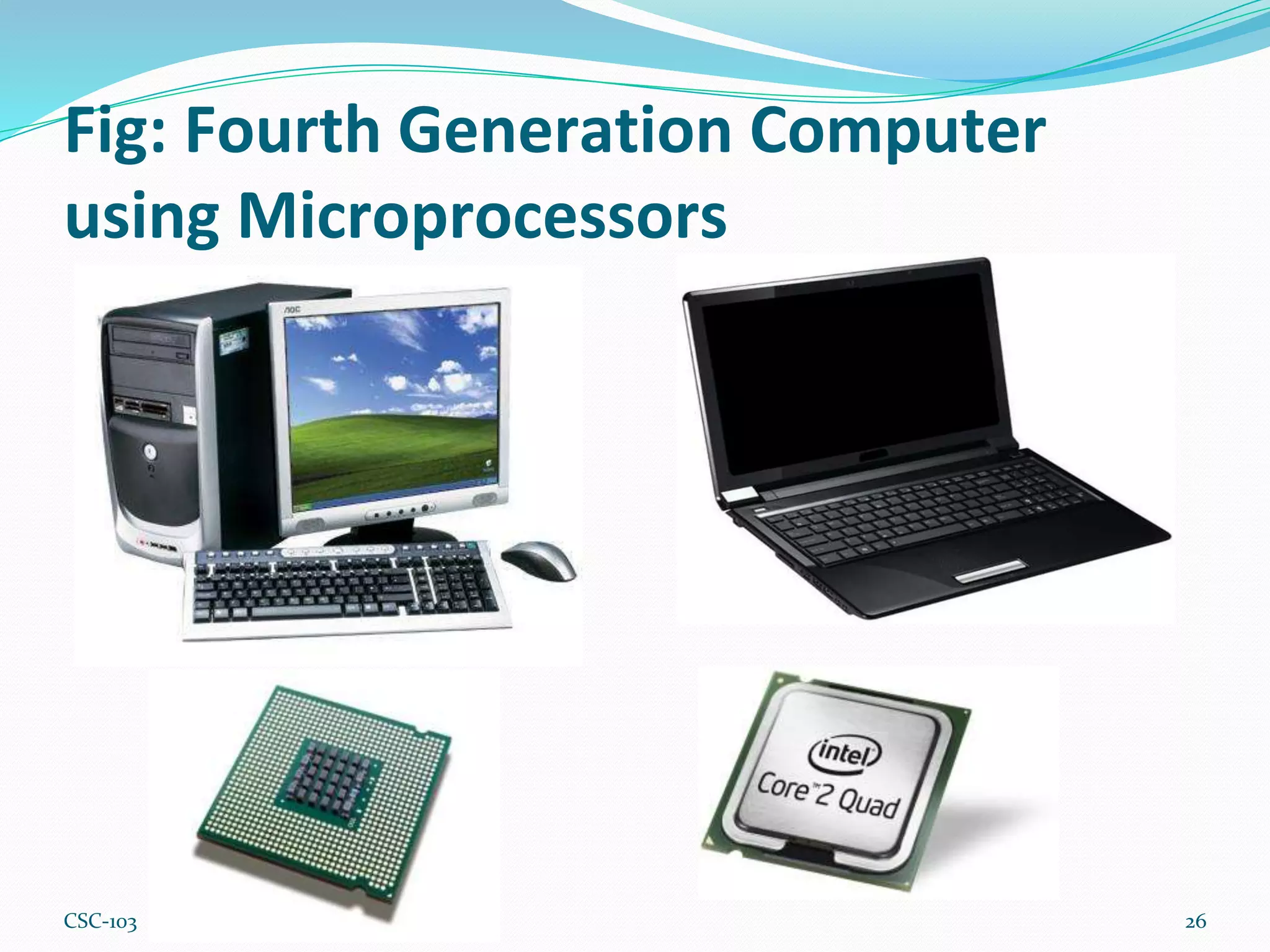
⚫Silicon Chips (Large scale integrated circuits)=LSI
⚫IC’s, LSI’s
⚫Read programs off disks
⚫Apple, Xerox,
CSC-103
Fig: Fourth Generation Computer
using Microprocessors
26
CSC-103
Fifth Generation
27
⚫Silicon Chips ( Very Large Integrated Circuits) VLSI
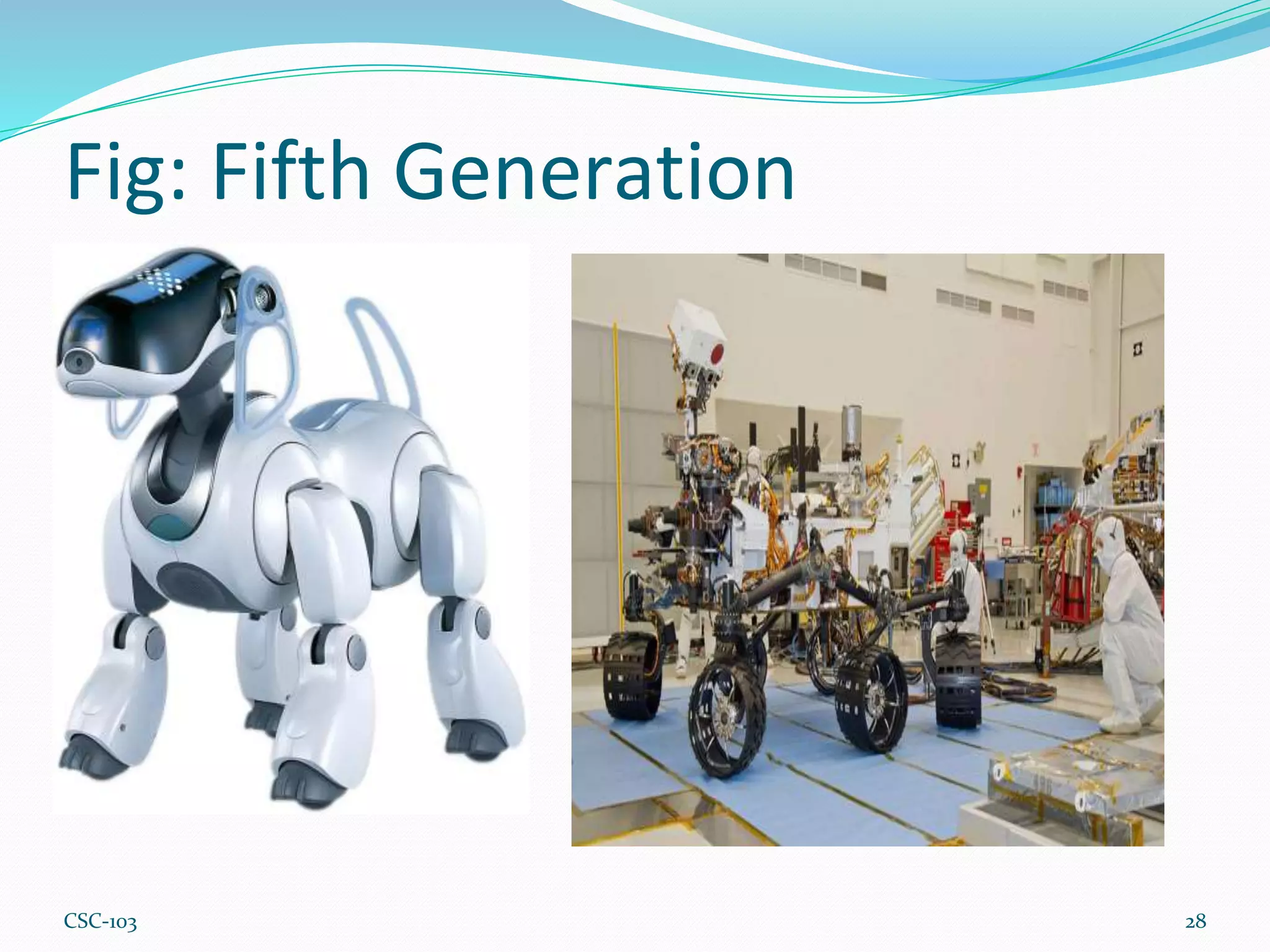
⚫Artificial Intelligence
⚫Talking machine, voice recognition
⚫Industrial and personal robots
CSC-103
Fig: Fifth Generation
28
CSC-103
Exercise 1.2:
⚫What are the main elements of different generations
of computer?
⚫Explain about microprocessor.
⚫Discuss about different generations of computer.
Critical Thinking 1.2:
⚫In which generation’s computer you are using? Write
the characteristics of this computer?
29
CSC-103
Thank You
30

Chapter 1 Computer Concepts.pptx

  • 1.
  • 2.
    Chapter Content ⚫Knowledge aboutcomputer ⚫Knowledge about hardware and software ⚫Knowledge about different types of computer ⚫Knowledge about first generation, second generation, third generation, fourth generation and fifth generation computer 2 CSC-103
  • 3.
    What is Computer? ⚫Anelectronic device that manipulates information or data. ⚫It has the ability to store, retrieve, and process data. 3 Figure: Block diagram of data processing with a computer. CSC-103
  • 4.
    General Use ofa computer ⚫type documents ⚫send email ⚫browse the Web ⚫handle spreadsheets ⚫Accounting ⚫database management ⚫Presentations ⚫games 4 CSC-103
  • 5.
    Basic parts ofComputer All types of computers consist of two basic parts: ⚫Hardware - physical structure, such as the computer monitor or keyboard ⚫Software - set of instructions that tells the hardware what to do. Example: web browsers, games, and word processors such as Microsoft Word 5 CSC-103
  • 6.
  • 7.
  • 8.
    Different types ofcomputers 1. Desktop computers: ⚫ Use at work, home, school, or the library ⚫ Small, medium, or large in style, and they usually sit on a desk ⚫ Once you add a monitor, mouse, and keyboard, you have what is typically known as a desktop computer ⚫ easy to upgrade and expand or add new parts ⚫ desktop computer is priced lower ⚫ Some desktop computers have a built- in monitor to save space. These are often called all-in-one desktop computers. 8 Figure: Desktop Computer CSC-103
  • 9.
    Different types ofcomputers(cont.) 2. Laptop computers: ⚫Laptops are battery- or AC- powered personal computers ⚫More portable than desktop computers ⚫May not be able to upgrade them as easily as a desktop ⚫It's usually possible to add more RAM or a larger hard drive 9 Figure: Laptop Computer CSC-103
  • 10.
    Different types ofcomputers(cont.) 3. Servers: ⚫serves up information to other computers on a network ⚫look like a regular desktop computer, or it can be much larger ⚫WebPages are stored 10 Figure: Server Computer CSC-103
  • 11.
    Different types ofcomputers(cont.) 4. Tablet computers ⚫use a touch-sensitive screen for typing and navigation ⚫don't require a keyboard or mouse ⚫more portable than laptops ⚫The iPad is an example of a tablet computer 11 Figure: Tablet Computer CSC-103
  • 12.
    PCs and Macs Personalcomputers come in two main styles: ⚫PC: ⚫began with the original IBM PC that was introduced in 1981 ⚫this is the most common type of personal computer today ⚫typically includes the Microsoft Windows operating system 12 Figure: Personal Computer CSC-103
  • 13.
    PCs and Macs(Cont.) ⚫Mac: ⚫Macintosh computer was introduced in 1984 ⚫first widely sold personal computer with a Graphical User Interface ⚫made by one company, Apple Inc. ⚫use the Mac OS operating system 13 Figure: Macintosh Computer CSC-103
  • 14.
    Summary ⚫ The computer– electronic device that can store, retrieve, and process data. ⚫ Hardware – physical structure of the computer. ⚫ Software – set of instructions that tell the hardware what to do. ⚫ Desktop computers – personal computer designed for regular use at a single location on or near a desk or table due to its size and power requirements. ⚫ Laptop computers - a computer that is portable and suitable for use while travelling. ⚫ Server Computers - used to manage network resources. ⚫ Tablet computers - small portable computer that accepts input directly on to its screen rather than via a keyboard or mouse. ⚫ PCs – personal computer began with the original IBM PC that was introduced in 1981. It typically includes the Microsoft Windows operating system. ⚫ Macs - Macintosh computer introduced in 1984. Made by one company Apple Inc., and they almost always use the Mac OS X operating system. 14 CSC-103
  • 15.
    Exercise 1.1 ⚫What iscomputer? ⚫Define software and hardware with two examples. ⚫Write down about the basic parts of a computer. ⚫What is the difference between desktop and laptop computer. ⚫Explain about different types of computer. ⚫Write down about PCs and Macs computer. ⚫What is server computer? 15 CSC-103
  • 16.
    Critical Thinking 1.1 1.List the activities you perform using a computer. 2. Which type of computer do you think is the best for you: a desktop computer, a laptop, a tablet, or a phone? Give a reason for your answer. 16 CSC-103
  • 17.
    Generations of Computer ⚫Thestate of improvement in the product development process ⚫Miniaturization, speed, power, and computer memory has proportionally increased ⚫Affect the way we live, work and play ⚫Fundamentally changed the way computers operate, resulting in increasingly smaller, cheaper and more powerful and more efficient and reliable devices. 17 CSC-103
  • 18.
    Generations of Computer 1.First Generation - 1940-1956: Vacuum Tubes 2. Second Generation - 1956-1963: Transistors 3. Third Generation - 1964-1971: Integrated Circuits 4. Fourth Generation - 1971-Present: Microprocessors 5. Fifth Generation - Present and Beyond: Artificial Intelligence 18 CSC-103
  • 19.
    First Generation ComputerENIAC using Vacuum Tubes 19 ⚫Vacuum Tubes ⚫Magnetic Drum ⚫Hard Wire Programs in computers ⚫IBM 650, ENIAC, Mark II etc. CSC-103
  • 20.
    Figure: First GenerationComputer ENIAC using Vacuum Tubes 20 CSC-103
  • 21.
    Second Generation computer 21 ⚫Transistors ⚫MagneticCores ⚫Assembly Language ⚫Punch Cards ⚫IBM 1400, IBM 1600, CDC 1604 etc. CSC-103
  • 22.
    Fig: Second Generationcomputer 22 CSC-103
  • 23.
    Third Generation Computer 23 ⚫SiliconChips (Integrated circuits)= IC ⚫High level programming language ⚫Keyboard Entry ⚫IBM 360, IBM 370, PDP-8 etc. CSC-103
  • 24.
    Fig: Third GenerationComputer IBM- 360 using Integrated Circuits 24 CSC-103
  • 25.
    Fourth Generation Computerusing Microprocessors 25 ⚫Silicon Chips (Large scale integrated circuits)=LSI ⚫IC’s, LSI’s ⚫Read programs off disks ⚫Apple, Xerox, CSC-103
  • 26.
    Fig: Fourth GenerationComputer using Microprocessors 26 CSC-103
  • 27.
    Fifth Generation 27 ⚫Silicon Chips( Very Large Integrated Circuits) VLSI ⚫Artificial Intelligence ⚫Talking machine, voice recognition ⚫Industrial and personal robots CSC-103
  • 28.
  • 29.
    Exercise 1.2: ⚫What arethe main elements of different generations of computer? ⚫Explain about microprocessor. ⚫Discuss about different generations of computer. Critical Thinking 1.2: ⚫In which generation’s computer you are using? Write the characteristics of this computer? 29 CSC-103
  • 30.