RACKWISE DATA CENTER MANAGER
Advanced Solutions for Data Center Management and Intelligence


HIGHLIGHTS                             RACKWISE Data Center Manager (DCM) is an Enterprise Class software solution. DCM
                                       enables organizations to make informed decisions on IT infrastructure, resource utilization,
 Visualize your entire data center
                                       and data center management.
  infrastructure from the data
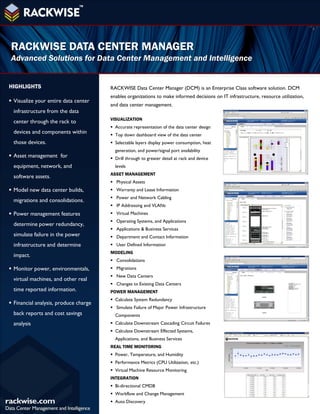
                                       VISUALIZATION
  center through the rack to
                                        Accurate representation of the data center design
  devices and components within         Top down dashboard view of the data center
  those devices.                        Selectable layers display power consumption, heat
                                         generation, and power/signal port availability
 Asset management for                  Drill through to greater detail at rack and device
  equipment, network, and                levels
                                       ASSET MANAGEMENT
  software assets.
                                        Physical Assets
 Model new data center builds,         Warranty and Lease Information
                                        Power and Network Cabling
  migrations and consolidations.
                                        IP Addressing and VLANs
 Power management features             Virtual Machines
                                        Operating Systems, and Applications
  determine power redundancy,
                                        Applications & Business Services
  simulate failure in the power         Department and Contact Information
  infrastructure and determine          User Defined Information
                                       MODELING
  impact.
                                        Consolidations
 Monitor power, environmentals,        Migrations
                                        New Data Centers
  virtual machines, and other real
                                        Changes to Existing Data Centers
  time reported information.           POWER MANAGEMENT
                                        Calculate System Redundancy
 Financial analysis, produce charge
                                        Simulate Failure of Major Power Infrastructure
  back reports and cost savings          Components
  analysis                              Calculate Downstream Cascading Circuit Failures
                                        Calculate Downstream Effected Systems,
                                         Applications, and Business Services
                                       REAL TIME MONITORING
                                        Power, Temperature, and Humidity
                                        Performance Metrics (CPU Utilization, etc.)
                                        Virtual Machine Resource Monitoring
                                       INTEGRATION
                                        Bi-directional CMDB
                                        Workflow and Change Management
                                        Auto Discovery
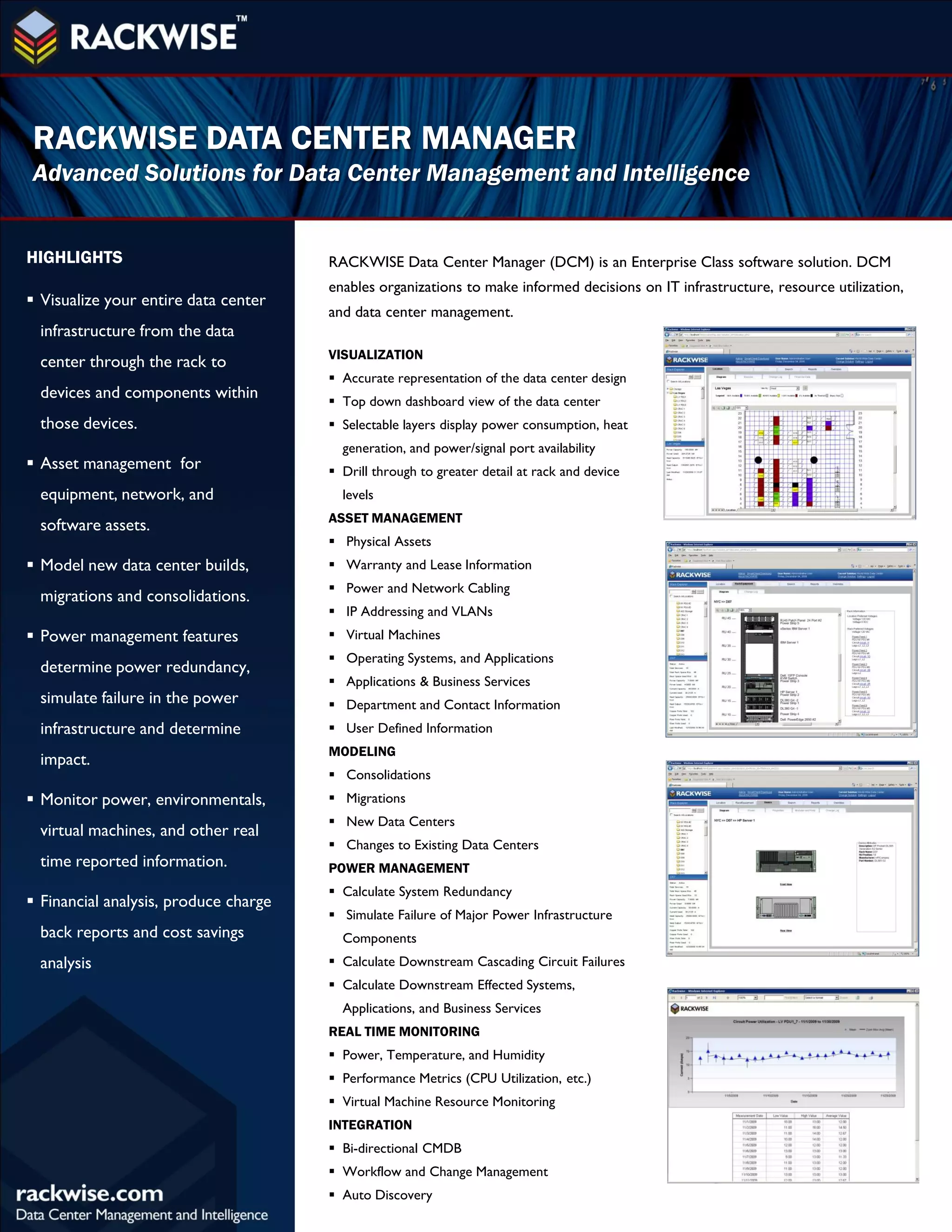
CLIENT REQUIREMENTS                                                                 SERVER REQUIREMENTS
     HARDWARE                                                                               HARDWARE
     Recommended Screen Resolution                 1024x768 or Greater                      Minimum CPU                              1.5 GHz (x64 processor) or 2
                                                                                                                                     GHz (x86 processor)
     Minimum CPU                                   Pentium 1 GHz
                                                                                            Minimum Available Memory                 2 GB
     Minimum Available Memory                      256 MB
                                                                                            Recommended Available Memory             3 GB or Higher
     Minimum Available Disk Space                  50 MB
                                                                                            Minimum Available Disk Space             5 GB
     SOFTWARE
                                                                                            SOFTWARE
     Microsoft Visio                               2007
                                                                                            Operating System                         Microsoft Server
     Microsoft Excel/Word Office                   2007                                                                              2003/2008/2008 R2 32/64 bit
     Microsoft Internet Explorer                   IE 6.0 and Above                         Database                                 Microsoft SQL 2008
     Microsoft Visio Viewer                        2007/2010                                                                         w/Reporting Services

     .NET Platform                                 .NET 3.5 SP1                             .NET Platform                            .NET 3.5 SP1

     Operating System                              Microsoft Windows 7, Vista,              Microsoft IIS                            Microsoft IIS 6.0 or 7.0 w/ASP
                                                   or XP                                                                             and WCF/HTTP Activation

                                                                                            Microsoft Visio Viewer                   2007/2010


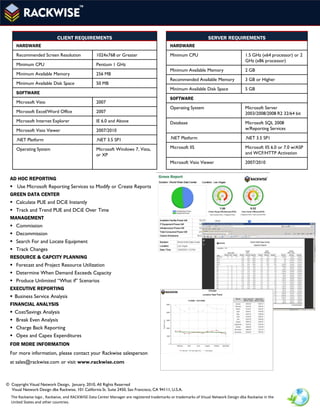
  AD HOC REPORTING
   Use Microsoft Reporting Services to Modify or Create Reports
  GREEN DATA CENTER
   Calculate PUE and DCiE Instantly
   Track and Trend PUE and DCiE Over Time
  MANAGEMENT
   Commission
   Decommission
   Search For and Locate Equipment
   Track Changes
  RESOURCE & CAPCITY PLANNING
   Forecast and Project Resource Utilization
   Determine When Demand Exceeds Capacity
   Produce Unlimited “What if” Scenarios
  EXECUTIVE REPORTING
   Business Service Analysis
  FINANCIAL ANALYSIS
   Cost/Savings Analysis
   Break Even Analysis
   Charge Back Reporting
   Opex and Capex Expenditures
  FOR MORE INFORMATION
  For more information, please contact your Rackwise salesperson
  at sales@rackwise.com or visit www.rackwise.com


© Copyright Visual Network Design, January, 2010, All Rights Reserved
  Visual Network Design dba Rackwise, 101 California St. Suite 2450, San Francisco, CA 94111, U.S.A.
  The Rackwise logo , Rackwise, and RACKWISE Data Center Manager are registered trademarks or trademarks of Visual Network Design dba Rackwise in the
  United States and other countries.

C:\fakepath\dcm 3 5 data sheet

  • 1.
    RACKWISE DATA CENTERMANAGER Advanced Solutions for Data Center Management and Intelligence HIGHLIGHTS RACKWISE Data Center Manager (DCM) is an Enterprise Class software solution. DCM enables organizations to make informed decisions on IT infrastructure, resource utilization,  Visualize your entire data center and data center management. infrastructure from the data VISUALIZATION center through the rack to  Accurate representation of the data center design devices and components within  Top down dashboard view of the data center those devices.  Selectable layers display power consumption, heat generation, and power/signal port availability  Asset management for  Drill through to greater detail at rack and device equipment, network, and levels ASSET MANAGEMENT software assets.  Physical Assets  Model new data center builds,  Warranty and Lease Information  Power and Network Cabling migrations and consolidations.  IP Addressing and VLANs  Power management features  Virtual Machines  Operating Systems, and Applications determine power redundancy,  Applications & Business Services simulate failure in the power  Department and Contact Information infrastructure and determine  User Defined Information MODELING impact.  Consolidations  Monitor power, environmentals,  Migrations  New Data Centers virtual machines, and other real  Changes to Existing Data Centers time reported information. POWER MANAGEMENT  Calculate System Redundancy  Financial analysis, produce charge  Simulate Failure of Major Power Infrastructure back reports and cost savings Components analysis  Calculate Downstream Cascading Circuit Failures  Calculate Downstream Effected Systems, Applications, and Business Services REAL TIME MONITORING  Power, Temperature, and Humidity  Performance Metrics (CPU Utilization, etc.)  Virtual Machine Resource Monitoring INTEGRATION  Bi-directional CMDB  Workflow and Change Management  Auto Discovery
  • 2.
    CLIENT REQUIREMENTS SERVER REQUIREMENTS HARDWARE HARDWARE Recommended Screen Resolution 1024x768 or Greater Minimum CPU 1.5 GHz (x64 processor) or 2 GHz (x86 processor) Minimum CPU Pentium 1 GHz Minimum Available Memory 2 GB Minimum Available Memory 256 MB Recommended Available Memory 3 GB or Higher Minimum Available Disk Space 50 MB Minimum Available Disk Space 5 GB SOFTWARE SOFTWARE Microsoft Visio 2007 Operating System Microsoft Server Microsoft Excel/Word Office 2007 2003/2008/2008 R2 32/64 bit Microsoft Internet Explorer IE 6.0 and Above Database Microsoft SQL 2008 Microsoft Visio Viewer 2007/2010 w/Reporting Services .NET Platform .NET 3.5 SP1 .NET Platform .NET 3.5 SP1 Operating System Microsoft Windows 7, Vista, Microsoft IIS Microsoft IIS 6.0 or 7.0 w/ASP or XP and WCF/HTTP Activation Microsoft Visio Viewer 2007/2010 AD HOC REPORTING  Use Microsoft Reporting Services to Modify or Create Reports GREEN DATA CENTER  Calculate PUE and DCiE Instantly  Track and Trend PUE and DCiE Over Time MANAGEMENT  Commission  Decommission  Search For and Locate Equipment  Track Changes RESOURCE & CAPCITY PLANNING  Forecast and Project Resource Utilization  Determine When Demand Exceeds Capacity  Produce Unlimited “What if” Scenarios EXECUTIVE REPORTING  Business Service Analysis FINANCIAL ANALYSIS  Cost/Savings Analysis  Break Even Analysis  Charge Back Reporting  Opex and Capex Expenditures FOR MORE INFORMATION For more information, please contact your Rackwise salesperson at sales@rackwise.com or visit www.rackwise.com © Copyright Visual Network Design, January, 2010, All Rights Reserved Visual Network Design dba Rackwise, 101 California St. Suite 2450, San Francisco, CA 94111, U.S.A. The Rackwise logo , Rackwise, and RACKWISE Data Center Manager are registered trademarks or trademarks of Visual Network Design dba Rackwise in the United States and other countries.