Introduction to NewCCNP Enterprise:
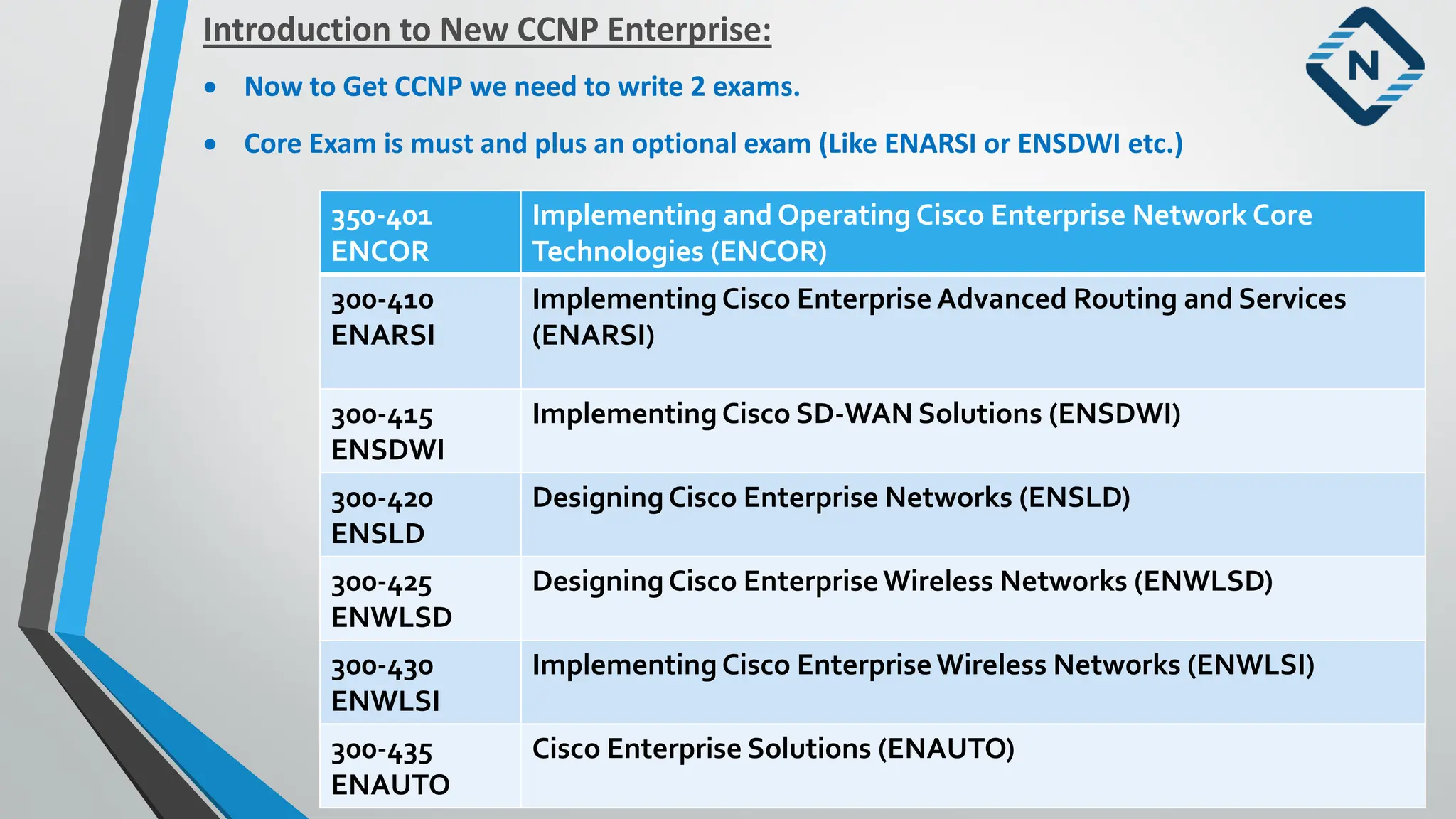
• Now to Get CCNP we need to write 2 exams.
• Core Exam is must and plus an optional exam (Like ENARSI or ENSDWI etc.)
350-401
ENCOR
Implementing and Operating Cisco Enterprise Network Core
Technologies (ENCOR)
300-410
ENARSI
Implementing Cisco Enterprise Advanced Routing and Services
(ENARSI)
300-415
ENSDWI
Implementing Cisco SD-WAN Solutions (ENSDWI)
300-420
ENSLD
Designing Cisco Enterprise Networks (ENSLD)
300-425
ENWLSD
Designing Cisco EnterpriseWireless Networks (ENWLSD)
300-430
ENWLSI
Implementing Cisco EnterpriseWireless Networks (ENWLSI)
300-435
ENAUTO
Cisco Enterprise Solutions (ENAUTO)
3.
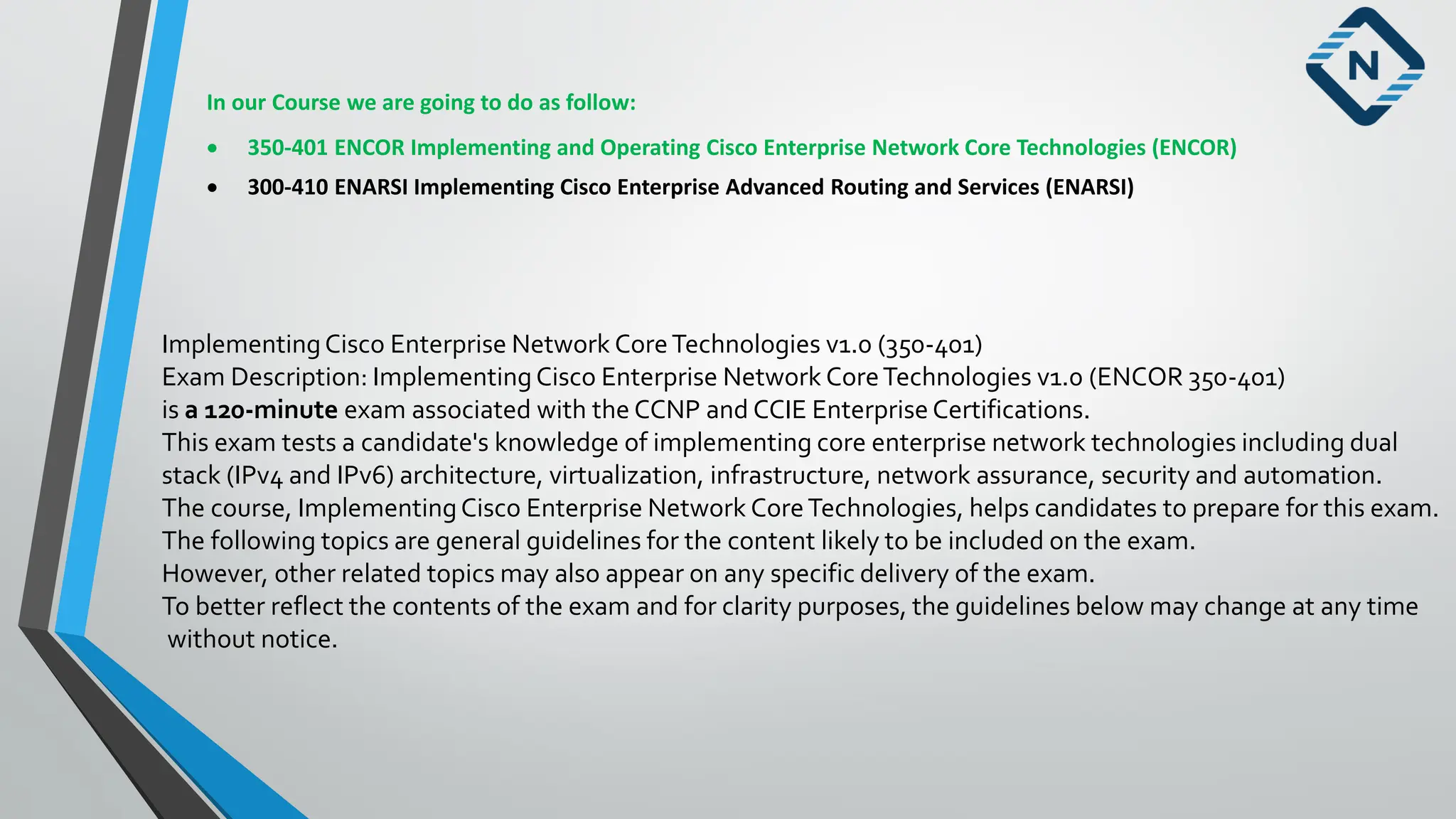
In our Coursewe are going to do as follow:
• 350-401 ENCOR Implementing and Operating Cisco Enterprise Network Core Technologies (ENCOR)
• 300-410 ENARSI Implementing Cisco Enterprise Advanced Routing and Services (ENARSI)
ImplementingCisco Enterprise Network CoreTechnologies v1.0 (350-401)
Exam Description: ImplementingCisco Enterprise Network CoreTechnologies v1.0 (ENCOR 350-401)
is a 120-minute exam associated with the CCNP and CCIE Enterprise Certifications.
This exam tests a candidate's knowledge of implementing core enterprise network technologies including dual
stack (IPv4 and IPv6) architecture, virtualization, infrastructure, network assurance, security and automation.
The course, ImplementingCisco Enterprise Network CoreTechnologies, helps candidates to prepare for this exam.
The following topics are general guidelines for the content likely to be included on the exam.
However, other related topics may also appear on any specific delivery of the exam.
To better reflect the contents of the exam and for clarity purposes, the guidelines below may change at any time
without notice.
4.
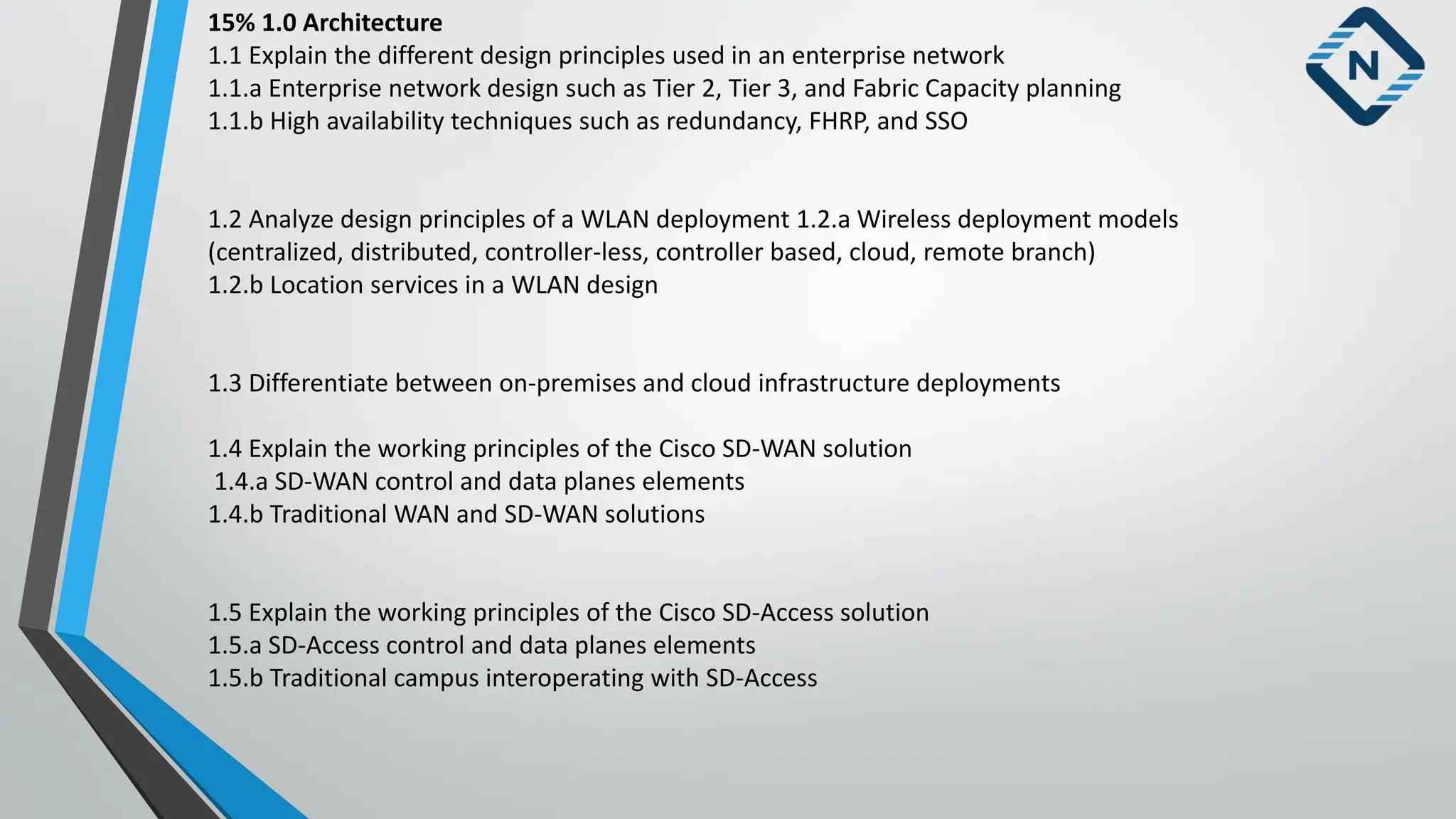
15% 1.0 Architecture
1.1Explain the different design principles used in an enterprise network
1.1.a Enterprise network design such as Tier 2, Tier 3, and Fabric Capacity planning
1.1.b High availability techniques such as redundancy, FHRP, and SSO
1.2 Analyze design principles of a WLAN deployment 1.2.a Wireless deployment models
(centralized, distributed, controller-less, controller based, cloud, remote branch)
1.2.b Location services in a WLAN design
1.3 Differentiate between on-premises and cloud infrastructure deployments
1.4 Explain the working principles of the Cisco SD-WAN solution
1.4.a SD-WAN control and data planes elements
1.4.b Traditional WAN and SD-WAN solutions
1.5 Explain the working principles of the Cisco SD-Access solution
1.5.a SD-Access control and data planes elements
1.5.b Traditional campus interoperating with SD-Access
5.
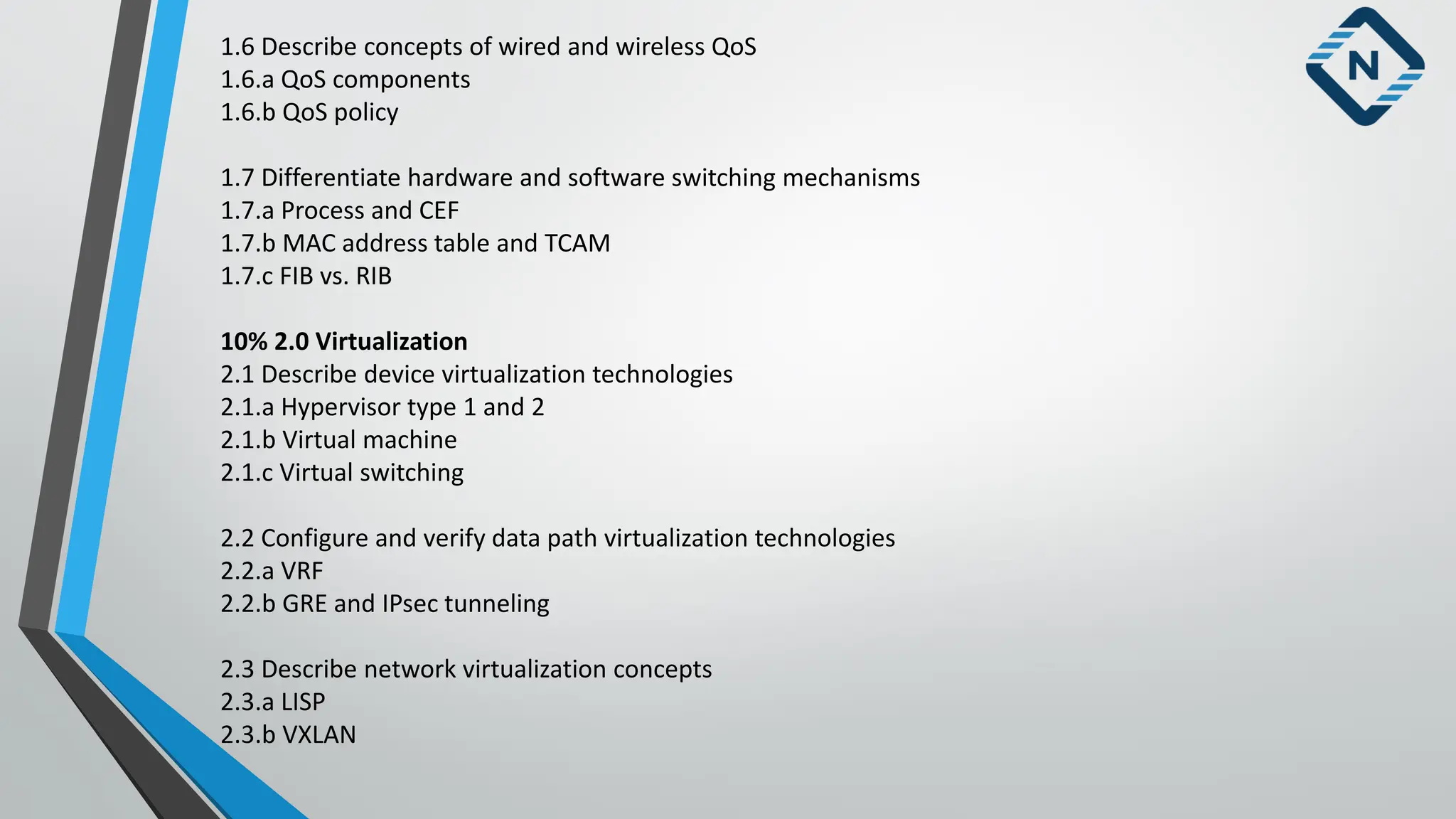
1.6 Describe conceptsof wired and wireless QoS
1.6.a QoS components
1.6.b QoS policy
1.7 Differentiate hardware and software switching mechanisms
1.7.a Process and CEF
1.7.b MAC address table and TCAM
1.7.c FIB vs. RIB
10% 2.0 Virtualization
2.1 Describe device virtualization technologies
2.1.a Hypervisor type 1 and 2
2.1.b Virtual machine
2.1.c Virtual switching
2.2 Configure and verify data path virtualization technologies
2.2.a VRF
2.2.b GRE and IPsec tunneling
2.3 Describe network virtualization concepts
2.3.a LISP
2.3.b VXLAN
6.
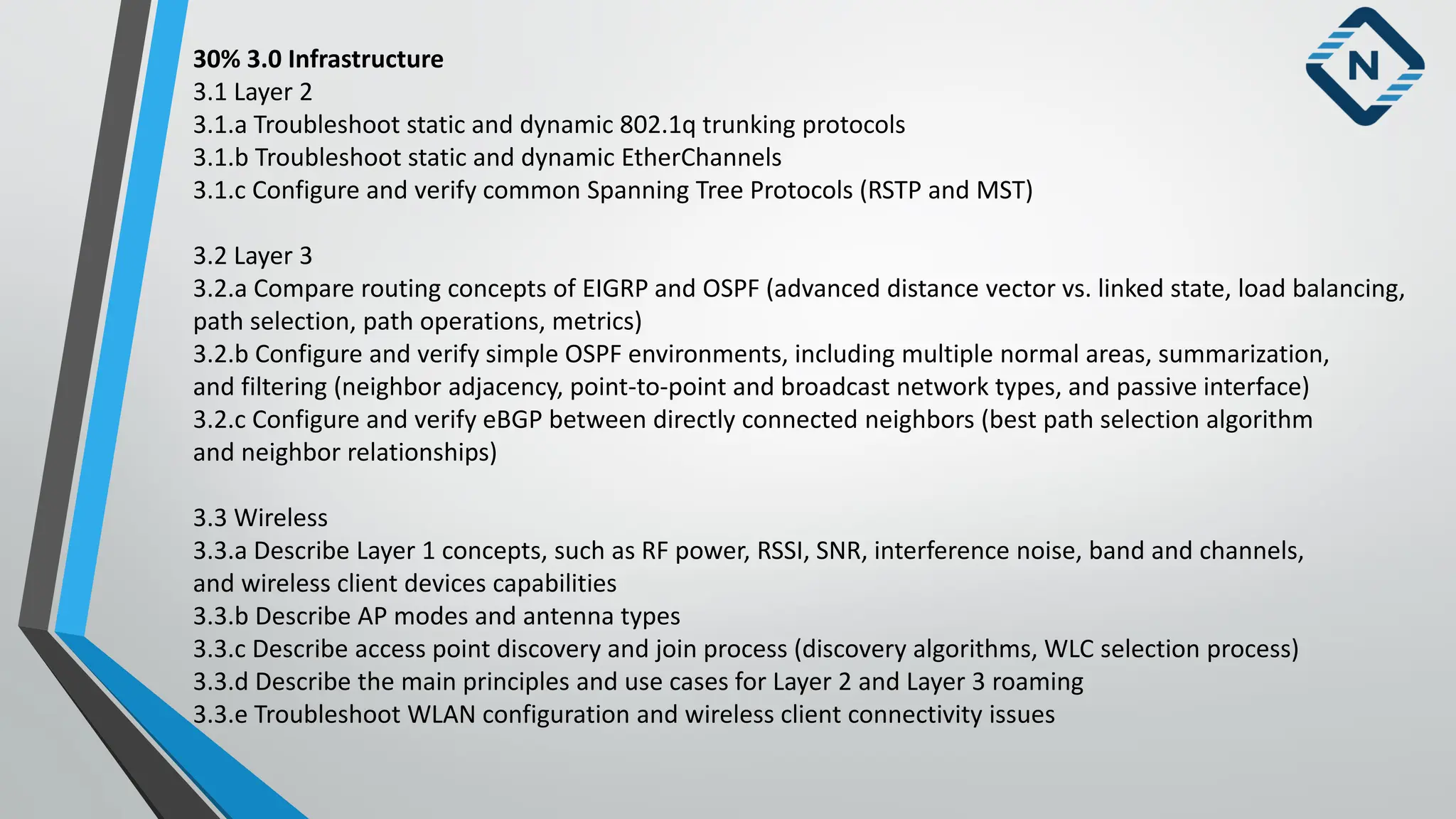
30% 3.0 Infrastructure
3.1Layer 2
3.1.a Troubleshoot static and dynamic 802.1q trunking protocols
3.1.b Troubleshoot static and dynamic EtherChannels
3.1.c Configure and verify common Spanning Tree Protocols (RSTP and MST)
3.2 Layer 3
3.2.a Compare routing concepts of EIGRP and OSPF (advanced distance vector vs. linked state, load balancing,
path selection, path operations, metrics)
3.2.b Configure and verify simple OSPF environments, including multiple normal areas, summarization,
and filtering (neighbor adjacency, point-to-point and broadcast network types, and passive interface)
3.2.c Configure and verify eBGP between directly connected neighbors (best path selection algorithm
and neighbor relationships)
3.3 Wireless
3.3.a Describe Layer 1 concepts, such as RF power, RSSI, SNR, interference noise, band and channels,
and wireless client devices capabilities
3.3.b Describe AP modes and antenna types
3.3.c Describe access point discovery and join process (discovery algorithms, WLC selection process)
3.3.d Describe the main principles and use cases for Layer 2 and Layer 3 roaming
3.3.e Troubleshoot WLAN configuration and wireless client connectivity issues
7.
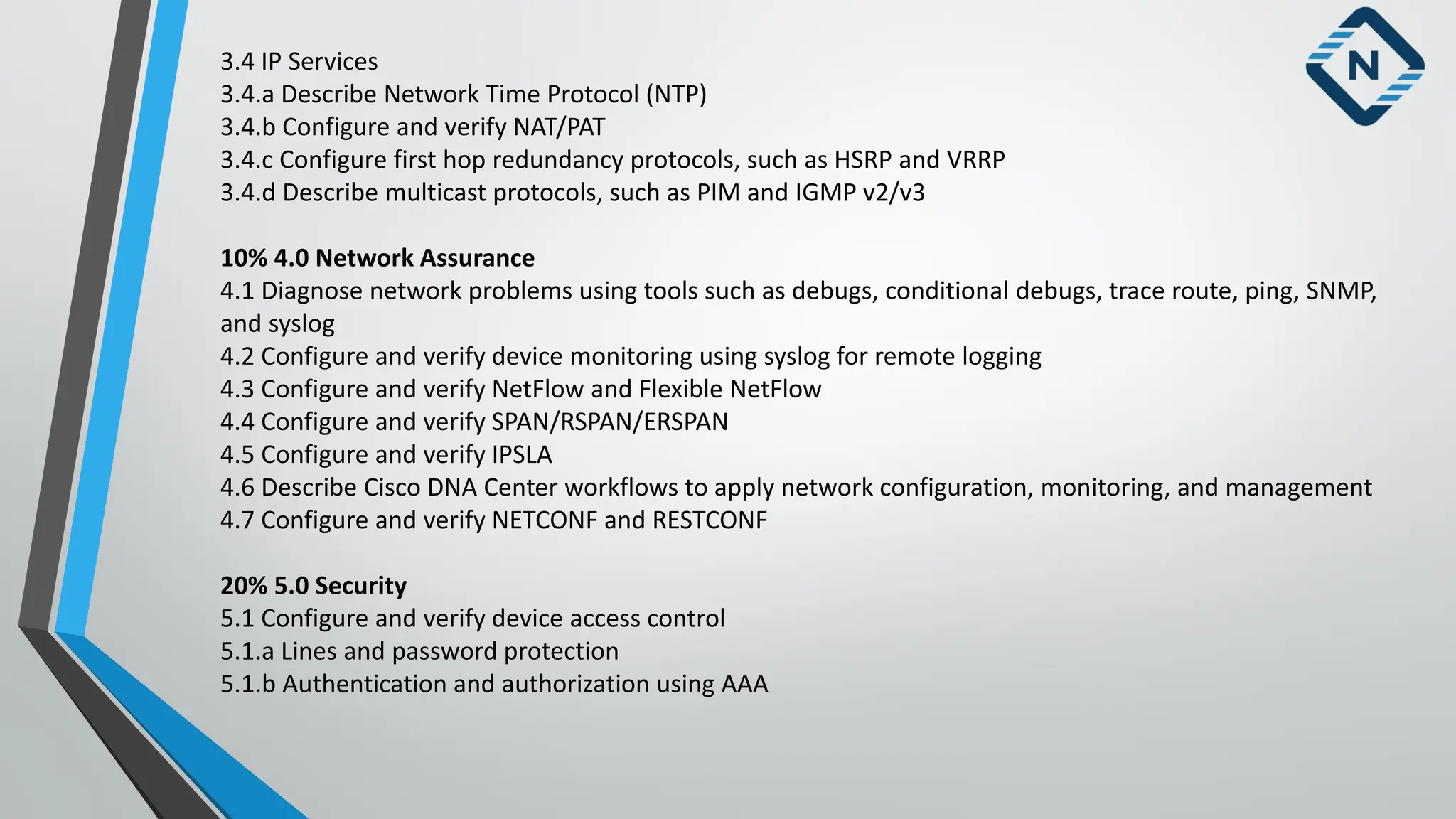
3.4 IP Services
3.4.aDescribe Network Time Protocol (NTP)
3.4.b Configure and verify NAT/PAT
3.4.c Configure first hop redundancy protocols, such as HSRP and VRRP
3.4.d Describe multicast protocols, such as PIM and IGMP v2/v3
10% 4.0 Network Assurance
4.1 Diagnose network problems using tools such as debugs, conditional debugs, trace route, ping, SNMP,
and syslog
4.2 Configure and verify device monitoring using syslog for remote logging
4.3 Configure and verify NetFlow and Flexible NetFlow
4.4 Configure and verify SPAN/RSPAN/ERSPAN
4.5 Configure and verify IPSLA
4.6 Describe Cisco DNA Center workflows to apply network configuration, monitoring, and management
4.7 Configure and verify NETCONF and RESTCONF
20% 5.0 Security
5.1 Configure and verify device access control
5.1.a Lines and password protection
5.1.b Authentication and authorization using AAA
8.
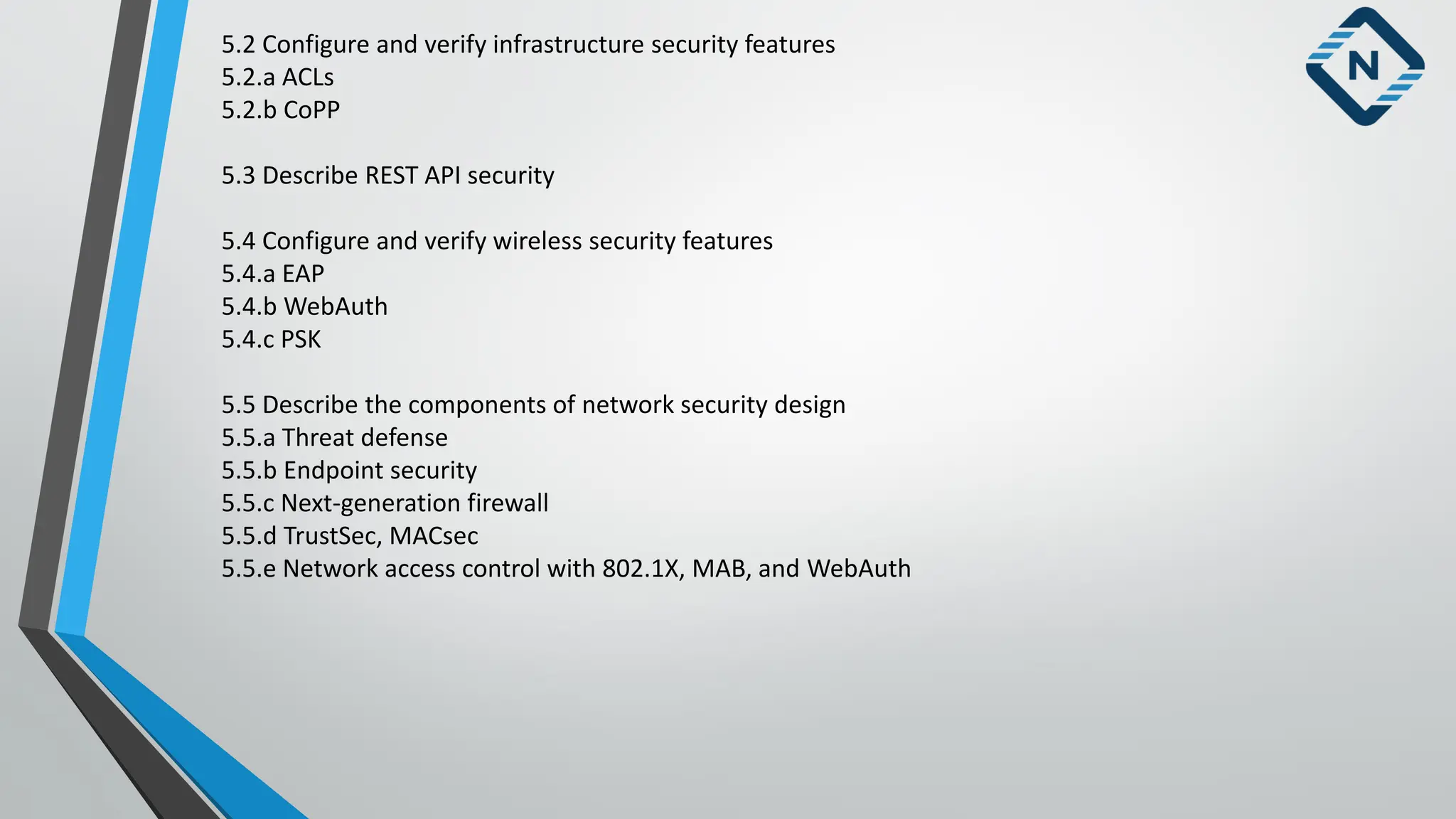
5.2 Configure andverify infrastructure security features
5.2.a ACLs
5.2.b CoPP
5.3 Describe REST API security
5.4 Configure and verify wireless security features
5.4.a EAP
5.4.b WebAuth
5.4.c PSK
5.5 Describe the components of network security design
5.5.a Threat defense
5.5.b Endpoint security
5.5.c Next-generation firewall
5.5.d TrustSec, MACsec
5.5.e Network access control with 802.1X, MAB, and WebAuth
9.
15% 6.0 Automation
6.1Interpret basic Python components and scripts
6.2 Construct valid JSON encoded file
6.3 Describe the high-level principles and benefits of a data modeling language, such as YANG
6.4 Describe APIs for Cisco DNA Center and vManage
6.5 Interpret REST API response codes and results in payload using Cisco DNA Center and RESTCONF
6.6 Construct EEM applet to automate configuration, troubleshooting, or data collection
6.7 Compare agent vs. agentless orchestration tools, such as Chef, Puppet, Ansible, and SaltStack
Requirements
A basic understanding of networking (CCNA level).
Basics of Networking:
Whatis a network?
A network is a collection of devices and end systems connected to each other and able to communicate
with each other.These could be computers, servers, smartphones, routers etc.
A network could be as large as the internet or as small as your two computers at home like sharing files
and a printer.
When the devices which are connected together share data and resources is known as network.
Some of the components that make up a network:
Personal Computers (PC):These are the endpoint of your network, sending and receiving data.
Network Cards: they translate data from your computer in a readable format for the network.
it is also known as NIC (Network interface card).
12.
Some Command Promptfor CCNA :
• ping :- packet internet gopher it uses icmp ( internet control message protocol) protocol
For verification the other device is reachable to me or not ??
• ipconfig :- to check the IP address of a computer
• ipconfig /all :- to check the IP address + mac address
• getmac :- to check the mac address of a computer
• arp -a :- to check arp table
• arp –d :- to delete arp table ( run as administrator)
• To check public IP
Visit: - www.whatismyipaddress.com to check your public IP or type in google what is my IP we will get.
13.
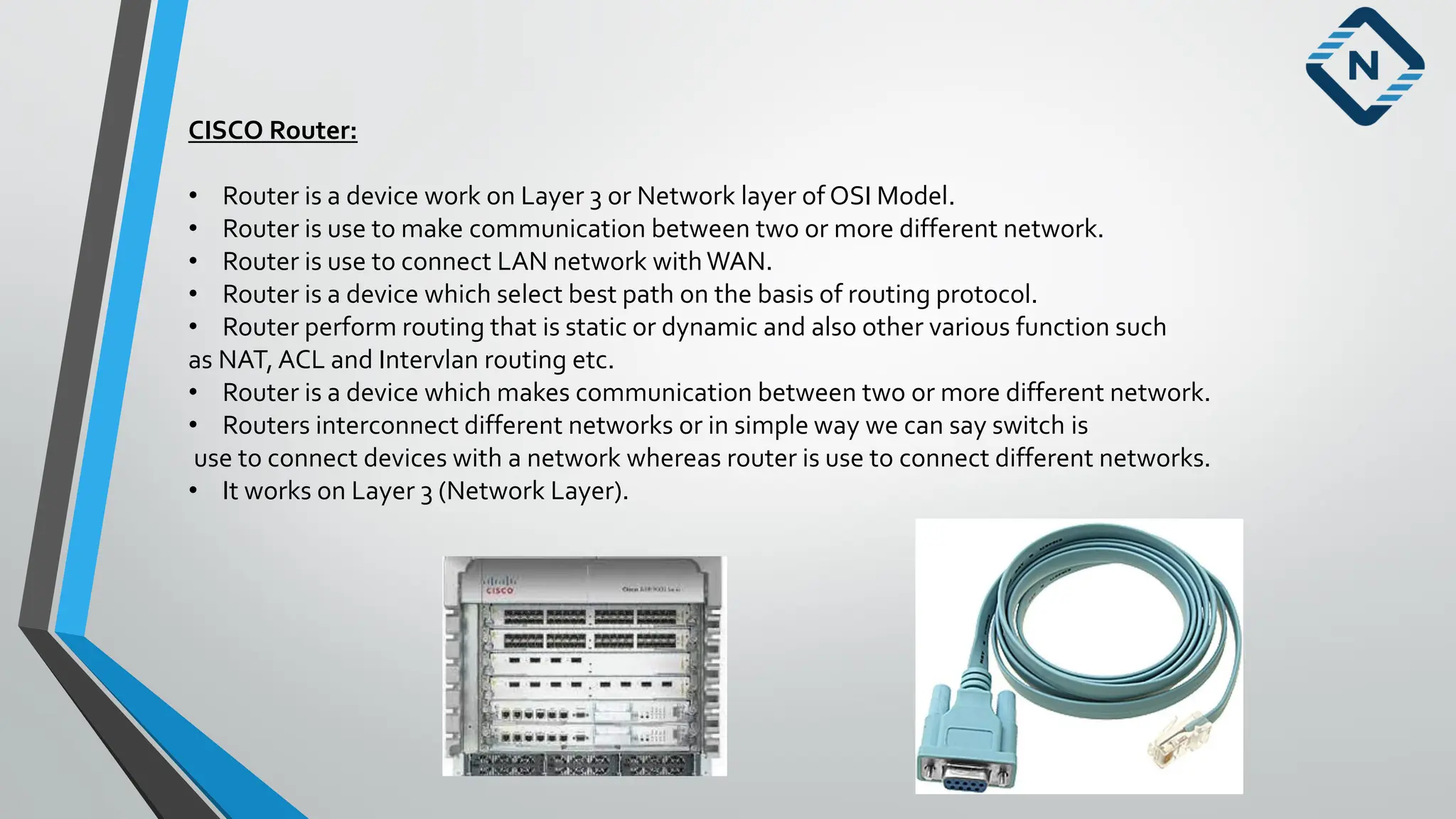
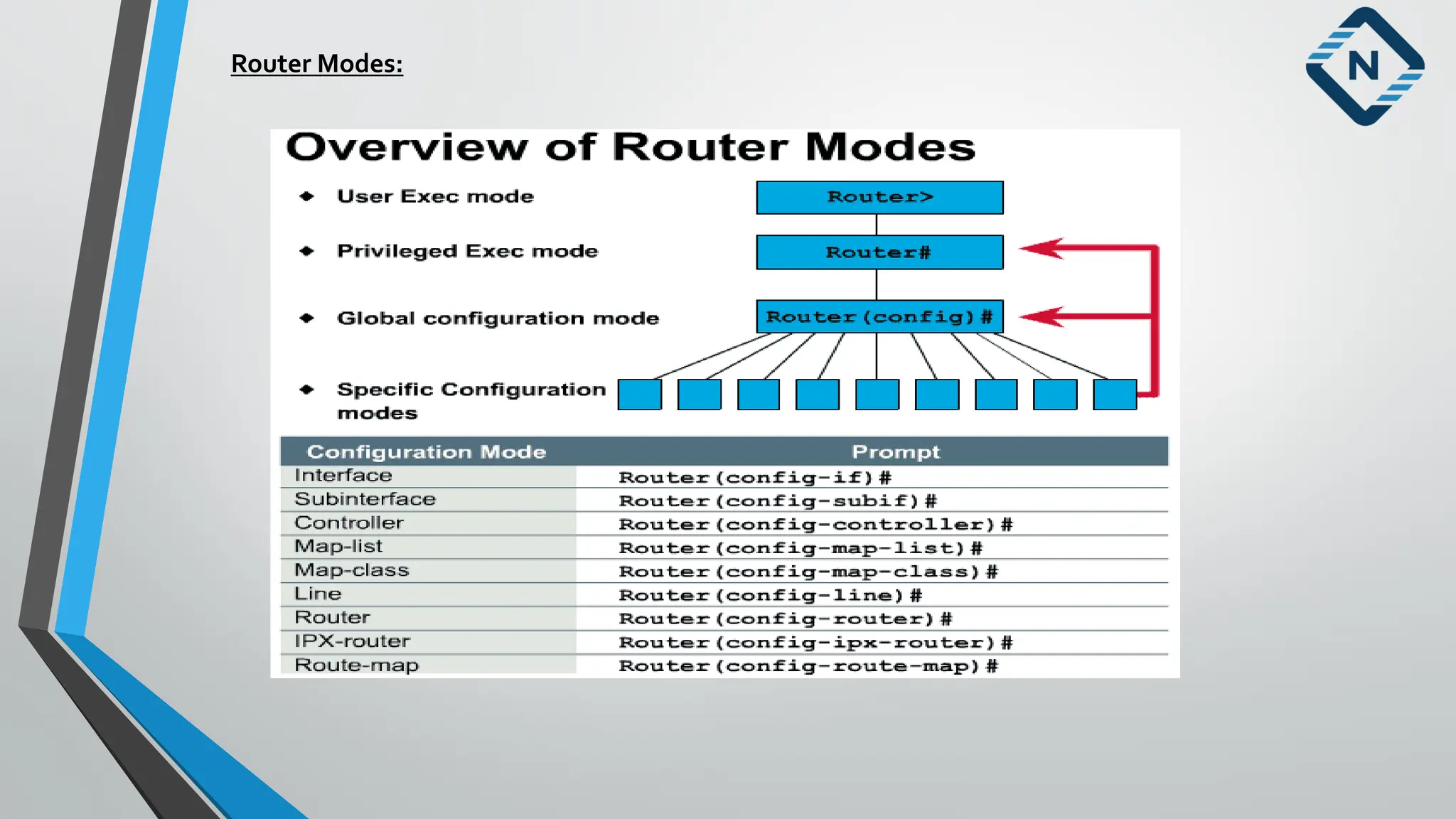
CISCO Router:
• Routeris a device work on Layer 3 or Network layer of OSI Model.
• Router is use to make communication between two or more different network.
• Router is use to connect LAN network withWAN.
• Router is a device which select best path on the basis of routing protocol.
• Router perform routing that is static or dynamic and also other various function such
as NAT, ACL and Intervlan routing etc.
• Router is a device which makes communication between two or more different network.
• Routers interconnect different networks or in simple way we can say switch is
use to connect devices with a network whereas router is use to connect different networks.
• It works on Layer 3 (Network Layer).
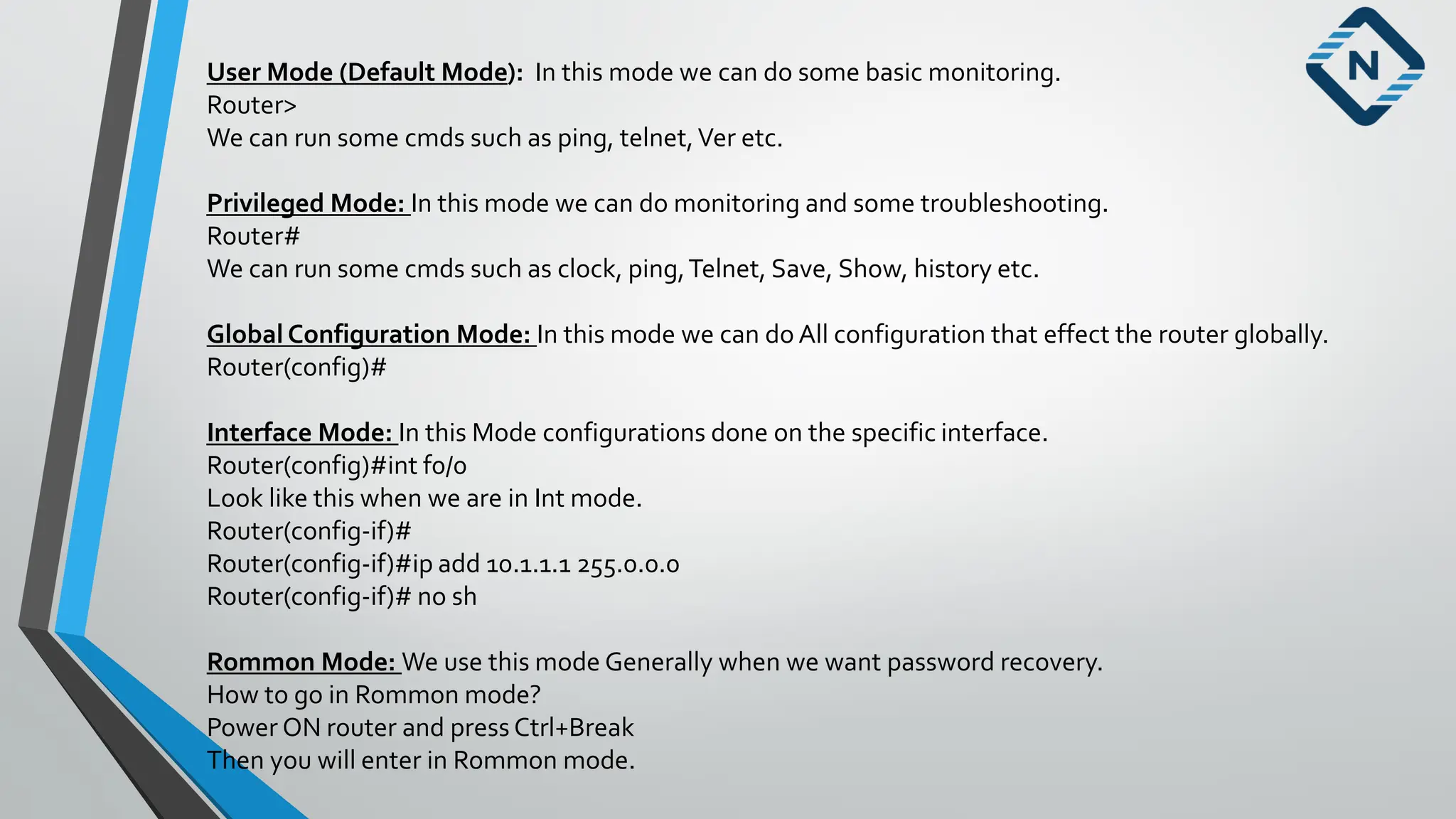
User Mode (DefaultMode): In this mode we can do some basic monitoring.
Router>
We can run some cmds such as ping, telnet,Ver etc.
Privileged Mode: In this mode we can do monitoring and some troubleshooting.
Router#
We can run some cmds such as clock, ping,Telnet, Save, Show, history etc.
Global Configuration Mode: In this mode we can do All configuration that effect the router globally.
Router(config)#
Interface Mode: In this Mode configurations done on the specific interface.
Router(config)#int f0/0
Look like this when we are in Int mode.
Router(config-if)#
Router(config-if)#ip add 10.1.1.1 255.0.0.0
Router(config-if)# no sh
Rommon Mode: We use this mode Generally when we want password recovery.
How to go in Rommon mode?
Power ON router and press Ctrl+Break
Then you will enter in Rommon mode.
16.
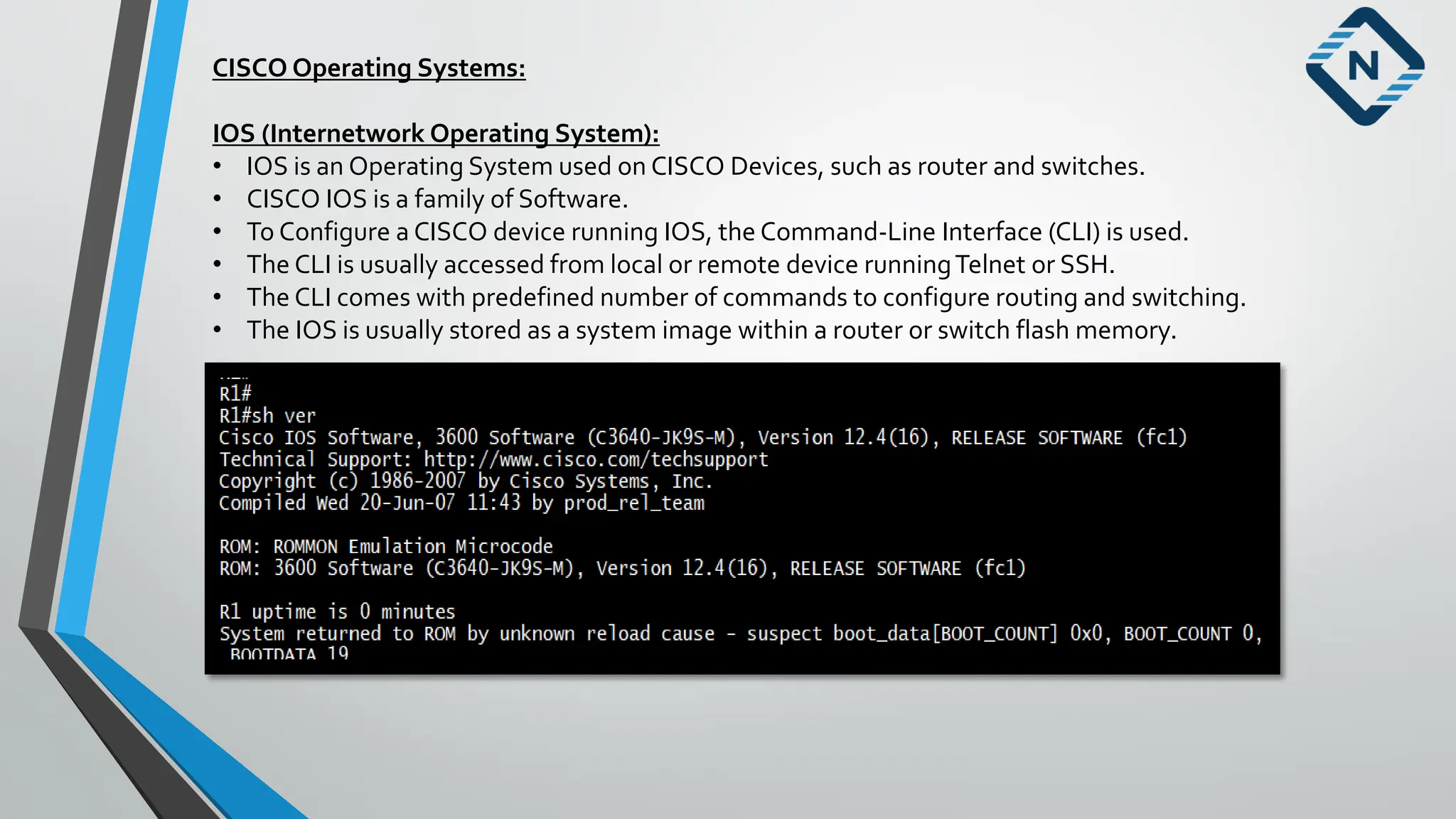
CISCO Operating Systems:
IOS(Internetwork Operating System):
• IOS is an Operating System used on CISCO Devices, such as router and switches.
• CISCO IOS is a family of Software.
• To Configure a CISCO device running IOS, the Command-Line Interface (CLI) is used.
• The CLI is usually accessed from local or remote device runningTelnet or SSH.
• The CLI comes with predefined number of commands to configure routing and switching.
• The IOS is usually stored as a system image within a router or switch flash memory.
17.
Basic Commands:
User mode:
Router>enable
Privilege mode:
Router# show running-config
Router# show startup-config
Router# show flash
Router# show version
Router# show ip int br
18.
CISCO Switch:
• Switchis a device used to connect multiple systems in LAN.
• Switch is a device used to connect same network where
are Router is a device used to connect two or more different Network.
• We have type of Switch that is Manageable and Unmanageable Switch.
• In Manageable Switch we can assign IP address and CreateVLan we can do operation
and it have Console port.
• Un Manageable Switch In this type of switch we cannot assign IP address and it is not having Console Port.
• We have two type of switch that is Layer 2 and Layer 3.
• Switches which operate at Network Layer 3 called Layer 3 or Multilayer Switches.
• Switches which operate at Data Link Layer of OSI Model it is called Layer 2 Switches.
• As we know without switch we cannot connect Multiple device so we can say switch is very important device
in networking to connect Multiple devices in a network.
• As we know we can Managed switch locally or remotely?
If you want to connect to Switch Remotely then we will use SSH orTelnet to connect switch via remotely.
19.
In this coursewe are going to use the following software as given below:
PacketTracer.
GNS3.
EVE ng.
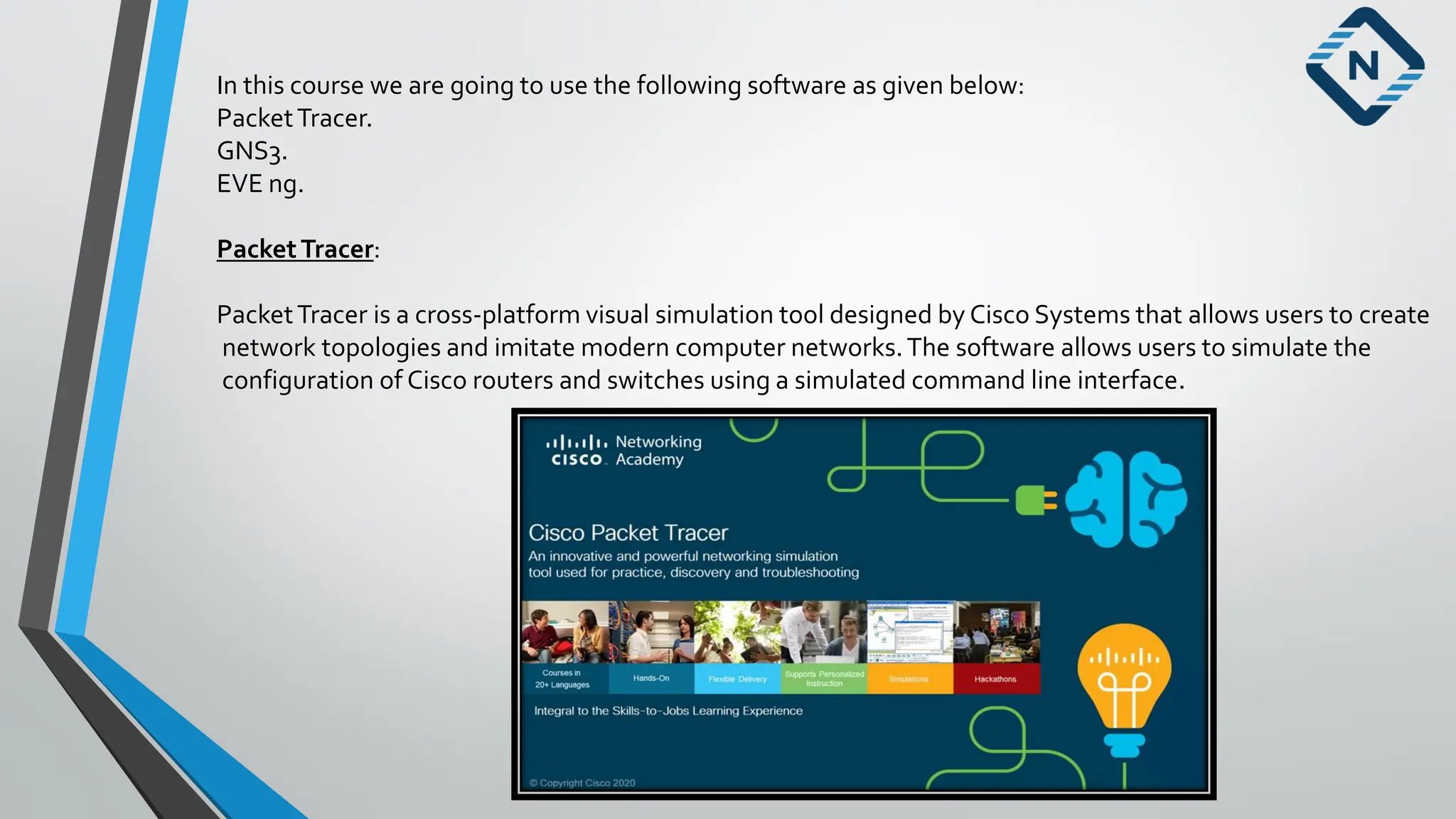
PacketTracer:
PacketTracer is a cross-platform visual simulation tool designed by Cisco Systems that allows users to create
network topologies and imitate modern computer networks.The software allows users to simulate the
configuration of Cisco routers and switches using a simulated command line interface.
20.
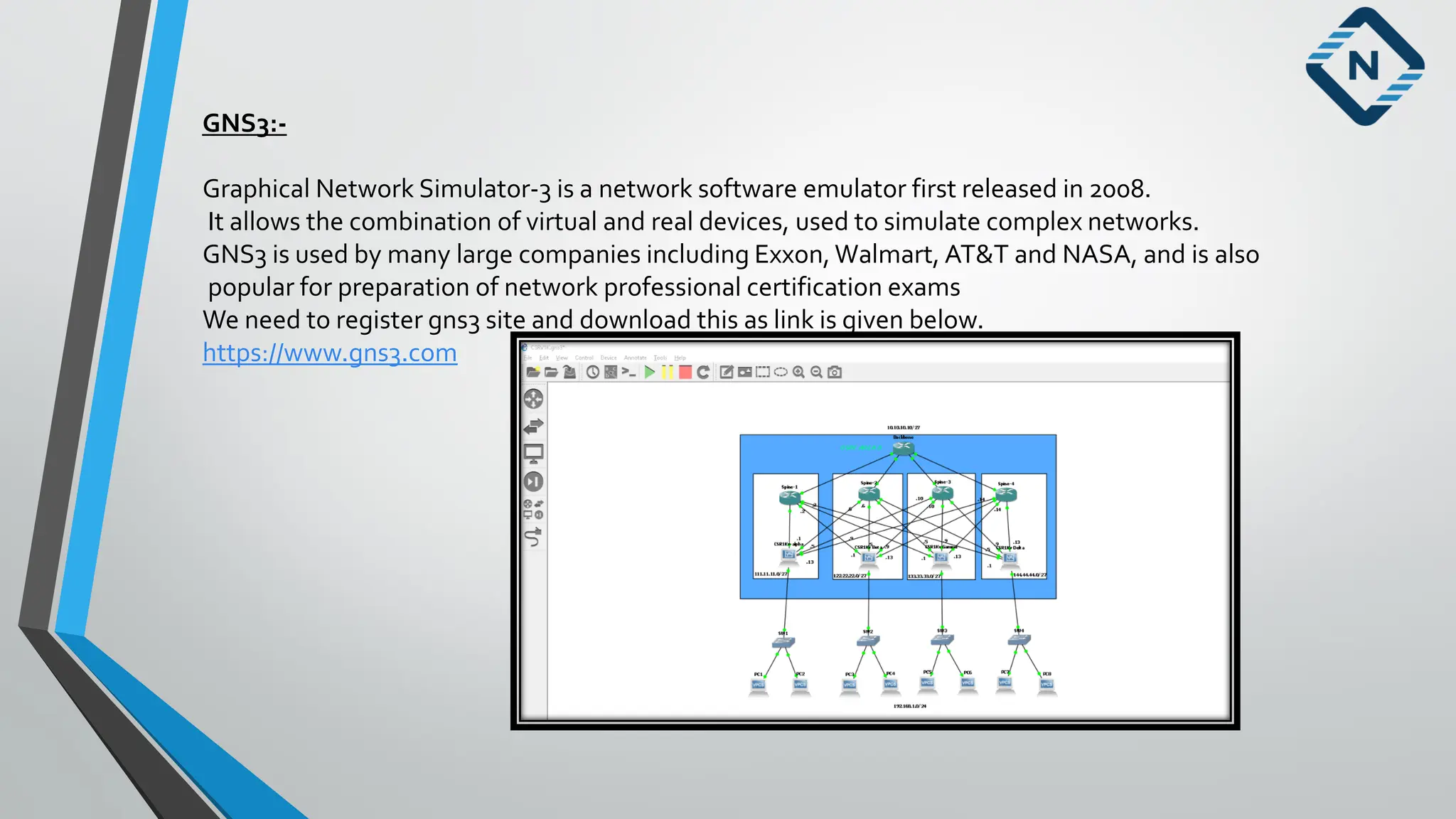
GNS3:-
Graphical Network Simulator-3is a network software emulator first released in 2008.
It allows the combination of virtual and real devices, used to simulate complex networks.
GNS3 is used by many large companies including Exxon, Walmart, AT&T and NASA, and is also
popular for preparation of network professional certification exams
We need to register gns3 site and download this as link is given below.
https://www.gns3.com
21.
EVE-NG (EmulatedVirtual EnvironmentNext Generation):
EVE-NG (EmulatedVirtual Environment Next Generation) is a multi-vendor virtual network simulator that,
similar toVIRL Personal Edition,
Was developed for individuals and smaller businesses.
They offer a free Community Edition as well as a Professional Edition for $110.75 per year.