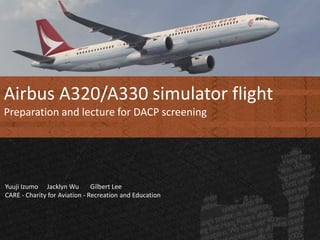

Airbus A320/A330 simulator flight
Preparation and lecture for DACP screening
Yuuji Izumo Jacklyn Wu Gilbert Lee
CARE - Charity for Aviation - Recreation and Education
Objective
• To understand the requirements of the DACP
simulator assessment
• To have a basic idea of the Airbus flight control
system
• To practise the assessment via personal
computer flight simulator
What we are not going to do
• To teach Standard Operating Procedures of
any company
• To teach how to fly an airliner
What we are going to do
• Read and interpret the instrument
• Watch demonstration
• Learn how to handle the aircraft
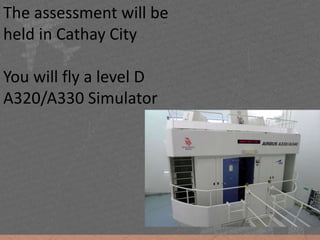
The assessment will be
held in Cathay City
You will fly a level D
A320/A330 Simulator
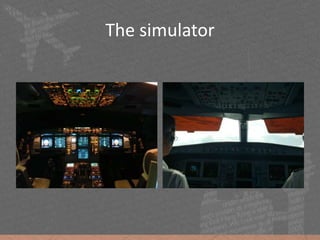
The simulator
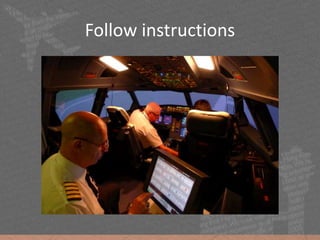
Follow instructions
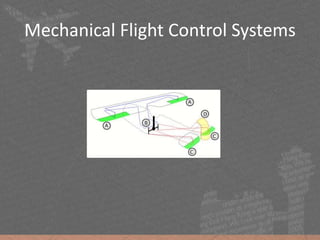
Mechanical Flight Control Systems
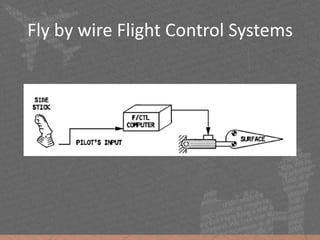
Fly by wire Flight Control Systems
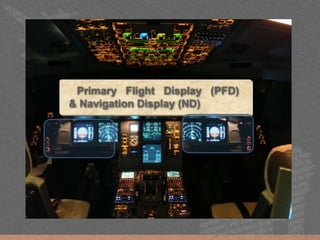
Primary Flight Display (PFD)
& Navigation Display (ND)
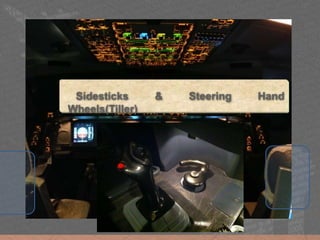
Sidesticks & Steering Hand
Wheels(Tiller)
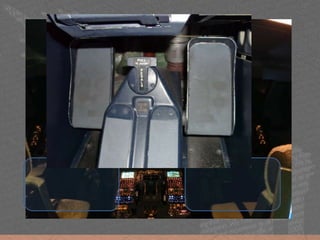
Rudder & Brake pedal
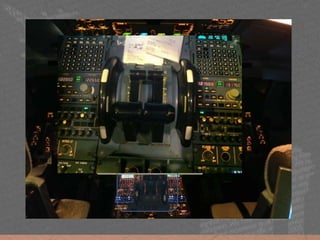
Thrust Levers
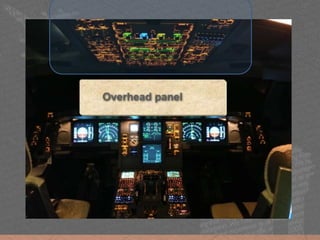
Overhead panel
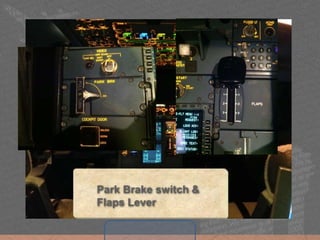
Park Brake switch &
Flaps Lever
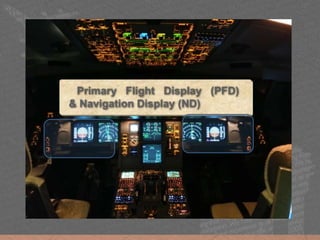
Primary Flight Display (PFD)
& Navigation Display (ND)
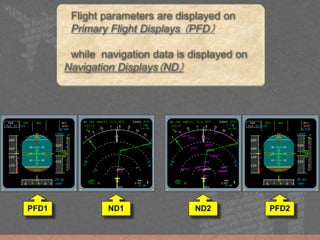
Flight parameters are displayed on
Primary Flight Displays (PFD)
while navigation data is displayed on
Navigation Displays(ND)
PFD1 PFD2ND1 ND2
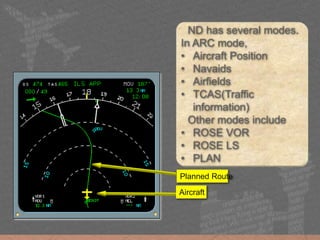
ND has several modes.
In ARC mode,
• Aircraft Position
• Navaids
• Airfields
• TCAS(Traffic
information)
Other modes include
• ROSE VOR
• ROSE LS
• PLAN
Planned Route
Aircraft
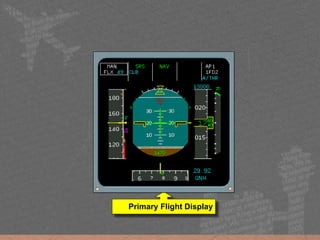
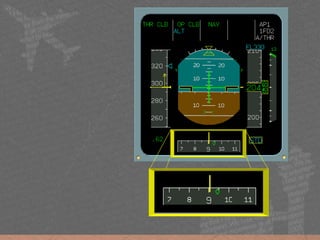
Primary Flight Display
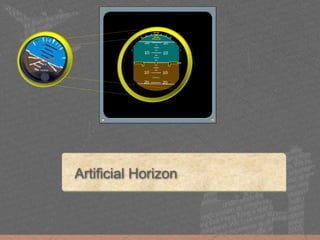
Artificial Horizon
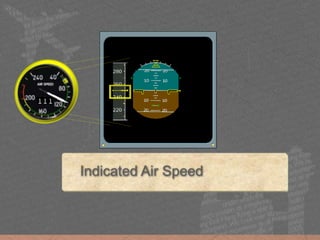
Indicated Air Speed
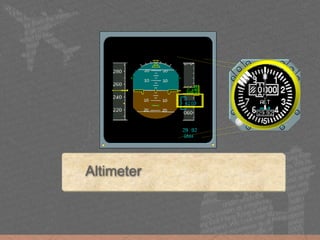
Altimeter
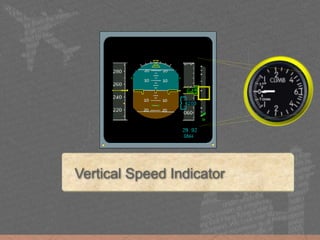
Vertical Speed Indicator
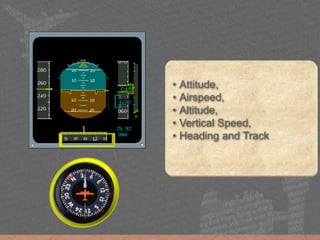
• Attitude,
• Airspeed,
• Altitude,
• Vertical Speed,
• Heading and Track
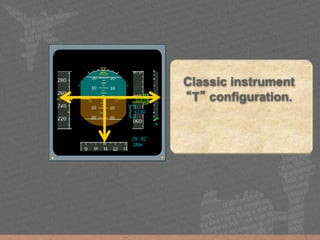
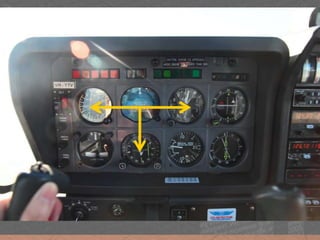
Classic instrument
“T” configuration.
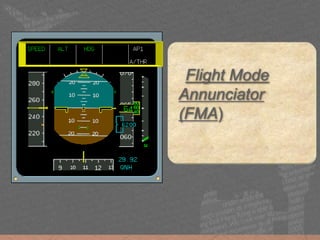
Flight Mode
Annunciator
(FMA)
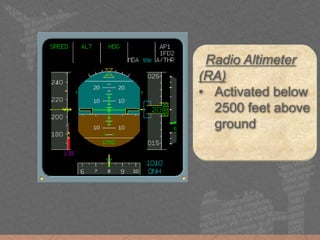
Radio Altimeter
(RA)
• Activated below
2500 feet above
ground
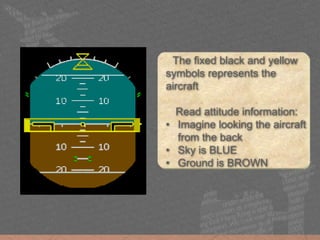
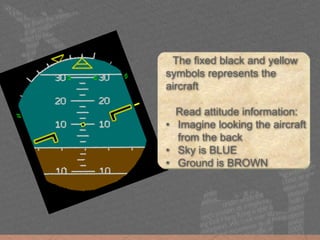
The fixed black and yellow
symbols represents the
aircraft
Read attitude information:
• Imagine looking the aircraft
from the back
• Sky is BLUE
• Ground is BROWN
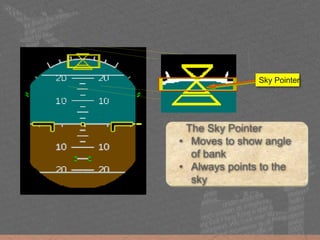
The Sky Pointer
• Moves to show angle
of bank
• Always points to the
sky
Sky Pointer
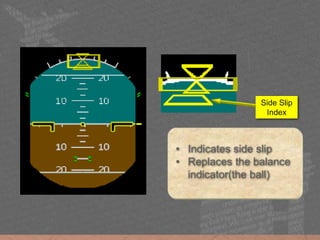
• Indicates side slip
• Replaces the balance
indicator(the ball)
Side Slip
Index
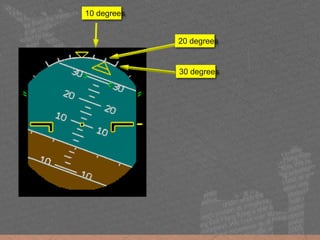
30 degrees
20 degrees
10 degrees
The fixed black and yellow
symbols represents the
aircraft
Read attitude information:
• Imagine looking the aircraft
from the back
• Blue is sky
• Brown is ground
The fixed black and yellow
symbols represents the
aircraft
Read attitude information:
• Imagine looking the aircraft
from the back
• Sky is BLUE
• Ground is BROWN
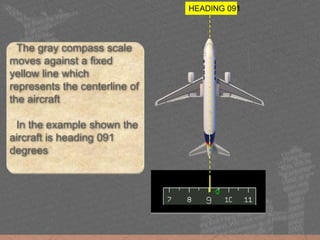
The gray compass scale
moves against a fixed
yellow line which
represents the centerline of
the aircraft
In the example shown the
aircraft is heading 091
degrees
HEADING 091
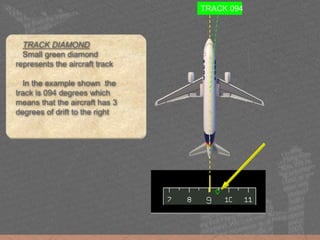
TRACK DIAMOND
Small green diamond
represents the aircraft track
In the example shown the
track is 094 degrees which
means that the aircraft has 3
degrees of drift to the right
TRACK 094
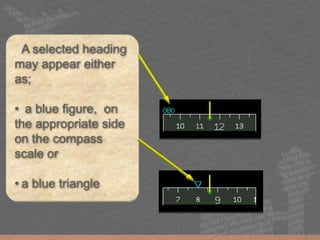
A selected heading
may appear either
as;
• a blue figure, on
the appropriate side
on the compass
scale or
• a blue triangle
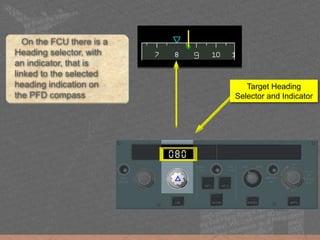
On the FCU there is a
Heading selector, with
an indicator, that is
linked to the selected
heading indication on
the PFD compass
Target Heading
Selector and Indicator
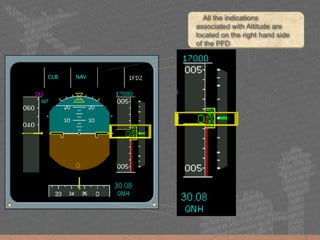
All the indications
associated with Altitude are
located on the right hand side
of the PFD
CLB NAV
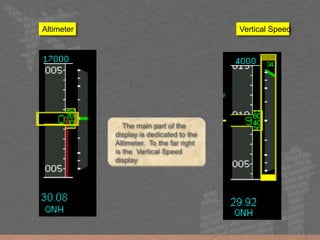
The main part of the
display is dedicated to the
Altimeter. To the far right
is the Vertical Speed
display
Altimeter Vertical Speed
STD
FL 70
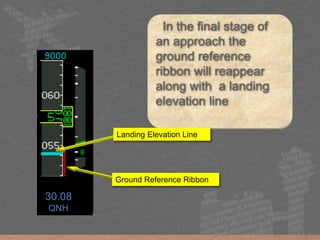
In the final stage of
an approach the
ground reference
ribbon will reappear
along with a landing
elevation line
30.08
QNH
Ground Reference Ribbon
Landing Elevation Line
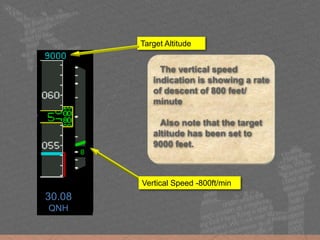
The vertical speed
indication is showing a rate
of descent of 800 feet/
minute
Also note that the target
altitude has been set to
9000 feet.
STD
FL 70
30.08
QNH
7000
Target Altitude
Vertical Speed -800ft/min
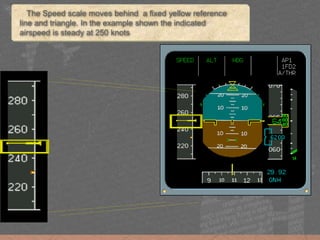
The Speed scale moves behind a fixed yellow reference
line and triangle. In the example shown the indicated
airspeed is steady at 250 knots
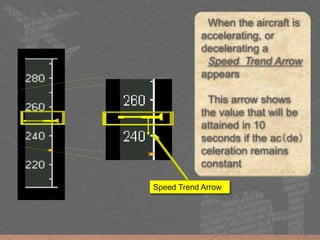
When the aircraft is
accelerating, or
decelerating a
Speed Trend Arrow
appears
This arrow shows
the value that will be
attained in 10
seconds if the ac(de)
celeration remains
constant
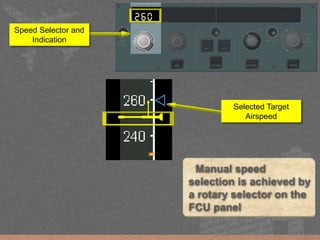
Speed Trend Arrow
Selected Target
Airspeed
Manual speed
selection is achieved by
a rotary selector on the
FCU panel
Speed Selector and
Indication
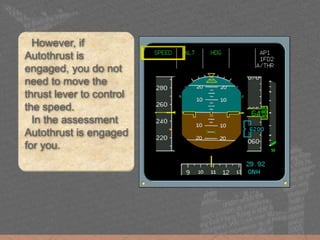
However, if
Autothrust is
engaged, you do not
need to move the
thrust lever to control
the speed.
In the assessment
Autothrust is engaged
for you.
The Assessment
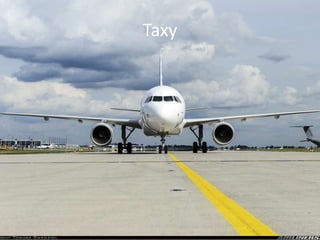
Taxy
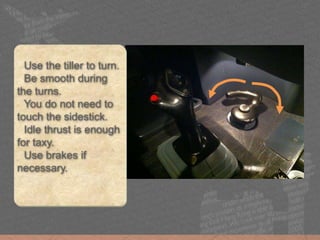
Use the tiller to turn.
Be smooth during
the turns.
You do not need to
touch the sidestick.
Idle thrust is enough
for taxy.
Use brakes if
necessary.
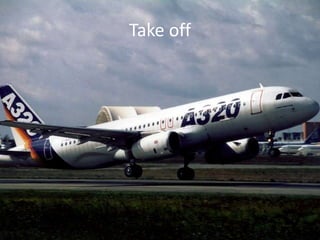
Take off
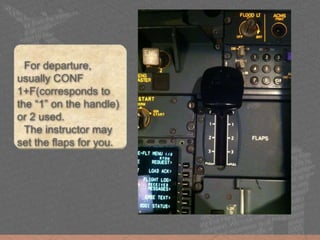
For departure,
usually CONF
1+F(corresponds to
the “1” on the handle)
or 2 used.
The instructor may
set the flaps for you.
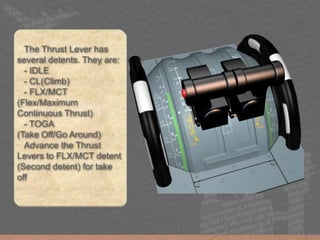
The Thrust Lever has
several detents. They are:
- IDLE
- CL(Climb)
- FLX/MCT
(Flex/Maximum
Continuous Thrust)
- TOGA
(Take Off/Go Around)
Advance the Thrust
Levers to FLX/MCT detent
(Second detent) for take
off
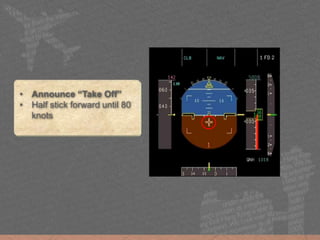
• Announce “Take Off”
• Half stick forward until 80
knots
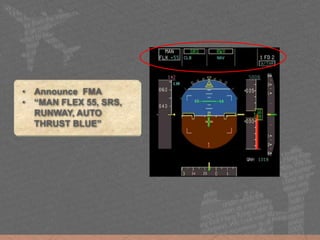
• Announce FMA
• “MAN FLEX 55, SRS,
RUNWAY, AUTO
THRUST BLUE”
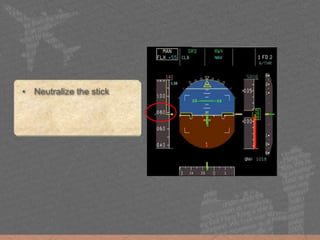
• Neutralize the stick
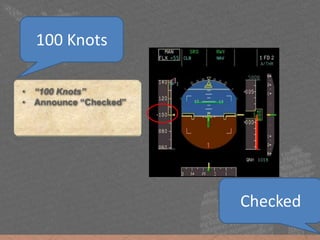
• “100 Knots”
• Announce “Checked”
100 Knots
Checked
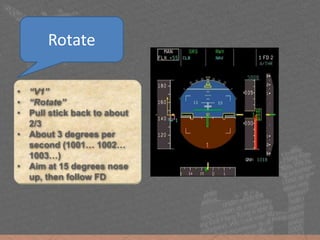
• “V1”
• “Rotate”
• Pull stick back to about
2/3
• About 3 degrees per
second (1001… 1002…
1003…)
• Aim at 15 degrees nose
up, then follow FD
Rotate
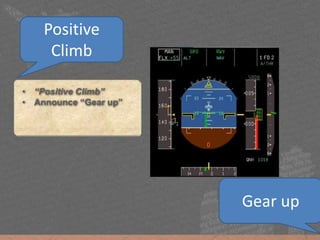
• “Positive Climb”
• Announce “Gear up”
Positive
Climb
Gear up
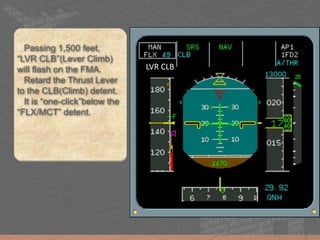
LVR CLB
Passing 1,500 feet,
“LVR CLB”(Lever Climb)
will flash on the FMA.
Retard the Thrust Lever
to the CLB(Climb) detent.
It is “one-click”below the
“FLX/MCT” detent.
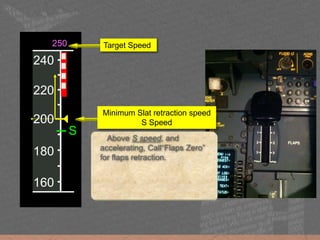
160
180
200
250
220
S
240
Above S speed, and
accelerating, Call“Flaps Zero”
for flaps retraction.
Target Speed
Minimum Slat retraction speed
S Speed
Approach and Landing
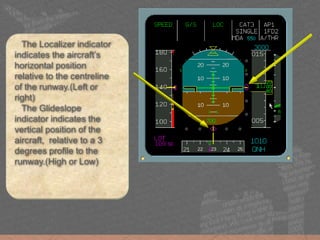
The Localizer indicator
indicates the aircraft’s
horizontal position
relative to the centreline
of the runway.(Left or
right)
The Glideslope
indicator indicates the
vertical position of the
aircraft, relative to a 3
degrees profile to the
runway.(High or Low)
220
240
260
280
=
o
180
200
220
240
=
o
140
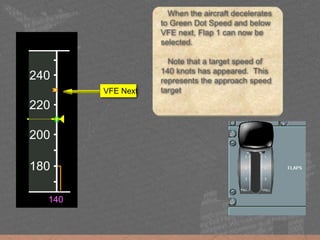
When the aircraft decelerates
to Green Dot Speed and below
VFE next, Flap 1 can now be
selected.
Note that a target speed of
140 knots has appeared. This
represents the approach speed
targetVFE Next
180
200
220
240
=
o
140
160
180
200
220
=
S
140
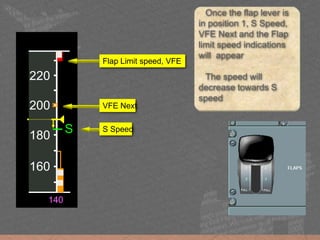
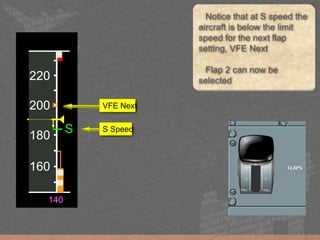
Once the flap lever is
in position 1, S Speed,
VFE Next and the Flap
limit speed indications
will appear
The speed will
decrease towards S
speed
VFE Next
Flap Limit speed, VFE
S Speed
160
180
200
220
=
S
140
Notice that at S speed the
aircraft is below the limit
speed for the next flap
setting, VFE Next
Flap 2 can now be
selected
VFE Next
S Speed
160
180
200
220
=
S
140
160
180
200
220
=
F
140
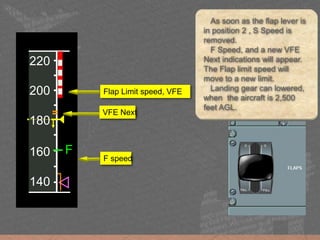
As soon as the flap lever is
in position 2 , S Speed is
removed.
F Speed, and a new VFE
Next indications will appear.
The Flap limit speed will
move to a new limit.
Landing gear can lowered,
when the aircraft is 2,500
feet AGL.
VFE Next
Flap Limit speed, VFE
F speed
160
180
200
220
=
F
140
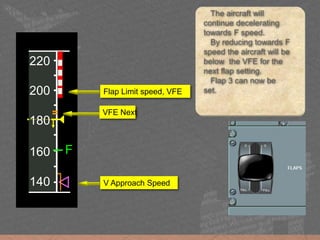
The aircraft will
continue decelerating
towards F speed.
By reducing towards F
speed the aircraft will be
below the VFE for the
next flap setting.
Flap 3 can now be
set.
VFE Next
Flap Limit speed, VFE
V Approach Speed
160
180
200
220
=
F
140
140
160
180
200
=
F
120
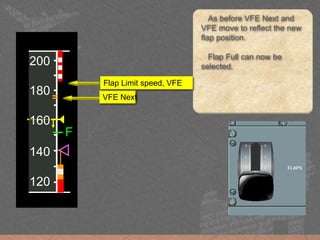
As before VFE Next and
VFE move to reflect the new
flap position.
Flap Full can now be
selected.
VFE Next
Flap Limit speed, VFE
140
160
180
200
=
F
120
100
120
140
160
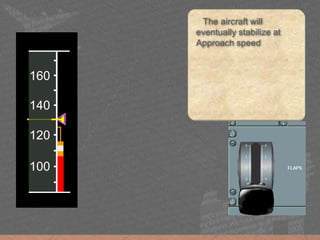
The aircraft will
eventually stabilize at
Approach speed
THE MOST IMPORTANT PART
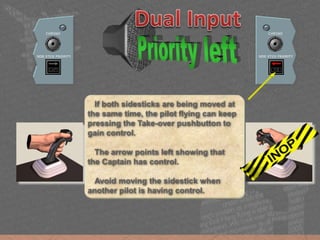
You have control.
I have control.
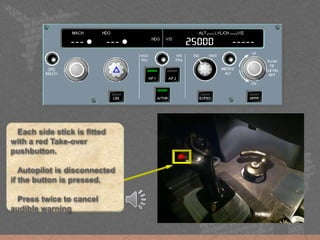
Each side stick is fitted
with a red Take-over
pushbutton.
Autopilot is disconnected
if the button is pressed.
Press twice to cancel
audible warning
If both sidesticks are being moved at
the same time, the pilot flying can keep
pressing the Take-over pushbutton to
gain control.
The arrow points left showing that
the Captain has control.
Avoid moving the sidestick when
another pilot is having control.
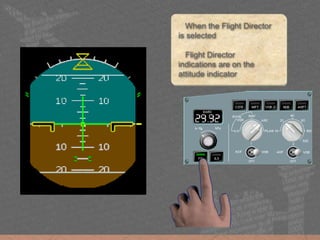
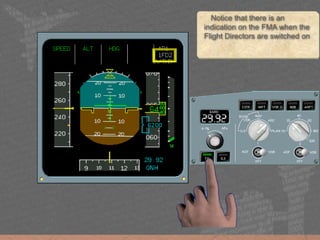
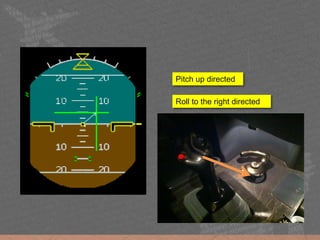
When the Flight Director
is selected
Flight Director
indications are on the
attitude indicator
Notice that there is an
indication on the FMA when the
Flight Directors are switched on
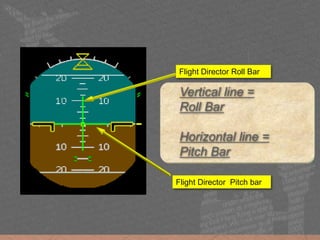
Vertical line =
Roll Bar
Horizontal line =
Pitch Bar
Flight Director Roll Bar
Flight Director Pitch bar
Roll to the right directed
Pitch up directed
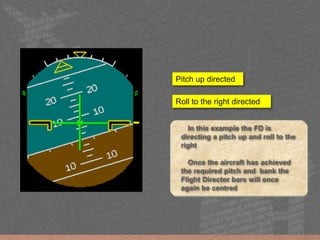
In this example the FD is
directing a pitch up and roll to the
right
Once the aircraft has achieved
the required pitch and bank the
Flight Director bars will once
again be centred
Roll to the right directed
Pitch up directed
• No feedback on the sidestick
• Same AMOUNT of input will always generate same
AMOUNT of output, regardless of speed and configuration
• Higher sensitivity than most conventional aircrafts, yet:
• Noticeable lag/delay compared to conventional aircrafts
• After target Attitude is achieved, RELEASE the sidestick
• No Rudder input required except during Take Off and
Landing (Glider pilots!)
• Anytime when thing goes wrong, RELEASE the sidestick!
Handling Differences
A lot to memorize?
• The most important part: FOLLOW the FD
• Enjoy the flight
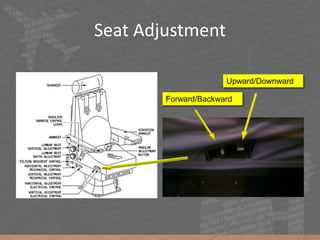
Seat Adjustment
Forward/Backward
Upward/Downward
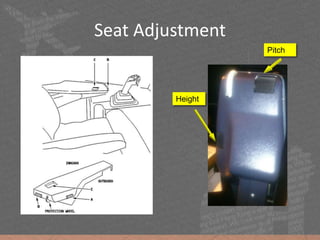
Seat Adjustment
Height
Pitch
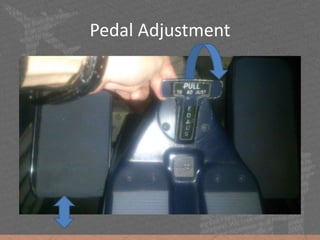
Pedal Adjustment
Contact us
• http://www.slideshare.net/alamjacklynwu
• http://www.slideshare.net/yuuji

Cathay Dragon Certificate Programme 2018 A320/A330 Simulator Flight