Cassavabase workshop
Ibadan March 2017
Afolabi Agbonna A.Afolabi@cgiar.org
Guillaume	Bauchet	gjb99@cornell.edu
Bryan	Ellerbrock bje24@cornell.edu
Alex	Ogbonna aco46@cornell.edu
Isaak	Tecle iyt2@cornell.edu
Outline
#General	objectives:	
->	Train	attendees	in	the	use	Cassavabase and	its	breeding	management	functionalities	
(data	loading,	data	visualization	and	analysis)	through	realistic,	hands-on	examples.	
->	Interact	on	an	individual/group	basis	with	breeders	and	scientist.
#Audience:
Group	1:	trial	managers	and	data	collection	teams
Group	2: data	curators	and	analyst
Group	3: PhD	student	and	scientists
Attendees
To check:
1- Existing	account from	previous	trainings	on	test	
site
2- Tablet/smartphone	 with	Fieldbook application	
installed
Overview	Cassavabase:
->	Roundtrip	trial	management	components	(i.e.	search	tools,	list	manager,	upload	and	
download	data	with	Field	book)
->	Provide	updates	on	new	components.
Objectives 1
Explore the different analysis available:
-> Selection index
-> Genomic selection (SolGS): Create training data, build prediction models, predict
breeding values of selection candidates.
-> Assess phenotype and genotype data quality used in modeling using univariate and
bivariate tools and evaluate accuracy of models. Decision support tools.
Objectives 11
QUIZ
Have	you	used	cassavabase?
How	often?	
1/week?
1/month?
1/year?
What	for?	
-Check	data?
-Upload	data?
-Download	data?
Any	specific	request	before	getting	started	?
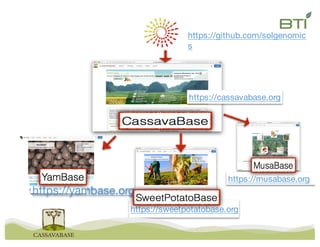
https://github.com/solgenomic
s
https://yambase.org
https://sweetpotatobase.org
https://musabase.org
https://cassavabase.org
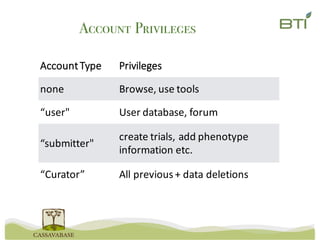
Account Privileges
Account	Type Privileges
none Browse,	use	tools
“user" User	database,	forum
“submitter"
create	trials,	add	phenotype	
information	etc.
“Curator” All previous	+	data	deletions
Database training websites
• GROUP	3:
https://iita-mirror.cassavabase.org/
-copy	of	the	live	site,	weekly	updated.	
-Personal data	(list,	trials	 you	create	
there)	is	only	temporary	 available.
• GROUP	1:
https://cassava-test.sgn.cornell.edu/
-Maintained	at	BTI	by	the	Mueller	lab.	
-Training	site	for	breeding	teams	and	
workshops.	
Access	to	upload	and	download	data	is	
available	for	all	Account	type.
• GROUP	2:
https://cassava-devel.sgn.cornell.edu/
-Maintained	at	BTI	by	the	Mueller	lab.	
-Training	site	for	breeding	teams	and	
workshops.	
Access	to	upload	and	download	data	is	
available	for	all	Account	type.
Usernames:
Workshopuser1	to	 Workshopuser10
Password:	
Cassava99
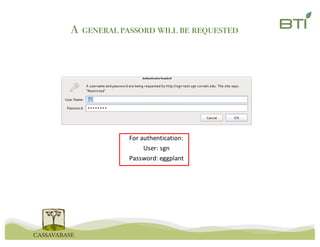
For	authentication:
User:	sgn
Password:	eggplant
A generalpassord will be requested
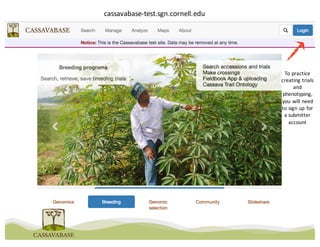
cassavabase-test.sgn.cornell.edu
To	practice	
creating	trials	
and	
phenotyping,	
you	will	need	
to	sign	up	for	
a	submitter	
account
Create	New	Trial
Fieldbook
Creation
Traits	List	
Creation
Record
Phenotypes
Import	and	
Setup	Trial	in	
Fieldbook	 App.
&
Upload	
Phenotypes
Historic	Phenotype	
Uploads
Phenotype
Analysis
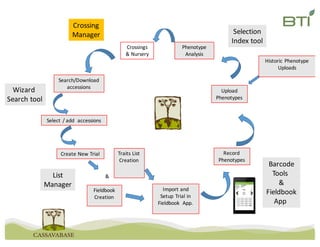
Crossings	
&	Nursery
Search/Download	
accessions
List
Manager
Barcode
Tools	
&
Fieldbook
App	
Crossing
Manager
Selection	Index	tool
Summary	statistics
Genomic	selection
Wizard	
Search	tool
Select	/	add		accessions
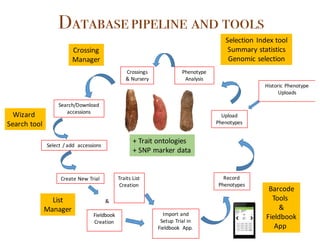
Databasepipeline and tools
+	Trait	ontologies
+	SNP	marker	data
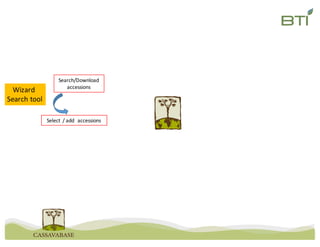
Search/Download	
accessions
Wizard	
Search	tool
Select	/	add		accessions
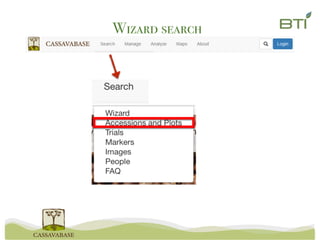
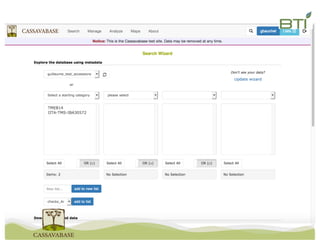
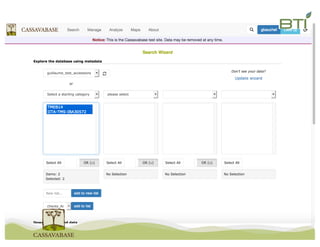
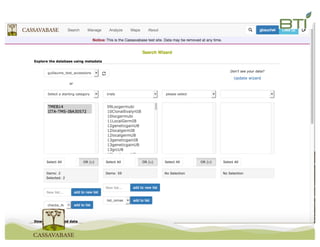
Wizard search
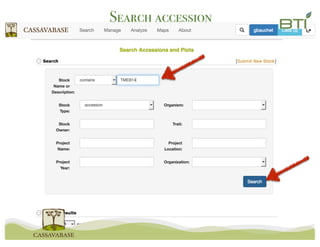
Search accession
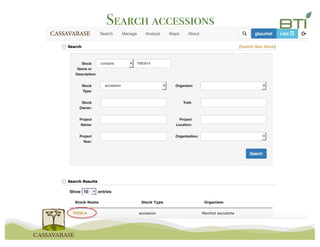
Search accessions
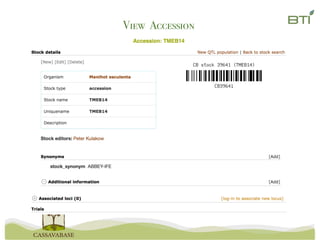
View Accession
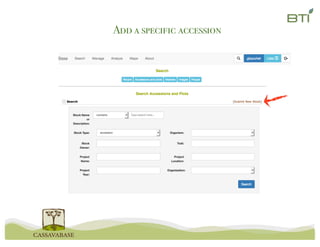
Add a specific accession
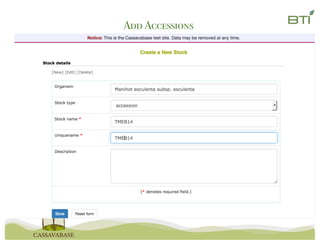
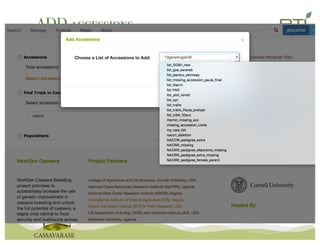
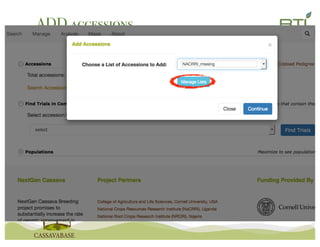
Add Accessions
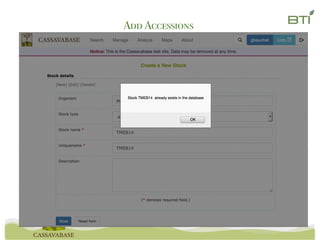
Add Accessions
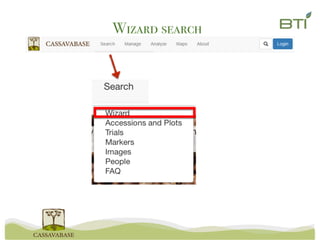
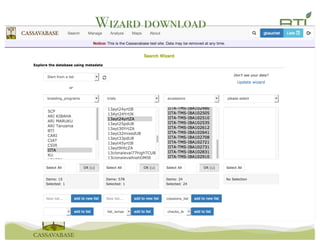
Wizard search
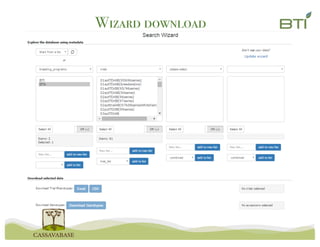
Wizard download
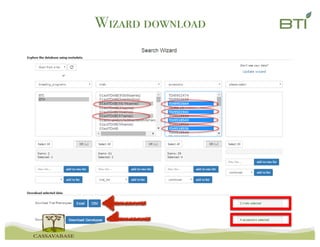
Wizard download
Wizard download
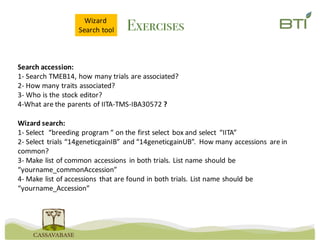
Exercises
Search	accession:	
1- Search	TMEB14,	how	many	trials	are	associated?	
2- How	many	traits	associated?	
3- Who	is	the	stock	editor?
4-What	are	the	parents	of	IITA-TMS-IBA30572	?
Wizard	search:
1- Select		“breeding	program	“	on	the	first	select	box	and	select	 “IITA”
2- Select	trials	“14geneticgainIB”	and	“14geneticgainUB”.	 How	many	accessions	 are	in	
common?
3- Make	list	of	common	accessions	 in	both	trials.	List	name	should	be	
“yourname_commonAccession”
4- Make	list	of	accessions	 that	are	found	in	both	trials.	List	name	should	be	
“yourname_Accession”
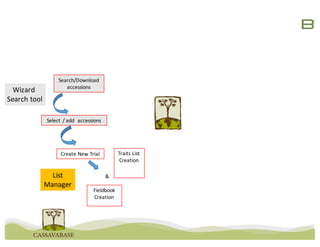
Wizard	
Search	tool
Create	New	Trial
Fieldbook
Creation
Traits	List	
Creation
&
Search/Download	
accessions
List
Manager
Wizard	
Search	tool
Select	/	add		accessions
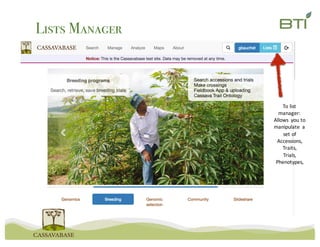
Lists Manager
To	list	
manager:	
Allows	 you	to	
manipulate	 a	
set	of	
Accessions,
Traits,
Trials,
Phenotypes,
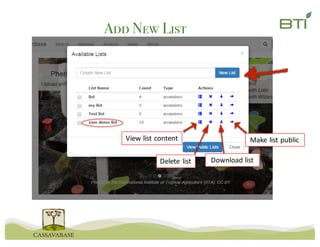
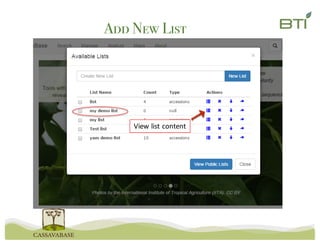
Add New List
View	list	content
Delete	list Download	list
Make	list	public
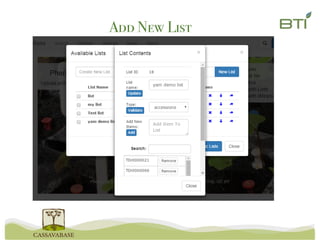
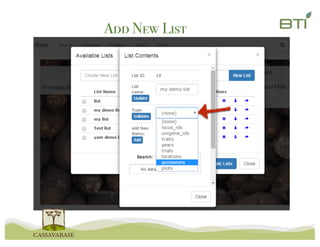
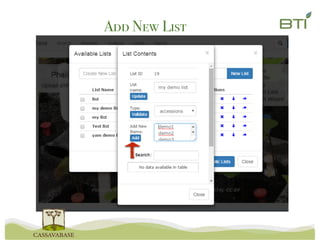
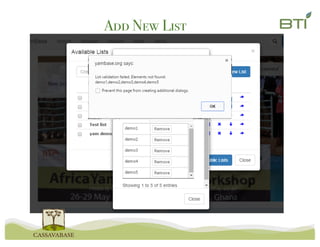
Add New List
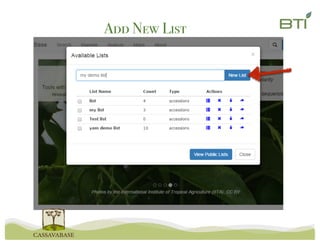
Add New List
Add New List
View	list	content
Add New List
Add New List
Add New List
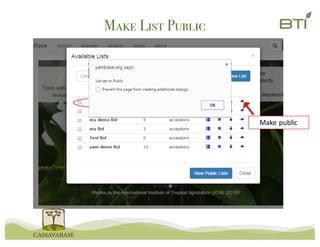
Make List Public
Make	public
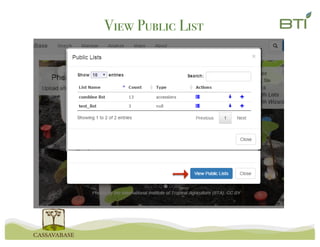
View Public List
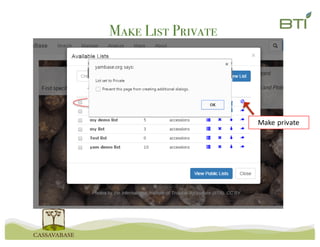
Make List Private
Make	private
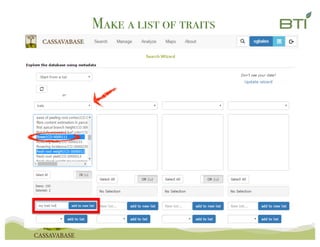
Make a list of traits
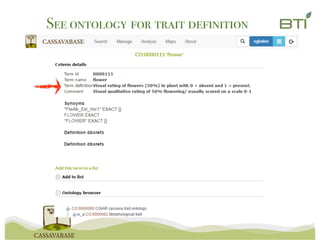
See ontology for trait definition
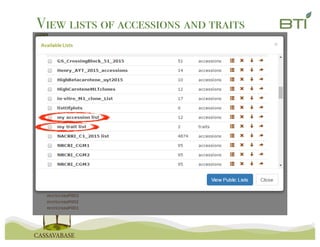
View lists of accessions and traits
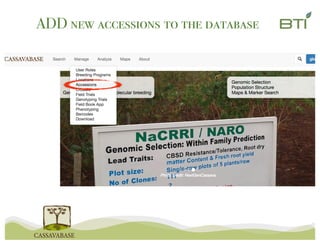
ADD new accessions to the database
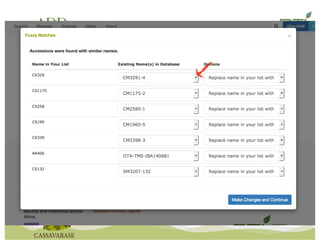
Fuzzy	search
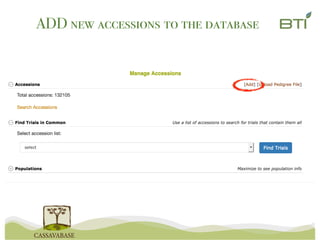
ADD new accessions to the database
Fuzzy	search
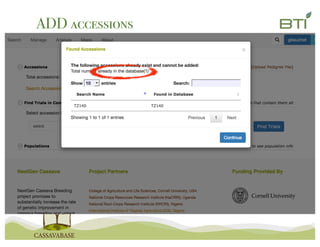
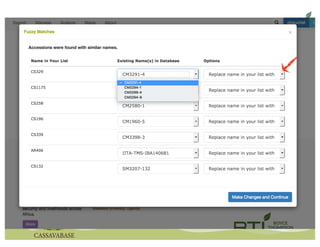
ADD accessions
Fuzzy	search
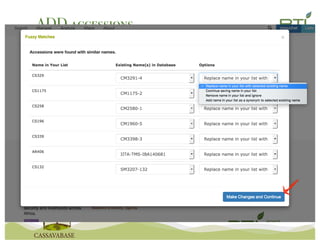
ADD accessions
Fuzzy	search
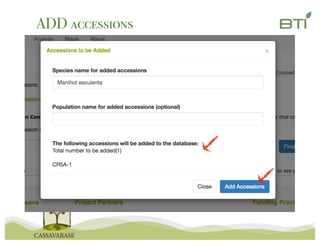
ADD accessions
Fuzzy	search
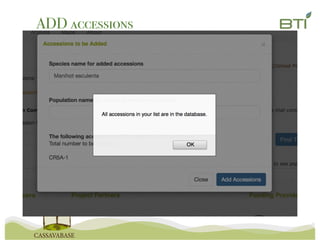
ADD accessions
Fuzzy	search
ADD accessions
Fuzzy	search
ADD accessions
Fuzzy	search
ADD accessions
ADD accessions
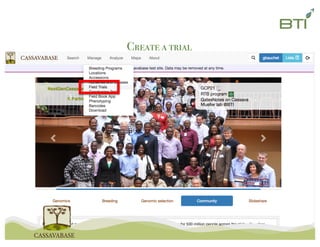
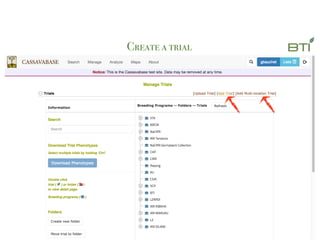
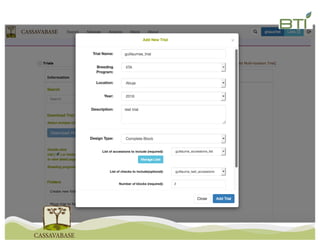
Create a trial
Create a trial
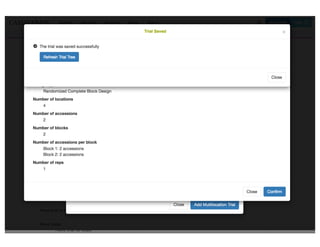
Create a trial
Create a trial
Field	map
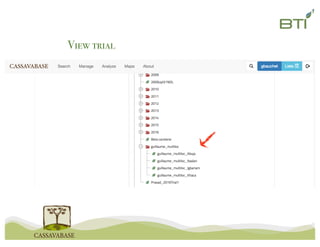
View trial
View trial
ExercisesList
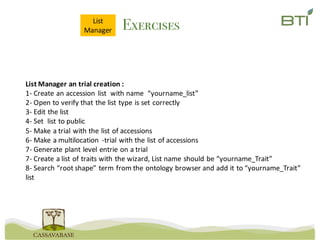
Manager
List	Manager	an	trial	creation	:
1- Create	an	accession	list		with	name		“yourname_list”
2- Open	to	verify	that	the	list	type	is	set	correctly
3- Edit	the	list
4- Set		list	to	public
5- Make	a	trial	with	the	list	of	accessions
6- Make	a	multilocation -trial	with	the	list	of	accessions
7- Generate	plant	level	entrie on	a	trial
7- Create	a	list	of	traits	with	the	wizard,	List	name	should	be	“yourname_Trait”
8- Search	“root	shape”	term	from	the	ontology	browser and	add	it	to	“yourname_Trait”
list
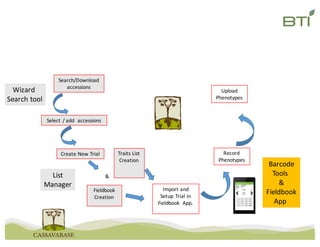
Create	New	Trial
Fieldbook
Creation
Traits	List	
Creation
Record
Phenotypes
Import	and	
Setup	Trial	in	
Fieldbook	 App.
&
Upload	
Phenotypes
Search/Download	
accessions
List
Manager
Barcode
Tools	
&
Fieldbook
App	
Wizard	
Search	tool
Select	/	add		accessions
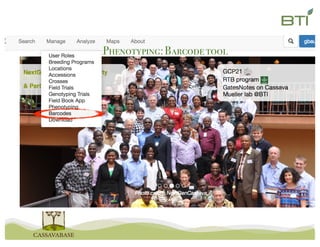
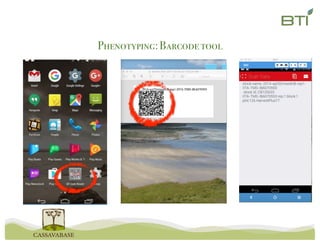
Phenotyping:Barcodetool
Barcode	tool
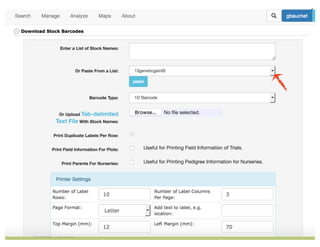
Phenotyping:Barcodetool
Barcode	tool
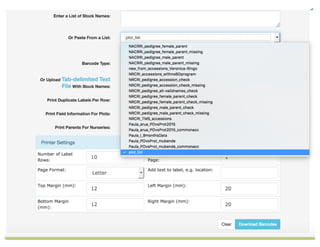
Phenotyping:Barcodetool
Barcode	tool
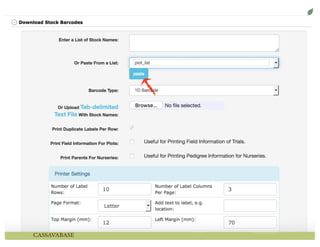
Phenotyping:Barcodetool
Barcode	tool
Barcode	tool
Phenotyping:Barcodetool
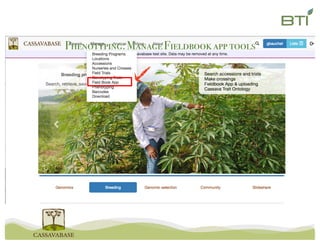
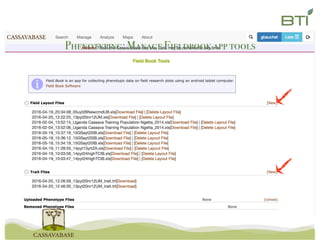
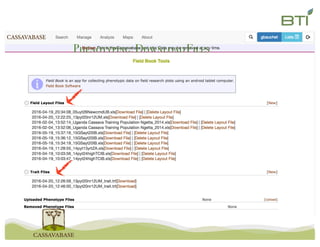
Phenotyping:ManageFieldbookapp tools
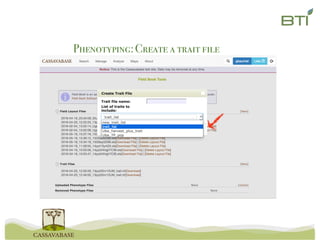
Phenotyping:Create a trait file
Phenotyping:DownloadFiles
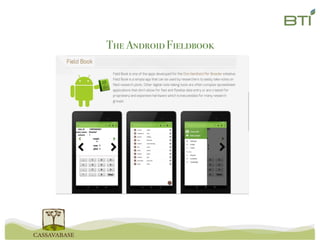
The AndroidFieldbook
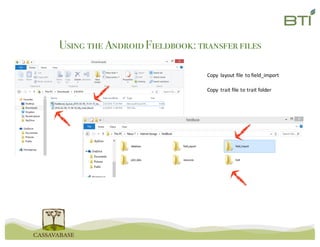
Using the AndroidFieldbook: transferfiles
Copy	 layout	file	to	field_import
Copy	 trait	file	to	trait	folder
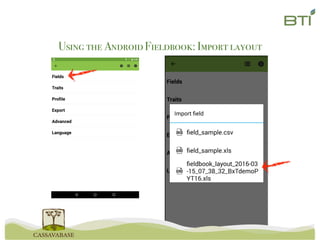
Using the AndroidFieldbook: Import layout
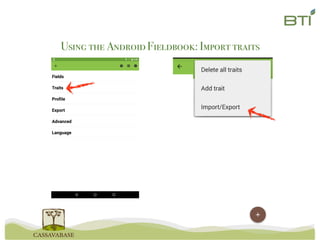
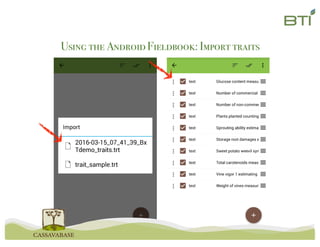
Using the AndroidFieldbook: Import traits
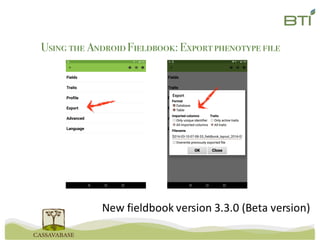
Using the AndroidFieldbook: Exportphenotype file
New	fieldbook version	3.3.0	(Beta	version)
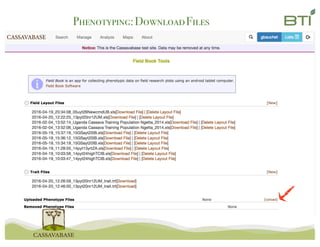
Phenotyping:DownloadFiles
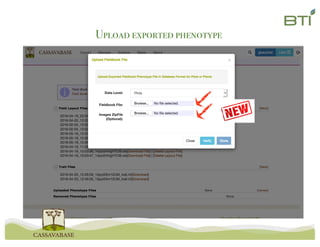
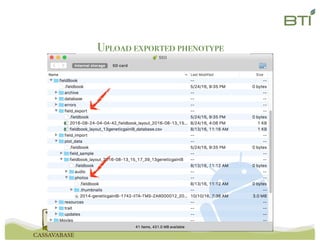
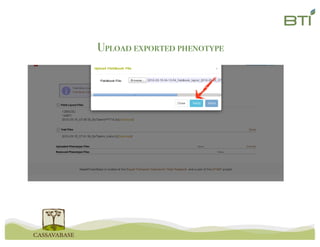
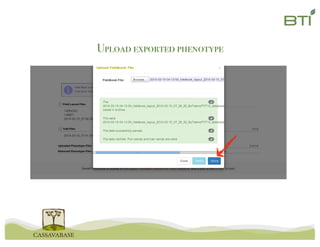
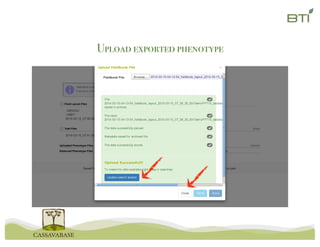
Upload exported phenotype
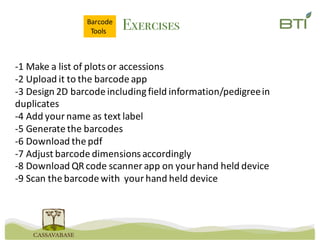
Exercises
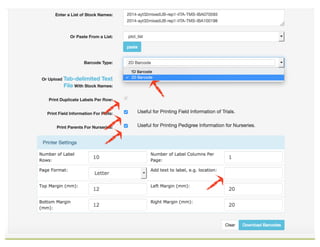
-1	Make	a	list	of	plots	or	accessions
-2	Upload	it	to	the	barcode	app
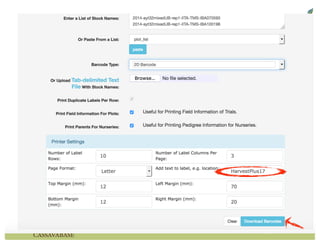
-3	Design	2D	barcode	including	field	information/pedigree	in	
duplicates
-4	Add	your	name	as	text	label
-5	Generate	the	barcodes
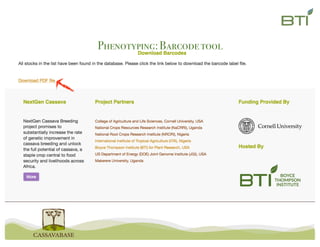
-6	Download	the	pdf
-7	Adjust	barcode	dimensions	accordingly
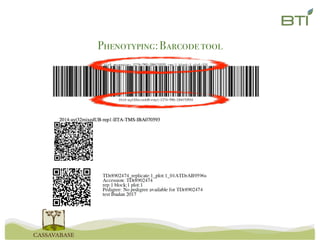
-8	Download	QR	code	scanner	app	on	your	hand	held	device
-9	Scan	the	barcode	with		your	hand	held	device
Barcode
Tools
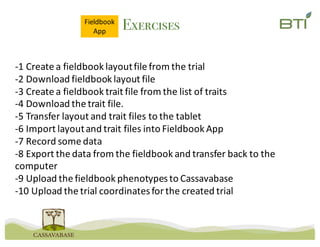
Exercises
-1	Create	a	fieldbook layout	file	from	the	trial
-2	Download	fieldbook layout	file
-3	Create	a	fieldbook trait	file	from	the	list	of	traits
-4	Download	the	trait	file.
-5	Transfer	layout	and	trait	files	to	the	tablet
-6	Import	layout	and	trait	files	into	Fieldbook App
-7	Record	some	data
-8	Export	the	data	from	the	fieldbook and	transfer	back	to	the	
computer
-9	Upload	the	fieldbook phenotypes	to	Cassavabase
-10	Upload	the	trial	coordinates	for	the	created	trial
Fieldbook
App
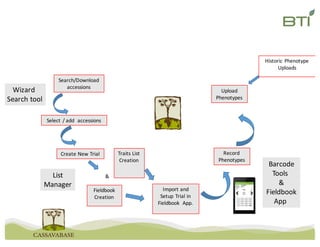
Create	New	Trial
Fieldbook
Creation
Traits	List	
Creation
Record
Phenotypes
Import	and	
Setup	Trial	in	
Fieldbook	 App.
&
Upload	
Phenotypes
Historic	Phenotype	
Uploads
Search/Download	
accessions
List
Manager
Barcode
Tools	
&
Fieldbook
App	
Wizard	
Search	tool
Select	/	add		accessions
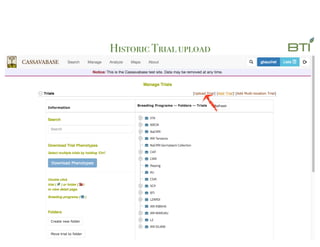
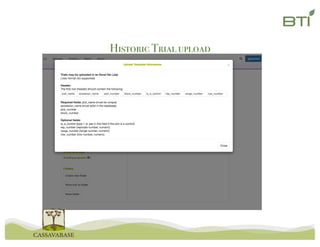
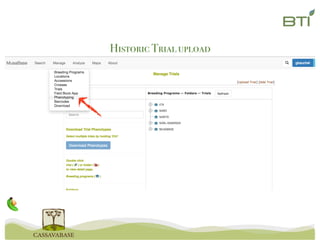
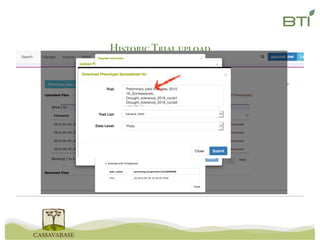
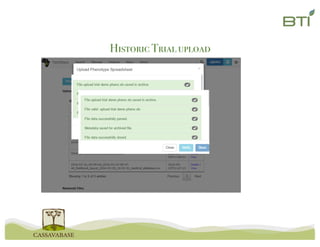
Historic Trialupload
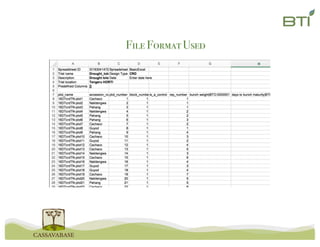
File FormatUsed
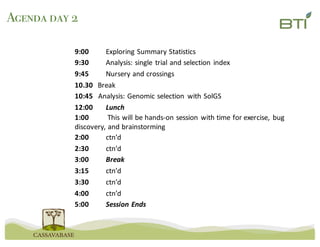
Agenda day 2
9:00 Exploring	Summary	Statistics
9:30 Analysis:	single	trial	and	selection	index
9:45 Nursery	and	crossings
10.30 Break
10:45			Analysis:	Genomic	selection	 with	SolGS
12:00 Lunch
1:00 This	will	be	hands-on	session	with	time	for	exercise,	bug	
discovery,	and	brainstorming
2:00 ctn’d
2:30 ctn’d
3:00 Break
3:15 ctn’d
3:30 ctn’d
4:00 ctn’d
5:00 Session	Ends
Create	New	Trial
Fieldbook
Creation
Traits	List	
Creation
Record
Phenotypes
Import	and	
Setup	Trial	in	
Fieldbook	 App.
&
Upload	
Phenotypes
Historic	Phenotype	
Uploads
Phenotype
Analysis
Search/Download	
accessions
List
Manager
Barcode
Tools	
&
Fieldbook
App	
Selection
Index	tool
Wizard	
Search	tool
Select	/	add		accessions
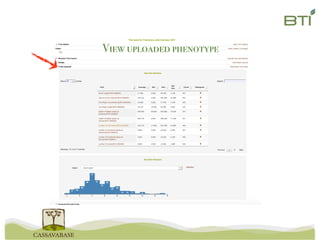
View uploaded phenotype
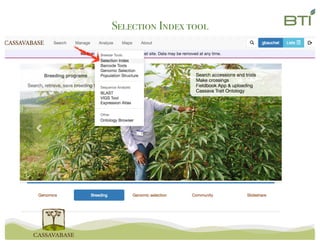
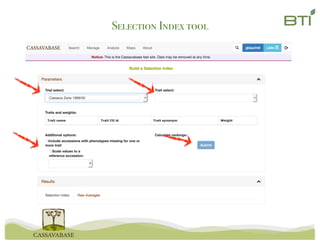
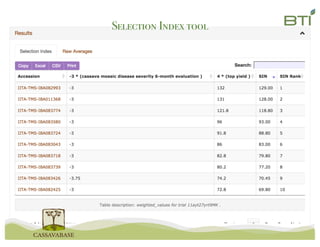
Selection Index tool
ExercisesSelection
Index
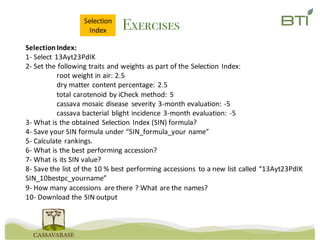
Selection	Index:
1- Select	13Ayt23PdIK
2- Set	the	following	traits	and	weights	as	part	of	the	Selection	Index:
root	weight	in	air:	2.5
dry	matter	content	percentage:	2.5
total	carotenoid	by	iCheck method:	5
cassava	mosaic	disease	 severity	3-month	evaluation:	-5
cassava	bacterial	blight	incidence	3-month	evaluation:	-5
3- What	is	the	obtained	Selection	Index	(SIN)	formula?
4- Save	your	SIN	formula	under	“SIN_formula_your name”
5- Calculate	rankings.
6- What	is	the	best	performing	accession?
7- What	is	its	SIN	value?
8- Save	the	list	of	the	10	%	best	performing	accessions	 to	a	new	list	called	“13Ayt23PdIK
SIN_10bestpc_yourname”
9- How	many	accessions	 are	there	?	What	are	the	names?
10- Download	the	SIN	output
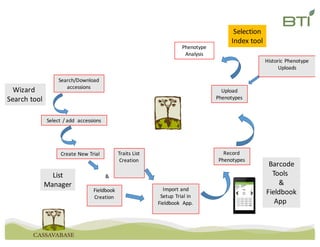
Create	New	Trial
Fieldbook
Creation
Traits	List	
Creation
Record
Phenotypes
Import	and	
Setup	Trial	in	
Fieldbook	 App.
&
Upload	
Phenotypes
Historic	Phenotype	
Uploads
Phenotype
Analysis
Crossings	
&	Nursery
Search/Download	
accessions
List
Manager
Barcode
Tools	
&
Fieldbook
App	
Crossing
Manager Selection
Index	tool
Wizard	
Search	tool
Select	/	add		accessions
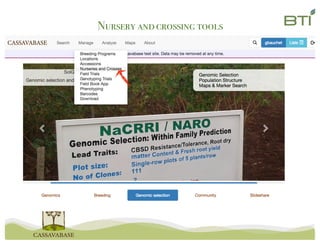
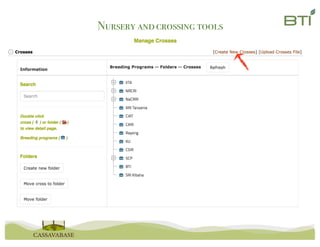
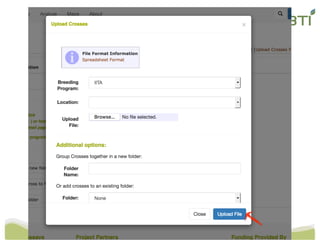
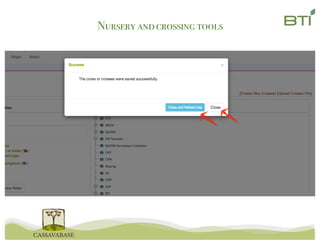
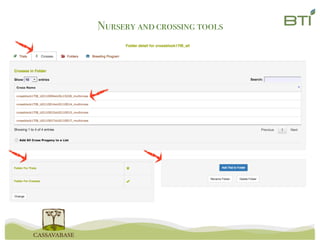
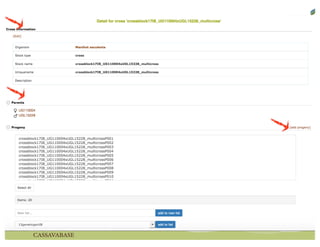
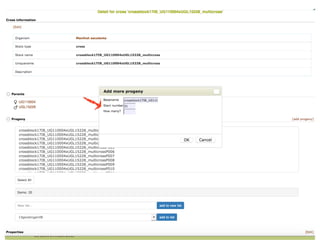
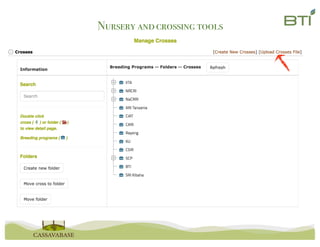
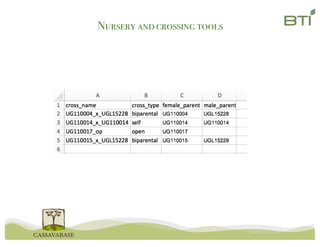
Nursery andcrossing tools
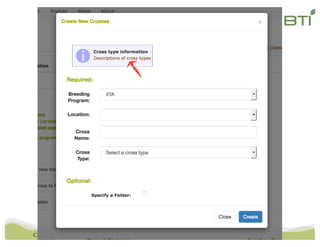
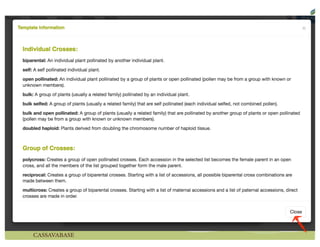
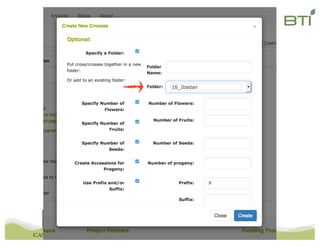
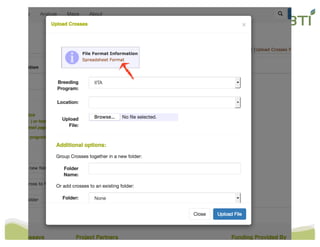
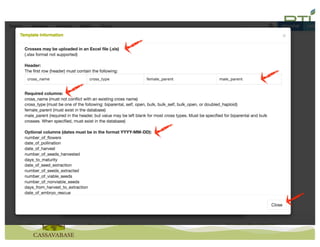
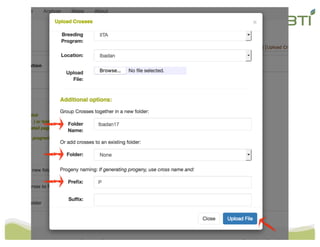
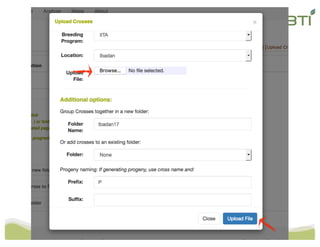
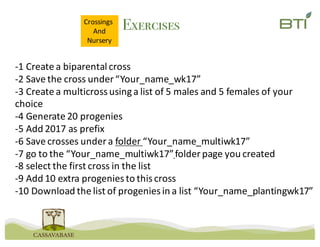
Exercises
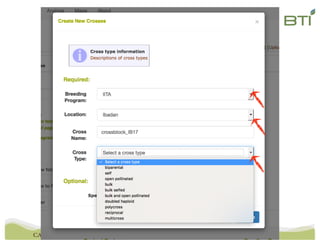
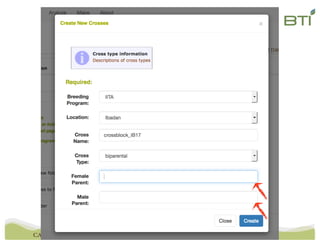
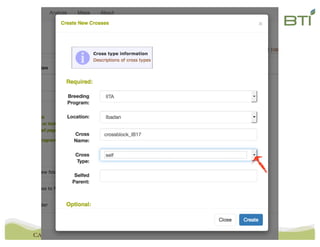
-1	Create	a	biparental cross
-2	Save	the	cross	under	“Your_name_wk17”
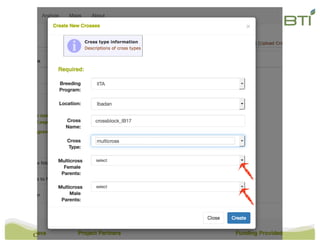
-3	Create	a	multicrossusing	a	list	of	5	males	and	5	females	of	your	
choice
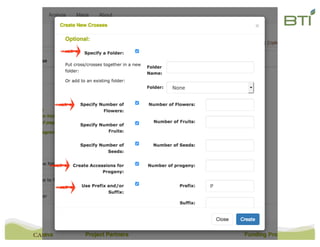
-4	Generate	20	progenies
-5	Add	2017	as	prefix
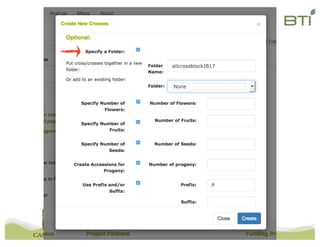
-6	Save	crosses	under	a	folder	“Your_name_multiwk17”
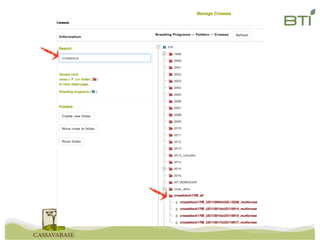
-7	go	to	the	“Your_name_multiwk17”folder	page	you	created
-8	select	the	first	cross	in	the	list
-9	Add	10	extra	progenies	to	this	cross
-10	Download	the	list	of	progenies	in	a	list	“Your_name_plantingwk17”
Crossings	
And
Nursery
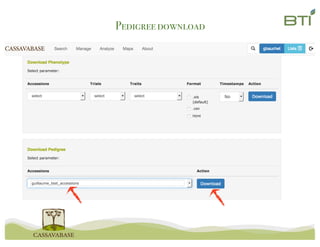
Pedigreedownload
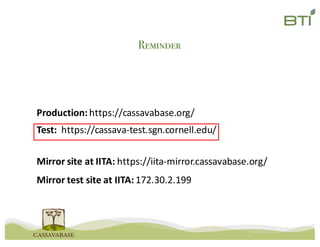
Reminder
Mirror	site	at	IITA:	https://iita-mirror.cassavabase.org/
Mirror	test	site	at	IITA:	172.30.2.199
Production:	https://cassavabase.org/
Test:		https://cassava-test.sgn.cornell.edu/
Homework
Exercises list	enclosed	in	this	email
Open	hours	in	Musa	room	Thursday	and	Friday	9-10	am	and	1-2	pm
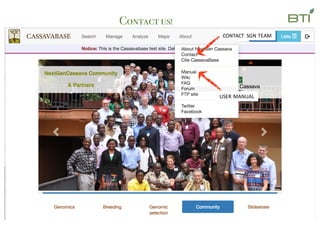
Contact us!
USER	MANUAL
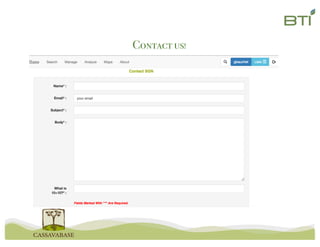
CONTACT	 SGN	TEAM
Contact us!
Lukas
Mueller
Alex
Ogbonna
Bryan
Ellerbrock
Naama
Menda
Isaak
Tecle
Nick
Morales
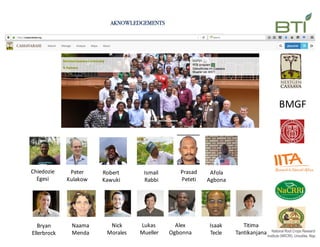
AKNOWLEDGEMENTS
BMGF
Chiedozie
Egesi
Peter
Kulakow
Robert	
Kawuki
Ismail
Rabbi
Prasad		
Peteti
Afola
Agbona
Titima
Tantikanjana

Cassavabase workshop ibadan March17