Captcha 2015
A TECHNICAL SEMINAR REPORT
ON
ETHICAL HACKING
Sub Code : BCS3S1
Submitted by
RAKESH KUMAR (Reg. No.U14CS144)
Department of Computer Science & Engineering
BHARATH INSTITUTE OF SCIENCE & TECHNOLOGY
NOVEMBER 2015
Captcha 2015
CSEIIIII
Name : RAKESH KUMAR
Year ……………… Semester ……….……… Branch ………….
University Register No.:
This is to certify that the above mentioned student has successfully completed the Technical
Seminar-I (BCS3S1) on Ethical Hacking during the month NOV2015
Signature of Seminar In-charge Signature of Head of Dept.
Submitted for the Technical Seminar held on.…………………… at BIHER
Signature of Internal Examiner
U14CS144
Captcha 2015
TABLE OF CONTENTS
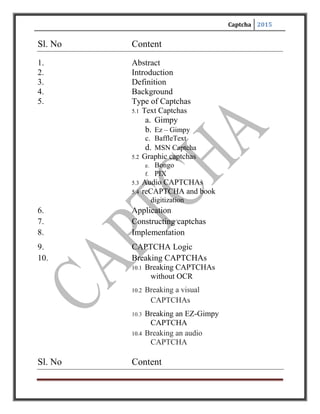
Sl. No Content
1. Abstract
2. Introduction
3. Definition
4. Background
5. Type of Captchas
5.1 Text Captchas
a. Gimpy
b. Ez – Gimpy
c. BaffleText
d. MSN Captcha
5.2 Graphic captchas
e. Bongo
f. PIX
5.3 Audio CAPTCHAs
5.4 reCAPTCHA and book
digitization
6. Application
7. Constructing captchas
8. Implementation
9. CAPTCHA Logic
10. Breaking CAPTCHAs
10.1 Breaking CAPTCHAs
without OCR
10.2 Breaking a visual
CAPTCHAs
10.3 Breaking an EZ-Gimpy
CAPTCHA
10.4 Breaking an audio
CAPTCHA
Captcha 2015
Sl. No Content
11. Issues with CAPTCHAs
11.1 Usability of audio CAPTCHAs
11.2 Usability issues with text based
CAPTCHAs
12. Advantages & Disadvantages
13. Conclusion
14. References
Captcha 2015
ABSTRACT
One common application of CAPTCHA is for verifying online polls. In fact,
a former Slashdot poll serves as an example of what can go wrong if pollsters don't
implement filters on their surveys. In 1999, Slashdot published a poll that asked
visitors to choosethe graduate schoolthat had the best program in computer
science. Students from two universities --Carnegie Mellon and MIT -- created
automated programs called bots to vote repeatedly for their respective schools.
While those two schools received thousands of votes, the other schools only had a
few hundred each. If it's possible to create a program that can vote in a poll, how
can we trust online poll results at all? A CAPTCHA form can help prevent
programmers from taking advantage of the polling system.
Registration forms on Web sites often use CAPTCHAs. Forexample,
free Web-based e-mail services like Hotmail, yahoo mail or gmailallow people to
create an e-mail account free of charge. Usually, users must provide some personal
information when creating an account, but the services typically don't verify this
information. They use CAPTCHAs to try to prevent spammers from using bots to
generate hundreds of spam mail accounts. How Stuff Works Yahoo uses
alphanumeric strings rather than words as CAPTCHAs when you sign up for a
Yahoo! account. Ticket brokers like Ticket Master also use CAPTCHA
applications.
Captcha 2015
INTRODUCTION
Use of INTERNET has remarkably increased Globally in the past 10-12 years and
so is the need of the Security over it. Marketing and Advertisement over INTERNET has
seen companies like GOOGLE being made, which at the moment is traded at 181 billion
USD ie. Almost twice of General Motors, McDonalds combined.
You're trying to sign up for a free email service offered by Gmail or Yahoo. Before
you can submit your application, you first have to pass a test. It's not a hard test -- in fact, that's
the point. For you, the test should be simple and straightforward. But for a computer, the test
should be almost impossible to solve. This sort of test is a CAPTCHA. They're also known as a
type of Human Interaction Proof(HIP). You've probably seen CAPTCHA tests on lots of
Web sites. The most common form of CAPTCHA is an image of several distorted letters. It's
your job to type the correct series of letters into a form. If your letters match the ones in the
distorted image, you pass the test.
CAPTCHAs are short for Completely Automated Public Turing test to tell Computers
and Humans Apart. The term "CAPTCHA" was coined in 2000 by Luis Von Ahn, Manuel Blum,
Nicholas J. Hopper (all of Carnegie Mellon University, and John Langford (then of IBM). They
are challenge-response tests to ensure that the users are indeed human. The purpose of a
CAPTCHA is to block form submissions from spam bots –automated scripts that harvest email
addresses from publicly available web forms. A common kind of CAPTCHA used on most
websites requires the users to enter the string of characters that appear in a distorted form on the
screen.
CAPTCHAs are used because of the fact that it is difficult for the computers to extract
the text from such a distorted image, whereas it is relatively easy for a human to understand the
text hidden behind the distortions. Therefore, the correct response to a CAPTCHA challenge is
assumed to come from a human and the user is permitted into the website.
Captcha 2015
Why would anyone need to create a test that can tell humans and computers apart? It's
because of people trying to game the system -- they want to exploit weaknesses in the computers
running the site. While these individuals probably make up a minority of all the people on the
Internet, their actions can affect millions of users and Web sites. For example free e-mail service
might find itself bombarded by account requests from an automated program. That automated
program could be part of a larger attempt to send out spam mail to millions of people. The
CAPTCHA test helps identify which users are real human beings and which ones are computer
programs.
Spammers are constantly trying to build algorithms that read the distorted text correctly.
So strong CAPTCHAs have to be designed and built so that the efforts of the spammers are
thwarted.
Well this presentation is about Security achieved over Internet using CAPTCHAS.
CAPTCHAS are basically software programs which act as a test to any user over internet that the
person (user) is a human or another machine. This concept is used by all the big companies over
internet Google, yahoo or facebook (name any).So what are these CAPTCHAS? And what are
their possible applications? This is what we cover in our presentation.
Captcha 2015
WHY USE CAPTCHAs
The proliferation of the publicly available services on the Web is a boon for the
community at large. But unfortunately it has invited new and novel abuses. Programs (bot sand
spiders) are being created to steal services and to conduct fraudulent transactions. Some
examples:
• Free online accounts are being registered automatically many times and are being
used to distribute stolen or copyrighted material.
•Recommendation systems are vulnerable to artificial inflation or deflation of rankings. For
example, EBay, a famous auction website allows users to rate a product. Abusers can easily
create bots that could increase or decrease the rating of a specific product, possibly changing
people’s perception towards the product.
•Spammers register themselves with free email accounts such as those provided by Gmail or
Hotmail and use their bots to send unsolicited mails to other users of that email service.
•Online polls are attacked by bots and are susceptible to ballot stuffing. This gives
Unfair mileage to those that benefit from it.
In light of the above listed abuses and much more, a need was felt for a facility that checks users
and allows access to services to only human users. It was in this direction that such a tool like
CAPTCHA was created.
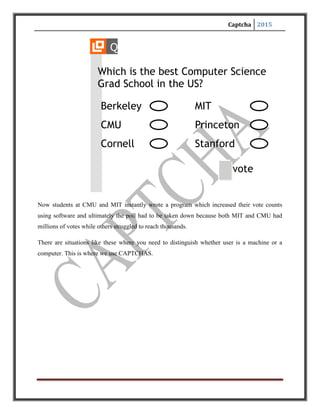
Well to completely understand its usage one can consider this story. Few years
ago(November 99) www.Slashdot.org(a popular site in US) conducted following poll on
internet.
Captcha 2015
Now students at CMU and MIT instantly wrote a program which increased their vote counts
using software and ultimately the poll had to be taken down because both MIT and CMU had
millions of votes while others struggled to reach thousands.
There are situations like these where you need to distinguish whether user is a machine or a
computer. This is where we use CAPTCHAS.
QUICKVOTE
Which is the best Computer Science
Grad School in the US?
CMU
MIT
vote
Berkeley
StanfordCornell
Princeton
Captcha 2015
DEFINITIONS
CAPTCHA stands for
Completely Automated Public Turing test to tell Computers and Humans Apart
A program that can tell whether its user is a human or a computer is known as
CAPTCHA.
A.K.A. Reverse Turing Test, Human Interaction Proof
Turing Test:
to conduct this test two people and a machine is needed here one person acts as an interrogator
sitting in a separate room asking questions and receiving responses and goal of machine is to fool
the interrogator.
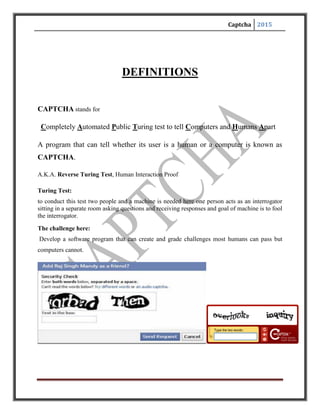
The challenge here:
Develop a software program that can create and grade challenges most humans can pass but
computers cannot.
Captcha 2015
BACKGROUND
The need for CAPTCHAs rose to keep out the website/search engine abuse by bots.
In1997,AltaVista sought ways to block and discourage the automatic submissions of URLs into
their search engines. Andrei Broder, Chief Scientist of AltaVista, and his colleagues developed a
filter. Their method was to generate a printed text randomly that only humans could read and not
machine readers. Their approach was so effective that in an year, “spam-add-ons’” were reduced
by 95% and a patent was issued in 2001.
In 2000,Yahoo’s popular Messenger chat service was hit by bots which pointed
advertising links to annoying human users of chat rooms. Yahoo, along with Carnegie Mellon
University, developed a CAPTCHA called EZ-GIMPY, which chose a dictionary word randomly
and distorted it with a wide variety of image occlusions and asked the user to input the distorted
word.
In November 1999, slashdot.com released a poll to vote for the best CS college in theUS.
Students from the Carnegie Mellon University and the Massachusetts Institute ofTechnology
created bots that repeatedly voted for their respective colleges. This incident created the urge to
use CAPTCHAs for such online polls to ensure that only human users areable to take part in the
polls.
Captcha 2015
CAPTCHAS AND THE TURING TEST
CAPTCHA technology has its foundation in an experiment called the Turing
Test. Alan Turing, sometimes called the father of modern computing, proposed the test as a way
to examine whether or not machines can think -- or appear to think -- like humans. The classic
test is a game of imitation. In this game, an interrogator asks two participants a series of
questions. One of the participants is a machine and the other is a human. The interrogator can't
see or hear the participants and has no way of knowing which is which. If the interrogator is
unable to figure out which participant is a machine based on the responses, the machine passes
the Turing Test.
Of course, with a CAPTCHA, the goal is to create a test that humans can pass easily
but machines can't. It's also important that the CAPTCHA application is able to present
different CAPTCHAs to different users. If a visual CAPTCHA presented a static image that was
the same for every user, it wouldn't take long before a spammer spotted the form, deciphered the
letters, and programmed an application to type in the correct answer automatically.
Most, but not all, CAPTCHAs rely on a visual test. Computers lack the sophistication
that human beings have when it comes to processing visual data. We can look at an image and
pick out patterns more easily than a computer. The human mind sometimes perceives patterns
even when none exist, a quirk we call pareidol ia. Ever see a shape in the clouds or a face on the
moon? That's your brain trying to associate random information into patterns and shapes.
But not all CAPTCHAs rely on visual patterns. In fact, it's important to have an
alternative to a visual CAPTCHA. Otherwise, the Web site administrator runs the risk of
franchising any Web user who has a visual impairment. One alternative to a visual test isan
audible one. An audio CAPTCHA usually presents the user with a series of spoken letters or
numbers. It's not unusual for the program to distort the speaker's voice, and it's also common for
the program to include background noise in the recording. This helps thwart voice recognition
programs.
Captcha 2015
TYPES OF CAPTCHAs
CAPTCHAs are classified based on what is distorted and presented as a challenge to
the user. They are:
Text CAPTCHAs:
These are simple to implement. The simplest yet novel approach is to present the user with some
questions which only a human user can solve. Examples of such questions are:
1.What is third letter in UNIVERSITY?
3.Which of Yellow, Thursday and Richard is a colour?
4.If yesterday was a Sunday, what is today?
Such questions are very easy for a human user to solve, but it’s very difficult to program a
computer to solve them. These are also friendly to people with visual disability – such as those
with colour blindness.
Other text CAPTCHAs involves text distortion and the user is asked to identify the text
hidden. The various implementations are:
1. Gimpy:
Gimpy is a very reliable text CAPTCHA built by CMU in collaboration with Yahoo for
their Messenger service. Gimpy is based on the human ability to read extremely distorted text
and the inability of computer programs to do the same. Gimpy works by choosing ten
words randomly from a dictionary, and displaying them in a distorted and overlapped
manner.Gimpy then asks the users to enter a subset of the words in the image. The human user is
capable of identifying the words correctly, whereas a computer program cannot.
2. Ez – Gimpy:
Captcha 2015
This is a simplified version of the Gimpy CAPTCHA, adopted by Yahoo in their signup
page. Ez – Gimpy randomly picks a single word from a dictionary and applies distortion to the
text. The user is then asked to identify the text correctly.
3. BaffleText:
This was developed by Henry Baird at University of California at Berkeley. This is a
variation of the Gimpy. This doesn’t contain dictionary words, but it picks up random alphabets
to create a nonsense but pronounceable text. Distortions are then added to this text and the user is
challenged to guess the right word. This technique overcomes the drawback of Gimpy
CAPTCHA because, Gimpy uses dictionary words and hence, clever bots could be
designed to check the dictionary for the matching word by brute-force.
4. MSN Captcha:
Microsoft uses a different CAPTCHA for services provided under MS Numbrella.
These are popularly called MSN Passport CAPTCHAs. They use eight characters(upper case)
and digits. Foreground is dark blue, and background is grey. Warping is used to distort the
characters, to produce a ripple effect, which makes computer recognition very difficult.
GRAPHIC CAPTCHAS:
Graphic CAPTCHAs are challenges that involve pictures or objects that have some sort
of similarity that the users have to guess. They are visual puzzles, similar to Mensa tests.
Computer generates the puzzles and grades the answers, but is itself unable to solve it.
1. Bongo:
Bongo. Another example of a CAPTCHA is the program we call BONGO.BONGO is
named after M.M. Bongard, who published a book of pattern recognition problems in the 1970s .
BONGO asks the user to solve a visual pattern recognition problem. It displays two series of
blocks, the left and the right. The blocks in the left series differ from those in the right, and the
user must find the characteristic that sets them apart.
Captcha 2015
These two sets are different because everything on the left is drawn with thick lines and those on
the right are in thin lines. After seeing the two blocks, the user is presented with a set of four
single blocks and is asked to determine to which group the each block belongs to. The
user passes the test if she determines correctly to which set the blocks belong to. We have to
be careful to see that the user is not confused by a large number of choices.
2. PIX:
PIX is a program that has a large database of labeled images. All of these images are
pictures of concrete objects (a horse, a table, a house, a flower). The program picks an object
at random, finds six images of that object from its database, presents them to the user and then
asks the question “what are these pictures of?” Current computer programs should not be able to
answer this question, so PIX should be a CAPTCHA. However, PIX, as stated, is nota
CAPTCHA: it is very easy to write a program that can answer the question “what are these
pictures of?” Remember that all the code and data of a CAPTCHA should be publicly available;
in particular, the image database that PIX uses should be public. Hence, writing a program that
can answer the question “what are these pictures of?” is easy: search the database for the images
presented and find their label. Fortunately, this can be fixed. One way for PIX to become a
CAPTCHA is to randomly distort the images before presenting them to the user, so that
computer programs cannot easily search the database for the undistorted image.
Audio CAPTCHAs:
The final example we offer is based on sound. The program picks a word or a sequence
of numbers at random, renders the word or the numbers into a sound clip and distorts the sound
clip; it then presents the distorted sound clip to the user and asks users to enter its contents. This
CAPTCHA is based on the difference in ability between humans and computers in recognizing
spoken language. Nancy Chan of the City University in Hong Kong was the first to implement a
sound-based system of this type. The idea is that a human is able to efficiently disregard the
distortion and interpret the characters being read out while software would struggle with the
distortion being applied, and need to be effective at speech to text translation in order to be
successful. This is a crude way to filter humans and it is not so popular because the user has to
understand the language and the accent in which the sound clip is recorded.
Captcha 2015
reCAPTCHA and book digitization:
To counter various drawbacks of the existing implementations, researchers at CMU
developed a redesigned CAPTCHA aptly called the reCAPTCHA. About 200 million
CAPTCHAs are solved by humans around the world every day. In each case, roughly ten
seconds of human time are being spent. Individually, that's not a lot of time, but in aggregate
these little puzzles consume more than 150,000 hours of work each day. What if we could make
positive use of this human effort? reCAPTCHA does exactly that by channeling the effort spent
solving CAPTCHAs online into "reading" books.
To archive human knowledge and to make information more accessible to the world,
multiple projects are currently digitizing physical books that were written before the computer
age. The book pages are being photographically scanned, and then transformed into text using
"Optical Character Recognition" (OCR). The transformation into text is useful because scanning
a book produces images, which are difficult to store on small devices, expensive to download,
and cannot be searched. The problem is that OCR is not perfect.
reCAPTCHA improves the process of digitizing books by sending words that cannot be
read by computers to the Web in the form of CAPTCHAs for humans to decipher. More
specifically, each word that cannot be read correctly by OCR is placed on an image and used as a
CAPTCHA. This is possible because most OCR programs alert you when a word cannot be read
correctly.
But if a computer can't read such a CAPTCHA, how does the system know the correct
answer to the puzzle? Here's how: Each new word that cannot be read correctly by OCR is given
to a user in conjunction with another word for which the answer is already known. The user is
then asked to read both words. If they solve the one for which the answer is known, the system
assumes their answer is correct for the new one. The system then gives the new image to a
number of other people to determine, with higher confidence, whether the original answer was
correct.
Currently, reCAPTCHA is employed in digitizing books as part of the Google Books
Captcha 2015
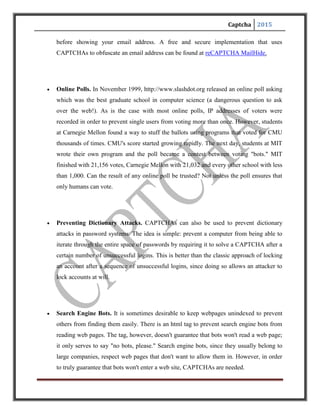
Fig First line shows scanned text, second line shows text read by OCR
MAJOR AREAS OF APPLICATIONS
CAPTCHAs have several applications for practical security, including (but not limited to):
 Preventing Comment Spam in Blogs. Most bloggers are familiar with programs that
submit bogus comments, usually for the purpose of raising search engine ranks of some
website (e.g., "buy penny stocks here"). This is called comment spam. By using a
CAPTCHA, only humans can enter comments on a blog. There is no need to make users
sign up before they enter a comment, and no legitimate comments are ever lost!
 Protecting Website Registration. Several companies (Yahoo!, Microsoft, etc.) offer free
email services. Up until a few years ago, most of these services suffered from a specific
type of attack: "bots" that would sign up for thousands of email accounts every minute.
The solution to this problem was to use CAPTCHAs to ensure that only humans obtain
free accounts. In general, free services should be protected with a CAPTCHA in order to
prevent abuse by automated scripts.
 Protecting Email Addresses From Scrapers. Spammers crawl the Web in search of
email addresses posted in clear text. CAPTCHAs provide an effective mechanism to hide
your email address from Web scrapers. The idea is to require users to solve a CAPTCHA
Captcha 2015
before showing your email address. A free and secure implementation that uses
CAPTCHAs to obfuscate an email address can be found at reCAPTCHA MailHide.
 Online Polls. In November 1999, http://www.slashdot.org released an online poll asking
which was the best graduate school in computer science (a dangerous question to ask
over the web!). As is the case with most online polls, IP addresses of voters were
recorded in order to prevent single users from voting more than once. However, students
at Carnegie Mellon found a way to stuff the ballots using programs that voted for CMU
thousands of times. CMU's score started growing rapidly. The next day, students at MIT
wrote their own program and the poll became a contest between voting "bots." MIT
finished with 21,156 votes, Carnegie Mellon with 21,032 and every other school with less
than 1,000. Can the result of any online poll be trusted? Not unless the poll ensures that
only humans can vote.
 Preventing Dictionary Attacks. CAPTCHAs can also be used to prevent dictionary
attacks in password systems. The idea is simple: prevent a computer from being able to
iterate through the entire space of passwords by requiring it to solve a CAPTCHA after a
certain number of unsuccessful logins. This is better than the classic approach of locking
an account after a sequence of unsuccessful logins, since doing so allows an attacker to
lock accounts at will.
 Search Engine Bots. It is sometimes desirable to keep webpages unindexed to prevent
others from finding them easily. There is an html tag to prevent search engine bots from
reading web pages. The tag, however, doesn't guarantee that bots won't read a web page;
it only serves to say "no bots, please." Search engine bots, since they usually belong to
large companies, respect web pages that don't want to allow them in. However, in order
to truly guarantee that bots won't enter a web site, CAPTCHAs are needed.
Captcha 2015
 Worms and Spam. CAPTCHAs also offer a plausible solution against email worms and
spam: "I will only accept an email if I know there is a human behind the other computer."
A few companies are already marketing this idea
CONSTRUCTING CAPTCHAS
Things to know:
The first step to create a CAPTCHA is to look at different ways humans and machines
process information. Machines follow sets of instructions. If something falls outside the realm of
those instructions, the machines aren’t able to compensate. A CAPTCHA designer has to take
this into account when creating a test. For example, it’s easy to build a program that looks at
metadata – the information on the Web that’s invisible to humans but machines can read. If you
create a visual CAPTCHA and the images metadata includes the solution, your CAPTCHA will
be broken in no time.
Similarly, it’s unwise to build a CAPTCHA that doesn’t distort letters and numbers in some
way. An undistorted series of characters isn’t very secure. Many computer programs can scan an
image and recognize simple shapes like letters and numbers.
One way to create a CAPTCHA is to pre-determine the images and solutions it will use. This
approach requires a database that includes all the CAPTCHA solutions, which can compromise
the reliability of the test. According to Microsoft Research experts Kumar Chella pilla and
Patrice Simard, humans should have an 80 percent success rate at solving any particular
CAPTCHA, but machines should only have a 0.01 percent success rate. If a spammer managed
to find a list of all CAPTCHA solutions, he or she could create an application that bombards the
CAPTCHA with every possible answer in a brute-force attack. The database would need more
than 10,000 possible CAPTCHAs to meet the qualifications of a good CAPTCHA.
Captcha 2015
Other CAPTCHA applications create random strings of letters and numbers. You aren’t
likely to ever get the same series twice. Using randomization eliminates the possibility of a
brute-force attack — the odds of a bot entering the correct series of random letters are very low.
The longer he string of characters, the less likely a bot will get lucky.
CAPTCHAs take different approaches to distorting words. Some stretch and bend letters in
weird ways, as if you’re looking at the word through melted glass. Other put the word behind a
crosshatched pattern of bars to break up the shape of letters. A few use different colours or a
field of dots to achieve the same effect. In the end, the goal is the same: to make it really hard for
a computer to figure out what’s in the CAPTCHA.
Designers can also create puzzles or problems that are easy for humans to solve. Some
CAPTCHAs rely on pattern recognition and extrapolation. For example, a CAPTCHA might
include series of shapes and ask the user which shape among several choices would logically
come next. The problem with this approach is that not all humans are good with these kinds of
problems and the success rate for a human user can go below 80 percent.
Captcha 2015
Implementation
Embeddable CAPTCHAs:
The easiest implementation of a CAPTCHA to a Website would be to insert a few lines
of CAPTCHA code into the Website’s HTMLcode, from an open source CAPTCHA builder,
which will provide the authentication services remotely. Most such services are free. Popular
among them is the service provided by www.captcha.net ‘s reCAPTCHA project.
Custom CAPTCHAs:
These are less popular because of the extra work needed to create a secure
implementation. Anyway, these are popular among researchers who verify existing CAPTCHAs
and suggest alternative implementations. There are advantages in building custom CAPTCHAs:
1.A custom CAPTCHA can fit exactly into the design and theme of your site. It will not look like
some alien element that does not belong there.
2.We want to take away the perception of a CAPTCHA as an annoyance, and make it convenient
for the user.
3.Because a custom CAPTCHA, unlike the major CAPTCHA mechanisms, obscure you as a
target for spammers. Spammers have little interest in cracking a niche implementation.
4.Because we want to learn how they work, so it is best to build one ourselves.
Captcha 2015
CAPTCHA Logic
1.The CAPTCHA image (or question) is generated. There are different ways to do this. The
classic approach is to generate some random text, apply some random effects to it and convert it
into an image.
2.Step 2 is not really sequential. During step 1, the original text (pre-altered) is persisted
somewhere, as this is the correct answer to the question. There are different ways to persist the
answer, as a server- side session variable, cookie, file, or database entry.
3.The generated CAPTCHA is presented to the user, who is prompted to answer it.
4.The back-end script checks the answer supplied by the user by comparing it with the persisted
(correct) answer. If the value is empty or incorrect, we go back to step 1: a new CAPTCHA is
generated. Users should never get a second shot at answering the same CAPTCHA.
5.If the answer supplied by the user is correct, the form post is successful and processing can
continue. If applicable, the generated CAPTCHA image is deleted.
Now, a sample implementation is presented. This is an implementation of a CAPTCHA that
resembles PIX. This uses Jungle Dragon, which is a wildlife image sharing site, as its image
database. A first step in designing a custom CAPTCHA is to think about your user base in order
to find a way to blend a CAPTCHA check into the user experience. Users are presented an image
of an animal and then have to guess what it is. When they fail, a new random image is pulled up,
as well as a fresh set of answers, their order and options shifted each time. The CAPTCHA
back-end is implemented into a PHP class. To map the images to the answers, an associative
array is used.
Captcha 2015
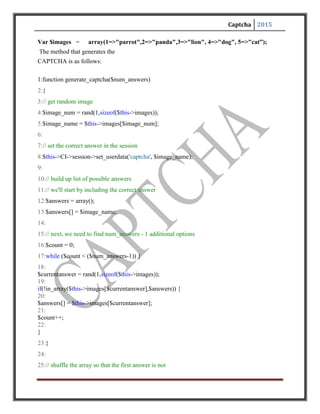
Var $images = array(1=>"parrot",2=>"panda",3=>"lion", 4=>"dog", 5=>"cat”);
The method that generates the
CAPTCHA is as follows:
1:function generate_captcha($num_answers)
2:{
3:// get random image
4:$image_num = rand(1,sizeof($this->images));
5:$image_name = $this->images[$image_num];
6:
7:// set the correct answer in the session
8:$this->CI->session->set_userdata('captcha', $image_name);
9:
10:// build up list of possible answers
11:// we'll start by including the correct answer
12:$answers = array();
13:$answers[] = $image_name;
14:
15:// next, we need to find num_answers - 1 additional options
16:$count = 0;
17:while ($count < ($num_answers-1)) {
18:
$currentanswer = rand(1,sizeof($this->images));
19:
if(!in_array($this->images[$currentanswer],$answers)) {
20:
$answers[] = $this->images[$currentanswer];
21:
$count++;
22:
}
23:}
24:
25:// shuffle the array so that the first answer is not
Captcha 2015
26:// always the right answer
27:
shuffle($answers);
28:
29:// build data array and return it
30:$data = array(
31:
"image_num" => $image_num,
32:
"image_name" => $image_name,
18
"answers" => $answers
34:);
35:
36:return$data;
37:}
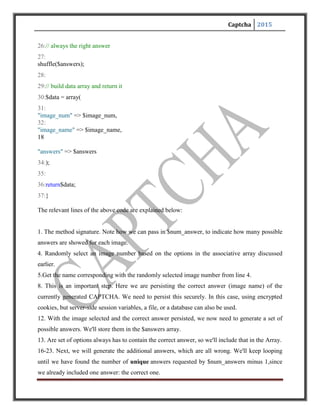
The relevant lines of the above code are explained below:
1. The method signature. Note how we can pass in $num_answer, to indicate how many possible
answers are showed for each image.
4. Randomly select an image number based on the options in the associative array discussed
earlier.
5.Get the name corresponding with the randomly selected image number from line 4.
8. This is an important step. Here we are persisting the correct answer (image name) of the
currently generated CAPTCHA. We need to persist this securely. In this case, using encrypted
cookies, but server-side session variables, a file, or a database can also be used.
12. With the image selected and the correct answer persisted, we now need to generate a set of
possible answers. We'll store them in the $answers array.
13. Are set of options always has to contain the correct answer, so we'll include that in the Array.
16-23. Next, we will generate the additional answers, which are all wrong. We'll keep looping
until we have found the number of unique answers requested by $num_answers minus 1,since
we already included one answer: the correct one.
Captcha 2015
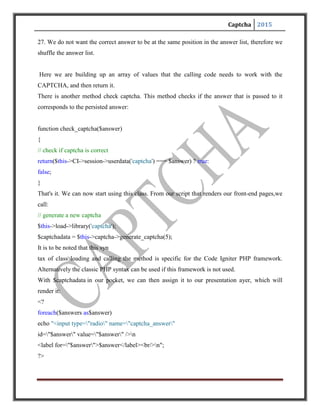
27. We do not want the correct answer to be at the same position in the answer list, therefore we
shuffle the answer list.
Here we are building up an array of values that the calling code needs to work with the
CAPTCHA, and then return it.
There is another method check captcha. This method checks if the answer that is passed to it
corresponds to the persisted answer:
function check_captcha($answer)
{
// check if captcha is correct
return($this->CI->session->userdata('captcha') === $answer) ? true:
false;
}
That's it. We can now start using this class. From our script that renders our front-end pages,we
call:
// generate a new captcha
$this->load->library('captcha');
$captchadata = $this->captcha->generate_captcha(5);
It is to be noted that this syn
tax of class loading and calling the method is specific for the Code Igniter PHP framework.
Alternatively the classic PHP syntax can be used if this framework is not used.
With $captchadata in our pocket, we can then assign it to our presentation ayer, which will
render it:
<?
foreach($answers as$answer)
echo "<input type="radio" name="captcha_answer"
id="$answer" value="$answer" />n
<label for="$answer">$answer</label><br/>n";
?>
Captcha 2015
Finally, in the post back code, we will call the check_captcha to see if the user has
entered the correct answer based on the field value of captcha answer. It depends on the
validation library we use, how to call it, but we need to make sure that a new CAPTCHA is
generated if the answer was empty or incorrect. Also, we need to insert validation messages that
inform the user whether his is solution to the CAPTCHA was correct.
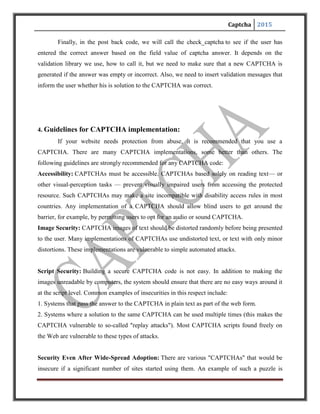
4. Guidelines for CAPTCHA implementation:
If your website needs protection from abuse, it is recommended that you use a
CAPTCHA. There are many CAPTCHA implementations, some better than others. The
following guidelines are strongly recommended for any CAPTCHA code:
Accessibility: CAPTCHAs must be accessible. CAPTCHAs based solely on reading text— or
other visual-perception tasks — prevent visually impaired users from accessing the protected
resource. Such CAPTCHAs may make a site incompatible with disability access rules in most
countries. Any implementation of a CAPTCHA should allow blind users to get around the
barrier, for example, by permitting users to opt for an audio or sound CAPTCHA.
Image Security: CAPTCHA images of text should be distorted randomly before being presented
to the user. Many implementations of CAPTCHAs use undistorted text, or text with only minor
distortions. These implementations are vulnerable to simple automated attacks.
Script Security: Building a secure CAPTCHA code is not easy. In addition to making the
images unreadable by computers, the system should ensure that there are no easy ways around it
at the script level. Common examples of insecurities in this respect include:
1. Systems that pass the answer to the CAPTCHA in plain text as part of the web form.
2. Systems where a solution to the same CAPTCHA can be used multiple times (this makes the
CAPTCHA vulnerable to so-called "replay attacks"). Most CAPTCHA scripts found freely on
the Web are vulnerable to these types of attacks.
Security Even After Wide-Spread Adoption: There are various "CAPTCHAs" that would be
insecure if a significant number of sites started using them. An example of such a puzzle is
Captcha 2015
asking text-based questions, such as a mathematical question ("what is 1+1"). Since a parser
could easily be written that would allow bots to bypass this test, such "CAPTCHAs" rely on the
fact that few sites use them, and thus that a bot author has no incentive to program their bot to
solve that challenge. True CAPTCHAs should be secure even after a significant number of
websites adopt them.
BREAKING CAPTCHAS
The challenge in breaking a CAPTCHA isn't figuring out what a message says – after all,
humans should have at least an 80 percent success rate. The really hard task is teaching a
computer how to process information in a way similar to how humans think. In many cases,
people who break CAPTCHAs concentrate not on making computers smarter, but reducing the
complexity of the problem posed by the CAPTCHA.
Let's assume you've protected an online form using a CAPTCHA that displays English
words. The application warps the font slightly, stretching and bending the letters in unpredictable
ways. In addition, the CAPTCHA includes a randomly generated background behind the word.
A programmer wishing to break this CAPTCHA could approach the problem in phases.
He or she would need to write an algorithm -- a set of instructions that directs a machine to
follow a certain series of steps. In this scenario, one step might be to convert the image in
grayscale. That means the application removes all the color from the image, taking away one of
the levels of obfuscation the CAPTCHA employs.
Next, the algorithm might tell the computer to detect patterns in the black and white
image. The program compares each pattern to a normal letter, looking for matches. If the
program can only match a few of the letters, it might cross reference those letters with a database
of English words. Then it would plug in likely candidates into the submit field. This approach
can be surprisingly effective. It might not work 100 percent of the time, but it can work often
enough to be worthwhile to spammers.
What about more complex CAPTCHAs? The Gimpy CAPTCHA displays 10 English
words with warped fonts across an irregular background. The CAPTCHA arranges the words in
Captcha 2015
pairs and the words of each pair overlap one another. Users have to type in three correct words in
order to move forward. How reliable is this approach?
As it turns out, with the right CAPTCHA-cracking algorithm, it's not terribly reliable.
Greg Mori and Jitendra Malik published a paper detailing their approach to cracking the Gimpy
version of CAPTCHA. One thing that helped them was that the Gimpy approach uses actual
words rather than random strings of letters and numbers. With this in mind, Mori and Malik
designed an algorithm that tried to identify words by examining the beginning and end of the
string of letters. They also used the Gimpy's 500-word dictionary.
Mori and Malik ran a series of tests using their algorithm. They found that theiralgorithm
could correctly identify the words in a Gimpy CAPTCHA 33 percent of the time[source: Mori
and Malik]. While that's far from perfect, it's also significant. Spammers canafford to have only
one-third of their attempts succeed if they set bots to break CAPTCHAsseveral hundred times
every minute.
Another vulnerability that most CAPTCHA scripts have is again in their use of sessions;
ifwe're on an insecure shared server, any user on that server may have access to everyone
else'ssession files, so even if our site is totally secure, a vulnerability on any other website
hostedon that machine can lead to a compromise of the session data, and hence, the
CAPTCHAscript. One workaround is by storing only a hash of the CAPTCHA word in the
session, thuseven if someone can read the session files, they can't find out what the CAPTCHA
word is.
1. Breaking CAPTCHAs without OCR:
Most CAPTCHAs don't destroy the session when the correct phrase is entered. So by
reusing the session id of a known CAPTCHA image, it is possible to automate requests to a
CAPTCHA-protected page.
Manual steps:
Connect to CAPTCHA page
Record session ID and CAPTCHA plaintext
Automated steps:
Captcha 2015
Resend session ID and CAPTCHA plaintext any number of times, changing the user
data. The other user data can change on each request. We can then automate hundreds, if not
thousands of requests, until the session expires, at which point we just repeat the manual steps
and then reconnect with a new session ID and CAPTCHA text.
Traditional CAPTCA-breaking software involves using image recognition routines to decode
CAPTCHA images. This approach bypasses the need to do any of that, making it easy to hack
CAPTCHA images.
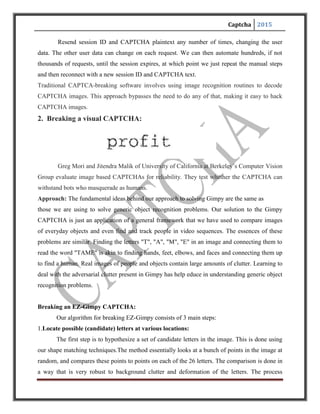
2. Breaking a visual CAPTCHA:
Greg Mori and Jitendra Malik of University of California at Berkeley’s Computer Vision
Group evaluate image based CAPTCHAs for reliability. They test whether the CAPTCHA can
withstand bots who masquerade as humans.
Approach: The fundamental ideas behind our approach to solving Gimpy are the same as
those we are using to solve generic object recognition problems. Our solution to the Gimpy
CAPTCHA is just an application of a general framework that we have used to compare images
of everyday objects and even find and track people in video sequences. The essences of these
problems are similar. Finding the letters "T", "A", "M", "E" in an image and connecting them to
read the word "TAME" is akin to finding hands, feet, elbows, and faces and connecting them up
to find a human. Real images of people and objects contain large amounts of clutter. Learning to
deal with the adversarial clutter present in Gimpy has help educe in understanding generic object
recognition problems.
Breaking an EZ-Gimpy CAPTCHA:
Our algorithm for breaking EZ-Gimpy consists of 3 main steps:
1.Locate possible (candidate) letters at various locations:
The first step is to hypothesize a set of candidate letters in the image. This is done using
our shape matching techniques.The method essentially looks at a bunch of points in the image at
random, and compares these points to points on each of the 26 letters. The comparison is done in
a way that is very robust to background clutter and deformation of the letters. The process
Captcha 2015
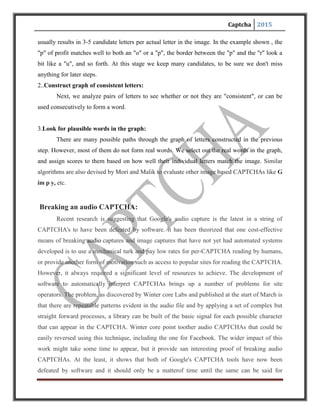
usually results in 3-5 candidate letters per actual letter in the image. In the example shown , the
"p" of profit matches well to both an "o" or a "p", the border between the "p" and the "r" look a
bit like a "u", and so forth. At this stage we keep many candidates, to be sure we don't miss
anything for later steps.
2..Construct graph of consistent letters:
Next, we analyze pairs of letters to see whether or not they are "consistent", or can be
used consecutively to form a word.
3.Look for plausible words in the graph:
There are many possible paths through the graph of letters constructed in the previous
step. However, most of them do not form real words. We select out the real words in the graph,
and assign scores to them based on how well their individual letters match the image. Similar
algorithms are also devised by Mori and Malik to evaluate other image based CAPTCHAs like G
im p y, etc.
Breaking an audio CAPTCHA:
Recent research is suggesting that Google's audio capture is the latest in a string of
CAPTCHA's to have been defeated by software. it has been theorized that one cost-effective
means of breaking audio captures and image captures that have not yet had automated systems
developed is to use a mechanical turk and pay low rates for per-CAPTCHA reading by humans,
or provide another form of motivation such as access to popular sites for reading the CAPTCHA.
However, it always required a significant level of resources to achieve. The development of
software to automatically interpret CAPTCHAs brings up a number of problems for site
operators. The problem, as discovered by Winter core Labs and published at the start of March is
that there are repeatable patterns evident in the audio file and by applying a set of complex but
straight forward processes, a library can be built of the basic signal for each possible character
that can appear in the CAPTCHA. Winter core point toother audio CAPTCHAs that could be
easily reversed using this technique, including the one for Facebook. The wider impact of this
work might take some time to appear, but it provide san interesting proof of breaking audio
CAPTCHAs. At the least, it shows that both of Google's CAPTCHA tools have now been
defeated by software and it should only be a matterof time until the same can be said for
Captcha 2015
Microsoft and Yahoo!'s offerings. Even with an effectiveness of only 90%, any failed
CAPTCHA can easily be reloaded for a second try.
ISSUES WITH CAPTCHAS
There are many issues with CAPTCHAs, primarily because they distort text and images
in such a way that, sometimes it gets difficult for even humans to read. Even the simplest, but
effective CAPTCHA, like a mathematical equation “What is the sum of three and five?” can be a
pain for cognitively disabled people.
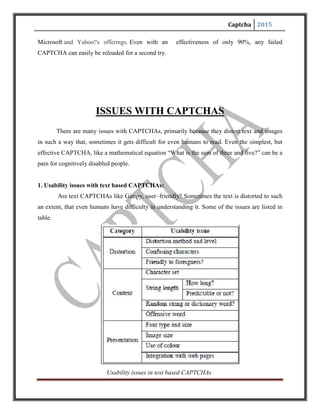
1. Usability issues with text based CAPTCHAs:
Are text CAPTCHAs like Gimpy, user–friendly? Sometimes the text is distorted to such
an extent, that even humans have difficulty in understanding it. Some of the issues are listed in
table.
Usability issues in text based CAPTCHAs
Captcha 2015
Distortion becomes a problem when it is done in a very haphazard way. Some characters like ‘d’
can be confused for ‘cl’ or ‘m’ with ‘rn’. It should also be easily understandable to those who are
unfamiliar with the language.
sContent is an issue when the string length becomes too long or when the string is not a
dictionary word. Care should be taken not to include offensive words.
Presentation should be in such a way as to not confuse the users. The font and colour chosen
should be user friendly.
2. Usability of audio CAPTCHAs:
In audio CAPTCHAs, letters are read aloud instead of being displayed in an image.
Typically, noises are deliberately added to prevent such audio schemes from being broken by
current speech recognition technologies.
Distortion:
Background noises effectively distort sounds in audio CAPTCHAs. There is no
rigorous study of what kind of background noises will introduce acceptable sound distortion.
However, it is clear that distortion methods and levels, just as in text based CAPTCHAs, can
have a significant impact on the usability of audio CAPTCHAs. For example, an early test
in2003 showed that the distorted sound in an audio CAPTCHA that was deployed at Microsoft’s
Hotmail service was unintelligible to all (four) journalists, with good hearing, that were tested.
Due to sound distortion, confusing characters can also occur in audio CAPTCHAs. For example,
we observed that it is hard to tell apart ‘p’ and ‘b’; ‘g’ and ‘j’, and‘a’ and ‘8’. Whether a scheme
is friendly to non-native speakers is another usability concern for audio CAPTCHAs.
Content:
Content materials used in audio CAPTCHAs are typically language specific. Digits
Captcha 2015
and letters read in a language are often not understandable to people who do not speak the
language. Therefore, unlike text-based schemes, localisation is a major issue that audio
CAPTCHAs face.
Presentation:
The use of colour is not an issue for audio CAPTCHAs, but the integration
with web pages is still a concern. For example, there is no standard graphical
symbol for representing an audio CAPTCHA on a web page, although many
schemes such as Microsoft and reCAPTCHA use a speaker symbol. More
importantly, what really matters for visually impaired users is that the html image
alternative text attached to any of the above symbol should clearly indicate the
need to solve an audio CAPTCHA.
When embedded in web pages, audio CAPTCHAs can also cause compatibility
issues. For example, many such schemes require JavaScript to be enabled.
However, some users might prefer to disable JavaScript in their browsers. Some
other schemes can be even worse. For example, we found that one audio scheme
requires Adobe Flash support. With this scheme, vision-impaired users will not
even notice that such a CAPTCHA challenge exist in the page, unless Flash is
installed in their computers - apparently, no text alternative is attached to the
speaker-like Flash object, either.
Captcha 2015
CONCLUSION
1.CAPTCHAS are any software that distinguishes human and machine.
2.Research in CAPTCHAS implies advancement in AI making computers
understand how human thinks.
3.Internet companies are making billions of dollars every year, their security and
services quality matters and so does the advancement in CAPTCHA technology.
4.Different methods of CAPTCHAS are being studied but new ideas like
ReCAPTCHA using human time on internet is amazing.
5. CAPTCHA’s are mainly produced from Asynchronous Java-script And XML
(AJAX) & using a bit of Hypertext Preprocessor(PHP) technology, various
algorithms are present.
Captcha 2015
Advantages:
 Distinguishes between a human and a machine
 Makes online polls more genuine.
 Reduces spam and viruses
 Makes online shopping safer.
 Diminishes abuse of free email account services.
Disadvantages:
 Sometimes very difficult to read.
 Are not compatible with users with disabilities.
 Time-consuming to decipher.
 Technical difficulties with certain internet browsers.
 May greatly enhance Artificial Intelligence.
Captcha 2015
REFERENCES
[1]. Luis von Ahn, Manuel Blum, Nicholas J. Hopper and John Langford. The CAPTCHA Web
Page: http://www.captcha.net. 2000.
[2]. Luis von Ahn, Manuel Blum and John Langford. Telling Humans and Computers Apart
(Automatically) or How Lazy Cryptographers do AI. To appear in Communications
of the ACM.
[3]. Mihir Bellare, Russell Impagliazzo and Moni Naor. Does Parallel Repetition Lower the Error in
Computationally Sound Protocols? In 38th IEEE Symposium on Foundations of Computer Science
(FOCS' 97), pages 374-383. IEEE Computer Society, 1997.
[4]. Mikhail M. Bongard. Pattern Recognition. Spartan Books, Rochelle Park NJ, 1970.
[5]. A. L. Coates, H. S. Baird, and R. J. Fateman. Pessimal Print: A Reverse Turing Test. In
Proceedings of the International Conference on Document Analysis and Recognition (ICDAR' 01),
pages 1154-1159. Seattle WA, 2001.
[6]. Scott Craver. On Public-key Steganography in the Presence of an A ctive Warden. In
Proceedings of the Second International Information Hiding Workshop, pages 355-368. Springer,
1998.
[7]. Nicholas J. Hopper, John Langford and Luis von Ahn. Provably Secure Steganography.
In Advances in Cryptology, CRYPTO' 02, volume 2442 of Lecture Notes in Computer Science,
pages 77-92. Santa Barbara, CA, 2002.
[8]. M. D. Lillibridge, M. Abadi, K. Bharat, and A. Broder. Method for selectively restricting access
to computer systems. US Patent 6,195,698. Applied April 1998 and Approved February 2001.
[9]. Greg Mori and Jitendra Malik. Breaking a Visual CAPTCHA. Unpublished Manuscript, 2002.
[10]. Moni Naor. Veri_cation of a human in the loop or Identi_cation via the Turing Test.
Unpublished Manuscript, 1997.
Captcha 2015
THANK YOU
By:
RAKESH KUMAR
Reg. No.: U14cs144
Captcha 2015

Captcha report

  • 1.
    Captcha 2015 A TECHNICALSEMINAR REPORT ON ETHICAL HACKING Sub Code : BCS3S1 Submitted by RAKESH KUMAR (Reg. No.U14CS144) Department of Computer Science & Engineering BHARATH INSTITUTE OF SCIENCE & TECHNOLOGY NOVEMBER 2015
  • 2.
    Captcha 2015 CSEIIIII Name :RAKESH KUMAR Year ……………… Semester ……….……… Branch …………. University Register No.: This is to certify that the above mentioned student has successfully completed the Technical Seminar-I (BCS3S1) on Ethical Hacking during the month NOV2015 Signature of Seminar In-charge Signature of Head of Dept. Submitted for the Technical Seminar held on.…………………… at BIHER Signature of Internal Examiner U14CS144
  • 3.
    Captcha 2015 TABLE OFCONTENTS Sl. No Content 1. Abstract 2. Introduction 3. Definition 4. Background 5. Type of Captchas 5.1 Text Captchas a. Gimpy b. Ez – Gimpy c. BaffleText d. MSN Captcha 5.2 Graphic captchas e. Bongo f. PIX 5.3 Audio CAPTCHAs 5.4 reCAPTCHA and book digitization 6. Application 7. Constructing captchas 8. Implementation 9. CAPTCHA Logic 10. Breaking CAPTCHAs 10.1 Breaking CAPTCHAs without OCR 10.2 Breaking a visual CAPTCHAs 10.3 Breaking an EZ-Gimpy CAPTCHA 10.4 Breaking an audio CAPTCHA
  • 4.
    Captcha 2015 Sl. NoContent 11. Issues with CAPTCHAs 11.1 Usability of audio CAPTCHAs 11.2 Usability issues with text based CAPTCHAs 12. Advantages & Disadvantages 13. Conclusion 14. References
  • 5.
    Captcha 2015 ABSTRACT One commonapplication of CAPTCHA is for verifying online polls. In fact, a former Slashdot poll serves as an example of what can go wrong if pollsters don't implement filters on their surveys. In 1999, Slashdot published a poll that asked visitors to choosethe graduate schoolthat had the best program in computer science. Students from two universities --Carnegie Mellon and MIT -- created automated programs called bots to vote repeatedly for their respective schools. While those two schools received thousands of votes, the other schools only had a few hundred each. If it's possible to create a program that can vote in a poll, how can we trust online poll results at all? A CAPTCHA form can help prevent programmers from taking advantage of the polling system. Registration forms on Web sites often use CAPTCHAs. Forexample, free Web-based e-mail services like Hotmail, yahoo mail or gmailallow people to create an e-mail account free of charge. Usually, users must provide some personal information when creating an account, but the services typically don't verify this information. They use CAPTCHAs to try to prevent spammers from using bots to generate hundreds of spam mail accounts. How Stuff Works Yahoo uses alphanumeric strings rather than words as CAPTCHAs when you sign up for a Yahoo! account. Ticket brokers like Ticket Master also use CAPTCHA applications.
  • 6.
    Captcha 2015 INTRODUCTION Use ofINTERNET has remarkably increased Globally in the past 10-12 years and so is the need of the Security over it. Marketing and Advertisement over INTERNET has seen companies like GOOGLE being made, which at the moment is traded at 181 billion USD ie. Almost twice of General Motors, McDonalds combined. You're trying to sign up for a free email service offered by Gmail or Yahoo. Before you can submit your application, you first have to pass a test. It's not a hard test -- in fact, that's the point. For you, the test should be simple and straightforward. But for a computer, the test should be almost impossible to solve. This sort of test is a CAPTCHA. They're also known as a type of Human Interaction Proof(HIP). You've probably seen CAPTCHA tests on lots of Web sites. The most common form of CAPTCHA is an image of several distorted letters. It's your job to type the correct series of letters into a form. If your letters match the ones in the distorted image, you pass the test. CAPTCHAs are short for Completely Automated Public Turing test to tell Computers and Humans Apart. The term "CAPTCHA" was coined in 2000 by Luis Von Ahn, Manuel Blum, Nicholas J. Hopper (all of Carnegie Mellon University, and John Langford (then of IBM). They are challenge-response tests to ensure that the users are indeed human. The purpose of a CAPTCHA is to block form submissions from spam bots –automated scripts that harvest email addresses from publicly available web forms. A common kind of CAPTCHA used on most websites requires the users to enter the string of characters that appear in a distorted form on the screen. CAPTCHAs are used because of the fact that it is difficult for the computers to extract the text from such a distorted image, whereas it is relatively easy for a human to understand the text hidden behind the distortions. Therefore, the correct response to a CAPTCHA challenge is assumed to come from a human and the user is permitted into the website.
  • 7.
    Captcha 2015 Why wouldanyone need to create a test that can tell humans and computers apart? It's because of people trying to game the system -- they want to exploit weaknesses in the computers running the site. While these individuals probably make up a minority of all the people on the Internet, their actions can affect millions of users and Web sites. For example free e-mail service might find itself bombarded by account requests from an automated program. That automated program could be part of a larger attempt to send out spam mail to millions of people. The CAPTCHA test helps identify which users are real human beings and which ones are computer programs. Spammers are constantly trying to build algorithms that read the distorted text correctly. So strong CAPTCHAs have to be designed and built so that the efforts of the spammers are thwarted. Well this presentation is about Security achieved over Internet using CAPTCHAS. CAPTCHAS are basically software programs which act as a test to any user over internet that the person (user) is a human or another machine. This concept is used by all the big companies over internet Google, yahoo or facebook (name any).So what are these CAPTCHAS? And what are their possible applications? This is what we cover in our presentation.
  • 8.
    Captcha 2015 WHY USECAPTCHAs The proliferation of the publicly available services on the Web is a boon for the community at large. But unfortunately it has invited new and novel abuses. Programs (bot sand spiders) are being created to steal services and to conduct fraudulent transactions. Some examples: • Free online accounts are being registered automatically many times and are being used to distribute stolen or copyrighted material. •Recommendation systems are vulnerable to artificial inflation or deflation of rankings. For example, EBay, a famous auction website allows users to rate a product. Abusers can easily create bots that could increase or decrease the rating of a specific product, possibly changing people’s perception towards the product. •Spammers register themselves with free email accounts such as those provided by Gmail or Hotmail and use their bots to send unsolicited mails to other users of that email service. •Online polls are attacked by bots and are susceptible to ballot stuffing. This gives Unfair mileage to those that benefit from it. In light of the above listed abuses and much more, a need was felt for a facility that checks users and allows access to services to only human users. It was in this direction that such a tool like CAPTCHA was created. Well to completely understand its usage one can consider this story. Few years ago(November 99) www.Slashdot.org(a popular site in US) conducted following poll on internet.
  • 9.
    Captcha 2015 Now studentsat CMU and MIT instantly wrote a program which increased their vote counts using software and ultimately the poll had to be taken down because both MIT and CMU had millions of votes while others struggled to reach thousands. There are situations like these where you need to distinguish whether user is a machine or a computer. This is where we use CAPTCHAS. QUICKVOTE Which is the best Computer Science Grad School in the US? CMU MIT vote Berkeley StanfordCornell Princeton
  • 10.
    Captcha 2015 DEFINITIONS CAPTCHA standsfor Completely Automated Public Turing test to tell Computers and Humans Apart A program that can tell whether its user is a human or a computer is known as CAPTCHA. A.K.A. Reverse Turing Test, Human Interaction Proof Turing Test: to conduct this test two people and a machine is needed here one person acts as an interrogator sitting in a separate room asking questions and receiving responses and goal of machine is to fool the interrogator. The challenge here: Develop a software program that can create and grade challenges most humans can pass but computers cannot.
  • 11.
    Captcha 2015 BACKGROUND The needfor CAPTCHAs rose to keep out the website/search engine abuse by bots. In1997,AltaVista sought ways to block and discourage the automatic submissions of URLs into their search engines. Andrei Broder, Chief Scientist of AltaVista, and his colleagues developed a filter. Their method was to generate a printed text randomly that only humans could read and not machine readers. Their approach was so effective that in an year, “spam-add-ons’” were reduced by 95% and a patent was issued in 2001. In 2000,Yahoo’s popular Messenger chat service was hit by bots which pointed advertising links to annoying human users of chat rooms. Yahoo, along with Carnegie Mellon University, developed a CAPTCHA called EZ-GIMPY, which chose a dictionary word randomly and distorted it with a wide variety of image occlusions and asked the user to input the distorted word. In November 1999, slashdot.com released a poll to vote for the best CS college in theUS. Students from the Carnegie Mellon University and the Massachusetts Institute ofTechnology created bots that repeatedly voted for their respective colleges. This incident created the urge to use CAPTCHAs for such online polls to ensure that only human users areable to take part in the polls.
  • 12.
    Captcha 2015 CAPTCHAS ANDTHE TURING TEST CAPTCHA technology has its foundation in an experiment called the Turing Test. Alan Turing, sometimes called the father of modern computing, proposed the test as a way to examine whether or not machines can think -- or appear to think -- like humans. The classic test is a game of imitation. In this game, an interrogator asks two participants a series of questions. One of the participants is a machine and the other is a human. The interrogator can't see or hear the participants and has no way of knowing which is which. If the interrogator is unable to figure out which participant is a machine based on the responses, the machine passes the Turing Test. Of course, with a CAPTCHA, the goal is to create a test that humans can pass easily but machines can't. It's also important that the CAPTCHA application is able to present different CAPTCHAs to different users. If a visual CAPTCHA presented a static image that was the same for every user, it wouldn't take long before a spammer spotted the form, deciphered the letters, and programmed an application to type in the correct answer automatically. Most, but not all, CAPTCHAs rely on a visual test. Computers lack the sophistication that human beings have when it comes to processing visual data. We can look at an image and pick out patterns more easily than a computer. The human mind sometimes perceives patterns even when none exist, a quirk we call pareidol ia. Ever see a shape in the clouds or a face on the moon? That's your brain trying to associate random information into patterns and shapes. But not all CAPTCHAs rely on visual patterns. In fact, it's important to have an alternative to a visual CAPTCHA. Otherwise, the Web site administrator runs the risk of franchising any Web user who has a visual impairment. One alternative to a visual test isan audible one. An audio CAPTCHA usually presents the user with a series of spoken letters or numbers. It's not unusual for the program to distort the speaker's voice, and it's also common for the program to include background noise in the recording. This helps thwart voice recognition programs.
  • 13.
    Captcha 2015 TYPES OFCAPTCHAs CAPTCHAs are classified based on what is distorted and presented as a challenge to the user. They are: Text CAPTCHAs: These are simple to implement. The simplest yet novel approach is to present the user with some questions which only a human user can solve. Examples of such questions are: 1.What is third letter in UNIVERSITY? 3.Which of Yellow, Thursday and Richard is a colour? 4.If yesterday was a Sunday, what is today? Such questions are very easy for a human user to solve, but it’s very difficult to program a computer to solve them. These are also friendly to people with visual disability – such as those with colour blindness. Other text CAPTCHAs involves text distortion and the user is asked to identify the text hidden. The various implementations are: 1. Gimpy: Gimpy is a very reliable text CAPTCHA built by CMU in collaboration with Yahoo for their Messenger service. Gimpy is based on the human ability to read extremely distorted text and the inability of computer programs to do the same. Gimpy works by choosing ten words randomly from a dictionary, and displaying them in a distorted and overlapped manner.Gimpy then asks the users to enter a subset of the words in the image. The human user is capable of identifying the words correctly, whereas a computer program cannot. 2. Ez – Gimpy:
  • 14.
    Captcha 2015 This isa simplified version of the Gimpy CAPTCHA, adopted by Yahoo in their signup page. Ez – Gimpy randomly picks a single word from a dictionary and applies distortion to the text. The user is then asked to identify the text correctly. 3. BaffleText: This was developed by Henry Baird at University of California at Berkeley. This is a variation of the Gimpy. This doesn’t contain dictionary words, but it picks up random alphabets to create a nonsense but pronounceable text. Distortions are then added to this text and the user is challenged to guess the right word. This technique overcomes the drawback of Gimpy CAPTCHA because, Gimpy uses dictionary words and hence, clever bots could be designed to check the dictionary for the matching word by brute-force. 4. MSN Captcha: Microsoft uses a different CAPTCHA for services provided under MS Numbrella. These are popularly called MSN Passport CAPTCHAs. They use eight characters(upper case) and digits. Foreground is dark blue, and background is grey. Warping is used to distort the characters, to produce a ripple effect, which makes computer recognition very difficult. GRAPHIC CAPTCHAS: Graphic CAPTCHAs are challenges that involve pictures or objects that have some sort of similarity that the users have to guess. They are visual puzzles, similar to Mensa tests. Computer generates the puzzles and grades the answers, but is itself unable to solve it. 1. Bongo: Bongo. Another example of a CAPTCHA is the program we call BONGO.BONGO is named after M.M. Bongard, who published a book of pattern recognition problems in the 1970s . BONGO asks the user to solve a visual pattern recognition problem. It displays two series of blocks, the left and the right. The blocks in the left series differ from those in the right, and the user must find the characteristic that sets them apart.
  • 15.
    Captcha 2015 These twosets are different because everything on the left is drawn with thick lines and those on the right are in thin lines. After seeing the two blocks, the user is presented with a set of four single blocks and is asked to determine to which group the each block belongs to. The user passes the test if she determines correctly to which set the blocks belong to. We have to be careful to see that the user is not confused by a large number of choices. 2. PIX: PIX is a program that has a large database of labeled images. All of these images are pictures of concrete objects (a horse, a table, a house, a flower). The program picks an object at random, finds six images of that object from its database, presents them to the user and then asks the question “what are these pictures of?” Current computer programs should not be able to answer this question, so PIX should be a CAPTCHA. However, PIX, as stated, is nota CAPTCHA: it is very easy to write a program that can answer the question “what are these pictures of?” Remember that all the code and data of a CAPTCHA should be publicly available; in particular, the image database that PIX uses should be public. Hence, writing a program that can answer the question “what are these pictures of?” is easy: search the database for the images presented and find their label. Fortunately, this can be fixed. One way for PIX to become a CAPTCHA is to randomly distort the images before presenting them to the user, so that computer programs cannot easily search the database for the undistorted image. Audio CAPTCHAs: The final example we offer is based on sound. The program picks a word or a sequence of numbers at random, renders the word or the numbers into a sound clip and distorts the sound clip; it then presents the distorted sound clip to the user and asks users to enter its contents. This CAPTCHA is based on the difference in ability between humans and computers in recognizing spoken language. Nancy Chan of the City University in Hong Kong was the first to implement a sound-based system of this type. The idea is that a human is able to efficiently disregard the distortion and interpret the characters being read out while software would struggle with the distortion being applied, and need to be effective at speech to text translation in order to be successful. This is a crude way to filter humans and it is not so popular because the user has to understand the language and the accent in which the sound clip is recorded.
  • 16.
    Captcha 2015 reCAPTCHA andbook digitization: To counter various drawbacks of the existing implementations, researchers at CMU developed a redesigned CAPTCHA aptly called the reCAPTCHA. About 200 million CAPTCHAs are solved by humans around the world every day. In each case, roughly ten seconds of human time are being spent. Individually, that's not a lot of time, but in aggregate these little puzzles consume more than 150,000 hours of work each day. What if we could make positive use of this human effort? reCAPTCHA does exactly that by channeling the effort spent solving CAPTCHAs online into "reading" books. To archive human knowledge and to make information more accessible to the world, multiple projects are currently digitizing physical books that were written before the computer age. The book pages are being photographically scanned, and then transformed into text using "Optical Character Recognition" (OCR). The transformation into text is useful because scanning a book produces images, which are difficult to store on small devices, expensive to download, and cannot be searched. The problem is that OCR is not perfect. reCAPTCHA improves the process of digitizing books by sending words that cannot be read by computers to the Web in the form of CAPTCHAs for humans to decipher. More specifically, each word that cannot be read correctly by OCR is placed on an image and used as a CAPTCHA. This is possible because most OCR programs alert you when a word cannot be read correctly. But if a computer can't read such a CAPTCHA, how does the system know the correct answer to the puzzle? Here's how: Each new word that cannot be read correctly by OCR is given to a user in conjunction with another word for which the answer is already known. The user is then asked to read both words. If they solve the one for which the answer is known, the system assumes their answer is correct for the new one. The system then gives the new image to a number of other people to determine, with higher confidence, whether the original answer was correct. Currently, reCAPTCHA is employed in digitizing books as part of the Google Books
  • 17.
    Captcha 2015 Fig Firstline shows scanned text, second line shows text read by OCR MAJOR AREAS OF APPLICATIONS CAPTCHAs have several applications for practical security, including (but not limited to):  Preventing Comment Spam in Blogs. Most bloggers are familiar with programs that submit bogus comments, usually for the purpose of raising search engine ranks of some website (e.g., "buy penny stocks here"). This is called comment spam. By using a CAPTCHA, only humans can enter comments on a blog. There is no need to make users sign up before they enter a comment, and no legitimate comments are ever lost!  Protecting Website Registration. Several companies (Yahoo!, Microsoft, etc.) offer free email services. Up until a few years ago, most of these services suffered from a specific type of attack: "bots" that would sign up for thousands of email accounts every minute. The solution to this problem was to use CAPTCHAs to ensure that only humans obtain free accounts. In general, free services should be protected with a CAPTCHA in order to prevent abuse by automated scripts.  Protecting Email Addresses From Scrapers. Spammers crawl the Web in search of email addresses posted in clear text. CAPTCHAs provide an effective mechanism to hide your email address from Web scrapers. The idea is to require users to solve a CAPTCHA
  • 18.
    Captcha 2015 before showingyour email address. A free and secure implementation that uses CAPTCHAs to obfuscate an email address can be found at reCAPTCHA MailHide.  Online Polls. In November 1999, http://www.slashdot.org released an online poll asking which was the best graduate school in computer science (a dangerous question to ask over the web!). As is the case with most online polls, IP addresses of voters were recorded in order to prevent single users from voting more than once. However, students at Carnegie Mellon found a way to stuff the ballots using programs that voted for CMU thousands of times. CMU's score started growing rapidly. The next day, students at MIT wrote their own program and the poll became a contest between voting "bots." MIT finished with 21,156 votes, Carnegie Mellon with 21,032 and every other school with less than 1,000. Can the result of any online poll be trusted? Not unless the poll ensures that only humans can vote.  Preventing Dictionary Attacks. CAPTCHAs can also be used to prevent dictionary attacks in password systems. The idea is simple: prevent a computer from being able to iterate through the entire space of passwords by requiring it to solve a CAPTCHA after a certain number of unsuccessful logins. This is better than the classic approach of locking an account after a sequence of unsuccessful logins, since doing so allows an attacker to lock accounts at will.  Search Engine Bots. It is sometimes desirable to keep webpages unindexed to prevent others from finding them easily. There is an html tag to prevent search engine bots from reading web pages. The tag, however, doesn't guarantee that bots won't read a web page; it only serves to say "no bots, please." Search engine bots, since they usually belong to large companies, respect web pages that don't want to allow them in. However, in order to truly guarantee that bots won't enter a web site, CAPTCHAs are needed.
  • 19.
    Captcha 2015  Wormsand Spam. CAPTCHAs also offer a plausible solution against email worms and spam: "I will only accept an email if I know there is a human behind the other computer." A few companies are already marketing this idea CONSTRUCTING CAPTCHAS Things to know: The first step to create a CAPTCHA is to look at different ways humans and machines process information. Machines follow sets of instructions. If something falls outside the realm of those instructions, the machines aren’t able to compensate. A CAPTCHA designer has to take this into account when creating a test. For example, it’s easy to build a program that looks at metadata – the information on the Web that’s invisible to humans but machines can read. If you create a visual CAPTCHA and the images metadata includes the solution, your CAPTCHA will be broken in no time. Similarly, it’s unwise to build a CAPTCHA that doesn’t distort letters and numbers in some way. An undistorted series of characters isn’t very secure. Many computer programs can scan an image and recognize simple shapes like letters and numbers. One way to create a CAPTCHA is to pre-determine the images and solutions it will use. This approach requires a database that includes all the CAPTCHA solutions, which can compromise the reliability of the test. According to Microsoft Research experts Kumar Chella pilla and Patrice Simard, humans should have an 80 percent success rate at solving any particular CAPTCHA, but machines should only have a 0.01 percent success rate. If a spammer managed to find a list of all CAPTCHA solutions, he or she could create an application that bombards the CAPTCHA with every possible answer in a brute-force attack. The database would need more than 10,000 possible CAPTCHAs to meet the qualifications of a good CAPTCHA.
  • 20.
    Captcha 2015 Other CAPTCHAapplications create random strings of letters and numbers. You aren’t likely to ever get the same series twice. Using randomization eliminates the possibility of a brute-force attack — the odds of a bot entering the correct series of random letters are very low. The longer he string of characters, the less likely a bot will get lucky. CAPTCHAs take different approaches to distorting words. Some stretch and bend letters in weird ways, as if you’re looking at the word through melted glass. Other put the word behind a crosshatched pattern of bars to break up the shape of letters. A few use different colours or a field of dots to achieve the same effect. In the end, the goal is the same: to make it really hard for a computer to figure out what’s in the CAPTCHA. Designers can also create puzzles or problems that are easy for humans to solve. Some CAPTCHAs rely on pattern recognition and extrapolation. For example, a CAPTCHA might include series of shapes and ask the user which shape among several choices would logically come next. The problem with this approach is that not all humans are good with these kinds of problems and the success rate for a human user can go below 80 percent.
  • 21.
    Captcha 2015 Implementation Embeddable CAPTCHAs: Theeasiest implementation of a CAPTCHA to a Website would be to insert a few lines of CAPTCHA code into the Website’s HTMLcode, from an open source CAPTCHA builder, which will provide the authentication services remotely. Most such services are free. Popular among them is the service provided by www.captcha.net ‘s reCAPTCHA project. Custom CAPTCHAs: These are less popular because of the extra work needed to create a secure implementation. Anyway, these are popular among researchers who verify existing CAPTCHAs and suggest alternative implementations. There are advantages in building custom CAPTCHAs: 1.A custom CAPTCHA can fit exactly into the design and theme of your site. It will not look like some alien element that does not belong there. 2.We want to take away the perception of a CAPTCHA as an annoyance, and make it convenient for the user. 3.Because a custom CAPTCHA, unlike the major CAPTCHA mechanisms, obscure you as a target for spammers. Spammers have little interest in cracking a niche implementation. 4.Because we want to learn how they work, so it is best to build one ourselves.
  • 22.
    Captcha 2015 CAPTCHA Logic 1.TheCAPTCHA image (or question) is generated. There are different ways to do this. The classic approach is to generate some random text, apply some random effects to it and convert it into an image. 2.Step 2 is not really sequential. During step 1, the original text (pre-altered) is persisted somewhere, as this is the correct answer to the question. There are different ways to persist the answer, as a server- side session variable, cookie, file, or database entry. 3.The generated CAPTCHA is presented to the user, who is prompted to answer it. 4.The back-end script checks the answer supplied by the user by comparing it with the persisted (correct) answer. If the value is empty or incorrect, we go back to step 1: a new CAPTCHA is generated. Users should never get a second shot at answering the same CAPTCHA. 5.If the answer supplied by the user is correct, the form post is successful and processing can continue. If applicable, the generated CAPTCHA image is deleted. Now, a sample implementation is presented. This is an implementation of a CAPTCHA that resembles PIX. This uses Jungle Dragon, which is a wildlife image sharing site, as its image database. A first step in designing a custom CAPTCHA is to think about your user base in order to find a way to blend a CAPTCHA check into the user experience. Users are presented an image of an animal and then have to guess what it is. When they fail, a new random image is pulled up, as well as a fresh set of answers, their order and options shifted each time. The CAPTCHA back-end is implemented into a PHP class. To map the images to the answers, an associative array is used.
  • 23.
    Captcha 2015 Var $images= array(1=>"parrot",2=>"panda",3=>"lion", 4=>"dog", 5=>"cat”); The method that generates the CAPTCHA is as follows: 1:function generate_captcha($num_answers) 2:{ 3:// get random image 4:$image_num = rand(1,sizeof($this->images)); 5:$image_name = $this->images[$image_num]; 6: 7:// set the correct answer in the session 8:$this->CI->session->set_userdata('captcha', $image_name); 9: 10:// build up list of possible answers 11:// we'll start by including the correct answer 12:$answers = array(); 13:$answers[] = $image_name; 14: 15:// next, we need to find num_answers - 1 additional options 16:$count = 0; 17:while ($count < ($num_answers-1)) { 18: $currentanswer = rand(1,sizeof($this->images)); 19: if(!in_array($this->images[$currentanswer],$answers)) { 20: $answers[] = $this->images[$currentanswer]; 21: $count++; 22: } 23:} 24: 25:// shuffle the array so that the first answer is not
  • 24.
    Captcha 2015 26:// alwaysthe right answer 27: shuffle($answers); 28: 29:// build data array and return it 30:$data = array( 31: "image_num" => $image_num, 32: "image_name" => $image_name, 18 "answers" => $answers 34:); 35: 36:return$data; 37:} The relevant lines of the above code are explained below: 1. The method signature. Note how we can pass in $num_answer, to indicate how many possible answers are showed for each image. 4. Randomly select an image number based on the options in the associative array discussed earlier. 5.Get the name corresponding with the randomly selected image number from line 4. 8. This is an important step. Here we are persisting the correct answer (image name) of the currently generated CAPTCHA. We need to persist this securely. In this case, using encrypted cookies, but server-side session variables, a file, or a database can also be used. 12. With the image selected and the correct answer persisted, we now need to generate a set of possible answers. We'll store them in the $answers array. 13. Are set of options always has to contain the correct answer, so we'll include that in the Array. 16-23. Next, we will generate the additional answers, which are all wrong. We'll keep looping until we have found the number of unique answers requested by $num_answers minus 1,since we already included one answer: the correct one.
  • 25.
    Captcha 2015 27. Wedo not want the correct answer to be at the same position in the answer list, therefore we shuffle the answer list. Here we are building up an array of values that the calling code needs to work with the CAPTCHA, and then return it. There is another method check captcha. This method checks if the answer that is passed to it corresponds to the persisted answer: function check_captcha($answer) { // check if captcha is correct return($this->CI->session->userdata('captcha') === $answer) ? true: false; } That's it. We can now start using this class. From our script that renders our front-end pages,we call: // generate a new captcha $this->load->library('captcha'); $captchadata = $this->captcha->generate_captcha(5); It is to be noted that this syn tax of class loading and calling the method is specific for the Code Igniter PHP framework. Alternatively the classic PHP syntax can be used if this framework is not used. With $captchadata in our pocket, we can then assign it to our presentation ayer, which will render it: <? foreach($answers as$answer) echo "<input type="radio" name="captcha_answer" id="$answer" value="$answer" />n <label for="$answer">$answer</label><br/>n"; ?>
  • 26.
    Captcha 2015 Finally, inthe post back code, we will call the check_captcha to see if the user has entered the correct answer based on the field value of captcha answer. It depends on the validation library we use, how to call it, but we need to make sure that a new CAPTCHA is generated if the answer was empty or incorrect. Also, we need to insert validation messages that inform the user whether his is solution to the CAPTCHA was correct. 4. Guidelines for CAPTCHA implementation: If your website needs protection from abuse, it is recommended that you use a CAPTCHA. There are many CAPTCHA implementations, some better than others. The following guidelines are strongly recommended for any CAPTCHA code: Accessibility: CAPTCHAs must be accessible. CAPTCHAs based solely on reading text— or other visual-perception tasks — prevent visually impaired users from accessing the protected resource. Such CAPTCHAs may make a site incompatible with disability access rules in most countries. Any implementation of a CAPTCHA should allow blind users to get around the barrier, for example, by permitting users to opt for an audio or sound CAPTCHA. Image Security: CAPTCHA images of text should be distorted randomly before being presented to the user. Many implementations of CAPTCHAs use undistorted text, or text with only minor distortions. These implementations are vulnerable to simple automated attacks. Script Security: Building a secure CAPTCHA code is not easy. In addition to making the images unreadable by computers, the system should ensure that there are no easy ways around it at the script level. Common examples of insecurities in this respect include: 1. Systems that pass the answer to the CAPTCHA in plain text as part of the web form. 2. Systems where a solution to the same CAPTCHA can be used multiple times (this makes the CAPTCHA vulnerable to so-called "replay attacks"). Most CAPTCHA scripts found freely on the Web are vulnerable to these types of attacks. Security Even After Wide-Spread Adoption: There are various "CAPTCHAs" that would be insecure if a significant number of sites started using them. An example of such a puzzle is
  • 27.
    Captcha 2015 asking text-basedquestions, such as a mathematical question ("what is 1+1"). Since a parser could easily be written that would allow bots to bypass this test, such "CAPTCHAs" rely on the fact that few sites use them, and thus that a bot author has no incentive to program their bot to solve that challenge. True CAPTCHAs should be secure even after a significant number of websites adopt them. BREAKING CAPTCHAS The challenge in breaking a CAPTCHA isn't figuring out what a message says – after all, humans should have at least an 80 percent success rate. The really hard task is teaching a computer how to process information in a way similar to how humans think. In many cases, people who break CAPTCHAs concentrate not on making computers smarter, but reducing the complexity of the problem posed by the CAPTCHA. Let's assume you've protected an online form using a CAPTCHA that displays English words. The application warps the font slightly, stretching and bending the letters in unpredictable ways. In addition, the CAPTCHA includes a randomly generated background behind the word. A programmer wishing to break this CAPTCHA could approach the problem in phases. He or she would need to write an algorithm -- a set of instructions that directs a machine to follow a certain series of steps. In this scenario, one step might be to convert the image in grayscale. That means the application removes all the color from the image, taking away one of the levels of obfuscation the CAPTCHA employs. Next, the algorithm might tell the computer to detect patterns in the black and white image. The program compares each pattern to a normal letter, looking for matches. If the program can only match a few of the letters, it might cross reference those letters with a database of English words. Then it would plug in likely candidates into the submit field. This approach can be surprisingly effective. It might not work 100 percent of the time, but it can work often enough to be worthwhile to spammers. What about more complex CAPTCHAs? The Gimpy CAPTCHA displays 10 English words with warped fonts across an irregular background. The CAPTCHA arranges the words in
  • 28.
    Captcha 2015 pairs andthe words of each pair overlap one another. Users have to type in three correct words in order to move forward. How reliable is this approach? As it turns out, with the right CAPTCHA-cracking algorithm, it's not terribly reliable. Greg Mori and Jitendra Malik published a paper detailing their approach to cracking the Gimpy version of CAPTCHA. One thing that helped them was that the Gimpy approach uses actual words rather than random strings of letters and numbers. With this in mind, Mori and Malik designed an algorithm that tried to identify words by examining the beginning and end of the string of letters. They also used the Gimpy's 500-word dictionary. Mori and Malik ran a series of tests using their algorithm. They found that theiralgorithm could correctly identify the words in a Gimpy CAPTCHA 33 percent of the time[source: Mori and Malik]. While that's far from perfect, it's also significant. Spammers canafford to have only one-third of their attempts succeed if they set bots to break CAPTCHAsseveral hundred times every minute. Another vulnerability that most CAPTCHA scripts have is again in their use of sessions; ifwe're on an insecure shared server, any user on that server may have access to everyone else'ssession files, so even if our site is totally secure, a vulnerability on any other website hostedon that machine can lead to a compromise of the session data, and hence, the CAPTCHAscript. One workaround is by storing only a hash of the CAPTCHA word in the session, thuseven if someone can read the session files, they can't find out what the CAPTCHA word is. 1. Breaking CAPTCHAs without OCR: Most CAPTCHAs don't destroy the session when the correct phrase is entered. So by reusing the session id of a known CAPTCHA image, it is possible to automate requests to a CAPTCHA-protected page. Manual steps: Connect to CAPTCHA page Record session ID and CAPTCHA plaintext Automated steps:
  • 29.
    Captcha 2015 Resend sessionID and CAPTCHA plaintext any number of times, changing the user data. The other user data can change on each request. We can then automate hundreds, if not thousands of requests, until the session expires, at which point we just repeat the manual steps and then reconnect with a new session ID and CAPTCHA text. Traditional CAPTCA-breaking software involves using image recognition routines to decode CAPTCHA images. This approach bypasses the need to do any of that, making it easy to hack CAPTCHA images. 2. Breaking a visual CAPTCHA: Greg Mori and Jitendra Malik of University of California at Berkeley’s Computer Vision Group evaluate image based CAPTCHAs for reliability. They test whether the CAPTCHA can withstand bots who masquerade as humans. Approach: The fundamental ideas behind our approach to solving Gimpy are the same as those we are using to solve generic object recognition problems. Our solution to the Gimpy CAPTCHA is just an application of a general framework that we have used to compare images of everyday objects and even find and track people in video sequences. The essences of these problems are similar. Finding the letters "T", "A", "M", "E" in an image and connecting them to read the word "TAME" is akin to finding hands, feet, elbows, and faces and connecting them up to find a human. Real images of people and objects contain large amounts of clutter. Learning to deal with the adversarial clutter present in Gimpy has help educe in understanding generic object recognition problems. Breaking an EZ-Gimpy CAPTCHA: Our algorithm for breaking EZ-Gimpy consists of 3 main steps: 1.Locate possible (candidate) letters at various locations: The first step is to hypothesize a set of candidate letters in the image. This is done using our shape matching techniques.The method essentially looks at a bunch of points in the image at random, and compares these points to points on each of the 26 letters. The comparison is done in a way that is very robust to background clutter and deformation of the letters. The process
  • 30.
    Captcha 2015 usually resultsin 3-5 candidate letters per actual letter in the image. In the example shown , the "p" of profit matches well to both an "o" or a "p", the border between the "p" and the "r" look a bit like a "u", and so forth. At this stage we keep many candidates, to be sure we don't miss anything for later steps. 2..Construct graph of consistent letters: Next, we analyze pairs of letters to see whether or not they are "consistent", or can be used consecutively to form a word. 3.Look for plausible words in the graph: There are many possible paths through the graph of letters constructed in the previous step. However, most of them do not form real words. We select out the real words in the graph, and assign scores to them based on how well their individual letters match the image. Similar algorithms are also devised by Mori and Malik to evaluate other image based CAPTCHAs like G im p y, etc. Breaking an audio CAPTCHA: Recent research is suggesting that Google's audio capture is the latest in a string of CAPTCHA's to have been defeated by software. it has been theorized that one cost-effective means of breaking audio captures and image captures that have not yet had automated systems developed is to use a mechanical turk and pay low rates for per-CAPTCHA reading by humans, or provide another form of motivation such as access to popular sites for reading the CAPTCHA. However, it always required a significant level of resources to achieve. The development of software to automatically interpret CAPTCHAs brings up a number of problems for site operators. The problem, as discovered by Winter core Labs and published at the start of March is that there are repeatable patterns evident in the audio file and by applying a set of complex but straight forward processes, a library can be built of the basic signal for each possible character that can appear in the CAPTCHA. Winter core point toother audio CAPTCHAs that could be easily reversed using this technique, including the one for Facebook. The wider impact of this work might take some time to appear, but it provide san interesting proof of breaking audio CAPTCHAs. At the least, it shows that both of Google's CAPTCHA tools have now been defeated by software and it should only be a matterof time until the same can be said for
  • 31.
    Captcha 2015 Microsoft andYahoo!'s offerings. Even with an effectiveness of only 90%, any failed CAPTCHA can easily be reloaded for a second try. ISSUES WITH CAPTCHAS There are many issues with CAPTCHAs, primarily because they distort text and images in such a way that, sometimes it gets difficult for even humans to read. Even the simplest, but effective CAPTCHA, like a mathematical equation “What is the sum of three and five?” can be a pain for cognitively disabled people. 1. Usability issues with text based CAPTCHAs: Are text CAPTCHAs like Gimpy, user–friendly? Sometimes the text is distorted to such an extent, that even humans have difficulty in understanding it. Some of the issues are listed in table. Usability issues in text based CAPTCHAs
  • 32.
    Captcha 2015 Distortion becomesa problem when it is done in a very haphazard way. Some characters like ‘d’ can be confused for ‘cl’ or ‘m’ with ‘rn’. It should also be easily understandable to those who are unfamiliar with the language. sContent is an issue when the string length becomes too long or when the string is not a dictionary word. Care should be taken not to include offensive words. Presentation should be in such a way as to not confuse the users. The font and colour chosen should be user friendly. 2. Usability of audio CAPTCHAs: In audio CAPTCHAs, letters are read aloud instead of being displayed in an image. Typically, noises are deliberately added to prevent such audio schemes from being broken by current speech recognition technologies. Distortion: Background noises effectively distort sounds in audio CAPTCHAs. There is no rigorous study of what kind of background noises will introduce acceptable sound distortion. However, it is clear that distortion methods and levels, just as in text based CAPTCHAs, can have a significant impact on the usability of audio CAPTCHAs. For example, an early test in2003 showed that the distorted sound in an audio CAPTCHA that was deployed at Microsoft’s Hotmail service was unintelligible to all (four) journalists, with good hearing, that were tested. Due to sound distortion, confusing characters can also occur in audio CAPTCHAs. For example, we observed that it is hard to tell apart ‘p’ and ‘b’; ‘g’ and ‘j’, and‘a’ and ‘8’. Whether a scheme is friendly to non-native speakers is another usability concern for audio CAPTCHAs. Content: Content materials used in audio CAPTCHAs are typically language specific. Digits
  • 33.
    Captcha 2015 and lettersread in a language are often not understandable to people who do not speak the language. Therefore, unlike text-based schemes, localisation is a major issue that audio CAPTCHAs face. Presentation: The use of colour is not an issue for audio CAPTCHAs, but the integration with web pages is still a concern. For example, there is no standard graphical symbol for representing an audio CAPTCHA on a web page, although many schemes such as Microsoft and reCAPTCHA use a speaker symbol. More importantly, what really matters for visually impaired users is that the html image alternative text attached to any of the above symbol should clearly indicate the need to solve an audio CAPTCHA. When embedded in web pages, audio CAPTCHAs can also cause compatibility issues. For example, many such schemes require JavaScript to be enabled. However, some users might prefer to disable JavaScript in their browsers. Some other schemes can be even worse. For example, we found that one audio scheme requires Adobe Flash support. With this scheme, vision-impaired users will not even notice that such a CAPTCHA challenge exist in the page, unless Flash is installed in their computers - apparently, no text alternative is attached to the speaker-like Flash object, either.
  • 34.
    Captcha 2015 CONCLUSION 1.CAPTCHAS areany software that distinguishes human and machine. 2.Research in CAPTCHAS implies advancement in AI making computers understand how human thinks. 3.Internet companies are making billions of dollars every year, their security and services quality matters and so does the advancement in CAPTCHA technology. 4.Different methods of CAPTCHAS are being studied but new ideas like ReCAPTCHA using human time on internet is amazing. 5. CAPTCHA’s are mainly produced from Asynchronous Java-script And XML (AJAX) & using a bit of Hypertext Preprocessor(PHP) technology, various algorithms are present.
  • 35.
    Captcha 2015 Advantages:  Distinguishesbetween a human and a machine  Makes online polls more genuine.  Reduces spam and viruses  Makes online shopping safer.  Diminishes abuse of free email account services. Disadvantages:  Sometimes very difficult to read.  Are not compatible with users with disabilities.  Time-consuming to decipher.  Technical difficulties with certain internet browsers.  May greatly enhance Artificial Intelligence.
  • 36.
    Captcha 2015 REFERENCES [1]. Luisvon Ahn, Manuel Blum, Nicholas J. Hopper and John Langford. The CAPTCHA Web Page: http://www.captcha.net. 2000. [2]. Luis von Ahn, Manuel Blum and John Langford. Telling Humans and Computers Apart (Automatically) or How Lazy Cryptographers do AI. To appear in Communications of the ACM. [3]. Mihir Bellare, Russell Impagliazzo and Moni Naor. Does Parallel Repetition Lower the Error in Computationally Sound Protocols? In 38th IEEE Symposium on Foundations of Computer Science (FOCS' 97), pages 374-383. IEEE Computer Society, 1997. [4]. Mikhail M. Bongard. Pattern Recognition. Spartan Books, Rochelle Park NJ, 1970. [5]. A. L. Coates, H. S. Baird, and R. J. Fateman. Pessimal Print: A Reverse Turing Test. In Proceedings of the International Conference on Document Analysis and Recognition (ICDAR' 01), pages 1154-1159. Seattle WA, 2001. [6]. Scott Craver. On Public-key Steganography in the Presence of an A ctive Warden. In Proceedings of the Second International Information Hiding Workshop, pages 355-368. Springer, 1998. [7]. Nicholas J. Hopper, John Langford and Luis von Ahn. Provably Secure Steganography. In Advances in Cryptology, CRYPTO' 02, volume 2442 of Lecture Notes in Computer Science, pages 77-92. Santa Barbara, CA, 2002. [8]. M. D. Lillibridge, M. Abadi, K. Bharat, and A. Broder. Method for selectively restricting access to computer systems. US Patent 6,195,698. Applied April 1998 and Approved February 2001. [9]. Greg Mori and Jitendra Malik. Breaking a Visual CAPTCHA. Unpublished Manuscript, 2002. [10]. Moni Naor. Veri_cation of a human in the loop or Identi_cation via the Turing Test. Unpublished Manuscript, 1997.
  • 37.
    Captcha 2015 THANK YOU By: RAKESHKUMAR Reg. No.: U14cs144
  • 38.