Desktop Web Conferencing: Replacement for F2F Classes & MeetingsJohn Thompson, PhDBuffalo State College
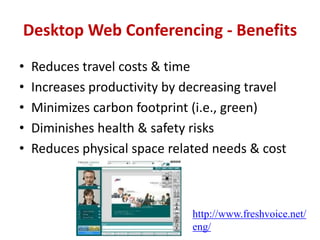
Desktop Web Conferencing - BenefitsReduces travel costs & timeIncreases productivity by decreasing travelMinimizes carbon footprint (i.e., green) Diminishes health & safety risksReduces physical space related needs & costhttp://www.freshvoice.net/eng/
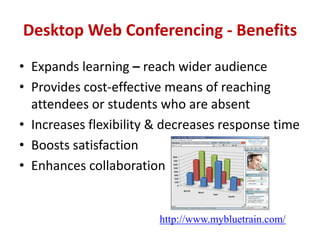
Desktop Web Conferencing - BenefitsExpands learning – reach wider audience  Provides cost-effective means of reaching attendees or students who are absent Increases flexibility & decreases response timeBoosts satisfaction  Enhances collaborationhttp://www.mybluetrain.com/
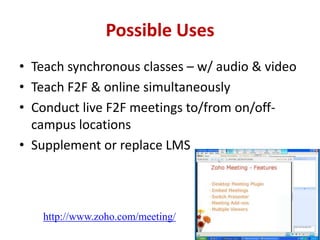
Possible Uses Teach synchronous classes – w/ audio & videoTeach F2F & online simultaneously Conduct live F2F meetings to/from on/off-campus locations  Supplement or replace LMShttp://www.zoho.com/meeting/
Possible Uses Close location boundaries (Digital Divide)Provide live interaction w/ expertsShare information in a secure environmentRecord session & upload it for online access
Selection CriteriaPriceVendor reputationLive audio, video & texting  Quality of online documentationEasy to set up (downloads or plugins needed?)Degree of simplicity & ease of useReliabilityVendor provided support
Selection Criteria (Con’t)Collaboration tools (both sides)Whiteboard w/ mouse pointer & drawing toolsTransfer presentation control to participantsUpload/receive documents (presenter & participants) during sessionHand raising, etc. emoticonsGroup and private-chatPolling & testingGroup meeting rooms for participants
Selection Criteria (Con’t)Number of remote sites at one time  Upload documents during/before sessionAnimations & builds in PowerPointChat can be disabled for participants Individual attendee can be blockedConference system can be closed (i.e., invitation only)  Meeting time limit Cross-platform functionalityMobile device support
Selection Criteria (Con’t)Number of  video images at a timeVOIP (Voice Over IP) &/or telephone choiceFull/half duplexMute audio Enlarge screen to size of application windowInterface panels can be moved & resized Integrate w/ LMSProvide reports on session participationCan sessions be recorded?Recording continuous or “chunked”
Cost/Pricing OptionsFreePer participant per minuteMonthlyYearlyFree vs. paid versions (& different functionality levels)How many seats per licenseExtras (e.g., private branding)
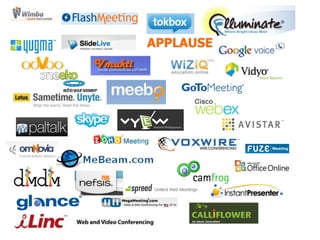
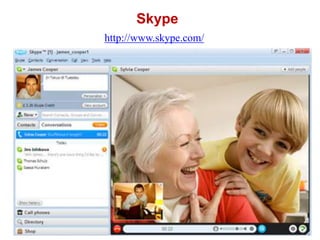
Skypehttp://www.skype.com/
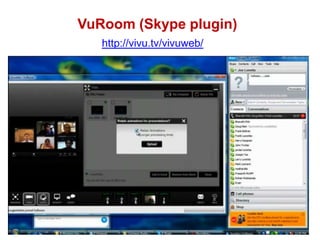
VuRoom (Skype plugin)http://vivu.tv/vivuweb/
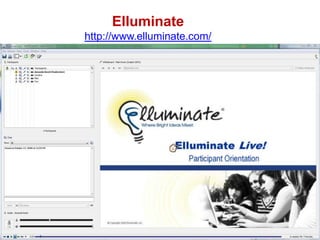
Elluminatehttp://www.elluminate.com/
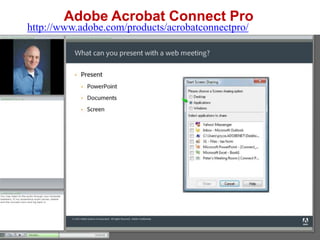
Adobe Acrobat Connect Prohttp://www.adobe.com/products/acrobatconnectpro/
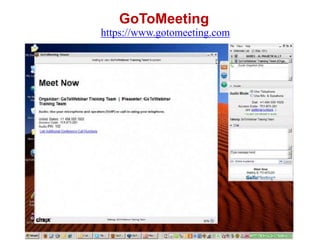
GoToMeetinghttps://www.gotomeeting.com
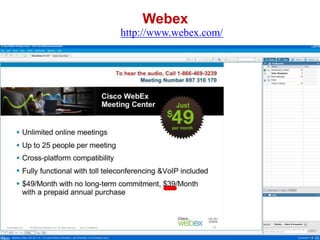
Webexhttp://www.webex.com/
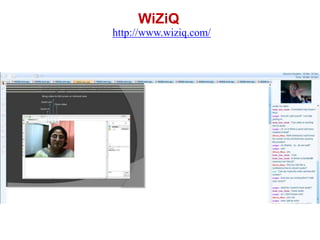
WiZiQhttp://www.wiziq.com/
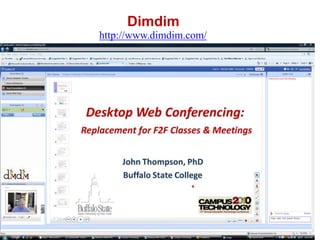
Dimdimhttp://www.dimdim.com/
PresenterJohn Thompson, Ph.D.Associate ProfessorEducational Technology ProgramComputer Information Systems DepartmentChase 208Buffalo State College1300 Elmwood AvenueBuffalo, NY 14222716.878.3531thompsjt@buffalostate.edu

Campus Technology 2010 Desktop Web Conferencing

  • 1.
    Desktop Web Conferencing:Replacement for F2F Classes & MeetingsJohn Thompson, PhDBuffalo State College
  • 2.
    Desktop Web Conferencing- BenefitsReduces travel costs & timeIncreases productivity by decreasing travelMinimizes carbon footprint (i.e., green) Diminishes health & safety risksReduces physical space related needs & costhttp://www.freshvoice.net/eng/
  • 3.
    Desktop Web Conferencing- BenefitsExpands learning – reach wider audience Provides cost-effective means of reaching attendees or students who are absent Increases flexibility & decreases response timeBoosts satisfaction Enhances collaborationhttp://www.mybluetrain.com/
  • 4.
    Possible Uses Teachsynchronous classes – w/ audio & videoTeach F2F & online simultaneously Conduct live F2F meetings to/from on/off-campus locations Supplement or replace LMShttp://www.zoho.com/meeting/
  • 5.
    Possible Uses Closelocation boundaries (Digital Divide)Provide live interaction w/ expertsShare information in a secure environmentRecord session & upload it for online access
  • 6.
    Selection CriteriaPriceVendor reputationLiveaudio, video & texting Quality of online documentationEasy to set up (downloads or plugins needed?)Degree of simplicity & ease of useReliabilityVendor provided support
  • 7.
    Selection Criteria (Con’t)Collaborationtools (both sides)Whiteboard w/ mouse pointer & drawing toolsTransfer presentation control to participantsUpload/receive documents (presenter & participants) during sessionHand raising, etc. emoticonsGroup and private-chatPolling & testingGroup meeting rooms for participants
  • 8.
    Selection Criteria (Con’t)Numberof remote sites at one time Upload documents during/before sessionAnimations & builds in PowerPointChat can be disabled for participants Individual attendee can be blockedConference system can be closed (i.e., invitation only) Meeting time limit Cross-platform functionalityMobile device support
  • 9.
    Selection Criteria (Con’t)Numberof video images at a timeVOIP (Voice Over IP) &/or telephone choiceFull/half duplexMute audio Enlarge screen to size of application windowInterface panels can be moved & resized Integrate w/ LMSProvide reports on session participationCan sessions be recorded?Recording continuous or “chunked”
  • 10.
    Cost/Pricing OptionsFreePer participantper minuteMonthlyYearlyFree vs. paid versions (& different functionality levels)How many seats per licenseExtras (e.g., private branding)
  • 12.
  • 13.
  • 14.
  • 15.
    Adobe Acrobat ConnectProhttp://www.adobe.com/products/acrobatconnectpro/
  • 16.
  • 17.
  • 18.
  • 19.
  • 20.
    PresenterJohn Thompson, Ph.D.AssociateProfessorEducational Technology ProgramComputer Information Systems DepartmentChase 208Buffalo State College1300 Elmwood AvenueBuffalo, NY 14222716.878.3531thompsjt@buffalostate.edu