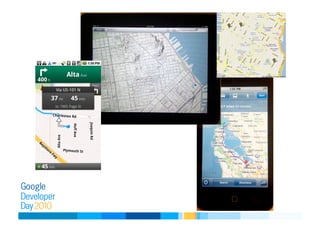
Mapping on Your Phone
Mano Marks
Senior Developer Advocate
Google
Agenda
•  Mobile Mapping Options
–  Browser based
–  Native APIs
–  Hybrid
–  Static Maps API
•  Optimizations
–  KML Layers
–  Fusion Table Layers
–  Street View
–  HTML 5 GeoLocation
–  Styled Maps
Mobile and Geo, a Natural Fit
•  GPS
•  Compass
•  Wireless
•  Accelerometer
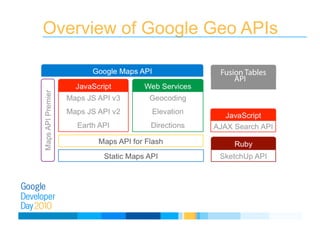
Overview of Google Geo APIs
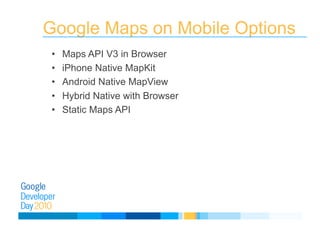
Google Maps on Mobile Options
•  Maps API V3 in Browser
•  iPhone Native MapKit
•  Android Native MapView
•  Hybrid Native with Browser
•  Static Maps API
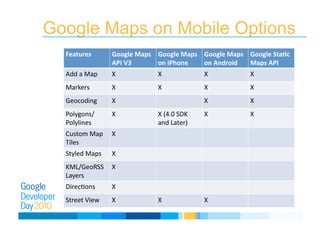
Google Maps on Mobile Options
Features
 Google
Maps

API
V3

Google
Maps

on
iPhone

Google
Maps

on
Android

Google
Sta9c

Maps
API

Add
a
Map
 X
 X
 X
 X

Markers
 X
 X
 X
 X

Geocoding
 X
 X
 X

Polygons/
Polylines

X
 X
(4.0
SDK

and
Later)

X
 X

Custom
Map

Tiles

X

Styled
Maps
 X

KML/GeoRSS

Layers

X

DirecEons
 X

Street
View
 X
 X
 X

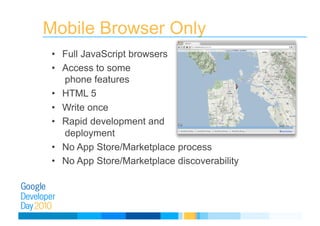
Mobile Browser Only
•  Full JavaScript browsers
•  Access to some
phone features
•  HTML 5
•  Write once
•  Rapid development and
deployment
•  No App Store/Marketplace process
•  No App Store/Marketplace discoverability
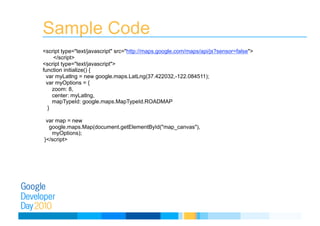
Sample Code
<script type="text/javascript" src="http://maps.google.com/maps/api/js?sensor=false">
</script>

<script type="text/javascript">

function initialize() {

var myLatlng = new google.maps.LatLng(37.422032,-122.084511);

var myOptions = { 

zoom: 8,

center: myLatlng,

mapTypeId: google.maps.MapTypeId.ROADMAP 

}

var map = new 

google.maps.Map(document.getElementById("map_canvas"),

myOptions); 

}</script>
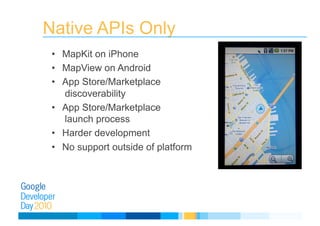
Native APIs Only
•  MapKit on iPhone
•  MapView on Android
•  App Store/Marketplace
discoverability
•  App Store/Marketplace
launch process
•  Harder development
•  No support outside of platform
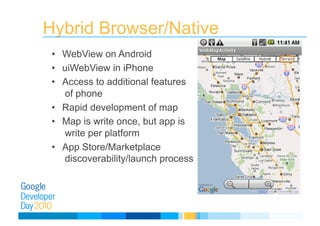
Hybrid Browser/Native
•  WebView on Android
•  uiWebView in iPhone
•  Access to additional features
of phone
•  Rapid development of map
•  Map is write once, but app is
write per platform
•  App Store/Marketplace
discoverability/launch process
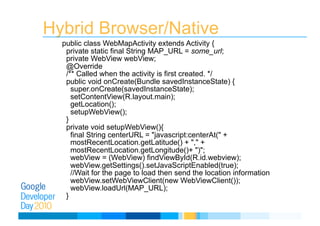
Hybrid Browser/Native
public class WebMapActivity extends Activity {
private static final String MAP_URL = some_url;
private WebView webView;
@Override
/** Called when the activity is first created. */
public void onCreate(Bundle savedInstanceState) {
super.onCreate(savedInstanceState);
setContentView(R.layout.main);
getLocation();
setupWebView();
}
private void setupWebView(){
final String centerURL = "javascript:centerAt(" +
mostRecentLocation.getLatitude() + "," +
mostRecentLocation.getLongitude()+ ")";
webView = (WebView) findViewById(R.id.webview);
webView.getSettings().setJavaScriptEnabled(true);
//Wait for the page to load then send the location information
webView.setWebViewClient(new WebViewClient());
webView.loadUrl(MAP_URL);
}
Optimizations
•  KML Layers
•  Fusion Table Layers
•  Street View
•  HTML 5 GeoLocation
•  Styled Maps
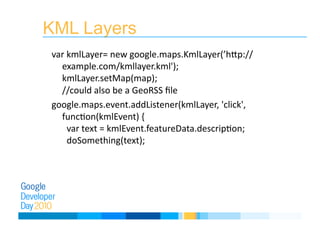
KML Layers
var
kmlLayer=
new
google.maps.KmlLayer(’hLp://
example.com/kmllayer.kml');

kmlLayer.setMap(map);


//could
also
be
a
GeoRSS
file

google.maps.event.addListener(kmlLayer,
'click',

funcEon(kmlEvent)
{


var
text
=
kmlEvent.featureData.descripEon;


doSomething(text);

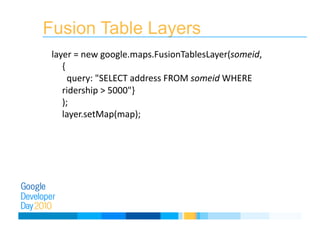
Fusion Table Layers
layer
=
new
google.maps.FusionTablesLayer(someid,

{


query:
"SELECT
address
FROM
someid
WHERE

ridership
>
5000"}

);

layer.setMap(map);

Street View in V3 API
•  Gracefully degrades from:
–  WebGL
–  HTML 5 Canvas
–  HTML 4
•  No Flash, so works in browser
•  Custom Street View panoramas now allowed
HTML 5 GeoLocation
•  Device provides location
•  Mobile often gives GPS location
•  Desktop browser gives ip or wifi
GeoLocation Sample Code
function showMap(position) { // Show a map
centered at position
} // One-shot position request
navigator.geolocation.getCurrentPosition(show
Map);
navigator.geolocation.getCurrentPosition
(successCallback,
errorCallback,
{maximumAge:3600})
Styled Maps
•  Control Color of
–  Administrative Units
–  Landscape Types
–  Points of Interest
–  Roads
–  Transit
–  Water
•  Change width of borders
•  Change size and color of labels
Demos

Google Developer Day 2010 Japan: Android や iPhone で活用する Maps API のモバイル端末向け新機能 (マノ マークス)