What is C#
C#is pronounced as "C-Sharp". It is an object-oriented programming language provided by Microsoft
that runs on .Net Framework.
By the help of C# programming language, we can develop different types of secured and robust
applications:
•Window applications
•Web applications
•Distributed applications
•Web service applications
•Database applications etc.
C# History
C# is pronounced as "C-Sharp". It is an object-oriented programming language provided
by Microsoft that runs on .Net Framework.
Anders Hejlsberg is known as the founder of C# language.
C# has evolved much since their first release in the year 2002. It was introduced with .NET Framework
1.0 and the current version of C# is 5.0.
2.
C# Features
1.Simple
2.Modern programminglanguage
3.Object oriented
4.Type safe
5.Interoperability
6.Scalable and Updateable
7.Component oriented
8.Structured programming language
9.Rich Library
10.Fast speed
C# Simple Example
Public class Program
{
static void Main(string[] args)
{
System.Console.Write(“It’s my First C-sharp class!”);
}
}
3.
class: is akeyword which is used to define class.
Program: is the class name. A class is a blueprint or template from which objects are created. It can have
data members and methods. Here, it has only Main method.
static: is a keyword which means object is not required to access static members. So it saves memory.
void: is the return type of the method. It does't return any value. In such case, return statement is
not required.
Main: is the method name. It is the entry point for any C# program. Whenever we run the C# program,
Main() method is invoked first before any other method. It represents start up of the program.
string[] args: is used for command line arguments in C#. While running the C# program, we can pass
values. These values are known as arguments which we can use in the program.
1.using System;
2. class Program
3. {
4. static void Main(string[] args)
5. {
6. Console.WriteLine("Hello World!");
7. }
8. }
4.
C# Variable
A variableis a name of memory location. It is used to store data. Its value can be changed and it can be
reused many times.
It is a way to represent memory location through symbol so that it can be easily identified.
1.int i, j;
2.double d;
3.float f;
4.char ch;
The example of declaring variable is given below:
C# Data Types
5.
Value Data Type
Thevalue data types are integer-based and floating-point based. C# language supports both signed and
unsigned literals.
Reference Data Type
The reference data types do not contain the actual data stored in a variable, but they contain a reference to
the variables.
Pointer Data Type
The pointer in C# language is a variable, it is also known as locator or indicator that points to an address
of a value.
The pointer in C# language can be declared using * (asterisk symbol).
*a=100;
6.
C# operators
An operatoris simply a symbol that is used to perform operations.
There are following types of operators to perform different types of operations in C# language.
•Arithmetic Operators
•Relational Operators
•Logical Operators
•Bitwise Operators
•Assignment Operators
•Unary Operators
•Ternary Operators
•Misc Operators
C# Keywords
A keyword is a reserved word. You cannot use it as a variable name, constant name etc.
7.
C# if-else
In C#programming, the if statement is used to test the condition. There are various types of if statements
in C#.
•if statement
•if-else statement
•nested if statement
•if-else-if ladder
C# IF Statement
The C# if statement tests the condition. It is executed if
condition is true.
Syntax:
if(condition)
{
}
8.
using System;
public classIfExample
{
public static void Main(string[] args)
{
int num = 10;
if (num % 2 == 0)
{
Console.WriteLine("It is even number");
}
}
}
9.
C# IF-else Statement
TheC# if-else statement also tests the condition. It executes the if block if condition is true
otherwise else block is executed.
Syntax:
if(condition){
//code if condition is true
}
else
{
//code if condition is false
}
C# If-else
1.using System;
2.public class IfExample
3. {
4. public static void Main(string[] args)
5. {
6. int num = 11;
7. if (num % 2 == 0)
8. {
9. Console.WriteLine("It is even number");
10. }
11. else
12. {
13. Console.WriteLine("It is odd number");
14. }
15.
16. }
17. }
10.
C# If-elsewith inputfrom user
getting input from the user using Console.ReadLine() method. It returns string. For numeric value,
you need to convert it into int using Convert.ToInt32() method.
getting input from the user using Console.ReadLine() method. It returns string. For numeric
value, you need to convert it into int using Convert.ToInt32() method.
1.using System;
2.public class IfExample
3. {
4. public static void Main(string[] args)
5. {
6. Console.WriteLine("Enter a number:");
7. int num = Convert.ToInt32(Console.ReadLine());
8.
9. if (num % 2 == 0)
10. {
11. Console.WriteLine("It is even number");
12. }
13. else
14. {
15. Console.WriteLine("It is odd number");
16. }
17.
18. }
11.
getting input fromthe user using Console.ReadLine() method.
It returns string. For numeric value, you need to convert it into
int using Convert.ToInt32() method.
1.using System;
2.public class IfExample
3. {
4. public static void Main(string[] args)
5. {
6. Console.WriteLine("Enter a number:");
7. int num = Convert.ToInt32(Console.ReadLine()
);
8.
9. if (num % 2 == 0)
10. {
11. Console.WriteLine("It is even number");
12. }
13. else
14. {
15. Console.WriteLine("It is odd number");
16. }
17.
18. }
19. }
12.
C# IF-else-if ladderStatement
The C# if-else-if ladder statement executes one condition from multiple statements.
Syntax:
1.if(condition1)
2.{
3.//code to be executed if condition1 is true
4.}
5.else if(condition2)
6.{
7.//code to be executed if condition2 is true
8.}
9.else if(condition3)
10.{
11.//code to be executed if condition3 is true
12.}
13....
14.else{
15.//code to be executed if all the conditions are false
16.}
13.
C# If else-if
1.usingSystem;
2.public class IfExample
3. {
4. public static void Main(string[] args)
5. {
6. Console.WriteLine("Enter a number to check grade:");
7. int num = Convert.ToInt32(Console.ReadLine());
8.
9. if (num <0 || num >100)
10. {
11. Console.WriteLine("wrong number");
12. }
13. else if(num >= 0 && num < 50){
14. Console.WriteLine("Fail");
15. }
16. else if (num >= 50 && num < 60)
17. {
18. Console.WriteLine("D Grade");
19. }
20.Else {
21.Console.writeLine(“ ”);
22.}
14.
C# switch
The C#switch statement executes one statement from multiple conditions. It is like if-else-if ladder
statement in C#.
Syntax:
switch(expression)
{
case value1:
//code to be executed;
break;
case value2:
//code to be executed;
break;
......
default:
//code to be executed if all cases are not matched;
break;
}
15.
C# Switch
1.using System;
2.public class SwitchExample
3. {
4. public static void Main(string[] args)
5. {
6. Console.WriteLine("Enter a number:");
7. int num = Convert.ToInt32(Console.ReadLine());
8.
9. switch (num)
10. {
11. case 10: Console.WriteLine("It is 10"); break;
12. case 20: Console.WriteLine("It is 20"); break;
13. case 30: Console.WriteLine("It is 30"); break;
14.
15. default: Console.WriteLine("Not 10, 20 or 30"); break;
16. }
17. }
18. }
16.
C# For Loop
TheC# for loop is used to iterate a part of the program several times. If the number of iteration is fixed,
it is recommended to use for loop than while or do-while loops.
The C# for loop is same as C/C++. We can initialize variable, check condition and increment/decrement
value.
Syntax:
for(initialization; condition; incr/decr)
{
//code to be executed
1.}
C# Fo Loop
using System;
public class ForExample
{
public static void Main(string[] args)
{
for(int i=0; i<=10; i++)
{
Console.WriteLine(i);
}
}
}
17.
C# Nested ForLoop
In C#, we can use for loop inside another for loop, it is known as nested for loop. The inner loop is
executed fully when outer loop is executed one time.
using System;
public class ForExample
{
public static void Main(string[] args)
{
for(int i=1;i<=3;i++){
for(int j=1;j<=3;j++){
Console.WriteLine(i+" "+j);
}
}
}
}
C# Infinite For Loop
If we use double semicolon in for loop, it will be executed infinite times.
18.
using System;
public classForExample
{
public static void Main(string[] args)
{
for (; ;)
{
Console.WriteLine("Infinitive For Loop");
}
}
}
19.
C# While Loop
InC#, while loop is used to iterate a part of the program several times. If the number of iteration is not
fixed, it is recommended to use while loop than for loop.
Syntax:
while(condition)
{
//code to be executed
}
using System;
public class WhileExample
{
public static void Main(string[] args)
{
int i=0;
while(i<=10);
{
Console.WriteLine(i);
i++;
}
}
}
20.
C# Nested WhileLoop
using System;
public class WhileExample
{
public static void Main(string[] args)
{
int i=1;
while(i<=3)
{
int j = 1;
while (j <= 3)
{
Console.WriteLine(i+" "+j);
j++;
}
i++;
}
}
}
21.
C# Infinitive WhileLoop
using System;
public class WhileExample
{
public static void Main(string[] args)
{
while(true)
{
Console.WriteLine("Infinitive While Loop");
}
}
}
22.
C# Do-While Loop
TheC# do-while loop is executed at least once because condition is checked after loop body.
Syntax:
Do
{
}
while(condition);
C# do-while Loop Example using System;
public class DoWhileExample
{
public static void Main(string[] args)
{
int i = 1;
do{
Console.WriteLine(i);
i++;
} while (i <= 10) ;
}
}
23.
C# Nested do-whileLoop
In C#, if you use do-while loop inside another do-while loop, it is known as nested do-while loop.
using System;
public class DoWhileExample
{
public static void Main(string[] args)
{
int i=1;
do{
int j = 1;
do{
Console.WriteLine(i+" "+j);
j++;
} while (j <= 3) ;
i++;
} while (i <= 3) ;
}
}
24.
C# Infinitive do-whileLoop
Syntax:
do{
//code to be executed
}while(true);
C# Infinitive do-while Loop
using System;
public class WhileExample
{
public static void Main(string[] args)
{
do{
Console.WriteLine("Infinitive do-while Loop");
} while(true);
}
}
25.
C# Break Statement
TheC# break is used to break loop or switch statement. It breaks the current flow of the program at the
given condition. In case of inner loop, it breaks only inner loop.
Syntax:
jump-statement;
break;
C# Break Statement Example
1.using System;
2.public class BreakExample
3. {
4. public static void Main(string[] args)
5. {
6. for (int i = 1; i <= 10; i++)
7. {
8. if (i == 5)
9. {
10. break;
11. }
12. Console.WriteLine(i);
13. }
14. }
15. }
The C# continuestatement is used to continue loop. It continues the current flow of the program and skips
the remaining code at specified condition. In case of inner loop, it continues only inner loop.
Syntax:
1.jump-statement;
2.continue;
C# Continue Statement Example
1.using System;
2.public class ContinueExample
3. {
4. public static void Main(string[] args)
5. {
6. for(int i=1;i<=10;i++){
7. if(i==5)
8.{
9. continue;
10. }
11. Console.WriteLine(i);
12. }
13. }
14. }
28.
C# Continue Statementwith Inner Loop
C# Continue Statement continues inner loop only if you use continue statement inside the inner loop.
1.using System;
2.public class ContinueExample
3. {
4. public static void Main(string[] args)
5. {
6. for(int i=1;i<=3;i++){
7. for(int j=1;j<=3;j++){
8. if(i==2&&j==2){
9. continue;
10. }
11. Console.WriteLine(i+" "+j);
12. }
13. }
14. }
15. }
29.
C# Goto Statement
TheC# goto statement is also known jump statement. It is used to transfer control to the other part of the
program. It unconditionally jumps to the specified label.
It can be used to transfer control from deeply nested loop or switch case label.
Currently, it is avoided to use goto statement in C# because it makes the program complex.
C# Goto Statement Example 1.using System;
2.public class GotoExample
3. {
4. public static void Main(string[] args)
5. {
6. ineligible:
7. Console.WriteLine("You are not eligible to vote!");
8.
9. Console.WriteLine("Enter your age:n");
10. int age = Convert.ToInt32(Console.ReadLine());
11. if (age < 18){
12. goto ineligible;
13. }
14. else
15. {
16. Console.WriteLine("You are eligible to vote!");
17. }
18. }
30.
C# Function
Function isa block of code that has a signature. Function is used to execute statements specified in the code block. A
function consists of the following components:
Function name: It is a unique name that is used to make Function call.
Return type: It is used to specify the data type of function return value.
Body: It is a block that contains executable statements.
Access specifier: It is used to specify function
accessibility in the application.
Parameters: It is a list of arguments that we can pass
to the function during call.
C# Function Syntax
<access-specifier><return-
type>FunctionName(<parameters>)
{
// function body
// return statement
}
31.
C# Function: usingno parameter and return type
using System;
namespace FunctionExample
{
class Prime
{
public void Show( )
{
Console.WriteLine("This is non parameterized function");
}
}
static void Main(string[] args)
{
Prime p1 =new Prime();
P1.show();
OR
Program pro = new Pro(); // Creating Object
program.Show(); // Calling Function
}
}
}
32.
C# Function: usingparameter but no return type
1.using System;
2.namespace FunctionExample
3.{
4. class Program
5. {
6. public void Show(string message)
7. {
8. Console.WriteLine("Hello " + message);
9. }
10. static void Main(string[] args)
11. {
12. Program pro = new Program(); // Creating Object
13. pro.Show("Renu Sai"); // Calling Function
14. }
15. }
16.}
33.
A function canhave zero or any number of parameters to get data. In the following example, a function is
created without parameters. A function without parameter is also known as non-parameterized function.
C# Function: using parameter and return type
1.using System;
2.namespace FunctionExample
3.{
4. class Program
5. {
6. // User defined function
7. public string Show(string msg)
8. {
9. Console.WriteLine("Inside Show Function");
10. return message;
11. }
12. // Main function, execution entry point of the program
13. static void Main(string[] args)
14. {
15. Program program = new Program();
16. program.Show("Rahul Kumar");
17. Console.WriteLine("Hello "+message);
18. }
19. }
20.}
34.
C# Call ByValue
In C#, value-type parameters are that pass a copy of original value to the function rather than reference. It
does not modify the original value. A change made in passed value does not alter the actual value.
C# Call By Value
1.using System;
2.namespace CallByValue
3.{
4. class Program
5. {
6. public void Show(int val)
7. {
8. val *= val; // Manipulating value
9. Console.WriteLine("Value inside the show function "+val);
10. }
11. static void Main(string[] args)
12. {
13. int val = 50;
14. Program p1 = new Program(); // Creating Object
15. Console.WriteLine("Value before calling the function "+val);
16. p1.Show(val); // Calling Function by passing value
17. Console.WriteLine("Value after calling the function " + val);
18. }
19. }
20.}
35.
C# Call ByReference
C# provides a ref keyword to pass argument as reference-type. It passes reference of arguments to the
function rather than copy of original value. The changes in passed values are permanent and modify the
original variable value.
C# Call By Reference Example
36.
1.using System;
2.namespace CallByReference
3.{
4.class Program
5. {
6. // User defined function
7. public void Show(ref int val)
8. {
9. val *= val; // Manipulating value
10. Console.WriteLine("Value inside the show function "+val);
11. // No return statement
12. }
13. // Main function, execution entry point of the program
14. static void Main(string[] args)
15. {
16. int val = 50;
17. Program program = new Program(); // Creating Object
18. Console.WriteLine("Value before calling the function "+val);
19. program.Show(ref val); // Calling Function by passing reference
20.
21. Console.WriteLine("Value after calling the function " + val);
22. }
23. }
24.}
37.
C# Out Parameter
C#provides out keyword to pass arguments as out-type. It is like reference-type, except that it does not
require variable to initialize before passing. We must use out keyword to pass argument as out-type. It is
useful when we want a function to return multiple values.
C# Out Parameter Example
1.using System;
2.namespace OutParameter
3.{
4. class Program
5. {
6. // User defined function
7. public void Show(out int val) // Out parameter
8. {
9. int square = 5;
10. val = square;
11. val *= val; // Manipulating value
12. }
38.
1. // Mainfunction, execution entry point of the program
2. static void Main(string[] args)
3. {
4. int val = 50;
5. Program program = new Program(); // Creating Object
6. Console.WriteLine("Value before passing out variable " + val);
7. program.Show(out val); // Passing out argument
8. Console.WriteLine("Value after recieving the out variable " + val);
9. }
10. }
11.}
C# Out Parameter Example 2
39.
1.using System;
2.namespace OutParameter
3.{
4.class Program
5. {
6. // User defined function
7. public void Show(out int a, out int b) // Out parameter
8. {
9. int square = 5;
10. a = square;
11. b = square;
12. // Manipulating value
13. a *= a;
14. b *= b;
15. }
40.
// Main function,execution entry point of the program
static void Main(string[] args)
{
int val1 = 50, val2 = 100;
Program program = new Program(); // Creating Object
Console.WriteLine("Value before passing n val1 = " + val1+" n val2 = "+val2);
program.Show(out val1, out val2); // Passing out argument
Console.WriteLine("Value after passing n val1 = " + val1 + " n val2 = " + val2);
}
}
}
41.
C# Arrays
array inC# is a group of similar types of elements that have contiguous memory location. In C#, array is
an object of base type System.Array. In C#, array index starts from 0. We can store only fixed set of
elements in C# array.
Advantages of C# Array
•Code Optimization (less code)
•Random Access
•Easy to traverse data
•Easy to manipulate data
•Easy to sort data etc.
Disadvantages of C# Array
•Fixed size
C# Array Types
There are 3 types of arrays in C# programming:
1.Single Dimensional Array
2.Multidimensional Array
3.Jagged Array
42.
C# Single DimensionalArray
To create single dimensional array, you need to use square brackets [] after the type.
int[] arr = new int[5];//creating array
1.using System;
2.public class ArrayExample
3.{
4. public static void Main(string[] args)
5. {
6. int[] arr = new int[5];//creating array
7. arr[0] = 10;//initializing array
8. arr[2] = 20;
9. arr[4] = 30;
10.
11. //traversing array
12. for (int i = 0; i < arr.Length; i++)
13. {
14. Console.WriteLine(arr[i]);
15. }
16. }
17.}
43.
1.using System;
2.public classArrayExample
3.{
4. public static void Main(string[] args)
5. {
6. int[] arr = { 10, 20, 30, 40, 50 };//
Declaration and Initialization of array
7.
8. //traversing array
9. for (int i = 0; i < arr.Length; i++)
10. {
11. Console.WriteLine(arr[i]);
12. }
13. }
14.}
44.
Traversal using foreachloop
1.using System;
2.public class ArrayExample
3.{
4. public static void Main(string[] args)
5. {
6. int[] arr = { 10, 20, 30, 40, 50 };//creating and initializing array
7.
8. //traversing array
9. foreach (int i in arr)
10. {
11. Console.WriteLine(i);
12. }
13. }
14.}
45.
C# Multidimensional Arrays
Themultidimensional array is also known as rectangular arrays in C#. It can be two dimensional or three
dimensional. The data is stored in tabular form (row * column) which is also known as matrix.
int[,] arr=new int[3,3];//declaration of 2D array
int[,,] arr=new int[3,3,3];//declaration of 3D array
C# Multidimensional Array Example
using System;
public class MultiArrayExample
{
public static void Main(string[] args)
{
int[,] arr=new int[3,3];//declaration of 2D array
arr[0,1]=10;//initialization
arr[1,2]=20;
arr[2,0]=30; //traversal
for(int i=0;i<3;i++){
for(int j=0;j<3;j++){
Console.Write(arr[i,j]+" ");
}
Console.WriteLine();//new line at each row
}
}
}
46.
C# Jagged Arrays
InC#, jagged array is also known as "array of arrays" because its elements are arrays. The element size of
jagged array can be different.
Declaration of Jagged array
int[][] arr = new int[2][];
C# Jagged Array Example
public class JaggedArrayTest
{
public static void Main()
{
int[][] arr = new int[2][];// Declare the array
arr[0] = new int[] { 11, 21, 56, 78 };// Initialize the array
arr[1] = new int[] { 42, 61, 37, 41, 59, 63 };
// Traverse array elements
for (int i = 0; i < arr.Length; i++)
{
for (int j = 0; j < arr[i].Length; j++)
{
System.Console.Write(arr[i][j]+" ");
}
System.Console.WriteLine();
}
}
}
47.
C# Params
In C#,params is a keyword which is used to specify a parameter that takes variable number of
arguments.
C# Params Example 1
using System;
namespace AccessSpecifiers
{
class Program
{
// User defined function
public void Show(params int[] val) // Params Paramater
{
for (int i=0; i<val.Length; i++)
{
Console.WriteLine(val[i]);
}
}
// Main function, execution entry point of the program
static void Main(string[] args)
{
Program program = new Program(); // Creating Object
program.Show(2,4,6,8,10,12,14); // Passing arguments of variable length
}
}
}
48.
C# Array class
C#provides an Array class to deal with array related operations. It provides methods for creating,
manipulating, searching, and sorting elements of an array. This class works as the base class for all arrays in
the .NET programming environment.
C# Array class Signature
[SerializableAttribute]
[ComVisibleAttribute(true)]
public abstract class Array : ICloneable, IList, ICollection,
IEnumerable, IStructuralComparable, IStructuralEquatable
C# Array Example
49.
using System;
namespace CSharpProgram
{
classProgram
{
static void Main(string[] args)
{
// Creating an array
int[] arr = new int[6] { 5, 8, 9, 25, 0, 7 };
// Creating an empty array
int[] arr2 = new int[6];
// Displaying length of array
Console.WriteLine("length of first array: "+arr.Length);
// Sorting array
Array.Sort(arr);
Console.Write("First array elements: ");
50.
PrintArray(arr);
// Finding indexof an array element
Console.WriteLine("nIndex position of 25 is "+Array.IndexOf(arr,25));
// Coping first array to empty array
Array.Copy(arr, arr2, arr.Length);
Console.Write("Second array elements: ");
// Displaying second array
PrintArray(arr2);
Array.Reverse(arr);
Console.Write("nFirst Array elements in reverse order: ");
PrintArray(arr);
}
// User defined method for iterating array elements
static void PrintArray(int[] arr)
{
foreach (Object elem in arr)
{
Console.Write(elem+" ");
}
}
}
}
51.
C# Command LineArguments
Arguments that are passed by command line known as command line arguments.
C# Command Line Arguments Example
52.
using System;
namespace CSharpProgram
{
classProgram
{
// Main function, execution entry point of the program
static void Main(string[] args) // string type parameters
{
// Command line arguments
Console.WriteLine("Argument length: "+args.Length);
Console.WriteLine("Supplied Arguments are:");
foreach (Object obj in args)
{
Console.WriteLine(obj);
}
}
}
}
53.
C# Object andClass
Since C# is an object-oriented language, program is designed using objects and classes in C#.
C# Object
In C#, Object is a real world entity, for example, chair, car, pen, mobile, laptop etc.
In other words, object is an entity that has state and behavior. Here, state means data and behavior means functionality.
Object is a runtime entity, it is created at runtime.
Object is an instance of a class. All the members of the class can be accessed through object.
Student s1 = new Student();//creating an object of Student
C# Class
In C#, class is a group of similar objects. It is a template from which objects are created. It can have fields,
methods, constructors etc.
public class Student
{
int id;//field or data member
String name;//field or data member
}
54.
C# Object andClass Example
using System;
public class Student
{
int id;//data member (also instance variable)
String name;//data member(also instance variable)
public static void Main(string[] args)
{
Student s1 = new Student();//creating an object of Student
s1.id = 101;
s1.name = “Mirdul";
Console.WriteLine(s1.id+” “ s1.name);
Console.WriteLine(s1.name);
}
}
55.
using System;
public classStudent
{
public int id;
public String name;
}
class TestStudent{
public static void Main(string[] args)
{
Student s1 = new Student();
s1.id = 101;
s1.name = “Mirdul";
Console.WriteLine(s1.id);
Console.WriteLine(s1.name);
}
}
C# Class Example 2: Having Main() in another class
56.
C# Class Example3: Initialize and Display data through method
1.using System;
2. public class Student
3. {
4. public int id;
5. public String name;
6. public void insert(int i, String n)
7. {
8. id = i;
9. name = n;
10. }
11. public void display()
12. {
13. Console.WriteLine(id + " " + name);
14. }
15. }
C# Constructor
In C#,constructor is a special method which is invoked automatically at the time of object creation. It is
used to initialize the data members of new object generally. The constructor in C# has the same name as
class or struct.
There can be two types of constructors in C#.
•Default constructor
•Parameterized constructor
C# Default Constructor
A constructor which has no argument is known as default constructor. It is invoked at the time of creating
object.
C# Default Constructor Example: Having Main() within class
59.
using System;
public classEmployee
{
public Employee( )
{
Console.WriteLine("Default Constructor Invoked");
}
public static void Main(string[] args)
{
Employee e1 = new Employee();
Employee e2 = new Employee();
}
}
60.
C# Parameterized Constructor
Aconstructor which has parameters is called parameterized constructor. It is used to provide different values to distinct
objects.
using System;
public class Employee
{
public int id;
public String name;
public float salary;
public Employee(int i, String n, float s)
{
id = i;
name = n;
salary = s;
}
public void display()
{
Console.WriteLine(id + " " + name+" "+salary);
}
}
61.
class TestEmployee{
public staticvoid Main(string[] args)
{
Employee e1 = new Employee(101, "Sonoo", 890000f);
Employee e2 = new Employee(102, "Mahesh", 490000f);
e1.display();
e2.display();
}
}
62.
C# Destructor
A destructorworks opposite to constructor, It destructs the objects of classes. It can be defined only once
in a class.
Note: C# destructor cannot have parameters. Moreover, modifiers can't be applied on destructors.
C# Constructor and Destructor Example
C# this
In c#programming, this is a keyword that refers to the current instance of the class. There can be 3 main
usage of this keyword in C#.
•It can be used to refer current class instance variable. It is used if field names (instance variables) and
parameter names are same, that is why both can be distinguish easily.
•It can be used to pass current object as a parameter to another method.
•It can be used to declare indexers.
C# this example
C# static
In C#,static is a keyword or modifier that belongs to the type not instance. So instance is not required to
access the static members. In C#, static can be field, method, constructor, class, properties, operator and
event.
Advantage of C# static keyword
Memory efficient: Now we don't need to create instance for accessing the static members, so it saves
memory. Moreover, it belongs to the type, so it will not get memory each time when instance is created.
C# Static Field
A field which is declared as static, is called static field. Unlike instance field which gets memory each time
whenever you create object, there is only one copy of static field created in the memory. It is shared to all
the objects.
C# static field example
68.
using System;
public classAccount
{
public int accno;
public String name;
public static float rateOfInterest=8.8f;
public Account(int accno, String name)
{
this.accno = accno;
this.name = name;
}
public void display()
{
Console.WriteLine(accno + " " + name + " " + rateOfInterest);
}
}
69.
class TestAccount{
public staticvoid Main(string[] args)
{
Account a1 = new Account(101, "Sonoo“ );
Account a2 = new Account(102, "Mahesh“ );
a1.display();
a2.display();
}
}
C# static field example : changing static field
70.
using System;
public classAccount
{
public int accno;
public String name;
public static float rateOfInterest=8.8f;
public Account(int accno, String name)
{
this.accno = accno;
this.name = name;
}
public void display()
{
Console.WriteLine(accno + " " + name + " " + rateOfInterest);
}
}
71.
class TestAccount{
public staticvoid Main(string[] args)
{
Account.rateOfInterest = 10.5f;//changing value
Account a1 = new Account(101, "Sonoo");
Account a2 = new Account(102, "Mahesh");
a1.display();
a2.display();
}
}
C# static class
The C# static class is like the normal class but it cannot be instantiated. It can have only static members.
The advantage of static class is that it provides you guarantee that instance of static class cannot be
created.
Points to remember for C# static class
•C# static class contains only static members.
•C# static class cannot be instantiated.
•C# static class is sealed.
•C# static class cannot contain instance constructors.
72.
C# static classexample
1.using System;
2. public static class MyMath
3. {
4. public static float PI=3.14f;
5.
6. public static int cube(int n)
7. {
8. return n*n*n;
9.}
10. }
11. class TestMyMath{
12. public static void Main(string[] args)
13. {
14. Console.WriteLine("Value of PI is: "+MyMath.PI);
15.
16. Console.WriteLine("Cube of 3 is: " + MyMath.cube(3));
17. }
18. }
73.
C# static constructor
C#static constructor is used to initialize static fields. It can also be used to perform any action
that is to be performed only once. It is invoked automatically before first instance is created or
any static member is referenced.
Points to remember for C# Static Constructor
•C# static constructor cannot have any modifier or parameter.
•C# static constructor is invoked implicitly. It can't be called explicitly.
74.
C# Static Constructorexample
1.using System;
2. public class Account
3. {
4. public int id;
5. public String name;
6. public static float rateOfInterest;
7. public Account(int id, String name)
8. {
9. this.id = id;
10. this.name = name;
11. }
12. static Account()
13. {
14. rateOfInterest = 9.5f;
15. }
C# Structs
In C#,classes and structs are blueprints that are used to create instance of a class. Structs are used for
lightweight objects such as Color, Rectangle, Point etc.
Unlike class, structs in C# are value type than reference type. It is useful if you have data that is not
intended to be modified after creation of struct.
C# Struct Example 1.using System;
2.public struct Rectangle
3.{
4. public int width, height;
5.
6. }
7.public class TestStructs
8.{
9. public static void Main()
10. {
11. Rectangle r = new Rectangle();
12. r.width = 4;
13. r.height = 5;
14. Console.WriteLine("Area of Rectangle is: " + (r.width * r.height));
15. }
16.}
77.
C# Enum
Enum inC# is also known as enumeration. It is used to store a set of named constants such as season,
days, month, size etc. The enum constants are also known as enumerators. Enum in C# can be declared
within or outside class and structs.
Enum constants has default values which starts from 0 and incremented to one by one. But we can
change the default value.
Points to remember
•enum has fixed set of constants
•enum improves type safety
•enum can be traversed
78.
C# Enum Example
1.usingSystem;
2.public class EnumExample
3.{
4. public enum Season { WINTER, SPRING, SUMMER, FALL }
5.
6. public static void Main()
7. {
8. int x = (int)Season.WINTER;
9. int y = (int)Season.SUMMER;
10. Console.WriteLine("WINTER = {0}", x);
11. Console.WriteLine("SUMMER = {0}", y);
12. }
13.}
79.
C# Properties
C# Properitesdoesn't have storage location. C# Properites are extension of fields and accessed like
fields.
The Properties have accessors that are used to set, get or compute their values.
Usage of C# Properties
1.C# Properties can be read-only or write-only.
2.We can have logic while setting values in the C# Properties.
3.We make fields of the class private, so that fields can't be accessed from outside the class directly.
Now we are forced to use C# properties for setting or getting values.
C# Properties Example
80.
using System;
public classEmployee
{
private string name;
public string Name
{
get
{
return name;
}
set
{
name = value;
}
}
}
81.
1.class TestEmployee{
2. publicstatic void Main(string[] args)
3. {
4. Employee e1 = new Employee();
5. e1.Name = "Sonoo Jaiswal";
6. Console.WriteLine("Employee Name: " + e1.Name);
7.
8. }
9. }
C# Properties Example 2: having logic while setting
value
82.
using System;
public classEmployee
{
private string name;
public string Name
{
get
{
return name;
}
set
{
name = value+“ Singh";
}
}
1.using System;
2. publicclass Employee
3. {
4. private static int counter;
5.
6. public Employee()
7. {
8. counter++;
9. }
10. public static int Counter()
11. {
12. get
13. {
14. return counter;
15. }
16. }
17. }
85.
1.class TestEmployee{
2. publicstatic void Main(string[] args)
3. {
4. Employee e1 = new Employee();
5. Employee e2 = new Employee();
6. Employee e3 = new Employee();
7. //e1.Counter = 10;//Compile Time Error: Can't set value
8.
9. Console.WriteLine("No. of Employees: " + Employee.Counter);
10. }
11. }
86.
C# Inheritance
In C#,inheritance is a process in which one object acquires all the properties and behaviors of its parent
object automatically.
In C#, the class which inherits the members of another class is called derived class and the class whose
members are inherited is called base class.
Advantage of C# Inheritance
Code reusability: Now you can reuse the members of your parent class. So, there is no need to define the
member again. So less code is required in the class.
C# Single Level Inheritance Example: Inheriting Fields
When one class inherits another class, it is known as single level inheritance. Let's see the example of single
level inheritance which inherits the fields only.
87.
using System;
public classEmployee
{
public float salary = 40000;
}
public class Programmer : Employee
{
public float bonus = 10000;
}
class TestInheritance{
public static void Main(string[] args)
{
Programmer p1 = new Programmer();
Console.WriteLine("Salary: " + p1.salary);
Console.WriteLine("Bonus: " + p1.bonus);
}
}
88.
C# Single LevelInheritance Example: Inheriting
Methods
using System;
public class Animal
{
public void eat() { Console.WriteLine("Eating..."); }
}
public class Dog: Animal
{
public void bark() { Console.WriteLine("Barking...");
}
}
class TestInheritance2{
public static void Main(string[] args)
{
Dog d1 = new Dog();
d1.eat();
d1.bark();
}
}
89.
C# Multi LevelInheritance Example
When one class inherits another class which is further inherited by another class, it is known as multi level
inheritance in C#. Inheritance is transitive so the last derived class acquires all the members of all its base
classes. using System;
public class Animal
{
public void eat() { Console.WriteLine("Eating..."); }
}
public class Dog: Animal
{
public void bark() { Console.WriteLine("Barking..."); }
}
public class BabyDog : Dog
{
public void weep() { Console.WriteLine("Weeping..."); }
}
class TestInheritance2{
public static void Main(string[] args)
{
BabyDog d1 = new BabyDog();
d1.eat();
d1.bark();
d1.weep();
90.
C# Aggregation (HAS-ARelationship)
In C#, aggregation is a process in which one class defines another class as any entity reference. It is another
way to reuse the class. It is a form of association that represents HAS-A relationship.
C# Aggregation Example
using System;
public class Address
{
public string addressLine, city, state;
public Address(string addressLine, string city, string state)
{
this.addressLine = addressLine;
this.city = city;
this.state = state;
}
}
91.
public class Employee
{
publicint id;
public string name;
public Address address;//Employee HAS-A Address
public Employee(int id, string name, Address address)
{
this.id = id;
this.name = name;
this.address = address;
}
public void display()
{
Console.WriteLine(id + " " + name + " " +
address.addressLine + " " + address.city + " " + address.state);
}
}
92.
public class TestAggregation
{
publicstatic void Main(string[] args)
{
Address a1=new Address("G-13, Sec-3","Noida","UP");
Employee e1 = new Employee(1,"Sonoo", a1);
e1.display();
}
}
93.
C# Member Overloading
Ifwe create two or more members having same name but different in number or type of parameter, it is
known as member overloading. In C#, we can overload:
•methods,
•constructors, and
•indexed properties
It is because these members have parameters only.
C# Method Overloading
Having two or more methods with same name but different in parameters, is known as method
overloading in C#.
The advantage of method overloading is that it increases the readability of the program because you
don't need to use different names for same action.
You can perform method overloading in C# by two ways:
1.By changing number of arguments
2.By changing data type of the arguments
C# Method Overloading Example: By changing no. of arguments
Let's see the simple example of method overloading where we are changing number of arguments of
add() method.
94.
1.using System;
2. publicclass Cal
3. {
4. public static int add(int a, int b)
5. {
6. return a + b;
7. }
8. public static int add(int a, int b, int c)
9. {
10. return a + b + c;
11. }
12.}
13.public class TestMemberOverloading
14.{
15. public static void Main()
16. {
17. Console.WriteLine(Cal.add(12, 23));
18. Console.WriteLine(Cal.add(12, 23, 25));
19. }
20.}
95.
C# Member OverloadingExample: By changing data type of arguments
1.using System;
2.public class Cal {
3. public static int add(int a, int b)
4.{
5. return a + b;
6. }
7. public static float add(float a, float b)
8. {
9. return a + b;
10. }
11.}
12.public class TestMemberOverloading
13.{
14. public static void Main()
15. {
16. Console.WriteLine(Cal.add(12, 23));
17. Console.WriteLine(Cal.add(12.4f,21.3f));
18. }
19.}
96.
C# Method Overriding
Ifderived class defines same method as defined in its base class, it is known as method overriding in C#. It
is used to achieve runtime polymorphism. It enables you to provide specific implementation of the method
which is already provided by its base class.
To perform method overriding in C#, you need to use virtual keyword with base class method
and override keyword with derived class method.
C# Method Overriding Example
1.using System;
2.public class Animal{
3. public virtual void eat()
4.{
5. Console.WriteLine("Eating...");
6. }
7.}
8.public class Dog: Animal
9.{
10. public override void eat()
11. {
12. Console.WriteLine("Eating bread...");
13. }
14.}
C# Base
In C#,base keyword is used to access fields, constructors and methods of base class.
the base keyword to access the fields of the base class within derived class. It is useful if base and derived
classes have the same fields. If derived class doesn't define same field, there is no need to use base
keyword. Base class field can be directly accessed by the derived class.
using System;
public class Animal{
public string color = "white";
}
public class Dog: Animal
{
string color = "black";
public void showColor()
{
Console.WriteLine(Base.color);
Console.WriteLine(color);
}
}
99.
public class TestBase
{
publicstatic void Main()
{
Dog d = new Dog();
d.showColor();
}
}
C# base keyword example: calling base class method
By the help of base keyword, we can call the base class method also. It is useful if base and derived classes
defines same method. 1.using System;
2.public class Animal{
3. public virtual void eat(){
4. Console.WriteLine("eating...");
5. }
6.}
7.public class Dog: Animal
8.{
9. public override void eat()
10. {
11. base.eat();
12. Console.WriteLine("eating bread...");
13. }
100.
C# base keywordexample: calling base class method
using System;
public class Animal{
public virtual void eat(){
Console.WriteLine("eating...");
}
}
public class Dog: Animal
{
public override void eat()
{
base.eat();
Console.WriteLine("eating bread...");
}
}
public class TestBase
{
public static void Main()
{
Dog d = new Dog();
d.eat();
}
}
101.
C# inheritance: callingbase class constructor internally
using System;
public class Animal{
public Animal(){
Console.WriteLine("animal...");
}
}
public class Dog: Animal
{
public Dog()
{
Console.WriteLine("dog...");
}
}
public class TestOverriding
{
public static void Main()
{
Dog d = new Dog();
}
}
102.
C# Polymorphism
The term"Polymorphism" is the combination of "poly" + "morphs" which means many forms.
In object-oriented programming, we use 3 main concepts: inheritance, encapsulation and
polymorphism.
There are two types of polymorphism in C#: compile time polymorphism and runtime polymorphism.
Compile time polymorphism is achieved by method overloading and operator overloading in C#.
It is also known as static binding or early binding.
Runtime polymorphism in achieved by method overriding which is also known as dynamic binding or late
binding.
C# Runtime Polymorphism Example
using System;
public class Animal{
public virtual void eat(){
Console.WriteLine("eating...");
}
}
public class Dog: Animal
{
public override void eat()
{
Console.WriteLine("eating bread...");
}
}
public class TestPolymorphism
{
public static void Main()
{
Animal a= new Dog(); // upcasting
a.eat();
}
}
103.
Runtime Polymorphism withData Members
Runtime Polymorphism can't be achieved by data members in C#. Let's see an example where we are
accessing the field by reference variable which refers to the instance of derived class.
using System;
public class Animal{
public string color = "white";
}
public class Dog: Animal
{
public string color = "black";
}
public class TestSealed
{
public static void Main()
{
Animal d = new Dog(); //Upcasting
Console.WriteLine(d.color);
}
}
104.
C# Sealed
C# sealedkeyword applies restrictions on the class and method. If you create a sealed class, it cannot be
derived. If you create a sealed method, it cannot be overridden.
C# Sealed class
C# sealed class cannot be derived by any class.
using System;
sealed public class Animal{
public void eat() { Console.WriteLine("eating..."); }
}
public class Dog: Animal
{
public void bark() { Console.WriteLine("barking..."); }
}
public class TestSealed
{
public static void Main()
{
Dog d = new Dog();
d.eat();
d.bark();
}
}
105.
C# Sealed method
Thesealed method in C# cannot be overridden further. It must be used with override keyword in method.
using System;
public class Animal{
public virtual void eat() { Console.WriteLine("eating..."); }
public virtual void run() { Console.WriteLine("running..."); }
}
public class Dog: Animal
{
public override void eat() { Console.WriteLine("eating bread..."); }
public sealed override void run() {
Console.WriteLine("running very fast...");
}
}
106.
public class BabyDog: Dog
{
public override void eat() { Console.WriteLine("eating biscuits..."); }
public override void run() { Console.WriteLine("running slowly..."); }
}
public class TestSealed
{
public static void Main()
{
BabyDog d = new BabyDog();
d.eat();
d.run();
}
}
107.
C# Abstract
Abstract classesare the way to achieve abstraction in C#. Abstraction in C# is the process to hide the
internal details and showing functionality only. Abstraction can be achieved by two ways:
1.Abstract class
2.Interface
Abstract class and interface both can have abstract methods which are necessary for abstraction.
Abstract Method
A method which is declared abstract and has no body is called abstract method. It can be declared inside
the abstract class only. Its implementation must be provided by derived classes.
public abstract void draw();
C# Abstract class
In C#, abstract class is a class which is declared abstract. It can have abstract and non-abstract methods.
1.using System;
2.public abstract class Shape
3.{
4. public abstract void draw();
5.}
6.public class Rectangle : Shape
7.{
8. public override void draw()
9. {
10. Console.WriteLine("drawing rectangle...");
11. }
108.
1.public class Circle: Shape
2.{
3. public override void draw()
4. {
5. Console.WriteLine("drawing circle...");
6. }
7.}
8.public class TestAbstract
9.{
10. public static void Main()
11. {
12. Shape s;
13. s = new Rectangle();
14. s.draw();
15. s = new Circle();
16. s.draw();
17. }
18.}
109.
C# Interface
Interface inC# is a blueprint of a class. It is like abstract class because all the methods which are declared
inside the interface are abstract methods. It cannot have method body and cannot be instantiated.
It is used to achieve multiple inheritance which can't be achieved by class. It is used to achieve fully
abstraction because it cannot have method body.
C# interface example
using System;
public interface Drawable
{
void draw();
}
Public interface Printable
{
Void show()
}
public class Rectangle : Drawable :Printable
{
public void draw()
{
Console.WriteLine("drawing rectangle...");
}
}
public class Circle : Drawable
{
public void draw()
{
Console.WriteLine("drawing circle...");
}
}
public class TestInterface
{
public static void Main()
{
Drawable d;
d = new Rectangle();
d.draw();
d = new Circle();
d.draw();
}
}
110.
C# Namespaces
Namespaces inC# are used to organize too many classes so that it can be easy to handle the application.
C# namespace example
using System;
namespace ConsoleApplication1
{
class Program
{
static void Main(string[] args)
{
System.Console.WriteLine("Hello Namespace!");
}
}
}
111.
C# namespace example:by fully qualified name
using System;
namespace First {
public class Hello
{
public void sayHello() { Console.WriteLine("Hello First Namespace
"); }
}
}
namespace Second
{
public class Hello
{
public void sayHello() { Console.WriteLine("Hello Second Names
pe"); }
}
}
public class TestNamespace
{
public static void Main()
{
First.Hello h1 = new First.Hello();
Second.Hello h2 = new Second.Hello();
h1.sayHello();
h2.sayHello();
}
}
112.
C# Access Modifiers/ Specifiers
C# Access modifiers or specifiers are the keywords that are used to specify accessibility or scope of variables
and functions in the C# application.
C# provides five types of access specifiers.
1.Public
2.Protected
3.Internal
4.Protected internal
5.Private
1) C# Public Access Specifier
It makes data accessible publicly. It does not restrict data to the declared block.
using System;
namespace AccessSpecifiers
{
class PublicTest
{
public string name = "Shantosh Kumar";
public void Msg(string msg)
{
Console.WriteLine("Hello " + msg);
}
}
class Program
{
static void Main(string[] args)
{
PublicTest publicTest = new PublicTest();
// Accessing public variable
Console.WriteLine("Hello " + publicTest.name);
// Accessing public function
publicTest.Msg("Peter Decosta");
}
}
}
113.
2) C# ProtectedAccess Specifier
It is accessible within the class and has limited scope. It is also accessible within sub class or child class, in
case of inheritance.
1.using System;
2.namespace AccessSpecifiers
3.{
4. class ProtectedTest
5. {
6. protected string name = "Shashikant";
7. protected void Msg(string msg)
8. {
9. Console.WriteLine("Hello " + msg);
10. }
11. }
1. class Program
2. {
3. static void Main(string[] args)
4. {
5. ProtectedTest protectedTest = new ProtectedTest();
6. // Accessing protected variable
7. Console.WriteLine("Hello "+ protectedTest.name);
8. // Accessing protected function
9. protectedTest.Msg("Swami Ayyer");
10. }
11. }
12.}
114.
Example2
Here, we areaccessing protected members within child class by inheritance.
1.using System;
2.namespace AccessSpecifiers
3.{
4. class ProtectedTest
5. {
6. protected string name = "Shashikant";
7. protected void Msg(string msg)
8. {
9. Console.WriteLine("Hello " + msg);
10. }
11. }
1.class Program : ProtectedTest
2. {
3. static void Main(string[] args)
4. {
5. Program program = new Program();
6. // Accessing protected variable
7. Console.WriteLine("Hello " + program.name);
8. // Accessing protected function
9. program.Msg("Swami Ayyer");
10. }
11. }
12.}
115.
3) C# InternalAccess Specifier
The internal keyword is used to specify the internal access specifier for the variables and functions. This
specifier is accessible only within files in the same assembly.
Example
1.using System;
2.namespace AccessSpecifiers
3.{
4. class InternalTest
5. {
6. internal string name = "Shantosh Kumar";
7. internal void Msg(string msg)
8. {
9. Console.WriteLine("Hello " + msg);
10. }
11. }
1.class Program
2. {
3. static void Main(string[] args)
4. {
5. InternalTest internalTest = new InternalTest();
6. // Accessing internal variable
7. Console.WriteLine("Hello " + internalTest.name
);
8. // Accessing internal function
9. internalTest.Msg("Peter Decosta");
10. }
11. }
12.}
116.
4) C# ProtectedInternal Access Specifier
Variable or function declared protected internal can be accessed in the assembly in which it is declared. It
can also be accessed within a derived class in another assembly.
Example
1.using System;
2.namespace AccessSpecifiers
3.{
4. class InternalTest
5. {
6. protected internal string name = "Shantosh Kumar";
7. protected internal void Msg(string msg)
8. {
9. Console.WriteLine("Hello " + msg);
10. }
11. }
1.class Program
2. {
3. static void Main(string[] args)
4. {
5. InternalTest internalTest = new InternalTest();
6. // Accessing protected internal variable
7. Console.WriteLine("Hello " + internalTest.name
);
8. // Accessing protected internal function
9. internalTest.Msg("Peter Decosta");
10. }
11. }
12.}
117.
5) C# PrivateAccess Specifier
Private Access Specifier is used to specify private accessibility to the variable or function. It is most restrictive
and accessible only within the body of class in which it is declared.
1.using System;
2.namespace AccessSpecifiers
3.{
4. class PrivateTest
5. {
6. private string name = "Shantosh Kumar";
7. private void Msg(string msg)
8. {
9. Console.WriteLine("Hello " + msg);
10. }
11. }
1.class Program
2. {
3. static void Main(string[] args)
4. {
5. PrivateTest privateTest = new PrivateTest();
6. // Accessing private variable
7. Console.WriteLine("Hello " + privateTest.name)
;
8. // Accessing private function
9. privateTest.Msg("Peter Decosta");
10. }
11. }
12.}
C# Encapsulation
Encapsulation isthe concept of wrapping data into a single unit. It collects data members and member
functions into a single unit called class.
The purpose of encapsulation is to prevent alteration of data from outside.
This data can only be accessed by getter functions of the class.
A fully encapsulated class has getter and setter functions that are used to read and write data. This class
does not allow data access directly.
Example
1.namespace AccessSpecifiers
2.{
3. class Student
4. {
5. // Creating setter and getter for each property
6. public string ID { get; set; }
7. public string Name { get; set; }
8. public string Email { get; set; }
9. }
10.}
C# Strings
In C#,string is an object of System.String class that represent sequence of characters.
C# String Example
1.using System;
2.public class StringExample
3.{
4. public static void Main(string[] args)
5. {
6. string s1 = "hello";
7.
8. char[] ch = { 'c', 's', 'h', 'a', 'r', 'p' };
9. string s2 = new string(ch);
10. Console.WriteLine(s1);
11. Console.WriteLine(s2);
12. }
13.}
122.
C# Exception Handling
ExceptionHandling in C# is a process to handle runtime errors. We perform exception handling so that normal
flow of the application can be maintained even after runtime errors.
Advantage
It maintains the normal flow of the application. In such case, rest of the code is executed event after
exception.
C# Exception Classes
All the exception classes in C# are derived from System. Exception class. Let's see the list of C# common
exception classes.
C# Exception Handling Keywords
In C#, we use 4 keywords to perform exception
handling:
•try
•catch
•finally, and
•throw
123.
C# try/catch
In C#programming, exception handling is performed by try/catch statement. The try block in C# is used to
place the code that may throw exception. The catch block is used to handled the exception. The catch block
must be preceded by try block.
C# example without try/catch
1.using System;
2.public class ExExample
3.{
4. public static void Main(string[] args)
5. {
6. int a = 10;
7. int b = 0;
8. int x = a/b;
9. Console.WriteLine("Rest of the code");
10. }
11.}
124.
C# try/catch example
usingSystem;
1.public class ExExample
2.{
3. public static void Main(string[] args)
4. {
5. try
6. {
7. int a = 10;
8. int b = 0;
9. int x = a / b;
10. }
11. catch (Exception e)
12. {
13. Console.WriteLine(e);
14. }
15.
16. Console.WriteLine("Rest of the code");
17. }
18.}
125.
C# finally
C# finallyblock is used to execute important code which is to be executed whether exception is handled or
not. It must be preceded by catch or try block.
C# finally example if exception is handled
1.using System;
2.public class ExExample
3.{
4. public static void Main(string[] args)
5. {
6. try
7. {
8. int a = 10;
9. int b = 0;
10. int x = a / b;
11. }
12. catch (Exception e) { Console.WriteLine(e); }
13. finally {
14. Console.WriteLine("Finally block is executed");
15. }
16. Console.WriteLine("Rest of the code");
17. }
18.}
126.
C# finally exampleif exception is not handled
1.using System;
2.public class ExExample
3.{
4. public static void Main(string[] args)
5. {
6. try
7. {
8. int a = 10;
9. int b = 0;
10. int x = a / b;
11. }
12. catch (NullReferenceException e) { Console.WriteLine(e); }
13.
14. finally { Console.WriteLine("Finally block is executed"); }
15. Console.WriteLine("Rest of the code");
16. }
17.}
127.
C# User-Defined Exceptions
C#allows us to create user-defined or custom exception. It is used to make the meaningful exception. To do
this, we need to inherit Exception class.
C# user-defined exception example
using System;
public class InvalidAgeException : Exception
{
public InvalidAgeException(String message)
: base(message)
{
}
}
public class TestUserDefinedException
{
static void validate(int age)
{
if (age < 18)
{
throw new InvalidAgeException("Sorry, Age must be greater than 18");
}
}
C# Checked andUnchecked
C# provides checked and unchecked keyword to handle integral type exceptions. Checked and unchecked
keywords specify checked context and unchecked context respectively.
C# Checked
The checked keyword is used to explicitly check overflow and conversion of integral type values at compile
time.
C# Checked Example without using checked
1.using System;
2.namespace CSharpProgram
3.{
4. class Program
5. {
6. static void Main(string[] args)
7. {
8. int val = int.MaxValue;
9. Console.WriteLine(val + 2);
10. }
11. }
12.}
130.
C# Unchecked
The Uncheckedkeyword ignores the integral type arithmetic exceptions. It does not check explicitly and
produce result that may be truncated or wrong.
Example
1.using System;
2.namespace CSharpProgram
3.{
4. class Program
5. {
6. static void Main(string[] args)
7. {
8. unchecked
9. {
10. int val = int.MaxValue;
11. Console.WriteLine(val + 2);
12. }
13. }
14. }
15.}
131.
C# SystemException class
TheSystemException is a predefined exception class in C#. It is used to handle system related exceptions. It
works as base class for system exception namespace. It has various child classes like: ValidationException,
ArgumentException, ArithmeticException, DataException, StackOverflowException etc.
C# SystemException Example
This class can be used to handle exception of subclasses. Here, in the following program, program throws
an IndexOutOfRangeException that is subclass of SystemException class.
1.using System;
2.namespace CSharpProgram
3.{
4. class Program
5. {
6. static void Main(string[] args)
7. {
8. try
9. {
10. int[] arr = new int[5];
11. arr[10] = 25;
12. }
13. catch (SystemException e)
14. {
15. Console.WriteLine(e);
16. }
17. }
132.
C# FileStream
C# FileStreamclass provides a stream for file operation. It can be used to perform synchronous and
asynchronous read and write operations. By the help of FileStream class, we can easily read and write data
into file.
C# FileStream example: writing single byte into file
1.using System;
2.using System.IO;
3.public class FileStreamExample
4.{
5. public static void Main(string[] args)
6. {
7. FileStream f = new FileStream("e:b.txt", FileMode.OpenOrCreate);//
creating file stream
8. f.WriteByte(65);//writing byte into stream
9. f.Close();//closing stream
10. }
11.}
133.
C# FileStream example:writing multiple bytes into file
1.using System;
2.using System.IO;
3.public class FileStreamExample
4.{
5. public static void Main(string[] args)
6. {
7. FileStream f = new FileStream("e:b.txt", FileMode.OpenOrCreate);
8. for (int i = 65; i <= 90; i++)
9. {
10. f.WriteByte((byte)i);
11. }
12. f.Close();
13. }
14.}
134.
C# FileStream example:reading all bytes from file
1.using System;
2.using System.IO;
3.public class FileStreamExample
4.{
5. public static void Main(string[] args)
6. {
7. FileStream f = new FileStream("e:b.txt", FileMode.OpenOrCreate);
8. int i = 0;
9. while ((i = f.ReadByte()) != -1)
10. {
11. Console.Write((char)i);
12. }
13. f.Close();
14. }
15.}
135.
C# StreamWriter
C# StreamWriterclass is used to write characters to a stream in specific encoding. It inherits TextWriter class.
It provides overloaded write() and writeln() methods to write data into file.
C# StreamWriter example
1.using System;
2.using System.IO;
3.public class StreamWriterExample
4.{
5. public static void Main(string[] args)
6. {
7. FileStream f = new FileStream("e:output.txt", FileMode.Create);
8. StreamWriter s = new StreamWriter(f);
9.
10. s.WriteLine("hello c#");
11. s.Close();
12. f.Close();
13. Console.WriteLine("File created successfully...");
14. }
15.}
136.
C# StreamReader
C# StreamReaderclass is used to read string from the stream. It inherits TextReader class. It provides Read()
and ReadLine() methods to read data from the stream.
C# StreamReader example to read one line
1.using System;
2.using System.IO;
3.public class StreamReaderExample
4.{
5. public static void Main(string[] args)
6. {
7. FileStream f = new FileStream("e:output.txt", FileMode.OpenOrCreate);
8. StreamReader s = new StreamReader(f);
9.
10. string line=s.ReadLine();
11. Console.WriteLine(line);
12.
13. s.Close();
14. f.Close();
15. }
16.}
137.
C# StreamReader exampleto read all lines
1.using System;
2.using System.IO;
3.public class StreamReaderExample
4.{
5. public static void Main(string[] args)
6. {
7. FileStream f = new FileStream("e:a.txt", FileMode.OpenOrCreate);
8. StreamReader s = new StreamReader(f);
9.
10. string line = "";
11. while ((line = s.ReadLine()) != null)
12. {
13. Console.WriteLine(line);
14. }
15. s.Close();
16. f.Close();
17. }
18.}
138.
C# TextWriter
C# TextWriterclass is an abstract class. It is used to write text or sequential series of characters into file. It
is found in System.IO namespace.
C# TextWriter Example
1.using System;
2.using System.IO;
3.namespace TextWriterExample
4.{
5. class Program
6. {
7. static void Main(string[] args)
8. {
9. using (TextWriter writer = File.CreateText("e:f.txt"))
10. {
11. writer.WriteLine("Hello C#");
12. writer.WriteLine("C# File Handling by JavaTpoint");
13. }
14. Console.WriteLine("Data written successfully...");
15. }
16. }
17.}
139.
C# TextReader
C# TextReaderclass is found in System.IO namespace. It represents a reader that can be used to read text
or sequential series of characters.
C# TextReader Example: Read All Data
1.using System;
2.using System.IO;
3.namespace TextReaderExample
4.{
5. class Program
6. {
7. static void Main(string[] args)
8. {
9. using (TextReader tr = File.OpenText("e:f.txt"))
10. {
11. Console.WriteLine(tr.ReadToEnd());
12. }
13. }
14. }
15.}
140.
C# TextReader Example:Read One Line
1.using System;
2.using System.IO;
3.namespace TextReaderExample
4.{
5. class Program
6. {
7. static void Main(string[] args)
8. {
9. using (TextReader tr = File.OpenText("e:f.txt"))
10. {
11. Console.WriteLine(tr.ReadLine());
12. }
13. }
14. }
15.}
141.
C# BinaryWriter
C# BinaryWriterclass is used to write binary information into stream. It is found in System.IO namespace. It
also supports writing string in specific encoding.
C# BinaryWriter Example
1.using System;
2.using System.IO;
3.namespace BinaryWriterExample
4.{
5. class Program
6. {
7. static void Main(string[] args)
8. {
9. string fileName = "e:binaryfile.dat";
10. using (BinaryWriter writer = new BinaryWriter(File.Open(fileName, FileMode.Crea
te)))
11. {
12. writer.Write(2.5);
13. writer.Write("this is string data");
14. writer.Write(true);
15. }
16. Console.WriteLine("Data written successfully...");
17. }
18. }
142.
C# BinaryReader
C# BinaryReaderclass is used to read binary information from stream. It is found in System.IO namespace.
It also supports reading string in specific encoding.
C# BinaryReader Example
1.using System;
2.using System.IO;
3.namespace BinaryWriterExample
4.{
5. class Program
6. {
7. static void Main(string[] args)
8. {
9. WriteBinaryFile();
10. ReadBinaryFile();
11. Console.ReadKey();
12. }
143.
1. static voidWriteBinaryFile()
2. {
3. using (BinaryWriter writer = new BinaryWriter(File.Open("e:
binaryfile.dat", FileMode.Create)))
4. {
5.
6. writer.Write(12.5);
7. writer.Write("this is string data");
8. writer.Write(true);
9. }
10. }
1. static void ReadBinaryFile()
2. {
3. using (BinaryReader reader = new BinaryReader(File.Open("e:
binaryfile.dat", FileMode.Open)))
4. {
5. Console.WriteLine("Double Value : " + reader.ReadDouble());
6. Console.WriteLine("String Value : " + reader.ReadString());
7. Console.WriteLine("Boolean Value : " + reader.ReadBoolean());
8. }
9. }
10. }
11.}
144.
C# StringWriter Class
Thisclass is used to write and deal with string data rather than files. It is derived class of TextWriter class.
The string data written by StringWriter class is stored into StringBuilder.
C# StringWriter Example
1.using System;
2.using System.IO;
3.using System.Text;
4.namespace CSharpProgram
5.{
6. class Program
7. {
8. static void Main(string[] args)
9. {
10. string text = "Hello Guys, Welcome to our class" +
11. "It is nice site. n" +
12. "It provides technical tutorials";
13. // Creating StringBuilder instance
14. StringBuilder sb = new StringBuilder();
15.
C# StringReader Class
StringReaderclass is used to read data written by the StringWriter class. It is subclass of TextReader class. It
enables us to read a string synchronously or asynchronously. It provides constructors and methods to
perform read operations.
C# StringReader Example
1.using System;
2.using System.IO;
3.namespace CSharpProgram
4.{
5. class Program
6. {
7. static void Main(string[] args)
8. {
9. StringWriter str = new StringWriter();
10. str.WriteLine("Hello, this message is read by StringReader class");
11. str.Close();
12. // Creating StringReader instance and passing StringWriter
13. StringReader reader = new StringReader(str.ToString());
14. // Reading data
15. while (reader.Peek() > -1)
16. {
17. Console.WriteLine(reader.ReadLine());
18. }
19. }
20. }
21.}
147.
C# FileInfo Class
TheFileInfo class is used to deal with file and its operations in C#. It provides properties and methods that
are used to create, delete and read file. It uses StreamWriter class to write data to the file. It is a part of
System.IO namespace.
C# FileInfo Example: Creating a File
1.using System;
2.using System.IO;
3.namespace CSharpProgram
4.{
5. class Program
6. {
7. static void Main(string[] args)
8. {
9. try
10. {
11. // Specifying file location
12. string loc = "F:abc.txt";
13. // Creating FileInfo instance
14. FileInfo file = new FileInfo(loc);
15. // Creating an empty file
16. file.Create();
17. Console.WriteLine("File is created Successfuly");
18. }
1.catch(IOException e)
2. {
3. Console.WriteLine("Something went wro
148.
C# DirectoryInfo Class
DirectoryInfoclass is a part of System.IO namespace. It is used to create, delete and move directory. It
provides methods to perform operations related to directory and subdirectory.
C# DirectoryInfo Example
1.using System;
2.using System.IO;
3.namespace CSharpProgram
4.{
5. class Program
6. {
7. static void Main(string[] args)
8. {
9. // Provide directory name with complete location.
10. DirectoryInfo directory = new DirectoryInfo(@“D:renu");
11. try
12. {
13. // Check, directory exist or not.
14. if (directory.Exists)
15. {
16. Console.WriteLine("Directory already exist.");
17. return;
18. }
149.
1. // Creatinga new directory.
2. directory.Create();
3. Console.WriteLine("The directory is created successfully.");
4. }
5. catch (Exception e)
6. {
7. Console.WriteLine("Directory not created: {0}", e.ToString());
8. }
9. }
10. }
11.}
150.
C# Serialization
In C#,serialization is the process of converting object into byte stream so that it can be saved to memory,
file or database. The reverse process of serialization is called deserialization.
Serialization is internally used in remote applications.
C# SerializableAttribute
To serialize the object, you need to apply SerializableAttribute attribute to the type. If you don't
apply SerializableAttribute attribute to the type, SerializationException exception is thrown at runtime.
C# Serialization example 1.using System;
2.using System.IO;
3.using System.Runtime.Serialization.Formatters.Binary;
4.[Serializable]
5.class Student
6.{
7. int rollno;
8. string name;
9. public Student(int rollno, string name)
10. {
11. this.rollno = rollno;
12. this.name = name;
13. }
14.}
151.
1.public class SerializeExample
2.{
3.public static void Main(string[] args)
4. {
5. FileStream stream = new FileStream("e:
sss.txt", FileMode.OpenOrCreate);
6. BinaryFormatter formatter=new BinaryFormatter();
7.
8. Student s = new Student(101, "sonoo");
9. formatter.Serialize(stream, s);
10.
11. stream.Close();
12. }
13.}
152.
C# Deserialization
In C#programming, deserialization is the reverse process of serialization. It means you can read the object
from byte stream.
C# Deserialization Example
1.using System;
2.using System.IO;
3.using System.Runtime.Serialization.Formatters.Binary;
4.[Serializable]
5.class Student
6.{
7. public int rollno;
8. public string name;
9. public Student(int rollno, string name)
10. {
11. this.rollno = rollno;
12. this.name = name;
13. }
14.}
C# System.IO Namespace
TheSystem.IO namespace consists of IO related classes, structures, delegates and enumerations. These
classes can be used to reads and write data to files or data streams. It also contains classes for file and
directory support.
![C# Features
1.Simple
2.Modern programming language
3.Object oriented
4.Type safe
5.Interoperability
6.Scalable and Updateable
7.Component oriented
8.Structured programming language
9.Rich Library
10.Fast speed
C# Simple Example
Public class Program
{
static void Main(string[] args)
{
System.Console.Write(“It’s my First C-sharp class!”);
}
}](https://image.slidesharecdn.com/c-250328054123-a32332e8/85/c-training-and-knowlege-of-c-sharp-program-pptx-2-320.jpg)
![class: is a keyword which is used to define class.
Program: is the class name. A class is a blueprint or template from which objects are created. It can have
data members and methods. Here, it has only Main method.
static: is a keyword which means object is not required to access static members. So it saves memory.
void: is the return type of the method. It does't return any value. In such case, return statement is
not required.
Main: is the method name. It is the entry point for any C# program. Whenever we run the C# program,
Main() method is invoked first before any other method. It represents start up of the program.
string[] args: is used for command line arguments in C#. While running the C# program, we can pass
values. These values are known as arguments which we can use in the program.
1.using System;
2. class Program
3. {
4. static void Main(string[] args)
5. {
6. Console.WriteLine("Hello World!");
7. }
8. }](https://image.slidesharecdn.com/c-250328054123-a32332e8/85/c-training-and-knowlege-of-c-sharp-program-pptx-3-320.jpg)
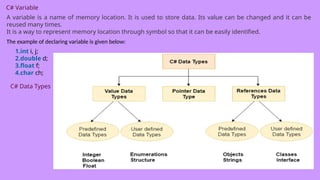
![using System;
public class IfExample
{
public static void Main(string[] args)
{
int num = 10;
if (num % 2 == 0)
{
Console.WriteLine("It is even number");
}
}
}](https://image.slidesharecdn.com/c-250328054123-a32332e8/85/c-training-and-knowlege-of-c-sharp-program-pptx-8-320.jpg)
![C# IF-else Statement
The C# if-else statement also tests the condition. It executes the if block if condition is true
otherwise else block is executed.
Syntax:
if(condition){
//code if condition is true
}
else
{
//code if condition is false
}
C# If-else
1.using System;
2.public class IfExample
3. {
4. public static void Main(string[] args)
5. {
6. int num = 11;
7. if (num % 2 == 0)
8. {
9. Console.WriteLine("It is even number");
10. }
11. else
12. {
13. Console.WriteLine("It is odd number");
14. }
15.
16. }
17. }](https://image.slidesharecdn.com/c-250328054123-a32332e8/85/c-training-and-knowlege-of-c-sharp-program-pptx-9-320.jpg)
![C# If-elsewith input from user
getting input from the user using Console.ReadLine() method. It returns string. For numeric value,
you need to convert it into int using Convert.ToInt32() method.
getting input from the user using Console.ReadLine() method. It returns string. For numeric
value, you need to convert it into int using Convert.ToInt32() method.
1.using System;
2.public class IfExample
3. {
4. public static void Main(string[] args)
5. {
6. Console.WriteLine("Enter a number:");
7. int num = Convert.ToInt32(Console.ReadLine());
8.
9. if (num % 2 == 0)
10. {
11. Console.WriteLine("It is even number");
12. }
13. else
14. {
15. Console.WriteLine("It is odd number");
16. }
17.
18. }](https://image.slidesharecdn.com/c-250328054123-a32332e8/85/c-training-and-knowlege-of-c-sharp-program-pptx-10-320.jpg)
![getting input from the user using Console.ReadLine() method.
It returns string. For numeric value, you need to convert it into
int using Convert.ToInt32() method.
1.using System;
2.public class IfExample
3. {
4. public static void Main(string[] args)
5. {
6. Console.WriteLine("Enter a number:");
7. int num = Convert.ToInt32(Console.ReadLine()
);
8.
9. if (num % 2 == 0)
10. {
11. Console.WriteLine("It is even number");
12. }
13. else
14. {
15. Console.WriteLine("It is odd number");
16. }
17.
18. }
19. }](https://image.slidesharecdn.com/c-250328054123-a32332e8/85/c-training-and-knowlege-of-c-sharp-program-pptx-11-320.jpg)
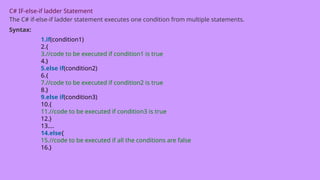
![C# If else-if
1.using System;
2.public class IfExample
3. {
4. public static void Main(string[] args)
5. {
6. Console.WriteLine("Enter a number to check grade:");
7. int num = Convert.ToInt32(Console.ReadLine());
8.
9. if (num <0 || num >100)
10. {
11. Console.WriteLine("wrong number");
12. }
13. else if(num >= 0 && num < 50){
14. Console.WriteLine("Fail");
15. }
16. else if (num >= 50 && num < 60)
17. {
18. Console.WriteLine("D Grade");
19. }
20.Else {
21.Console.writeLine(“ ”);
22.}](https://image.slidesharecdn.com/c-250328054123-a32332e8/85/c-training-and-knowlege-of-c-sharp-program-pptx-13-320.jpg)
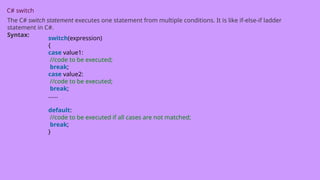
![C# Switch
1.using System;
2. public class SwitchExample
3. {
4. public static void Main(string[] args)
5. {
6. Console.WriteLine("Enter a number:");
7. int num = Convert.ToInt32(Console.ReadLine());
8.
9. switch (num)
10. {
11. case 10: Console.WriteLine("It is 10"); break;
12. case 20: Console.WriteLine("It is 20"); break;
13. case 30: Console.WriteLine("It is 30"); break;
14.
15. default: Console.WriteLine("Not 10, 20 or 30"); break;
16. }
17. }
18. }](https://image.slidesharecdn.com/c-250328054123-a32332e8/85/c-training-and-knowlege-of-c-sharp-program-pptx-15-320.jpg)
![C# For Loop
The C# for loop is used to iterate a part of the program several times. If the number of iteration is fixed,
it is recommended to use for loop than while or do-while loops.
The C# for loop is same as C/C++. We can initialize variable, check condition and increment/decrement
value.
Syntax:
for(initialization; condition; incr/decr)
{
//code to be executed
1.}
C# Fo Loop
using System;
public class ForExample
{
public static void Main(string[] args)
{
for(int i=0; i<=10; i++)
{
Console.WriteLine(i);
}
}
}](https://image.slidesharecdn.com/c-250328054123-a32332e8/85/c-training-and-knowlege-of-c-sharp-program-pptx-16-320.jpg)
![C# Nested For Loop
In C#, we can use for loop inside another for loop, it is known as nested for loop. The inner loop is
executed fully when outer loop is executed one time.
using System;
public class ForExample
{
public static void Main(string[] args)
{
for(int i=1;i<=3;i++){
for(int j=1;j<=3;j++){
Console.WriteLine(i+" "+j);
}
}
}
}
C# Infinite For Loop
If we use double semicolon in for loop, it will be executed infinite times.](https://image.slidesharecdn.com/c-250328054123-a32332e8/85/c-training-and-knowlege-of-c-sharp-program-pptx-17-320.jpg)
![using System;
public class ForExample
{
public static void Main(string[] args)
{
for (; ;)
{
Console.WriteLine("Infinitive For Loop");
}
}
}](https://image.slidesharecdn.com/c-250328054123-a32332e8/85/c-training-and-knowlege-of-c-sharp-program-pptx-18-320.jpg)
![C# While Loop
In C#, while loop is used to iterate a part of the program several times. If the number of iteration is not
fixed, it is recommended to use while loop than for loop.
Syntax:
while(condition)
{
//code to be executed
}
using System;
public class WhileExample
{
public static void Main(string[] args)
{
int i=0;
while(i<=10);
{
Console.WriteLine(i);
i++;
}
}
}](https://image.slidesharecdn.com/c-250328054123-a32332e8/85/c-training-and-knowlege-of-c-sharp-program-pptx-19-320.jpg)
![C# Nested While Loop
using System;
public class WhileExample
{
public static void Main(string[] args)
{
int i=1;
while(i<=3)
{
int j = 1;
while (j <= 3)
{
Console.WriteLine(i+" "+j);
j++;
}
i++;
}
}
}](https://image.slidesharecdn.com/c-250328054123-a32332e8/85/c-training-and-knowlege-of-c-sharp-program-pptx-20-320.jpg)
![C# Infinitive While Loop
using System;
public class WhileExample
{
public static void Main(string[] args)
{
while(true)
{
Console.WriteLine("Infinitive While Loop");
}
}
}](https://image.slidesharecdn.com/c-250328054123-a32332e8/85/c-training-and-knowlege-of-c-sharp-program-pptx-21-320.jpg)
![C# Do-While Loop
The C# do-while loop is executed at least once because condition is checked after loop body.
Syntax:
Do
{
}
while(condition);
C# do-while Loop Example using System;
public class DoWhileExample
{
public static void Main(string[] args)
{
int i = 1;
do{
Console.WriteLine(i);
i++;
} while (i <= 10) ;
}
}](https://image.slidesharecdn.com/c-250328054123-a32332e8/85/c-training-and-knowlege-of-c-sharp-program-pptx-22-320.jpg)
![C# Nested do-while Loop
In C#, if you use do-while loop inside another do-while loop, it is known as nested do-while loop.
using System;
public class DoWhileExample
{
public static void Main(string[] args)
{
int i=1;
do{
int j = 1;
do{
Console.WriteLine(i+" "+j);
j++;
} while (j <= 3) ;
i++;
} while (i <= 3) ;
}
}](https://image.slidesharecdn.com/c-250328054123-a32332e8/85/c-training-and-knowlege-of-c-sharp-program-pptx-23-320.jpg)
![C# Infinitive do-while Loop
Syntax:
do{
//code to be executed
}while(true);
C# Infinitive do-while Loop
using System;
public class WhileExample
{
public static void Main(string[] args)
{
do{
Console.WriteLine("Infinitive do-while Loop");
} while(true);
}
}](https://image.slidesharecdn.com/c-250328054123-a32332e8/85/c-training-and-knowlege-of-c-sharp-program-pptx-24-320.jpg)
![C# Break Statement
The C# break is used to break loop or switch statement. It breaks the current flow of the program at the
given condition. In case of inner loop, it breaks only inner loop.
Syntax:
jump-statement;
break;
C# Break Statement Example
1.using System;
2.public class BreakExample
3. {
4. public static void Main(string[] args)
5. {
6. for (int i = 1; i <= 10; i++)
7. {
8. if (i == 5)
9. {
10. break;
11. }
12. Console.WriteLine(i);
13. }
14. }
15. }](https://image.slidesharecdn.com/c-250328054123-a32332e8/85/c-training-and-knowlege-of-c-sharp-program-pptx-25-320.jpg)
![C# Break Statement with Inner Loop
1.using System;
2.public class BreakExample
3. {
4. public static void Main(string[] args)
5. {
6. for(int i=1;i<=3;i++){
7. for(int j=1;j<=3;j++){
8. if(i==2&&j==2){
9. break;
10. }
11. Console.WriteLine(i+" "+j);
12. }
13. }
14. }
15. }
C# Continue Statement](https://image.slidesharecdn.com/c-250328054123-a32332e8/85/c-training-and-knowlege-of-c-sharp-program-pptx-26-320.jpg)
![The C# continue statement is used to continue loop. It continues the current flow of the program and skips
the remaining code at specified condition. In case of inner loop, it continues only inner loop.
Syntax:
1.jump-statement;
2.continue;
C# Continue Statement Example
1.using System;
2.public class ContinueExample
3. {
4. public static void Main(string[] args)
5. {
6. for(int i=1;i<=10;i++){
7. if(i==5)
8.{
9. continue;
10. }
11. Console.WriteLine(i);
12. }
13. }
14. }](https://image.slidesharecdn.com/c-250328054123-a32332e8/85/c-training-and-knowlege-of-c-sharp-program-pptx-27-320.jpg)
![C# Continue Statement with Inner Loop
C# Continue Statement continues inner loop only if you use continue statement inside the inner loop.
1.using System;
2.public class ContinueExample
3. {
4. public static void Main(string[] args)
5. {
6. for(int i=1;i<=3;i++){
7. for(int j=1;j<=3;j++){
8. if(i==2&&j==2){
9. continue;
10. }
11. Console.WriteLine(i+" "+j);
12. }
13. }
14. }
15. }](https://image.slidesharecdn.com/c-250328054123-a32332e8/85/c-training-and-knowlege-of-c-sharp-program-pptx-28-320.jpg)
![C# Goto Statement
The C# goto statement is also known jump statement. It is used to transfer control to the other part of the
program. It unconditionally jumps to the specified label.
It can be used to transfer control from deeply nested loop or switch case label.
Currently, it is avoided to use goto statement in C# because it makes the program complex.
C# Goto Statement Example 1.using System;
2.public class GotoExample
3. {
4. public static void Main(string[] args)
5. {
6. ineligible:
7. Console.WriteLine("You are not eligible to vote!");
8.
9. Console.WriteLine("Enter your age:n");
10. int age = Convert.ToInt32(Console.ReadLine());
11. if (age < 18){
12. goto ineligible;
13. }
14. else
15. {
16. Console.WriteLine("You are eligible to vote!");
17. }
18. }](https://image.slidesharecdn.com/c-250328054123-a32332e8/85/c-training-and-knowlege-of-c-sharp-program-pptx-29-320.jpg)
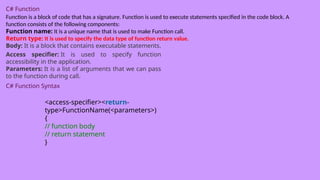
![C# Function: using no parameter and return type
using System;
namespace FunctionExample
{
class Prime
{
public void Show( )
{
Console.WriteLine("This is non parameterized function");
}
}
static void Main(string[] args)
{
Prime p1 =new Prime();
P1.show();
OR
Program pro = new Pro(); // Creating Object
program.Show(); // Calling Function
}
}
}](https://image.slidesharecdn.com/c-250328054123-a32332e8/85/c-training-and-knowlege-of-c-sharp-program-pptx-31-320.jpg)
![C# Function: using parameter but no return type
1.using System;
2.namespace FunctionExample
3.{
4. class Program
5. {
6. public void Show(string message)
7. {
8. Console.WriteLine("Hello " + message);
9. }
10. static void Main(string[] args)
11. {
12. Program pro = new Program(); // Creating Object
13. pro.Show("Renu Sai"); // Calling Function
14. }
15. }
16.}](https://image.slidesharecdn.com/c-250328054123-a32332e8/85/c-training-and-knowlege-of-c-sharp-program-pptx-32-320.jpg)
![A function can have zero or any number of parameters to get data. In the following example, a function is
created without parameters. A function without parameter is also known as non-parameterized function.
C# Function: using parameter and return type
1.using System;
2.namespace FunctionExample
3.{
4. class Program
5. {
6. // User defined function
7. public string Show(string msg)
8. {
9. Console.WriteLine("Inside Show Function");
10. return message;
11. }
12. // Main function, execution entry point of the program
13. static void Main(string[] args)
14. {
15. Program program = new Program();
16. program.Show("Rahul Kumar");
17. Console.WriteLine("Hello "+message);
18. }
19. }
20.}](https://image.slidesharecdn.com/c-250328054123-a32332e8/85/c-training-and-knowlege-of-c-sharp-program-pptx-33-320.jpg)
![C# Call By Value
In C#, value-type parameters are that pass a copy of original value to the function rather than reference. It
does not modify the original value. A change made in passed value does not alter the actual value.
C# Call By Value
1.using System;
2.namespace CallByValue
3.{
4. class Program
5. {
6. public void Show(int val)
7. {
8. val *= val; // Manipulating value
9. Console.WriteLine("Value inside the show function "+val);
10. }
11. static void Main(string[] args)
12. {
13. int val = 50;
14. Program p1 = new Program(); // Creating Object
15. Console.WriteLine("Value before calling the function "+val);
16. p1.Show(val); // Calling Function by passing value
17. Console.WriteLine("Value after calling the function " + val);
18. }
19. }
20.}](https://image.slidesharecdn.com/c-250328054123-a32332e8/85/c-training-and-knowlege-of-c-sharp-program-pptx-34-320.jpg)
![1.using System;
2.namespace CallByReference
3.{
4. class Program
5. {
6. // User defined function
7. public void Show(ref int val)
8. {
9. val *= val; // Manipulating value
10. Console.WriteLine("Value inside the show function "+val);
11. // No return statement
12. }
13. // Main function, execution entry point of the program
14. static void Main(string[] args)
15. {
16. int val = 50;
17. Program program = new Program(); // Creating Object
18. Console.WriteLine("Value before calling the function "+val);
19. program.Show(ref val); // Calling Function by passing reference
20.
21. Console.WriteLine("Value after calling the function " + val);
22. }
23. }
24.}](https://image.slidesharecdn.com/c-250328054123-a32332e8/85/c-training-and-knowlege-of-c-sharp-program-pptx-36-320.jpg)
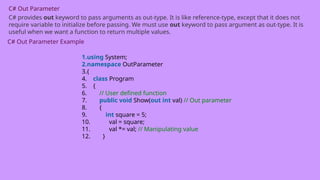
![1. // Main function, execution entry point of the program
2. static void Main(string[] args)
3. {
4. int val = 50;
5. Program program = new Program(); // Creating Object
6. Console.WriteLine("Value before passing out variable " + val);
7. program.Show(out val); // Passing out argument
8. Console.WriteLine("Value after recieving the out variable " + val);
9. }
10. }
11.}
C# Out Parameter Example 2](https://image.slidesharecdn.com/c-250328054123-a32332e8/85/c-training-and-knowlege-of-c-sharp-program-pptx-38-320.jpg)
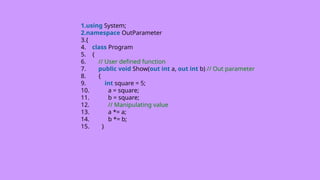
![// Main function, execution entry point of the program
static void Main(string[] args)
{
int val1 = 50, val2 = 100;
Program program = new Program(); // Creating Object
Console.WriteLine("Value before passing n val1 = " + val1+" n val2 = "+val2);
program.Show(out val1, out val2); // Passing out argument
Console.WriteLine("Value after passing n val1 = " + val1 + " n val2 = " + val2);
}
}
}](https://image.slidesharecdn.com/c-250328054123-a32332e8/85/c-training-and-knowlege-of-c-sharp-program-pptx-40-320.jpg)
![C# Single Dimensional Array
To create single dimensional array, you need to use square brackets [] after the type.
int[] arr = new int[5];//creating array
1.using System;
2.public class ArrayExample
3.{
4. public static void Main(string[] args)
5. {
6. int[] arr = new int[5];//creating array
7. arr[0] = 10;//initializing array
8. arr[2] = 20;
9. arr[4] = 30;
10.
11. //traversing array
12. for (int i = 0; i < arr.Length; i++)
13. {
14. Console.WriteLine(arr[i]);
15. }
16. }
17.}](https://image.slidesharecdn.com/c-250328054123-a32332e8/85/c-training-and-knowlege-of-c-sharp-program-pptx-42-320.jpg)
![1.using System;
2.public class ArrayExample
3.{
4. public static void Main(string[] args)
5. {
6. int[] arr = { 10, 20, 30, 40, 50 };//
Declaration and Initialization of array
7.
8. //traversing array
9. for (int i = 0; i < arr.Length; i++)
10. {
11. Console.WriteLine(arr[i]);
12. }
13. }
14.}](https://image.slidesharecdn.com/c-250328054123-a32332e8/85/c-training-and-knowlege-of-c-sharp-program-pptx-43-320.jpg)
![Traversal using foreach loop
1.using System;
2.public class ArrayExample
3.{
4. public static void Main(string[] args)
5. {
6. int[] arr = { 10, 20, 30, 40, 50 };//creating and initializing array
7.
8. //traversing array
9. foreach (int i in arr)
10. {
11. Console.WriteLine(i);
12. }
13. }
14.}](https://image.slidesharecdn.com/c-250328054123-a32332e8/85/c-training-and-knowlege-of-c-sharp-program-pptx-44-320.jpg)
![C# Multidimensional Arrays
The multidimensional array is also known as rectangular arrays in C#. It can be two dimensional or three
dimensional. The data is stored in tabular form (row * column) which is also known as matrix.
int[,] arr=new int[3,3];//declaration of 2D array
int[,,] arr=new int[3,3,3];//declaration of 3D array
C# Multidimensional Array Example
using System;
public class MultiArrayExample
{
public static void Main(string[] args)
{
int[,] arr=new int[3,3];//declaration of 2D array
arr[0,1]=10;//initialization
arr[1,2]=20;
arr[2,0]=30; //traversal
for(int i=0;i<3;i++){
for(int j=0;j<3;j++){
Console.Write(arr[i,j]+" ");
}
Console.WriteLine();//new line at each row
}
}
}](https://image.slidesharecdn.com/c-250328054123-a32332e8/85/c-training-and-knowlege-of-c-sharp-program-pptx-45-320.jpg)
![C# Jagged Arrays
In C#, jagged array is also known as "array of arrays" because its elements are arrays. The element size of
jagged array can be different.
Declaration of Jagged array
int[][] arr = new int[2][];
C# Jagged Array Example
public class JaggedArrayTest
{
public static void Main()
{
int[][] arr = new int[2][];// Declare the array
arr[0] = new int[] { 11, 21, 56, 78 };// Initialize the array
arr[1] = new int[] { 42, 61, 37, 41, 59, 63 };
// Traverse array elements
for (int i = 0; i < arr.Length; i++)
{
for (int j = 0; j < arr[i].Length; j++)
{
System.Console.Write(arr[i][j]+" ");
}
System.Console.WriteLine();
}
}
}](https://image.slidesharecdn.com/c-250328054123-a32332e8/85/c-training-and-knowlege-of-c-sharp-program-pptx-46-320.jpg)
![C# Params
In C#, params is a keyword which is used to specify a parameter that takes variable number of
arguments.
C# Params Example 1
using System;
namespace AccessSpecifiers
{
class Program
{
// User defined function
public void Show(params int[] val) // Params Paramater
{
for (int i=0; i<val.Length; i++)
{
Console.WriteLine(val[i]);
}
}
// Main function, execution entry point of the program
static void Main(string[] args)
{
Program program = new Program(); // Creating Object
program.Show(2,4,6,8,10,12,14); // Passing arguments of variable length
}
}
}](https://image.slidesharecdn.com/c-250328054123-a32332e8/85/c-training-and-knowlege-of-c-sharp-program-pptx-47-320.jpg)
![C# Array class
C# provides an Array class to deal with array related operations. It provides methods for creating,
manipulating, searching, and sorting elements of an array. This class works as the base class for all arrays in
the .NET programming environment.
C# Array class Signature
[SerializableAttribute]
[ComVisibleAttribute(true)]
public abstract class Array : ICloneable, IList, ICollection,
IEnumerable, IStructuralComparable, IStructuralEquatable
C# Array Example](https://image.slidesharecdn.com/c-250328054123-a32332e8/85/c-training-and-knowlege-of-c-sharp-program-pptx-48-320.jpg)
![using System;
namespace CSharpProgram
{
class Program
{
static void Main(string[] args)
{
// Creating an array
int[] arr = new int[6] { 5, 8, 9, 25, 0, 7 };
// Creating an empty array
int[] arr2 = new int[6];
// Displaying length of array
Console.WriteLine("length of first array: "+arr.Length);
// Sorting array
Array.Sort(arr);
Console.Write("First array elements: ");](https://image.slidesharecdn.com/c-250328054123-a32332e8/85/c-training-and-knowlege-of-c-sharp-program-pptx-49-320.jpg)
![PrintArray(arr);
// Finding index of an array element
Console.WriteLine("nIndex position of 25 is "+Array.IndexOf(arr,25));
// Coping first array to empty array
Array.Copy(arr, arr2, arr.Length);
Console.Write("Second array elements: ");
// Displaying second array
PrintArray(arr2);
Array.Reverse(arr);
Console.Write("nFirst Array elements in reverse order: ");
PrintArray(arr);
}
// User defined method for iterating array elements
static void PrintArray(int[] arr)
{
foreach (Object elem in arr)
{
Console.Write(elem+" ");
}
}
}
}](https://image.slidesharecdn.com/c-250328054123-a32332e8/85/c-training-and-knowlege-of-c-sharp-program-pptx-50-320.jpg)
![using System;
namespace CSharpProgram
{
class Program
{
// Main function, execution entry point of the program
static void Main(string[] args) // string type parameters
{
// Command line arguments
Console.WriteLine("Argument length: "+args.Length);
Console.WriteLine("Supplied Arguments are:");
foreach (Object obj in args)
{
Console.WriteLine(obj);
}
}
}
}](https://image.slidesharecdn.com/c-250328054123-a32332e8/85/c-training-and-knowlege-of-c-sharp-program-pptx-52-320.jpg)
![C# Object and Class Example
using System;
public class Student
{
int id;//data member (also instance variable)
String name;//data member(also instance variable)
public static void Main(string[] args)
{
Student s1 = new Student();//creating an object of Student
s1.id = 101;
s1.name = “Mirdul";
Console.WriteLine(s1.id+” “ s1.name);
Console.WriteLine(s1.name);
}
}](https://image.slidesharecdn.com/c-250328054123-a32332e8/85/c-training-and-knowlege-of-c-sharp-program-pptx-54-320.jpg)
![using System;
public class Student
{
public int id;
public String name;
}
class TestStudent{
public static void Main(string[] args)
{
Student s1 = new Student();
s1.id = 101;
s1.name = “Mirdul";
Console.WriteLine(s1.id);
Console.WriteLine(s1.name);
}
}
C# Class Example 2: Having Main() in another class](https://image.slidesharecdn.com/c-250328054123-a32332e8/85/c-training-and-knowlege-of-c-sharp-program-pptx-55-320.jpg)
![1. class TestStudent{
2. public static void Main(string[] args)
3. {
4. Student s1 = new Student();
5. Student s2 = new Student();
6. s1.insert(101, “Mirdul");
7. s2.insert(102, “Renu");
8. s1.display();
9. s2.display();
10.
11. }
12. }](https://image.slidesharecdn.com/c-250328054123-a32332e8/85/c-training-and-knowlege-of-c-sharp-program-pptx-57-320.jpg)
![using System;
public class Employee
{
public Employee( )
{
Console.WriteLine("Default Constructor Invoked");
}
public static void Main(string[] args)
{
Employee e1 = new Employee();
Employee e2 = new Employee();
}
}](https://image.slidesharecdn.com/c-250328054123-a32332e8/85/c-training-and-knowlege-of-c-sharp-program-pptx-59-320.jpg)
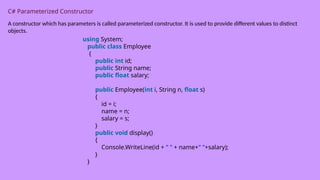
![class TestEmployee{
public static void Main(string[] args)
{
Employee e1 = new Employee(101, "Sonoo", 890000f);
Employee e2 = new Employee(102, "Mahesh", 490000f);
e1.display();
e2.display();
}
}](https://image.slidesharecdn.com/c-250328054123-a32332e8/85/c-training-and-knowlege-of-c-sharp-program-pptx-61-320.jpg)
![1.using System;
2. public class Employee
3. {
4. public Employee()
5. {
6. Console.WriteLine("Constructor Invoked");
7. }
8. ~Employee()
9. {
10. Console.WriteLine("Destructor Invoked");
11. }
12. }
13. class TestEmployee{
14. public static void Main(string[] args)
15. {
16. Employee e1 = new Employee();
17. Employee e2 = new Employee();
18. }
19. }](https://image.slidesharecdn.com/c-250328054123-a32332e8/85/c-training-and-knowlege-of-c-sharp-program-pptx-63-320.jpg)
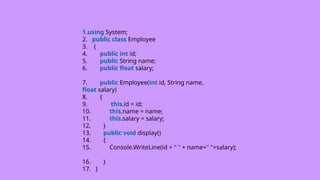
![1.class TestEmployee{
2. public static void Main(string[] args)
3. {
4. Employee e1 = new Employee(101, "Sonoo", 890000f);
5. Employee e2 = new Employee(102, "Mahesh", 490000f);
6. e1.display();
7. e2.display();
8.
9. }
10. }](https://image.slidesharecdn.com/c-250328054123-a32332e8/85/c-training-and-knowlege-of-c-sharp-program-pptx-66-320.jpg)
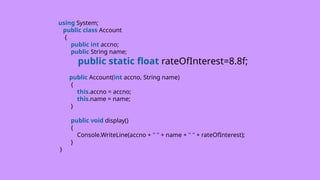
![class TestAccount{
public static void Main(string[] args)
{
Account a1 = new Account(101, "Sonoo“ );
Account a2 = new Account(102, "Mahesh“ );
a1.display();
a2.display();
}
}
C# static field example : changing static field](https://image.slidesharecdn.com/c-250328054123-a32332e8/85/c-training-and-knowlege-of-c-sharp-program-pptx-69-320.jpg)
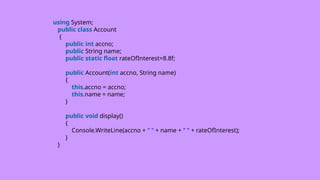
![class TestAccount{
public static void Main(string[] args)
{
Account.rateOfInterest = 10.5f;//changing value
Account a1 = new Account(101, "Sonoo");
Account a2 = new Account(102, "Mahesh");
a1.display();
a2.display();
}
}
C# static class
The C# static class is like the normal class but it cannot be instantiated. It can have only static members.
The advantage of static class is that it provides you guarantee that instance of static class cannot be
created.
Points to remember for C# static class
•C# static class contains only static members.
•C# static class cannot be instantiated.
•C# static class is sealed.
•C# static class cannot contain instance constructors.](https://image.slidesharecdn.com/c-250328054123-a32332e8/85/c-training-and-knowlege-of-c-sharp-program-pptx-71-320.jpg)
![C# static class example
1.using System;
2. public static class MyMath
3. {
4. public static float PI=3.14f;
5.
6. public static int cube(int n)
7. {
8. return n*n*n;
9.}
10. }
11. class TestMyMath{
12. public static void Main(string[] args)
13. {
14. Console.WriteLine("Value of PI is: "+MyMath.PI);
15.
16. Console.WriteLine("Cube of 3 is: " + MyMath.cube(3));
17. }
18. }](https://image.slidesharecdn.com/c-250328054123-a32332e8/85/c-training-and-knowlege-of-c-sharp-program-pptx-72-320.jpg)
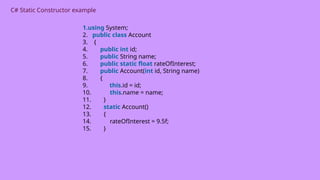
![1.public void display()
2. {
3. Console.WriteLine(id + " " + name+" "+rateOfInterest);
4. }
5. }
6. class TestEmployee{
7. public static void Main(string[] args)
8. {
9. Account a1 = new Account(101, "Sonoo");
10. Account a2 = new Account(102, "Mahesh");
11. a1.display();
12. a2.display();
13.
14. }
15. }](https://image.slidesharecdn.com/c-250328054123-a32332e8/85/c-training-and-knowlege-of-c-sharp-program-pptx-75-320.jpg)
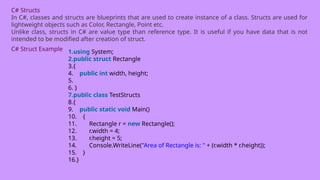
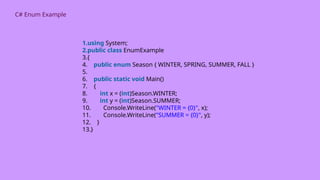
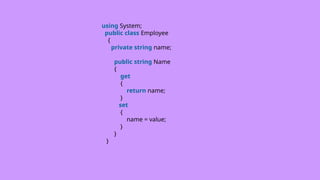
![1.class TestEmployee{
2. public static void Main(string[] args)
3. {
4. Employee e1 = new Employee();
5. e1.Name = "Sonoo Jaiswal";
6. Console.WriteLine("Employee Name: " + e1.Name);
7.
8. }
9. }
C# Properties Example 2: having logic while setting
value](https://image.slidesharecdn.com/c-250328054123-a32332e8/85/c-training-and-knowlege-of-c-sharp-program-pptx-81-320.jpg)
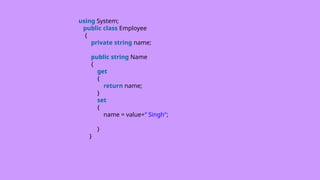
![1.class TestEmployee{
2. public static void Main(string[] args)
3. {
4. Employee e1 = new Employee();
5. e1.Name = “Akash";
6. Console.WriteLine("Employee Name: " + e1.Name);
7. }
8. }
C# Properties Example 3: read-only property](https://image.slidesharecdn.com/c-250328054123-a32332e8/85/c-training-and-knowlege-of-c-sharp-program-pptx-83-320.jpg)
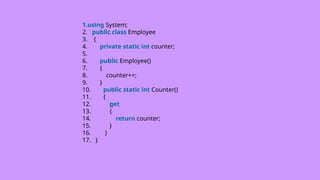
![1.class TestEmployee{
2. public static void Main(string[] args)
3. {
4. Employee e1 = new Employee();
5. Employee e2 = new Employee();
6. Employee e3 = new Employee();
7. //e1.Counter = 10;//Compile Time Error: Can't set value
8.
9. Console.WriteLine("No. of Employees: " + Employee.Counter);
10. }
11. }](https://image.slidesharecdn.com/c-250328054123-a32332e8/85/c-training-and-knowlege-of-c-sharp-program-pptx-85-320.jpg)
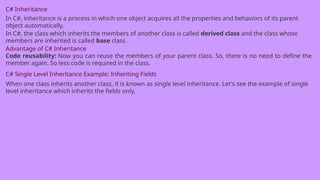
![using System;
public class Employee
{
public float salary = 40000;
}
public class Programmer : Employee
{
public float bonus = 10000;
}
class TestInheritance{
public static void Main(string[] args)
{
Programmer p1 = new Programmer();
Console.WriteLine("Salary: " + p1.salary);
Console.WriteLine("Bonus: " + p1.bonus);
}
}](https://image.slidesharecdn.com/c-250328054123-a32332e8/85/c-training-and-knowlege-of-c-sharp-program-pptx-87-320.jpg)
![C# Single Level Inheritance Example: Inheriting
Methods
using System;
public class Animal
{
public void eat() { Console.WriteLine("Eating..."); }
}
public class Dog: Animal
{
public void bark() { Console.WriteLine("Barking...");
}
}
class TestInheritance2{
public static void Main(string[] args)
{
Dog d1 = new Dog();
d1.eat();
d1.bark();
}
}](https://image.slidesharecdn.com/c-250328054123-a32332e8/85/c-training-and-knowlege-of-c-sharp-program-pptx-88-320.jpg)
![C# Multi Level Inheritance Example
When one class inherits another class which is further inherited by another class, it is known as multi level
inheritance in C#. Inheritance is transitive so the last derived class acquires all the members of all its base
classes. using System;
public class Animal
{
public void eat() { Console.WriteLine("Eating..."); }
}
public class Dog: Animal
{
public void bark() { Console.WriteLine("Barking..."); }
}
public class BabyDog : Dog
{
public void weep() { Console.WriteLine("Weeping..."); }
}
class TestInheritance2{
public static void Main(string[] args)
{
BabyDog d1 = new BabyDog();
d1.eat();
d1.bark();
d1.weep();](https://image.slidesharecdn.com/c-250328054123-a32332e8/85/c-training-and-knowlege-of-c-sharp-program-pptx-89-320.jpg)
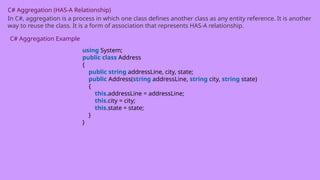
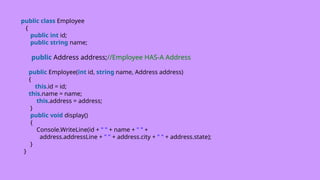
![public class TestAggregation
{
public static void Main(string[] args)
{
Address a1=new Address("G-13, Sec-3","Noida","UP");
Employee e1 = new Employee(1,"Sonoo", a1);
e1.display();
}
}](https://image.slidesharecdn.com/c-250328054123-a32332e8/85/c-training-and-knowlege-of-c-sharp-program-pptx-92-320.jpg)
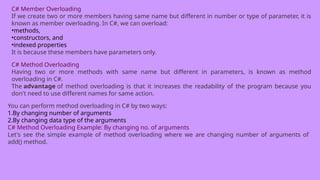
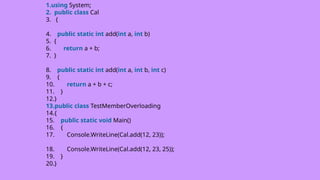
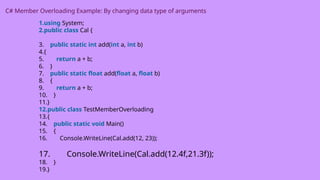
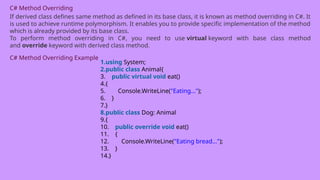
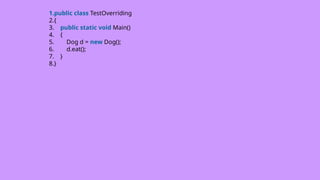
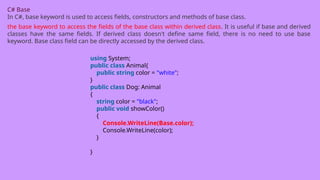
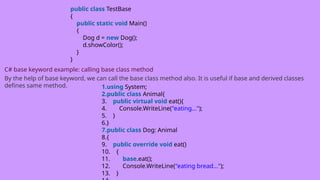
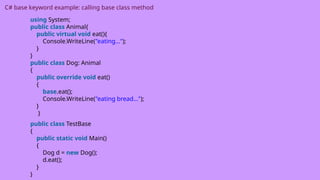
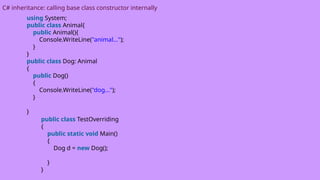
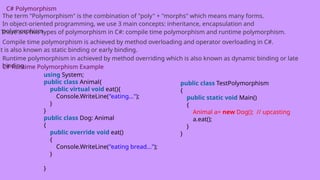
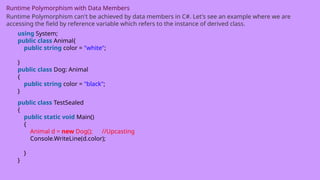
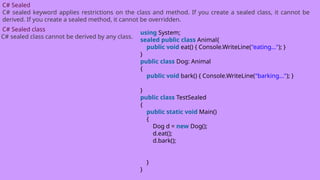
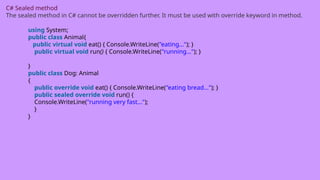
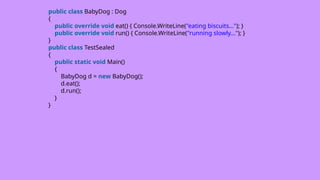
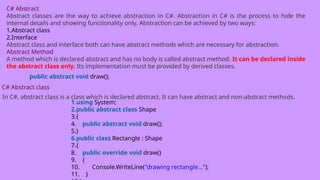
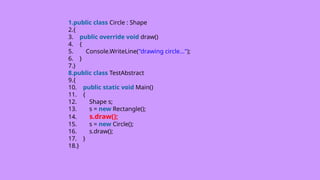
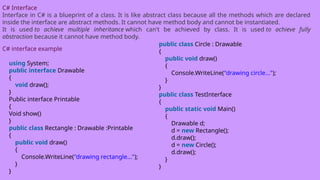
![C# Namespaces
Namespaces in C# are used to organize too many classes so that it can be easy to handle the application.
C# namespace example
using System;
namespace ConsoleApplication1
{
class Program
{
static void Main(string[] args)
{
System.Console.WriteLine("Hello Namespace!");
}
}
}](https://image.slidesharecdn.com/c-250328054123-a32332e8/85/c-training-and-knowlege-of-c-sharp-program-pptx-110-320.jpg)
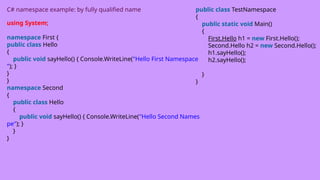
![C# Access Modifiers / Specifiers
C# Access modifiers or specifiers are the keywords that are used to specify accessibility or scope of variables
and functions in the C# application.
C# provides five types of access specifiers.
1.Public
2.Protected
3.Internal
4.Protected internal
5.Private
1) C# Public Access Specifier
It makes data accessible publicly. It does not restrict data to the declared block.
using System;
namespace AccessSpecifiers
{
class PublicTest
{
public string name = "Shantosh Kumar";
public void Msg(string msg)
{
Console.WriteLine("Hello " + msg);
}
}
class Program
{
static void Main(string[] args)
{
PublicTest publicTest = new PublicTest();
// Accessing public variable
Console.WriteLine("Hello " + publicTest.name);
// Accessing public function
publicTest.Msg("Peter Decosta");
}
}
}](https://image.slidesharecdn.com/c-250328054123-a32332e8/85/c-training-and-knowlege-of-c-sharp-program-pptx-112-320.jpg)
![2) C# Protected Access Specifier
It is accessible within the class and has limited scope. It is also accessible within sub class or child class, in
case of inheritance.
1.using System;
2.namespace AccessSpecifiers
3.{
4. class ProtectedTest
5. {
6. protected string name = "Shashikant";
7. protected void Msg(string msg)
8. {
9. Console.WriteLine("Hello " + msg);
10. }
11. }
1. class Program
2. {
3. static void Main(string[] args)
4. {
5. ProtectedTest protectedTest = new ProtectedTest();
6. // Accessing protected variable
7. Console.WriteLine("Hello "+ protectedTest.name);
8. // Accessing protected function
9. protectedTest.Msg("Swami Ayyer");
10. }
11. }
12.}](https://image.slidesharecdn.com/c-250328054123-a32332e8/85/c-training-and-knowlege-of-c-sharp-program-pptx-113-320.jpg)
![Example2
Here, we are accessing protected members within child class by inheritance.
1.using System;
2.namespace AccessSpecifiers
3.{
4. class ProtectedTest
5. {
6. protected string name = "Shashikant";
7. protected void Msg(string msg)
8. {
9. Console.WriteLine("Hello " + msg);
10. }
11. }
1.class Program : ProtectedTest
2. {
3. static void Main(string[] args)
4. {
5. Program program = new Program();
6. // Accessing protected variable
7. Console.WriteLine("Hello " + program.name);
8. // Accessing protected function
9. program.Msg("Swami Ayyer");
10. }
11. }
12.}](https://image.slidesharecdn.com/c-250328054123-a32332e8/85/c-training-and-knowlege-of-c-sharp-program-pptx-114-320.jpg)
![3) C# Internal Access Specifier
The internal keyword is used to specify the internal access specifier for the variables and functions. This
specifier is accessible only within files in the same assembly.
Example
1.using System;
2.namespace AccessSpecifiers
3.{
4. class InternalTest
5. {
6. internal string name = "Shantosh Kumar";
7. internal void Msg(string msg)
8. {
9. Console.WriteLine("Hello " + msg);
10. }
11. }
1.class Program
2. {
3. static void Main(string[] args)
4. {
5. InternalTest internalTest = new InternalTest();
6. // Accessing internal variable
7. Console.WriteLine("Hello " + internalTest.name
);
8. // Accessing internal function
9. internalTest.Msg("Peter Decosta");
10. }
11. }
12.}](https://image.slidesharecdn.com/c-250328054123-a32332e8/85/c-training-and-knowlege-of-c-sharp-program-pptx-115-320.jpg)
![4) C# Protected Internal Access Specifier
Variable or function declared protected internal can be accessed in the assembly in which it is declared. It
can also be accessed within a derived class in another assembly.
Example
1.using System;
2.namespace AccessSpecifiers
3.{
4. class InternalTest
5. {
6. protected internal string name = "Shantosh Kumar";
7. protected internal void Msg(string msg)
8. {
9. Console.WriteLine("Hello " + msg);
10. }
11. }
1.class Program
2. {
3. static void Main(string[] args)
4. {
5. InternalTest internalTest = new InternalTest();
6. // Accessing protected internal variable
7. Console.WriteLine("Hello " + internalTest.name
);
8. // Accessing protected internal function
9. internalTest.Msg("Peter Decosta");
10. }
11. }
12.}](https://image.slidesharecdn.com/c-250328054123-a32332e8/85/c-training-and-knowlege-of-c-sharp-program-pptx-116-320.jpg)
![5) C# Private Access Specifier
Private Access Specifier is used to specify private accessibility to the variable or function. It is most restrictive
and accessible only within the body of class in which it is declared.
1.using System;
2.namespace AccessSpecifiers
3.{
4. class PrivateTest
5. {
6. private string name = "Shantosh Kumar";
7. private void Msg(string msg)
8. {
9. Console.WriteLine("Hello " + msg);
10. }
11. }
1.class Program
2. {
3. static void Main(string[] args)
4. {
5. PrivateTest privateTest = new PrivateTest();
6. // Accessing private variable
7. Console.WriteLine("Hello " + privateTest.name)
;
8. // Accessing private function
9. privateTest.Msg("Peter Decosta");
10. }
11. }
12.}](https://image.slidesharecdn.com/c-250328054123-a32332e8/85/c-training-and-knowlege-of-c-sharp-program-pptx-117-320.jpg)
![C# Private Specifier Example 2
1.using System;
2.namespace AccessSpecifiers
3.{
4. class Program
5. {
6. private string name = "Shantosh Kumar";
7. private void Msg(string msg)
8. {
9. Console.WriteLine("Hello " + msg);
10. }
11. static void Main(string[] args)
12. {
13. Program program = new Program();
14. // Accessing private variable
15. Console.WriteLine("Hello " + program.name);
16. // Accessing private function
17. program.Msg("Peter Decosta");
18. }
19. }
20.}](https://image.slidesharecdn.com/c-250328054123-a32332e8/85/c-training-and-knowlege-of-c-sharp-program-pptx-118-320.jpg)
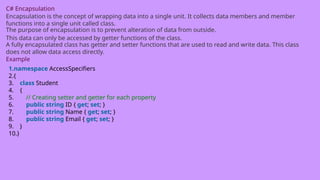
![1.using System;
2.namespace AccessSpecifiers
3.{
4. class Program
5. {
6. static void Main(string[] args)
7. {
8. Student student = new Student();
9. // Setting values to the properties
10. student.ID = "101";
11. student.Name = "Mohan Ram";
12. student.Email = "mohan@example.com";
13. // getting values
14. Console.WriteLine("ID = "+student.ID);
15. Console.WriteLine("Name = "+student.Name);
16. Console.WriteLine("Email = "+student.Email);
17. }
18. }
19.}](https://image.slidesharecdn.com/c-250328054123-a32332e8/85/c-training-and-knowlege-of-c-sharp-program-pptx-120-320.jpg)
![C# Strings
In C#, string is an object of System.String class that represent sequence of characters.
C# String Example
1.using System;
2.public class StringExample
3.{
4. public static void Main(string[] args)
5. {
6. string s1 = "hello";
7.
8. char[] ch = { 'c', 's', 'h', 'a', 'r', 'p' };
9. string s2 = new string(ch);
10. Console.WriteLine(s1);
11. Console.WriteLine(s2);
12. }
13.}](https://image.slidesharecdn.com/c-250328054123-a32332e8/85/c-training-and-knowlege-of-c-sharp-program-pptx-121-320.jpg)
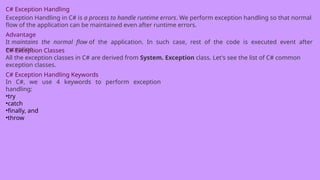
![C# try/catch
In C# programming, exception handling is performed by try/catch statement. The try block in C# is used to
place the code that may throw exception. The catch block is used to handled the exception. The catch block
must be preceded by try block.
C# example without try/catch
1.using System;
2.public class ExExample
3.{
4. public static void Main(string[] args)
5. {
6. int a = 10;
7. int b = 0;
8. int x = a/b;
9. Console.WriteLine("Rest of the code");
10. }
11.}](https://image.slidesharecdn.com/c-250328054123-a32332e8/85/c-training-and-knowlege-of-c-sharp-program-pptx-123-320.jpg)
![C# try/catch example
using System;
1.public class ExExample
2.{
3. public static void Main(string[] args)
4. {
5. try
6. {
7. int a = 10;
8. int b = 0;
9. int x = a / b;
10. }
11. catch (Exception e)
12. {
13. Console.WriteLine(e);
14. }
15.
16. Console.WriteLine("Rest of the code");
17. }
18.}](https://image.slidesharecdn.com/c-250328054123-a32332e8/85/c-training-and-knowlege-of-c-sharp-program-pptx-124-320.jpg)
![C# finally
C# finally block is used to execute important code which is to be executed whether exception is handled or
not. It must be preceded by catch or try block.
C# finally example if exception is handled
1.using System;
2.public class ExExample
3.{
4. public static void Main(string[] args)
5. {
6. try
7. {
8. int a = 10;
9. int b = 0;
10. int x = a / b;
11. }
12. catch (Exception e) { Console.WriteLine(e); }
13. finally {
14. Console.WriteLine("Finally block is executed");
15. }
16. Console.WriteLine("Rest of the code");
17. }
18.}](https://image.slidesharecdn.com/c-250328054123-a32332e8/85/c-training-and-knowlege-of-c-sharp-program-pptx-125-320.jpg)
![C# finally example if exception is not handled
1.using System;
2.public class ExExample
3.{
4. public static void Main(string[] args)
5. {
6. try
7. {
8. int a = 10;
9. int b = 0;
10. int x = a / b;
11. }
12. catch (NullReferenceException e) { Console.WriteLine(e); }
13.
14. finally { Console.WriteLine("Finally block is executed"); }
15. Console.WriteLine("Rest of the code");
16. }
17.}](https://image.slidesharecdn.com/c-250328054123-a32332e8/85/c-training-and-knowlege-of-c-sharp-program-pptx-126-320.jpg)
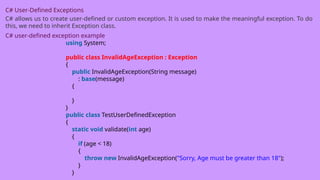
![1.public static void Main(string[] args)
2. {
3. try
4. {
5. validate(12);
6. }
7. catch (InvalidAgeException e)
8. {
Console.WriteLine(e);
}
9. Console.WriteLine("Rest of the code");
10. }
11.}](https://image.slidesharecdn.com/c-250328054123-a32332e8/85/c-training-and-knowlege-of-c-sharp-program-pptx-128-320.jpg)
![C# Checked and Unchecked
C# provides checked and unchecked keyword to handle integral type exceptions. Checked and unchecked
keywords specify checked context and unchecked context respectively.
C# Checked
The checked keyword is used to explicitly check overflow and conversion of integral type values at compile
time.
C# Checked Example without using checked
1.using System;
2.namespace CSharpProgram
3.{
4. class Program
5. {
6. static void Main(string[] args)
7. {
8. int val = int.MaxValue;
9. Console.WriteLine(val + 2);
10. }
11. }
12.}](https://image.slidesharecdn.com/c-250328054123-a32332e8/85/c-training-and-knowlege-of-c-sharp-program-pptx-129-320.jpg)
![C# Unchecked
The Unchecked keyword ignores the integral type arithmetic exceptions. It does not check explicitly and
produce result that may be truncated or wrong.
Example
1.using System;
2.namespace CSharpProgram
3.{
4. class Program
5. {
6. static void Main(string[] args)
7. {
8. unchecked
9. {
10. int val = int.MaxValue;
11. Console.WriteLine(val + 2);
12. }
13. }
14. }
15.}](https://image.slidesharecdn.com/c-250328054123-a32332e8/85/c-training-and-knowlege-of-c-sharp-program-pptx-130-320.jpg)
![C# SystemException class
The SystemException is a predefined exception class in C#. It is used to handle system related exceptions. It
works as base class for system exception namespace. It has various child classes like: ValidationException,
ArgumentException, ArithmeticException, DataException, StackOverflowException etc.
C# SystemException Example
This class can be used to handle exception of subclasses. Here, in the following program, program throws
an IndexOutOfRangeException that is subclass of SystemException class.
1.using System;
2.namespace CSharpProgram
3.{
4. class Program
5. {
6. static void Main(string[] args)
7. {
8. try
9. {
10. int[] arr = new int[5];
11. arr[10] = 25;
12. }
13. catch (SystemException e)
14. {
15. Console.WriteLine(e);
16. }
17. }](https://image.slidesharecdn.com/c-250328054123-a32332e8/85/c-training-and-knowlege-of-c-sharp-program-pptx-131-320.jpg)
![C# FileStream
C# FileStream class provides a stream for file operation. It can be used to perform synchronous and
asynchronous read and write operations. By the help of FileStream class, we can easily read and write data
into file.
C# FileStream example: writing single byte into file
1.using System;
2.using System.IO;
3.public class FileStreamExample
4.{
5. public static void Main(string[] args)
6. {
7. FileStream f = new FileStream("e:b.txt", FileMode.OpenOrCreate);//
creating file stream
8. f.WriteByte(65);//writing byte into stream
9. f.Close();//closing stream
10. }
11.}](https://image.slidesharecdn.com/c-250328054123-a32332e8/85/c-training-and-knowlege-of-c-sharp-program-pptx-132-320.jpg)
![C# FileStream example: writing multiple bytes into file
1.using System;
2.using System.IO;
3.public class FileStreamExample
4.{
5. public static void Main(string[] args)
6. {
7. FileStream f = new FileStream("e:b.txt", FileMode.OpenOrCreate);
8. for (int i = 65; i <= 90; i++)
9. {
10. f.WriteByte((byte)i);
11. }
12. f.Close();
13. }
14.}](https://image.slidesharecdn.com/c-250328054123-a32332e8/85/c-training-and-knowlege-of-c-sharp-program-pptx-133-320.jpg)
![C# FileStream example: reading all bytes from file
1.using System;
2.using System.IO;
3.public class FileStreamExample
4.{
5. public static void Main(string[] args)
6. {
7. FileStream f = new FileStream("e:b.txt", FileMode.OpenOrCreate);
8. int i = 0;
9. while ((i = f.ReadByte()) != -1)
10. {
11. Console.Write((char)i);
12. }
13. f.Close();
14. }
15.}](https://image.slidesharecdn.com/c-250328054123-a32332e8/85/c-training-and-knowlege-of-c-sharp-program-pptx-134-320.jpg)
![C# StreamWriter
C# StreamWriter class is used to write characters to a stream in specific encoding. It inherits TextWriter class.
It provides overloaded write() and writeln() methods to write data into file.
C# StreamWriter example
1.using System;
2.using System.IO;
3.public class StreamWriterExample
4.{
5. public static void Main(string[] args)
6. {
7. FileStream f = new FileStream("e:output.txt", FileMode.Create);
8. StreamWriter s = new StreamWriter(f);
9.
10. s.WriteLine("hello c#");
11. s.Close();
12. f.Close();
13. Console.WriteLine("File created successfully...");
14. }
15.}](https://image.slidesharecdn.com/c-250328054123-a32332e8/85/c-training-and-knowlege-of-c-sharp-program-pptx-135-320.jpg)
![C# StreamReader
C# StreamReader class is used to read string from the stream. It inherits TextReader class. It provides Read()
and ReadLine() methods to read data from the stream.
C# StreamReader example to read one line
1.using System;
2.using System.IO;
3.public class StreamReaderExample
4.{
5. public static void Main(string[] args)
6. {
7. FileStream f = new FileStream("e:output.txt", FileMode.OpenOrCreate);
8. StreamReader s = new StreamReader(f);
9.
10. string line=s.ReadLine();
11. Console.WriteLine(line);
12.
13. s.Close();
14. f.Close();
15. }
16.}](https://image.slidesharecdn.com/c-250328054123-a32332e8/85/c-training-and-knowlege-of-c-sharp-program-pptx-136-320.jpg)
![C# StreamReader example to read all lines
1.using System;
2.using System.IO;
3.public class StreamReaderExample
4.{
5. public static void Main(string[] args)
6. {
7. FileStream f = new FileStream("e:a.txt", FileMode.OpenOrCreate);
8. StreamReader s = new StreamReader(f);
9.
10. string line = "";
11. while ((line = s.ReadLine()) != null)
12. {
13. Console.WriteLine(line);
14. }
15. s.Close();
16. f.Close();
17. }
18.}](https://image.slidesharecdn.com/c-250328054123-a32332e8/85/c-training-and-knowlege-of-c-sharp-program-pptx-137-320.jpg)
![C# TextWriter
C# TextWriter class is an abstract class. It is used to write text or sequential series of characters into file. It
is found in System.IO namespace.
C# TextWriter Example
1.using System;
2.using System.IO;
3.namespace TextWriterExample
4.{
5. class Program
6. {
7. static void Main(string[] args)
8. {
9. using (TextWriter writer = File.CreateText("e:f.txt"))
10. {
11. writer.WriteLine("Hello C#");
12. writer.WriteLine("C# File Handling by JavaTpoint");
13. }
14. Console.WriteLine("Data written successfully...");
15. }
16. }
17.}](https://image.slidesharecdn.com/c-250328054123-a32332e8/85/c-training-and-knowlege-of-c-sharp-program-pptx-138-320.jpg)
![C# TextReader
C# TextReader class is found in System.IO namespace. It represents a reader that can be used to read text
or sequential series of characters.
C# TextReader Example: Read All Data
1.using System;
2.using System.IO;
3.namespace TextReaderExample
4.{
5. class Program
6. {
7. static void Main(string[] args)
8. {
9. using (TextReader tr = File.OpenText("e:f.txt"))
10. {
11. Console.WriteLine(tr.ReadToEnd());
12. }
13. }
14. }
15.}](https://image.slidesharecdn.com/c-250328054123-a32332e8/85/c-training-and-knowlege-of-c-sharp-program-pptx-139-320.jpg)
![C# TextReader Example: Read One Line
1.using System;
2.using System.IO;
3.namespace TextReaderExample
4.{
5. class Program
6. {
7. static void Main(string[] args)
8. {
9. using (TextReader tr = File.OpenText("e:f.txt"))
10. {
11. Console.WriteLine(tr.ReadLine());
12. }
13. }
14. }
15.}](https://image.slidesharecdn.com/c-250328054123-a32332e8/85/c-training-and-knowlege-of-c-sharp-program-pptx-140-320.jpg)
![C# BinaryWriter
C# BinaryWriter class is used to write binary information into stream. It is found in System.IO namespace. It
also supports writing string in specific encoding.
C# BinaryWriter Example
1.using System;
2.using System.IO;
3.namespace BinaryWriterExample
4.{
5. class Program
6. {
7. static void Main(string[] args)
8. {
9. string fileName = "e:binaryfile.dat";
10. using (BinaryWriter writer = new BinaryWriter(File.Open(fileName, FileMode.Crea
te)))
11. {
12. writer.Write(2.5);
13. writer.Write("this is string data");
14. writer.Write(true);
15. }
16. Console.WriteLine("Data written successfully...");
17. }
18. }](https://image.slidesharecdn.com/c-250328054123-a32332e8/85/c-training-and-knowlege-of-c-sharp-program-pptx-141-320.jpg)
![C# BinaryReader
C# BinaryReader class is used to read binary information from stream. It is found in System.IO namespace.
It also supports reading string in specific encoding.
C# BinaryReader Example
1.using System;
2.using System.IO;
3.namespace BinaryWriterExample
4.{
5. class Program
6. {
7. static void Main(string[] args)
8. {
9. WriteBinaryFile();
10. ReadBinaryFile();
11. Console.ReadKey();
12. }](https://image.slidesharecdn.com/c-250328054123-a32332e8/85/c-training-and-knowlege-of-c-sharp-program-pptx-142-320.jpg)
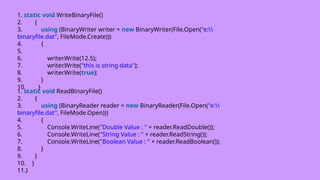
![C# StringWriter Class
This class is used to write and deal with string data rather than files. It is derived class of TextWriter class.
The string data written by StringWriter class is stored into StringBuilder.
C# StringWriter Example
1.using System;
2.using System.IO;
3.using System.Text;
4.namespace CSharpProgram
5.{
6. class Program
7. {
8. static void Main(string[] args)
9. {
10. string text = "Hello Guys, Welcome to our class" +
11. "It is nice site. n" +
12. "It provides technical tutorials";
13. // Creating StringBuilder instance
14. StringBuilder sb = new StringBuilder();
15.](https://image.slidesharecdn.com/c-250328054123-a32332e8/85/c-training-and-knowlege-of-c-sharp-program-pptx-144-320.jpg)
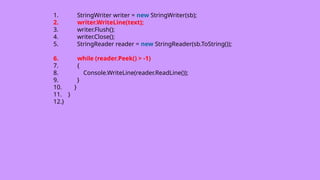
![C# StringReader Class
StringReader class is used to read data written by the StringWriter class. It is subclass of TextReader class. It
enables us to read a string synchronously or asynchronously. It provides constructors and methods to
perform read operations.
C# StringReader Example
1.using System;
2.using System.IO;
3.namespace CSharpProgram
4.{
5. class Program
6. {
7. static void Main(string[] args)
8. {
9. StringWriter str = new StringWriter();
10. str.WriteLine("Hello, this message is read by StringReader class");
11. str.Close();
12. // Creating StringReader instance and passing StringWriter
13. StringReader reader = new StringReader(str.ToString());
14. // Reading data
15. while (reader.Peek() > -1)
16. {
17. Console.WriteLine(reader.ReadLine());
18. }
19. }
20. }
21.}](https://image.slidesharecdn.com/c-250328054123-a32332e8/85/c-training-and-knowlege-of-c-sharp-program-pptx-146-320.jpg)
![C# FileInfo Class
The FileInfo class is used to deal with file and its operations in C#. It provides properties and methods that
are used to create, delete and read file. It uses StreamWriter class to write data to the file. It is a part of
System.IO namespace.
C# FileInfo Example: Creating a File
1.using System;
2.using System.IO;
3.namespace CSharpProgram
4.{
5. class Program
6. {
7. static void Main(string[] args)
8. {
9. try
10. {
11. // Specifying file location
12. string loc = "F:abc.txt";
13. // Creating FileInfo instance
14. FileInfo file = new FileInfo(loc);
15. // Creating an empty file
16. file.Create();
17. Console.WriteLine("File is created Successfuly");
18. }
1.catch(IOException e)
2. {
3. Console.WriteLine("Something went wro](https://image.slidesharecdn.com/c-250328054123-a32332e8/85/c-training-and-knowlege-of-c-sharp-program-pptx-147-320.jpg)
![C# DirectoryInfo Class
DirectoryInfo class is a part of System.IO namespace. It is used to create, delete and move directory. It
provides methods to perform operations related to directory and subdirectory.
C# DirectoryInfo Example
1.using System;
2.using System.IO;
3.namespace CSharpProgram
4.{
5. class Program
6. {
7. static void Main(string[] args)
8. {
9. // Provide directory name with complete location.
10. DirectoryInfo directory = new DirectoryInfo(@“D:renu");
11. try
12. {
13. // Check, directory exist or not.
14. if (directory.Exists)
15. {
16. Console.WriteLine("Directory already exist.");
17. return;
18. }](https://image.slidesharecdn.com/c-250328054123-a32332e8/85/c-training-and-knowlege-of-c-sharp-program-pptx-148-320.jpg)
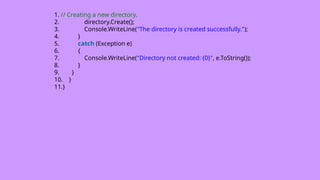
![C# Serialization
In C#, serialization is the process of converting object into byte stream so that it can be saved to memory,
file or database. The reverse process of serialization is called deserialization.
Serialization is internally used in remote applications.
C# SerializableAttribute
To serialize the object, you need to apply SerializableAttribute attribute to the type. If you don't
apply SerializableAttribute attribute to the type, SerializationException exception is thrown at runtime.
C# Serialization example 1.using System;
2.using System.IO;
3.using System.Runtime.Serialization.Formatters.Binary;
4.[Serializable]
5.class Student
6.{
7. int rollno;
8. string name;
9. public Student(int rollno, string name)
10. {
11. this.rollno = rollno;
12. this.name = name;
13. }
14.}](https://image.slidesharecdn.com/c-250328054123-a32332e8/85/c-training-and-knowlege-of-c-sharp-program-pptx-150-320.jpg)
![1.public class SerializeExample
2.{
3. public static void Main(string[] args)
4. {
5. FileStream stream = new FileStream("e:
sss.txt", FileMode.OpenOrCreate);
6. BinaryFormatter formatter=new BinaryFormatter();
7.
8. Student s = new Student(101, "sonoo");
9. formatter.Serialize(stream, s);
10.
11. stream.Close();
12. }
13.}](https://image.slidesharecdn.com/c-250328054123-a32332e8/85/c-training-and-knowlege-of-c-sharp-program-pptx-151-320.jpg)
![C# Deserialization
In C# programming, deserialization is the reverse process of serialization. It means you can read the object
from byte stream.
C# Deserialization Example
1.using System;
2.using System.IO;
3.using System.Runtime.Serialization.Formatters.Binary;
4.[Serializable]
5.class Student
6.{
7. public int rollno;
8. public string name;
9. public Student(int rollno, string name)
10. {
11. this.rollno = rollno;
12. this.name = name;
13. }
14.}](https://image.slidesharecdn.com/c-250328054123-a32332e8/85/c-training-and-knowlege-of-c-sharp-program-pptx-152-320.jpg)
![1.public class DeserializeExample
2.{
3. public static void Main(string[] args)
4. {
5. FileStream stream = new FileStream("e:
sss.txt", FileMode.OpenOrCreate);
6. BinaryFormatter formatter=new BinaryFormatter();
7.
8. Student s=(Student)formatter.Deserialize(stream);
9. Console.WriteLine("Rollno: " + s.rollno);
10. Console.WriteLine("Name: " + s.name);
11.
12. stream.Close();
13. }
14.}](https://image.slidesharecdn.com/c-250328054123-a32332e8/85/c-training-and-knowlege-of-c-sharp-program-pptx-153-320.jpg)