What is "C#"?
•“Flagship” language for Microsoft’s .NET Framework
• C# features:
– New cutting edge language
– Extremely powerful
– Easy to learn
– Easy to read and understand
– Object-oriented
4.
Why C#?
• Canbe used to develop a number of different types of
applications
– Software components
– Mobile applications
– Dynamic Web pages
– Database access components
– Windows desktop applications
– Web services
– Console-based applications
5.
Syntax – WritingC# Programs
In a lot of areas, C# and Java are syntactically similar to each other,
and also similar to C and C++.
However, there are differences between C# and the other languages
- Some of which are infuriating!
6.
Object-Oriented Programming
• Constructcomplex systems that model real-world entities
• Facilitates designing components
• Assumption is that the world contains a number of entities that
can be identified and described by software objects
7.
Microsoft’s .NET Framework
•Not an operating system
• An environment in which programs run
• Resides at a layer between operating system and other
applications
• Offers multilanguage independence
– One application can be written in more than one language
• Includes over 2,500 reusable types (classes)
• Enables creation of dynamic Web pages and Web services
• Scalable component development
8.
What is .NETFramework?
• Environment for execution of Micrsoft .NET programs
• Powerful library of classes
• Programming model
• Common execution engine for many programming languages
– C#
– Visual Basic .NET
– ... and many others
Console Applications
• Normallysend requests to the operating system
• Display text on the command console
• Easiest to create
– Simplest approach to learning software development
– Minimal overhead for input and output of data
11.
Windows Applications
• Applicationsdesigned for the desktop
• Designed for a single platform
• Use classes from System.Windows.Form
• Applications can include menus, pictures, drop-down controls,
buttons, text boxes, and labels
• Use drag-and-drop feature of Visual Studio
12.
Web Applications
• C#was designed with the Internet applications in mind
• Can quickly build applications that run on the Web with C#
– Using Web Forms: part of ASP.NET
13.
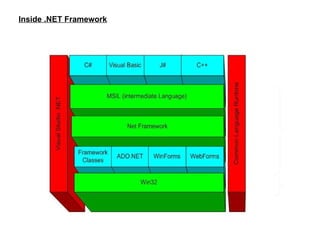
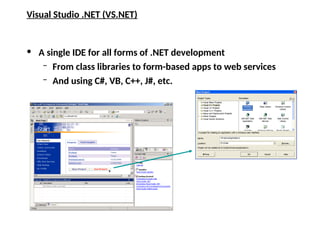
Visual Studio .NET(VS.NET)
• A single IDE for all forms of .NET development
– From class libraries to form-based apps to web services
– And using C#, VB, C++, J#, etc.
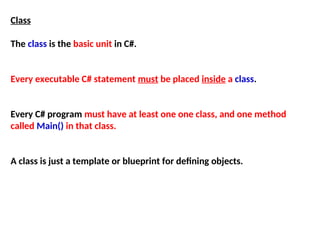
Class
The class isthe basic unit in C#.
Every executable C# statement must be placed inside a class.
Every C# program must have at least one one class, and one method
called Main() in that class.
A class is just a template or blueprint for defining objects.
16.
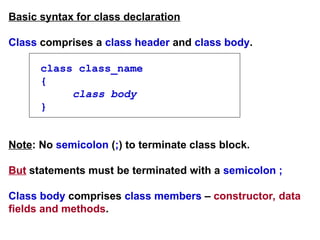
Basic syntax forclass declaration
Class comprises a class header and class body.
class class_name
{
class body
}
Note: No semicolon (;) to terminate class block.
But statements must be terminated with a semicolon ;
Class body comprises class members – constructor, data
fields and methods.
17.
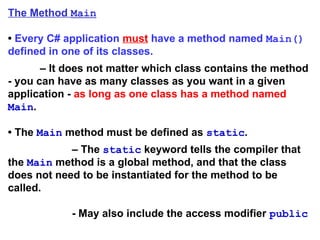
The Method Main
•Every C# application must have a method named Main()
defined in one of its classes.
– It does not matter which class contains the method
- you can have as many classes as you want in a given
application - as long as one class has a method named
Main.
• The Main method must be defined as static.
– The static keyword tells the compiler that
the Main method is a global method, and that the class
does not need to be instantiated for the method to be
called.
- May also include the access modifier public
18.
Syntax for simpleC# program
// Program start class
class class_name
{
// Main begins program execution
public static void Main(string[] args)
{
statements
}
}
A C# program starts with a class which encapsulates the
method Main()
Note: Main() – not main()
Programmer-
defined class name
May be replaced
by Main()
19.
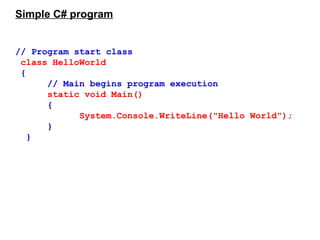
Simple C# program
//Program start class
class HelloWorld
{
// Main begins program execution
static void Main()
{
System.Console.WriteLine("Hello World");
}
}
20.
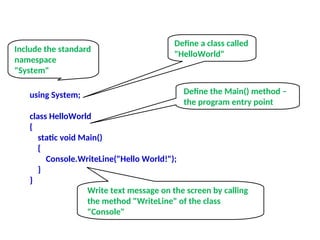
using System;
class HelloWorld
{
staticvoid Main()
{
Console.WriteLine("Hello World!");
}
}
Include the standard
namespace
"System"
Define a class called
"HelloWorld"
Define the Main() method –
the program entry point
Write text message on the screen by calling
the method "WriteLine" of the class
"Console"
21.
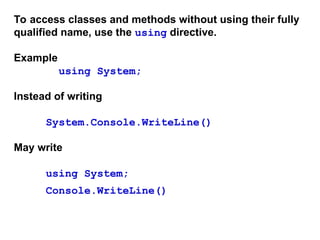
To access classesand methods without using their fully
qualified name, use the using directive.
Example
using System;
Instead of writing
System.Console.WriteLine()
May write
using System;
Console.WriteLine()
22.
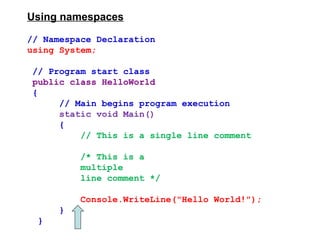
Using namespaces
// NamespaceDeclaration
using System;
// Program start class
public class HelloWorld
{
// Main begins program execution
static void Main()
{
// This is a single line comment
/* This is a
multiple
line comment */
Console.WriteLine("Hello World!");
}
}
23.
Operators, Types, andVariables
Variables
C# is a strongly “typed" language (aka “type-safe”.)
- All operations on variables are performed with
consideration of what the variable's “type" is.
There are rules that define what operations are legal in
order to maintain the integrity of the data you put in a
variable.
24.
Types
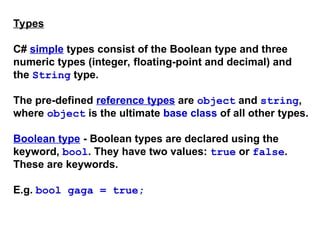
C# simple typesconsist of the Boolean type and three
numeric types (integer, floating-point and decimal) and
the String type.
The pre-defined reference types are object and string,
where object is the ultimate base class of all other types.
Boolean type - Boolean types are declared using the
keyword, bool. They have two values: true or false.
These are keywords.
E.g. bool gaga = true;
25.
Data Types
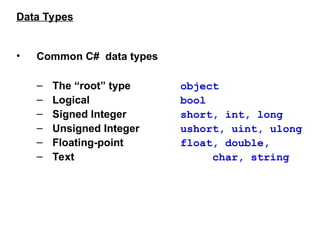
• CommonC# data types
– The “root” type object
– Logical bool
– Signed Integer short, int, long
– Unsigned Integer ushort, uint, ulong
– Floating-point float, double,
– Text char, string
26.
The Object Type
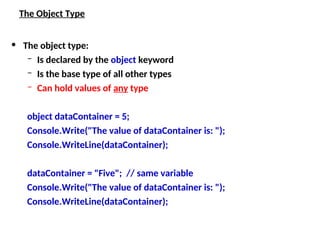
•The object type:
– Is declared by the object keyword
– Is the base type of all other types
– Can hold values of any type
object dataContainer = 5;
Console.Write("The value of dataContainer is: ");
Console.WriteLine(dataContainer);
dataContainer = "Five"; // same variable
Console.Write("The value of dataContainer is: ");
Console.WriteLine(dataContainer);
27.
All types arecompatible with object
- A variable of any type can be assigned to
variables of type object
- All operations of type object are applicable to
variables of any type.
28.
Types, Classes, andObjects
• Data Type
– C# has more than one type of number
• int type is a whole number
• Floating-point types can have a fractional
portion
• Types are actually implemented through classes
– One-to-one correspondence between a class
and a type
– Simple data type such as int is implemented
as a class
29.
Integer type
In C#,an integer is a category of types. They are whole
numbers, either signed or unsigned.
30.
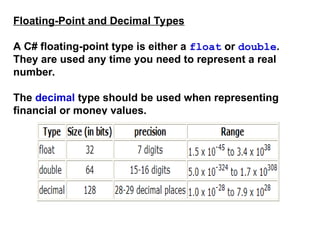
Floating-Point and DecimalTypes
A C# floating-point type is either a float or double.
They are used any time you need to represent a real
number.
The decimal type should be used when representing
financial or money values.
31.
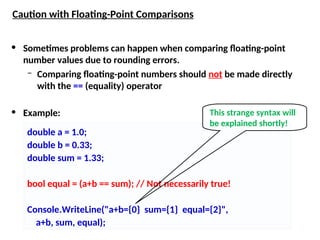
Caution with Floating-PointComparisons
• Sometimes problems can happen when comparing floating-point
number values due to rounding errors.
– Comparing floating-point numbers should not be made directly
with the == (equality) operator
• Example:
double a = 1.0;
double b = 0.33;
double sum = 1.33;
bool equal = (a+b == sum); // Not necessarily true!
Console.WriteLine("a+b={0} sum={1} equal={2}",
a+b, sum, equal);
This strange syntax will
be explained shortly!
32.
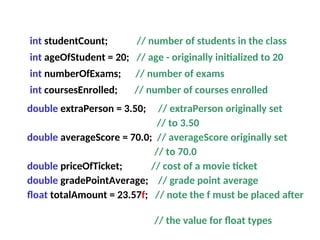
int studentCount; //number of students in the class
int ageOfStudent = 20; // age - originally initialized to 20
int numberOfExams; // number of exams
int coursesEnrolled; // number of courses enrolled
double extraPerson = 3.50; // extraPerson originally set
// to 3.50
double averageScore = 70.0; // averageScore originally set
// to 70.0
double priceOfTicket; // cost of a movie ticket
double gradePointAverage; // grade point average
float totalAmount = 23.57f; // note the f must be placed after
// the value for float types
33.
Example
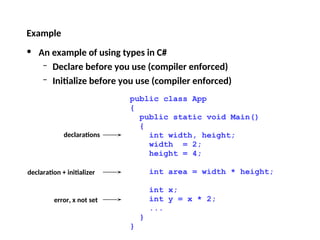
• An exampleof using types in C#
– Declare before you use (compiler enforced)
– Initialize before you use (compiler enforced)
public class App
{
public static void Main()
{
int width, height;
width = 2;
height = 4;
int area = width * height;
int x;
int y = x * 2;
...
}
}
declarations
declaration + initializer
error, x not set
34.
Boolean Variables
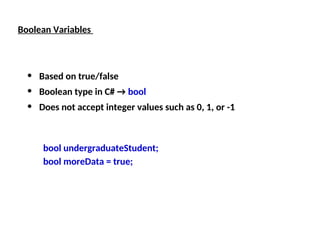
• Basedon true/false
• Boolean type in C# → bool
• Does not accept integer values such as 0, 1, or -1
bool undergraduateStudent;
bool moreData = true;
35.
Boolean Values –Example
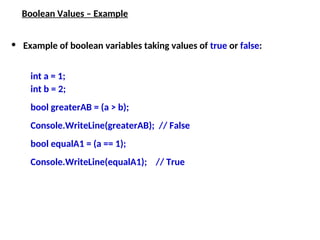
• Example of boolean variables taking values of true or false:
int a = 1;
int b = 2;
bool greaterAB = (a > b);
Console.WriteLine(greaterAB); // False
bool equalA1 = (a == 1);
Console.WriteLine(equalA1); // True
36.
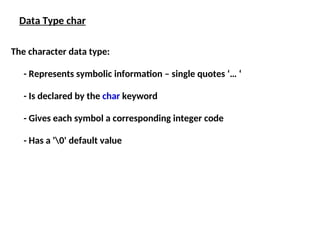
The character datatype:
- Represents symbolic information – single quotes ‘… ‘
- Is declared by the char keyword
- Gives each symbol a corresponding integer code
- Has a '0' default value
Data Type char
37.
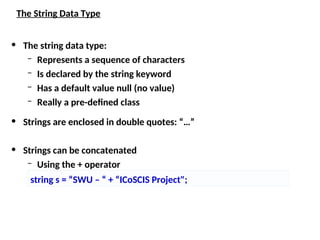
The String DataType
• The string data type:
– Represents a sequence of characters
– Is declared by the string keyword
– Has a default value null (no value)
– Really a pre-defined class
• Strings are enclosed in double quotes: “…”
• Strings can be concatenated
– Using the + operator
string s = “SWU – “ + “ICoSCIS Project";
38.
Saying Hello –Example
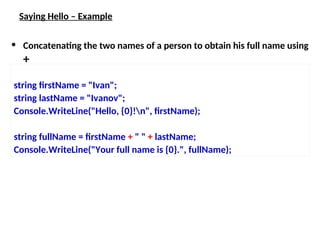
• Concatenating the two names of a person to obtain his full name using
+
string firstName = "Ivan";
string lastName = "Ivanov";
Console.WriteLine("Hello, {0}!n", firstName);
string fullName = firstName + " " + lastName;
Console.WriteLine("Your full name is {0}.", fullName);
39.
Class System.String
Can beused as standard type string
string s = “ICoSCIS";
Note
• Can be concatenated with +: “SWU " + s;
• Can be indexed: s[i]
• String length: s.Length
• String values can be compared with == and !=:
if (s == “SWU") ...
• Class String defines many useful operations:
CompareTo, IndexOf, StartsWith,
Substring, ...
40.
Data Constants
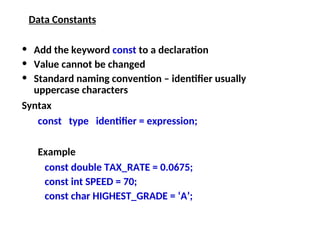
• Addthe keyword const to a declaration
• Value cannot be changed
• Standard naming convention – identifier usually
uppercase characters
Syntax
const type identifier = expression;
Example
const double TAX_RATE = 0.0675;
const int SPEED = 70;
const char HIGHEST_GRADE = ‘A’;
Identifiers
• Identifiers mayconsist of
– Letters
– Digits [0-9]
– Underscore "_"
• Identifiers
– Can begin only with a letter or an underscore
– Cannot be a C# keyword
45.
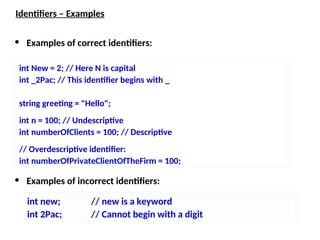
Identifiers – Examples
•Examples of correct identifiers:
• Examples of incorrect identifiers:
int new; // new is a keyword
int 2Pac; // Cannot begin with a digit
int New = 2; // Here N is capital
int _2Pac; // This identifier begins with _
string greeting = "Hello";
int n = 100; // Undescriptive
int numberOfClients = 100; // Descriptive
// Overdescriptive identifier:
int numberOfPrivateClientOfTheFirm = 100;
46.
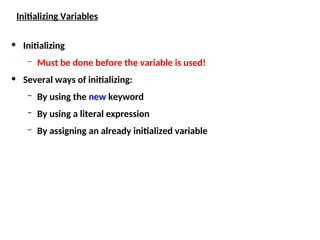
Initializing Variables
• Initializing
–Must be done before the variable is used!
• Several ways of initializing:
– By using the new keyword
– By using a literal expression
– By assigning an already initialized variable
47.
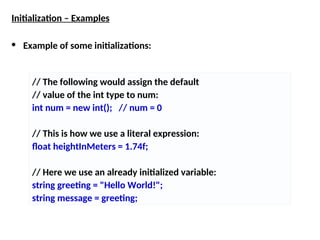
Initialization – Examples
•Example of some initializations:
// The following would assign the default
// value of the int type to num:
int num = new int(); // num = 0
// This is how we use a literal expression:
float heightInMeters = 1.74f;
// Here we use an already initialized variable:
string greeting = "Hello World!";
string message = greeting;
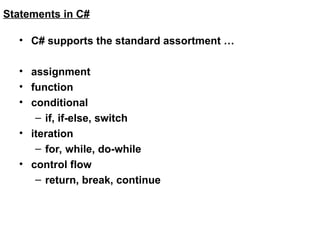
Statements in C#
•C# supports the standard assortment …
• assignment
• function
• conditional
– if, if-else, switch
• iteration
– for, while, do-while
• control flow
– return, break, continue
50.
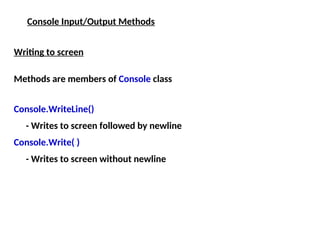
Console Input/Output Methods
Writingto screen
Methods are members of Console class
Console.WriteLine()
- Writes to screen followed by newline
Console.Write( )
- Writes to screen without newline
51.
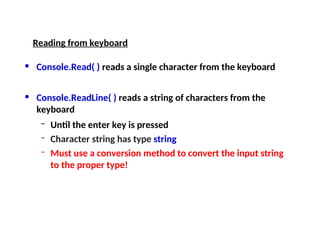
• Console.Read( )reads a single character from the keyboard
• Console.ReadLine( ) reads a string of characters from the
keyboard
– Until the enter key is pressed
– Character string has type string
– Must use a conversion method to convert the input string
to the proper type!
Reading from keyboard
52.
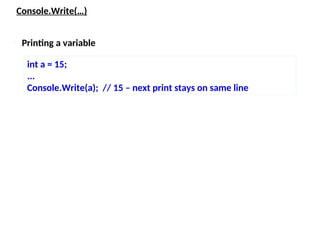
Console.Write(…)
int a =15;
...
Console.Write(a); // 15 – next print stays on same line
Printing a variable
53.
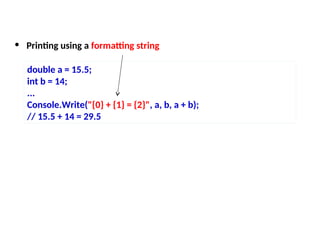
• Printing usinga formatting string
double a = 15.5;
int b = 14;
...
Console.Write("{0} + {1} = {2}", a, b, a + b);
// 15.5 + 14 = 29.5
54.
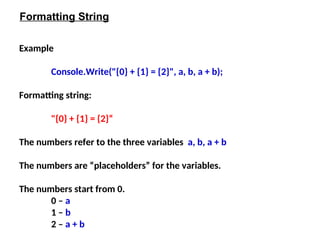
Example
Console.Write("{0} + {1}= {2}", a, b, a + b);
Formatting string:
"{0} + {1} = {2}“
The numbers refer to the three variables a, b, a + b
The numbers are “placeholders” for the variables.
The numbers start from 0.
0 – a
1 – b
2 – a + b
Formatting String
55.
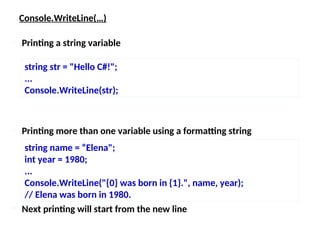
Console.WriteLine(…)
Printing morethan one variable using a formatting string
string str = "Hello C#!";
...
Console.WriteLine(str);
Printing a string variable
string name = “Elena";
int year = 1980;
...
Console.WriteLine("{0} was born in {1}.", name, year);
// Elena was born in 1980.
Next printing will start from the new line
56.
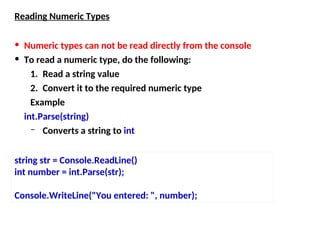
Reading Numeric Types
•Numeric types can not be read directly from the console
• To read a numeric type, do the following:
1. Read a string value
2. Convert it to the required numeric type
Example
int.Parse(string)
– Converts a string to int
string str = Console.ReadLine()
int number = int.Parse(str);
Console.WriteLine("You entered: ", number);
57.
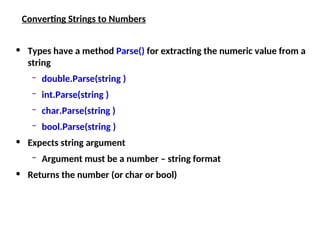
Converting Strings toNumbers
• Types have a method Parse() for extracting the numeric value from a
string
– double.Parse(string )
– int.Parse(string )
– char.Parse(string )
– bool.Parse(string )
• Expects string argument
– Argument must be a number – string format
• Returns the number (or char or bool)
58.
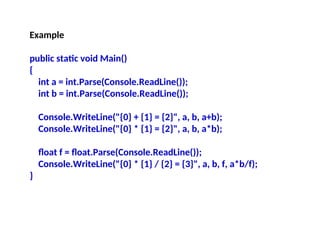
Example
public static voidMain()
{
int a = int.Parse(Console.ReadLine());
int b = int.Parse(Console.ReadLine());
Console.WriteLine("{0} + {1} = {2}", a, b, a+b);
Console.WriteLine("{0} * {1} = {2}", a, b, a*b);
float f = float.Parse(Console.ReadLine());
Console.WriteLine("{0} * {1} / {2} = {3}", a, b, f, a*b/f);
}
59.
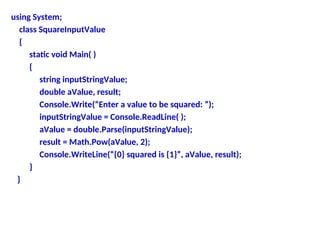
using System;
class SquareInputValue
{
staticvoid Main( )
{
string inputStringValue;
double aValue, result;
Console.Write(“Enter a value to be squared: ”);
inputStringValue = Console.ReadLine( );
aValue = double.Parse(inputStringValue);
result = Math.Pow(aValue, 2);
Console.WriteLine(“{0} squared is {1}”, aValue, result);
}
}


![Syntax for simple C# program
// Program start class
class class_name
{
// Main begins program execution
public static void Main(string[] args)
{
statements
}
}
A C# program starts with a class which encapsulates the
method Main()
Note: Main() – not main()
Programmer-
defined class name
May be replaced
by Main()](https://image.slidesharecdn.com/presentation1-250801015508-9c75f807/85/Presentatiooooooooooon00000000000001-ppt-18-320.jpg)

![Class System.String
Can be used as standard type string
string s = “ICoSCIS";
Note
• Can be concatenated with +: “SWU " + s;
• Can be indexed: s[i]
• String length: s.Length
• String values can be compared with == and !=:
if (s == “SWU") ...
• Class String defines many useful operations:
CompareTo, IndexOf, StartsWith,
Substring, ...](https://image.slidesharecdn.com/presentation1-250801015508-9c75f807/85/Presentatiooooooooooon00000000000001-ppt-39-320.jpg)
![Identifiers
• Identifiers may consist of
– Letters
– Digits [0-9]
– Underscore "_"
• Identifiers
– Can begin only with a letter or an underscore
– Cannot be a C# keyword](https://image.slidesharecdn.com/presentation1-250801015508-9c75f807/85/Presentatiooooooooooon00000000000001-ppt-44-320.jpg)