Fundamentals of Programming in C++
(C0Sc 2031)
Mekonnen K.
(MSc) Email: mekonnen307@gmail.com
1
Topics
Topics Subtopics
4:
Pointers
4.1. Basic concept of pointers
4.2 Pointer variables and declaration
4.3. Pointer expression, operation and arithmetic
4.4. Strings and pointers
4.5.Relationship between pointers and arrays
4.6. Revisiting function calling by reference (using
pointers)
4.7. Dynamic memory management
2
Pointers
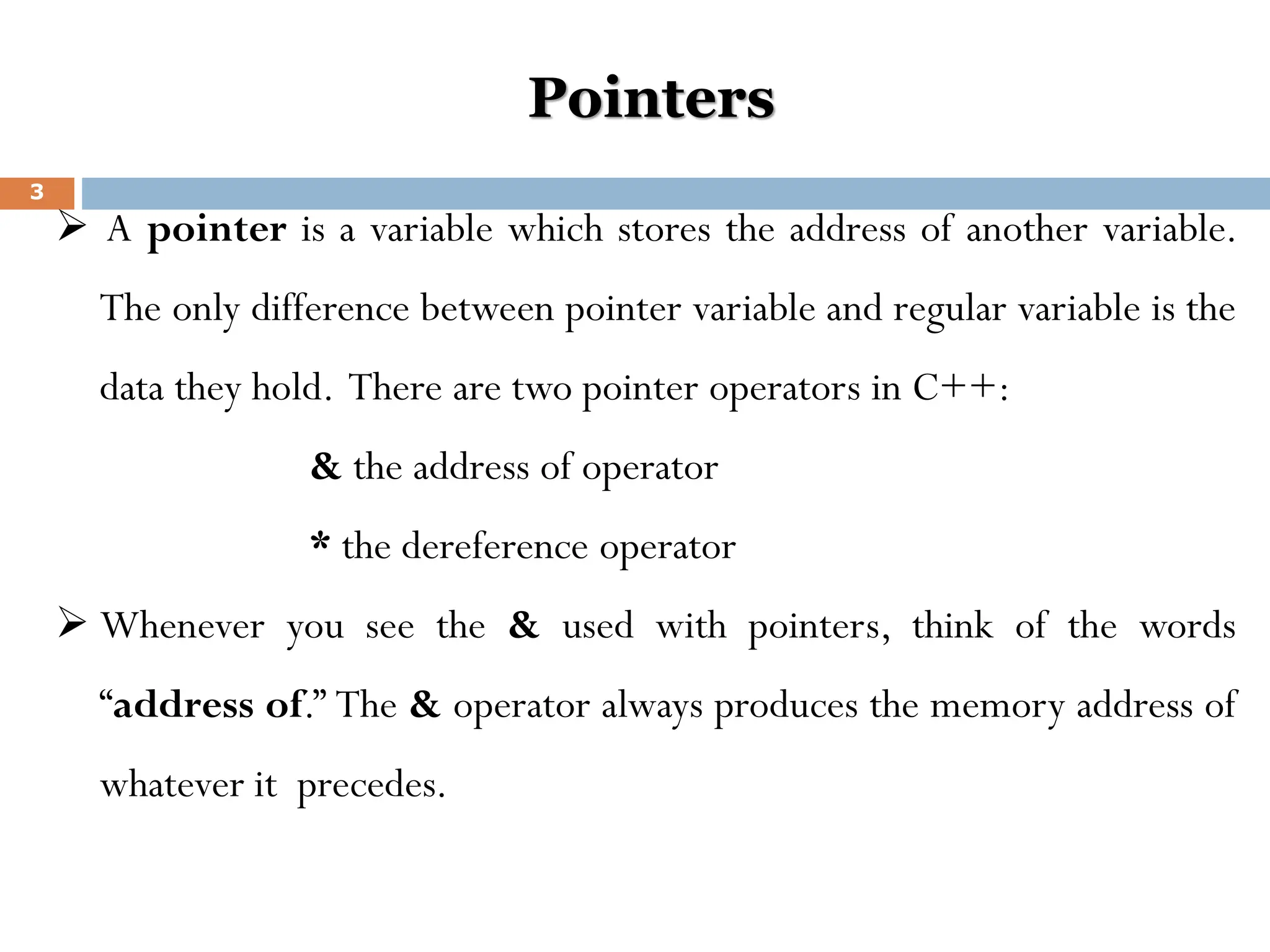
➢ A pointer is a variable which stores the address of another variable.
The only difference between pointer variable and regular variable is the
data they hold. There are two pointer operators in C++:
& the address of operator
* the dereference operator
➢ Whenever you see the & used with pointers, think of the words
“address of.” The & operator always produces the memory address of
whatever it precedes.
3
Cont’d
➢ The * operator, when used with pointers, either declares a pointer or
dereferences the pointer‘s value. The dereference operator can be literally
translated to "value pointed by" .
➢ A pointer is simply the address of an object in memory. Generally, objects
can be accessed in two ways: directly by their symbolic name, or indirectly
through a pointer.
➢ The act of getting to an object via a pointer to it, is called
dereferencing the pointer. Pointer variables are defined to point to
objects of a specific type so that when the pointer is dereferenced, a typed
object is obtained.
4
Declaring Pointers
➢ Like any variable or constant, you must declare a pointer before you can
work with it.The general form of a pointer variable declaration is:
Syntax: type * pointer_name ;
➢ to declare a pointer variable called p_age, do the following:
int * p_age;
➢ Whenever the dereference operator, *, appears in a variable declaration,
the variable being declared is always a pointer variable.
▪ int *ip; // pointer to an integer
▪ double *dp; // pointer to a double
▪ float *fp; // pointer to a float
▪ char *ch // pointer to character
5
Assigning values to pointers:
➢ p_age is an integer pointer. The type of a pointer is very important. p_age can
point only to integer values, never to floating-point or other types.
➢ To assign p_age the address of a variable, do the following:
int age = 26;
int * p_age;
p_age = &age;
OR
int age = 26;
int * p_age = & age;
Both ways are possible.
6
Cont’d
➢ If you wanted to print the value of age, do the following:
cout<<age;//prints the value of age
Or by using pointers you can do it as follows
cout<<*p_age;//dereferences p_age;
➢ The dereference operator produces a value that tells the pointer where to point.
Without the *, (i.e cout<<p_age), a cout statement would print an address (the
address of age).With the *, the cout prints the value at that address.
➢ You can assign a different value to age with the following statement:
age = 13; //assigns a new value to variable age
*p_age = 13 //assigns 13 as a value to the memory p_age points at.
7
Cont’d
➢ N.B: the * appears before a pointer variable in only two places: when you declare a pointer
variable and when you dereference a pointer variable (to find the data it points to).
void main()
{
int num = 123; // a regular integer variable
int *p_num; //declares an integer pointer
cout<< “num is ”<<num<<endl;
cout<< “the address of num is ”<<&num<<endl;
p_num = &num;// puts address of num in p_num;
cout<< “*p_num is ”<<*p_num<<endl; //prints value of num
cout<< “p_num is ”<<p_num<<endl; //prints value of P_num
getch();
}
8
Pointer to void
➢ Note that we can‘t assign the address of a float type variable to an integer
pointer variable and similarly the address of an interger variable can not be
stored in a float or character pointer.
float y;
int x;
int *ip;
float *fp;
ip = &y; //illegal statement
fp = &x; //illegal statement
➢ That means, if a variable type and pointer to type is same, then only we can
assign the address of variable to pointer variable. And if both are different
type then we can‘t assign the address of variable to pointer variable.
9
Cont’d
➢ but this is also possible in C++ by declaring pointer variable as a void as
follows:
void *p;
➢ Let us see an example:
void *p; p = &x; //valid assignment
int x; p = &y; //valid assignment
float y;
➢ The difficulty on void pointers is that, void pointers can not be de
referenced. They are aimed only to store address and the dereference
operator is not allowed for void pointers.
10
Pointer Arithmetic
➢ To conduct arithmetical operations on pointers is a little different than to
conduct them on other integer data types. To begin, only addition and
subtraction operations are allowed to be conducted, the others make no
sense in the world of pointers. But both addition and subtraction have a
different behavior with pointers according to the size of the data type to
which they point to.
➢ When we saw the different data types that exist, we saw that some occupy
more or less space than others in the memory. For example, in the case of
integer numbers, char occupies 1 byte, short occupies 2 bytes and long
occupies 4.
11
Cont’d
➢ Let's suppose that we have 3 pointers:
char *mychar;
short *myshort;
long *mylong;
➢ And that we know that they point to memory locations 1000 , 2000 and
3000 respectively. So if we write:
mychar++;
myshort++;
mylong++;
12
Cont’d
➢ mychar , as you may expect, would contain the value 1001 .
Nevertheless, myshort would contain the value 2002 , and mylong would
contain 3004
➢ The reason is that when adding 1 to a pointer we are making it to point to
the following element of the same type with which it has been defined,
and therefore the size in bytes of the type pointed is added to the pointer.
13
Cont’d
➢ This is applicable both when adding and subtracting any number to a
pointer. It is important to warn you that both increase ( ++ ) and decrease
( -- ) operators have a greater priority than the reference operator asterisk
( * ), therefore the following expressions may lead to confusion:
*p++; *p++ = *q++;
➢ The first one is equivalent to *(p++) and what it does is to increase p (the
address where it points to - not the value that contains). The second,
because both increase operators ( ++ ) are after the expressions to be
evaluated and not before, first the value of *q is assigned to *p and then
they are both q and p increased by one.
14
Cont’d
➢ It is equivalent to:
*p = *q;
p++;
q++;
Now let us have a look at a code that shows increments through an integer array:
15
void main()
{
int iara[] =
{10,20,30,40,50};
int * ip = iara;
cout<<*ip<<endl;
ip++;
cout<<*ip<<endl;
ip++;
cout<<*ip<<endl;
ip++;
cout<<*ip<<endl;
}
Pointer and arrays
➢ The concept of array goes very bound to the one of pointer. In fact, the
identifier of an array is equivalent to the address of its first element, like a
pointer is equivalent to the address of the first element that it points to, so
in fact they are the same thing. For example, supposing these two
declarations:
int numbers [20];
int * p;
➢ The following allocation would be valid:
p = numbers;
16
Cont’d
➢ At this point p and numbers are equivalent and they have the same properties,
with the only difference that we could assign another value to the pointer p
whereas numbers will always point to the first of the 20 integer numbers of type
int with which it was defined.
➢ So, unlike p, that is an ordinary variable pointer, numbers is a constant pointer
(indeed that is an Array: a constant pointer). Therefore, although the previous
expression was valid, the following allocation is not:
numbers = p;
➢ Because numbers is an array (constant pointer), and no values can be assigned to
constant identifiers.
17
Cont’d
➢ N.B: An array name is just a pointer, nothing more. The array name always
points to the first element stored in the array. There for , we can have the
following valid C++ code:
int ara[5] = {10,20,30,40,50};
cout<< *(ara + 2); //prints ara[2];
➢ The expression *(ara+2) is not vague at all if you remember that an array
name is just a pointer that always points to the array‘s first element.
*(ara+2) takes the address stored in ara, adds 2 to the address, and
dereferences that location.
18
Cont’d
➢ Consider the following character array:
char name[] = “C++ Programming”;
➢ What output do the following cout statements produce?
cout<<name[0]; // ____C__
cout<<*name; // _____C__
cout<<*(name+3); //_________
cout<<*(name+0); //____C____
19
Pointer and String
➢ If you declare a character table with 5 rows and 20 columns, each row would
contain the same number of characters. You can define the table with the
following statement.
char names[5][20] ={{“George”},{“Mesfin”},{“John”},{“Kim”},{“Barbara”}};
The above statement will create the following table in memory:
20
G e o r g e 0
M e s f i n 0
J o h n 0
K i m 0
B a r b a r a 0
Cont’d
➢ Notice that much of the table is waster space. Each row takes 20 characters,
even though the data in each row takes far fewer characters.
➢ To fix the memory-wasting problem of fully justified tables, you should declare a
single-dimensional array of character pointers. Each pointer points to a string in
memory and the strings do not have to be the same length.
➢ Here is the definition for such an array:
char *name [5] = {{“George”},{“Mesfin”},{“John”}, {“Kim”},{“Barbara”}};
➢ This array is a single-dimension array. The asterisk before names makes this array
an array of pointers.
21
Cont’d
➢ Each string takes only as much memory as is needed by the string and its
terminating zero.At this time, we will have this structure in memory:
➢ To print the first string, we should use:
cout<<*names; //prints George.
➢ To print the second use:
cout<< *(names+1); //prints Michael
➢ Whenever you dereference any pointer element with the * dereferencing
operator, you access one of the strings in the array.
22
Pointer to pointer
➢ As the memory address where integer, float or character is stored in can be
stored into a pointer variable, the address of a pointer can also be stored in
another pointer.This pointer is said to be pointer to a pointer.
➢ An array of pointer is conceptually same as pointer to pointer type. The pointer
to pointer type is declared as follows: Data_type ** pointer_name;
➢ Note that the asterisk is double here.
int **p; //p is a pointer which holds the address another pointer.
E.g.:
char a; a = 'z';
char * b; b = &a;
char ** c; c = &b;
23
Cont’d
➢ This, supposing the randomly chosen memory locations of 7230 , 8092
and 10502 , could be described thus:
a b c
7230 8092 10502
(inside the cells there is the content of the variable; under the cells
its location)
24
‘z’ 7230 8092
Cont’d
➢ Have a look at the following code:
void main() {
int data;
int *p1;
int **p2;
data = 15;
cout<< “data = ”<<data<<endl;
p1 = &data;
p2 = &p1;
cout<< “data through p1 = ”<<*p1<<endl;
cout<< “data through p2 = ”<< **p2<<endl; }
25
F u n c t i o n s a n d P o i n t e r s
 A pointer variable can be passed as a parameter to a function
either by value or by reference. To declare a pointer as a value
parameter in a function heading, you use the same mechanism
as you use to declare a variable. To make a formal parameter be
a reference parameter, you use & when you declare the formal
parameter in the function heading.
26
Cont’d
 Therefore, to declare a formal parameter as a reference pointer parameter,
between the data type name and the identifier name, you must include *
to make the identifier a pointer and & to make it a reference parameter.
 The obvious question is: In what order should & and * appear between the
data type name and the identifier to declare a pointer as a reference
parameter?
 In C++, to make a pointer a reference parameter in a function heading, *
appears before the & between the data type name and the identifier.
27
Cont’d
 The following example illustrates this concept.
 void pointerParameters (int* &p, double * q)
{
.
}
▪ In the function pointerParameters, both p and q are pointers. The
parameter p is a reference parameter; the parameter q is a value
parameter.
▪ Furthermore, the function pointerParameters can change the value of
*q, but not the value of q. However, the function pointerParameters
can change the value of both p and *p.
28
Cont’d
#include <iostream>
using namespace std;
void add_numbers(int *value1, int *value2, int *result)
{
*result = *value1 + *value2;
}
int main()
{
int number1, number2, result = 0;
cout << "Pointer Example C++ Program : Passing pointers to
functions In C++ n";
cout << "Enter value of Number # 1: ";
29
Cont’d
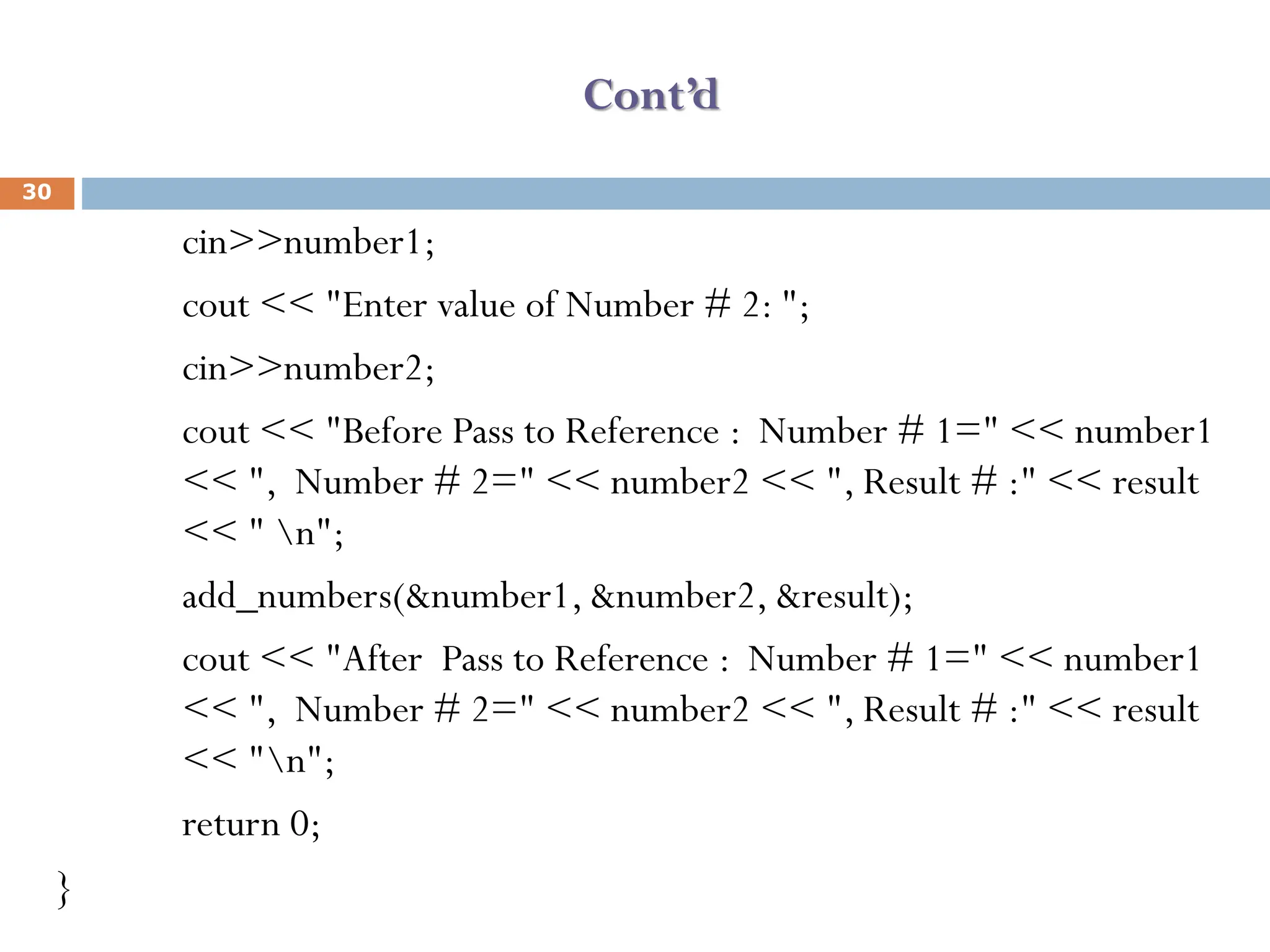
cin>>number1;
cout << "Enter value of Number # 2: ";
cin>>number2;
cout << "Before Pass to Reference : Number # 1=" << number1
<< ", Number # 2=" << number2 << ", Result # :" << result
<< " n";
add_numbers(&number1, &number2, &result);
cout << "After Pass to Reference : Number # 1=" << number1
<< ", Number # 2=" << number2 << ", Result # :" << result
<< "n";
return 0;
}
30
Dynamic Memory Allocation
 Dynamic memory allocation (DMA) is the process of assigning the memory
space during the execution time or the run time.
 C++ allows us to allocate the memory of a variable or an array in run time. This
is known as dynamic memory allocation.
 There are two ways via which memories can be allocated for storing data.
1. Compile time allocation or static allocation of memory:
• Memory for named variables is allocated by the compiler
• Exact size and type of storage must be known at compile time
• For standard array declarations, this is why the size has to be constant
31
Drawbacks of static memory
 Runtime stack overflow will occurred due to shortage of memory storage in a limited
memory usage.
 Wastage of memory storage will be occurred if we don’t know the exact amount that we
need
2. Runtime allocation or dynamic allocation of memory:
• Memory allocated "on the fly" during run time
• dynamically allocated space usually placed in a program segment known as the heap or
the free store
• Exact amount of space or number of items does not have to be known by the
compiler in advance.
• For dynamic memory allocation, pointers are crucial
32
Cont’d
 Memory in your C++ program is divided into two parts:
• stack: All variables declared inside any function takes up memory from
the stack.
◼ Stack memory store variables declared inside function call and is generally
smaller than heap memory.
• heap: It is the unused memory of the program and can be used to
dynamically allocate the memory at runtime.
• Heap memory is used in dynamic memory allocation and is generally larger
than stack memory.
33
Cont’d
➢ We can dynamically allocate storage space while the program is running,
but we cannot create new variable names "on the fly"
➢ For this reason, dynamic allocation requires two steps:
1. Creating the dynamic space.
2. Storing its address in a pointer (so that the space can be accessed)
➢ To dynamically allocate memory in C++, we use the new operator.
➢De-allocation:
•Deallocation is the "clean-up" of space being used for variables or other
data storage
•It is the programmer's job to deallocate dynamically created space
•To de-allocate dynamic memory, we use the delete operator
34
Allocating space with new
35
➢ To allocate space dynamically, use the unary operator new, followed by
the type being allocated.
new int; // dynamically allocates an int
new double; // dynamically allocates a double
➢ If creating an array dynamically, use the same form, but put brackets
with a size after the type:
new int[40]; // dynamically allocates an array of 40 ints
new double[size]; // dynamically allocates an array of size doubles
// note that the size can be a variable
Cont’d
36
➢ These statements above are not very useful by themselves, because the
allocated spaces have no names! BUT, the new operator returns the
starting address of the allocated space, and this address can be stored in a
pointer:
int * p; // declare a pointer p
p = new int; // dynamically allocate an int and load address into p
double * d; // declare a pointer d
d = new double; // dynamically allocate a double and load address
into d
Cont’d
37
 // we can also do these in single line statements
int x = 40;
int * list = new int[x];
float * numbers = new float[x+10];
 Notice that this is one more way of initializing a pointer to a valid target
(and the most important one).
Accessing dynamically created space
38
➢ So once the space has been dynamically allocated, how do we use it?
➢ For single items, we go through the pointer. Dereference the pointer to reach
the dynamically created target:
int * p = new int; // dynamic integer, pointed to by p
*p = 10; // assigns 10 to the dynamic integer
cout << *p; // prints 10
➢ For dynamically created arrays, you can use either pointer-offset notation, or
treat the pointer as the array name and use the standard bracket notation:
double * numList = new double[size]; // dynamic array
for (int i = 0; i < size; i++)
numList[i] = 0; // initialize array elements to 0
numList[5] = 20; // bracket notation
*(numList + 7) = 15; // pointer-offset notation
// means same as numList[7]
Deallocation of dynamic memory with Delete
39
• To deallocate memory that was created with new, we use the unary
operator delete. The one operand should be a pointer that stores the
address of the space to be deallocated:
int * ptr = new int; // dynamically created int
// ...
delete ptr; // deletes the space that ptr points to
➢ Note that the pointer ptr still exists in this example. That's a named
variable subject to scope and extent determined at compile time. It can
be reused:
ptr = new int[10]; // point p to a brand new array
➢ To deallocate a dynamic array, use this form:
delete [] name_of_pointer;
Cont’d
40
 Example:
int * list = new int[40]; // dynamic array
delete [] list; // deallocates the array
list = 0; // reset list to null pointer
 After deallocating space, it's always a good idea to reset the pointer to
null unless you are pointing it at another valid target right away.
Example 1
#include<iostream>
using namespace std;
int main()
{
int *p;
p=new int;
cout<<"Enter a number"<<endl;
cin>>*p;
cout<<"EnteredValue is:"<<*p<<endl;
delete p;//to delete p address from location
return 0;
}
41
Example 2
#include <iostream>
using namespace std;
int main()
{
int *p;
p=new int[3];
for(int i=0;i<3;i++)
{
cout<<"Element"<<i+1<<":";
cin>>p[i];
//cin>>*(p+i);
}
42
Cont’d
cout<<"EnteredValue:";
for(int i=0;i<3;i++)
{
cout<<*(p+i)<<",";
}
delete [] p;
return 0;
}
43
44

C++ computer language chapter 4 pointers.pdf

  • 1.
    Fundamentals of Programmingin C++ (C0Sc 2031) Mekonnen K. (MSc) Email: mekonnen307@gmail.com 1
  • 2.
    Topics Topics Subtopics 4: Pointers 4.1. Basicconcept of pointers 4.2 Pointer variables and declaration 4.3. Pointer expression, operation and arithmetic 4.4. Strings and pointers 4.5.Relationship between pointers and arrays 4.6. Revisiting function calling by reference (using pointers) 4.7. Dynamic memory management 2
  • 3.
    Pointers ➢ A pointeris a variable which stores the address of another variable. The only difference between pointer variable and regular variable is the data they hold. There are two pointer operators in C++: & the address of operator * the dereference operator ➢ Whenever you see the & used with pointers, think of the words “address of.” The & operator always produces the memory address of whatever it precedes. 3
  • 4.
    Cont’d ➢ The *operator, when used with pointers, either declares a pointer or dereferences the pointer‘s value. The dereference operator can be literally translated to "value pointed by" . ➢ A pointer is simply the address of an object in memory. Generally, objects can be accessed in two ways: directly by their symbolic name, or indirectly through a pointer. ➢ The act of getting to an object via a pointer to it, is called dereferencing the pointer. Pointer variables are defined to point to objects of a specific type so that when the pointer is dereferenced, a typed object is obtained. 4
  • 5.
    Declaring Pointers ➢ Likeany variable or constant, you must declare a pointer before you can work with it.The general form of a pointer variable declaration is: Syntax: type * pointer_name ; ➢ to declare a pointer variable called p_age, do the following: int * p_age; ➢ Whenever the dereference operator, *, appears in a variable declaration, the variable being declared is always a pointer variable. ▪ int *ip; // pointer to an integer ▪ double *dp; // pointer to a double ▪ float *fp; // pointer to a float ▪ char *ch // pointer to character 5
  • 6.
    Assigning values topointers: ➢ p_age is an integer pointer. The type of a pointer is very important. p_age can point only to integer values, never to floating-point or other types. ➢ To assign p_age the address of a variable, do the following: int age = 26; int * p_age; p_age = &age; OR int age = 26; int * p_age = & age; Both ways are possible. 6
  • 7.
    Cont’d ➢ If youwanted to print the value of age, do the following: cout<<age;//prints the value of age Or by using pointers you can do it as follows cout<<*p_age;//dereferences p_age; ➢ The dereference operator produces a value that tells the pointer where to point. Without the *, (i.e cout<<p_age), a cout statement would print an address (the address of age).With the *, the cout prints the value at that address. ➢ You can assign a different value to age with the following statement: age = 13; //assigns a new value to variable age *p_age = 13 //assigns 13 as a value to the memory p_age points at. 7
  • 8.
    Cont’d ➢ N.B: the* appears before a pointer variable in only two places: when you declare a pointer variable and when you dereference a pointer variable (to find the data it points to). void main() { int num = 123; // a regular integer variable int *p_num; //declares an integer pointer cout<< “num is ”<<num<<endl; cout<< “the address of num is ”<<&num<<endl; p_num = &num;// puts address of num in p_num; cout<< “*p_num is ”<<*p_num<<endl; //prints value of num cout<< “p_num is ”<<p_num<<endl; //prints value of P_num getch(); } 8
  • 9.
    Pointer to void ➢Note that we can‘t assign the address of a float type variable to an integer pointer variable and similarly the address of an interger variable can not be stored in a float or character pointer. float y; int x; int *ip; float *fp; ip = &y; //illegal statement fp = &x; //illegal statement ➢ That means, if a variable type and pointer to type is same, then only we can assign the address of variable to pointer variable. And if both are different type then we can‘t assign the address of variable to pointer variable. 9
  • 10.
    Cont’d ➢ but thisis also possible in C++ by declaring pointer variable as a void as follows: void *p; ➢ Let us see an example: void *p; p = &x; //valid assignment int x; p = &y; //valid assignment float y; ➢ The difficulty on void pointers is that, void pointers can not be de referenced. They are aimed only to store address and the dereference operator is not allowed for void pointers. 10
  • 11.
    Pointer Arithmetic ➢ Toconduct arithmetical operations on pointers is a little different than to conduct them on other integer data types. To begin, only addition and subtraction operations are allowed to be conducted, the others make no sense in the world of pointers. But both addition and subtraction have a different behavior with pointers according to the size of the data type to which they point to. ➢ When we saw the different data types that exist, we saw that some occupy more or less space than others in the memory. For example, in the case of integer numbers, char occupies 1 byte, short occupies 2 bytes and long occupies 4. 11
  • 12.
    Cont’d ➢ Let's supposethat we have 3 pointers: char *mychar; short *myshort; long *mylong; ➢ And that we know that they point to memory locations 1000 , 2000 and 3000 respectively. So if we write: mychar++; myshort++; mylong++; 12
  • 13.
    Cont’d ➢ mychar ,as you may expect, would contain the value 1001 . Nevertheless, myshort would contain the value 2002 , and mylong would contain 3004 ➢ The reason is that when adding 1 to a pointer we are making it to point to the following element of the same type with which it has been defined, and therefore the size in bytes of the type pointed is added to the pointer. 13
  • 14.
    Cont’d ➢ This isapplicable both when adding and subtracting any number to a pointer. It is important to warn you that both increase ( ++ ) and decrease ( -- ) operators have a greater priority than the reference operator asterisk ( * ), therefore the following expressions may lead to confusion: *p++; *p++ = *q++; ➢ The first one is equivalent to *(p++) and what it does is to increase p (the address where it points to - not the value that contains). The second, because both increase operators ( ++ ) are after the expressions to be evaluated and not before, first the value of *q is assigned to *p and then they are both q and p increased by one. 14
  • 15.
    Cont’d ➢ It isequivalent to: *p = *q; p++; q++; Now let us have a look at a code that shows increments through an integer array: 15 void main() { int iara[] = {10,20,30,40,50}; int * ip = iara; cout<<*ip<<endl; ip++; cout<<*ip<<endl; ip++; cout<<*ip<<endl; ip++; cout<<*ip<<endl; }
  • 16.
    Pointer and arrays ➢The concept of array goes very bound to the one of pointer. In fact, the identifier of an array is equivalent to the address of its first element, like a pointer is equivalent to the address of the first element that it points to, so in fact they are the same thing. For example, supposing these two declarations: int numbers [20]; int * p; ➢ The following allocation would be valid: p = numbers; 16
  • 17.
    Cont’d ➢ At thispoint p and numbers are equivalent and they have the same properties, with the only difference that we could assign another value to the pointer p whereas numbers will always point to the first of the 20 integer numbers of type int with which it was defined. ➢ So, unlike p, that is an ordinary variable pointer, numbers is a constant pointer (indeed that is an Array: a constant pointer). Therefore, although the previous expression was valid, the following allocation is not: numbers = p; ➢ Because numbers is an array (constant pointer), and no values can be assigned to constant identifiers. 17
  • 18.
    Cont’d ➢ N.B: Anarray name is just a pointer, nothing more. The array name always points to the first element stored in the array. There for , we can have the following valid C++ code: int ara[5] = {10,20,30,40,50}; cout<< *(ara + 2); //prints ara[2]; ➢ The expression *(ara+2) is not vague at all if you remember that an array name is just a pointer that always points to the array‘s first element. *(ara+2) takes the address stored in ara, adds 2 to the address, and dereferences that location. 18
  • 19.
    Cont’d ➢ Consider thefollowing character array: char name[] = “C++ Programming”; ➢ What output do the following cout statements produce? cout<<name[0]; // ____C__ cout<<*name; // _____C__ cout<<*(name+3); //_________ cout<<*(name+0); //____C____ 19
  • 20.
    Pointer and String ➢If you declare a character table with 5 rows and 20 columns, each row would contain the same number of characters. You can define the table with the following statement. char names[5][20] ={{“George”},{“Mesfin”},{“John”},{“Kim”},{“Barbara”}}; The above statement will create the following table in memory: 20 G e o r g e 0 M e s f i n 0 J o h n 0 K i m 0 B a r b a r a 0
  • 21.
    Cont’d ➢ Notice thatmuch of the table is waster space. Each row takes 20 characters, even though the data in each row takes far fewer characters. ➢ To fix the memory-wasting problem of fully justified tables, you should declare a single-dimensional array of character pointers. Each pointer points to a string in memory and the strings do not have to be the same length. ➢ Here is the definition for such an array: char *name [5] = {{“George”},{“Mesfin”},{“John”}, {“Kim”},{“Barbara”}}; ➢ This array is a single-dimension array. The asterisk before names makes this array an array of pointers. 21
  • 22.
    Cont’d ➢ Each stringtakes only as much memory as is needed by the string and its terminating zero.At this time, we will have this structure in memory: ➢ To print the first string, we should use: cout<<*names; //prints George. ➢ To print the second use: cout<< *(names+1); //prints Michael ➢ Whenever you dereference any pointer element with the * dereferencing operator, you access one of the strings in the array. 22
  • 23.
    Pointer to pointer ➢As the memory address where integer, float or character is stored in can be stored into a pointer variable, the address of a pointer can also be stored in another pointer.This pointer is said to be pointer to a pointer. ➢ An array of pointer is conceptually same as pointer to pointer type. The pointer to pointer type is declared as follows: Data_type ** pointer_name; ➢ Note that the asterisk is double here. int **p; //p is a pointer which holds the address another pointer. E.g.: char a; a = 'z'; char * b; b = &a; char ** c; c = &b; 23
  • 24.
    Cont’d ➢ This, supposingthe randomly chosen memory locations of 7230 , 8092 and 10502 , could be described thus: a b c 7230 8092 10502 (inside the cells there is the content of the variable; under the cells its location) 24 ‘z’ 7230 8092
  • 25.
    Cont’d ➢ Have alook at the following code: void main() { int data; int *p1; int **p2; data = 15; cout<< “data = ”<<data<<endl; p1 = &data; p2 = &p1; cout<< “data through p1 = ”<<*p1<<endl; cout<< “data through p2 = ”<< **p2<<endl; } 25
  • 26.
    F u nc t i o n s a n d P o i n t e r s  A pointer variable can be passed as a parameter to a function either by value or by reference. To declare a pointer as a value parameter in a function heading, you use the same mechanism as you use to declare a variable. To make a formal parameter be a reference parameter, you use & when you declare the formal parameter in the function heading. 26
  • 27.
    Cont’d  Therefore, todeclare a formal parameter as a reference pointer parameter, between the data type name and the identifier name, you must include * to make the identifier a pointer and & to make it a reference parameter.  The obvious question is: In what order should & and * appear between the data type name and the identifier to declare a pointer as a reference parameter?  In C++, to make a pointer a reference parameter in a function heading, * appears before the & between the data type name and the identifier. 27
  • 28.
    Cont’d  The followingexample illustrates this concept.  void pointerParameters (int* &p, double * q) { . } ▪ In the function pointerParameters, both p and q are pointers. The parameter p is a reference parameter; the parameter q is a value parameter. ▪ Furthermore, the function pointerParameters can change the value of *q, but not the value of q. However, the function pointerParameters can change the value of both p and *p. 28
  • 29.
    Cont’d #include <iostream> using namespacestd; void add_numbers(int *value1, int *value2, int *result) { *result = *value1 + *value2; } int main() { int number1, number2, result = 0; cout << "Pointer Example C++ Program : Passing pointers to functions In C++ n"; cout << "Enter value of Number # 1: "; 29
  • 30.
    Cont’d cin>>number1; cout << "Entervalue of Number # 2: "; cin>>number2; cout << "Before Pass to Reference : Number # 1=" << number1 << ", Number # 2=" << number2 << ", Result # :" << result << " n"; add_numbers(&number1, &number2, &result); cout << "After Pass to Reference : Number # 1=" << number1 << ", Number # 2=" << number2 << ", Result # :" << result << "n"; return 0; } 30
  • 31.
    Dynamic Memory Allocation Dynamic memory allocation (DMA) is the process of assigning the memory space during the execution time or the run time.  C++ allows us to allocate the memory of a variable or an array in run time. This is known as dynamic memory allocation.  There are two ways via which memories can be allocated for storing data. 1. Compile time allocation or static allocation of memory: • Memory for named variables is allocated by the compiler • Exact size and type of storage must be known at compile time • For standard array declarations, this is why the size has to be constant 31
  • 32.
    Drawbacks of staticmemory  Runtime stack overflow will occurred due to shortage of memory storage in a limited memory usage.  Wastage of memory storage will be occurred if we don’t know the exact amount that we need 2. Runtime allocation or dynamic allocation of memory: • Memory allocated "on the fly" during run time • dynamically allocated space usually placed in a program segment known as the heap or the free store • Exact amount of space or number of items does not have to be known by the compiler in advance. • For dynamic memory allocation, pointers are crucial 32
  • 33.
    Cont’d  Memory inyour C++ program is divided into two parts: • stack: All variables declared inside any function takes up memory from the stack. ◼ Stack memory store variables declared inside function call and is generally smaller than heap memory. • heap: It is the unused memory of the program and can be used to dynamically allocate the memory at runtime. • Heap memory is used in dynamic memory allocation and is generally larger than stack memory. 33
  • 34.
    Cont’d ➢ We candynamically allocate storage space while the program is running, but we cannot create new variable names "on the fly" ➢ For this reason, dynamic allocation requires two steps: 1. Creating the dynamic space. 2. Storing its address in a pointer (so that the space can be accessed) ➢ To dynamically allocate memory in C++, we use the new operator. ➢De-allocation: •Deallocation is the "clean-up" of space being used for variables or other data storage •It is the programmer's job to deallocate dynamically created space •To de-allocate dynamic memory, we use the delete operator 34
  • 35.
    Allocating space withnew 35 ➢ To allocate space dynamically, use the unary operator new, followed by the type being allocated. new int; // dynamically allocates an int new double; // dynamically allocates a double ➢ If creating an array dynamically, use the same form, but put brackets with a size after the type: new int[40]; // dynamically allocates an array of 40 ints new double[size]; // dynamically allocates an array of size doubles // note that the size can be a variable
  • 36.
    Cont’d 36 ➢ These statementsabove are not very useful by themselves, because the allocated spaces have no names! BUT, the new operator returns the starting address of the allocated space, and this address can be stored in a pointer: int * p; // declare a pointer p p = new int; // dynamically allocate an int and load address into p double * d; // declare a pointer d d = new double; // dynamically allocate a double and load address into d
  • 37.
    Cont’d 37  // wecan also do these in single line statements int x = 40; int * list = new int[x]; float * numbers = new float[x+10];  Notice that this is one more way of initializing a pointer to a valid target (and the most important one).
  • 38.
    Accessing dynamically createdspace 38 ➢ So once the space has been dynamically allocated, how do we use it? ➢ For single items, we go through the pointer. Dereference the pointer to reach the dynamically created target: int * p = new int; // dynamic integer, pointed to by p *p = 10; // assigns 10 to the dynamic integer cout << *p; // prints 10 ➢ For dynamically created arrays, you can use either pointer-offset notation, or treat the pointer as the array name and use the standard bracket notation: double * numList = new double[size]; // dynamic array for (int i = 0; i < size; i++) numList[i] = 0; // initialize array elements to 0 numList[5] = 20; // bracket notation *(numList + 7) = 15; // pointer-offset notation // means same as numList[7]
  • 39.
    Deallocation of dynamicmemory with Delete 39 • To deallocate memory that was created with new, we use the unary operator delete. The one operand should be a pointer that stores the address of the space to be deallocated: int * ptr = new int; // dynamically created int // ... delete ptr; // deletes the space that ptr points to ➢ Note that the pointer ptr still exists in this example. That's a named variable subject to scope and extent determined at compile time. It can be reused: ptr = new int[10]; // point p to a brand new array ➢ To deallocate a dynamic array, use this form: delete [] name_of_pointer;
  • 40.
    Cont’d 40  Example: int *list = new int[40]; // dynamic array delete [] list; // deallocates the array list = 0; // reset list to null pointer  After deallocating space, it's always a good idea to reset the pointer to null unless you are pointing it at another valid target right away.
  • 41.
    Example 1 #include<iostream> using namespacestd; int main() { int *p; p=new int; cout<<"Enter a number"<<endl; cin>>*p; cout<<"EnteredValue is:"<<*p<<endl; delete p;//to delete p address from location return 0; } 41
  • 42.
    Example 2 #include <iostream> usingnamespace std; int main() { int *p; p=new int[3]; for(int i=0;i<3;i++) { cout<<"Element"<<i+1<<":"; cin>>p[i]; //cin>>*(p+i); } 42
  • 43.
  • 44.