Tips You Can Use From
Business Network
Long Distance
KEEP YOUR
BUSINESS SAFE
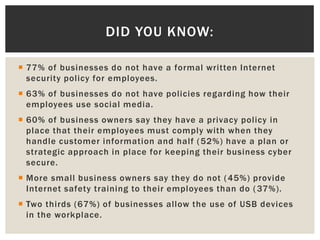
 77% of businesses do not have a formal written Internet
security policy for employees.
 63% of businesses do not have policies regarding how their
employees use social media.
 60% of business owners say they have a privacy policy in
place that their employees must comply with when they
handle customer information and half (52%) have a plan or
strategic approach in place for keeping their business cyber
secure.
 More small business owners say they do not (45%) provide
Internet safety training to their employees than do (37%).
 Two thirds (67%) of businesses allow the use of USB devices
in the workplace.
DID YOU KNOW:
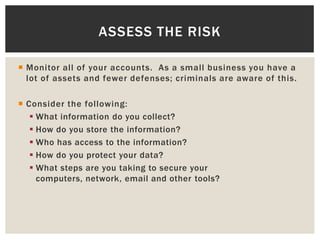
 Monitor all of your accounts. As a small business you have a
lot of assets and fewer defenses; criminals are aware of this.
 Consider the following:
ď‚§ What information do you collect?
ď‚§ How do you store the information?
ď‚§ Who has access to the information?
ď‚§ How do you protect your data?
ď‚§ What steps are you taking to secure your
computers, network, email and other tools?
ASSESS THE RISK
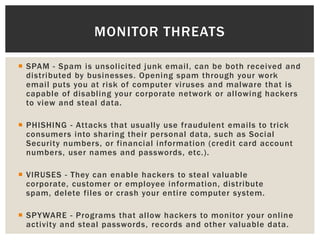
 SPAM - Spam is unsolicited junk email, can be both received and
distributed by businesses. Opening spam through your work
email puts you at risk of computer viruses and malware that is
capable of disabling your corporate network or allowing hackers
to view and steal data.
 PHISHING - Attacks that usually use fraudulent emails to trick
consumers into sharing their personal data, such as Social
Security numbers, or financial information (credit card account
numbers, user names and passwords, etc.).
 VIRUSES - They can enable hackers to steal valuable
corporate, customer or employee information, distribute
spam, delete files or crash your entire computer system.
 SPYWARE - Programs that allow hackers to monitor your online
activity and steal passwords, records and other valuable data.
MONITOR THREATS
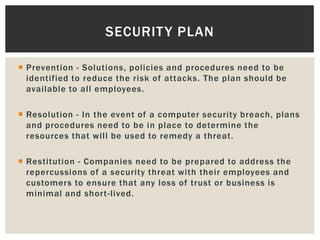
 Prevention - Solutions, policies and procedures need to be
identified to reduce the risk of attacks. The plan should be
available to all employees.
 Resolution - In the event of a computer security breach, plans
and procedures need to be in place to determine the
resources that will be used to remedy a threat.
 Restitution - Companies need to be prepared to address the
repercussions of a security threat with their employees and
customers to ensure that any loss of trust or business is
minimal and short-lived.
SECURITY PLAN
 Know what information is most important to protect!
 Change passwords often and keep in secure place. Use
passwords with eight or more characters and include a variety
of symbols, uppercase, lowercase and numbers.
 Back up your information in a secure location.
 Keep all of your virus protection up to date and make sure you
are using it properly. Check the settings regularly to make
sure they are working correctly.
 Educate employees on the safety procedures. Make sure
everyone is on the same page and aware of the potential
threats.
SIMPLE STEPS
THIS MESSAGE
BROUGHT TO YOU BY:

Business Safety

  • 1.
    Tips You CanUse From Business Network Long Distance KEEP YOUR BUSINESS SAFE
  • 2.
     77% ofbusinesses do not have a formal written Internet security policy for employees.  63% of businesses do not have policies regarding how their employees use social media.  60% of business owners say they have a privacy policy in place that their employees must comply with when they handle customer information and half (52%) have a plan or strategic approach in place for keeping their business cyber secure.  More small business owners say they do not (45%) provide Internet safety training to their employees than do (37%).  Two thirds (67%) of businesses allow the use of USB devices in the workplace. DID YOU KNOW:
  • 3.
     Monitor allof your accounts. As a small business you have a lot of assets and fewer defenses; criminals are aware of this.  Consider the following:  What information do you collect?  How do you store the information?  Who has access to the information?  How do you protect your data?  What steps are you taking to secure your computers, network, email and other tools? ASSESS THE RISK
  • 4.
     SPAM -Spam is unsolicited junk email, can be both received and distributed by businesses. Opening spam through your work email puts you at risk of computer viruses and malware that is capable of disabling your corporate network or allowing hackers to view and steal data.  PHISHING - Attacks that usually use fraudulent emails to trick consumers into sharing their personal data, such as Social Security numbers, or financial information (credit card account numbers, user names and passwords, etc.).  VIRUSES - They can enable hackers to steal valuable corporate, customer or employee information, distribute spam, delete files or crash your entire computer system.  SPYWARE - Programs that allow hackers to monitor your online activity and steal passwords, records and other valuable data. MONITOR THREATS
  • 5.
     Prevention -Solutions, policies and procedures need to be identified to reduce the risk of attacks. The plan should be available to all employees.  Resolution - In the event of a computer security breach, plans and procedures need to be in place to determine the resources that will be used to remedy a threat.  Restitution - Companies need to be prepared to address the repercussions of a security threat with their employees and customers to ensure that any loss of trust or business is minimal and short-lived. SECURITY PLAN
  • 6.
     Know whatinformation is most important to protect!  Change passwords often and keep in secure place. Use passwords with eight or more characters and include a variety of symbols, uppercase, lowercase and numbers.  Back up your information in a secure location.  Keep all of your virus protection up to date and make sure you are using it properly. Check the settings regularly to make sure they are working correctly.  Educate employees on the safety procedures. Make sure everyone is on the same page and aware of the potential threats. SIMPLE STEPS
  • 7.